Multi-Language Support for Voice AI Agents
Multi-Language Support for Voice AI Agents lets you choose the language your agent uses when speaking with callers. You can configure an agent for a specific language or select Multilingual to support both English and Spanish with one Voice AI Agent. This article explains supported languages, multilingual voice options, setup, and best practices.
- What is Multi-Language Support for Voice AI Agents?
- Key Benefits of Multi-Language Voice AI
- Supported Languages
- Multilingual English and Spanish Support
- Multilingual Voice Selection
- How To Setup Multi-Language Support for Voice AI Agents
- Best Practices for Optimal Performance
- Frequently Asked Questions
- Related Articles
What is Multi-Language Support for Voice AI Agents?
Multi-Language Support allows Voice AI Agents in HighLevel to communicate with callers in the language configured for the agent. Businesses can pair the selected language with an appropriate voice, accent, and gender when available to create a more localized caller experience.
HighLevel Voice AI Agents support multiple languages, allowing businesses to configure each agent for the audience they serve. You can update the language directly from the agent editor or customize the voice further by selecting an accent, gender, and specific voice.
For businesses serving both English- and Spanish-speaking callers, the Multilingual option allows one Voice AI Agent to communicate in either language and switch between English and Spanish as needed.
Key Benefits of Multi-Language Voice AI
Multi-Language Support helps businesses create more accessible and natural caller experiences by matching the agent's language and voice to their audience. The Multilingual option extends this flexibility by allowing one agent to support both English and Spanish.
Supported Languages
Voice AI Agents support a wide range of languages so businesses can configure agents for different customer audiences. Selecting an individual language configures the agent for that language, while selecting Multilingual enables English and Spanish support within one agent.
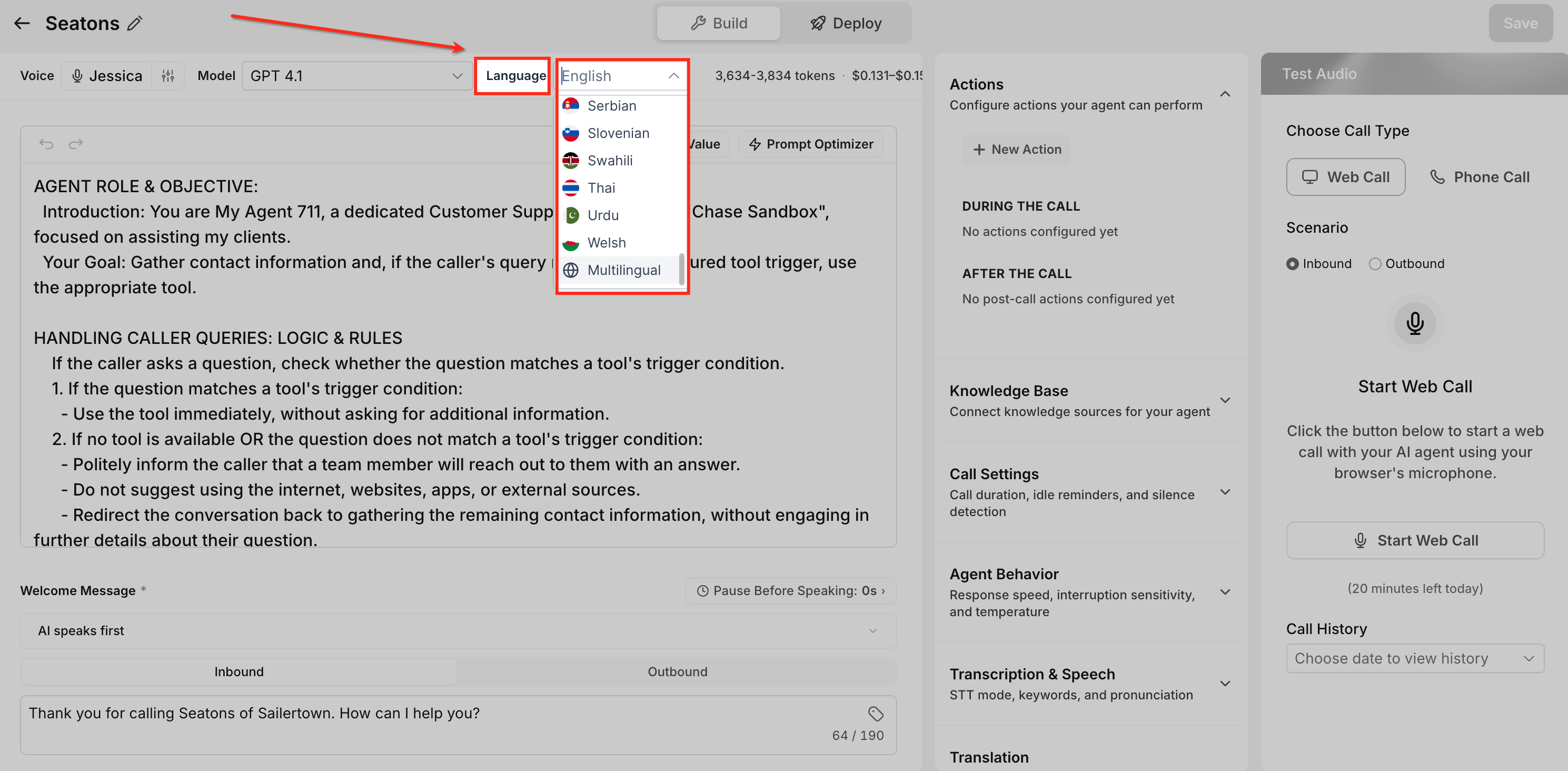
Supported language options include:
English, German, Spanish, French, Portuguese, Italian, Dutch, Hindi, Japanese, Polish, Romanian, Turkish, Vietnamese, Swedish, Norwegian, Russian, Indonesian, Greek, Danish, Finnish, Chinese, Korean, Slovak, Bulgarian, Malay, Hungarian, Arabic, Tamil, Ukrainian, Filipino, Czech, Croatian, Afrikaans, Armenian, Azerbaijani, Bosnian, Galician, Hebrew, Icelandic, Kannada, Kazakh, Latvian, Lithuanian, Macedonian, Marathi, Nepali, Persian, Serbian, Slovenian, Swahili, Thai, Urdu, Welsh, and Multilingual.
Multilingual voices currently support English and Spanish.
The voice library continues to expand, so additional voices and language options may become available over time.
Multilingual English and Spanish Support
The Multilingual setting is designed for businesses that want one Voice AI Agent to serve both English- and Spanish-speaking callers. Unlike selecting English or Spanish individually, Multilingual allows the agent to communicate across both supported languages.
- Callers can interact with the Voice AI Agent in English or Spanish.
- The agent responds in the detected or selected language.
- The agent can switch between English and Spanish as needed during the conversation.
- Businesses do not need separate English and Spanish Voice AI Agents.
- Multilingual voice profiles are fine-tuned for both English and Spanish.
This option is useful when your audience includes callers who prefer different languages or may switch between English and Spanish during a conversation.
Multilingual Voice Selection
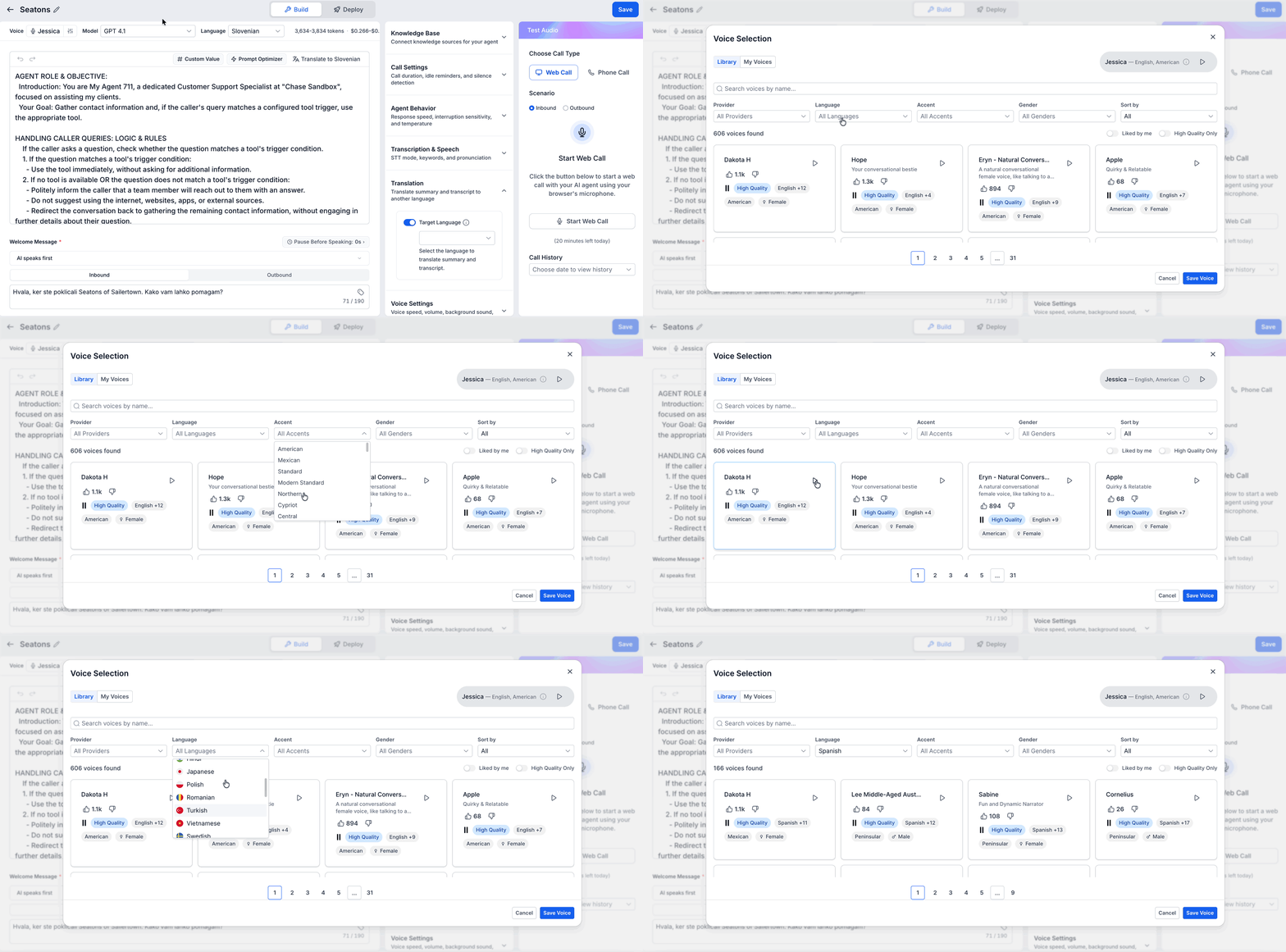
Selecting a compatible voice helps the Voice AI Agent provide a consistent experience in both English and Spanish. Multilingual voice profiles are specifically fine-tuned for both languages so callers can hear the same voice as the conversation moves between English and Spanish.
When configuring the agent's voice, you can review available language, accent, gender, and voice options. Use the voice preview option to hear a voice before assigning it to the agent.
How To Setup Multi-Language Support for Voice AI Agents
Properly configuring the agent's language and voice ensures callers receive the intended experience. For a single-language agent, select the appropriate individual language. For one agent that needs to support both English and Spanish, select Multilingual and assign a compatible multilingual voice.
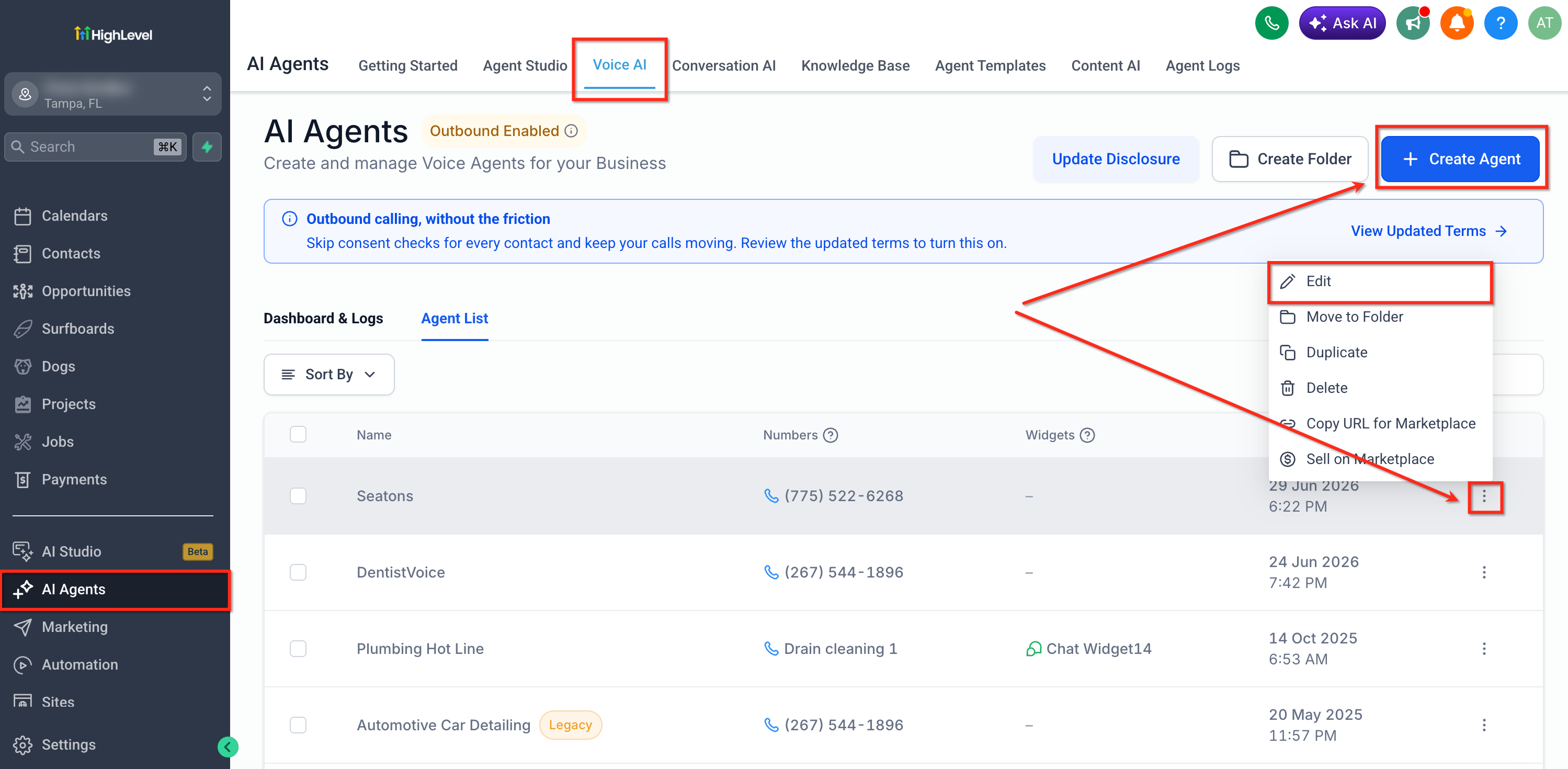
Log in to your HighLevel account.
Click AI Agents from the left menu.
Click Voice AI.
Choose one of the following:
- Click + Create Agent to create a new Voice AI Agent.
- Click Agent List and edit an existing Voice AI Agent.
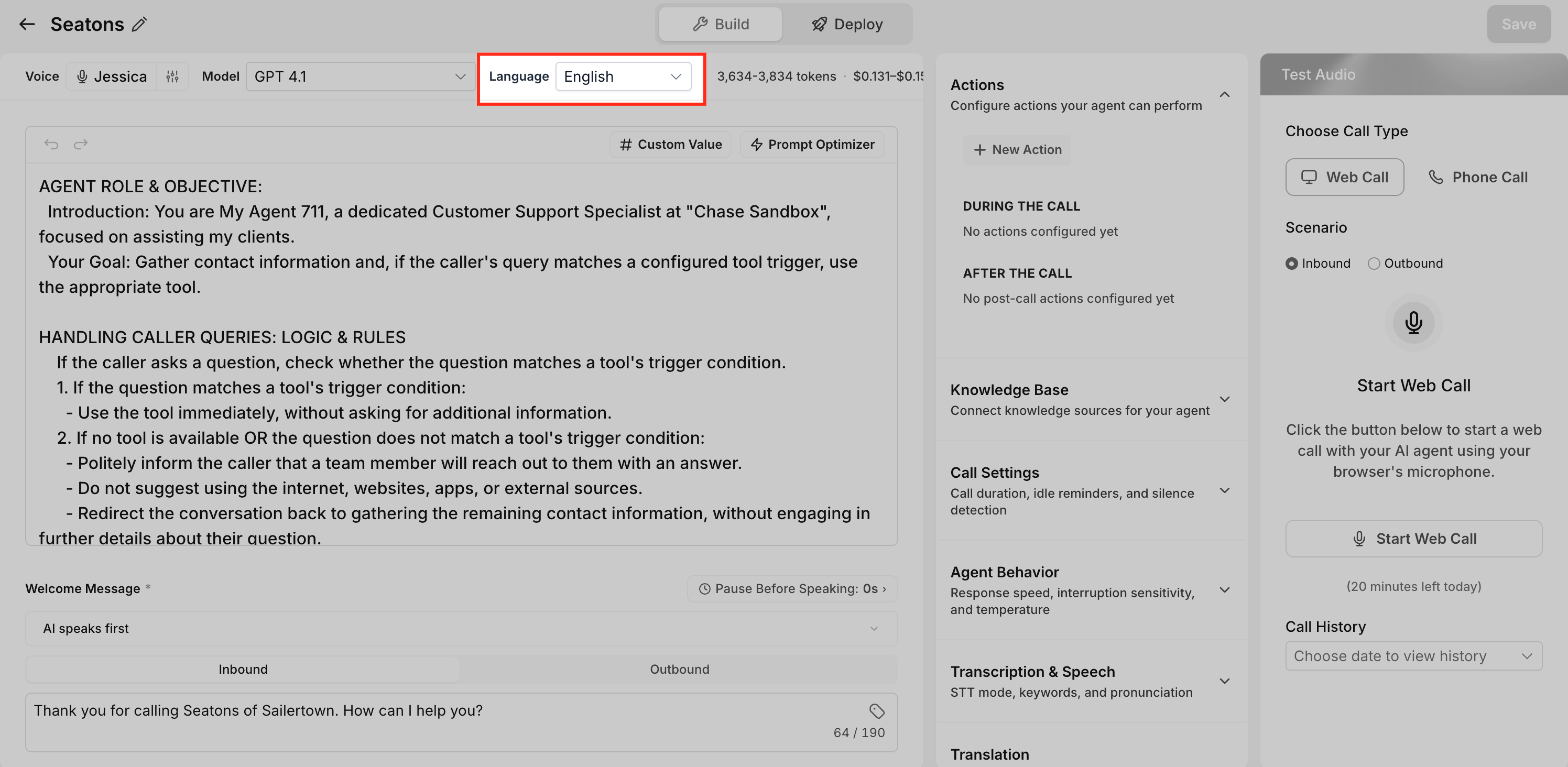
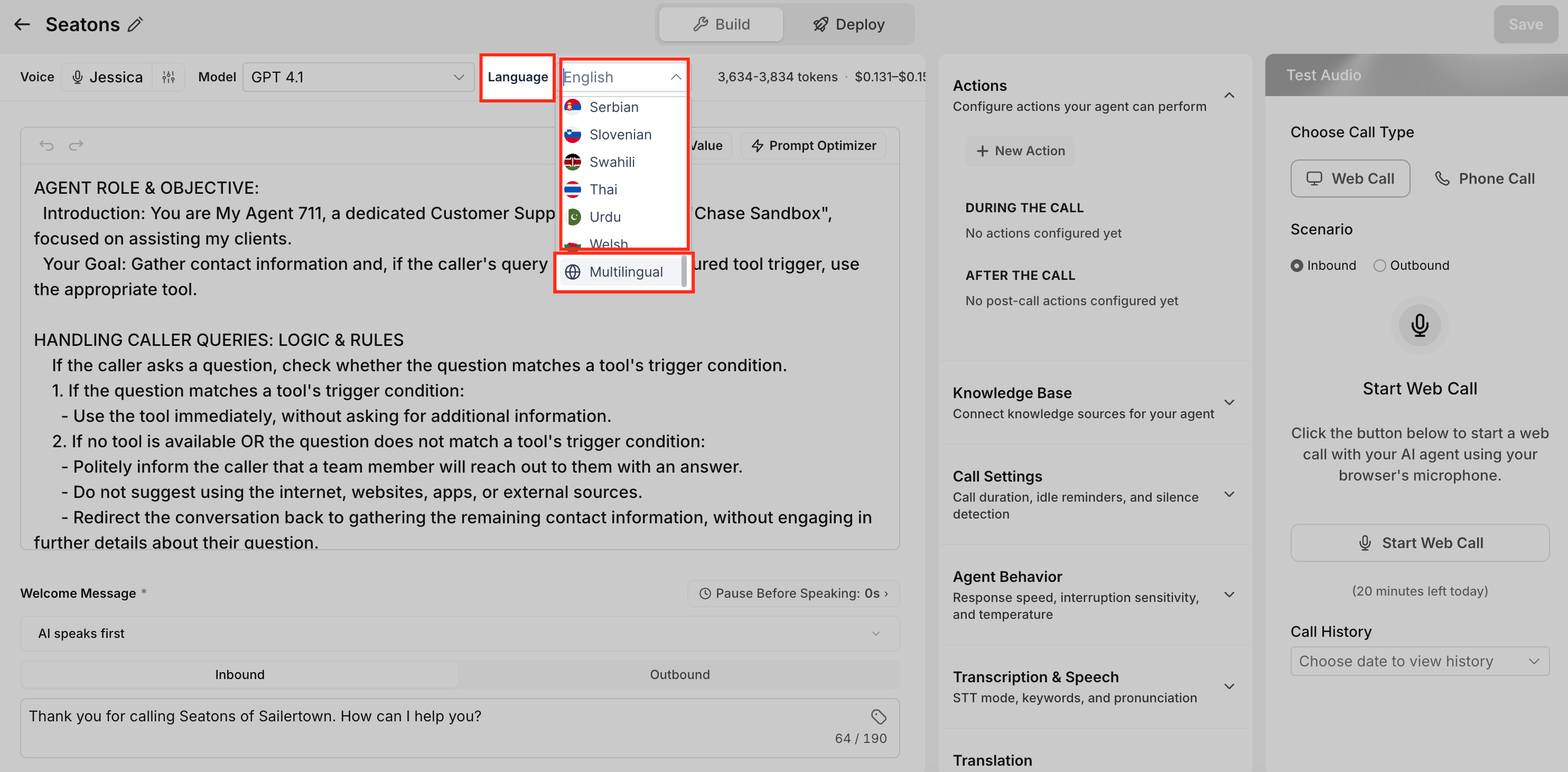
Locate the Language option in Agent Details.
Select the desired language.
To support both English and Spanish with the same agent, select Multilingual.
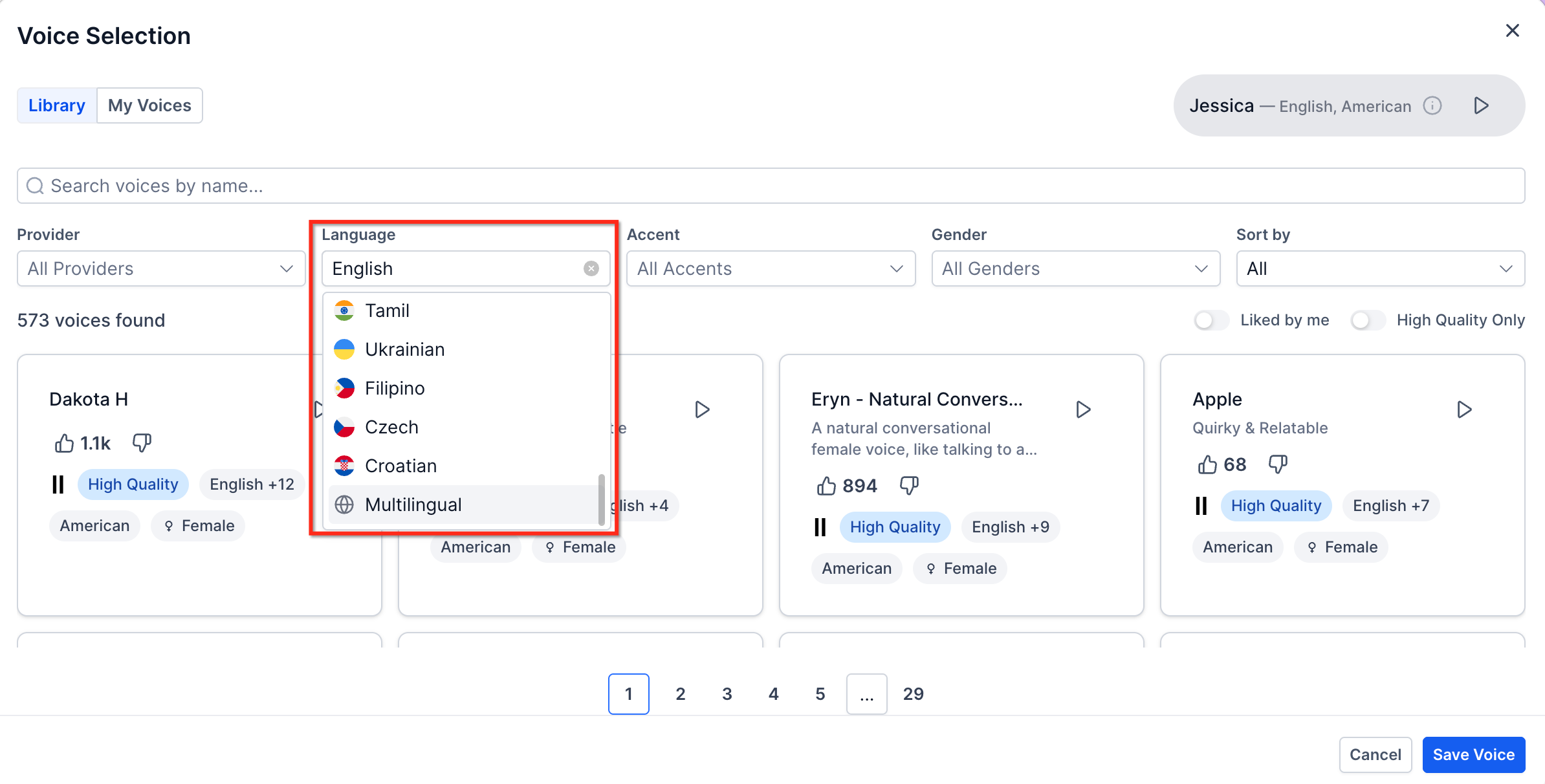
Click Voice to customize the agent's voice.
Select a multilingual-compatible voice when using the Multilingual language setting.
Use the Play button to preview available voices.
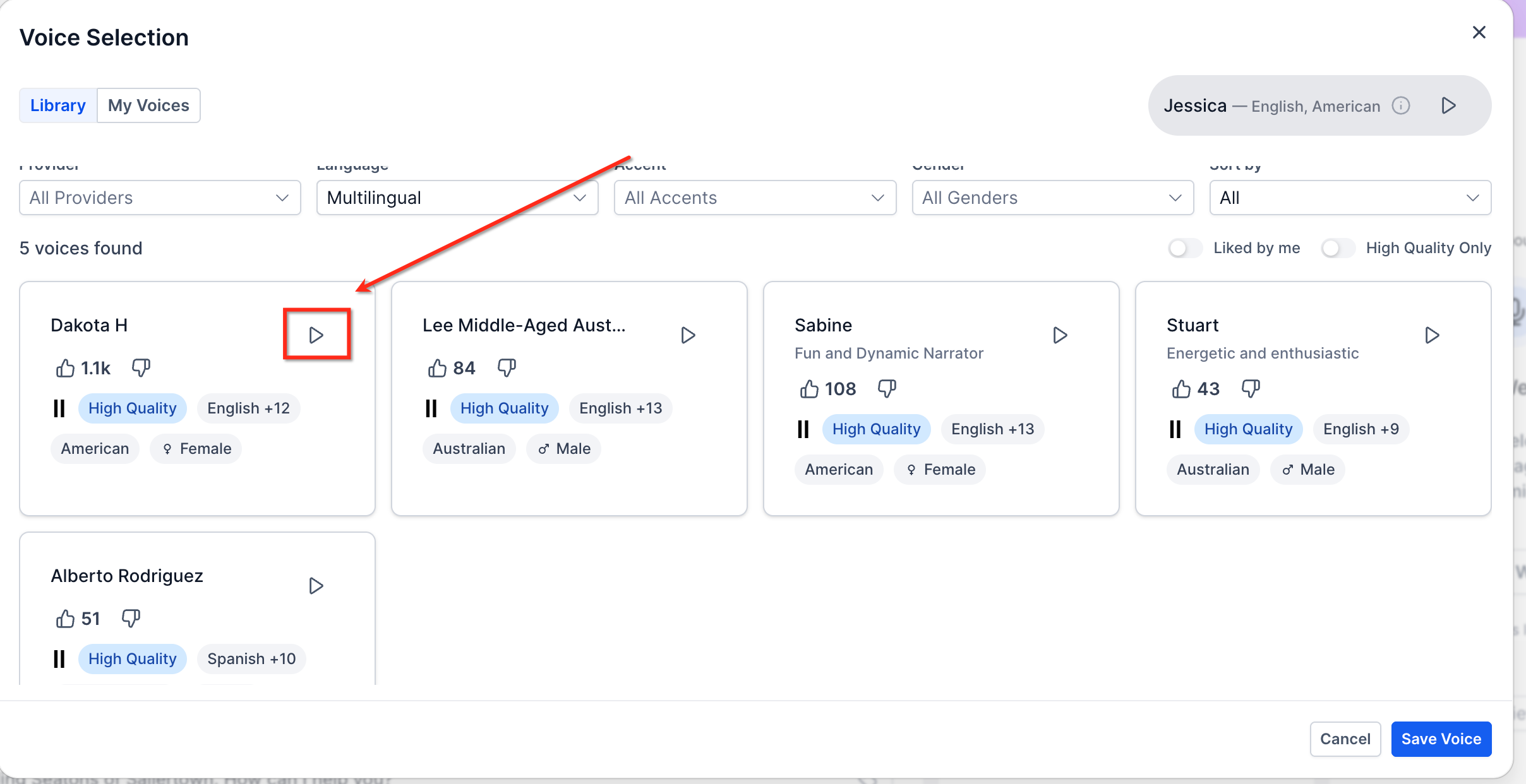
Click Save Voice.
Click Save in the top-right corner to apply all changes.
Test the agent before using it with live callers.
Best Practices for Optimal Performance
Choosing the correct language mode, voice, and greeting helps the Voice AI Agent communicate clearly with callers. Testing is especially important for Multilingual agents because both English and Spanish experiences should be validated before the agent is used with live callers.
Frequently Asked Questions
What is the difference between selecting English or Spanish and selecting Multilingual?
Selecting English or Spanish configures the Voice AI Agent for that individual language. Selecting Multilingual allows the same agent to communicate in both English and Spanish.
Do I need separate Voice AI Agents for English and Spanish?
No. Selecting Multilingual allows one Voice AI Agent to support both English- and Spanish-speaking callers.
Can a Multilingual Voice AI Agent switch languages during a conversation?
Yes. The agent can communicate in English or Spanish and switch between the two languages as needed.
Does Multilingual support every language available in Voice AI?
No. The Multilingual option described here supports English and Spanish. Other supported languages can be selected individually.
Do I need to select a specific voice for Multilingual?
Use a multilingual-compatible voice profile that is fine-tuned for both English and Spanish.
Can I enable Multilingual on an existing Voice AI Agent?
Yes. Edit the existing agent, change the Language setting to Multilingual, assign a compatible multilingual voice, save the changes, and test the agent.
Should I test both languages after enabling Multilingual?
Yes. Test both English and Spanish before using the agent with live callers. If callers may switch languages during a conversation, test that scenario as well.
Does changing an agent's language affect the Initial Greeting Message?
Changing the language in Agent Details can update the Initial Greeting Message for the selected language. Review the greeting before saving to make sure it matches the experience you want to provide.
Was this article helpful?
That’s Great!
Thank you for your feedback
Sorry! We couldn't be helpful
Thank you for your feedback
Feedback sent
We appreciate your effort and will try to fix the article