Custom audiences let you target or exclude your own contacts on ChatGPT. You can build one from a file you upload or from a HighLevel smart list. Emails and phone numbers are hashed before they are sent to OpenAI, and individual contacts are never visible in OpenAI.
TABLE OF CONTENTS
- Where to create an audience
- Option A: Upload a customer list
- Option B: Use a smart list
- Using an audience in a campaign
- The 25,000 match minimum
- Good to know
- Related
Where to create an audience
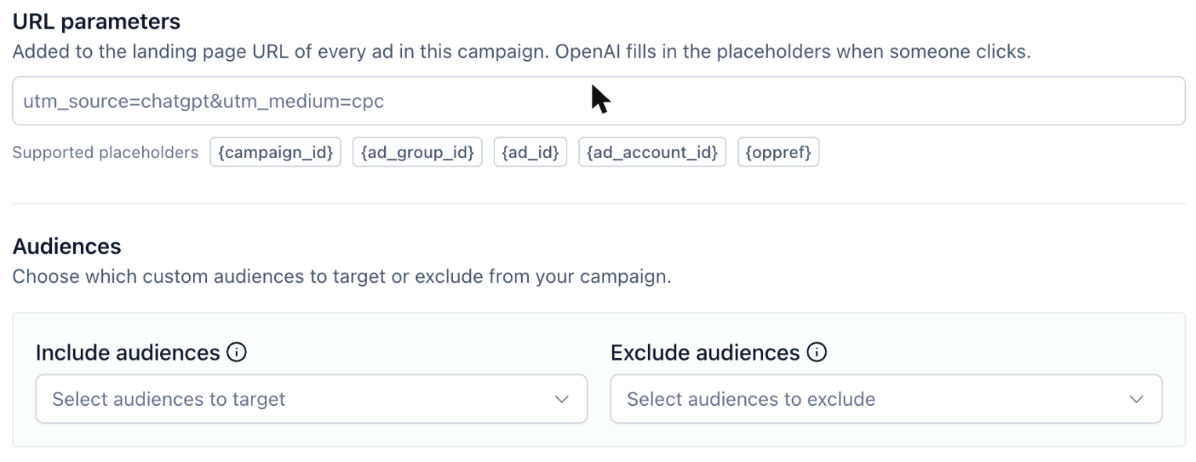
You create audiences from inside the campaign builder. Open the campaign, scroll to Audiences, open either Include audiences or Exclude audiences, and click Create audience.
Option A: Upload a customer list
Select Upload a customer list.
Enter an Audience name, and a Description if it helps your team.
Choose the Identifier type, either Email or Phone. This must match what is in your file.
Drag in your file or click to upload. The file must be CSV or TXT.
If you are unsure of the format, click Download sample and expand Customer list requirements.
Click Create.
Option B: Use a smart list
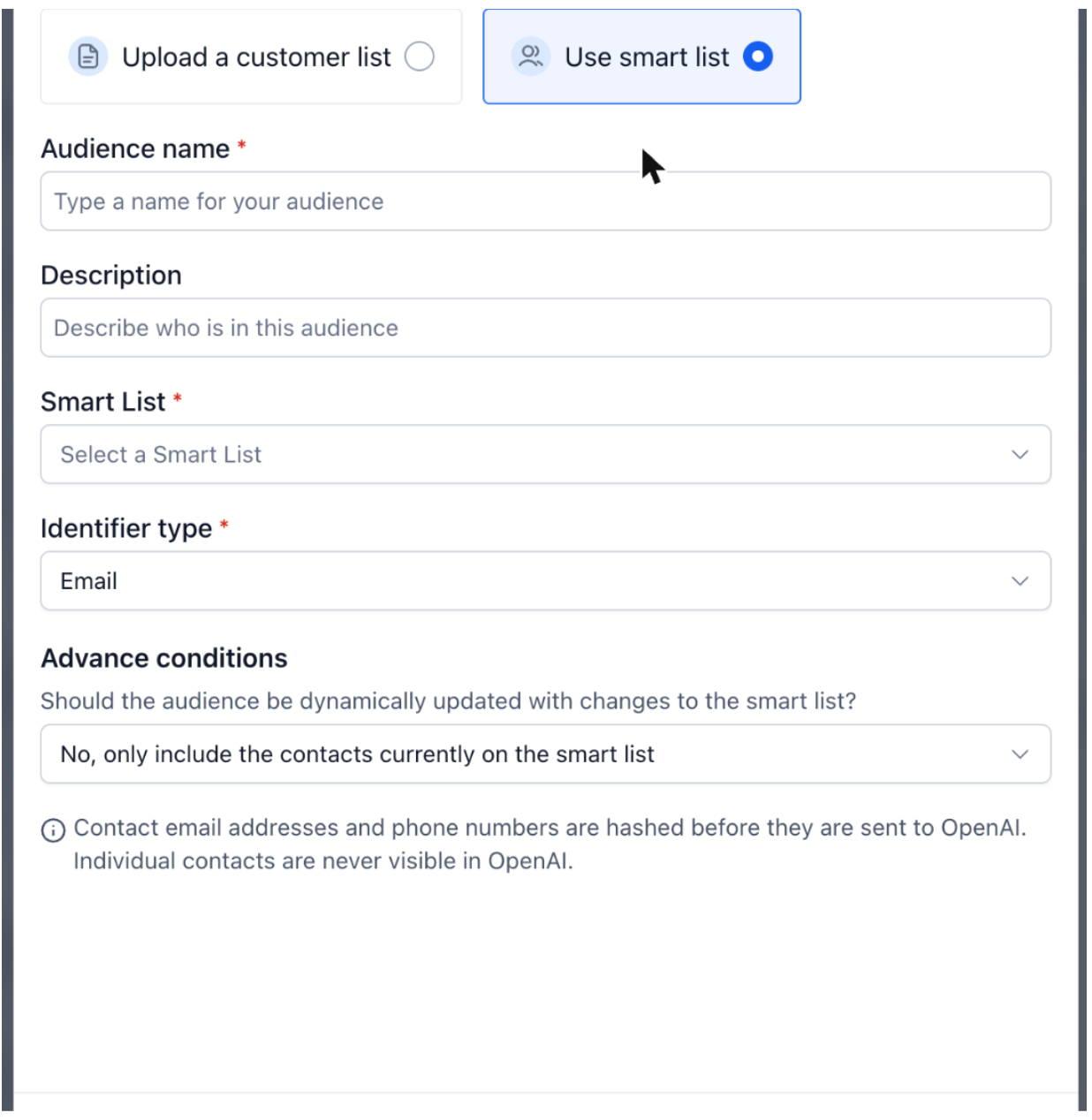
Select Use smart list.
Enter an Audience name, and a Description if it helps your team.
Choose the Smart List to build the audience from.
Choose the Identifier type, either Email or Phone.
Under Advance conditions, decide whether the audience should update as the smart list changes, or stay fixed to the contacts on the list today.
Click Create.
Using an audience in a campaign
In the campaign's Audiences section, pick audiences under Include audiences to target them, or under Exclude audiences to keep them out. Excluding is useful for suppressing existing customers from acquisition campaigns.
The 25,000 match minimum
OpenAI requires an audience to match at least 25,000 users before it can be targeted. Audiences below that threshold appear in the list with Fewer than 25K matched users and are flagged Audience too small to target.
If you hit this, you can:
combine lists into a single larger audience,
widen the smart list criteria, or
run the campaign without audience targeting and rely on locations, surfaces and context hints instead.
Good to know
Matching happens on hashed emails and phone numbers. OpenAI never sees individual contacts.
A smart list audience set to update dynamically keeps matching new contacts as they enter the list, which is useful for ongoing suppression lists.
Related
Was this article helpful?
That’s Great!
Thank you for your feedback
Sorry! We couldn't be helpful
Thank you for your feedback
Feedback sent
We appreciate your effort and will try to fix the article