A ChatGPT ad is short. One title, one description, one image and a link. This article covers the specs and the two features that make the copy work harder.
TABLE OF CONTENTS
Creative specs
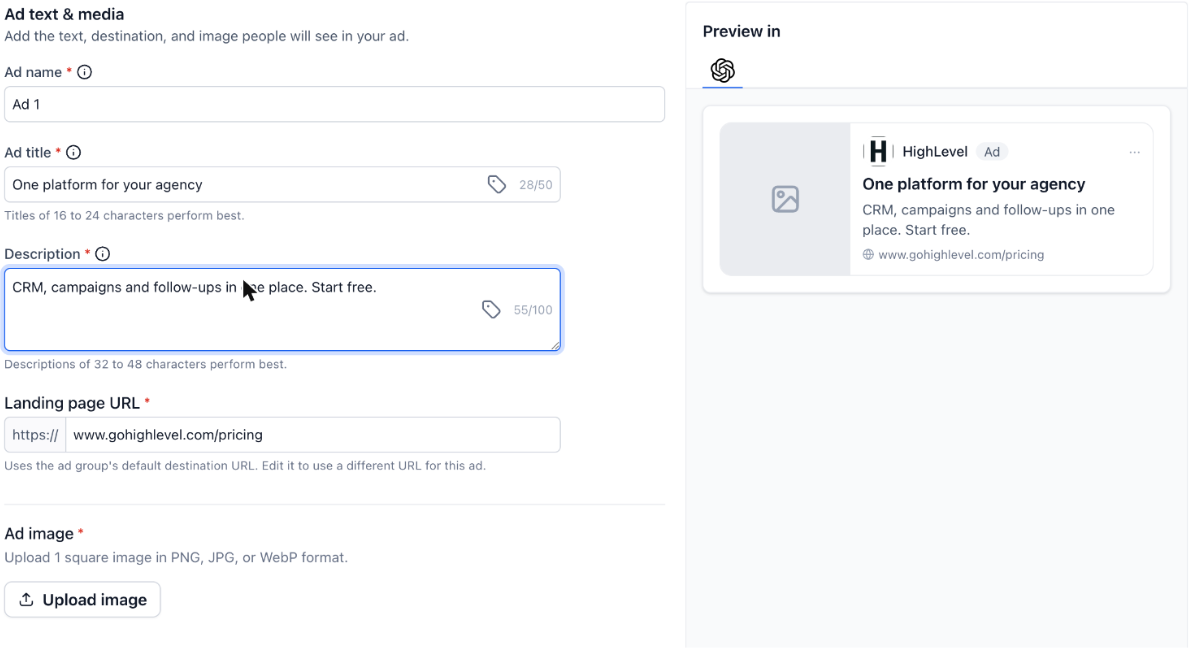
Ad title: maximum 50 characters. Ad Manager notes that titles of 16 to 24 characters perform best.
Description: maximum 100 characters. Ad Manager notes that descriptions of 32 to 48 characters perform best.
Ad image: one square image, in PNG, JPG or WebP.
Landing page URL: inherited from the ad group's default destination URL, and editable per ad.
The character counter sits inside each field, and the Preview in ChatGPT panel renders the ad live as you type. Write to the recommended ranges rather than the maximums. The preview is the fastest way to see when a line is getting too long.
Context hints
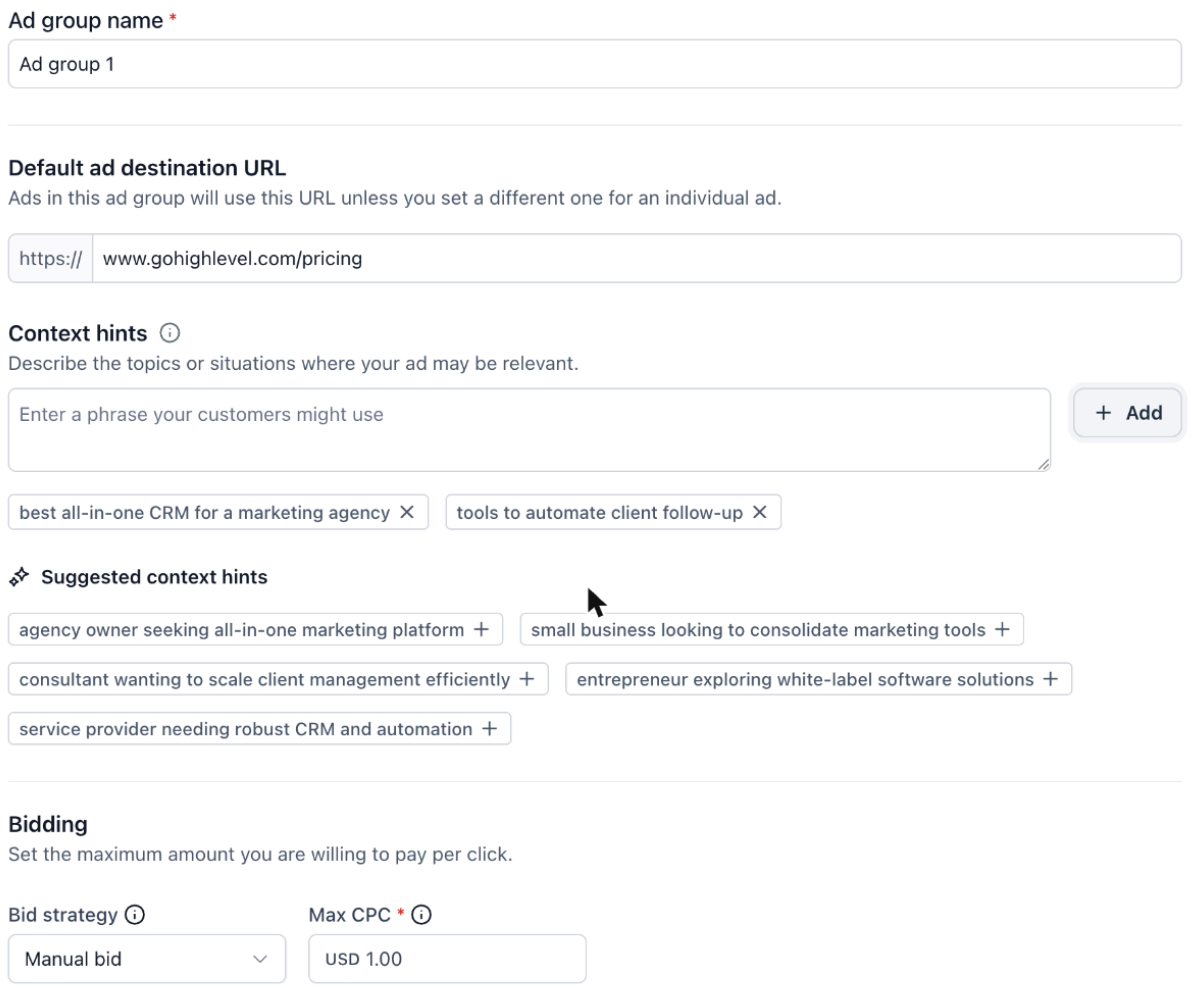
ChatGPT ads are not matched to keywords. Instead you give context hints at the ad group level: short phrases describing the topics and situations where your ad belongs, written the way a customer would actually say them.
Write them as natural phrases, for example "best all-in-one CRM for a marketing agency" or "tools to automate client follow-up".
Type a phrase and click Add. Each hint appears as a chip, and the x on a chip removes it.
Suggested context hints are generated for you based on your destination. Click the + on any suggestion to add it.
Think in terms of the problem your customer is describing to ChatGPT, not the product name they may never have heard of.
Custom values in ad text
You can insert custom values into ad copy so the same ad reads correctly across sub-accounts.
Click the tag icon inside the Ad title or Description field.
Search, or browse the groups: Account, Company, Right now and Custom Values.
Select a value to insert it as a token.
Before publishing, click Map custom values in the top bar to see every custom value the campaign uses and confirm each one resolves. If the campaign uses none, the screen tells you so.
Remember that custom values still have to fit the 50 and 100 character limits once they resolve, so leave headroom.
Related
Was this article helpful?
That’s Great!
Thank you for your feedback
Sorry! We couldn't be helpful
Thank you for your feedback
Feedback sent
We appreciate your effort and will try to fix the article