How to Register Your A2P Brand for SMS Messaging
This article explains how to choose the correct Brand type for your business, what information you need before registering, and how to submit your A2P Brand registration in HighLevel.
Your Brand identifies the business or individual responsible for sending messages and must be approved before you can register your A2P Campaign and begin sending compliant SMS or MMS messages.
What is A2P Brand Registration?
A2P messaging refers to any message sent from an application to a person, such as automated marketing texts, appointment reminders, billing alerts, or verification codes. To send A2P messages in the United States using 10-digit local phone numbers, you must register your Brand and Campaign(s) with The Campaign Registry (TCR) through your messaging provider.
An A2P Brand is the verified identity of the business or individual responsible for sending those messages. Carriers use Brand registration to confirm who is sending messages and to evaluate trust, messaging behavior, and long-term deliverability.
Your Brand is separate from your Campaign. The Brand identifies who is sending messages, while the Campaign explains what types of messages you plan to send, why you are sending them, and how contacts gave consent to receive them. After your Brand is approved, you can continue to Campaign registration, where you'll describe your message use case, sample messages, opt-in method, and consent details.
Revised Brand Type Comparison
| If your business... | Register as... | Key Requirements |
|---|---|---|
| Has an EIN, Tax ID, Business Number, or other accepted business registration number | Standard Brand | Use your legal business name and registration number exactly as shown in official records. A business-domain email is recommended when possible. |
| Does not have an EIN, Tax ID, Business Number, or registered business entity and has only 1 employee | Sole Proprietor Brand | Use an individual or unregistered business name. A public-domain email such as Gmail, Hotmail, or Yahoo is required. Business-domain emails are not eligible. |
Important: Sole Proprietor Brands are only for businesses or individuals without a Tax ID. If your business has an EIN, Tax ID, Business Number, or other accepted business registration number, you must register as a Standard Brand.
Choose the Correct Brand Type for Your Business
Before registering your A2P Brand, determine whether your business should register as a Standard Brand or a Sole Proprietor Brand.
Standard Brand is designed for businesses registered with an EIN or other accepted business registration number. It allows greater messaging throughput and access to a wider variety of campaign use cases than Sole Proprietor brands. Standard Brands can support multiple phone numbers.
Sole Proprietor Brand is for individuals or businesses with only 1 employee that do not have an EIN, Tax ID, Business Number, or registered business entity. They have lower messaging limits and stricter sending restrictions compared to Standard Brands.
Sole Proprietor accounts are limited to 1 phone number per campaign. Accounts purchasing multiple local numbers may encounter errors when texting, specifically error code 30034, even with approved numbers. This issue arises because each purchased number needs to be specifically linked to an approved A2P 10DLC campaign.
Sole Proprietor Brands are only for businesses or individuals without a Tax ID. If your business has an EIN, Tax ID, Business Number, or other accepted business registration number, you must register as a Standard Brand.
Accepted Business Registration Numbers by Country
When registering a Standard Brand, use the accepted business registration number for the country where your business is registered. Your legal business name and registration number should match official records exactly.
The EIN has to match the Legal Company Name available in the Tax-Exempt Organizations or Registered Political Organizations list. Learn more in Nonprofit and Government Guide to A2P 10DLC Text Messaging.
If your business is a public for-profit company, the stock ticker symbol and selected stock exchange must match publicly available sources.
Supported exchange values include: NONE, NASDAQ, NYSE, AMEX, AMX, ASX, B3, BME, BSE, FRA, ICEX, JPX, JSE, KRX, LON, NSE, OMX, SEHK, SGX, SSE, STO, SWX, SZSE, TSX, TWSE, VSE, OTHER.
How to Register Your Brand
The general Brand registration process is similar for Standard and Sole Proprietor Brands. The main differences are the eligibility questions, required fields, and verification steps. Follow these steps carefully to complete your Brand registration:
Click on Settings from your sub-account.
Under Business Services, select Phone System.
Click on the Trust Center tab.
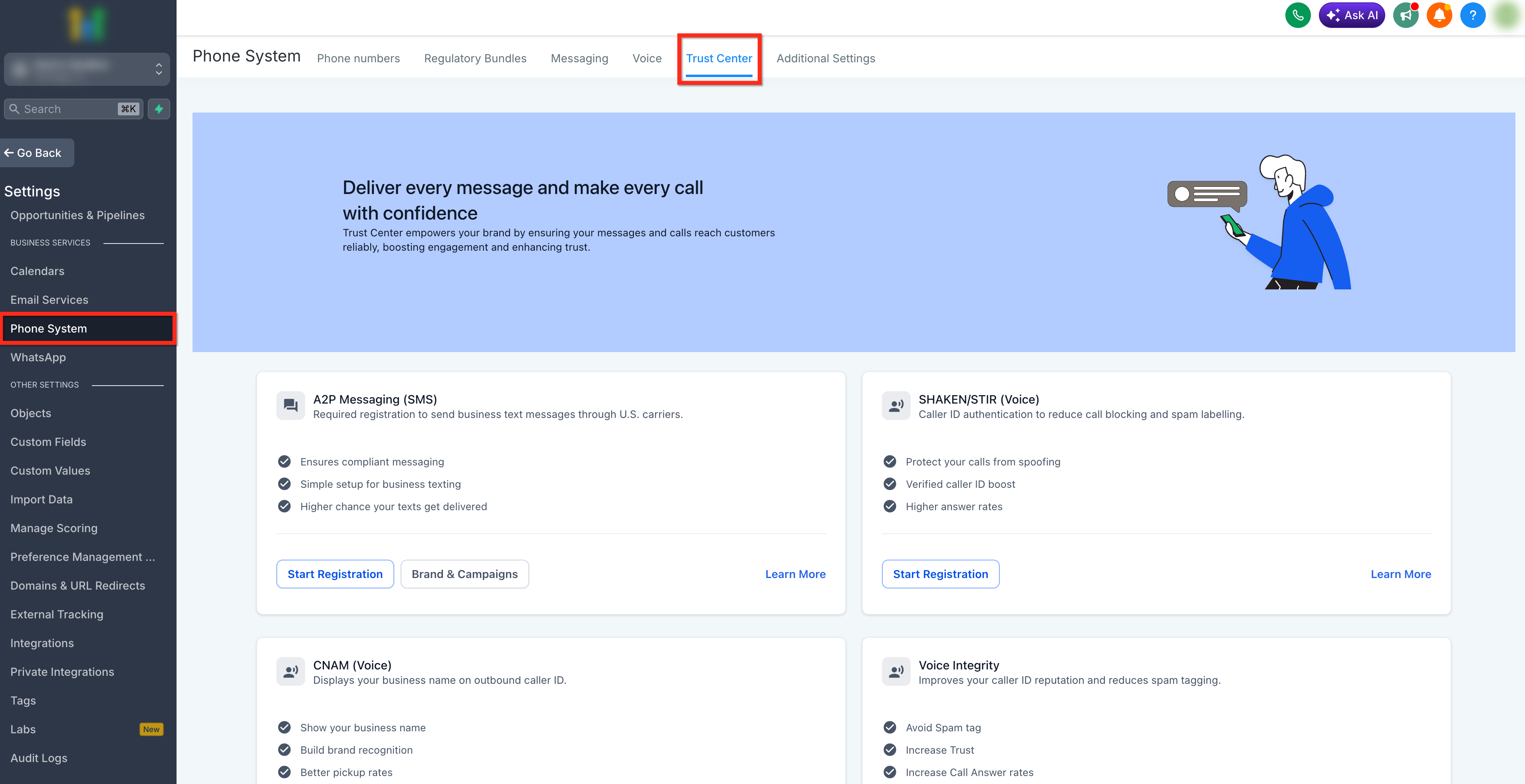
Click the Start Registration button under A2P Messaging (SMS) tab.
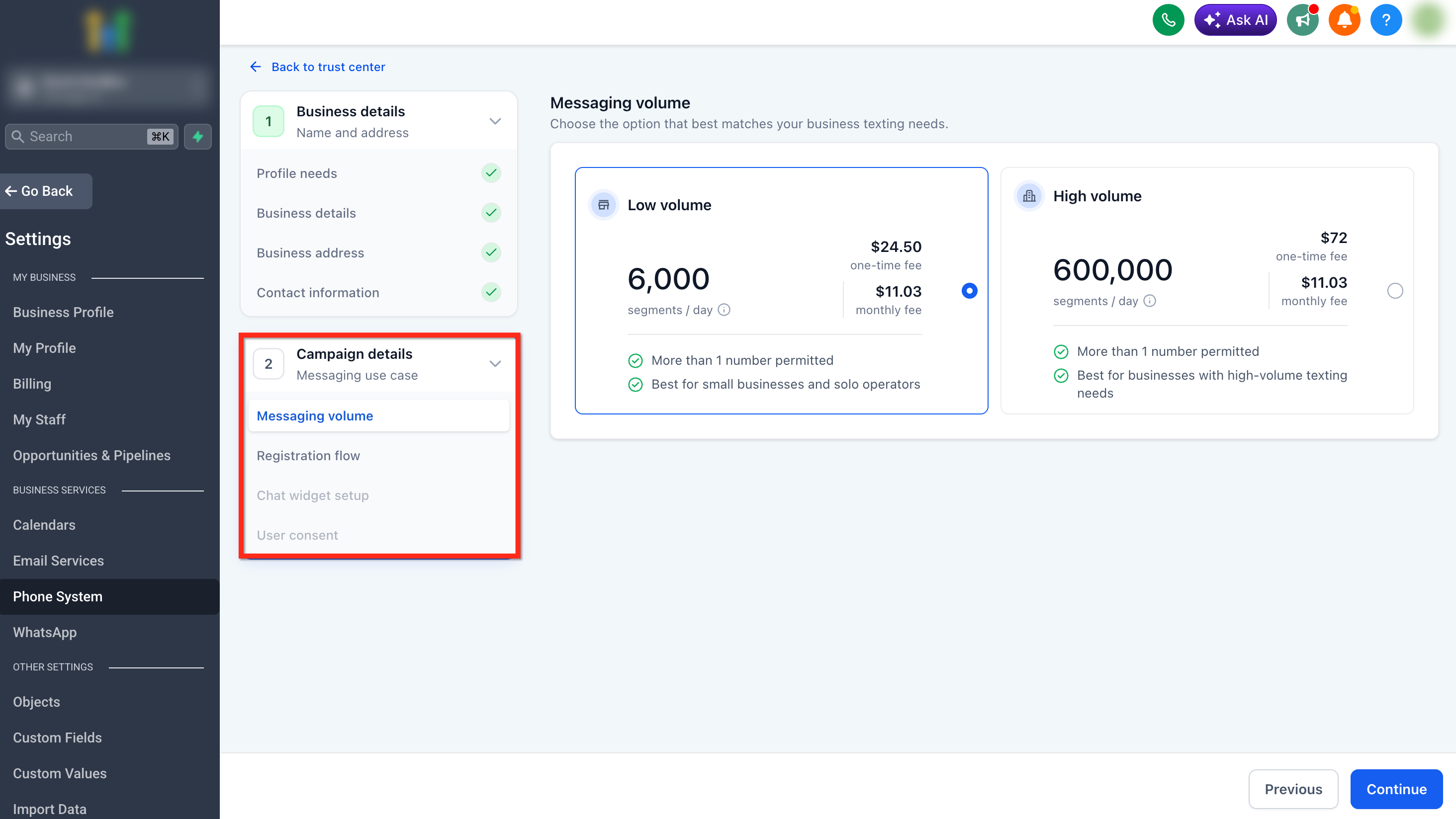
The registration flow includes two main sections: Business Details (Brand type and business use case) and Campaign Details (Message use case, registration flow, chat widget, and user consent).
This article covers the Business Details section. For Campaign Details, see A2P Campaign Registration.
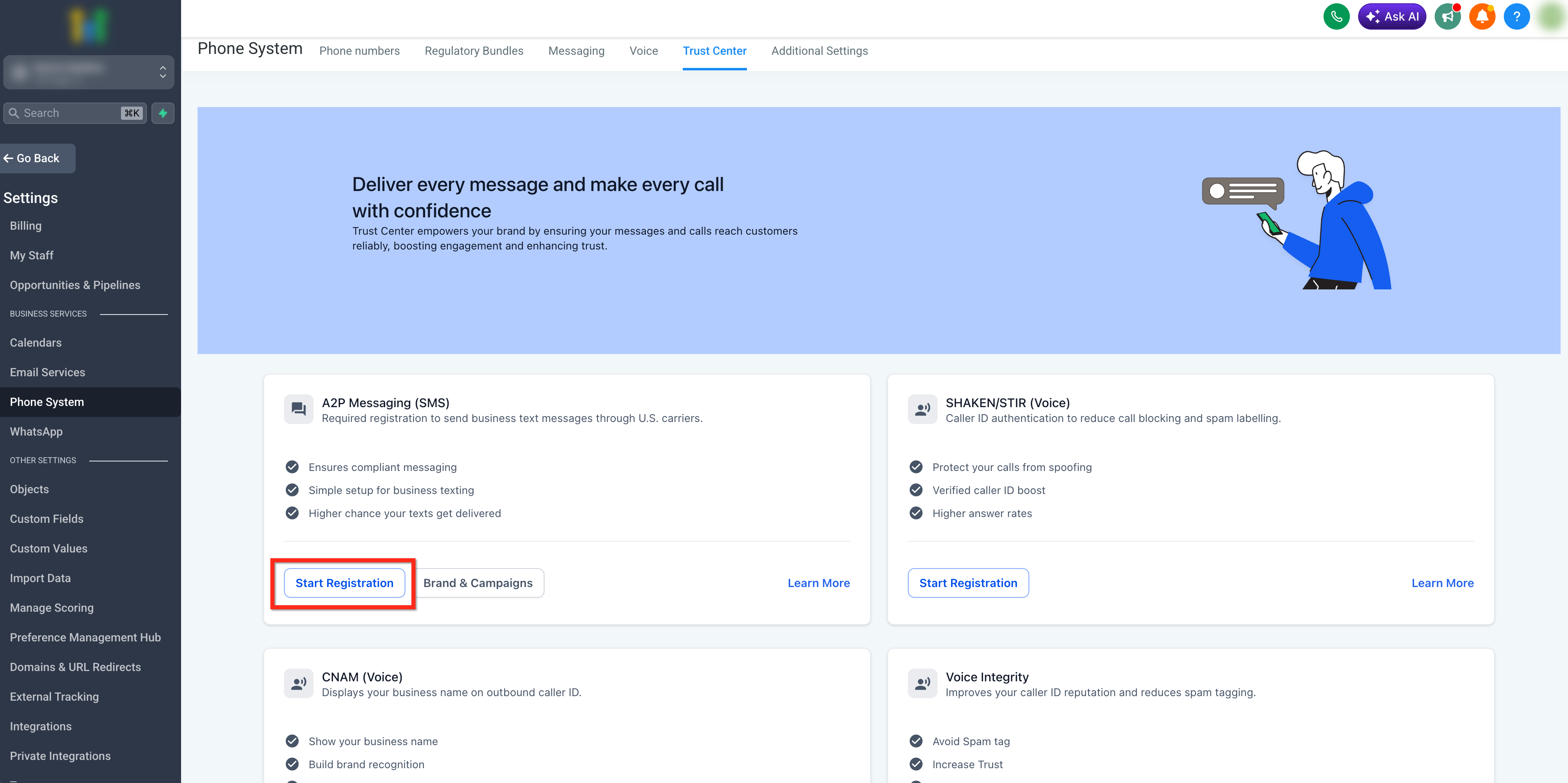
In the Get Started section, answer the initial registration questions.
Select where your business is registered.
Answer whether your business has a Tax ID. This question determines which Brand registration path you follow.
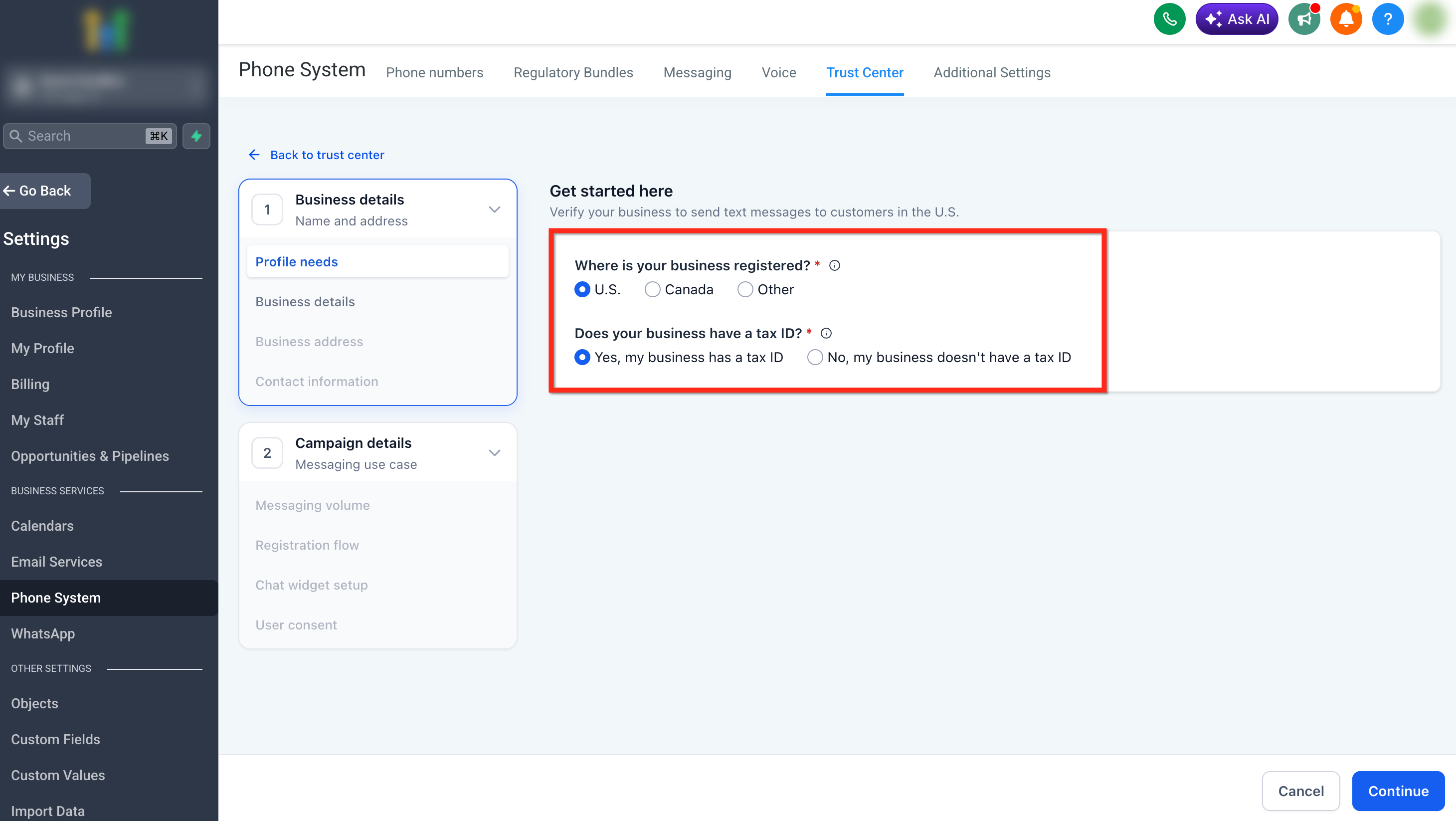
After selecting your Tax ID status, complete the Business Details fields. The fields shown may change based on whether you selected Yes or No for Tax ID.
If your business has a Tax ID, enter the registered business information: Legal business name, Business type, Business industry, Business registration ID type, Business registration number, Business email, and Business region of operations.
Be sure to use the exact legal business name and tax ID shown on your tax documents. Small mismatches can cause delays or rejection.
DUNS are not accepted for U.S. A2P Registration.
If you have your IRS CP-575 form, you can upload it directly on the Business Details page. Uploading this document allows the system to automatically populate key fields, including: Legal business name, EIN (Business Registration Number), and Registered business address.
Using your CP-575 helps ensure your information matches IRS records exactly and reduces the risk of errors during entry. This can significantly improve your chances of getting approved on the first submission.
EINs issued within the last 15 days may be rejected because the information may not have propagated to the systems used for verification.
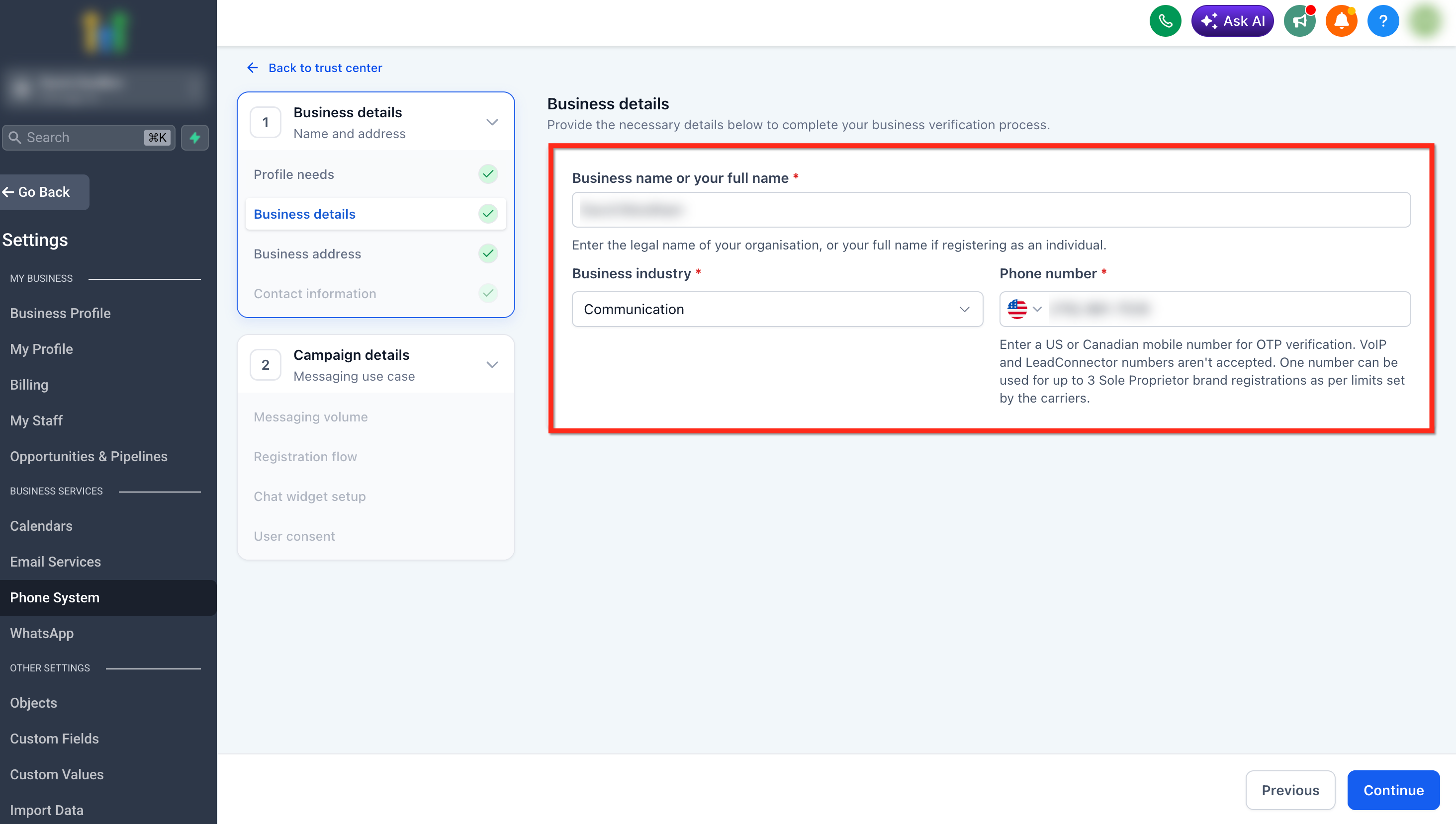
If your business does not have a Tax ID, enter the Sole Proprietor business or owner information: Business name or full name, Industry, and Phone number.
The Brand name should reflect the individual or unregistered business and should not include terms such as LLC, Inc., Corporation, or similar entity designations.
The phone number must be a U.S. or Canada mobile number that can receive OTP verification. VoIP numbers, LeadConnector numbers, and other CPaaS numbers are not accepted.
One phone number can be used for up to three Sole Proprietor Brand registrations as per carrier limits.
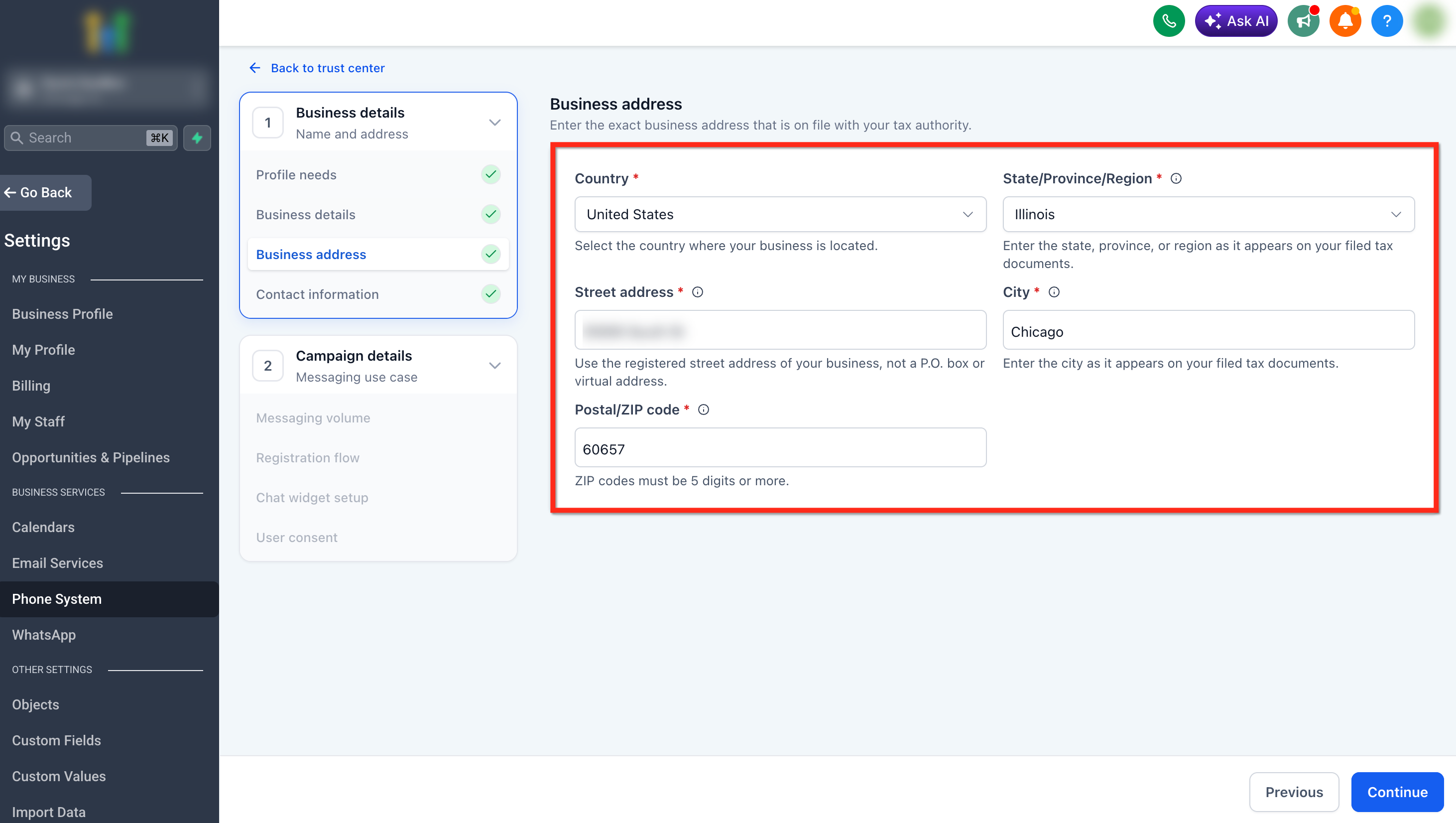
Enter the business or owner address: Country, State / Province / Region, Street address (Please don't add a P.O box in the Street Address), City, and ZIP or postal code.
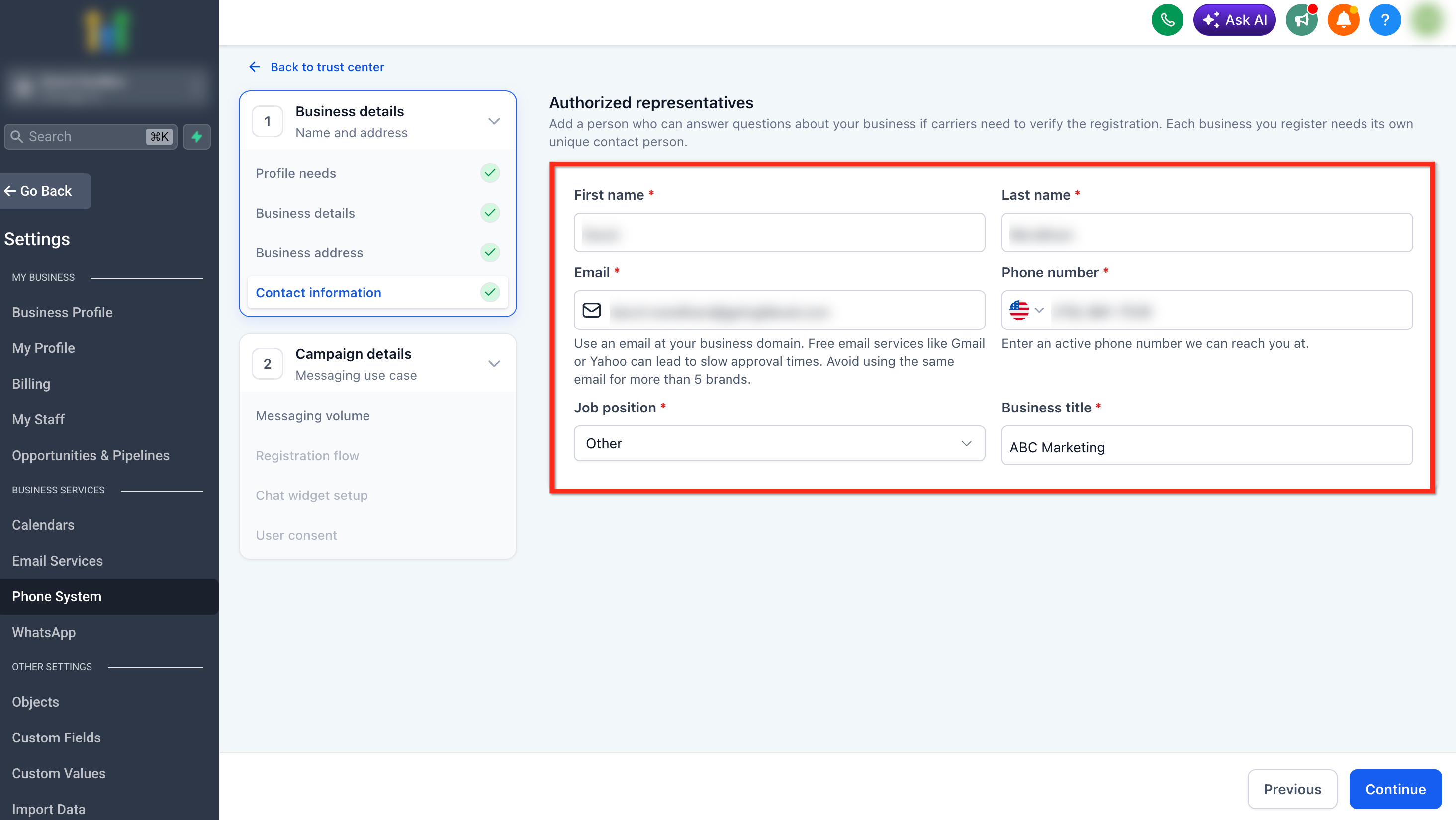
Then add an authorized representative. This should be someone who can answer questions about the business if carriers need to verify the registration. The mobile number and email must match carrier records for successful verification.
Enter: First name, Last name, Email address, Phone number (Don't use the same number for more than 5 brands and number provided should be reachable), Job position, and Job title.
For Standard Brands, use a business-domain email address when possible (e.g. info@mycompany.com). Free email services like Gmail or Yahoo may lead to slower approval times.
For Sole Proprietor Brand registration, business email domains are not eligible. Make sure you are using a public domain email (e.g., Gmail (NOT Gsuite), Hotmail, Yahoo, etc).
Each business should have its own unique contact person. Avoid using the same email address for more than five brands.
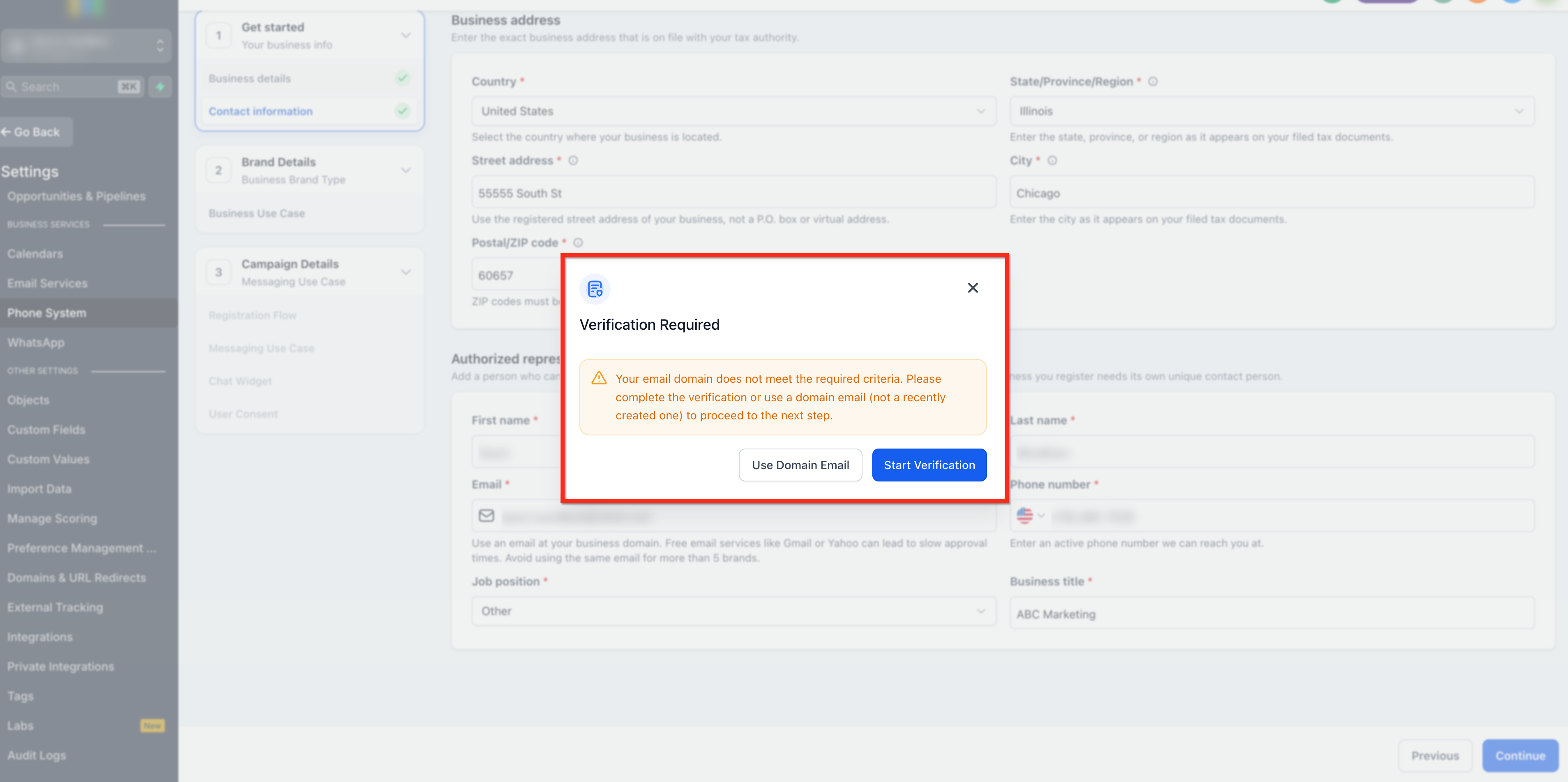
After entering your contact details, HighLevel may ask you to complete a verification step before continuing. The verification step shown depends on the sub-account and registration details.
You may be prompted to complete one of the following:
Persona Identity Verification: Confirms the identity of the user or business representative. Persona verification is generally completed once per sub-account. To learn more, see Identity Verification for Phone Numbers.
Email OTP Verification: Confirms access to the email address used in the A2P Brand registration. To learn more, see Email OTP Verification below.
After completing the required verification step, continue the registration flow.
Brand approval does not automatically approve messaging. The next section is Campaign Details, where you'll choose the messaging volume, registration flow, message use case, chat widget setup, and user consent information.
For the next steps, see A2P Campaign Registration.
Email OTP Verification
Email OTP (one-time password) verification is a security step during A2P Brand registration that confirms you have access to the contact email address. It helps prevent fraudulent registrations and ensures the email is valid and actively monitored. This step typically appears when Persona identity verification is not required and is triggered for business email addresses with a domain age greater than 45 days. You must complete it before continuing with registration.
To complete Email OTP verification:
1. Check the contact email inbox for the verification code
2. Enter the code in the verification modal
3. Continue the registration flow.
If you do not receive the OTP, confirm that the email address was entered correctly, check your spam or junk folders, and use the resend option if it is available. If verification fails repeatedly or you cannot receive the code, follow the on-screen instructions or contact Support for assistance.
Users have up to 3 attempts to enter the correct OTP and 2 opportunities to resend it. After 3 failed attempts, you must restart the verification process.
Tips to Avoid Brand Registration Rejection
Before submitting your Brand registration, confirm that your legal business name matches your official business or tax records exactly, your EIN, Tax ID, or Business Number is correct and matches official records, your business address matches your official records, your website (if provided) clearly matches your business name and services, and your contact details are accurate and accessible in case verification is required.
For full website, opt-in, Privacy Policy, Terms & Conditions, and Campaign approval requirements, see A2P Compliance & Approval Checklist.
What to Do if Brand Registration Fails
If your Brand registration fails or is rejected, review the error message and compare your submitted Brand details against your official business records.
Common Brand registration issues include:
- Legal business name does not match official records
- EIN, Tax ID, or business registration number is incorrect
- Business address does not match registration records
- Sole Proprietor registration was attempted for a business with a Tax ID.
After correcting the issue, resubmit the Brand registration.
For detailed troubleshooting steps, including specific rejection reasons and required fixes, see A2P Rejections, Required Fixes & Vetting Errors.
Next Step: Register Your A2P Campaign
After your Brand is approved, the next step is Campaign registration.
Campaign registration explains what types of messages you send, who receives the messages, how contacts opt in, what your sample messages look like, and whether messages include links, phone numbers, age-gated content, or restricted content.
To continue, see A2P Campaign Registration.
Frequently Asked Questions
A Standard Brand is for businesses registered with an EIN, Tax ID, or Business Number and supports higher messaging throughput and multiple phone numbers. A Sole Proprietor Brand is for individuals or very small businesses without a Tax ID and is limited to 1 phone number per campaign with lower messaging limits.
No, DUNS numbers are not accepted for U.S. A2P Brand registration. You must use your EIN (Employer Identification Number) exactly as it appears on your IRS CP-575 or 147C letter.
How long does Brand registration approval take?
Brand registration approval times vary based on the Brand type and whether additional verification or manual review is required.
Standard Brand registrations may take several business days, while Sole Proprietor Brand registrations are often reviewed more quickly. If additional verification is required, approval may take longer.
This version is safer because it preserves the distinction between Brand types without overpromising a fixed timeline.
While Gmail addresses are accepted, using a business-domain email address (e.g., info@yourcompany.com) is strongly recommended for Standard Brand registration to improve approval speed and reduce verification delays. For Sole Proprietor Brand registration, you must use a public domain email like Gmail, Hotmail, or Yahoo—business email domains are not eligible.
Your registered business information must stay accurate and up to date for your Brand. Once your Brand and Business Profile are approved, you cannot make changes to them through the Console or API, so if you need to update any information in your Brand/Business Profile, please contact Support with the necessary changes.
Common rejection reasons include mismatched legal business name or EIN, incorrect business address, newly issued EIN (less than 15 days old), using a Sole Proprietor registration for a business with a Tax ID, or missing or invalid contact information. Review your submission carefully against official business records and resubmit with corrected information.
Yes, one phone number can be used for up to three Sole Proprietor Brand registrations as per carrier limits. However, the number must be a U.S. or Canada mobile number that can receive OTP verification - VoIP numbers and CPaaS numbers are not accepted.
Uploading your CP-575 form is optional but highly recommended. It allows the system to automatically populate your legal business name, EIN, and registered business address, which ensures accuracy and significantly improves your chances of first-time approval.
After your Brand is approved, you must complete Campaign registration to describe your messaging use case, sample messages, opt-in method, and user consent details. Brand approval alone does not allow you to send messages—you must also have an approved Campaign.
After your Brand is approved, you must complete Campaign registration to describe your messaging use case, sample messages, opt-in method, and user consent details. Brand approval alone does not allow you to send messages—you must also have an approved Campaign.
Was this article helpful?
That’s Great!
Thank you for your feedback
Sorry! We couldn't be helpful
Thank you for your feedback
Feedback sent
We appreciate your effort and will try to fix the article