WhatsApp Auto-Reselling Guide for Agencies
Learn how to resell WhatsApp to your clients, configure pricing, manage billing, and deploy WhatsApp with or without Stripe.
Table of Contents
Pre-requisites for Auto-Reselling
Connect Your Agency Stripe Account
To resell WhatsApp, you need to connect your agency's Stripe account, which will be used to collect subscription payments from your clients.
Follow this guide to connect Stripe: How to Connect Stripe to Your Agency Dashboard
Don't have Stripe? You can still deploy WhatsApp without using the auto-reselling feature. However, in this case, your agency will be directly billed instead of charging the client.
Setting Your WhatsApp Pricing
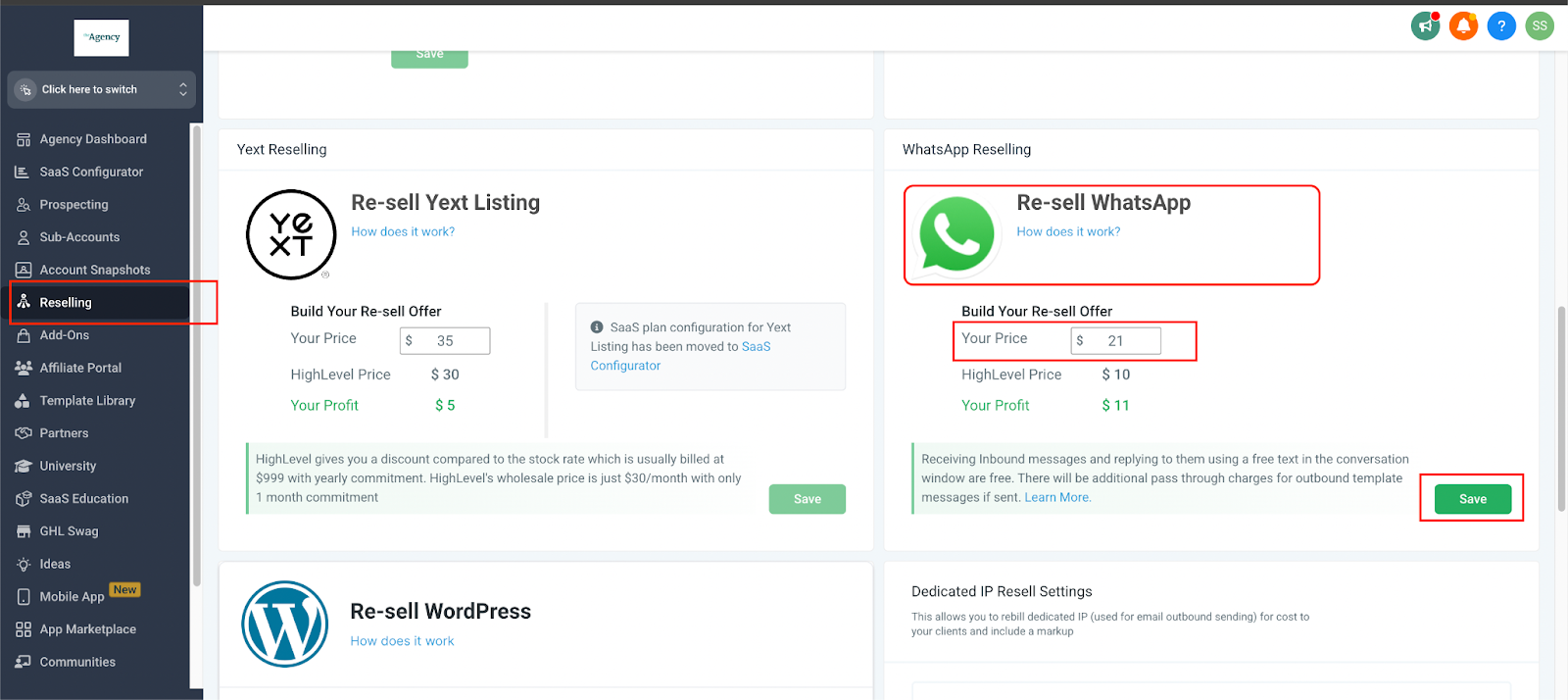
To set your agency-wide WhatsApp pricing, go to Agency Dashboard > Reselling Tab in the left menu and configure your offer.
Personalizing WhatsApp Pricing for Specific Clients
If you want to offer a different WhatsApp rate to certain clients, follow these steps:
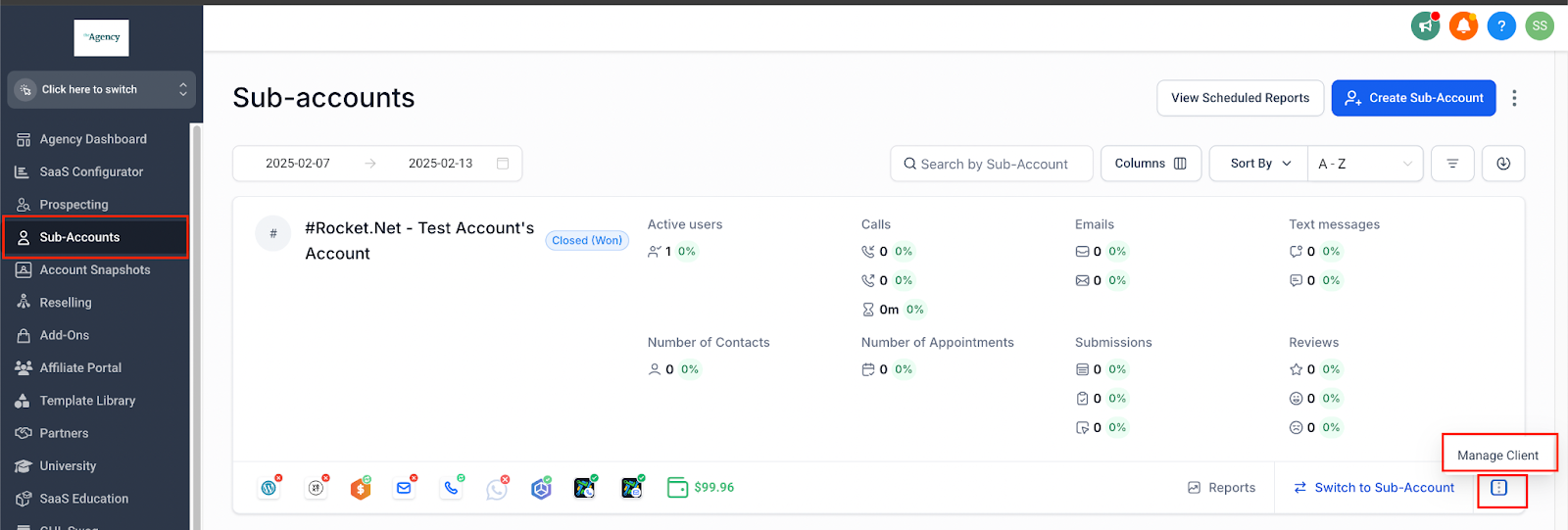
Go to the Sub-Account List
Search for the client → Click the three dots → Select Manage Clients.
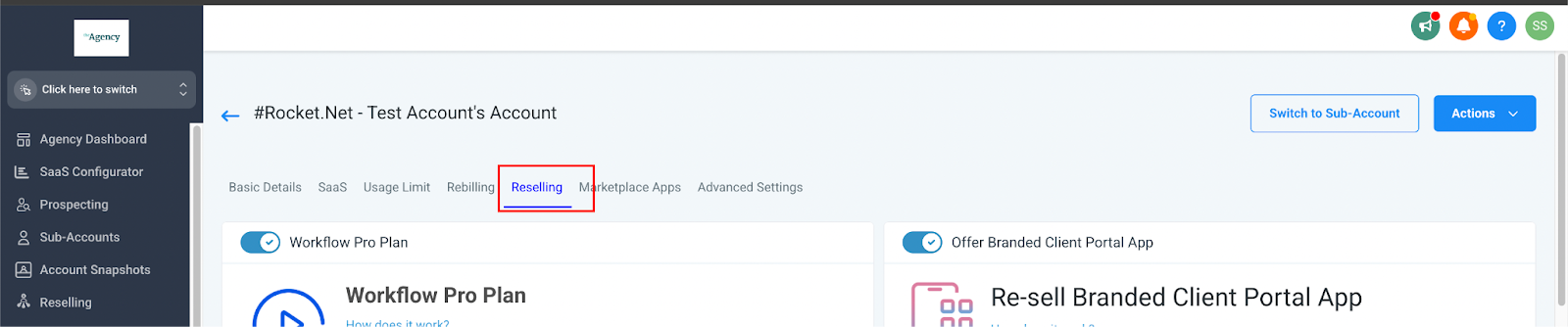
Tap on the Reselling Section
Update the WhatsApp Pricing
Enter your custom rate, then click Save.
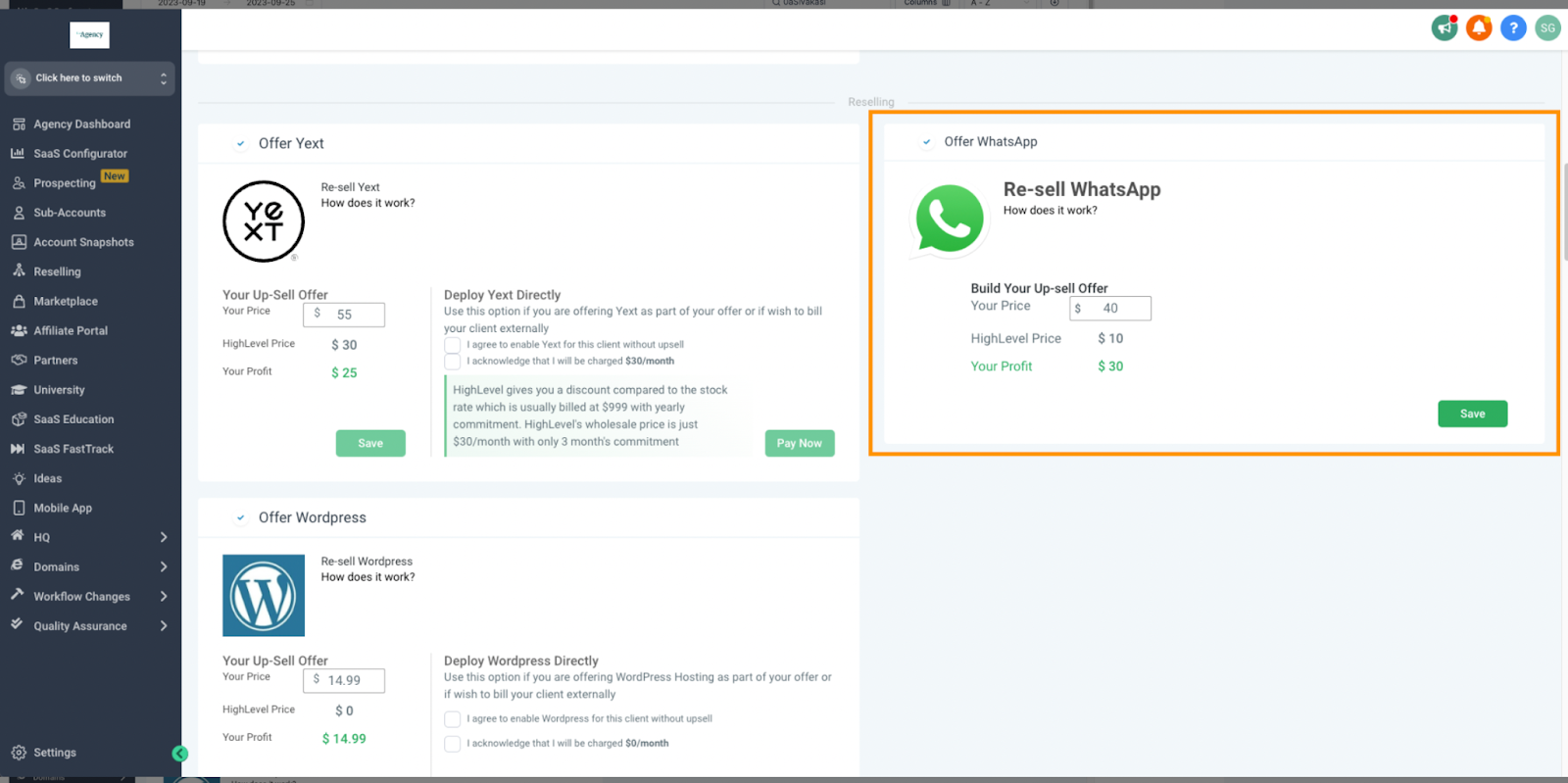
Your customized pricing is now applied!
How do I disable WhatsApp for certain clients?
If you have certain clients that you do not wish to offer WhatsApp to, you can do so by following these two steps:
Go to Sub-Account List
Search for the client → Click on three dots → Manage Clients

Scroll Down to the Reselling Section
Disable WhatsApp by toggle → Hit Save

Please Note: This offer can only be disabled before the sale has happened. Once a location already purchases WhatsApp, you cannot disable it from here.

Disabling WhatsApp after the subscription is initiated would mean cancellation. For cancelling the subscription please create a support ticket.
How do I directly deploy WhatsApp without Stripe/Reselling to a location?
Go to Sub-Account List
Search for the client → Click on three dots → Manage Clients
Scroll Down to the Reselling Section
Under WhatsApp → Read and accept the Deploy WA Directly T&C → Hit Pay Now

Please Note: The WhatsApp tab won't be visible for the location until this manual deployment takes place (in case agency does not have a Stripe account). It's important to highlight that manual deployment won't establish a subscription between the location and agency, while a subscription with the CRM platform and the agency will still be created.
Conversation Charges
In case the agency chooses to Deploy WhatsApp Directly, the WhatsApp conversation charges will be deducted from the agency's wallet and the location will not be charged for the WhatsApp conversations.
More Tutorials From the Community
How to Check Your Billing and Subscriptions for WhatsApp
To review how much you are paying and for which accounts, follow these steps:
Access Billing Information
Navigate to Agency Settings → Billing → Subscription → Reselling WhatsApp.
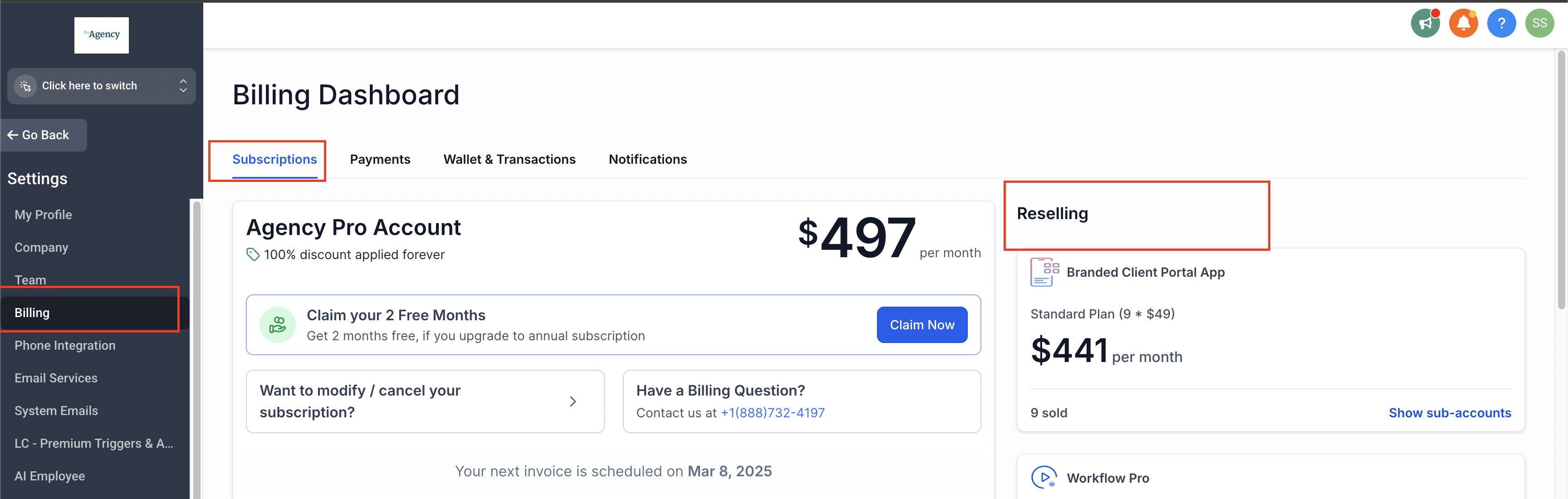
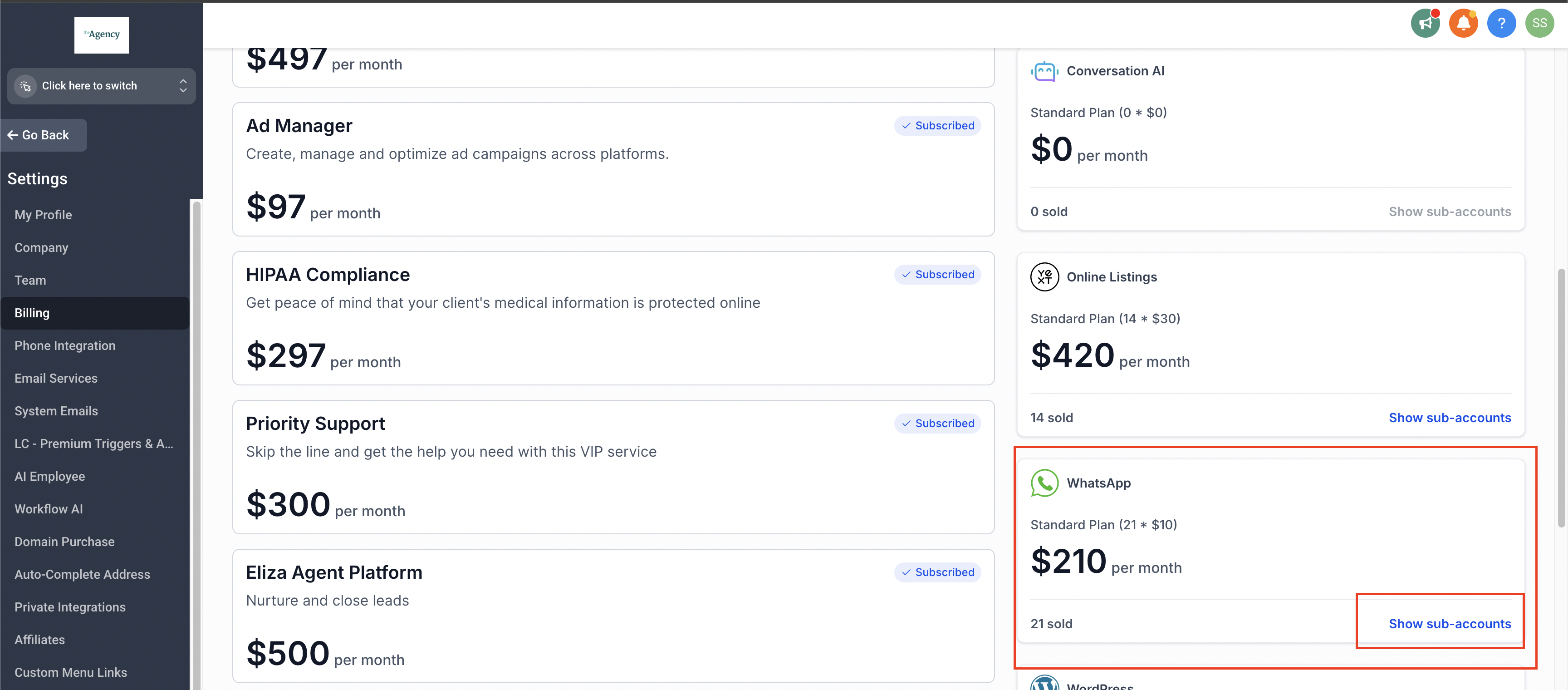
Scroll Down > View Sub-Accounts
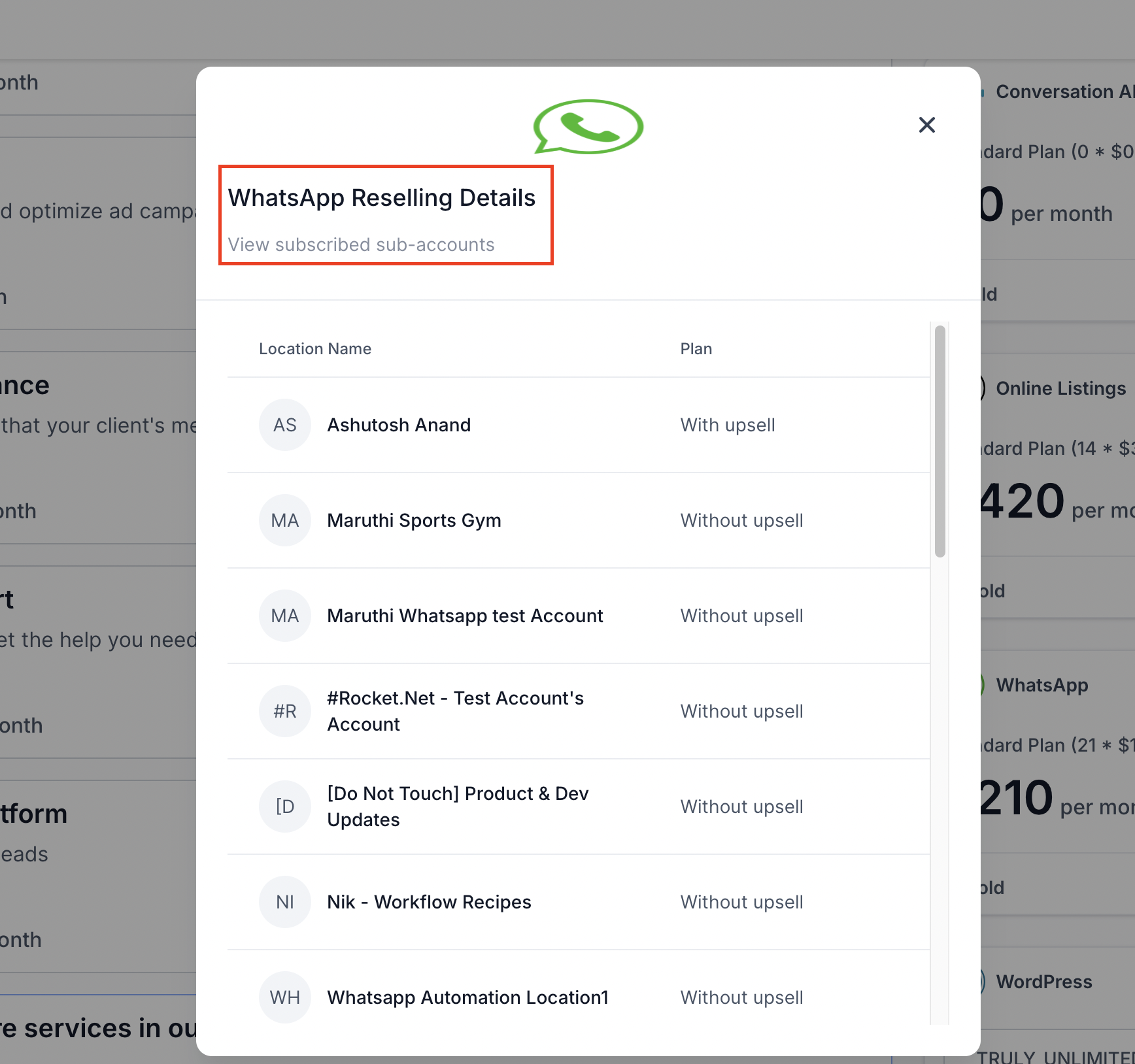
Click on "Show Sub-Accounts" to display a detailed list of all sub-accounts associated with WhatsApp.
How do your clients discover the WhatsApp feature?
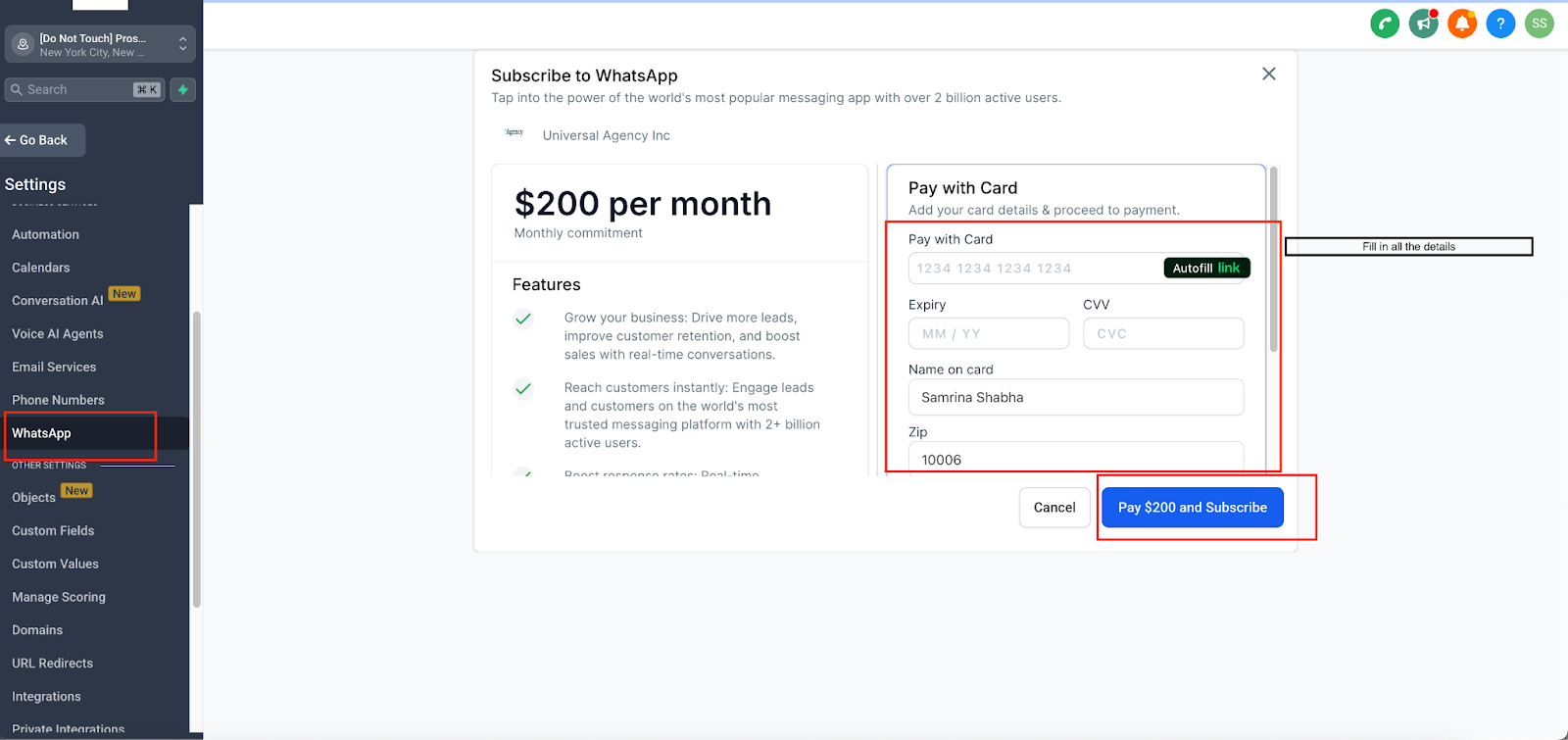
Your clients can discover WhatsApp in the Sub-Account > Settings > WhatsApp
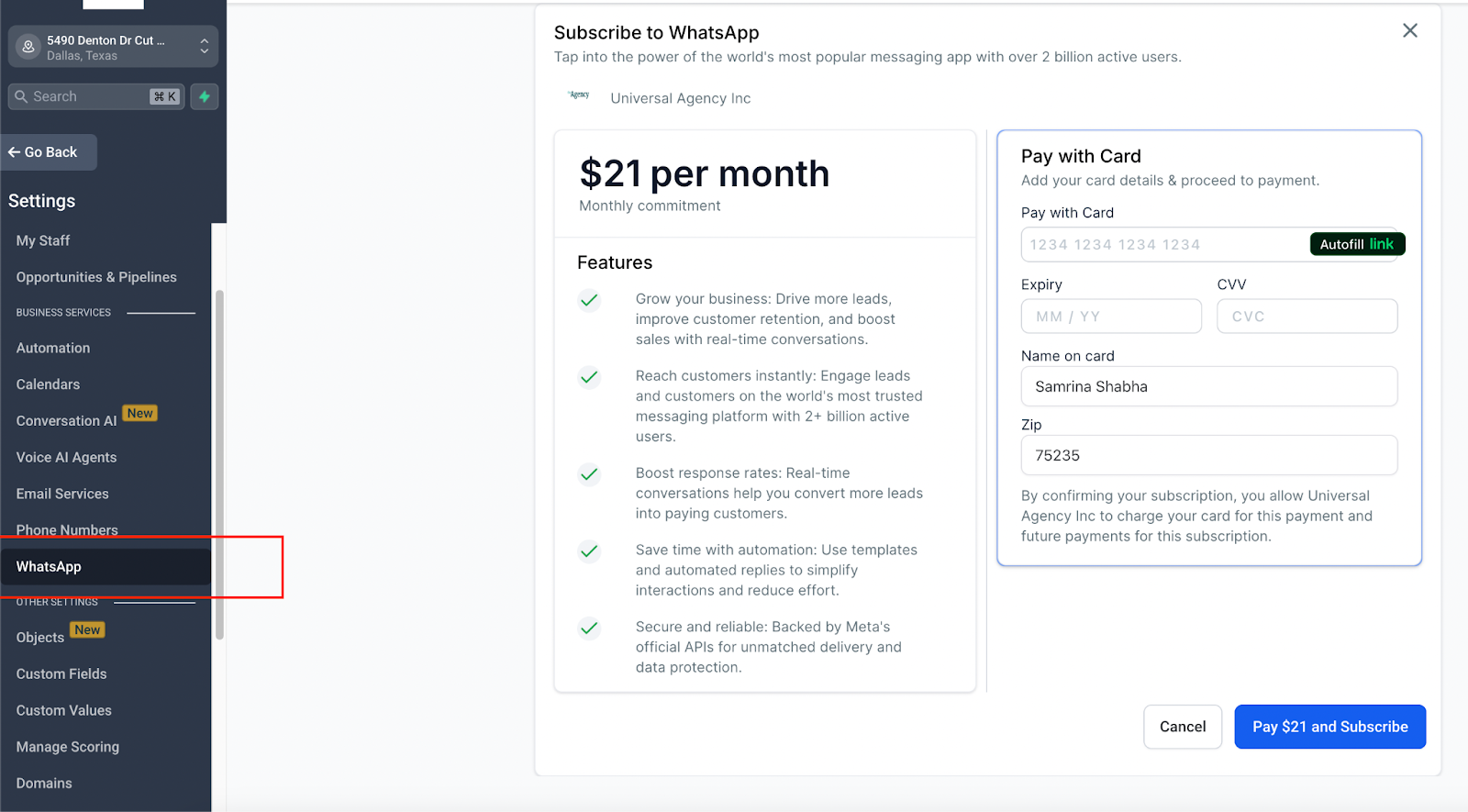
How do your Clients complete the purchase?
Once clients discover the WhatsApp feature, they can easily purchase it by entering their payment details and clicking the Confirm button. Upon confirmation, our system automatically processes the payment and sets up the required subscriptions.
Important Note: Two separate subscriptions will be created:

Step 1: Between the CRM platform and the Agency
Step 2: Between the Agency and the Sub-Account
After completing the purchase, clients will be redirected to the WhatsApp signup page, where they can seamlessly integrate their WhatsApp account.
How does the billing work?
When your client purchases WhatsApp it creates 2 subscriptions in the system:

FAQ
1. What are the prerequisites for auto-reselling WhatsApp?
To enable auto-reselling, you must connect your Agency Stripe Account, which will be used to collect subscription payments from clients.
If you do not have a Stripe account, you can still deploy WhatsApp manually. However, in this case, your agency will be billed directly instead of charging the client.
2. How do I set WhatsApp pricing for my agency?
To configure your agency-wide WhatsApp pricing, go to Agency Dashboard → Reselling Tab and update your pricing settings.
3. Can I set different WhatsApp pricing for specific clients?
Yes. To offer customized WhatsApp pricing for specific clients:
- Go to Sub-Account List, search for the client, click the three dots, and select Manage Clients.
- Navigate to the Reselling Section.
- Update the WhatsApp pricing and click Save.
4. How do I disable WhatsApp for certain clients?
If you do not want to offer WhatsApp to certain clients:
- Go to Sub-Account List, search for the client, click the three dots, and select Manage Clients.
- Scroll down to the Reselling Section, toggle WhatsApp Off, and click Save.
Note: This option is only available before a client has purchased WhatsApp. If a subscription is already active, a support ticket must be submitted for cancellation.
5. Can I deploy WhatsApp without Stripe or Auto-Reselling?
Yes, WhatsApp can be deployed manually without using Stripe:
- Go to Sub-Account List, search for the client, click the three dots, and select Manage Clients.
- Scroll down to the Reselling Section, accept the Deploy WA Directly T&C, and click Pay Now.
Important:
- The WhatsApp tab will not be visible until manual deployment is completed.
- No subscription will be created between the agency and the location. However, a subscription between the platform and the agency will still exist.
6. How do conversation charges work if I deploy WhatsApp manually?
If WhatsApp is deployed manually without Stripe:
- Conversation charges will be deducted from the agency's wallet.
- The location will not be charged for WhatsApp conversations.
7. How do I check how much I am paying for WhatsApp?
To review your billing details:
- Go to Agency Settings → Billing → Subscription → Reselling WhatsApp.
- Scroll down and click on "Show Sub-Accounts" to see all linked sub-accounts and their billing details.
8. How do clients discover the WhatsApp feature?
Clients can find the WhatsApp feature in Sub-Account → Settings → WhatsApp.
9. How do clients purchase WhatsApp?
- Clients discover the WhatsApp feature.
- They enter their payment details and click Confirm.
- The system automatically processes payment and sets up the required subscriptions:
- Between the platform and the Agency.
- Between the Agency and the Sub-Account.
- Clients are redirected to the WhatsApp signup page to integrate their account.
10. How does WhatsApp billing work?
When a client purchases WhatsApp, two subscriptions are created:
- Between the client's card and your Stripe Account — this allows the agency to charge the client.
- Between the platform and your Stripe Account — the agency pays $10/month per location.
Message Charges:
- Free inbound and outbound messages within a 24-hour window (resets with each message).
- If no message is sent within 24 hours, an outbound campaign/template message is required (charged per message).
- Charges vary based on:
- The recipient's country.
- The type of template used (Marketing, Utility, Authentication, or Service).
Need Help?
If you have a subscription already active and need to cancel WhatsApp for a client, please create a support ticket — this cannot be done from the Reselling toggle once a sale has been completed.
Was this article helpful?
That’s Great!
Thank you for your feedback
Sorry! We couldn't be helpful
Thank you for your feedback
Feedback sent
We appreciate your effort and will try to fix the article