The Events Attendee App in HighLevel brings event registration, tickets, schedules, networking, exhibitors, sponsors, and notifications into one place. Available through the Client Portal on web and mobile, it helps organizers deliver a connected event experience while giving attendees easy access to everything they need.
TABLE OF CONTENTS
- What is the Events Attendee App?
- Key Benefits of the Events Attendee App
- Event Discovery and Ticket Management
- Attendee Networking and Personal Agenda
- Exhibitors, Sponsors, and Advertising
- Event Notifications and Customization
- How to Set Up the Events Attendee App
- Frequently Asked Questions
- Related Articles
What is the Events Attendee App?
The Events Attendee App extends HighLevel Events beyond registration and ticketing. It allows attendees to discover events, access tickets, build personal schedules, connect with participants, and stay updated through the Client Portal or a supported branded mobile app.
Organizers can manage event visibility, customize content, promote sponsors, and communicate with attendees from one platform.
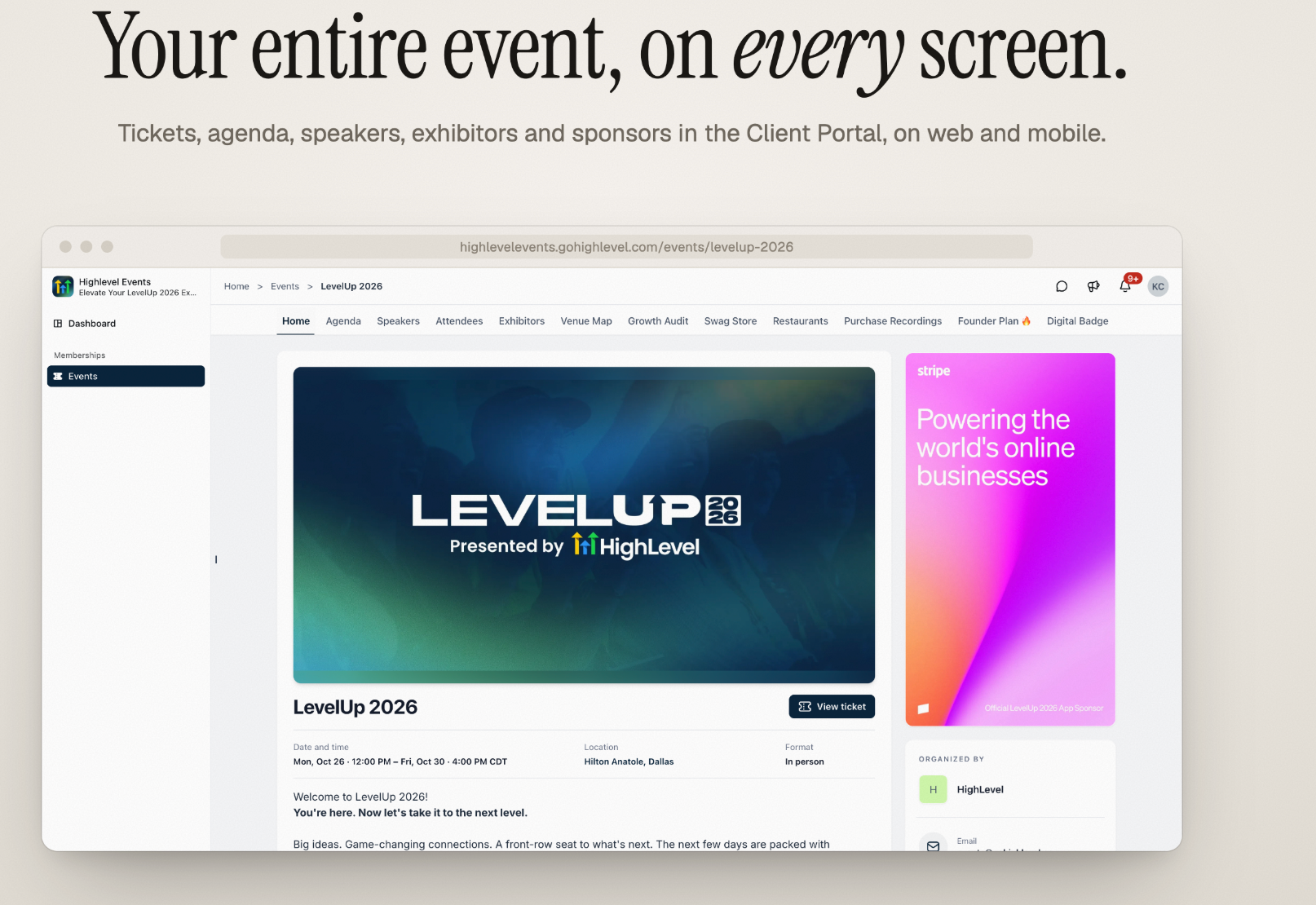
Key Benefits of the Events Attendee App
The Events Attendee App simplifies event management while helping attendees stay informed and engaged before, during, and after an event.
Centralized Event Experience: Access tickets, schedules, networking, and event information in one place.
Simplified Registration: Discover events, purchase tickets, and access them through the existing Client Portal account.
Attendee Networking: Connect with attendees, speakers, and exhibitors through connection requests, QR badges, and chat.
Personalized Schedules: Save sessions to My schedule and easily track event activities.
Exhibitor Engagement: Discover exhibitors, bookmark booths, and capture leads.
Sponsorship Opportunities: Display sponsor information and targeted advertisements.
Timely Notifications: Send event reminders, updates, and announcements.
Customizable Experience: Personalize event navigation and add maps, PDFs, links, and other content.
Event Discovery and Ticket Management
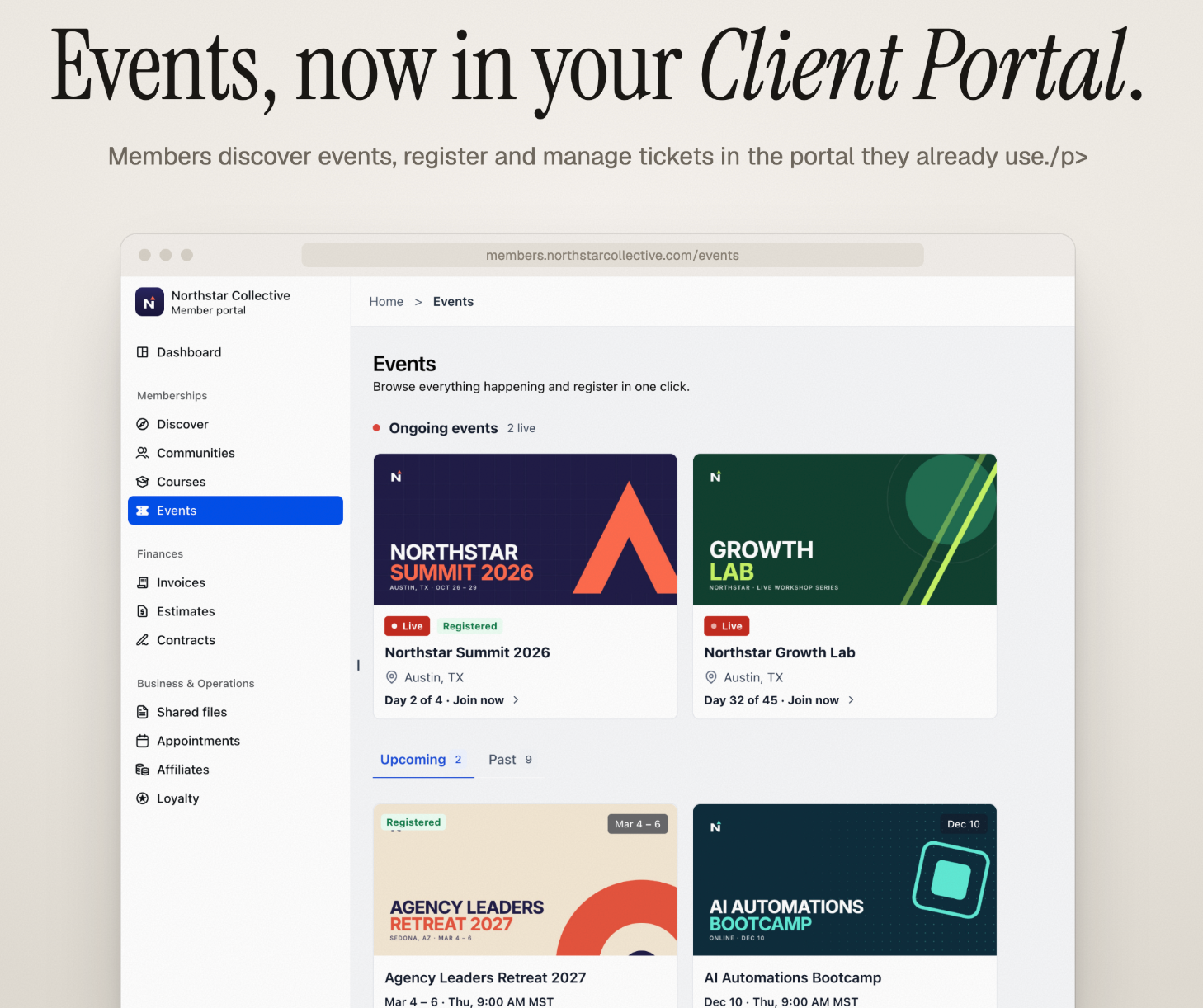
Members can browse ongoing, upcoming, and past events directly in the Client Portal. Organizers control which events appear to members using the Make this event discoverable setting.
Attendees can:
Filter events by location.
Purchase tickets, select quantities, and apply coupons.
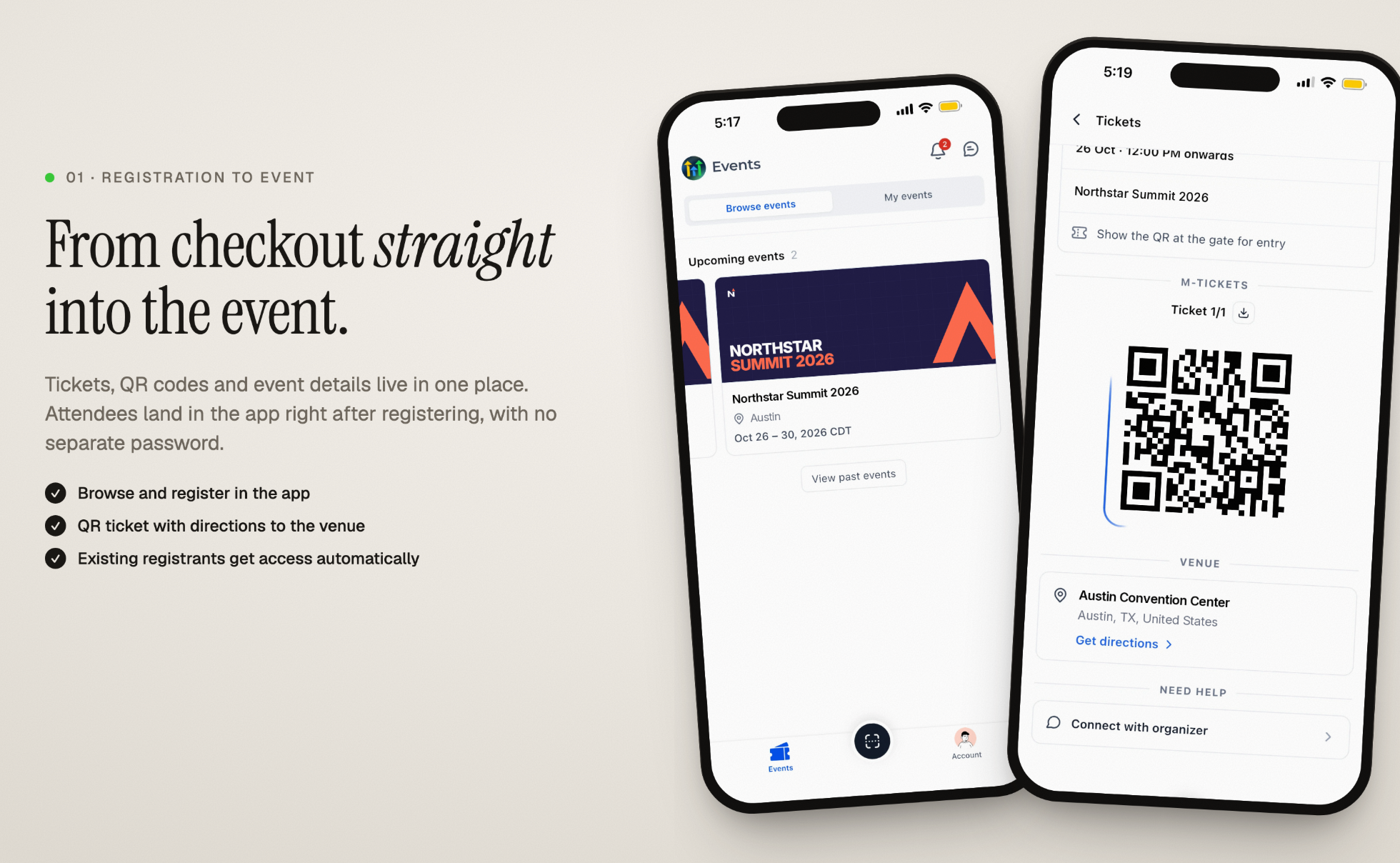
Access tickets with QR codes for event entry.
Download tickets and view venue directions.
Save supported tickets to Apple Wallet on mobile.
Existing registrants automatically receive event access when the Attendee App is enabled.
Attendee Networking and Personal Agenda
The Attendee App helps participants connect with others and organize their event schedules.
Networking
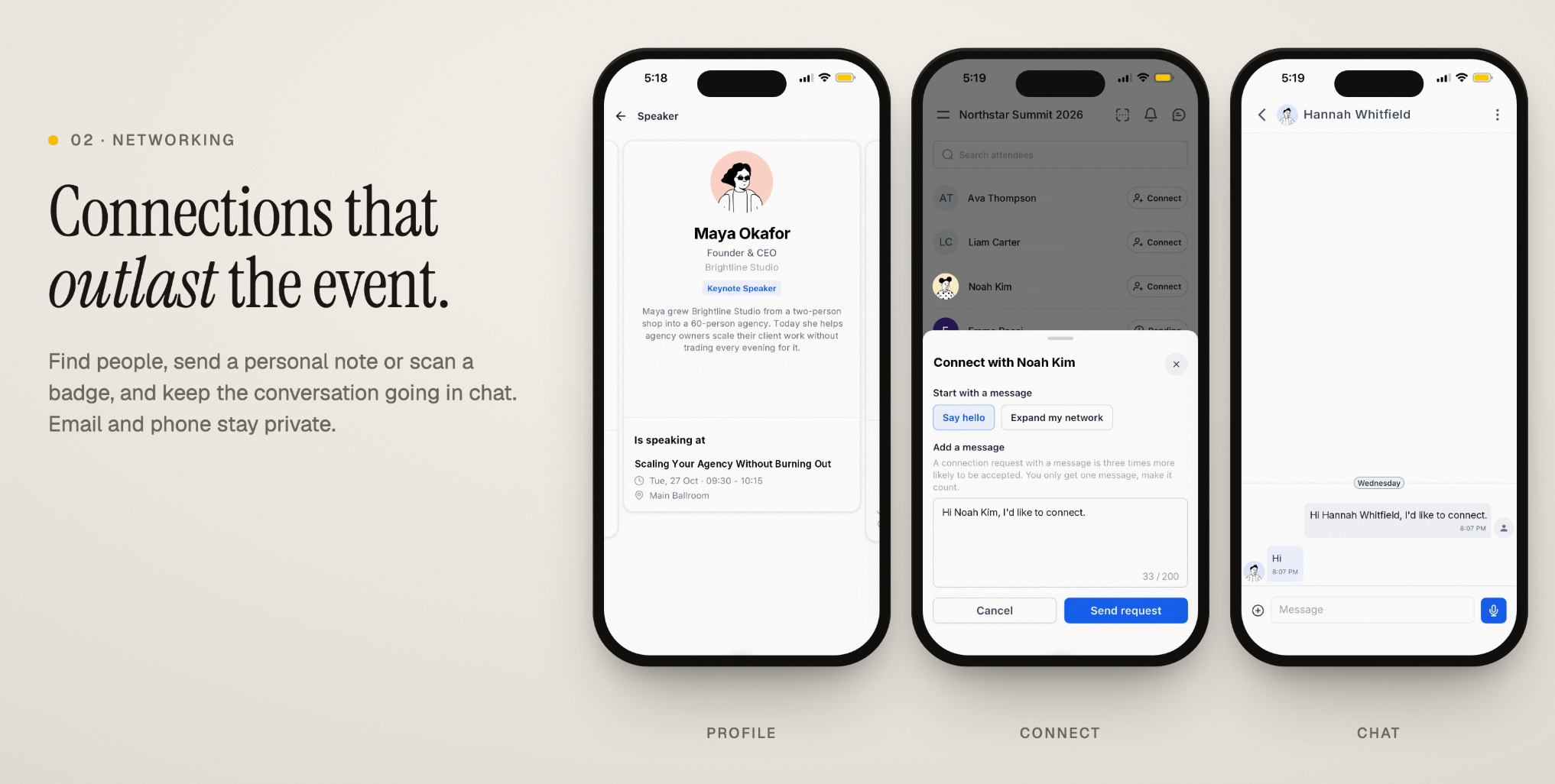
Discover attendees, speakers, and exhibitors.
Send personalized connection requests or scan QR badges.
Continue conversations through in-app chat.
Keep personal email addresses and phone numbers private.
Control visibility in the attendee directory.
Connections remain available across events hosted by the same organizer.
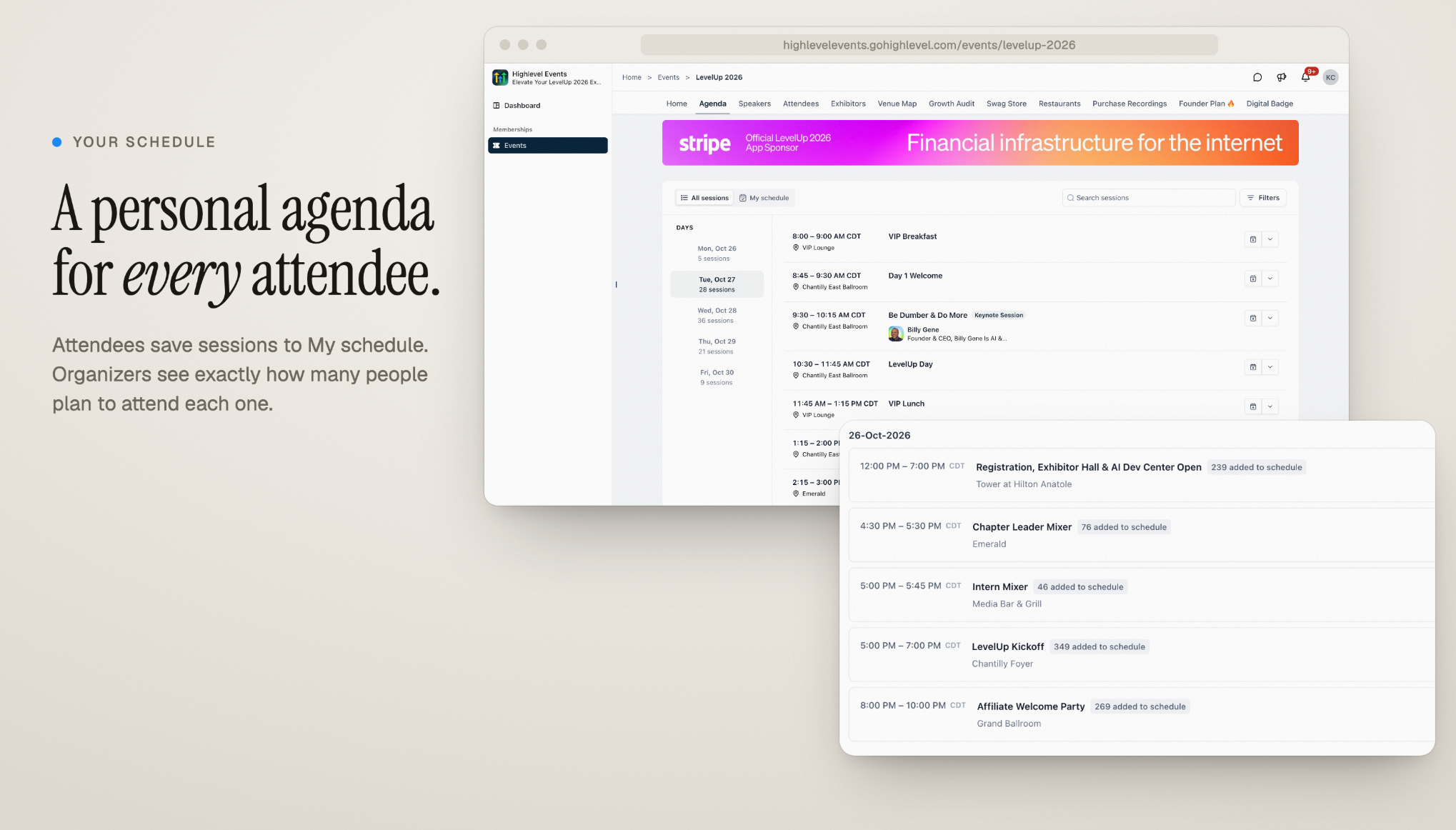
Personal Agenda
Browse sessions by date and search for specific sessions.
Save preferred sessions to My schedule.
View speaker information and session details.
Restrict certain sessions to specific ticket types.
Track how many attendees save individual sessions.
Exhibitors, Sponsors, and Advertising
The Attendee App helps exhibitors connect with potential customers while providing organizers with sponsorship and advertising opportunities.
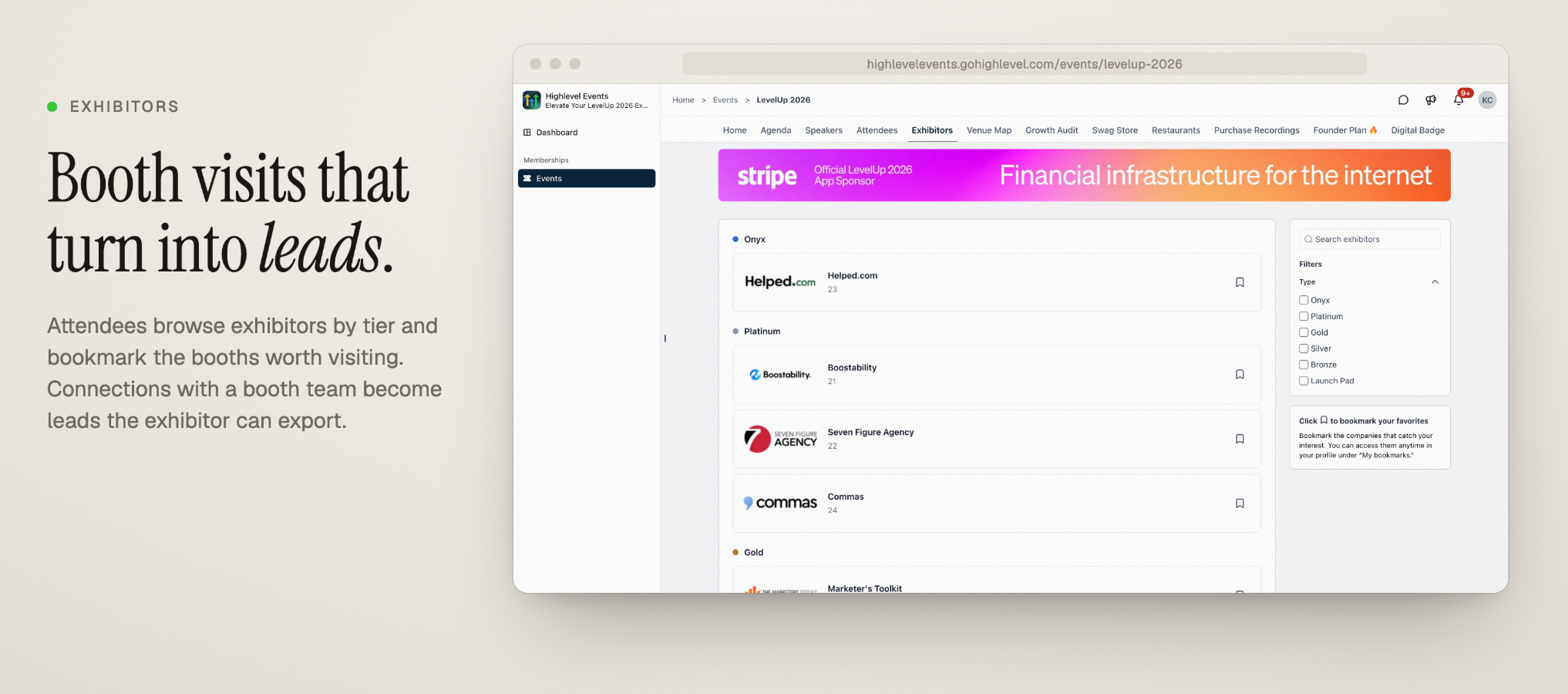
Exhibitors
Browse exhibitors by tier and bookmark booths.
Connect with exhibitor representatives.
Capture leads through connections and badge scans.
Manage and export leads through the Exhibitor Center.
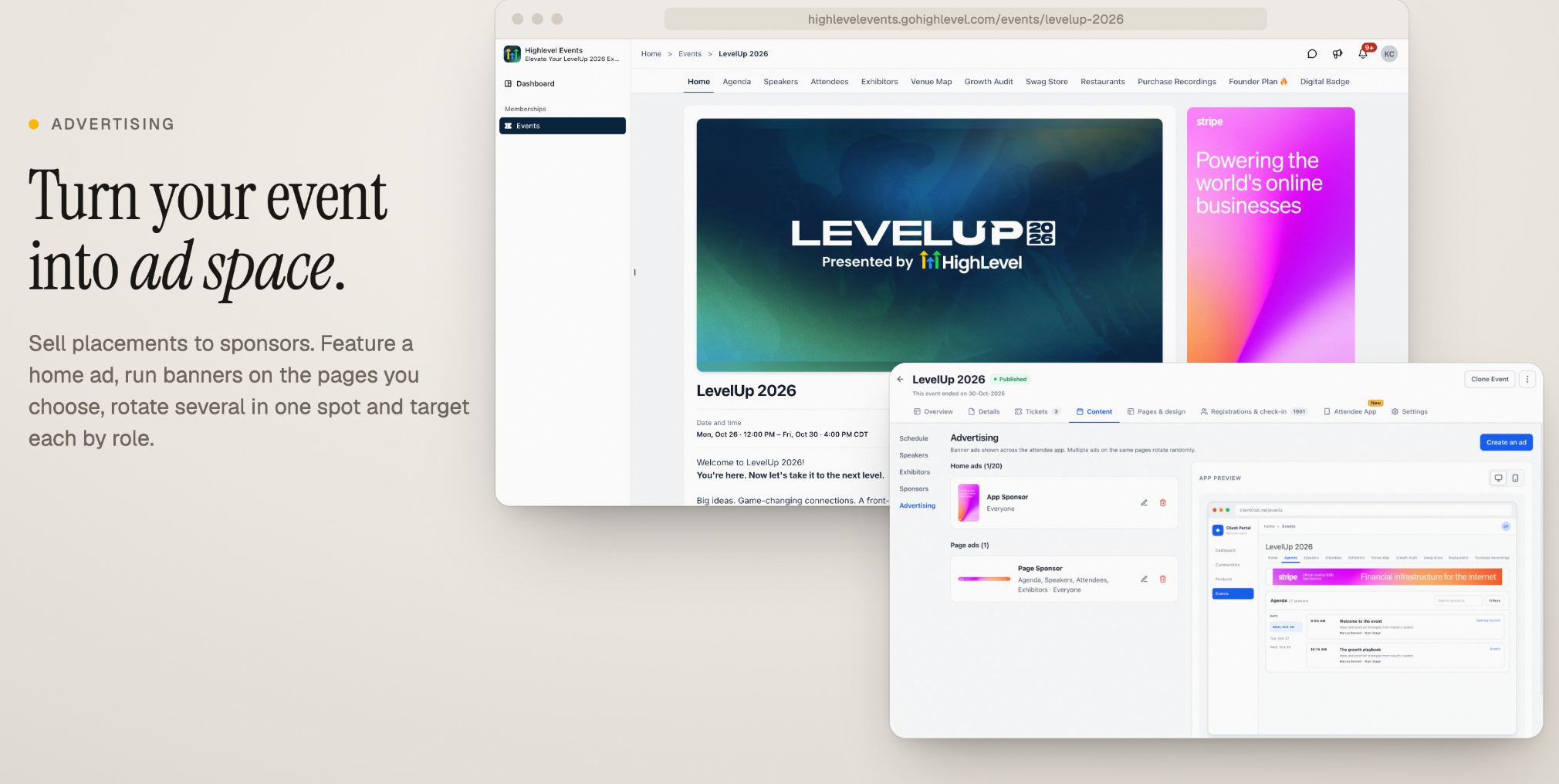
Sponsors and Advertising
Display sponsors by tier.
Add home page and banner advertisements.
Rotate multiple advertisements within a placement.
Target advertisements by attendee roles.
Link advertisements to sponsor websites.
Event Notifications and Customization
Organizers can keep participants informed and tailor the attendee experience to match their event.
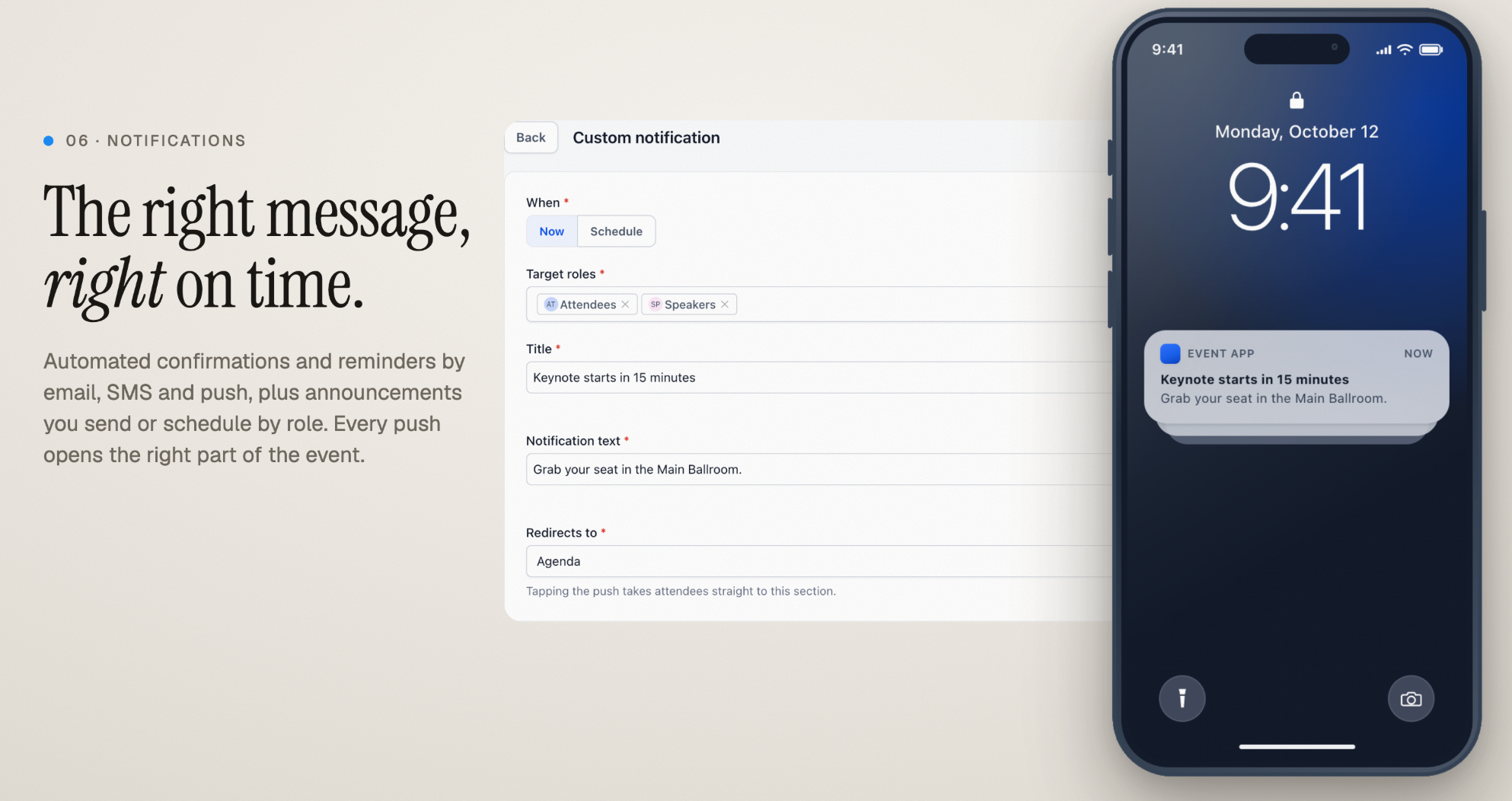
Notifications
Send registration confirmations and reminders through supported channels.
Create immediate or scheduled announcements.
Target notifications to specific participant roles.
Direct attendees to relevant event areas when they open a notification.
Customization
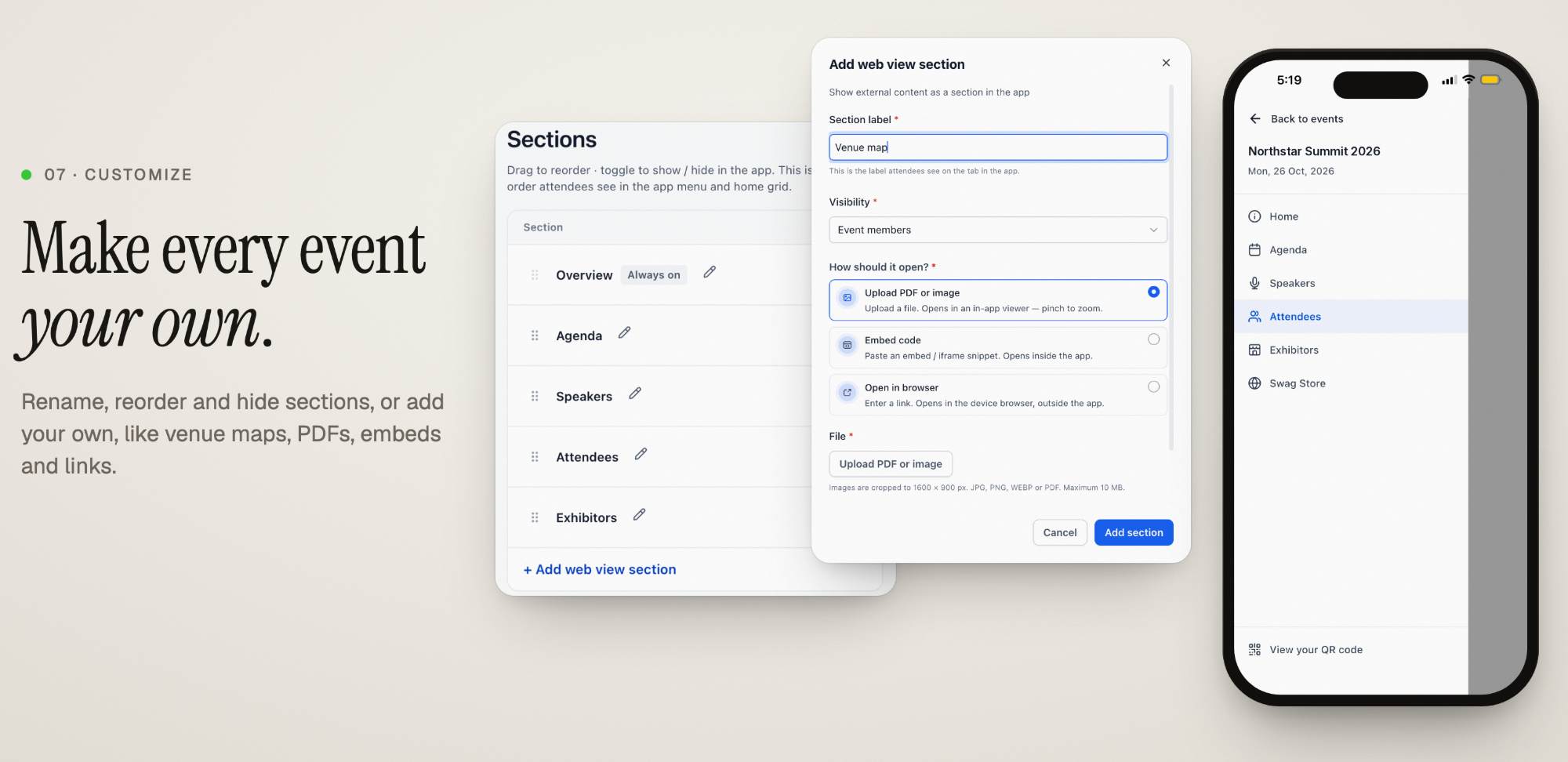
Rename, reorder, or hide event sections.
Add custom sections for venue maps, PDFs, images, embedded content, and external links.
Configure section visibility and available content options.
How to Set Up the Events Attendee App
Enabling the Attendee App connects your event with the Client Portal, allowing registered participants to access event information and engagement features.
Navigate to Memberships → Events (or Client Apps → Events, depending on your account's navigation).
Select the event you want to configure.
Open the Attendee App tab.
Enable Attendee app access.
If prompted, select Upgrade Client Portal and complete the upgrade.
Enable Make this event discoverable if you want all portal members to discover the event.
Review the event sections, notifications, and other available settings.
Open the Client Portal to verify the attendee experience.
Note: Existing registrants automatically receive access when the Attendee App is enabled.
Frequently Asked Questions
Q: Do attendees need a separate account to access events?
No. Attendees use their existing Client Portal account to access the event experience.
Q: Can I keep an event hidden from the general Events listing?
Yes. Disable Make this event discoverable to restrict its visibility to participating attendees.
Q: Can attendees control their networking visibility?
Yes. Attendees can choose whether they appear in the attendee directory.
Q: Can I restrict sessions to specific ticket holders?
Yes. Organizers can limit session access based on ticket types, such as VIP tickets.
Q: Is a branded mobile app required?
No. Attendees can access events through the Client Portal on web and supported mobile experiences. Branded apps are an additional option.
Related Articles
Was this article helpful?
That’s Great!
Thank you for your feedback
Sorry! We couldn't be helpful
Thank you for your feedback
Feedback sent
We appreciate your effort and will try to fix the article