Embed Events Anywhere with a Single Code Snippet
This article explains how to embed your HighLevel event pages directly into your own websites, funnels, or external platforms using a simple embed code. You'll learn how to generate the code, copy it with one click, and integrate your event registration flow seamlessly into any web page.
By embedding events, you keep visitors on your site throughout the entire registration process, eliminating redirects and creating a more cohesive user experience.
What is Event Embedding?
Event embedding allows you to display your public event pages directly on your own websites, funnels, or external platforms using a simple embed code. Instead of redirecting visitors to a separate event URL, the entire event registration experience—including event details, schedules, and the registration form—appears within your own page.
This feature generates an iframe-based embed code that you can copy with one click and paste into any HTML editor, website builder, or content management system. Attendees can browse event information and complete their registration without ever leaving your website.
Key Benefits
Embedding event pages into your own digital properties creates a seamless, on-brand registration experience while keeping visitors engaged on your site.
How to Embed an Event Page
Follow these steps to generate and deploy the embed code for your event page.
Go to the Events section in your HighLevel account and select the public event you want to embed.
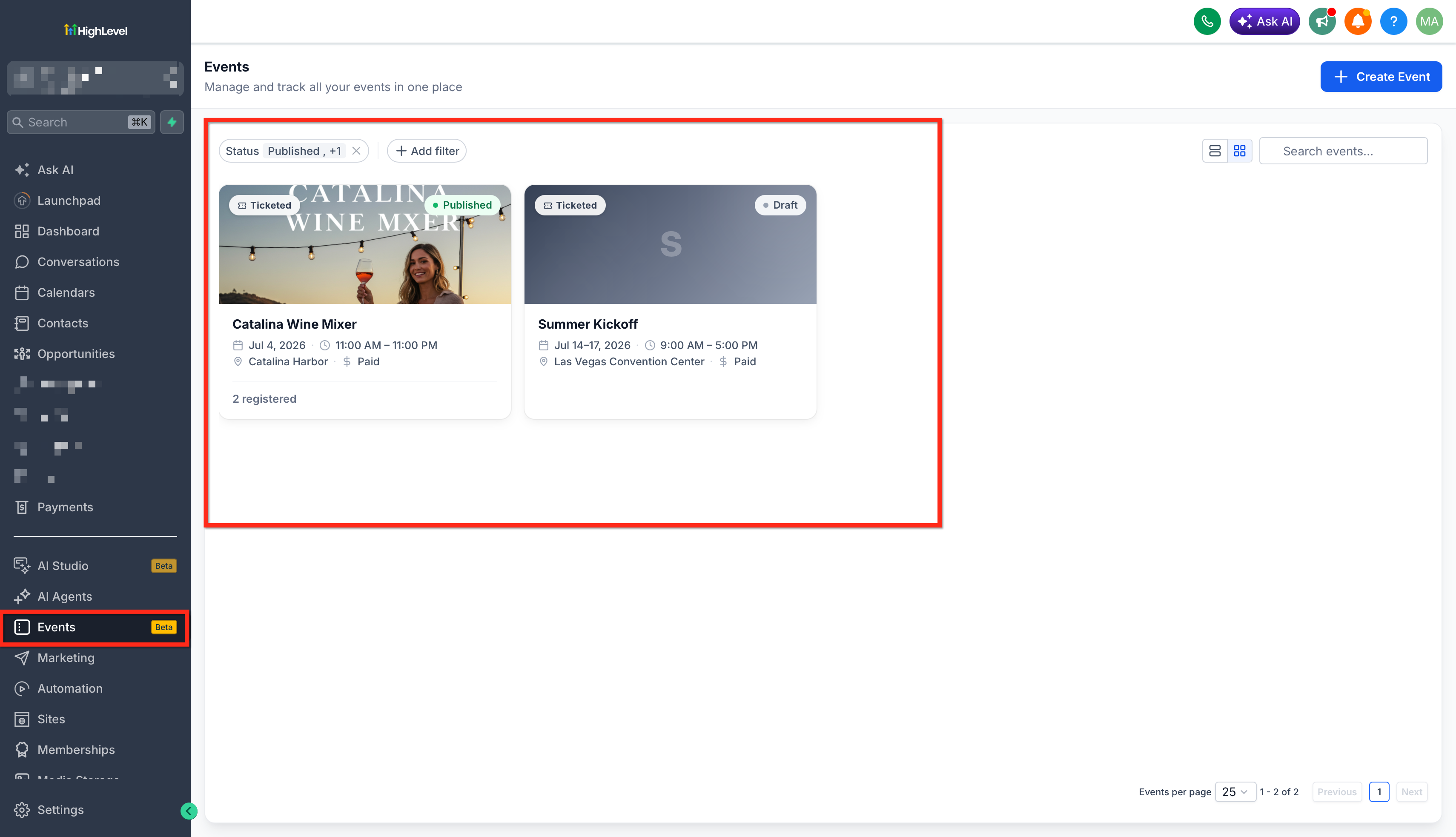
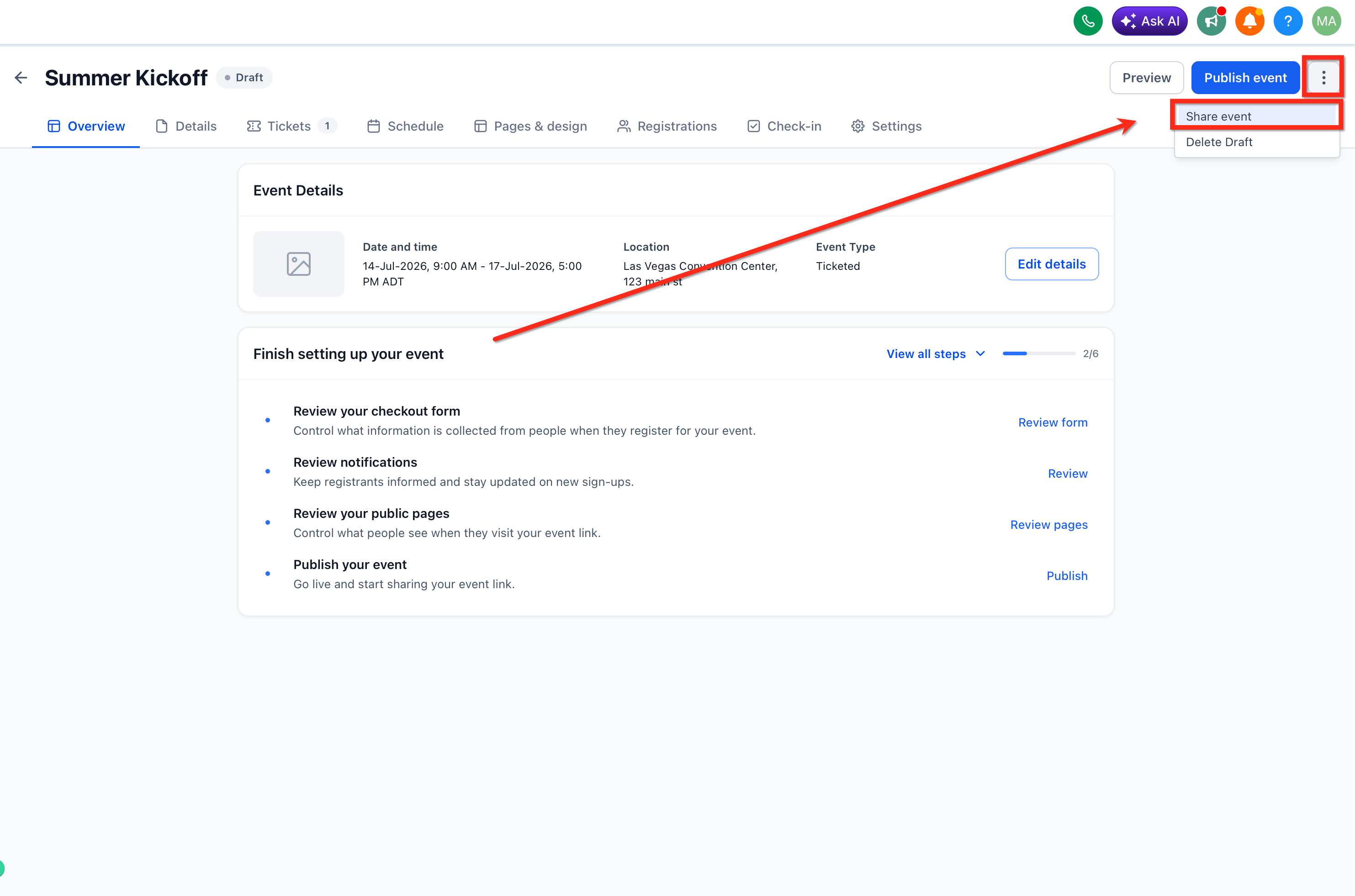
Click the Share Event button to open the sharing options modal.
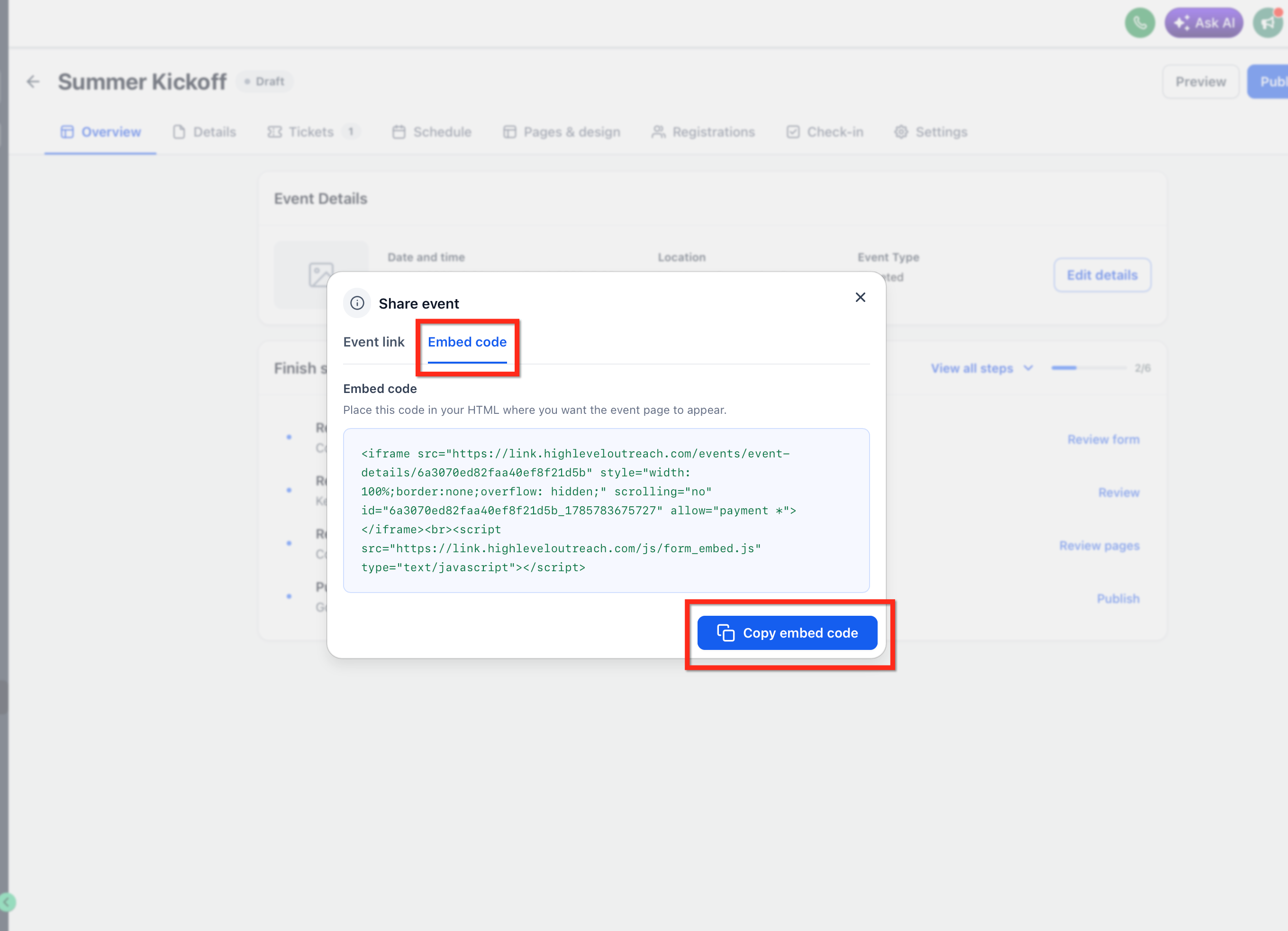
Within the Share Event modal, select the Embed Code option. The system generates an iframe-based embed code for your event page. Click the Copy button to copy the embed code to your clipboard with a single click.
Open the Custom code section of your website, funnel, or platform and paste the embed code where you want the event page to appear. Save and publish your changes.
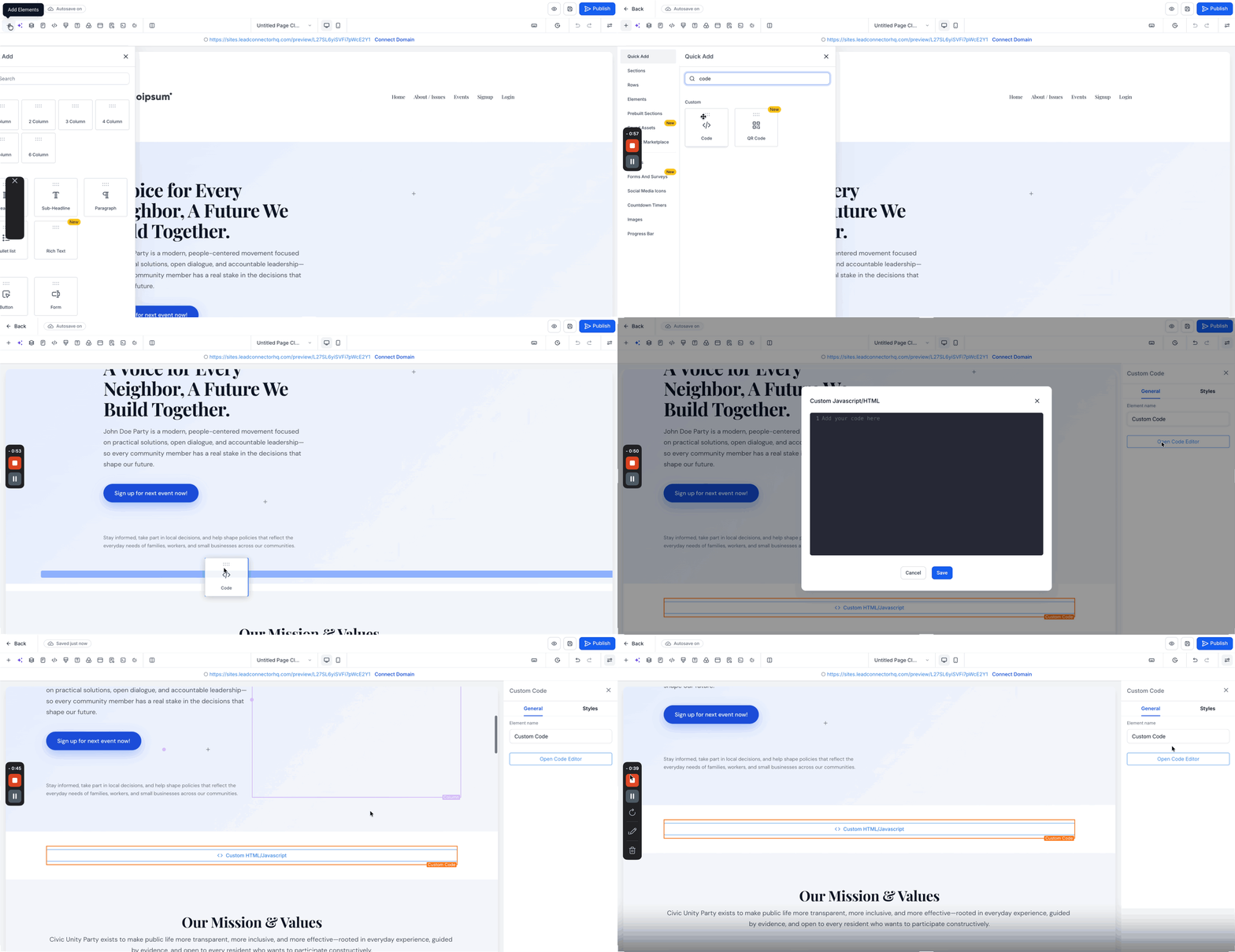
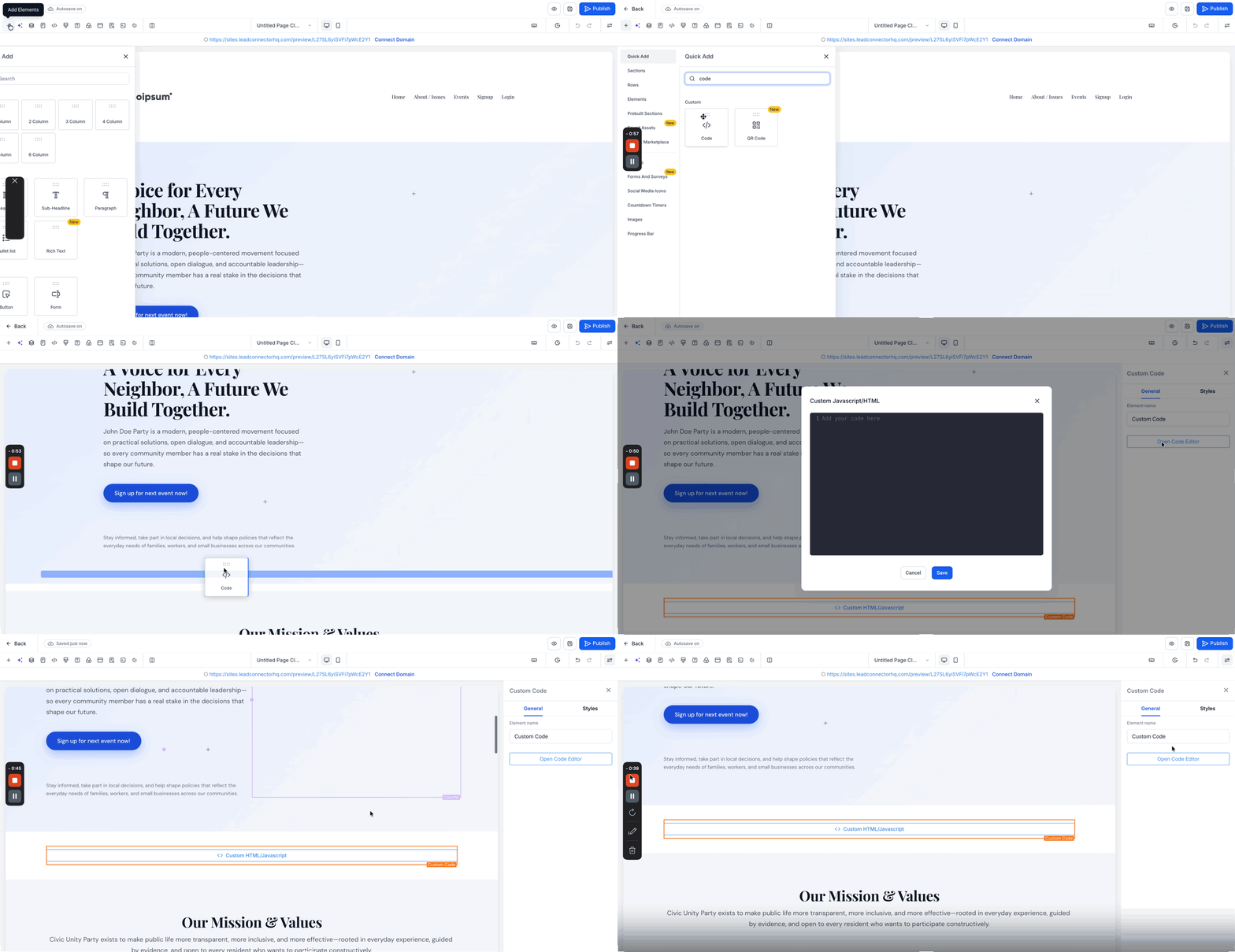
Your event page is now embedded and ready to accept registrations directly from your website.
Where to Use Embedded Event Pages
You can embed your event pages in any platform or environment that supports custom HTML code.
Embed events directly into your HighLevel-built funnels, landing pages, or websites to create a cohesive sales and registration experience within your marketing campaigns.
Paste the embed code into WordPress, Wix, Squarespace, Webflow, or any other website platform that allows custom HTML or iframe elements.
Embed events within relevant blog posts or educational content to drive registrations from readers who are already engaged with your material.
Place embedded event pages on dedicated landing pages to create high-converting event registration experiences without requiring visitors to navigate away from the page.
Related Articles
Frequently Asked Questions
Was this article helpful?
That’s Great!
Thank you for your feedback
Sorry! We couldn't be helpful
Thank you for your feedback
Feedback sent
We appreciate your effort and will try to fix the article