Unified Client Portal Experience
The unified Client Portal eliminates the fragmented experience of switching between separate tabs for Courses, Communities, billing, and files. Customers can move smoothly between all customer-facing applications within a single, branded environment.
This article explains the key benefits of the unified portal, how it improves customer experience and discoverability, and how to enable it for your business.
The unified Client Portal is powered by HighLevel Labs. This feature represents a major platform upgrade and may be refined based on user feedback. You can enable it from your Client Portal Dashboard to provide customers with an improved experience.
What is the Unified Client Portal?
The unified Client Portal brings Dashboard, Courses, Communities, billing, shared files, and account settings into one connected and branded customer environment. Previously, these features existed as separate experiences with different navigation patterns, requiring customers to switch between tabs and re-orient themselves repeatedly.
The unified portal eliminates that fragmentation. Customers now have one login, one navigation system, and one seamless experience for all customer-facing interactions with your business.
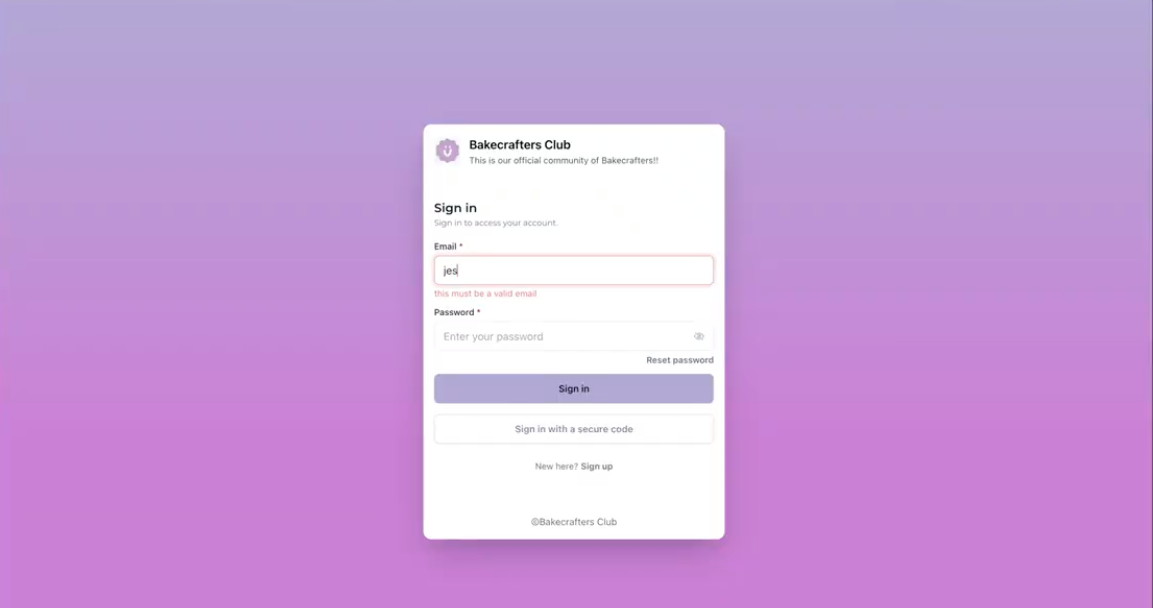
This architectural upgrade moves Client Portal, Courses, and Communities from legacy platforms to a shared, modern foundation. The result is a faster, smoother, and more consistent customer journey that feels like a single product rather than disconnected applications.
Key Benefits
The unified Client Portal delivers tangible improvements for both businesses and their customers by reducing friction, improving performance, and creating a more professional branded experience.
What Customers Will Notice
The unified portal changes how customers interact with your business. These improvements create a smoother, faster, and more intuitive experience.
Customers can move naturally between Courses, Communities, Dashboard, billing, and shared files without the experience feeling disconnected. Everything feels like part of the same journey rather than separate products stitched together.
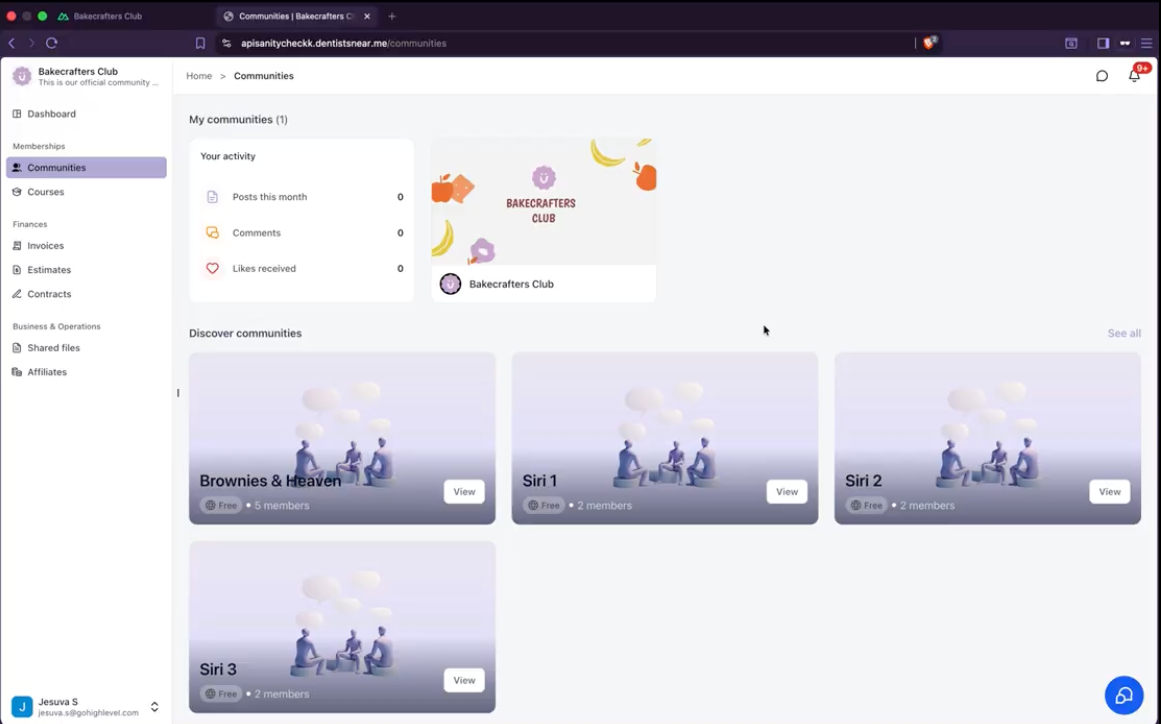
The portal delivers faster page loads, smoother transitions, and a more responsive experience across desktop and mobile. Customers spend less time waiting and more time engaging with content and services.
The redesigned dashboard and unified navigation make it easier for customers to find:
- Courses in progress
- Community activity
- Continue Watching content
- Pinned Communities
- Billing items
- Shared files
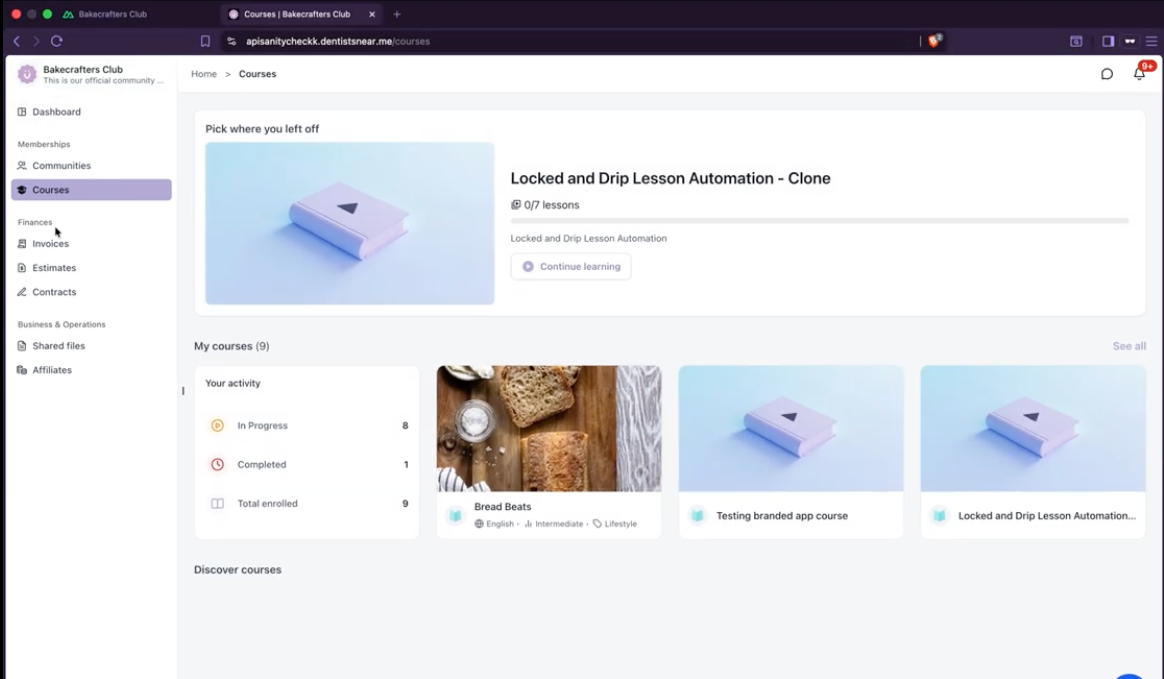
Customers can quickly understand where they are and what to do next.
The redesigned login and portal experience keep your business brand front and center. From login through Courses, Communities, billing, and files, customers encounter a more consistent, polished, and professional experience.
SEO and Discoverability
The unified portal expands how businesses can reach customers beyond the portal itself. Eligible public Course and Community pages are now SEO-ready, with search-friendly rendering, crawlable URLs, and page metadata that help search engines understand and discover content.
This gives businesses more opportunities to increase reach, help new audiences discover valuable content, build organic visibility around their expertise, and turn public content into a stronger growth channel.
Private, gated, and customer-only content remains protected. Only public Course and Community pages are eligible for search engine indexing.
Platform Architecture
The unified Client Portal represents more than a visual refresh. HighLevel has migrated Client Portal, Courses, and Communities from separate legacy experiences to connected applications built on a shared, modern architecture.
This architectural upgrade delivers:
The result for customers is a simpler, faster experience. The result for businesses is a platform that can continue growing without introducing another disconnected product or tab.
Coming Soon
The unified portal's modern foundation unlocks additional customer-facing capabilities that will be released in future updates:
- Appointments inside the Client Portal
- Custom navigation links
- Deeper portal customization
- Expanded branding options
- Richer Community and event experiences
- More customer self-service capabilities
How to Enable the Unified Client Portal
Follow these steps to enable the unified Client Portal experience for your business and customers:
In the HighLevel app, go to Client Portal → Dashboard.
Locate the button to enable the unified portal experience and click it to activate the feature.
Once enabled, customers can begin using the unified portal experience. There are no changes in routing or other parts of the system.
Customers can now navigate seamlessly between Dashboard, Courses, Communities, billing, shared files, and account settings in one unified experience.
Frequently Asked Questions
Was this article helpful?
That’s Great!
Thank you for your feedback
Sorry! We couldn't be helpful
Thank you for your feedback
Feedback sent
We appreciate your effort and will try to fix the article