Multi-line dialing calls several contacts from your call list at once. You pay for the connections you use, not for the contacts you add. A single dialing round can produce several wallet transactions, one for each connection, and these are not duplicate charges.
This guide explains each part of the bill with worked examples. It builds on the Phone System Pricing & Billing Guide, which lists the current per-minute and per-region rates.
How Multi-Line Dialing Is Billed
Think of multi-line dialing as a small shared phone room. Your browser joins the room, and the system calls the contacts on your list. The first contact who answers is connected to you. Any other contact who answers hears your callback message instead and is placed in your callback queue.
Every dialing round is billed in three parts:
| Part | What It Is | What Affects the Amount |
|---|---|---|
| Agent connection | Your browser's live connection to the phone system | How long you stay connected, not just how long you talk to a contact |
| Contact call | The call to each contact who answers, including a contact who only hears the callback message | The destination country, call duration and outbound rate |
| Conference | The shared room that connects you to the answering contact | Each participant's time in the room and the conference region |
Call recording, transcription and text-to-speech are billed separately at their standard rates when you use them. They are not included in the examples below.
There is no flat fee for multi-line dialing. It uses the same Outbound Call and Conference Call rates as the rest of the phone system. Adding contacts to a call list is free, and a contact waiting in your callback queue doesn't add call minutes.
Which Pricing Applies to Your Call
Not every call made from a call list uses the shared room. Find your scenario first:
| What You Do | How It's Billed |
|---|---|
| Make a normal outbound call | Standard outbound pricing: your agent connection plus the contact call, often shown as one transaction |
| Dial one line from a call list | Standard outbound pricing, the same as a normal outbound call |
| Dial two or three lines at once | Multi-line pricing: agent connection, each answered contact, and conference usage |
| Call back a contact from the callback queue | A new, standard outbound call. The caller ID may differ from the original round. |
Some phone providers only support dialing one contact at a time from a call list. Those calls are billed as standard outbound calls, and the shared-room and transfer examples in this guide don't apply to them.
Rates Used in This Guide
The examples use these US rates. Rates for other countries, conference regions and providers differ, so check the Phone System Pricing & Billing Guide for your actual rates.
| Component | Example Rate | Billed Per |
|---|---|---|
| Agent connection (browser) | $0.004 | Connected minute |
| Contact call (US destination) | $0.0126 | Answered minute |
| Conference (US region) | $0.0018 | Participant-minute |
| Conference (Singapore region) | $0.003 | Participant-minute |
Calls are billed in full minutes, rounded up. A call lasting 1–60 seconds is billed as 1 minute, and 61–120 seconds as 2 minutes. Conference time is rounded up separately for each participant.
Example 1: Dialing One Line
You dial one contact from your call list. They answer and you talk for 45 seconds. This is billed like any normal outbound call:
| Component | Calculation | Amount |
|---|---|---|
| Agent connection | 1 min × $0.004 | $0.0040 |
| US contact call | 1 min × $0.0126 | $0.0126 |
| Total | Standard outbound rate | $0.0166 |
Example 2: Two Contacts Answer
You dial two US contacts at once, and both answer. Contact A is connected to you and talks for 21 seconds. Contact B hears your callback message for 16 seconds, hangs up, and waits in your callback queue. You stay connected for under a minute.
Your browser connects to the room. Adding the two contacts costs nothing.
Their call is billed, and the room now has two participants: you and Contact A.
Their call is billed because they answered, but they never join the room, so they add no conference usage. Once they hang up, waiting in the queue costs nothing.
| Component | Calculation | Amount |
|---|---|---|
| Agent connection | 1 min × $0.004 | $0.0040 |
| Contact A (connected, 21 sec) | 1 min × $0.0126 | $0.0126 |
| Contact B (callback message, 16 sec) | 1 min × $0.0126 | $0.0126 |
| Conference (you + Contact A) | (1 + 1) participant-min × $0.0018 | $0.0036 |
| Total | Base usage | $0.0328 |
A contact who answers and hears the callback message is billed for their call, but they are not counted as a conference participant. Only connections that actually join the room add conference usage.
Example 3: A Longer Session with a Warm Transfer
You dial three US contacts at once and stay connected and in the room for 10 minutes:
- Contact A answers, talks with you for 5 minutes, then you warm-transfer them to a colleague. They talk for 3 more minutes, so Contact A is connected for 8 minutes in total.
- The transfer recipient is on the call for 3 minutes.
- Contact B answers and hears the callback message for under a minute.
- Contact C is still ringing when the round ends and never answers.
| Component | Calculation | Amount |
|---|---|---|
| Agent connection | 10 min × $0.004 | $0.0400 |
| Contact A | 8 min × $0.0126 | $0.1008 |
| Transfer recipient | 3 min × $0.0126 | $0.0378 |
| Contact B (callback message) | 1 min × $0.0126 | $0.0126 |
| Contact C (never answered) | No answered usage | $0.0000 |
| Conference (you + Contact A + transfer recipient) | (10 + 8 + 3) participant-min × $0.0018 | $0.0378 |
| Total | Base usage | $0.2290 |
A transfer doesn't end the original contact's call. Contact A is billed for the full 8 minutes they were connected, including the time after the transfer, not just the 5 minutes they spent talking with you. Your actual bill is based on the real connection and room times recorded for each call.
How Conference Minutes and Transfers Are Counted
One minute with two participants is two participant-minutes. One minute with three participants is three. Each participant's room time is rounded up to the next full minute on its own.
- You and a contact, each in a US-region room for 20 seconds: (1 + 1) × $0.0018 = $0.0036
- You, a contact and a transfer recipient, each under a minute in a Singapore-region room: (1 + 1 + 1) × $0.003 = $0.009
Conference usage doesn't need three people in the room. If you leave while a contact and a transfer recipient are still talking, your agent connection stops, but their calls and conference usage continue until they hang up. If you stay connected between calls, your agent connection keeps running.
Transfers add a new connection. They aren't a free continuation of the original call:
| Transfer Type | What's Billed |
|---|---|
| Blind transfer | A new call to the transfer recipient. The original contact stays billable until they hang up, and your agent connection stops when you disconnect. |
| Warm transfer | A new call to the transfer recipient plus conference usage while people are joined. You and the original contact are each billed for your own connected time. |
| Transfer during a multi-line round | The transfer uses the round's existing room. The recipient adds conference usage, but no second room is created. |
Rebilling: What Your Clients Pay
Multi-line charges follow the same rebilling settings as the rest of the phone system. Your agency wallet is charged for usage, and your rebilling configuration decides what the sub-account pays.
| Rebilling Setting | Sub-Account Pays | Example 2 at $0.0328 Base |
|---|---|---|
| Covered by agency | Nothing. The agency absorbs usage. | $0.0000 |
| Pay per use, 1× | The base usage rate | $0.0328 |
| Pay per use, 2× | Twice the base rate (100% markup) | $0.0656 |
Agency discounts can make your agency debit lower than the base rate shown in a transaction's details, so don't simply multiply the agency debit by your markup. To check a charge, match the same call in both the agency and sub-account wallets.
If rebilling shows a payment-method hold, resolve it before expecting usage to be rebilled.
Reading Your Wallet Transactions
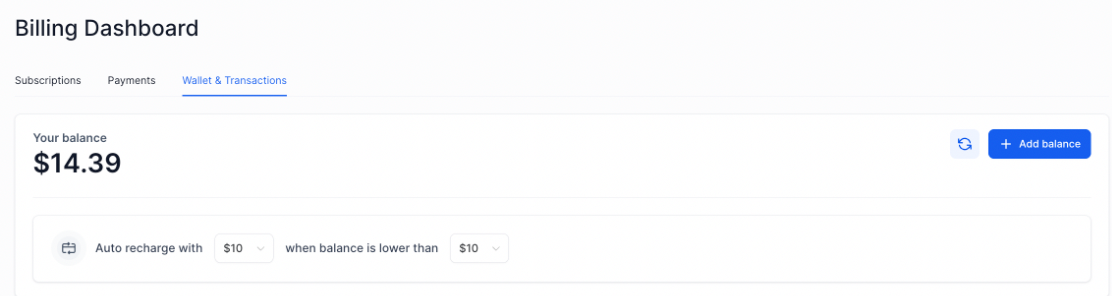
A multi-line round usually appears as several transactions: an Outbound Call for each answered contact, a transaction for your agent connection, and a Conference Call for the room. Expand each one to see its role, duration and rate.
Contact charges post after each call ends. Agent and conference charges post after the round's connections and room have closed. Charges are processed in the background, so they may not appear right away or in the order the calls happened. Recording, transcription and text-to-speech charges may post later still.
- Note the contacts you dialed and the time of the round.
- Find and expand the matching wallet transactions.
- Sort them into agent connection, contact calls and conference.
- Check each duration against the rounding rules and your rates.
- If rebilling is on, compare the same transactions in the sub-account wallet.
When a transaction shows both a total and its component amounts, add up the total only. Adding the components on top would count the same usage twice. In conference details, use the participant count and per-participant minutes; a Total minutes field showing 0 doesn't mean there was no conference usage.
Frequently Asked Questions
Was this article helpful?
That’s Great!
Thank you for your feedback
Sorry! We couldn't be helpful
Thank you for your feedback
Feedback sent
We appreciate your effort and will try to fix the article