HighLevel can capture pre-purchase activity from HighLevel Ecommerce Stores and connected Shopify stores, then use that activity to start workflows.
TABLE OF CONTENTS
Workflow Triggers for Product Viewed and Added to Cart
The Product Viewed and Add Products To Cart workflow triggers let you automate follow-up based on shopper intent before a purchase is completed. Instead of waiting for an order or abandoned checkout event, these triggers respond to earlier ecommerce behavior from Shopify and HighLevel Ecommerce stores.
Both triggers support filters so you can control which shopper events qualify. This makes it possible to create more focused automations based on factors such as product, store, cart value, checkout status, or other supported conditions.
Important: For HighLevel Ecommerce Stores, no additional setup is required. For Shopify, your store must be connected to HighLevel with the required Web Pixel installed. If needed, follow How to Use the Shopify Integration with Your Account to connect or reconnect your store.
Note: Existing Abandoned Checkout workflows are unaffected by these triggers.Product Viewed Trigger
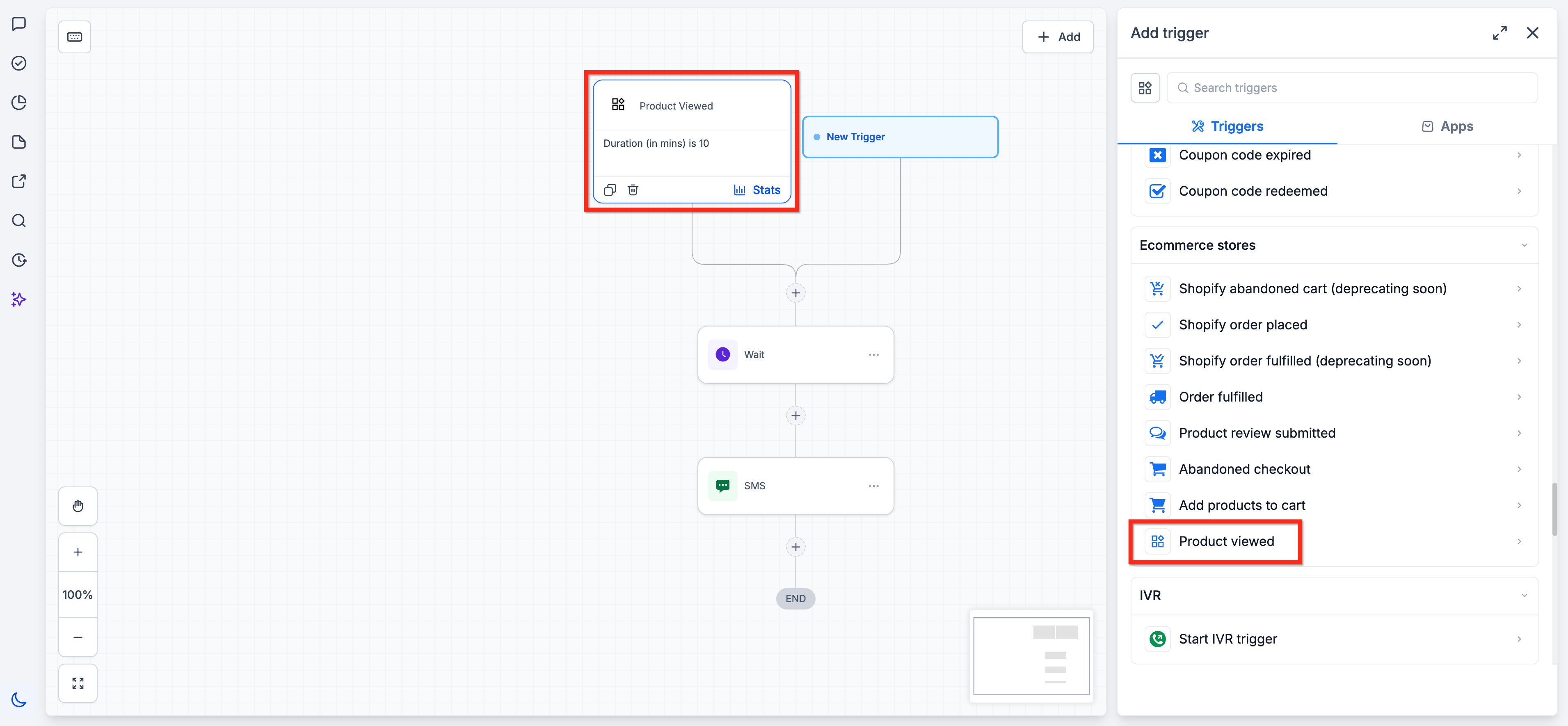
The Product Viewed trigger lets you build pre-purchase workflows around the products shoppers explore.
When an identified shopper views a product, the activity can start a workflow before the shopper adds the item to their cart or completes a purchase. This is useful for product-interest follow-up, including email or SMS automation tied to specific products or stores.
You can filter qualifying activity by factors such as duration, store, product, and order source.
Add Product to Cart Trigger
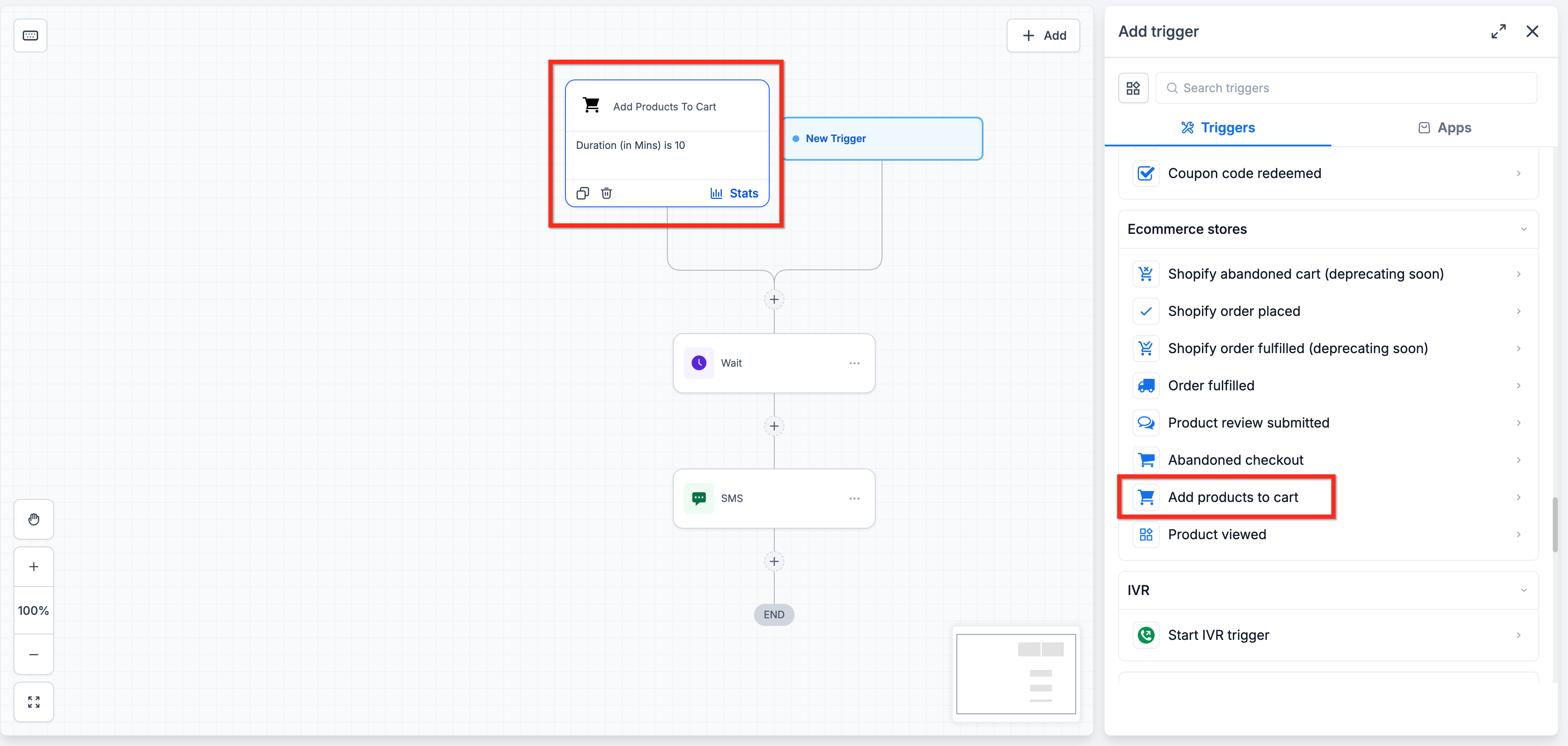
The Add Products To Cart trigger lets you build pre-purchase workflows around shoppers who have already added a product to their cart.
Because this event happens later in the buying journey than a product view, it can be used for follow-up based on stronger purchase intent before checkout is completed.
Workflows can be narrowed using cart-specific conditions. You can also filter qualifying activity by factors such as duration, store, and checkout status.
How Identity-Based Activity Association Works
Product-view and add-to-cart activity can occur before HighLevel knows which contact performed it. HighLevel temporarily tracks supported activity anonymously and can associate that activity with a contact after the shopper identifies themselves.
The process works like this:
- A shopper views a product or adds a product to their cart.
- If the shopper is not yet identified, the supported activity is tracked anonymously.
- The shopper later identifies themselves, such as by logging in or checking out.
- Previous supported activity from that browser is associated with the shopper's contact record.
- The identified shopper's qualifying activity can then trigger the configured workflow.
Only identified visitors trigger these workflows. Unidentified browsing activity is retained for up to 14 days. If the shopper does not identify themselves during that period, the anonymous activity is discarded.
Identity-based activity association is browser-scoped. Activity captured in one browser does not backfill when the shopper identifies themselves in another browser or on another device.
Related Articles
Was this article helpful?
That’s Great!
Thank you for your feedback
Sorry! We couldn't be helpful
Thank you for your feedback
Feedback sent
We appreciate your effort and will try to fix the article