WhatsApp Credit Line Management
How credit lines work on WhatsApp Business Accounts — including the permanent attachment rule, sharing, revoking, and what to do when a credit line needs to change.
Important — Meta Platform Rule
Credit lines cannot be changed after being attached to a WABA.
If a WhatsApp Business Account (WABA) needs a different credit line, a new WABA must be created and the new credit line can then be attached to it. Business partners cannot remove a credit line once it has been attached. This is a permanent Meta platform rule.
Table of Contents
What is a WhatsApp Credit Line?
A credit line is a billing arrangement that links a WhatsApp Business Account (WABA) to a payment source for WhatsApp Business Platform usage fees. When a Solution Partner (such as your CRM provider) onboards a business customer, that customer's WABA must be connected to a credit line in order to pay for WhatsApp API usage.
There are two billing structures in WhatsApp:
Direct Billing — Business pays Meta directly
The business adds its own payment method in Meta Business Suite and pays Meta directly for WhatsApp usage. No credit line from a Solution Partner is involved.
Credit Line Billing — Business pays through the Solution Partner
The Solution Partner shares their credit line with the business customer's WABA. The business pays the Solution Partner, and the Solution Partner receives an aggregated invoice from Meta. The Solution Partner is the Bill To Party for all businesses sharing their credit line.
Billing liability: As the Solution Partner sharing a credit line, you are liable for and will pay Meta for all WhatsApp Business Platform spend made by the businesses on your credit line. Make sure you have a billing arrangement in place with each client before sharing your credit line.
The Permanent Attachment Rule
Meta's platform enforces a strict rule on credit line attachments that all businesses and agencies must be aware of before onboarding.
Credit lines cannot be removed after being attached to a WABA
Once a credit line has been attached to a WhatsApp Business Account, it cannot be changed, removed, or replaced. This restriction is enforced at the Meta platform level — it is not a CRM or agency limitation.
Business partners cannot remove a credit line
As of Meta's current policy, business partners (Solution Partners) do not have the ability to remove a credit line that has already been attached to a WABA. This is a Meta platform rule and cannot be overridden.
If a different credit line is needed — a new WABA must be created
The only way to change the credit line on a WABA is to create a brand new WhatsApp Business Account and attach the desired credit line to it at the time of setup. The new credit line can then be attached during the attachment step.
This is confirmed in Meta's official documentation:
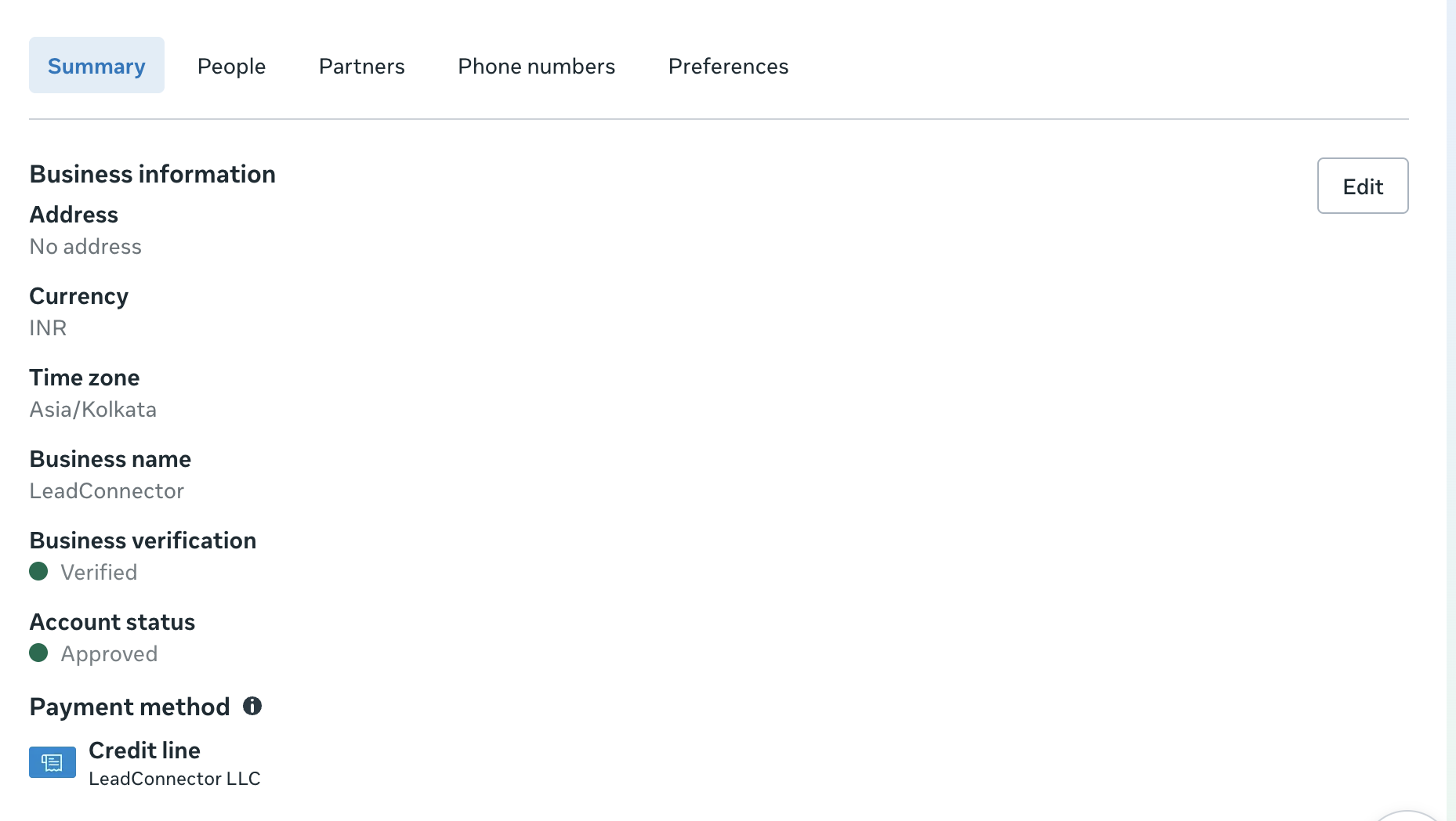
What this means for tickets: If a customer raises a request to change or remove their credit line, the answer is that this is not possible under Meta's current platform rules. The correct path is to create a new WABA and attach the desired credit line to it at that stage
Frequently Asked Questions
Q: A customer wants to remove the credit line from their WABA — is this possible?
No. Credit lines cannot be removed after being attached to a WABA. This is a hard Meta platform restriction that applies to all Solution Partners and businesses. The only way to use a different credit line is to create a new WhatsApp Business Account and attach the desired credit line to it during setup.
Q: What is the difference between "revoking" a credit line and "removing" it?
Revoking a credit line ends the sharing arrangement between the Solution Partner and the customer's business — it removes the partner's credit line access and stops future billing against that credit line. Removing a credit line from the WABA itself (detaching it permanently) is not possible once it has been attached. These are two different actions.
Q: If I revoke my credit line, will the customer's messaging stop immediately?
Yes. When a credit line is revoked, the customer's WABA will no longer have a valid payment source and messaging will stop. If the customer wants to continue using WhatsApp, they will need to set up their own direct payment method in Meta Business Suite or establish a new credit line arrangement.
Q: Who is liable for WhatsApp usage charges when a credit line is shared?
The Solution Partner (the entity sharing the credit line) is the Bill To Party and is fully liable for all WhatsApp Business Platform spend made by businesses sharing their credit line. Meta will invoice the Solution Partner directly. The Solution Partner is responsible for collecting payments from their clients separately.
Q: Does revoking a credit line affect all of the customer's WABAs?
Yes. When you revoke a credit line from a customer's account, the revocation applies to all WABAs belonging to that customer's business that have been shared with you. It is not possible to revoke the credit line for only one specific WABA while keeping it active for others under the same business.
Reference
This article is based on Meta's official documentation: Managing Credit Lines — WhatsApp Business Platform. For the most up-to-date API specifications, always refer to the official Meta documentation directly.
Was this article helpful?
That’s Great!
Thank you for your feedback
Sorry! We couldn't be helpful
Thank you for your feedback
Feedback sent
We appreciate your effort and will try to fix the article