Voice Notes on WhatsApp (Mobile App)
Record and send voice notes directly from a WhatsApp conversation on the mobile app
Table of Contents
We're thrilled to announce our latest update to the mobile app: the ability to record and send voice notes using WhatsApp as a channel on Conversations. This update is available on CRM, LeadConnector, and whitelabelled apps (whitelabel update needs to be requested).
What's New
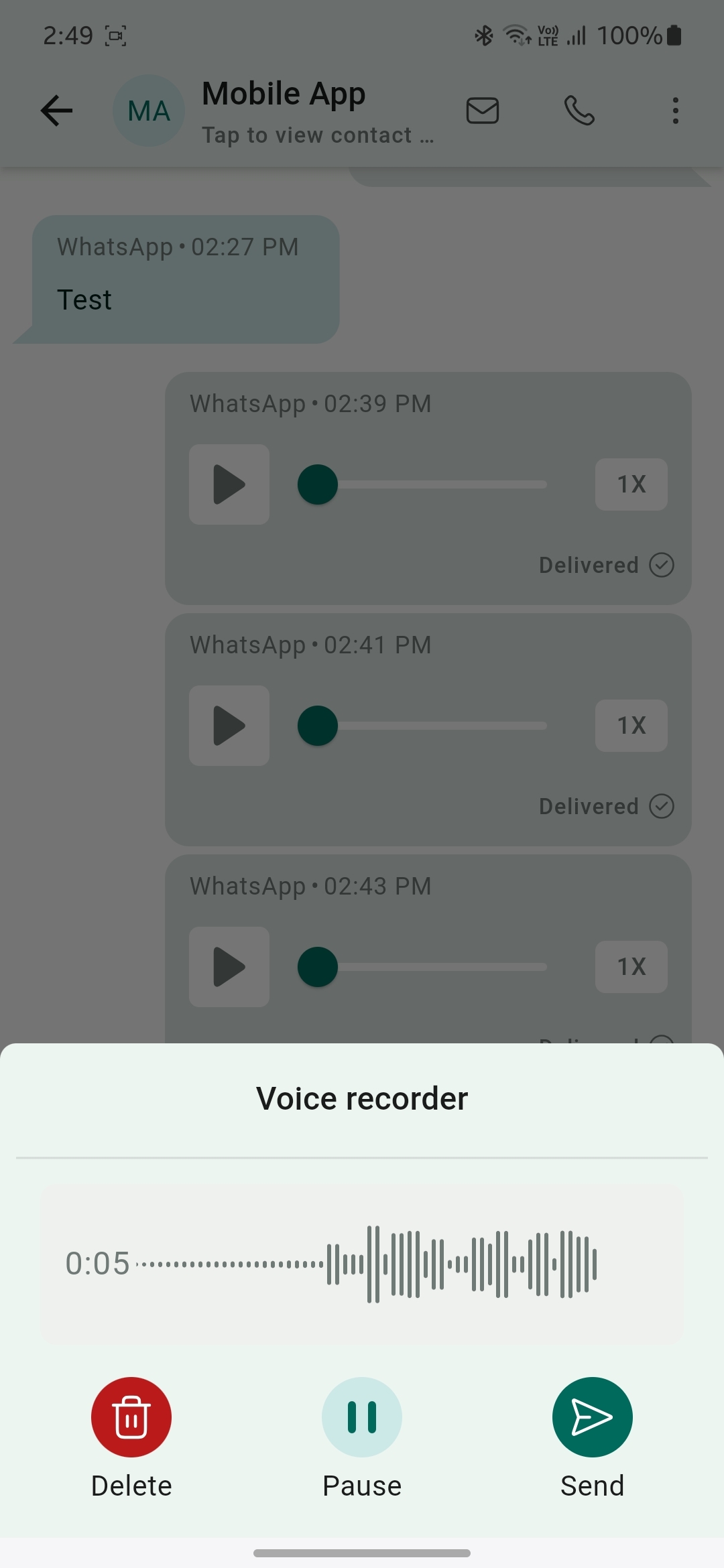
- Record voice note: Start recording a new voice note by tapping on the voice note icon.
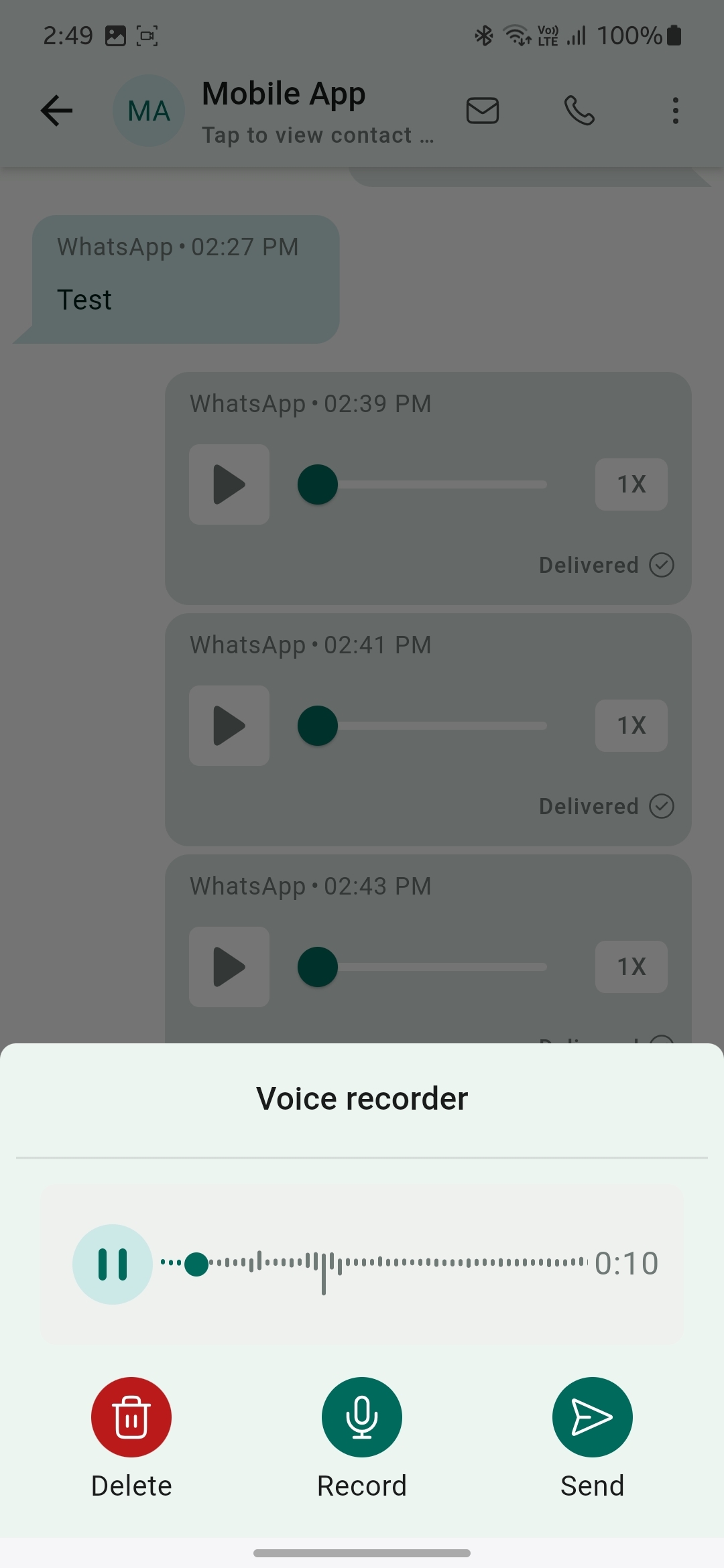
- Pause and delete: Pause and resume the voice note you're recording. You can even delete the existing recording and start a new one.
- Send voice notes: Send the voice note directly inside the conversation.
How It Works
Open the mobile app with your preferred sub-account.
Navigate to the Conversations section and select an ongoing WhatsApp chat.
You'll now see an icon next to the text field to record a voice note.
Record a voice note, pause and resume it, or delete it.
Once you've recorded your voice note, tap the send icon to send it. And you're all set!
Was this article helpful?
That’s Great!
Thank you for your feedback
Sorry! We couldn't be helpful
Thank you for your feedback
Feedback sent
We appreciate your effort and will try to fix the article