Learn which compliance and eligibility safeguards apply to outbound Voice AI, how contact consent differs from location-level outbound calling terms, which call limits are enforced, and how to configure an eligible outbound workflow using the current setup experience.
Location-level outbound calling terms and contact consent are separate requirements. Accepting the platform’s outbound calling terms does not establish permission to call an individual contact. Businesses remain responsible for determining whether contacts can legally receive outbound AI calls and for following applicable laws, consent requirements, opt-outs, and DND preferences.
2. Key Benefits of Voice AI Outbound Calling Compliance
3. Flexible Outbound Calling Framework
4. Location Compliance and Eligibility
5. Consent Responsibilities
6. Consent Language Guidance
7. AI Disclaimer Configuration
8. Call Rate, Daily, and Phone-Number Limits
9. Call Hours Rules
10. Same-Country Domestic Calling
11. Location-Level Outbound Calling Terms
12. How To Configure Voice AI Outbound Calling
13. Frequently Asked Questions
14. Related Articles
What is Voice AI Outbound Calling Compliance?
Voice AI Outbound Calling Compliance refers to the platform safeguards, location requirements, and business responsibilities that apply when using HighLevel Voice AI to place outbound calls. These requirements help businesses scale AI-powered outreach while controlling call volume, timing, supported destinations, and location eligibility.
HighLevel continues to enforce platform-level safeguards such as applicable KYC requirements, location eligibility, call limits, call-hour rules, same-country restrictions, and Acceptable Use Policy controls. Businesses remain responsible for determining whether contacts can legally receive outbound AI calls.
Key Benefits of Voice AI Outbound Calling Compliance
Outbound safeguards help teams scale Voice AI campaigns while keeping calling activity within supported operational limits. The current workflow experience also reduces setup friction by bringing required location-level terms into the same action used to configure the outbound call.
- Flexible Consent Management: Manage contact consent using your organization’s own systems, documentation, and compliance process.
- Inline Terms Acceptance: Complete required location-level outbound calling terms directly from the Voice AI Outbound Call workflow action when prompted.
- Location Eligibility Controls: Applicable verification, KYC, policy, and configuration requirements continue to protect outbound access.
- Higher Calling Capacity: Each eligible location can place up to 5,000 outbound Voice AI calls per day.
- Faster Call Throughput: Calls can be placed at up to 10 calls per minute per location.
- Phone-Number Protection Limits: Each phone number can be called once per day and up to 14 times within a 14-day period.
- Time-Zone-Based Calling Windows: Calls are scheduled between 8:00 AM and 8:00 PM based on the contact’s phone-number timezone.
- Same-Country Domestic Calling: Outbound Voice AI calls are limited to supported domestic numbers in the same country as the location.
- AUP Safeguards: Outbound calling may be paused when a location exceeds applicable HighLevel Acceptable Use Policy thresholds.
Flexible Outbound Calling Framework
The Flexible Outbound Calling Framework allows businesses to manage contact consent using their own systems, records, and compliance workflows. Removing platform-level contact consent validation from the call flow reduces unnecessary workflow interruptions while keeping compliance responsibility with the business running the campaign.
- HighLevel does not perform platform-level contact consent validation before placing outbound Voice AI calls.
- Businesses are responsible for ensuring contacts can legally receive outbound AI calls.
- Consent records can be maintained inside or outside HighLevel according to the business’s compliance process.
- Location-level outbound calling terms do not replace contact-level consent.
- Other platform safeguards, including applicable KYC, eligibility, calling limits, calling hours, same-country restrictions, and AUP thresholds, continue to apply.
Compliance ownership: Flexible consent management does not remove the need for permission to call or provide legal approval for an outbound campaign. Businesses should use their own legal or compliance process to determine applicable requirements.
Location Compliance and Eligibility
Location-level eligibility helps ensure outbound Voice AI calls originate only from accounts that meet the supported verification, policy, and configuration requirements. Completing outbound terms inside the workflow does not bypass any other eligibility controls.
To use Voice AI outbound calling, the location should:
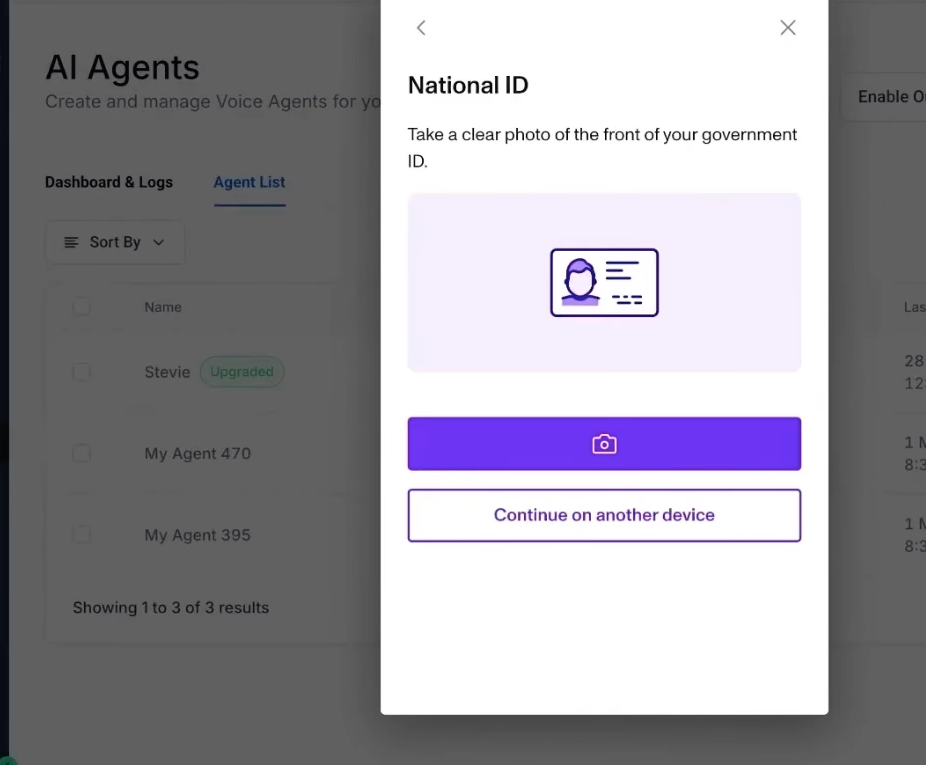
- Complete applicable KYC or location-verification requirements.
- Remain eligible for outbound Voice AI calling.
- Remain within applicable platform usage and Acceptable Use Policy thresholds.
- Use an eligible Voice AI agent and From Phone Number.
- Accept required location-level outbound calling terms when prompted in the workflow action.
AUP restrictions: If a location exceeds applicable Acceptable Use Policy thresholds, outbound Voice AI calling may be paused automatically until the restriction is resolved.
Consent Responsibilities
Businesses are responsible for determining whether each contact can legally receive an outbound AI call. A consistent consent-review process helps teams avoid treating workflow eligibility or location-level terms acceptance as permission to call an individual contact.
Your organization’s consent process should account for factors such as:
- Whether the contact agreed to receive phone calls.
- Whether consent for automated, prerecorded, or AI voice calls is required for the applicable use case.
- Whether the contact has opted out or requested not to be called.
- Whether the contact remains eligible to be called under applicable laws and the business’s policies.
Do not rely on the workflow terms checkbox as contact consent. Continue honoring opt-outs, DND preferences, and applicable legal restrictions before placing outbound AI calls.
Consent Language Guidance
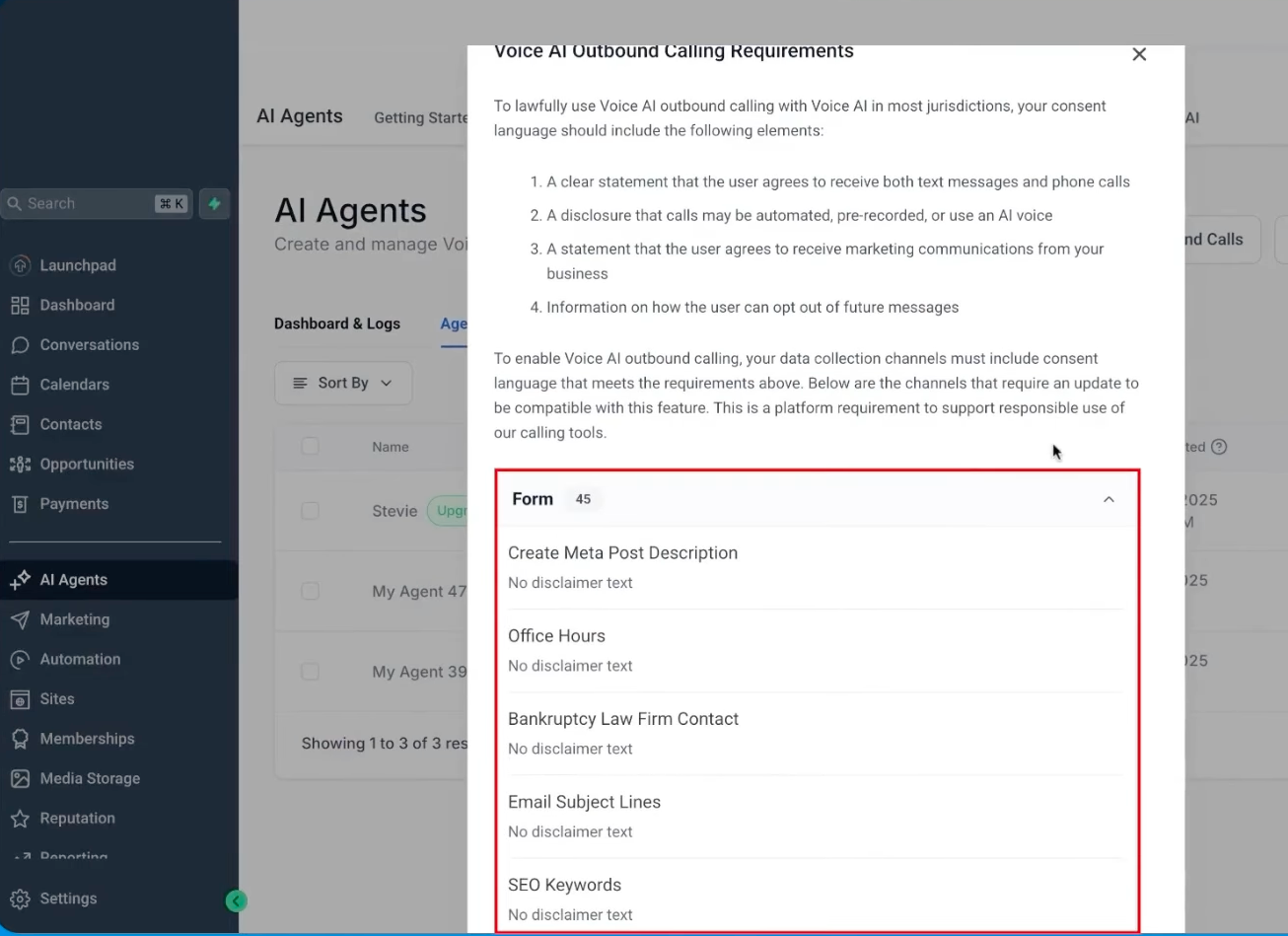
Clear disclosure language helps contacts understand what communications they are agreeing to receive. Businesses can continue reviewing consent text across forms, surveys, calendars, external systems, and other lead-capture experiences even though Voice AI no longer performs platform-level contact consent validation before dialing.
Depending on your legal and compliance requirements, consent language may address:
- Agreement to receive phone calls and other communications when applicable.
- Disclosure that calls may be automated, prerecorded, or use an AI voice when required.
- Identification of the business or communication purpose where appropriate.
- Instructions or processes for opting out of future communications.
Consent guidance vs. call blocking: Reviewing disclosure language remains useful for your business’s compliance process, but it should not be interpreted as a platform-level pre-call consent validation requirement.
AI Disclaimer Configuration
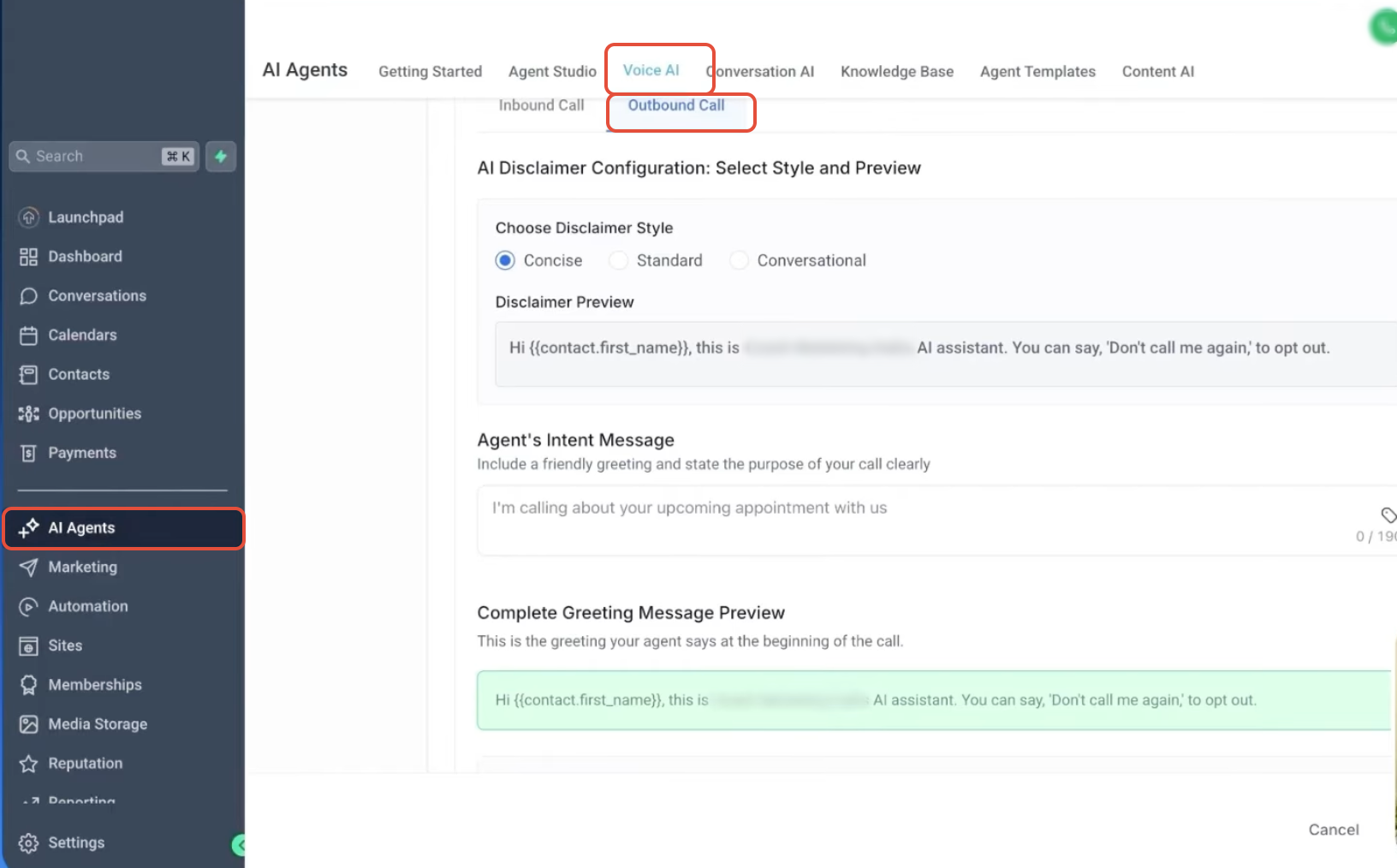
AI disclaimer configuration controls how an outbound Voice AI agent introduces the call and presents supported disclosure or opt-out language. Reviewing the greeting before publishing helps ensure the opening message matches the business’s intended calling experience.
- Choose an available disclaimer style, such as Concise, Standard, or Conversational.
- Preview the disclaimer message.
- Add the agent’s intent message.
- Review the complete greeting before publishing.
Call Rate, Daily, and Phone-Number Limits
Outbound calling limits control how quickly campaigns can dial, how many calls a location can place each day, and how frequently the same phone number can be contacted. These safeguards remain in place with the higher 5,000-call daily capacity.
| Limit | Current Behavior |
|---|---|
| Call rate | Up to 10 outbound Voice AI calls per minute per location. |
| Daily location limit | Up to 5,000 outbound Voice AI calls per location per day. |
| Daily overflow | Calls above the daily limit are scheduled for the next eligible day. |
| Per-phone-number daily limit | Each phone number can be called once per day. |
| Per-phone-number 14-day limit | Each phone number can be called up to 14 times within 14 days. |
Daily overflow: Increasing the location limit to 5,000 calls does not remove daily overflow behavior. Calls above the supported daily limit are scheduled for the next eligible day.
Call Hours Rules
Call-hour safeguards keep outbound Voice AI attempts within the supported calling window for the contact. The contact’s phone-number timezone is used to determine when the workflow can place the outbound call.
Supported calling window: 8:00 AM to 8:00 PM based on the contact’s phone-number timezone.
Calls that fall outside the supported calling window are scheduled for the next eligible time.
Same-Country Domestic Calling
Same-country calling restrictions limit outbound Voice AI to supported domestic destinations associated with the location. This prevents the outbound workflow from being used for unsupported cross-country calling.
Outbound Voice AI calls can only be placed to supported phone numbers in the same country as the calling location. Unsupported international destinations are not eligible for outbound Voice AI calling.
Location-Level Outbound Calling Terms
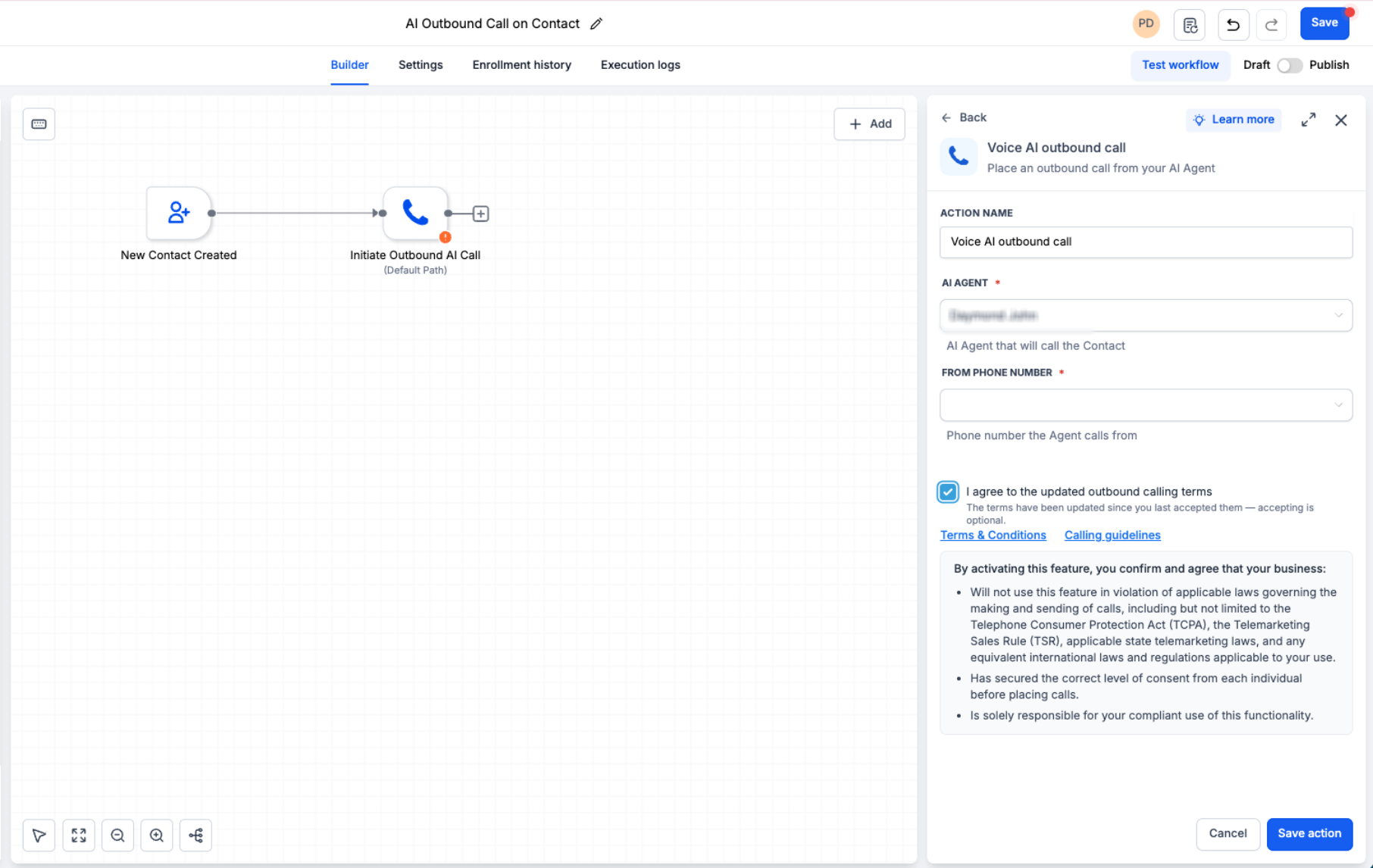
Required outbound calling terms can now be handled inside the Voice AI Outbound Call workflow action. This keeps the location-level acknowledgement, AI Agent, and From Phone Number configuration together so users do not need to leave the workflow builder for a separate terms flow.
If the location has not yet accepted the required outbound calling terms, the action drawer can include:
- AI Agent
- From Phone Number
- Required outbound calling consent checkbox
- Terms & Conditions
- Calling guidelines
Review the available terms and Calling guidelines, select the required checkbox, and save the workflow action. Required acceptance is recorded once for the location rather than being repeated for each workflow.
Updated terms: If the location previously accepted an earlier version, an optional checkbox may appear for the updated terms. Accepting the updated version is optional and does not block saving the action or continuing outbound calling.
How To Configure Voice AI Outbound Calling
Proper configuration combines location eligibility, the correct Voice AI workflow action, required location-level terms, and the business’s own contact-consent process. Reviewing these items before publishing helps avoid preventable call restrictions while keeping compliance responsibilities clear.
Step 1: Confirm Location Eligibility
Verify eligibility before launching an outbound workflow so terms acceptance does not get confused with other required location controls.
- Complete applicable KYC or location verification.
- Confirm the location is eligible for outbound Voice AI calling.
- Review any applicable Acceptable Use Policy restrictions.
Step 2: Create or Open the Workflow
The outbound Voice AI call is initiated from a workflow, so select the trigger and audience conditions that match the campaign you intend to run.
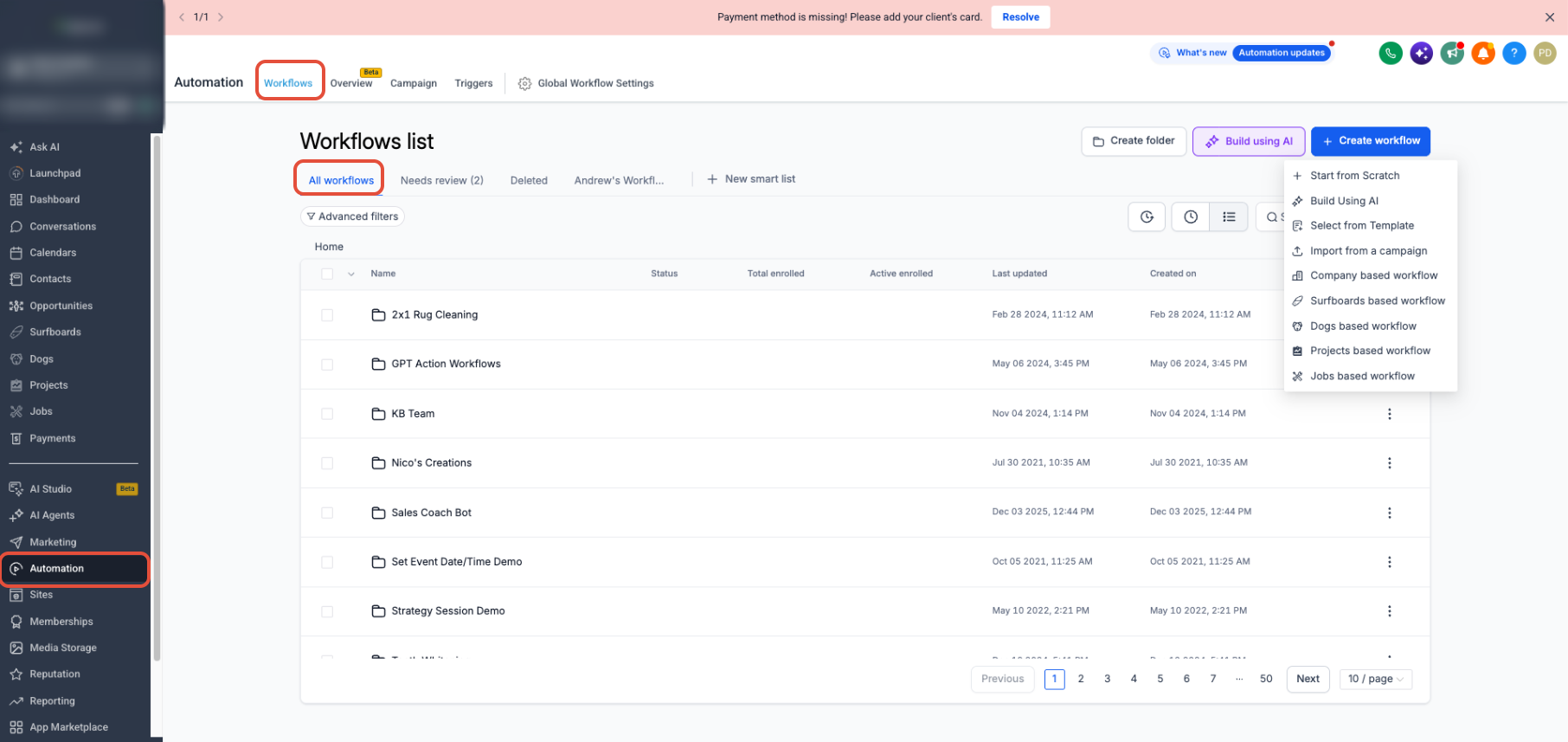
- Go to Automation > Workflows.
- Click Create workflow and choose an appropriate starting option, or open an existing workflow.
- Add or confirm the trigger that should start the outbound calling flow.
The Voice AI Outbound Call action is where the outbound agent, calling number, and required location-level acknowledgement are configured.
- Click the + icon where the call should occur.
- Search for Voice AI Outbound Call.
- Select the action.
Step 4: Configure the Outbound Action
Selecting the appropriate Voice AI agent and calling number ensures the workflow uses the intended conversation configuration and eligible outbound number.
- Action Name: Name the workflow action.
- AI Agent: Select the Voice AI agent that should place the call.
- From Phone Number: Select the eligible phone number used for the outbound call.
Step 5: Accept Outbound Calling Terms When Required
If the location has not yet completed the required outbound terms acknowledgement, it can now be completed directly from the workflow action.
- Review the Terms & Conditions.
- Review the Calling guidelines.
- Select the required outbound calling consent checkbox when required.
- Save the action.
One-time location acceptance: Required terms are recorded once per location. If a location accepted an earlier version, an optional updated-terms checkbox may appear. Accepting the updated version is optional and does not block saving the workflow action or continuing outbound calling.
Reviewing the campaign before publishing helps ensure the workflow follows the supported platform limits and the business’s own consent and compliance requirements.
- Confirm the intended contacts can legally receive the outbound call.
- Review the Voice AI disclaimer and greeting.
- Confirm campaign timing and targeting follow the supported calling safeguards.
- Save and publish the workflow.
Frequently Asked Questions
Was this article helpful?
That’s Great!
Thank you for your feedback
Sorry! We couldn't be helpful
Thank you for your feedback
Feedback sent
We appreciate your effort and will try to fix the article