Get expert assistance setting up your HighLevel account with a free 1:1 implementation call. Eligible trial users who upgrade within their first seven days can access a 45–60-minute session with a HighLevel specialist, plus 90 days of follow-up support.
TABLE OF CONTENTS
- What is the Free Implementation Call Offer?
- Key Benefits of the Free Implementation Call
- Implementation Call Eligibility and Availability
- Where to Find the Implementation Call Offer
- What Is Included in the Implementation Call?
- How to Access Your Free Implementation Call
- Frequently Asked Questions
- Related Articles
What is the Free Implementation Call Offer?
The Free Implementation Call Offer gives eligible trial users access to personalized setup assistance when they upgrade within the first seven days of their trial. The existing implementation service is presented as a $299 expert setup service at no additional cost, helping you get started with HighLevel more confidently.
The promotional offer is available to selected trial users and may not appear in every account.
Key Benefits of the Free Implementation Call
Personalized guidance helps simplify onboarding and allows you to focus on getting your HighLevel account ready for your business.
Expert Setup Assistance: Get personalized guidance from a HighLevel specialist.
Faster Onboarding: Work through essential setup tasks with professional assistance.
Personalized Recommendations: Receive guidance based on your business needs.
Extended Support: Access 90 days of follow-up support.
Added Value: Receive an implementation service presented at $299 at no additional cost.
Implementation Call Eligibility and Availability
The promotional offer is available to selected HighLevel trial users during their first seven days. A countdown displays the time remaining to qualify. To access the offer:
Your trial account must be eligible for the promotion.
You must upgrade within the first seven days of your trial.
The offer must be available in your account.
After the promotional period ends, the offer disappears and the standard kickoff call widget returns.
Note: The seven-day deadline applies to this promotional offer, not necessarily to standard onboarding support.
Where to Find the Implementation Call Offer
Eligible users can discover the offer in several areas of HighLevel. The promotional experience is designed to make setup assistance visible while you work through onboarding.
LaunchPad Widget
A persistent implementation call widget displays the offer and remaining eligibility time.
Dashboard Banner
A dismissible banner highlights the offer directly on your dashboard.
Implementation Call Reminders
A promotional modal may appear after your first completed LaunchPad action and again on the final day of the offer.
What Is Included in the Implementation Call?
The implementation call provides personalized support to help you configure HighLevel and understand the features most relevant to your business. The offer includes:
A 45–60-minute live session with a HighLevel specialist.
Guidance on important account setup tasks.
Assistance with questions about your onboarding process.
90 days of follow-up support.
How to Access Your Free Implementation Call
Upgrading within the promotional window allows eligible users to access the existing implementation call experience.
Log in to HighLevel: Open your trial account and navigate to LaunchPad or your dashboard.
Locate the offer: Find the implementation call widget or promotional banner.
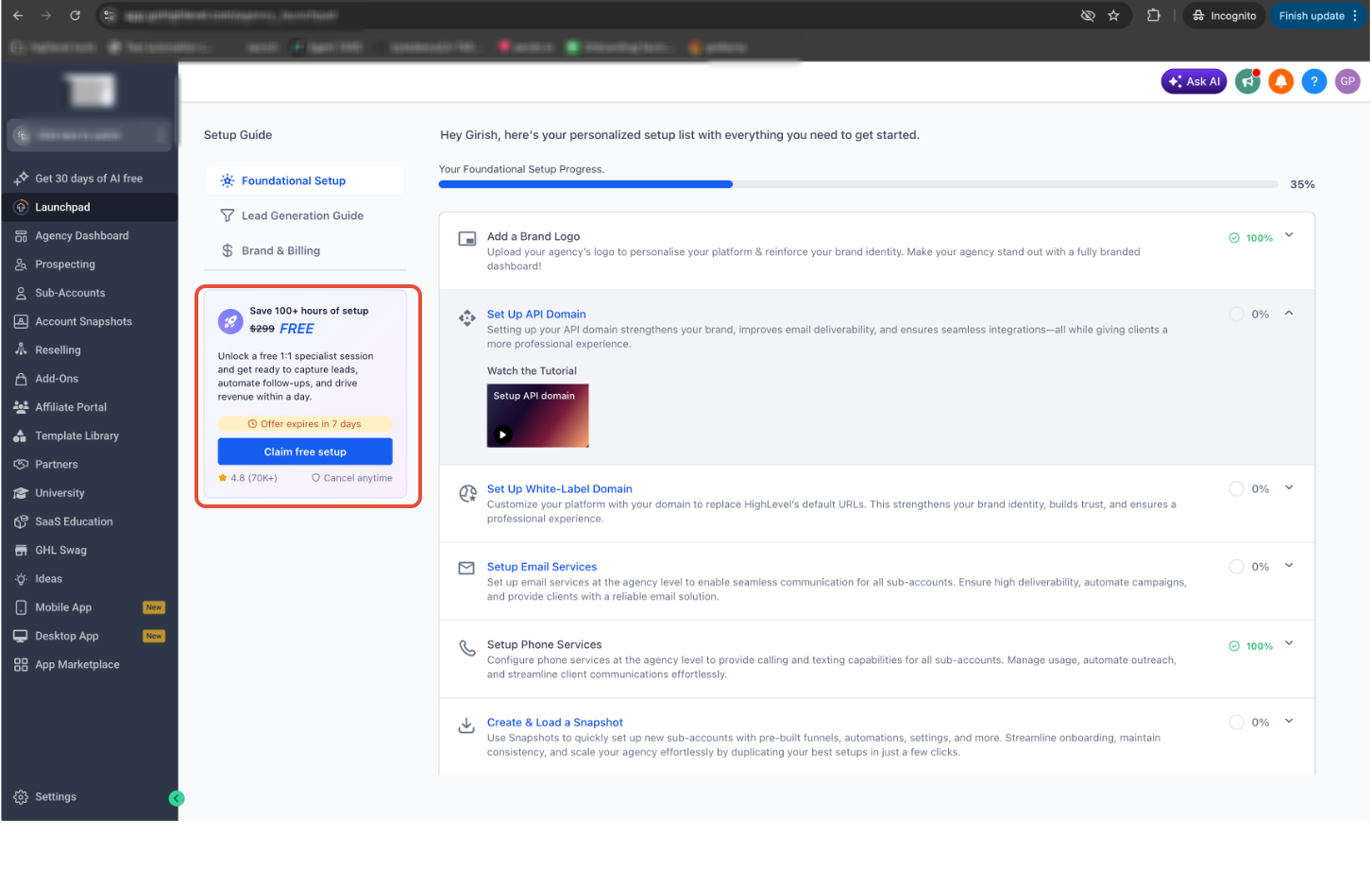
Check the countdown: Review the remaining time to qualify for the promotional offer.
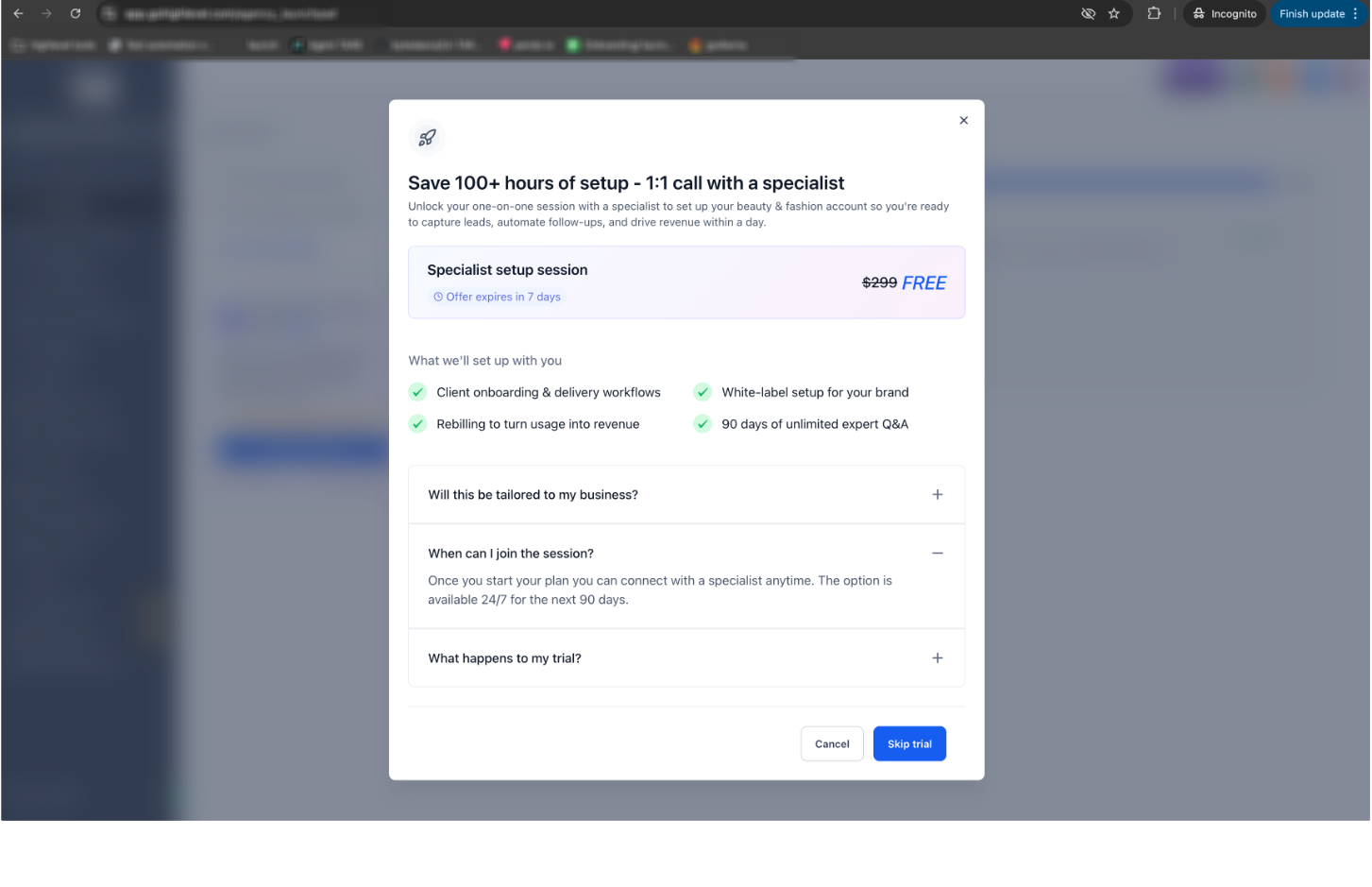
Upgrade your subscription: Complete your upgrade to a paid HighLevel subscription within the first seven days.
Access your implementation call: After upgrading, use the implementation call widget on LaunchPad or the dashboard to proceed with scheduling.
Attend your session: Join your scheduled call and discuss your setup priorities with a HighLevel specialist.
Frequently Asked Questions
Q: Why can't I see the implementation call offer?
A: The promotion is available to selected trial users. Not every trial account will display the offer.
Q: What happens if I don't upgrade within seven days?
A: The promotional offer disappears, and the standard kickoff call widget returns. Standard onboarding assistance may still be available.
Q: Does completing a LaunchPad action book my call?
A: No. Completing your first LaunchPad action may display a reminder, but it does not automatically schedule an implementation call.
Q: Can I access the implementation call after upgrading?
A: The existing implementation call widget is available on applicable LaunchPad and dashboard screens during the 90-day post-conversion period.
Q: Is the implementation call the same as the trial kickoff call?
A: No. Trial kickoff assistance focuses on getting started, while implementation assistance supports paying customers with platform setup.
Q: Can I dismiss the promotional banner?
A: Yes. The dashboard banner is dismissible. Whether it reappears later has not been confirmed.
Related Articles
Was this article helpful?
That’s Great!
Thank you for your feedback
Sorry! We couldn't be helpful
Thank you for your feedback
Feedback sent
We appreciate your effort and will try to fix the article