Turn your mobile app into an installable, branded Android app. Client App Builder builds a signed APK that you can download and share with your clients.
Before You Start
Build a mobile app in Client App Builder. See Mobile Customizer in Client App Builder.
Prepare an app icon (1024 x 1024 PNG) and a splash image (1080 x 1920 PNG).
Optional: your Android Firebase file (google-services.json) if you use Firebase services.
Configure Your App
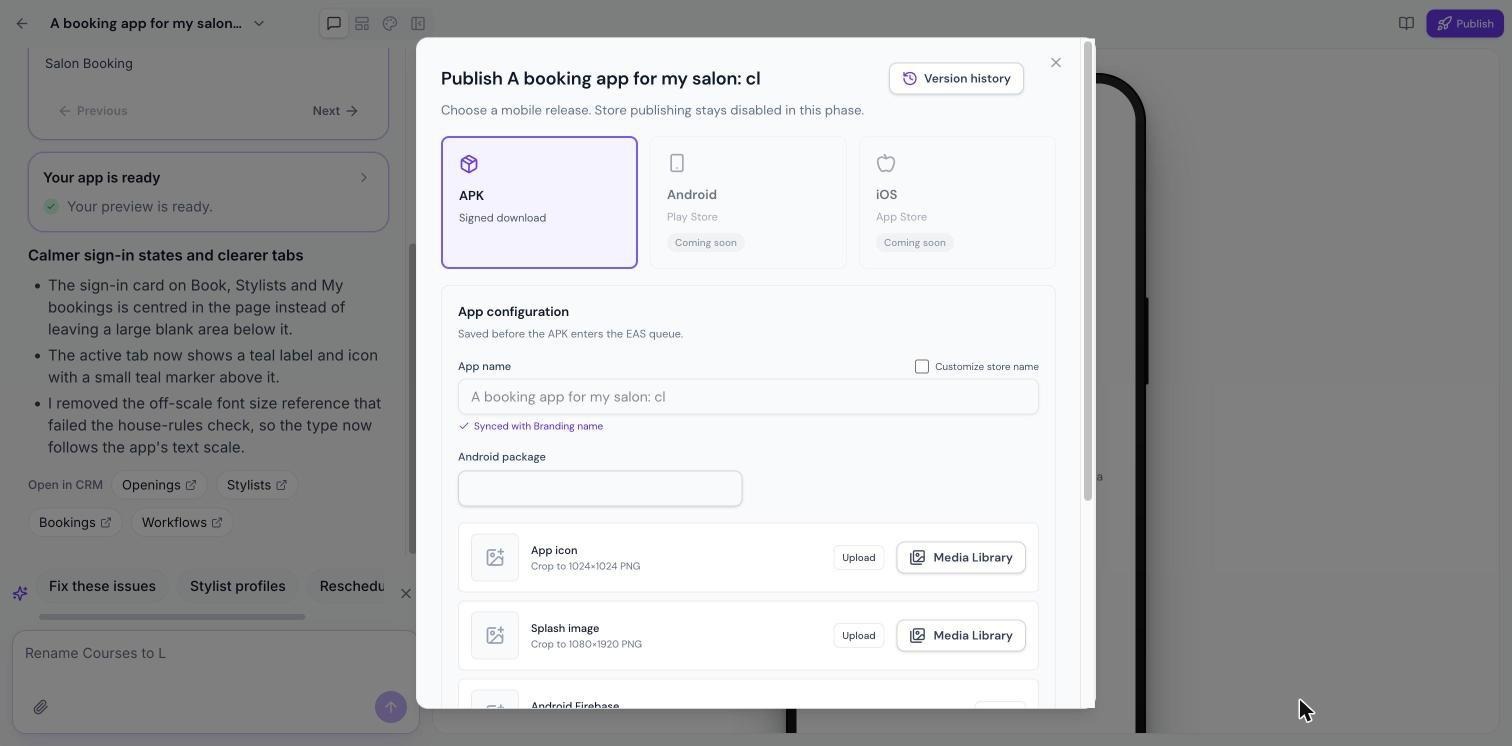
Open your mobile app and click Publish at the top right.
Choose APK, shown as Signed download.
Under App configuration, check the App name. It shows Synced with Branding name; tick Customize store name to use a different one.
Review the Android package.
Upload your App icon and Splash image, from your computer or the Media Library.
Optionally upload your Android Firebase file.
Click Save configuration.
Build Your APK
Click Build signed APK. The build is queued and usually takes 15 to 25 minutes. When it finishes, you'll see how the build ended and how long it took, and you can download the APK.
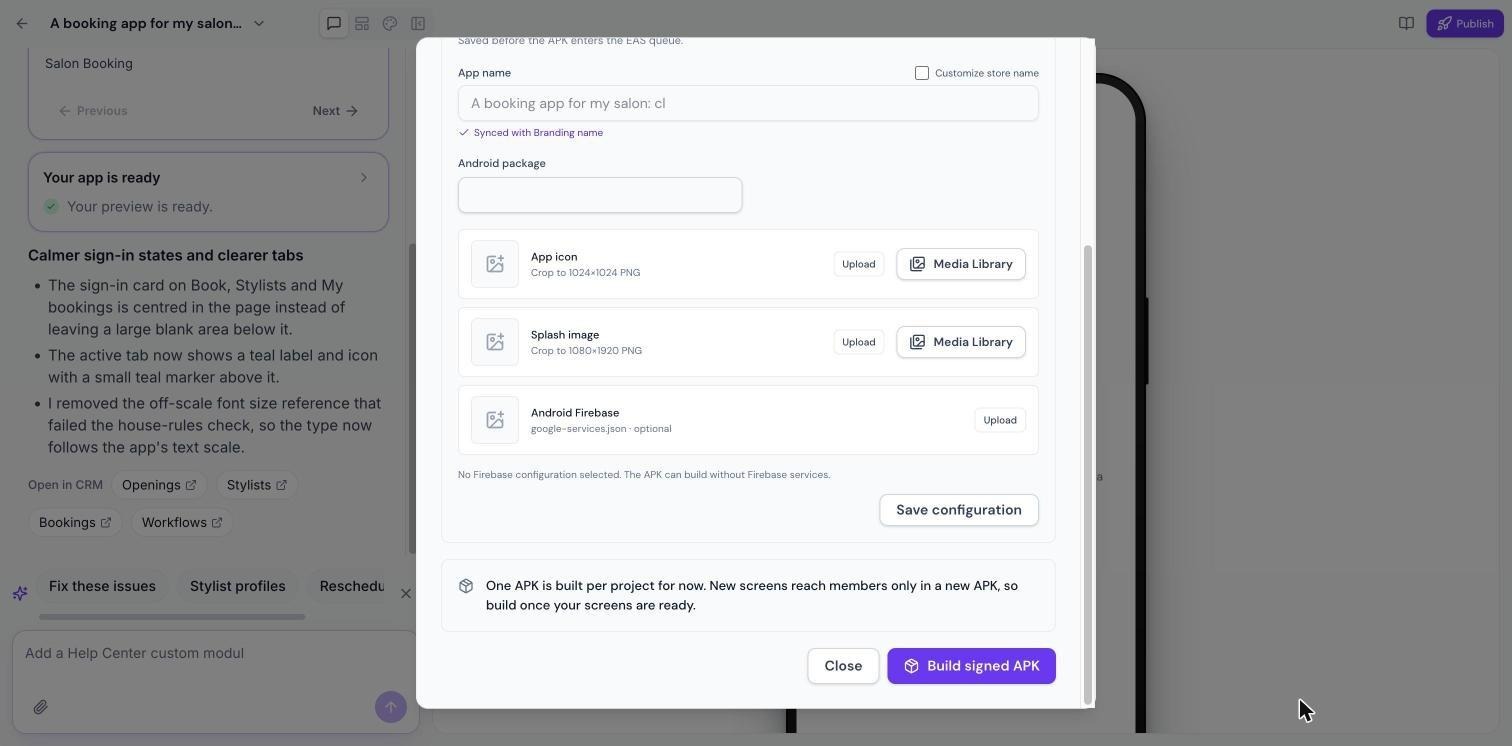
Note: You can build up to 10 APKs per project. New screens reach members only in a new APK. Once you have an APK and new screens are generated, the button reads Build new APK.
If a Build Fails
A failed build keeps its reason, so you know what to fix. Make the change and build again.
Version History
Click Version history in the Publish window to see earlier builds.
Play Store and App Store
Publishing directly to the Google Play Store and Apple App Store is coming soon.
Frequently Asked Questions
How do my clients install the APK?
Share the downloaded APK file. Clients open it on their Android device to install the app.
Do I need Firebase?
No. The APK builds without Firebase services. Add the file only if you use Firebase.
Was this article helpful?
That’s Great!
Thank you for your feedback
Sorry! We couldn't be helpful
Thank you for your feedback
Feedback sent
We appreciate your effort and will try to fix the article