Vibe coding lets you describe the app you want, and AI designs and codes every page for you. Your app runs on your real members, sign-in, courses, communities and data, so it isn't limited to a fixed layout.
You keep shaping the app through conversation: ask for a change, see it in the preview, and keep refining.
How Vibe Coding Works
Pages designed from your prompt: pick a design system and every page follows it. Attach images and the design follows them too.
Built on your real data: Courses (browse, buy, lessons, progress), Communities (groups and invites), shared files, appointments and account settings are all wired in.
Members stay inside your app: lesson players, profiles and communities open within your app rather than sending members elsewhere.
Each app is published as its own fast, secure site.
Start a Vibe-Coded App
Open Client App Builder and describe your business in the prompt box.
Choose Web or Mobile.
Under Starting point, choose Describe it instead, then click Continue.
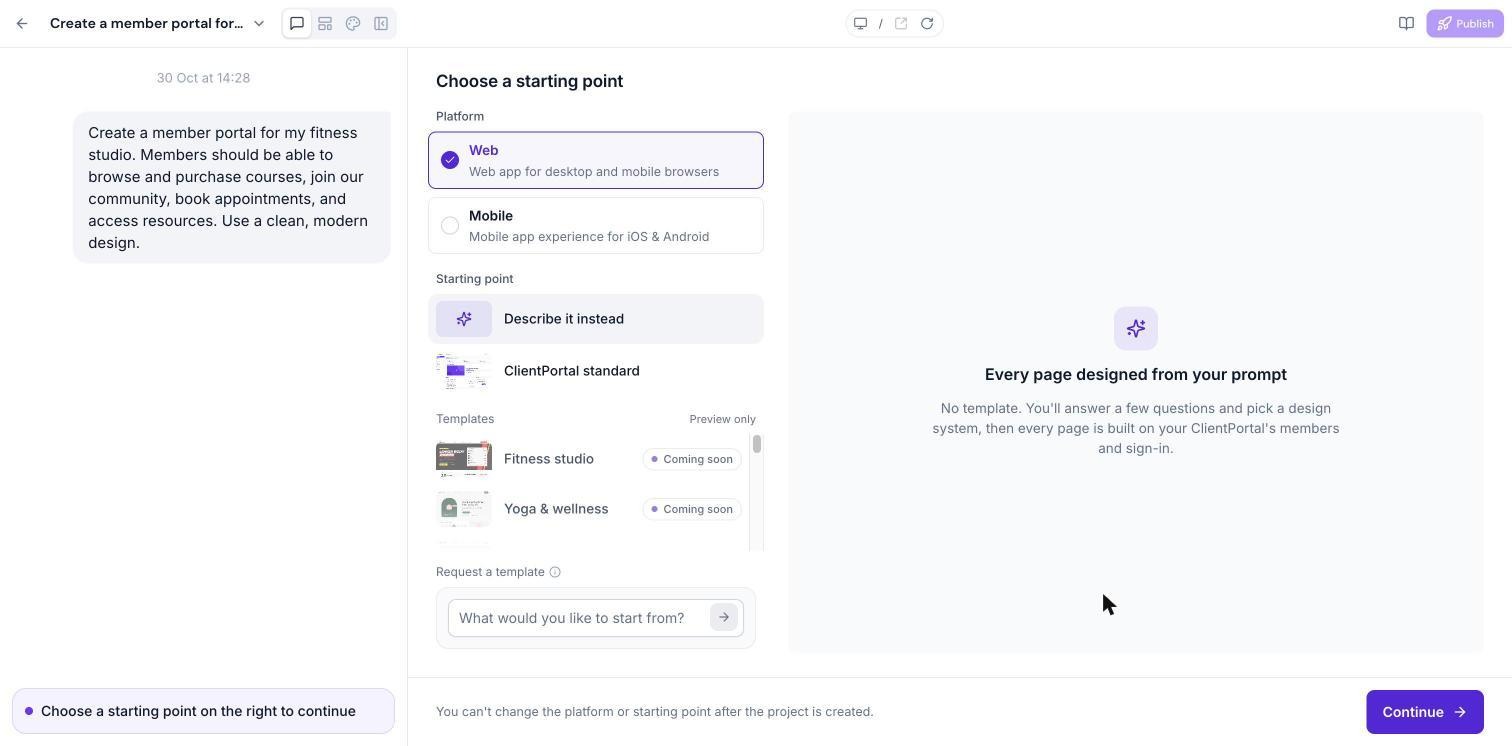
For mobile apps, every screen of your iOS and Android app is designed from your prompt.
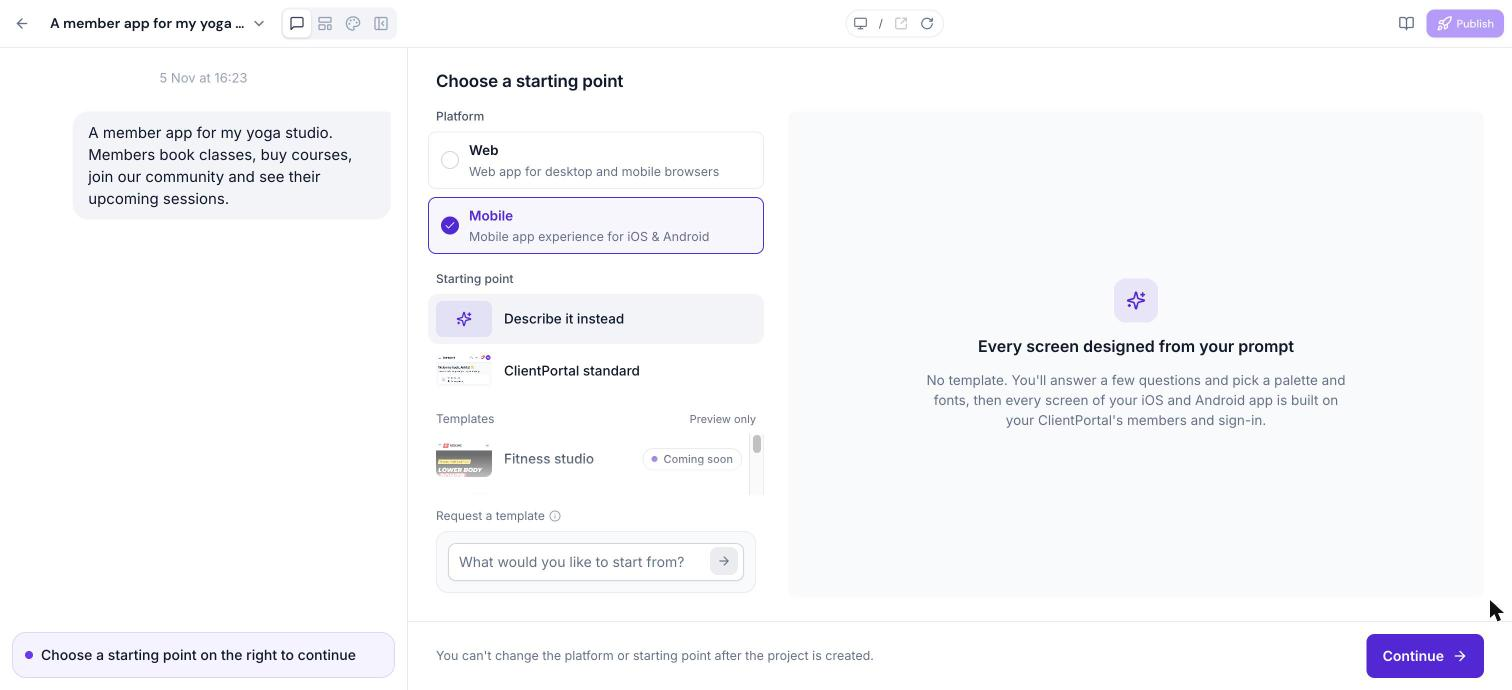
Answer the Setup Questions
AI asks a few questions to understand your business, such as which modules to include and how members should interact. Your answers update the live summary on the right.
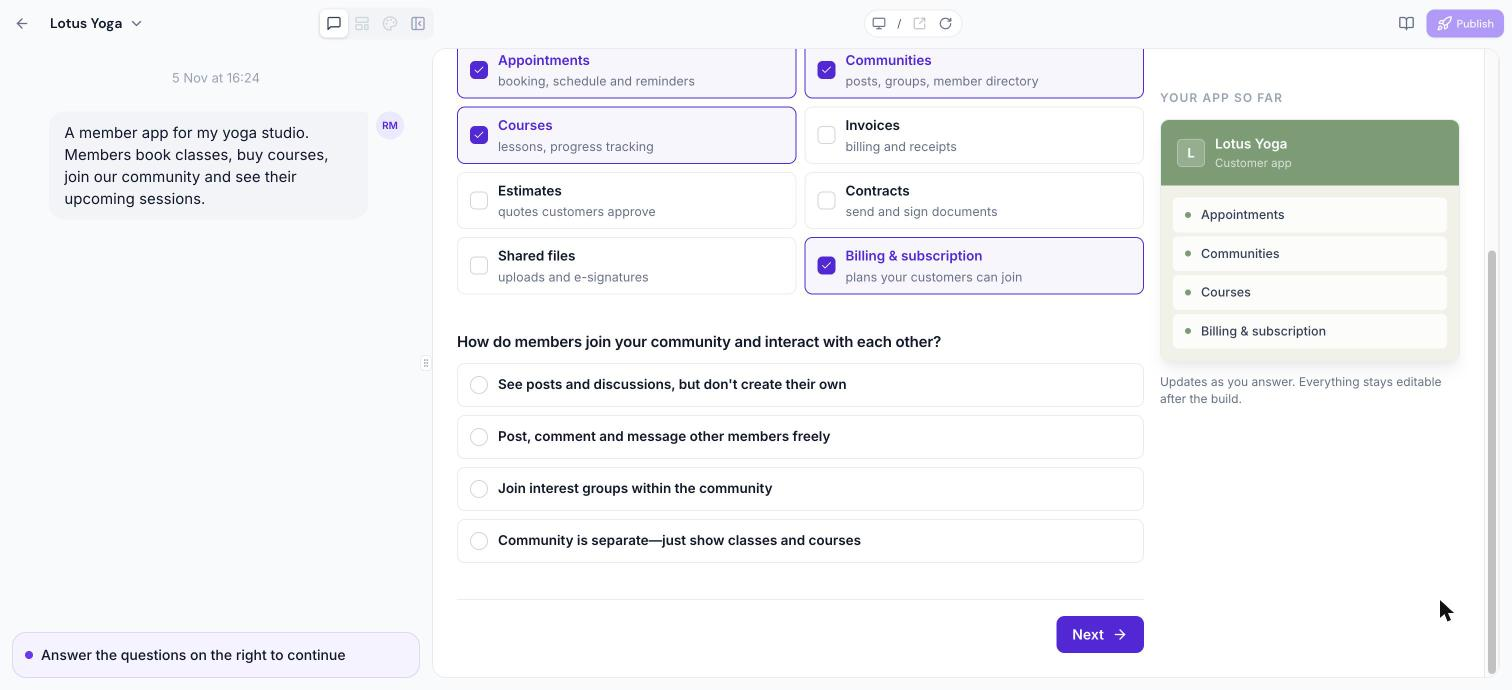
Choose Your Look
Each design system sets the fonts, colours, shapes and motion together. Pick the one that fits your brand, or click Explore … more (for example, Explore 11 more) to see the other design systems. The best match for your business is labelled Best fit.
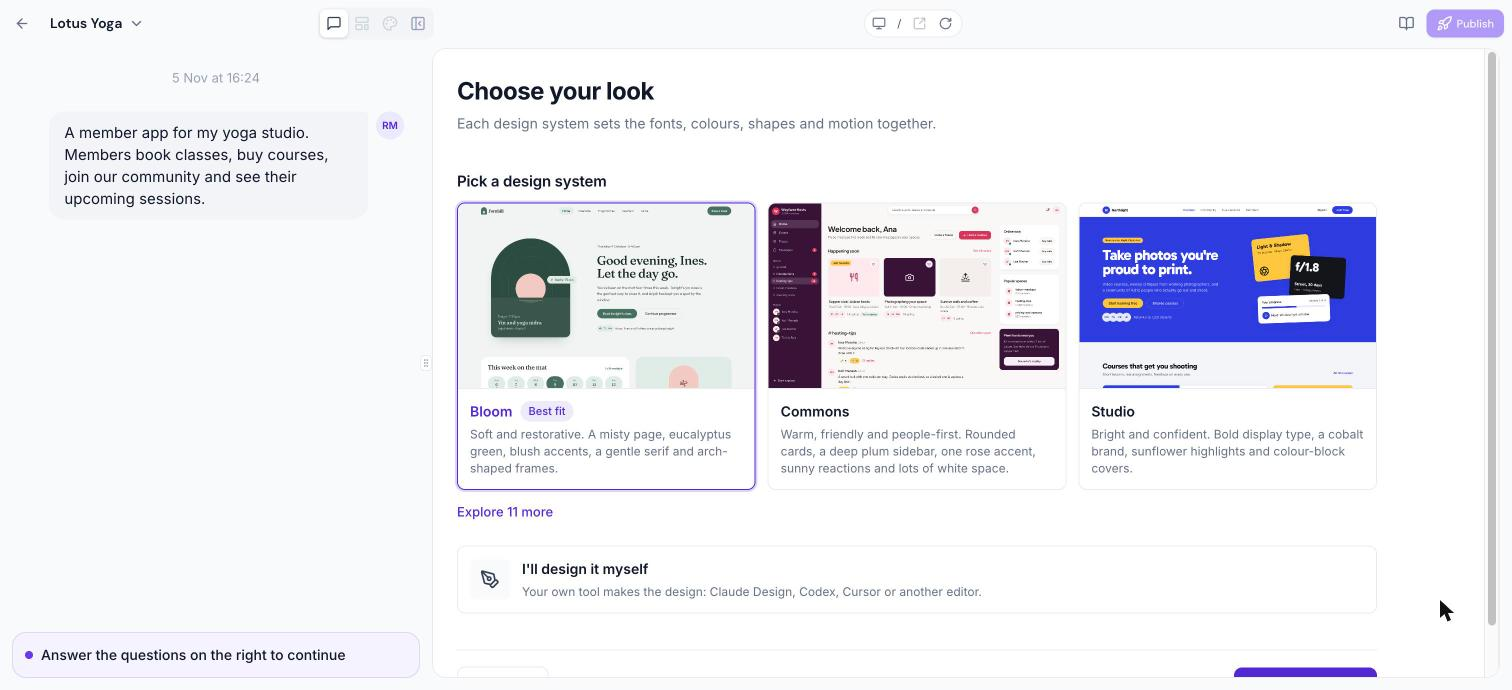
If you've already designed the app in another tool, choose I'll design it myself and your design is what gets built.
Build and Follow Progress
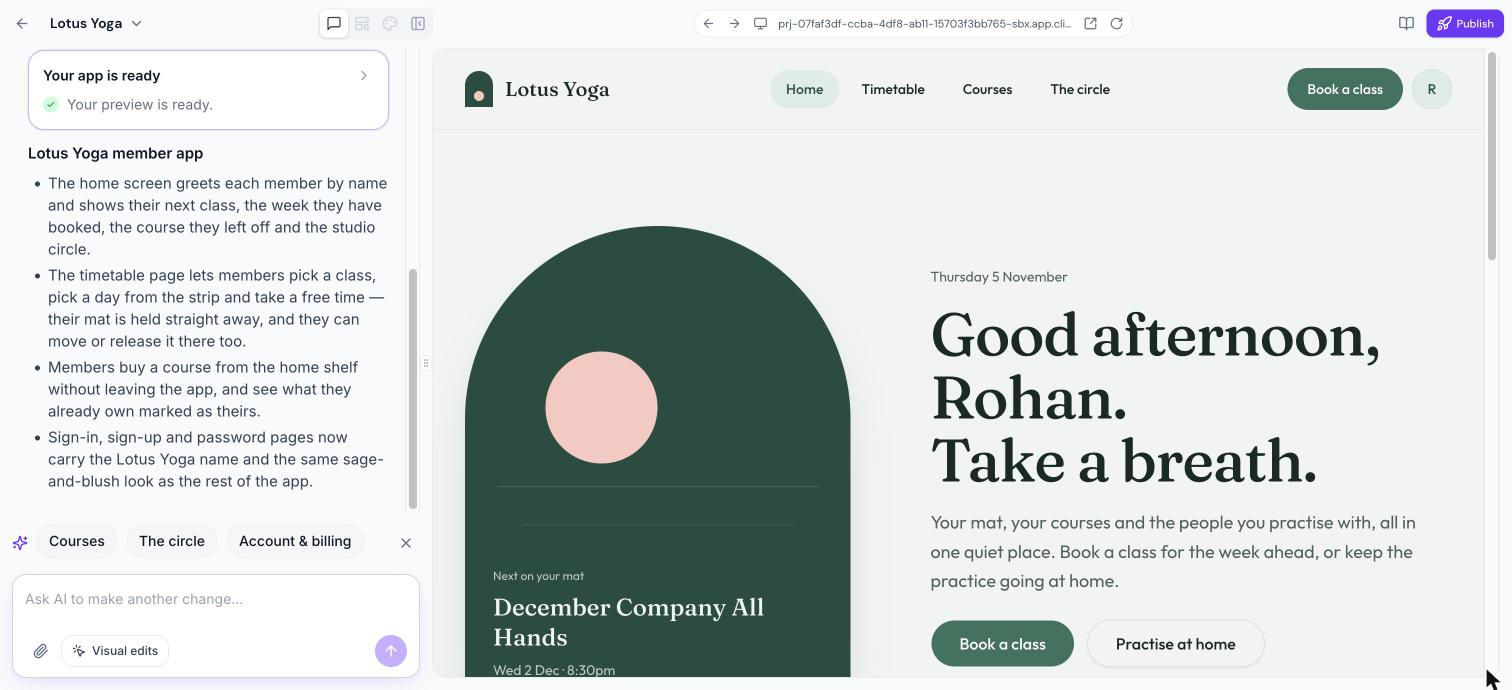
Click Build my app. The preview area shows each step of the build. When the app is ready, the chat shows a summary of what was built.
Keep Building Through Conversation
Type what you want to change in the chat box at the bottom left. For example:
"Add a Community page."
"Make the hero warmer and put my next class first."
"Move Courses to the front and rename Communities to Member Lounge."
Follow-up requests keep your design unless you ask for a redesign.
Every reply suggests what to build next, one tap away.
A page that isn't built yet shows a button named after it, such as Build Community. When several pages are waiting, one button builds them together, such as Build both or Build the first 3.
If a check fails, AI explains what went wrong so a fix is one reply away.
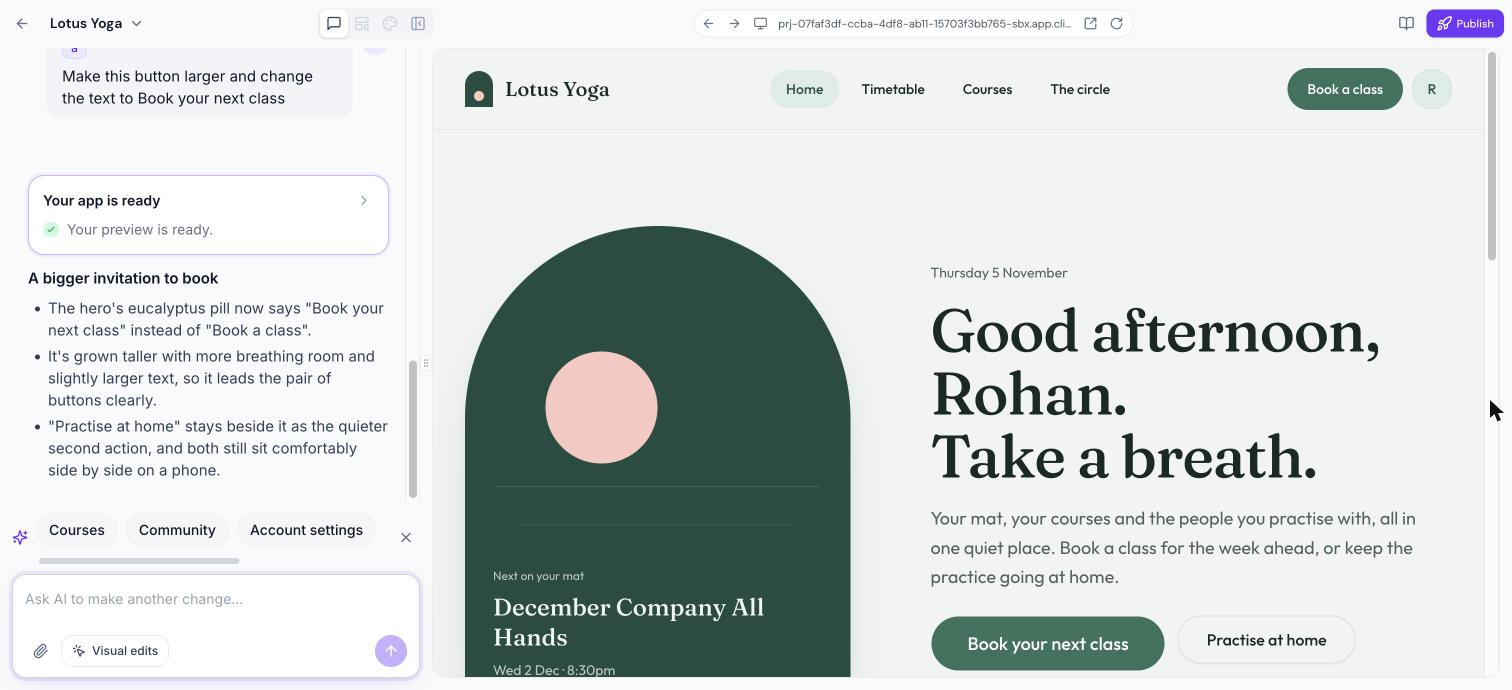
To point at a specific part of a page, use Visual edits. See Visual Edits in Client App Builder.
Tips for Better Prompts
Describe who the app is for and what they should do first.
Name the modules you need, such as courses, bookings or a community.
Mention a look and feel, such as "calm and minimal" or "bold and energetic".
Make one or two changes at a time and review the preview.
Frequently Asked Questions
Will a follow-up request undo my design?
No. Follow-ups keep your design unless you ask for a redesign.
Can I still use the visual editors after vibe coding?
Yes. Changes you make in the customizer are written into your app, so what you save is what ships. Web apps built with Describe it instead draw their own navigation, so for them the Layout panel only adds custom pages; ask in the chat to change tabs, the header or sign-in. Mobile apps have the full customizer.
Does vibe coding work for mobile apps?
Yes. Choose Mobile and Describe it instead to design every screen of your iOS and Android app.
Was this article helpful?
That’s Great!
Thank you for your feedback
Sorry! We couldn't be helpful
Thank you for your feedback
Feedback sent
We appreciate your effort and will try to fix the article