Communities now operates as part of the unified Client Portal and GoKollab experience, bringing discussions, Courses, member interactions, Events, and Community management into a more connected interface. Members can move between Communities and Courses without repeatedly loading a separate experience or losing their place. The refreshed discussion experience also brings comments, replies, attachments, search, and member interactions closer to the main feed. This article explains the major changes and how to enable the new experience.
TABLE OF CONTENTS
- What is the New Communities Experience?
- Key Benefits
- How to Access the Redesigned Communities Experience
- Group Switcher
- Home (All Posts)
- Larger Post Layout
- Updated Discussion Experience
- Community and Course Switching
- Smarter Course Tiles
- Members Tab Improvements
- Emoji Reactions
- Manage Posts from the 3-Dot Menu
- Frequently Asked Questions
What is the New Communities Experience?
The new Communities experience brings Communities into the unified Client Portal and GoKollab environment alongside Courses, Dashboard, Billing, Shared Files, Affiliates, and Account Settings. Members can move between discussions and learning content while keeping their place, and Community interactions now happen more directly within the feed.
The updated experience also gives administrators faster access to Community management actions while preserving existing Community content, members, and settings.
Key Benefits
The new experience reduces unnecessary navigation while making discussions, learning, member interactions, and Community management easier to access.
- Unified Community and learning experience: Move between Communities and Courses within the same portal experience.
- Resume learning with less interruption: Return to the lesson you were previously viewing when moving back into Course content.
- More accessible discussions: View comments, replies, and attachments directly within the feed.
- Simpler engagement: Use reactions and redesigned editors to participate without unnecessary navigation.
- Unified discovery: Search Community posts, comments, and members from one search experience.
- Improved member interactions: View redesigned member profiles and access member information more easily.
- Faster administration: Access post-level moderation and management actions from the post menu.
How to Access the Redesigned Communities Experience
The redesigned Communities experience is currently available for GoKollab creators participating in the Beta program.
- Sign in to your HighLevel account.
- Open GoKollab.
- Access a community where the Beta experience is enabled.
- Explore the updated navigation, Home feed, Members tab, Courses, and emoji reactions.
Note: No additional configuration is required for eligible Beta users. The updated interface is automatically available once enabled for your account.Group Switcher
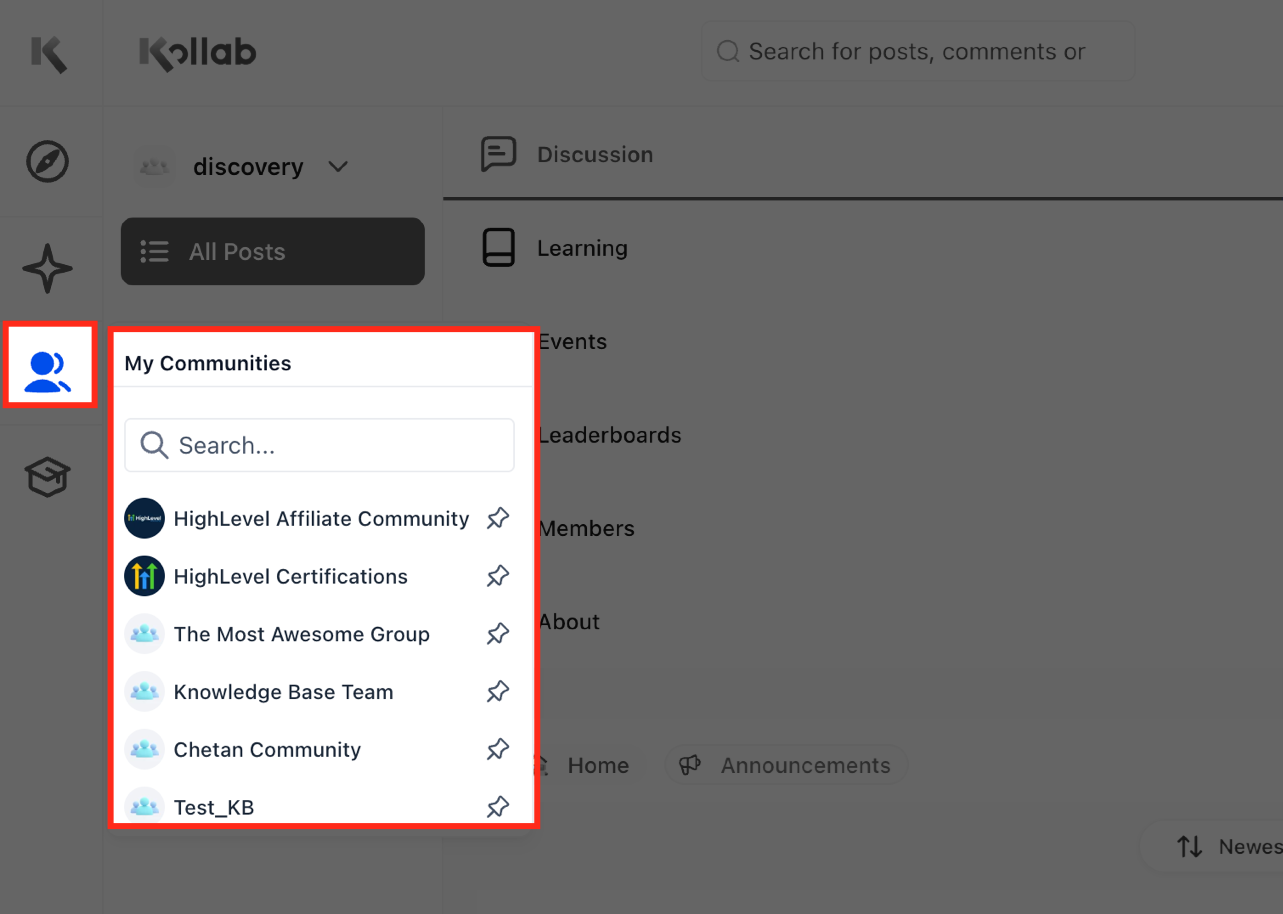
Switching between multiple communities is now faster and more intuitive. The Group Switcher is available across the experience, allowing you to move between communities while maintaining your current location whenever possible.
Benefits
- Access all of your communities from a single switcher.
- Reduce unnecessary navigation.
- Maintain workflow while changing groups.
Home (All Posts)
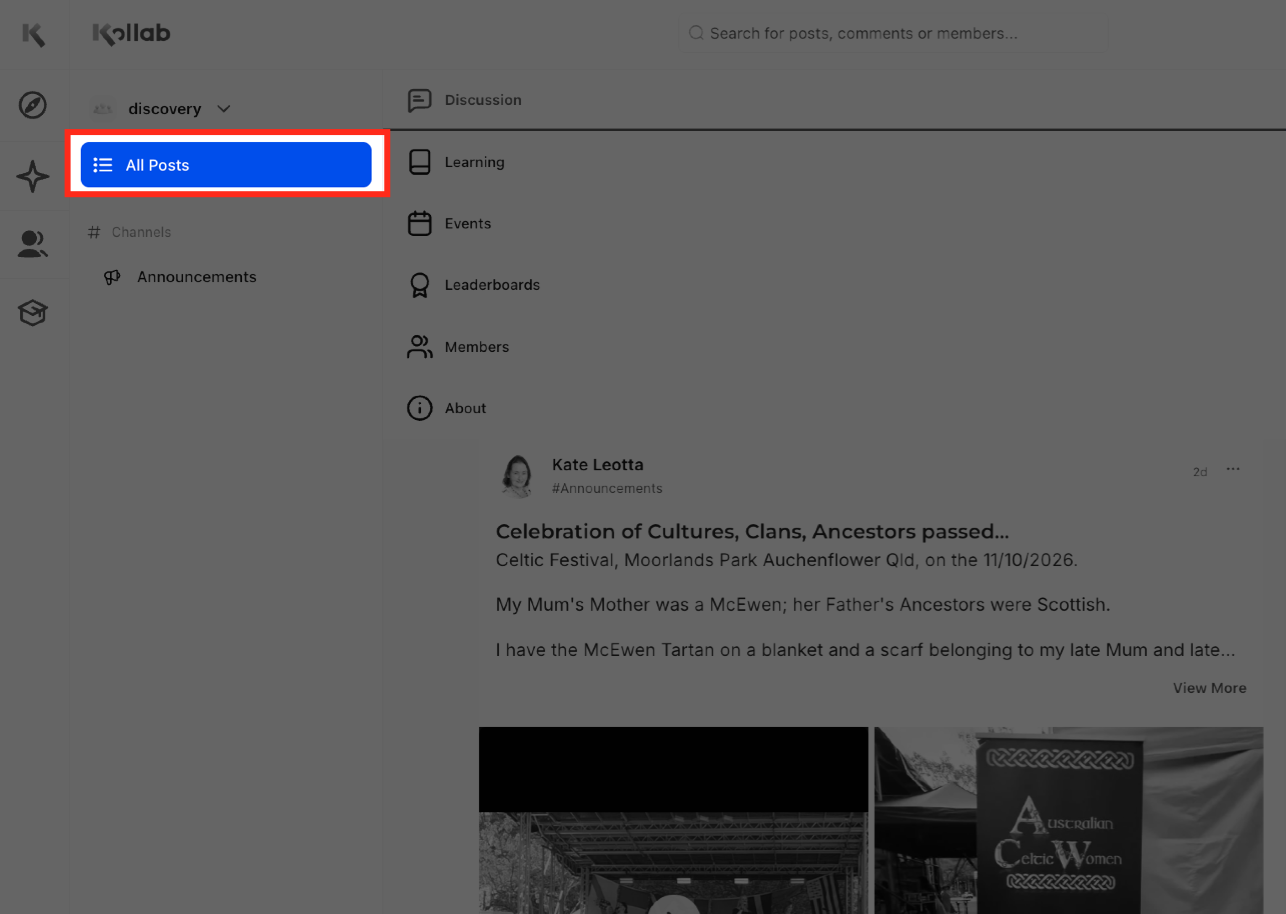
The Home page now serves as your default All Posts feed, making it easier to discover conversations across your
community without selecting individual channels.
Benefits
- View all community activity from one location.
- Stay updated on recent discussions.
- Spend less time switching between channels.
Larger Post Layout
Posts now have a larger, cleaner layout that places greater emphasis on community content and discussions.
Benefits
- Improved readability.
- Better visual hierarchy.
- Easier interaction with comments and reactions.
Updated Discussion Experience
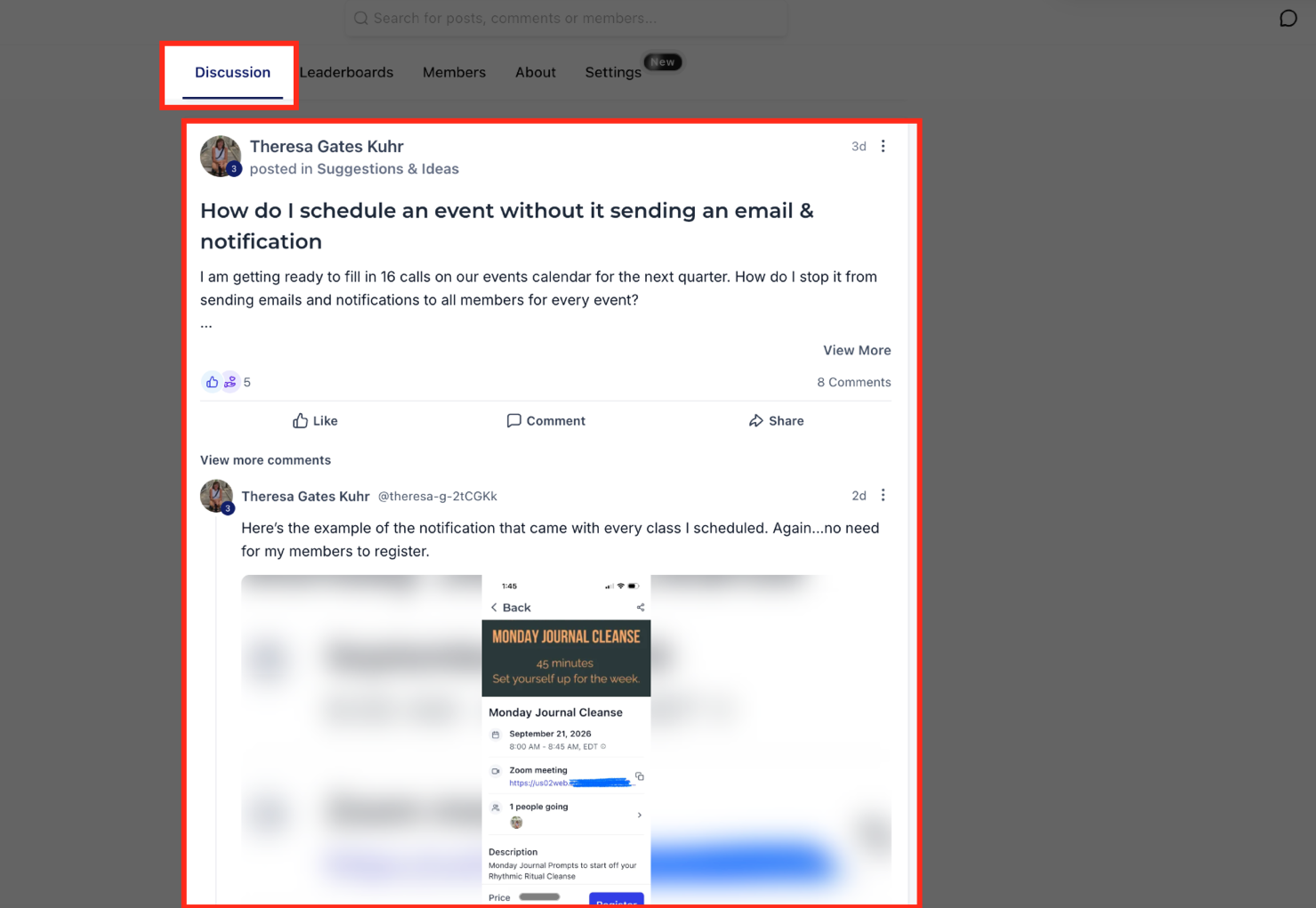
The refreshed discussion feed keeps more Community activity visible without requiring members to open every post individually. Comments, replies, and attachments can appear directly within the feed, making conversations easier to follow and continue.
Members can also use the redesigned post and comment editors when creating or responding to Community content.
Community and Course Switching
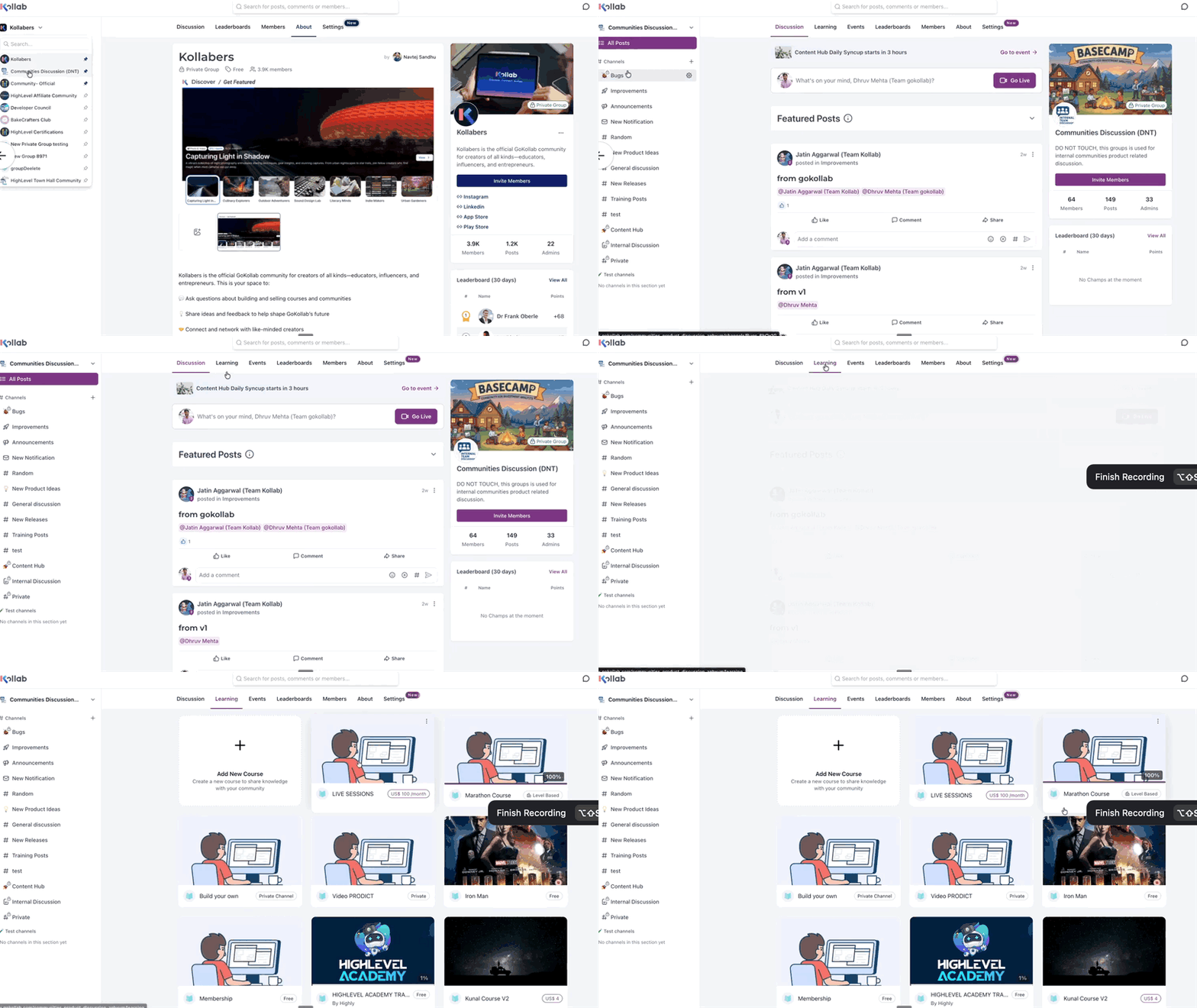
Communities and Courses now work within the unified portal experience, helping members move between discussions and learning content without repeatedly loading a separate application.
When members return to their learning content, they can continue from the lesson they were previously viewing. Moving between a Community discussion and Course content also keeps the member's place so they can switch between learning and discussion with less interruption.
Smarter Course Tiles
Course cards now display more useful information, helping members quickly identify and access relevant learning content.
Benefits
- Better visibility into available courses.
- Easier course selection.
- Improved browsing experience.
Members Tab Improvements
The Members tab now provides direct shortcuts for viewing member profiles and starting conversations.
Chat with Members: Start a direct conversation with another member directly from the Members tab.
View Member Profiles: Access member profiles with a single click to learn more about community participants.
Simplified Left Navigation Filters: The left navigation has been streamlined with cleaner filters that help you locate content more efficiently.
Benefits
- Reduced visual clutter.
- Faster navigation.
- Easier content discovery.
Emoji Reactions
Emoji reactions allow members to quickly engage with posts without writing a comment.
Benefits
- Encourage participation.
- Increase community engagement.
- Provide lightweight feedback on posts.
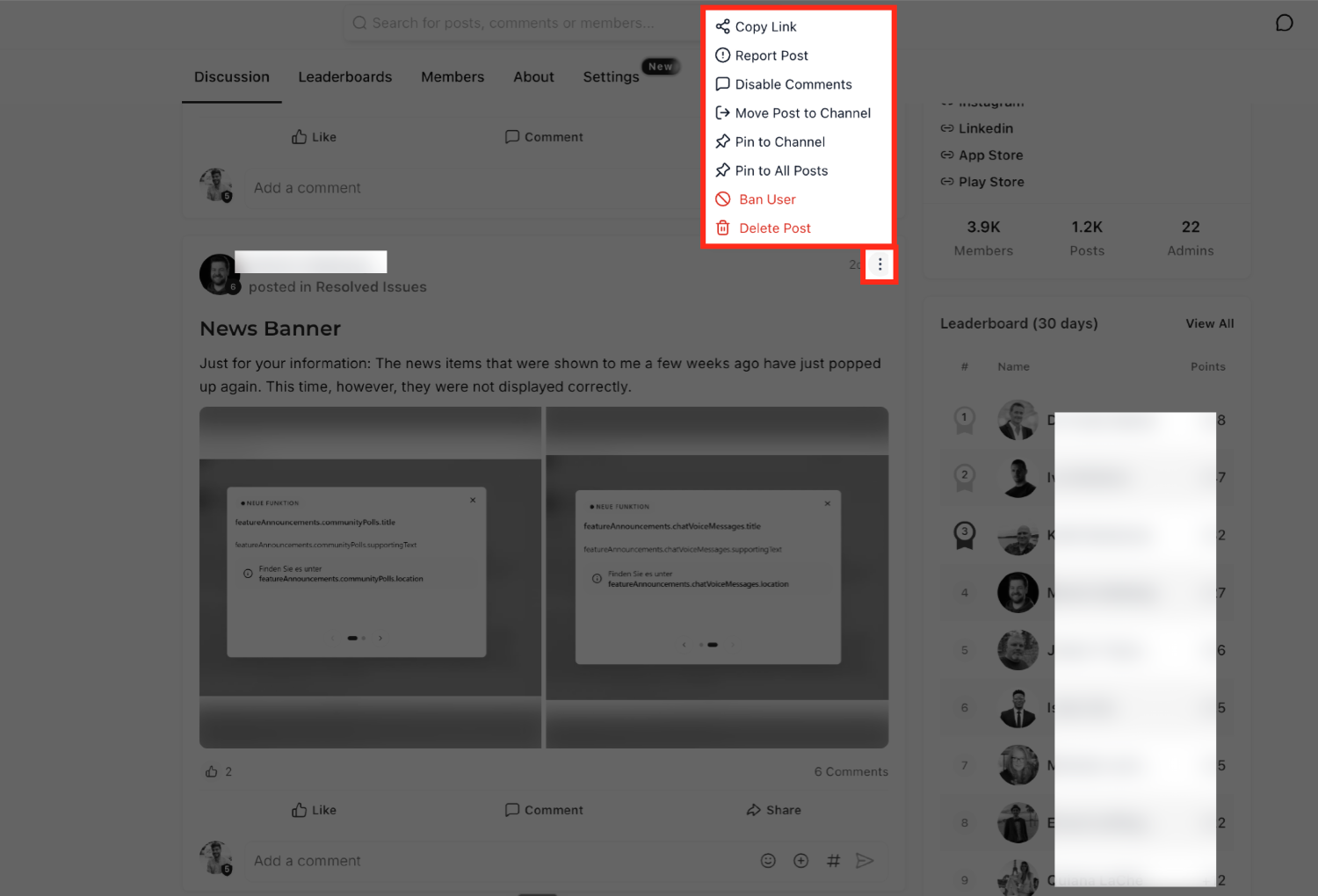
Manage Posts from the 3-Dot Menu
Administrators can access common post-management actions directly from a post, reducing the need to leave the discussion feed to perform moderation tasks.
From a post's 3-dot menu, administrators can perform actions such as:
- Pin or Unpin the post.
- Ban a member when moderation is required.
- Download recordings from a post.
Frequently Asked Questions
Q: Who can access the redesigned Communities experience?
A: The experience is currently available to GoKollab creators participating in the Beta program.
Q: Do I need to enable the new interface?
A: No. Eligible Beta users receive the updated experience automatically.
Q: Can I switch between Communities and Courses?
A: Yes. The redesigned navigation allows you to move seamlessly between community discussions and course content.
Q: What is the default Home page now?
A: Home now displays an All Posts feed by default.
Q: Can I react to posts without leaving a comment?
A: Yes. Emoji reactions allow you to quickly engage with posts.
Q: Can I message members directly?
A: Yes. You can start a direct chat from the Members tab.
Related Articles
Was this article helpful?
That’s Great!
Thank you for your feedback
Sorry! We couldn't be helpful
Thank you for your feedback
Feedback sent
We appreciate your effort and will try to fix the article