Ask AI can complete everything from simple content generation to complex, multi-step workflows involving approvals, asset creation, and platform actions. Because Ask AI operates on a usage-based pricing model, session costs vary depending on the complexity of the request, the number of AI operations performed, and any generated artifacts or actions.
This article explains how Ask AI sessions are structured, how usage costs are calculated, and what influences overall session pricing through real-world examples.
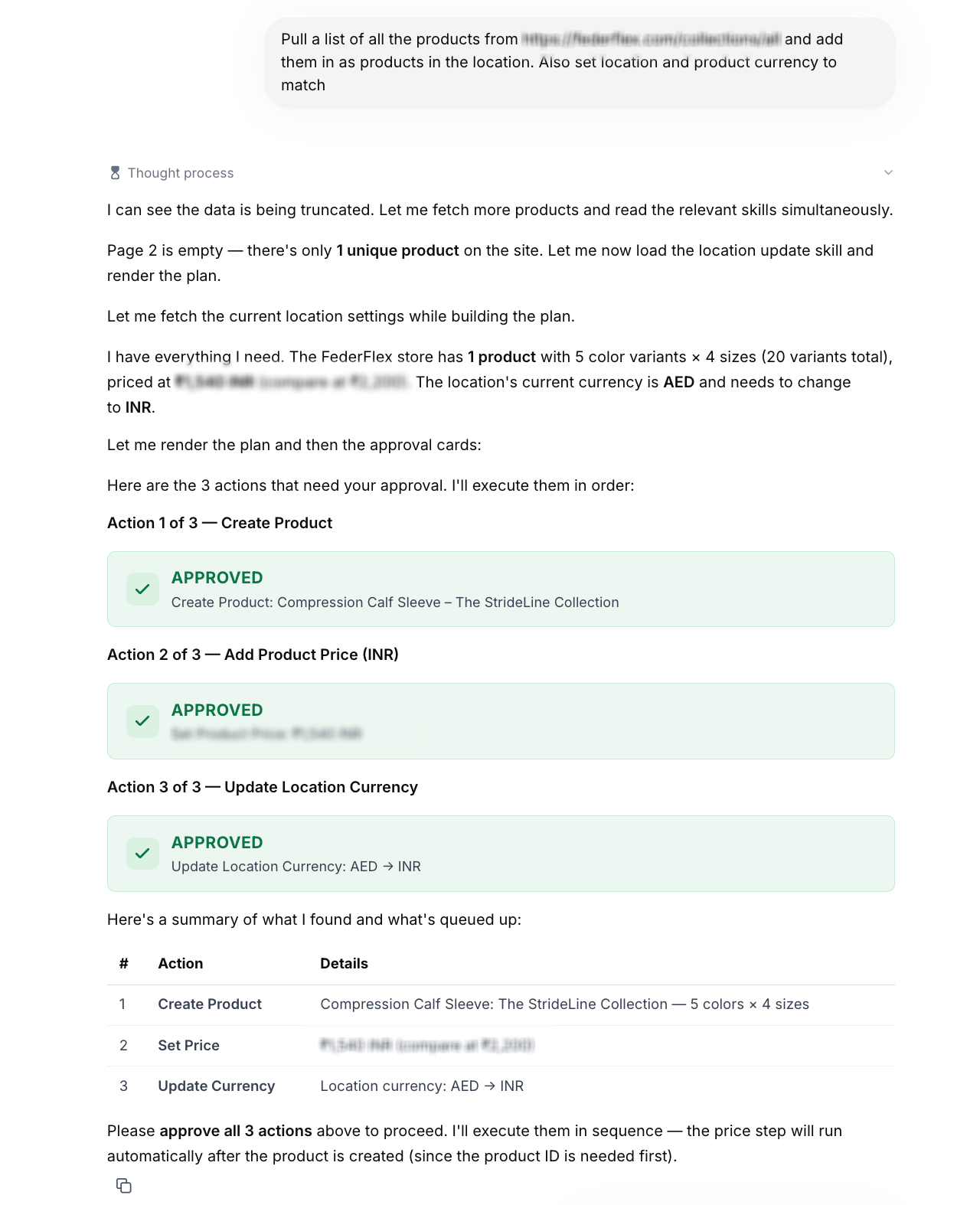
Examples of Ask AI session outputs including approval cards, structured artifacts, and generated content.
TABLE OF CONTENTS
- Understanding Ask AI Session Costs
- Ask AI Pricing Overview
- Product Import & Currency Update
- Overview
- Fitness Funnel & Email Template Creation
- Multi-Channel Event Campaign
- What Affects Ask AI Session Costs?
- Frequently Asked Questions
- Related Articles
Understanding Ask AI Session Costs
Ask AI sessions consist of one or more conversational turns where the AI plans, reasons, generates content, performs supported platform actions, and requests approvals when necessary. Every session is measured based on the work performed rather than simply the number of prompts submitted.
A typical session may include:
- Understanding your request
- Gathering additional information through Guided Questions
- Retrieving platform or external data
- Planning multiple steps
- Creating content or assets
- Rendering structured artifacts such as tables or approval cards
- Executing supported platform actions
- Requesting approval before making changes
More complex workflows generally require additional processing and therefore result in higher usage costs.
Ask AI Pricing Overview
Ask AI is included at no additional cost for agency users on all HighLevel agency plans ($97, $297, and $497), subject to fair use. Sub-account users can access Ask AI through an AI Employee subscription or pay-per-use billing.
AI Employee Plans
AI Employee Starter ($20/month), Growth ($50/month), and Unlimited ($97/month) include Ask AI usage, with higher-tier plans providing increased allowances. Usage is measured in rolling five-hour windows and is subject to applicable usage limits.
Pay-Per-Use
Sub-account users without an AI Employee subscription can use Ask AI through pay-per-use billing. Charges depend on the AI models, resources, and actions used during each session.
Session costs depend on factors such as:
Number of reasoning steps
Workflow complexity
Content generation
Images or other generated media
Charts, Mermaid diagrams, and structured artifacts
External data retrieval
Platform actions
Approval workflows
Simple drafting sessions typically cost less than complex workflows involving multiple steps, asset generation, and platform updates
For details on which AI features are included for agency users versus sub-account users, AI Employee plan allowances, and pay-per-use pricing, see AI Products Pricing.
Product Import & Currency Update
Product imports often involve multiple coordinated actions across inventory, pricing, and location settings. This example demonstrates how Ask AI retrieves external product data, prepares approvals, and completes supported actions.
Overview
Ask AI imported products from an external Shopify store, created the product inside the location, matched the product pricing, and updated the location currency.
User Request
Pull a list of all the products from https://federflex.com/collections/all and add them as products in the location. Also set the location and product currency to match.
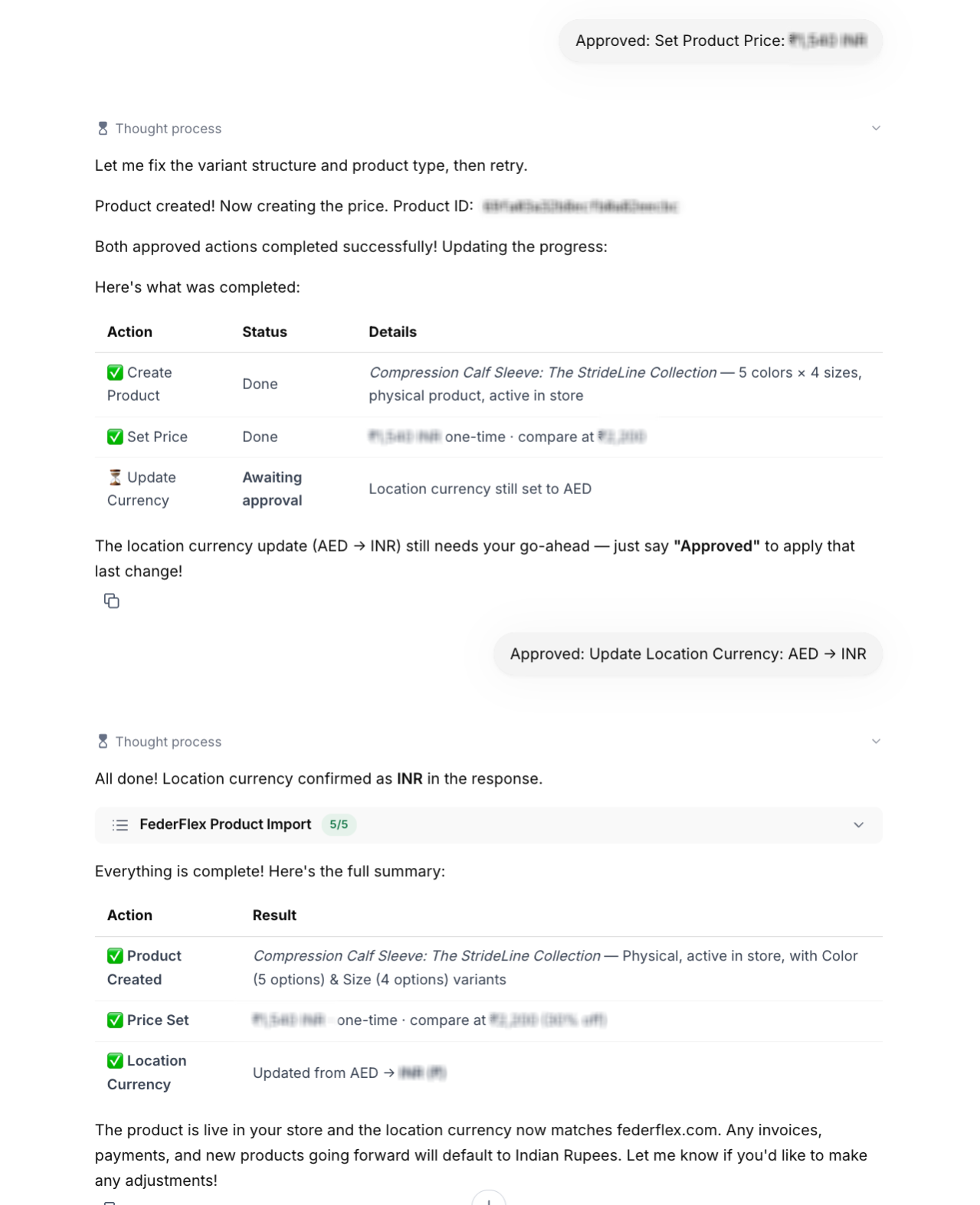
Approval cards for product creation, pricing, and location currency updates.
How Ask AI Processed the Task
Ask AI:
- Retrieved the Shopify product catalog
- Identified one primary product with multiple variants
- Reviewed color and size options
- Verified pricing
- Checked the current location currency
- Prepared approval requests
- Created the product after approval
- Applied INR pricing
- Updated the location currency from AED to INR
Actions Performed
- Retrieved product information
- Identified product variants
- Compared source pricing
- Reviewed location currency
- Generated approval requests
- Created the product
- Applied INR pricing
- Updated location currency
Session Details
Item | Value |
|---|---|
Total Turns | 15 |
User Messages | 2 |
Rendering | Approval Cards |
Final Result | Product imported and configured |
Total Session Cost | $1.1757 |
Fitness Funnel & Email Template Creation
Ask AI can combine planning, business discovery, and supported platform actions into a guided workflow. When certain platform capabilities are unavailable through the API, Ask AI provides implementation guidance instead.
Overview
Ask AI helped design a complete coaching funnel and created production-ready email templates.
User Request
Create a complete funnel for my fitness coaching business including landing page, form, email follow-ups, and booking calendar.
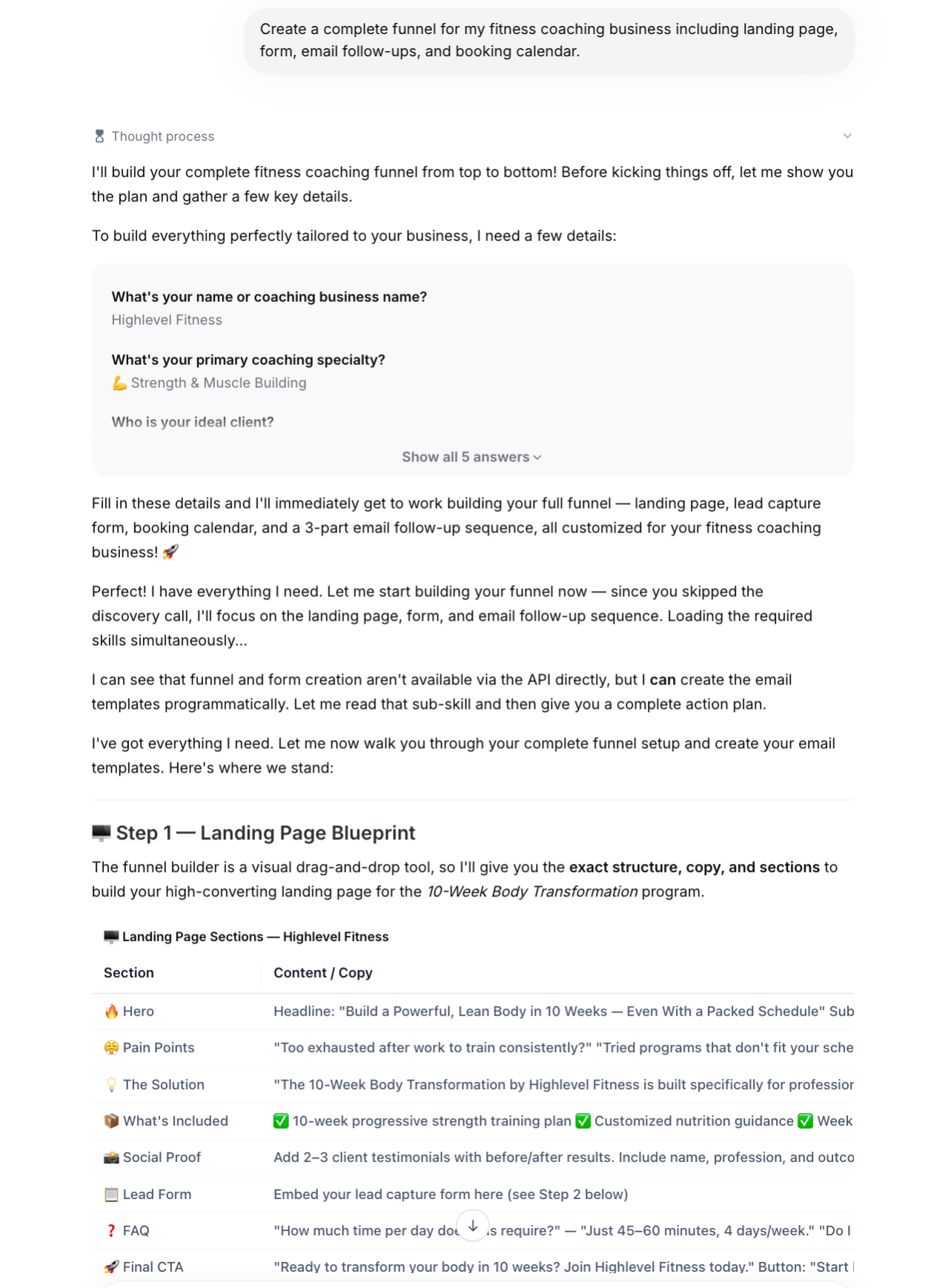
Guided Questions used to collect business information.
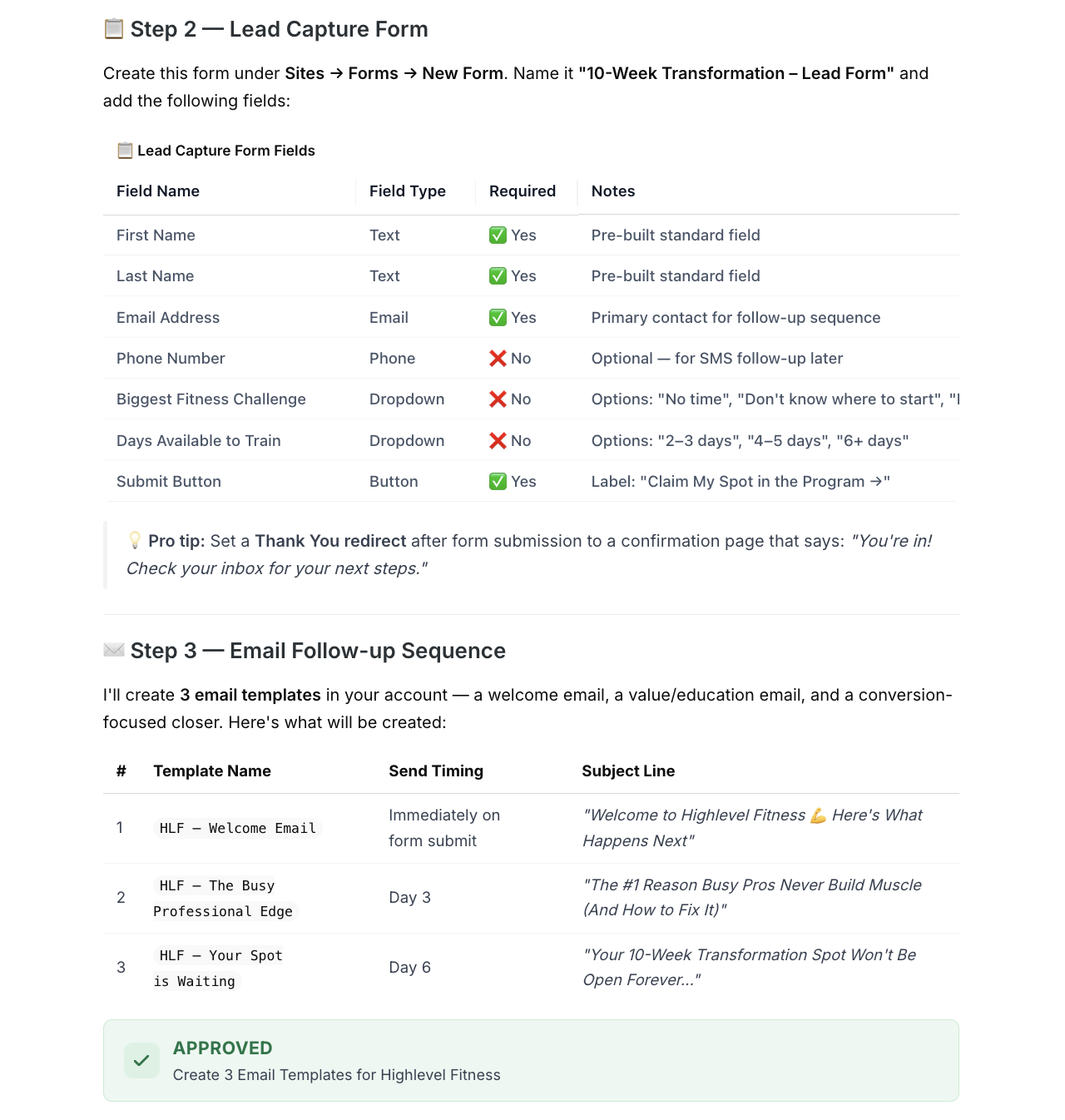
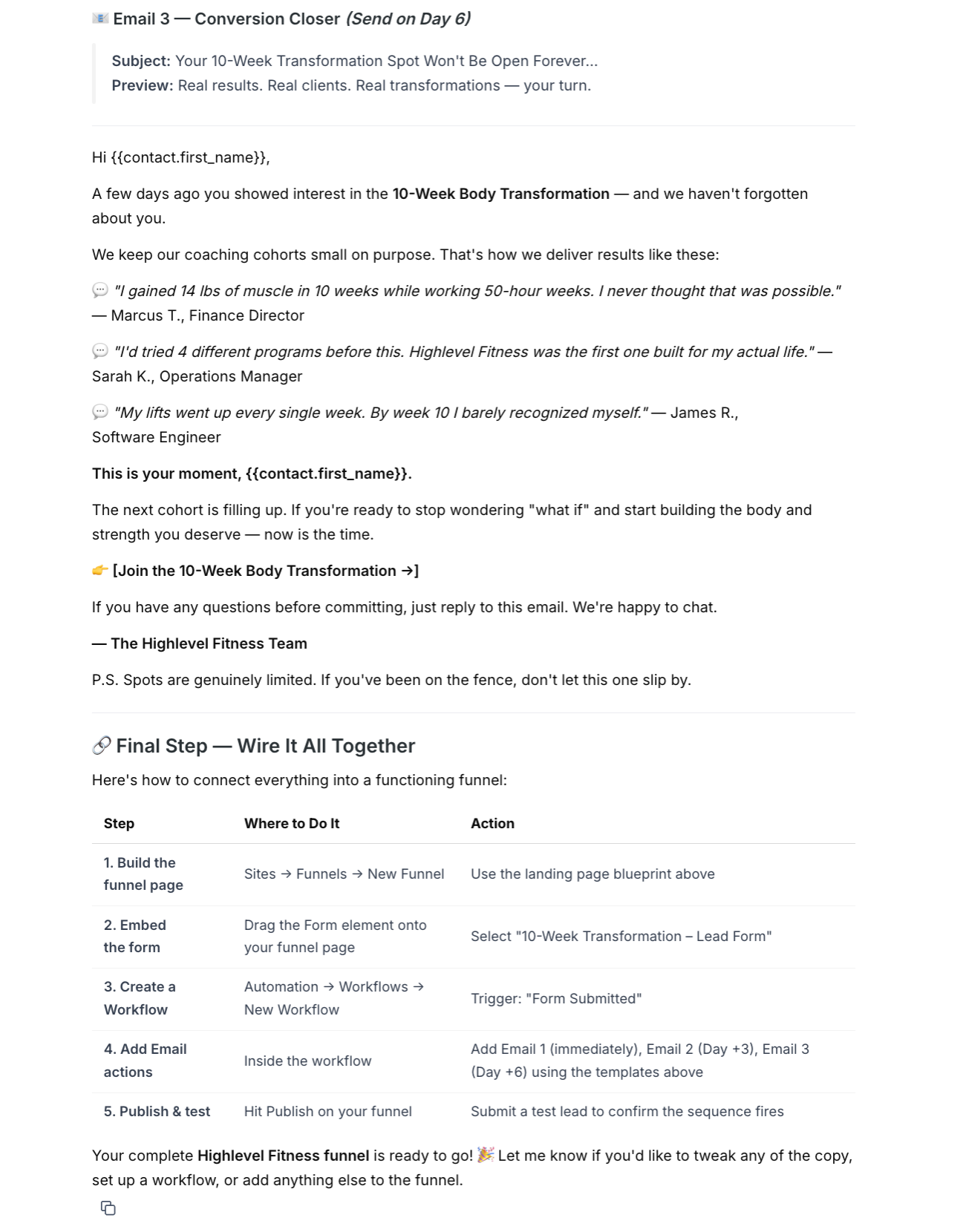
Landing page blueprint, lead capture form, and email sequence generated by Ask AI.
How Ask AI Processed the Task
Ask AI collected:
- Business name
- Coaching specialty
- Target audience
- Primary offer
- Discovery preferences
It determined that funnel creation, form creation, and calendar setup were not available through supported API actions, then completed the supported task of creating email templates while providing detailed implementation guidance for the remaining steps.
Actions Performed
- Collected business information
- Planned landing page structure
- Suggested lead capture fields
- Designed email nurture sequence
- Requested approval
- Created three email templates
- Generated implementation instructions
Email Templates Created
Template | Subject |
|---|---|
HLF – Welcome Email | Welcome to HighLevel Fitness — Here’s What Happens Next |
HLF – The Busy Professional Edge | The #1 Reason Busy Pros Never Build Muscle (And How to Fix It) |
HLF – Your Spot Is Waiting | Your 10-Week Transformation Spot Won’t Be Open Forever |
Session Details
Item | Value |
|---|---|
User Messages | 3 |
Platform Actions | 3 Email Templates |
Manual Guidance | Landing Page, Form, Workflow & Calendar |
Total Session Cost | $0.6992 |
Multi-Channel Event Campaign
Complex marketing requests often combine content generation, brand assets, scheduling, approvals, and channel-specific campaign preparation.
Overview
Ask AI prepared a complete marketing campaign for the Google I/O 2026 Watch Party & AI Recap Session.
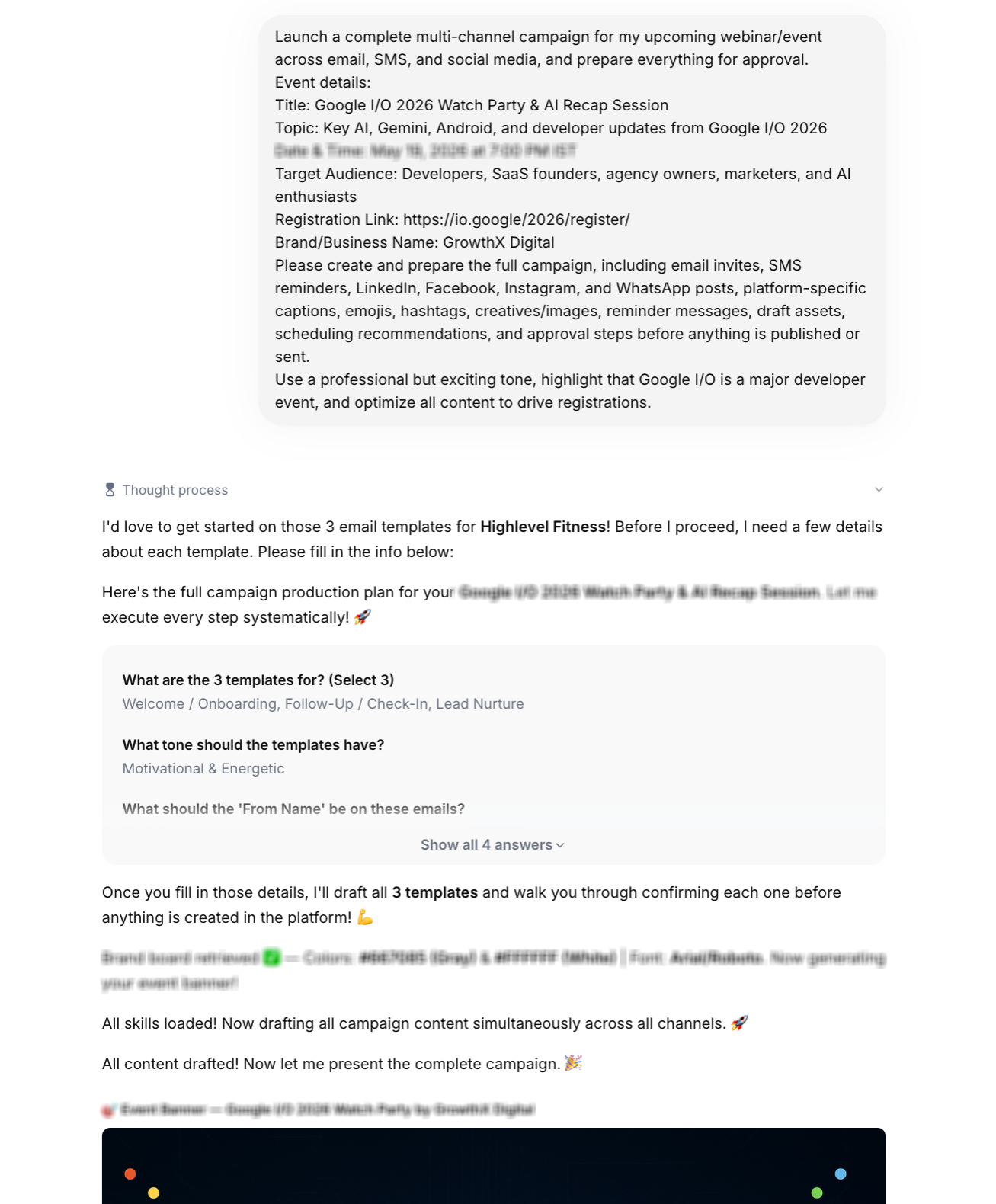
Guided Questions used before campaign generation.
AI-generated event banner.
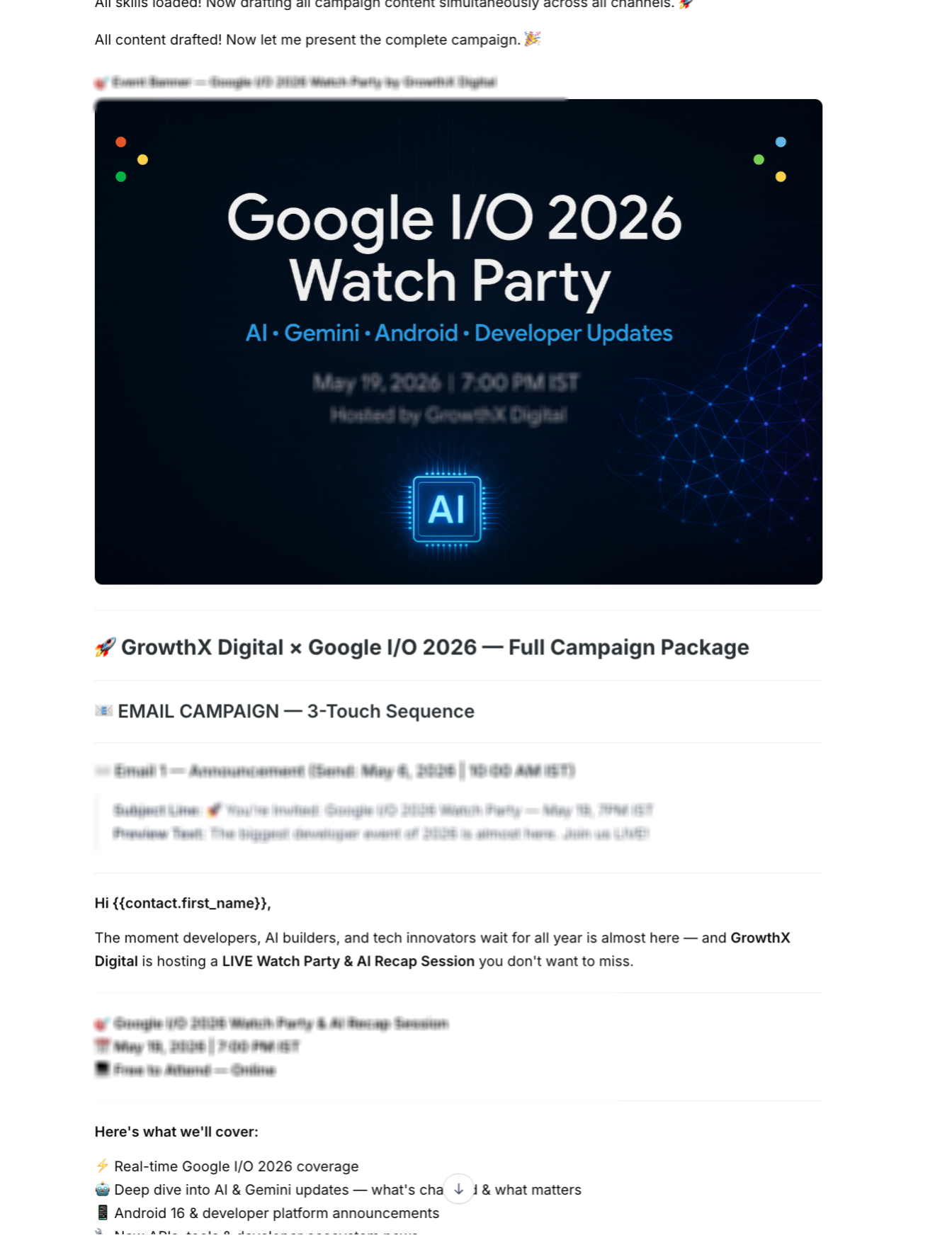
Multi-channel campaign assets and email drafts.
Event Details
- Event: Google I/O 2026 Watch Party & AI Recap Session
- Audience: Developers, SaaS founders, marketers, agencies, AI enthusiasts
- Channels: Email, SMS, WhatsApp, LinkedIn, Facebook, Instagram
How Ask AI Processed the Task
Ask AI:
- Reviewed event information
- Retrieved the Brand Board
- Generated an event banner
- Created campaign messaging
- Drafted channel-specific assets
- Prepared campaign scheduling
- Evaluated platform readiness
- Generated approval checkpoints
During validation, Ask AI detected that:
- SMS functionality was available
- Social media accounts were not connected
- WhatsApp subscription was not fully activated
Instead of failing, Ask AI completed every supported task and identified the remaining requirements before publishing.
Assets Prepared
- Event banner
- Three email campaigns
- Three SMS messages
- WhatsApp templates
- LinkedIn posts
- Facebook posts
- Instagram feed posts
- Instagram Stories
- WhatsApp broadcast copy
- Campaign schedule
- Approval workflow
Session Details
Item | Value |
|---|---|
User Messages | 6 |
Rendering | AI-generated image, approval cards, structured artifacts |
Platform Actions | Email templates created |
Pending Actions | Social accounts & WhatsApp activation required |
Total Session Cost | $2.9271 |
What Affects Ask AI Session Costs?
Ask AI usage is based on the work performed during a session rather than the number of prompts alone. Sessions become more resource-intensive as additional reasoning, content generation, or platform actions are required.
Several factors can increase overall session cost, including:
- Multi-step reasoning and planning
- Guided Questions and follow-up interactions
- Platform integrations
- Product imports
- Email or marketing campaign creation
- Approval workflows
- Charts, tables, and Mermaid diagrams
- AI-generated images and media
- Large document creation
- External data retrieval
Multi-channel campaign preparation
In general:
- Simple drafting tasks typically have the lowest usage cost.
- Content generation with structured artifacts requires additional processing.
- Multi-step workflows with approvals and platform actions generally consume more AI resources.
- Image generation and other rendered media usually increase total session cost.
Frequently Asked Questions
Q: How is Ask AI pricing calculated?
Pricing is based on the AI resources consumed during a session, including reasoning, content generation, artifact rendering, external data retrieval, and supported platform actions.
Q: Does every prompt cost the same?
No. Costs vary depending on the complexity of the request and the amount of processing required.
Q: Do approval requests increase session cost?
Approval workflows involve additional reasoning and structured rendering, which may contribute to overall session usage.
Q; Does image generation cost more than text generation?
Generally, yes. Rendering images or other visual assets typically requires more AI resources than generating text alone.
Q: Can Ask AI complete actions automatically?
Some supported actions can be completed directly after approval. Others may require connected integrations, platform permissions, or manual setup.
Q: Why couldn’t Ask AI complete every task in Example 3?
Some publishing actions required connected social media accounts or an active WhatsApp subscription. Ask AI completed all supported work and identified the remaining prerequisites.
Related Articles
Was this article helpful?
That’s Great!
Thank you for your feedback
Sorry! We couldn't be helpful
Thank you for your feedback
Feedback sent
We appreciate your effort and will try to fix the article