Import Content from Another Course helps you reuse existing HighLevel course content without rebuilding lessons, modules, or full course structures from scratch. This is useful when creating similar courses, reusing onboarding material, or building course templates for faster production. Imported content is added to the destination course so you can review, edit, and customize it before learners access it.
TABLE OF CONTENTS
- What is Import Content from Another Course?
- Key Benefits of Import Content from Another Course
- What Gets Imported When Importing Course Content
- Important Notes Before Importing Course Content
- How To Setup Import Content from Another Course
- Common Use Cases for Importing Course Content
- Frequently Asked Questions
- Related Articles
What is Import Content from Another Course?
Import Content from Another Course is a HighLevel Courses feature that lets you copy content from one existing course into another course. You can import individual lessons, modules, submodules, or an entire course structure depending on what you need to reuse.
This feature is designed for course creators who want to save time, keep training materials consistent, and avoid rebuilding similar content across multiple courses. Imported content is copied into the destination course, which means it becomes editable inside that course after import.
Key Benefits of Import Content from Another Course
- Save Time: Reuse existing lessons, modules, submodules, or full course structures instead of rebuilding them manually.
- Maintain Consistency: Keep similar courses aligned by copying proven structures, lesson formats, and supporting resources.
- Avoid Rework: Reduce duplicate effort when multiple courses use the same onboarding, training, or educational content.
- Flexible Import Options: Import a single lesson, selected modules, or the entire course based on your course-building needs.
- Editable Imported Content: Customize imported content inside the destination course after it is added.
What Gets Imported When Importing Course Content
Importing course content copies the selected course items into the destination course so they can be reused and adjusted. Reviewing imported content after the import helps confirm that the course structure, media, and supporting materials are ready for learners.
The following content can be included when importing from another course:
- Lesson titles and structure
- Module and submodule hierarchy
- Videos and attached media
- Thumbnails
- Descriptions and formatted content
- Quiz questions
- Assignments and resources
Important Notes Before Importing Course Content
Understanding how imported content behaves helps prevent confusion after the import is complete. The import process copies content into the destination course; it does not create a live connection between the original course and the imported version.
- Imported content is copied, not linked.
- Changes made later in the original course do not automatically update the imported copy.
- Changes made to the imported copy only affect the destination course.
- Existing content in the destination course is not overwritten.
- Imported items are added alongside the course’s current content.
- Review imported content before publishing or making it available to learners.
How To Setup Import Content from Another Course
Importing content works best when the destination course already exists and you know which source course contains the content you want to reuse. After importing, review the destination course to confirm that lesson order, media, quizzes, assignments, and visibility settings match your intended learner experience.
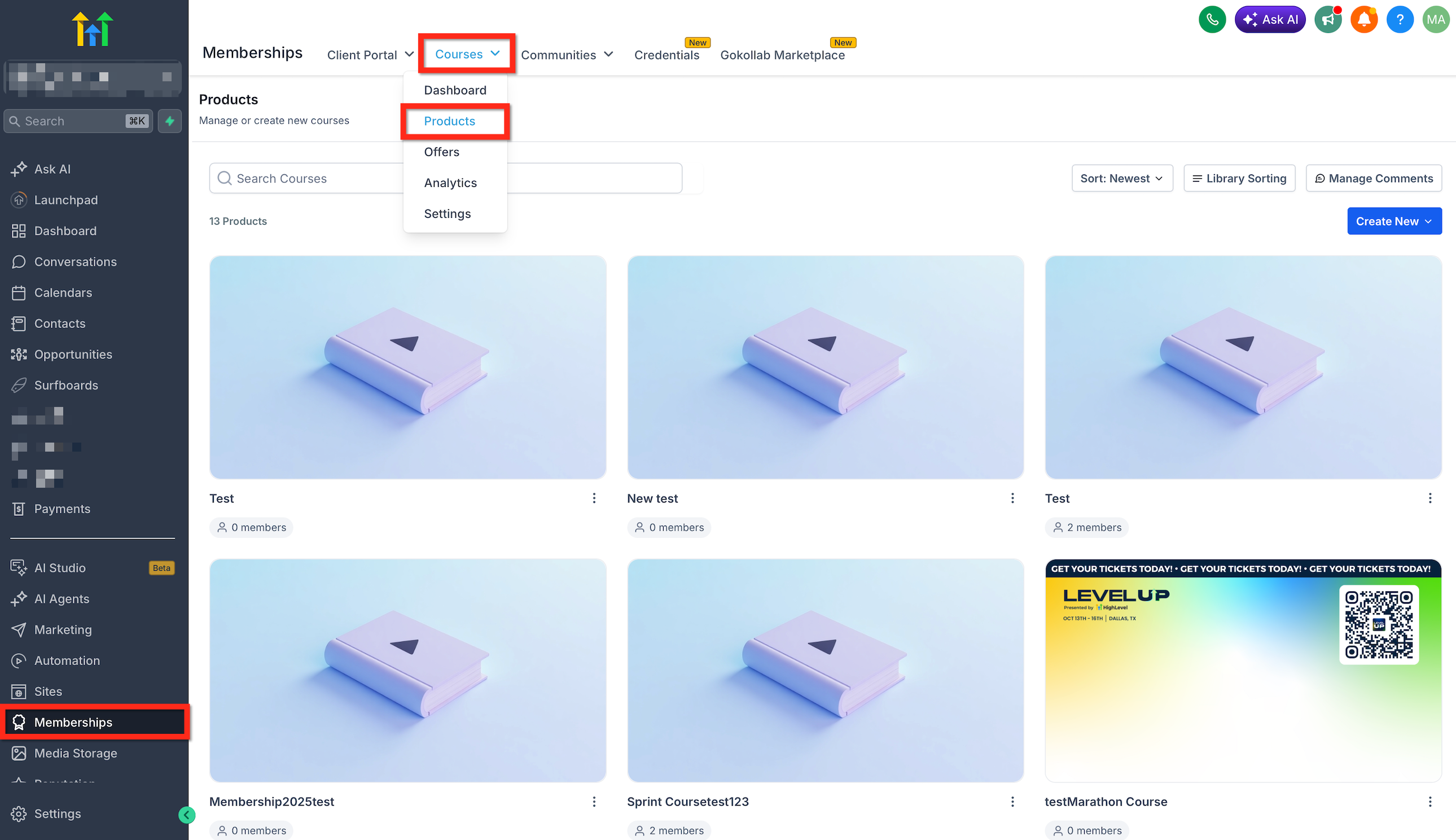
Go to Memberships → Courses → Products. Open the course where you want to import content.
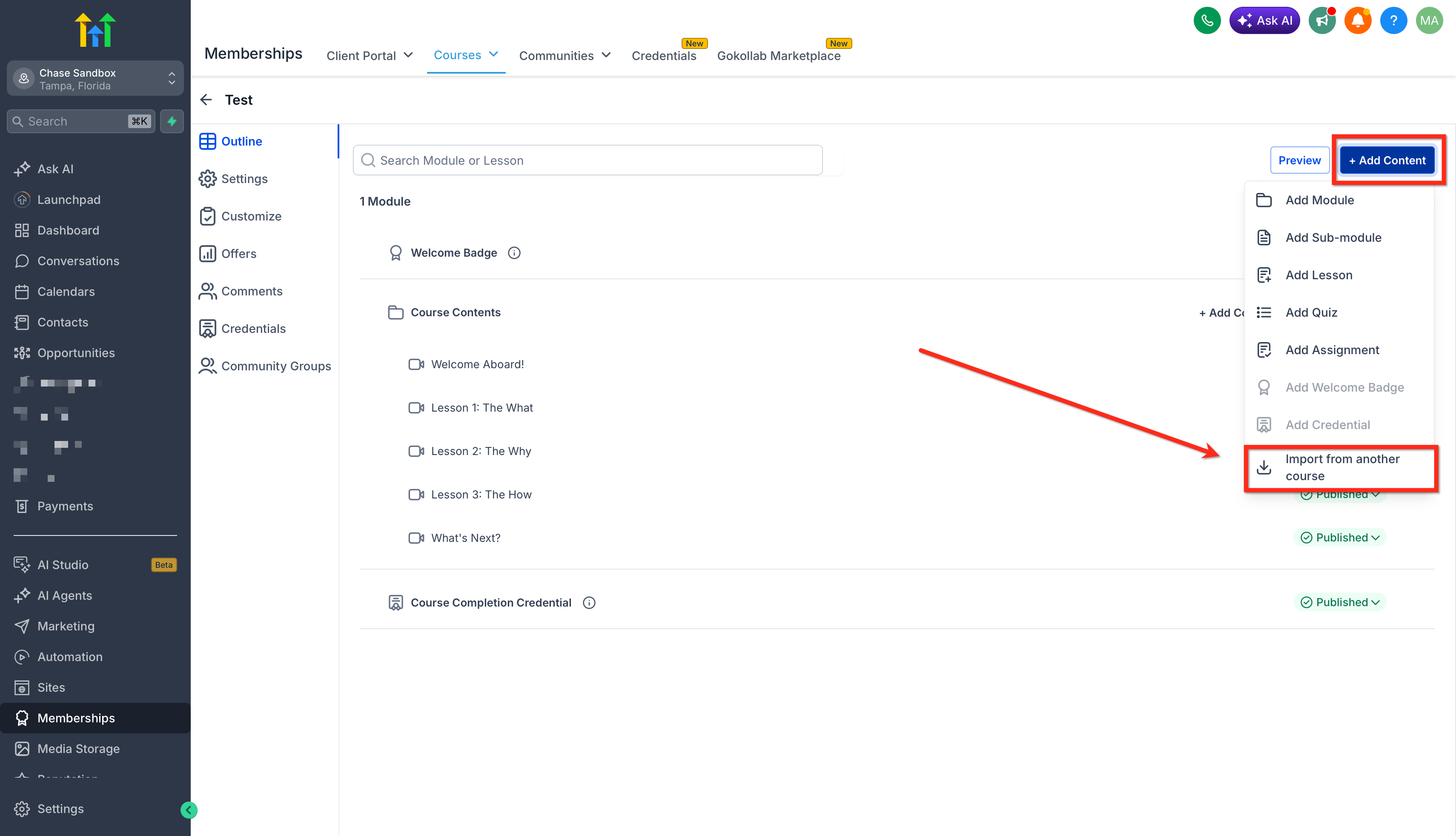
Inside the Course Builder, click + Add Content. Select Import from another course from the dropdown menu.
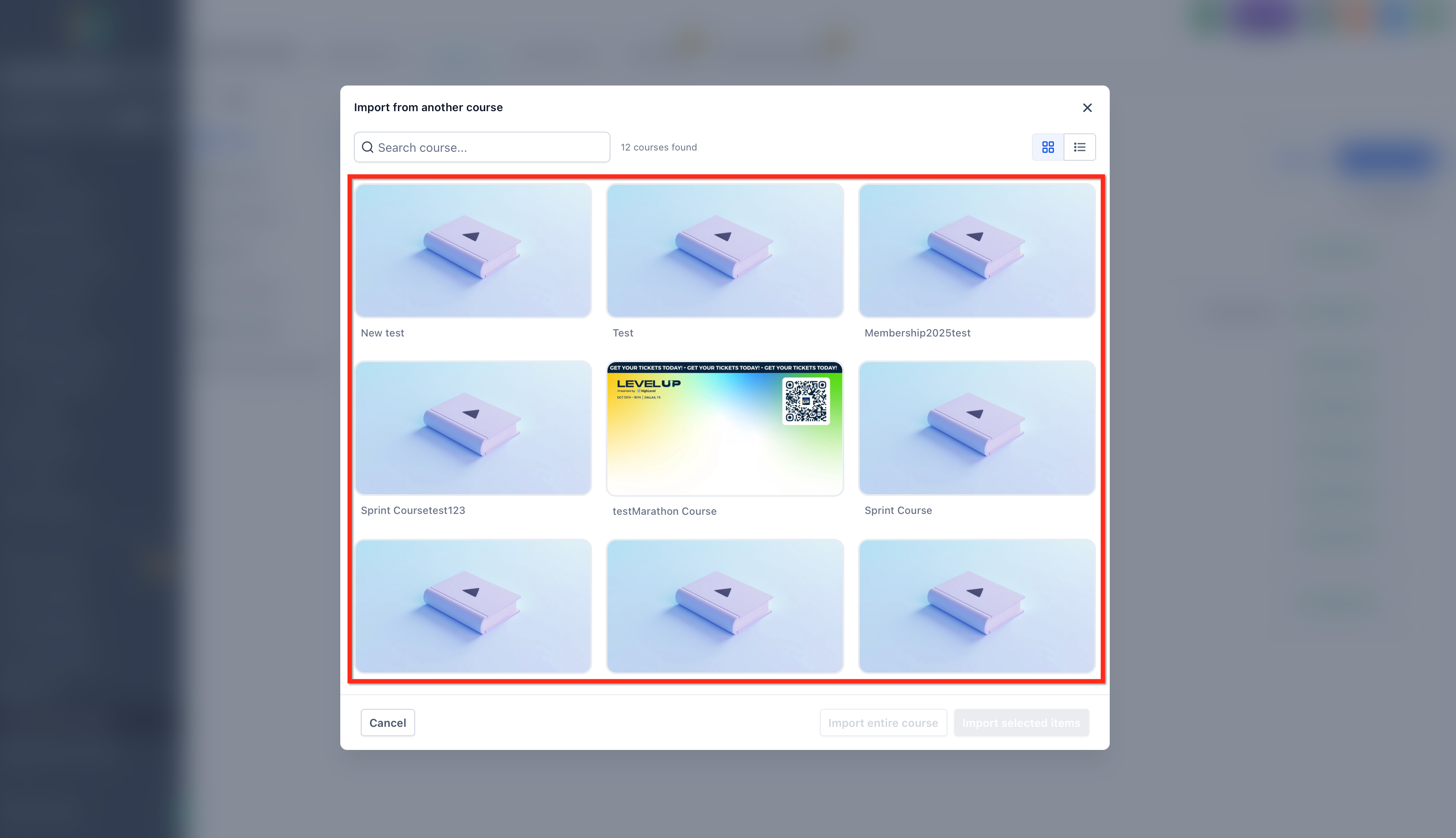
In the modal, search for or browse the course you want to import content from. Click Select on the source course.
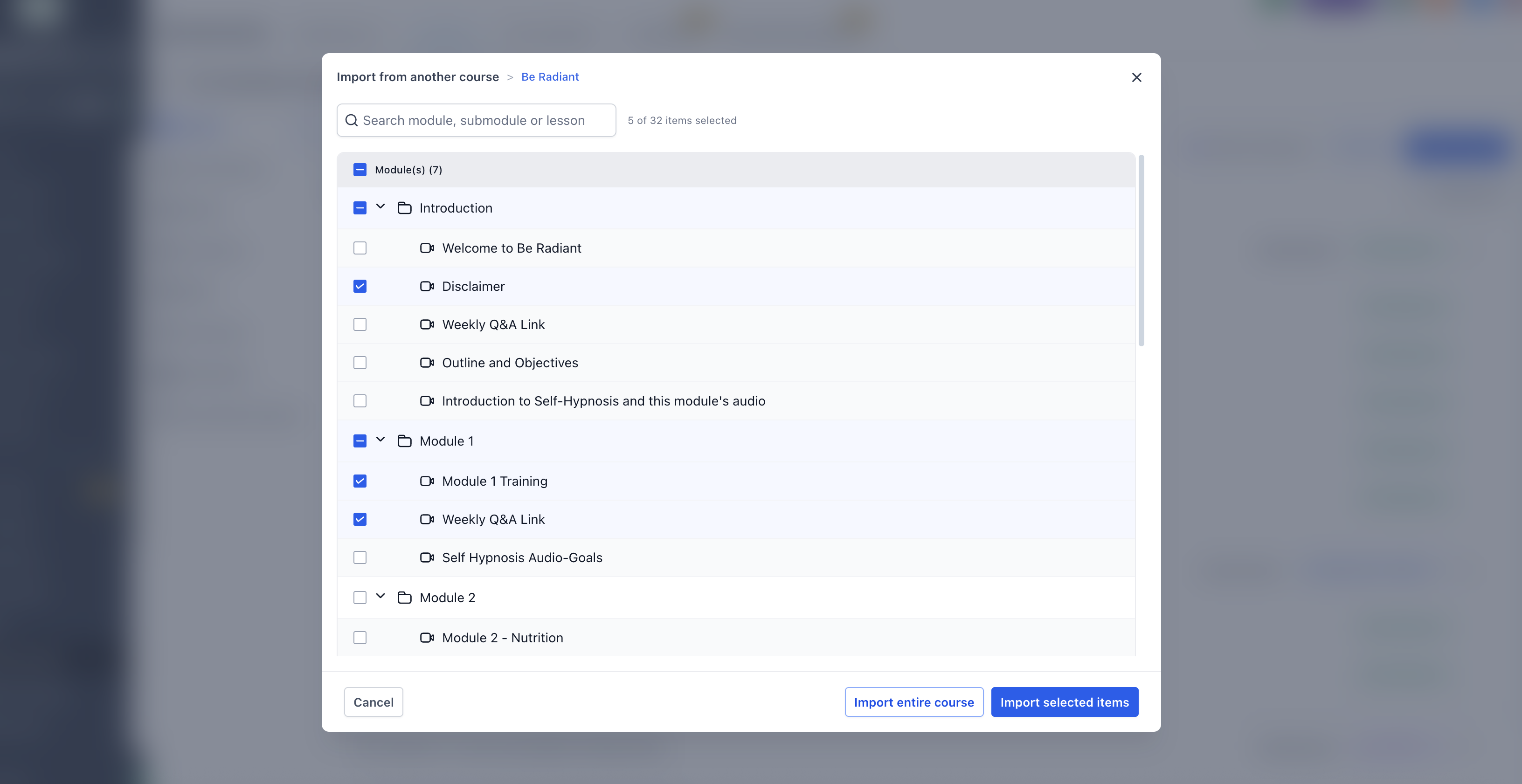
Choose the content you want to import. You can select individual lessons, modules, submodules, or the full course structure. Click Import selected items or Import entire course, depending on your selection.
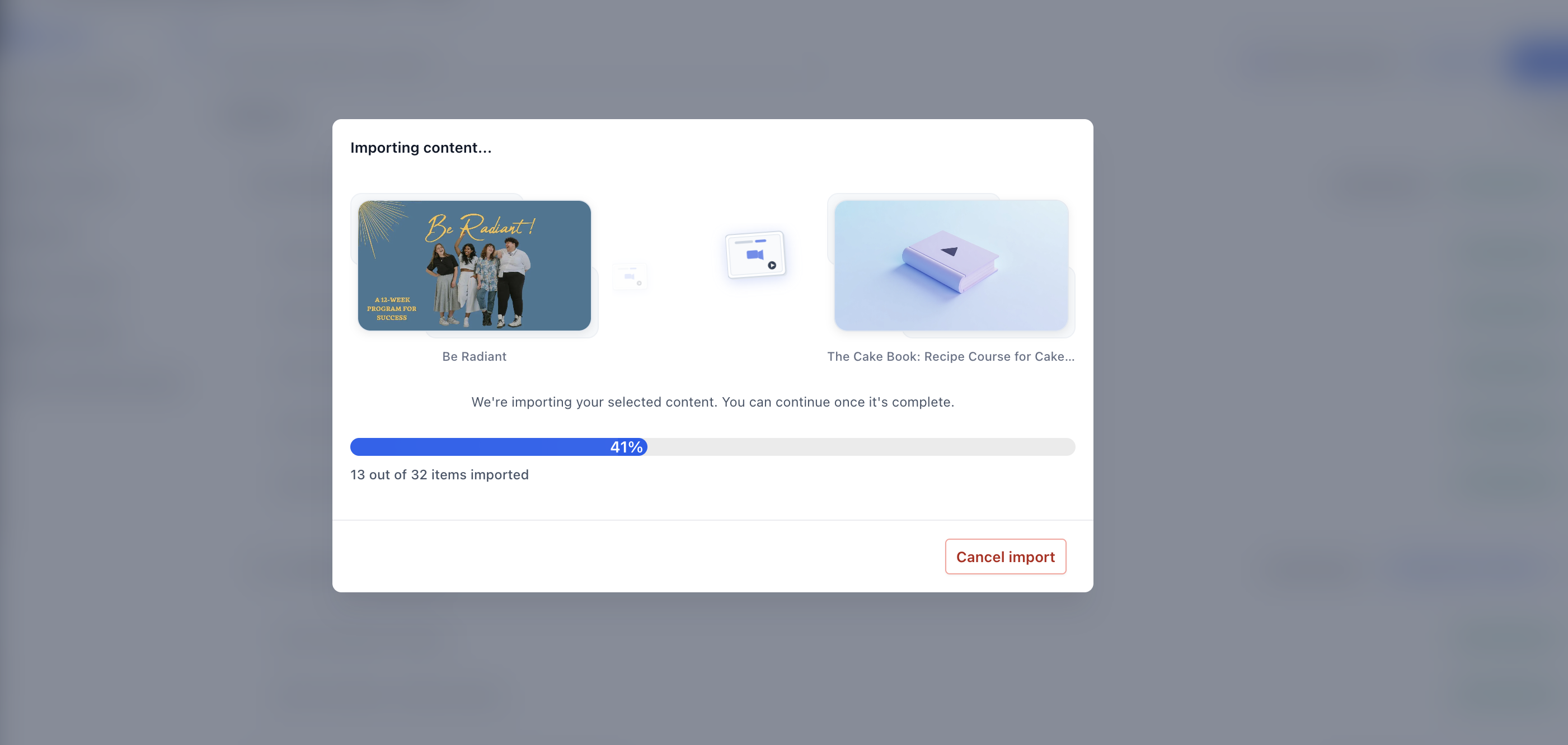
Review the import progress modal while the content is added to the destination course. The import continues in the background, so you can continue working while it completes. After the import is complete, review the imported content inside the destination course.
- Confirm that imported modules, submodules, lessons, videos, thumbnails, descriptions, quizzes, assignments, and resources appear as expected.
Common Use Cases for Importing Course Content
Importing from another course is especially helpful when your courses share similar lessons, structures, or training materials. It gives you a faster starting point while still allowing customization for each audience or offer.
Common use cases include:
- Reusing onboarding modules across multiple courses
- Creating several similar courses from a shared template
- Building bundled course programs with repeated foundational lessons
- Copying proven lessons into a new version of a course
Frequently Asked Questions
Q: Can I import only one lesson from another course?
Yes. You can select individual lessons when choosing what to import from the source course.
Q: Can I import an entire course?
Yes. You can import an entire course structure if you want to copy the full set of modules, submodules, and lessons into the destination course.
Q: Will importing content overwrite my existing course content?
No. Imported content is added alongside the existing content in your destination course. It does not overwrite current course content.
Q: Are imported items linked to the original course?
No. Imported content is copied, not linked. Future changes in the original course do not automatically update the imported version.
Q: Can I edit imported content after importing it?
Yes. Imported content is immediately available for editing in the destination course.
Related Articles
Was this article helpful?
That’s Great!
Thank you for your feedback
Sorry! We couldn't be helpful
Thank you for your feedback
Feedback sent
We appreciate your effort and will try to fix the article