Welcome Badges make it effortless to recognize every learner the moment they enroll in a course. By automatically issuing a badge at enrollment, HighLevel helps create an engaging first impression while increasing adoption of credentials across your courses. This feature removes the need for manual setup and ensures every new course includes a built-in recognition experience. With minimal effort, you can deliver a more polished and motivating learning journey.
What is the Welcome Badge for Courses?
Welcome Badges are automatically issued credentials that recognize learners as soon as they enroll in a course. This feature is built directly into new course creation in HighLevel, ensuring every learner receives immediate acknowledgment without requiring manual configuration.
Unlike completion certificates or workflow-based badges, Welcome Badges are triggered specifically at the enrollment stage, making them the earliest form of recognition in the learner journey. This helps establish engagement from the very beginning while integrating seamlessly with HighLevel’s broader Credentials system.
Key Benefits of the Welcome Badge for Courses
Automatic Welcome Badges simplify credential adoption while enhancing the learner experience from the start.
Instant learner recognition: Learners receive a badge immediately upon first enrollment, reinforcing engagement from day one.
Default credential adoption: Every new course includes a Welcome Badge automatically, ensuring consistent usage across your course catalog.
Simplified setup experience: No workflows or manual configuration are required, reducing setup time for course creators.
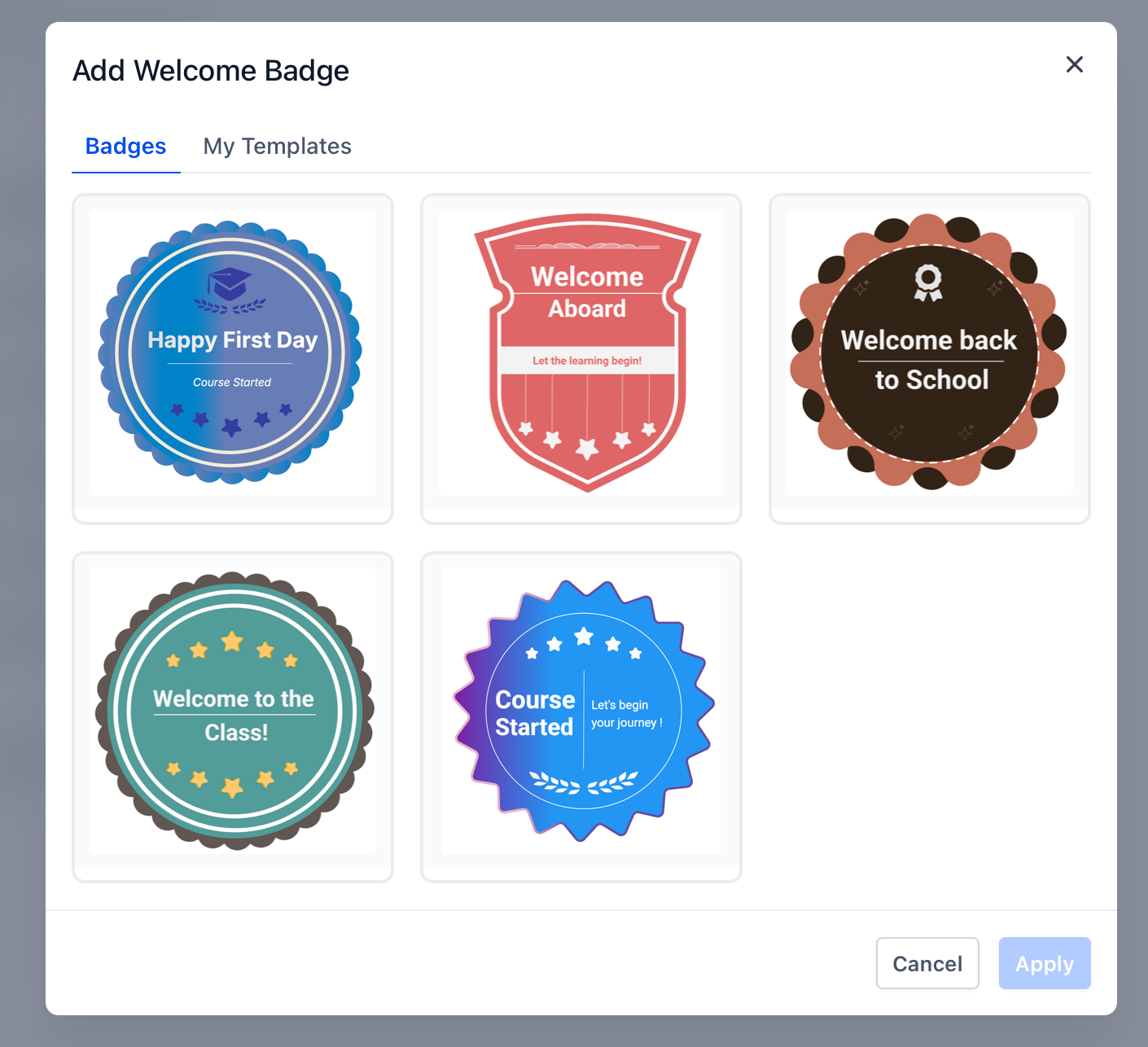
Focused template selection: A curated set of Welcome Badge templates makes it easy to choose a professional design quickly.
Enhanced learner profiles: Automatically issued badges enrich the learner’s credential history within the Client Portal.
Welcome Badge Defaults in New Courses
Welcome Badges are built into the default behavior of newly created courses, allowing creators to deliver recognition without additional configuration.
Automatically attached to all newly created courses
Issued when a learner enrolls for the first time
Not applied retroactively to existing courses
Does not require workflows or automation setup
How Welcome Badges Compare to Other Credentials
Different credential types serve different stages of the learner journey. Understanding these differences helps you design a more complete and engaging experience.
| Credential Type | When It Is Issued | How It Is Triggered | Purpose |
|---|---|---|---|
| Welcome Badge | At first enrollment | Automatic (default in new courses) | Recognize and engage learners immediately |
| Completion Certificate | After course completion | Course completion settings | Validate course completion |
| Workflow-issued Badge/Certificate | Based on custom actions | Workflow automation | Reward milestones, quizzes, or custom achievements |
How To Setup Welcome Badges for Courses
Welcome Badges require minimal setup because they are automatically included in new courses. You can optionally customize or adjust them based on your needs.
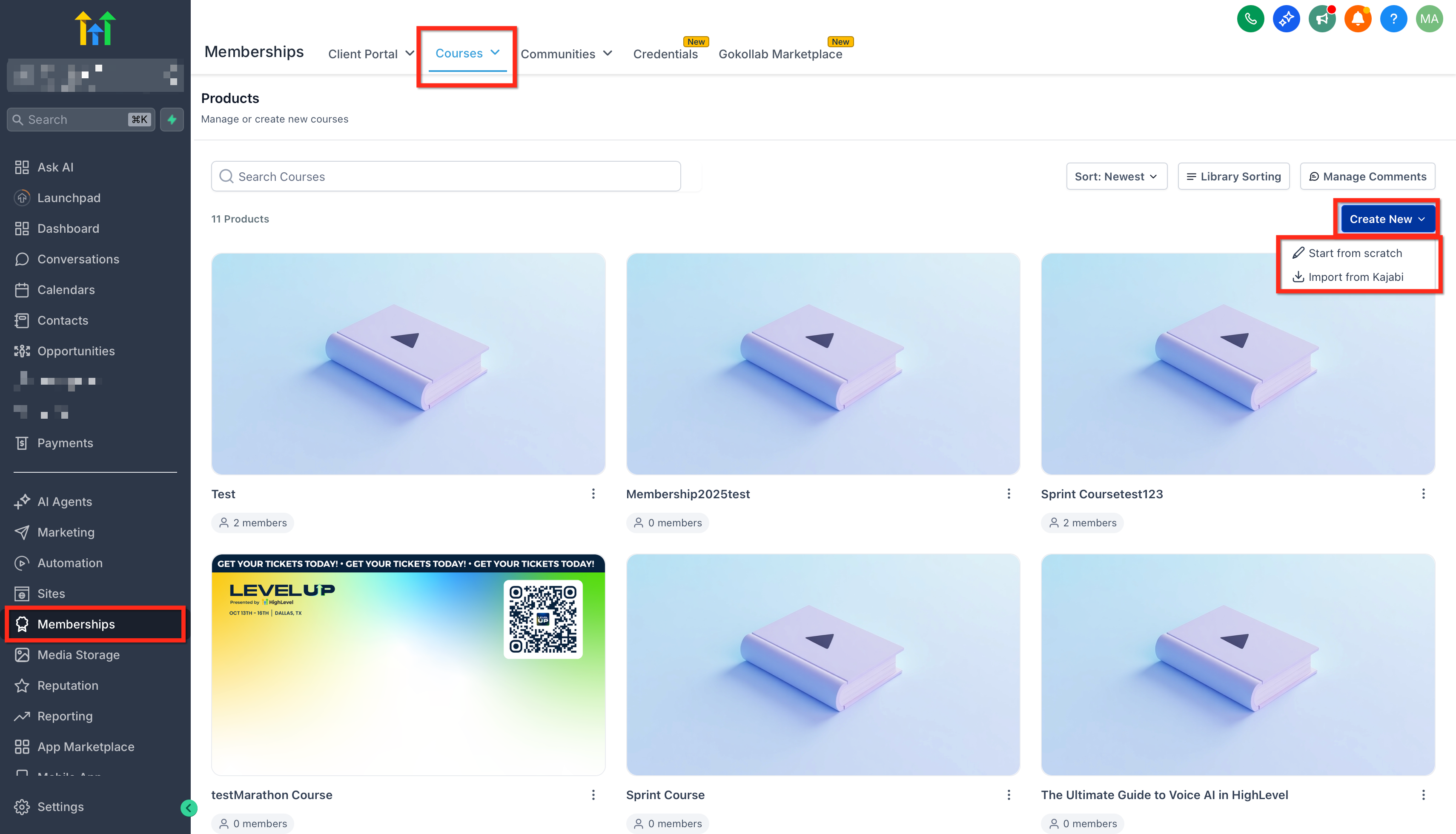
Navigate to the Memberships → Courses → Products area and create a new course (a Welcome Badge is automatically added).
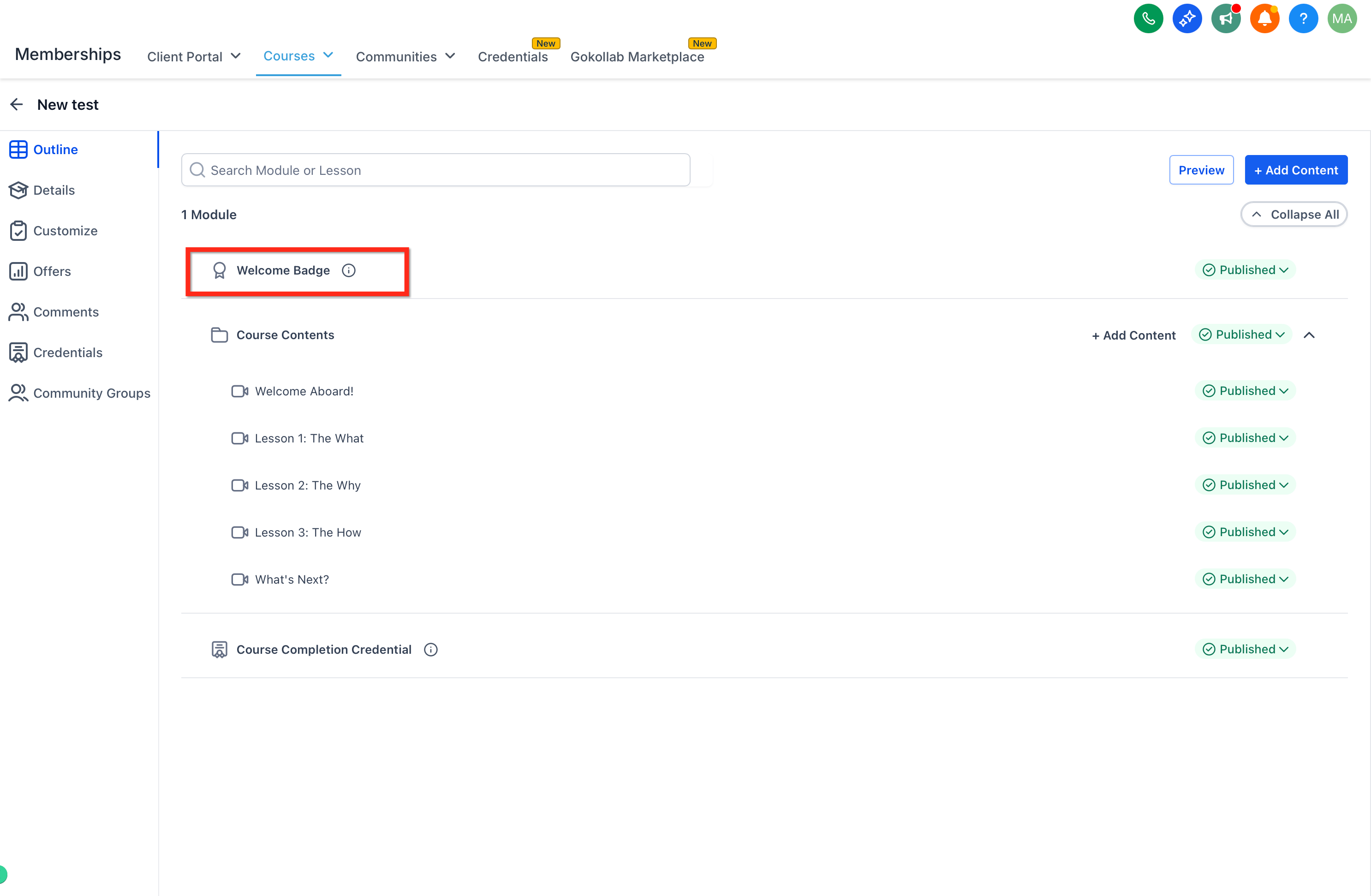
Open the course settings and locate the Welcome Badge section.
Select a template from the five curated Welcome Badge options and save your selection.
Go to Memberships → Credentials and edit the badge using the Certificate Builder if you want to customize the design.
Set the badge status to Draft in Credentials if you want to disable automatic issuance.
Frequently Asked Questions
Q: Does the Welcome Badge apply to existing courses?
No. It is only automatically added to newly created courses.
Q: Will learners receive the badge multiple times if they re-enroll?
No. The badge is issued only on the first enrollment.
Q: Can I use other badge templates as Welcome Badges?
Yes. Select Badges from My Templates.
Q: Can I still issue badges using workflows?
Yes. Workflow-based badge issuance remains available for advanced or custom scenarios.
Q: Can I customize the design of Welcome Badges?
Yes. All design customization is done in the Credentials (Certificate Builder) area.
Q: Can I turn the Welcome Badge back on after disabling it?
Yes. Simply change the badge status back to Published.
Related Articles
Was this article helpful?
That’s Great!
Thank you for your feedback
Sorry! We couldn't be helpful
Thank you for your feedback
Feedback sent
We appreciate your effort and will try to fix the article