TABLE OF CONTENTS
Overview
Notes help teams capture important context (updates, follow-ups, internal details) directly on CRM records. With this release, the same Notes experience you already use on Contacts is now available on Custom Object records—including Search and Filters/Sorting for faster retrieval.
In addition, you can now associate existing or new notes from Contacts or Opportunities to a related Custom Object record, so the same note context is visible wherever it’s needed.
Feature Name
Notes for Custom Objects
Feature Description
Use Notes for Custom Objects to:
Add notes directly on a Custom Object record (e.g., Property, Car, Policy, Subscription).
Search notes by keyword to find the right context quickly.
Use filters and sorting to manage long note histories efficiently.
Associate any existing or new note from a Contact or Opportunity to a related Custom Object record (when the Custom Object record is associated with that Contact or Opportunity).
How to Use
A) Add Notes on a Custom Object record
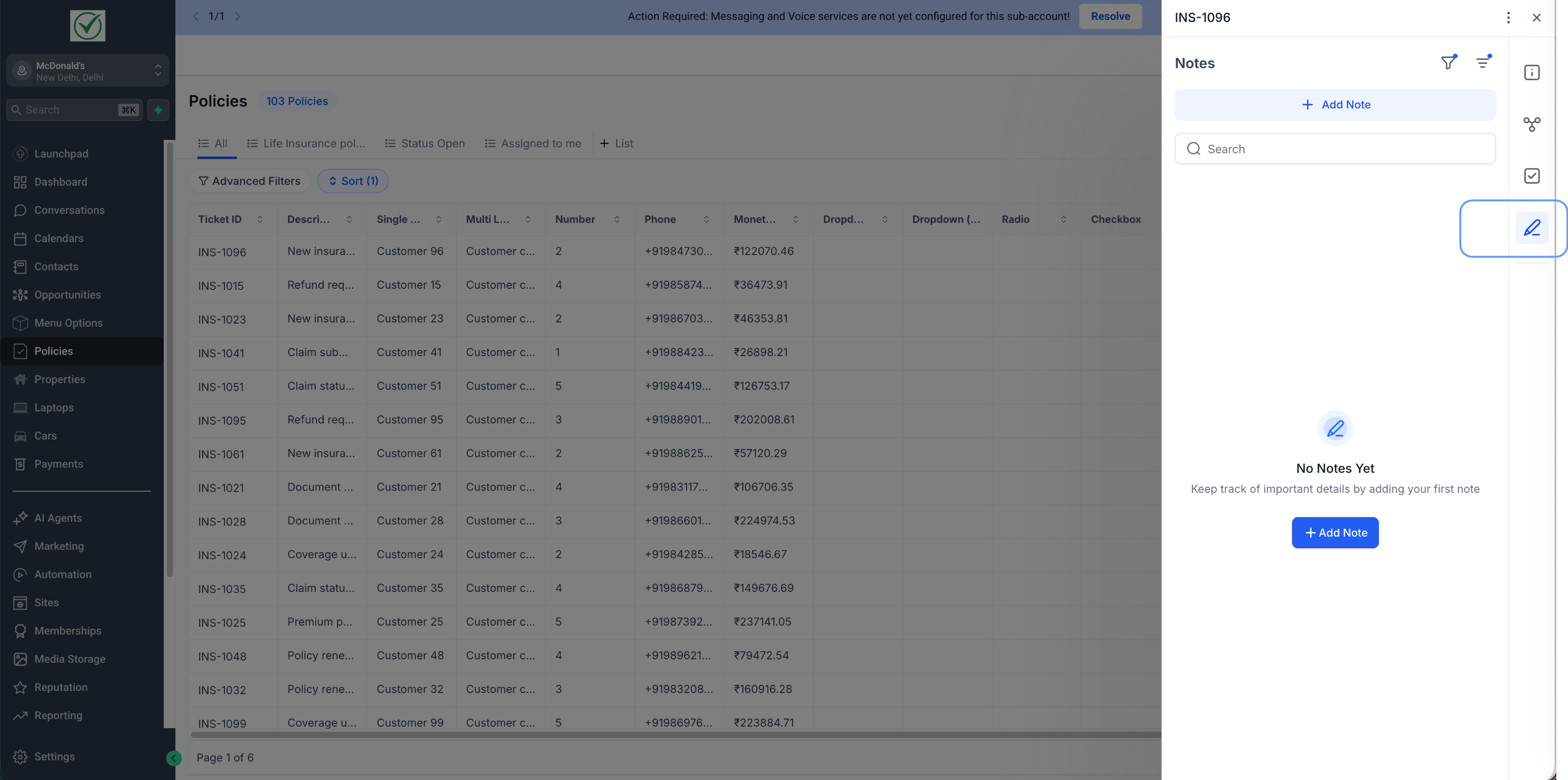
Go to Custom Objects and open any object (e.g., Properties).
Open a record to view its record details.
Open Notes from the right panel.
Click Add Note, enter your note, and Save.
Use Search to find notes by keyword.
Use Filters/Sorting to narrow down notes as the list grows.
Associate the note to a linked contact or opportunity
B) Associate a Contact/Opportunity note to a Custom Object record
Open a Contact or Opportunity record.
Go to Notes and either create a new note or open an existing note.
In the note’s Associations, select the related Custom Object record you want to link.
Save — the note will now appear under the Custom Object record’s Notes as well, while remaining on the original Contact/Opportunity
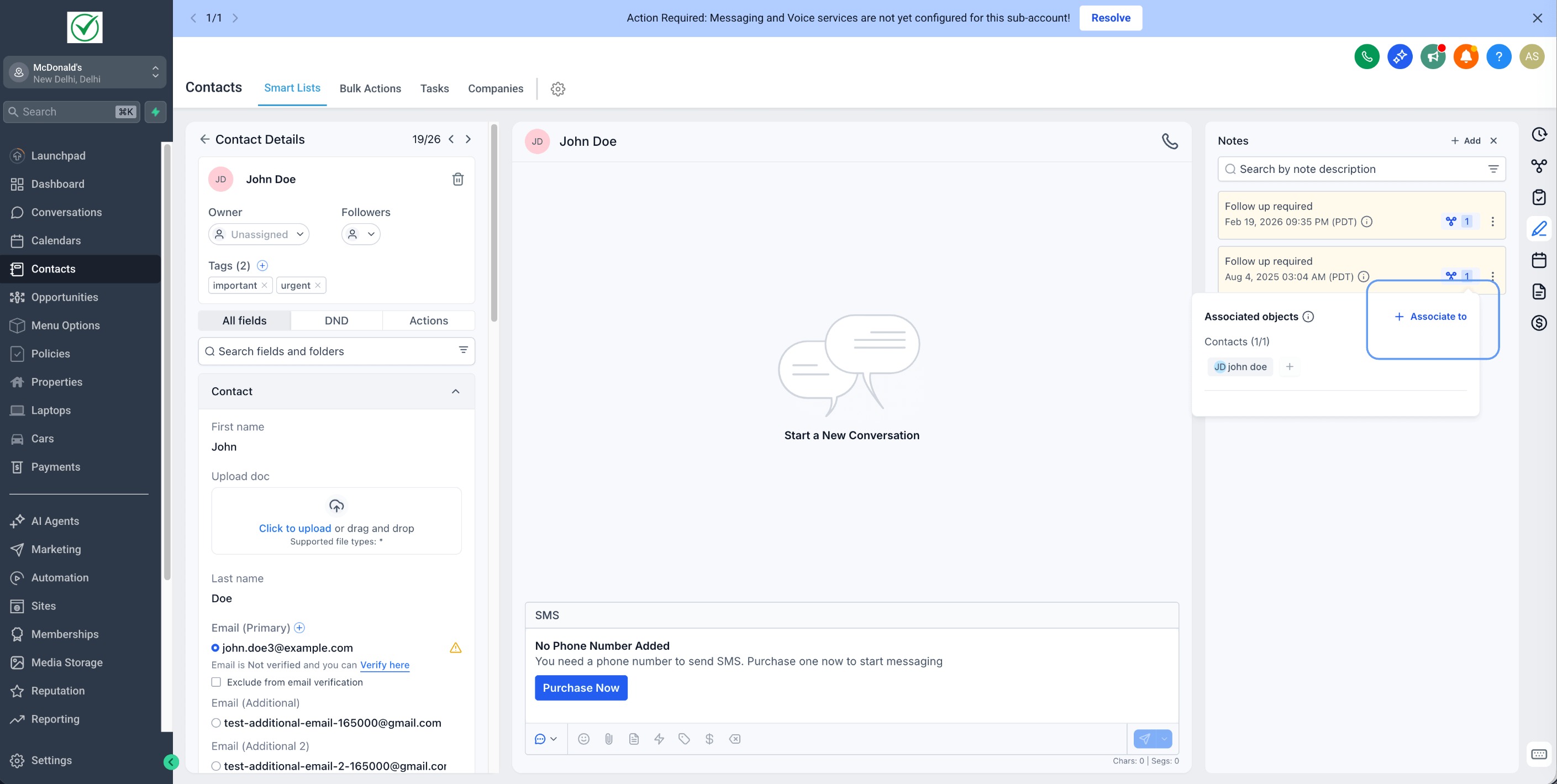
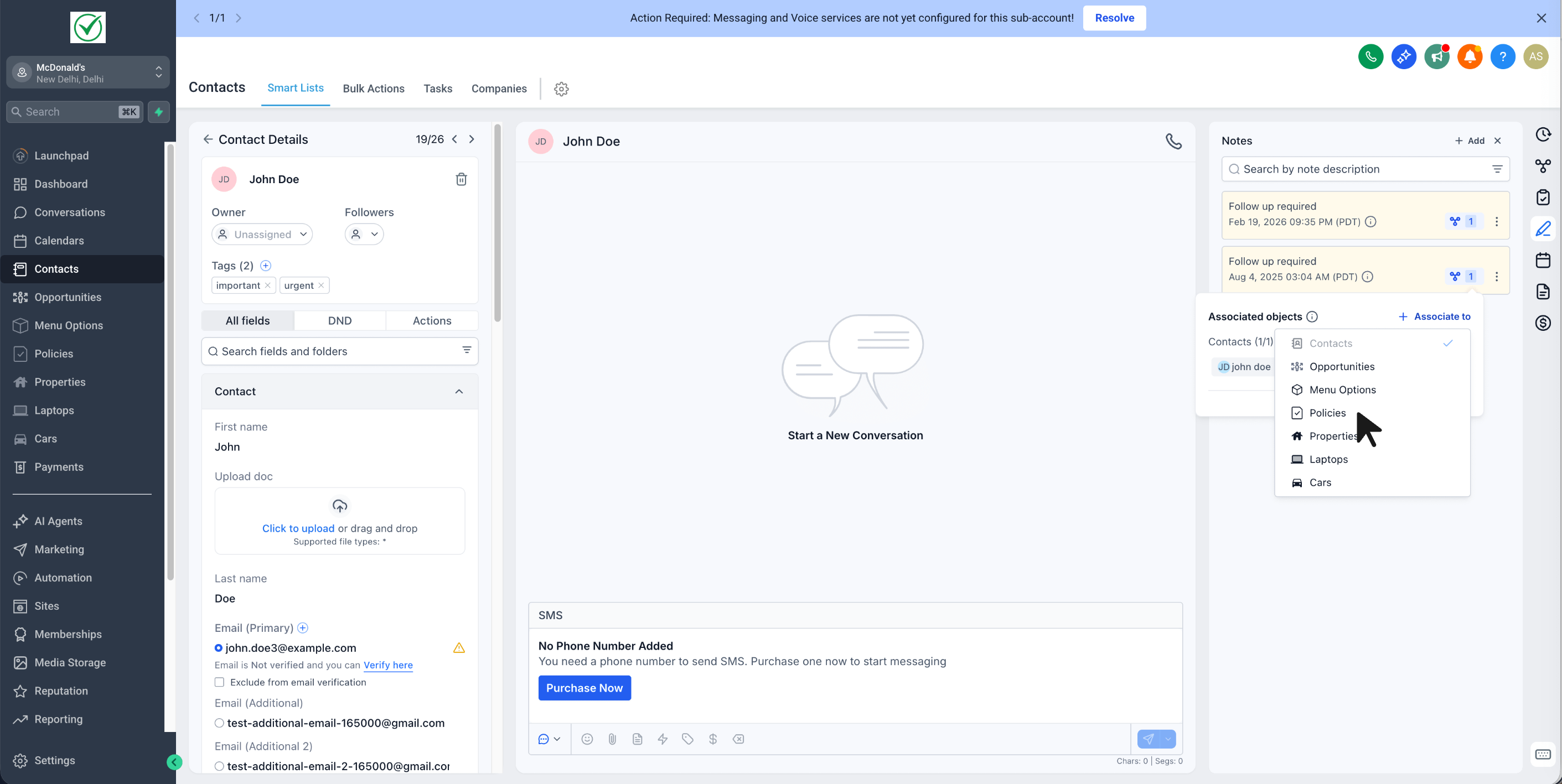
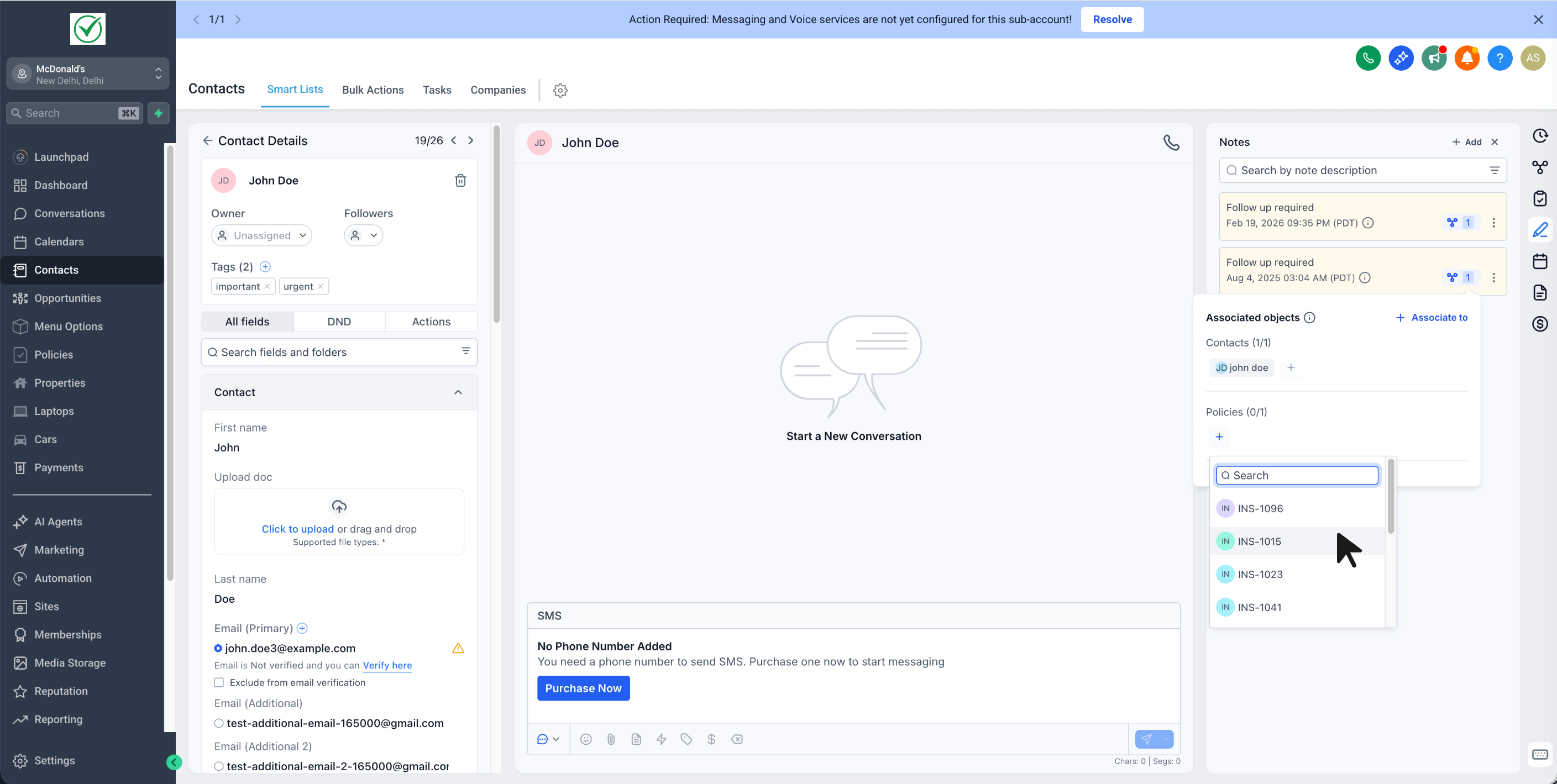
Note: You can only associate the note to a Custom Object record that is already related to the same Contact or Opportunity.
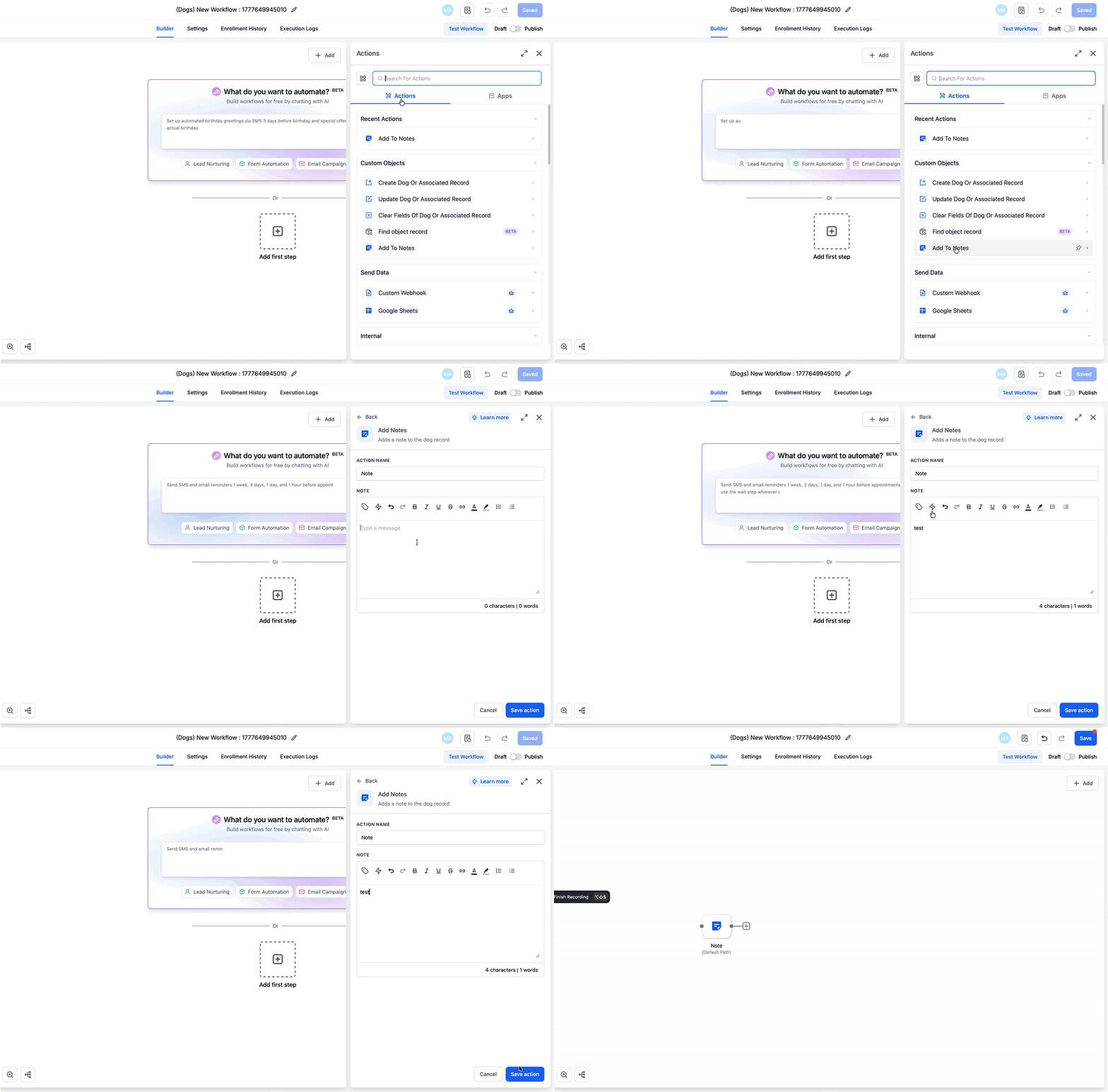
C) Automate notes with workflows
You can add notes to custom object records automatically using workflows:
1. Open a workflow for your custom object.
2. Add the Add to Note action.
3. Enter the note content, then save and publish.
Note: Note title and note color are not supported yet for custom object workflow notes.
Examples
Example 1: Real Estate (Property custom object)
Add notes after each site visit (“Client prefers east-facing, budget updated”) directly on the Property record so every agent sees the latest context.
Example 2: Automotive (Car custom object)
Log inspection notes (“Brake pads replaced, next service due in 5,000 km”) on the Car record to maintain a clean service history.
Example 3: Insurance (Policy custom object)
Track renewal conversations (“Renewal offered, waiting on documents”) on the Policy record so status is clear to the whole team.
Example 4: Opportunity → Custom Object (shared note)
A rep adds negotiation notes on an Opportunity and associates the same note to the related “Property” record—so anyone viewing the Property has the same context without duplicating notes.
Was this article helpful?
That’s Great!
Thank you for your feedback
Sorry! We couldn't be helpful
Thank you for your feedback
Feedback sent
We appreciate your effort and will try to fix the article