Fixing "A Payment Method Already Exists for the Current WhatsApp Business Account"
If you encounter the error message "Please create a new WhatsApp Business Account since a payment method already exists for the current WhatsApp Business Account," this means your existing WhatsApp Business Account (WABA) already has an active payment method associated with it.
TABLE OF CONTENTS
| Why This Happens |
| How to Fix the Issue |
| Additional Tips |
Meta does not allow a WABA with an existing payment method to be connected again through another platform. Therefore, the onboarding process will fail if you try to reuse that WABA.
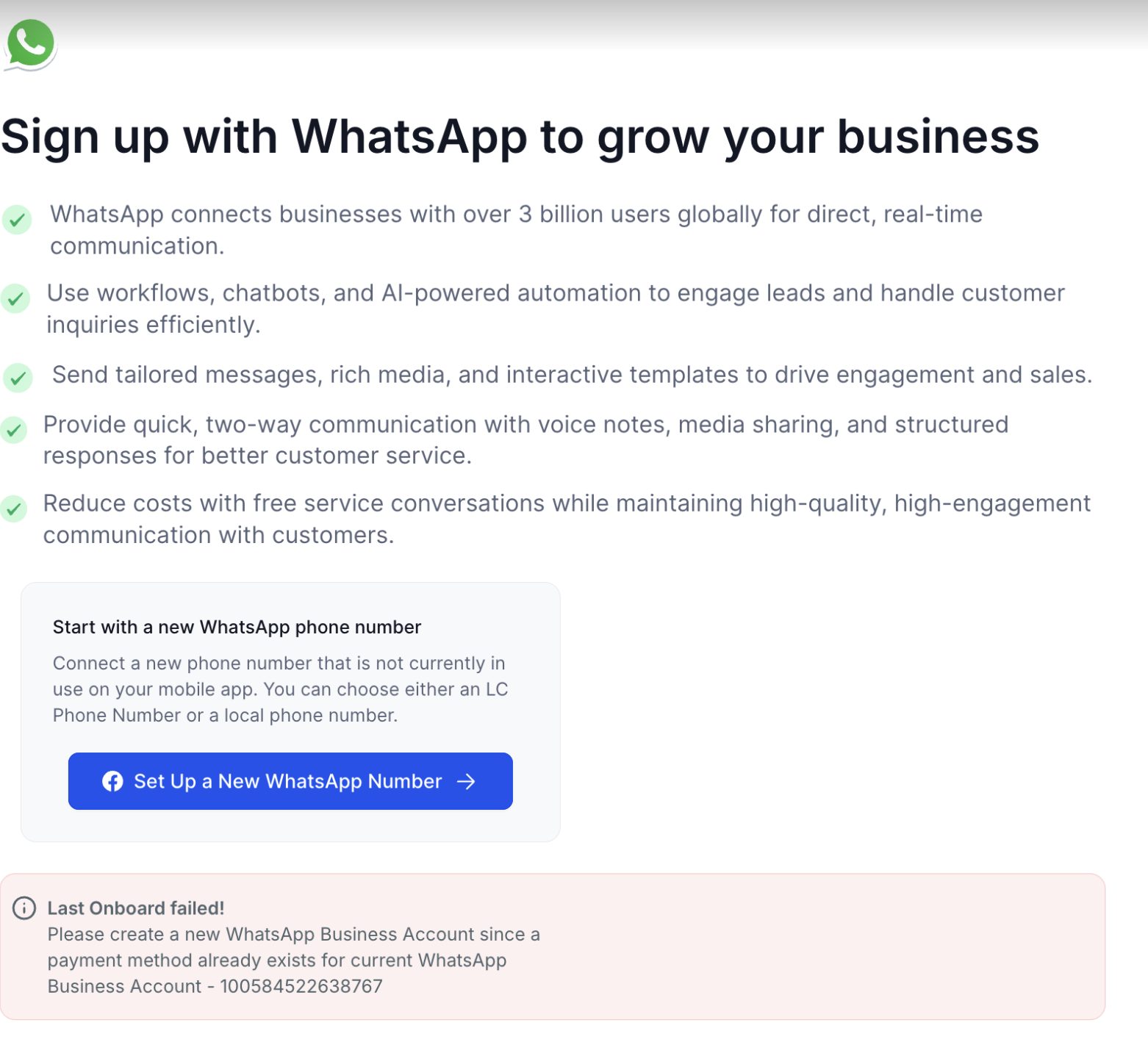
Why This Happens
This error occurs because:
- The WABA you are trying to connect has already been used previously (either directly in Meta or through another Business Solution Provider).
- Meta prevents connecting a WABA that already has a billing setup or payment method to another BSP (Business Solution Provider) to avoid duplicate billing.
How to Fix the Issue
To successfully complete onboarding, you need to create a new WhatsApp Business Account (WABA) under your existing Meta Business Manager. Follow the steps below:
1 | Go to Your Meta Business Settings
|
2 | Create a New WhatsApp Business Account
|
3 | Return to CRM
|
Which Setup Should You Use?
Using the WhatsApp Business App and want to keep using it? Use Coexistence if eligible.
Moving from another WhatsApp provider? Use Migrate from an Existing BSP when applicable.
Starting with a new or unused number? Create a new WABA.
Seeing the payment-method error on the selected WABA? Create or select a different eligible WABA.
Important: Creating a new WABA does not always mean you need a new phone number.
What if the New WABA Still Fails?
A new WABA can still fail if the phone number is already connected somewhere else or another onboarding issue exists.
Check the following:
Confirm the new WABA was selected.
Read the new error message carefully.
Check whether the phone number is still connected to WhatsApp, WhatsApp Business, or another provider.
Confirm you are using the correct onboarding path.
Retry phone verification.
If the issue continues, collect the escalation details below.
What Does “Last Onboarding Failed” Mean?
This message can appear when the WABA is already connected to another HighLevel Location.
If the error says the WABA is already onboarded to a Location ID:
Note the Location ID in the error.
Find the HighLevel Location where the WABA is currently connected.
Disconnect the WABA from that Location.
Return to the correct Location and restart onboarding.
Do not create another WABA just because of this error.
Evidence Required for Escalation
If onboarding still fails, collect the following before contacting support:
HighLevel Location ID
Phone number with country code
WABA ID
Phone Number ID, if available
Exact error message
Screenshot of the error
Approximate time of the failed attempt
Onboarding path used
Whether the number is connected to WhatsApp, WhatsApp Business, or another provider
Troubleshooting steps already completed
Any Meta error code or
fbtrace_id, if available
Additional Tips
Do not delete your old WABA if it's linked to other services or campaigns.
- If you are unsure which payment method is attached, visit Meta Payment Settings to review existing setups.
- Always use a new WABA for onboarding if you've previously connected the same number with another provider.
Was this article helpful?
That’s Great!
Thank you for your feedback
Sorry! We couldn't be helpful
Thank you for your feedback
Feedback sent
We appreciate your effort and will try to fix the article