Twilio number support allows Voice AI agents to use Twilio-connected phone numbers or number pools for call handling. Once a Twilio number is available in the sub-account, it can be assigned to a Voice AI agent from the agent's Deploy tab. This article explains how to assign Twilio numbers, review Call Routing and Working Hours, and test inbound call behavior.
TABLE OF CONTENTS
- What is Twilio Number Support for Voice AI Agents?
- Key Benefits of Twilio Numbers for Voice AI Agents
- Before You Begin
- Individual Twilio Numbers vs. Number Pools
- How To Assign Twilio Numbers to Voice AI Agents
- Call Routing and AI Backup Behavior
- Working Hours
- Inbound vs. Outbound Voice AI Setup
- Testing Twilio Number Assignment
- Frequently Asked Questions
What is Twilio Number Support for Voice AI Agents?
Twilio number support lets Voice AI agents handle calls through Twilio-connected phone numbers or number pools. This allows businesses using Twilio numbers in HighLevel to connect those numbers to selected Voice AI agents for call handling.
Phone numbers are assigned per agent from the Deploy tab. If you manage multiple Voice AI agents, review each agent’s assigned numbers, routing, and availability separately.
Key Benefits of Twilio Numbers for Voice AI Agents
Twilio number support helps connect existing phone infrastructure to Voice AI agents. By assigning the correct number or number pool, you can control which calls reach each agent and how those calls are handled.
- Use existing Twilio numbers: Connect available Twilio numbers in the sub-account to Voice AI agents.
- Support number pools: Assign a number pool when your routing setup uses multiple numbers.
- Control call availability: Use working hours to define when the agent should be available.
- Improve call routing: Review call routing and backup behavior so calls reach the right destination.
- Test before launch: Call the assigned number to confirm the agent answers as expected.
Before You Begin
A successful Twilio number setup depends on the number being available in the sub-account and the user having access to edit Voice AI deployment settings. Review these requirements before assigning a number to an agent.
Before assigning a Twilio number, confirm the following:
- An active AI Employee or Voice AI subscription is available.
- A Voice AI agent already exists.
- A Twilio number or number pool is already available in the sub-account.
- You have permission to edit Voice AI agents and deployment settings.
- You know which number or number pool should route calls to the selected agent.
- You plan to test the assigned number after saving.
Individual Twilio Numbers vs. Number Pools
Voice AI agents can be assigned to an individual Twilio number or an available number pool, depending on how your call routing is set up. Choosing the right option helps ensure calls reach the correct agent.
Use an individual Twilio number when one specific number should connect to the selected Voice AI agent.
Use a number pool when your setup routes calls through a group of numbers or when multiple numbers should follow the same availability and routing behavior.
If you are unsure which option to use, review how the number or number pool is configured in the sub-account before assigning it to the agent.
How To Assign Twilio Numbers to Voice AI Agents
Twilio numbers are assigned from the selected Voice AI agent's Deploy tab. From Deploy, you can manage phone assignment, Call Routing, and Working Hours for the selected agent.
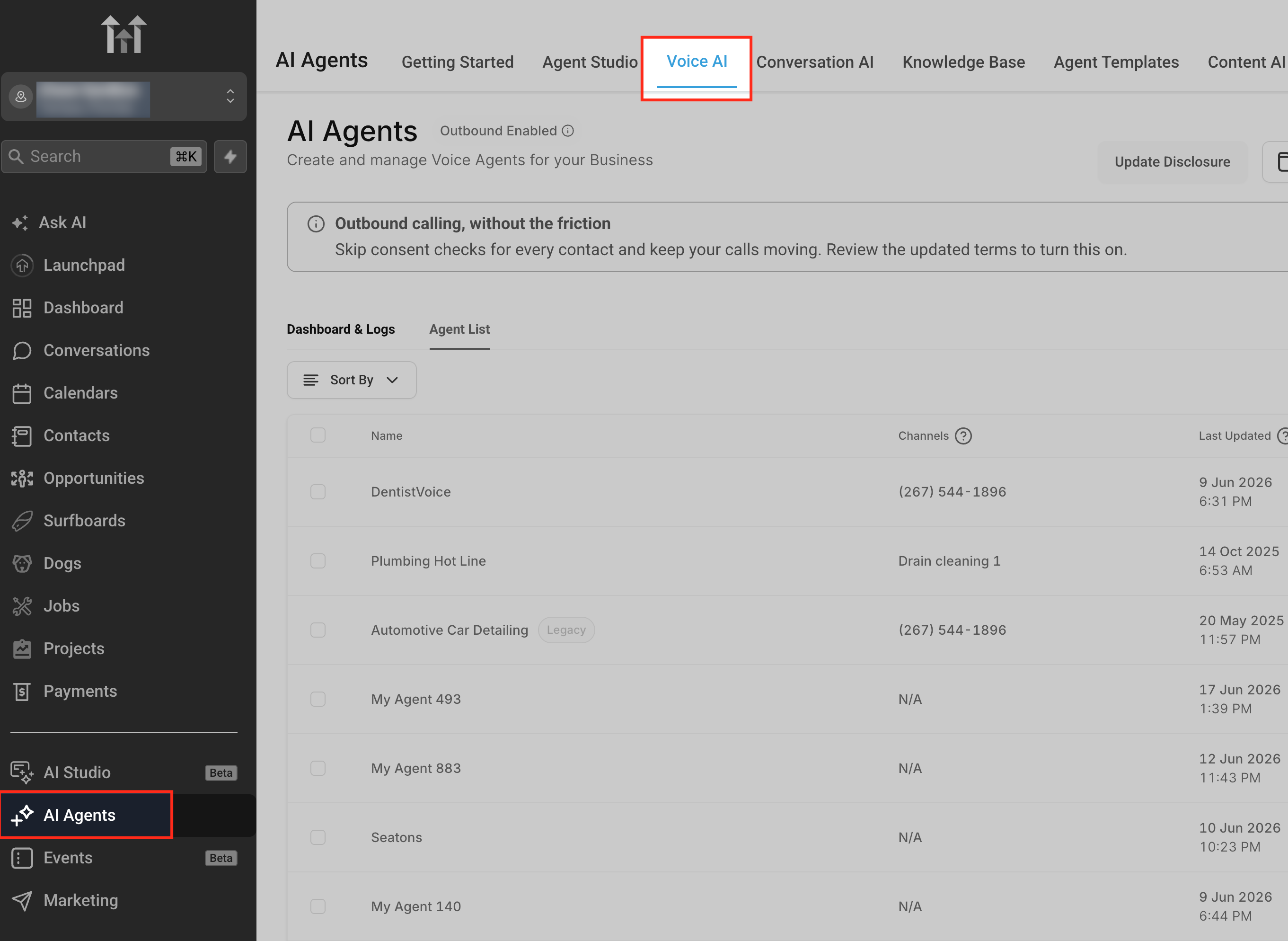
Go to AI Agents > Voice AI
Open AI Agents, then select Voice AI. This is where Voice AI agents are created, edited, deployed, and reviewed.
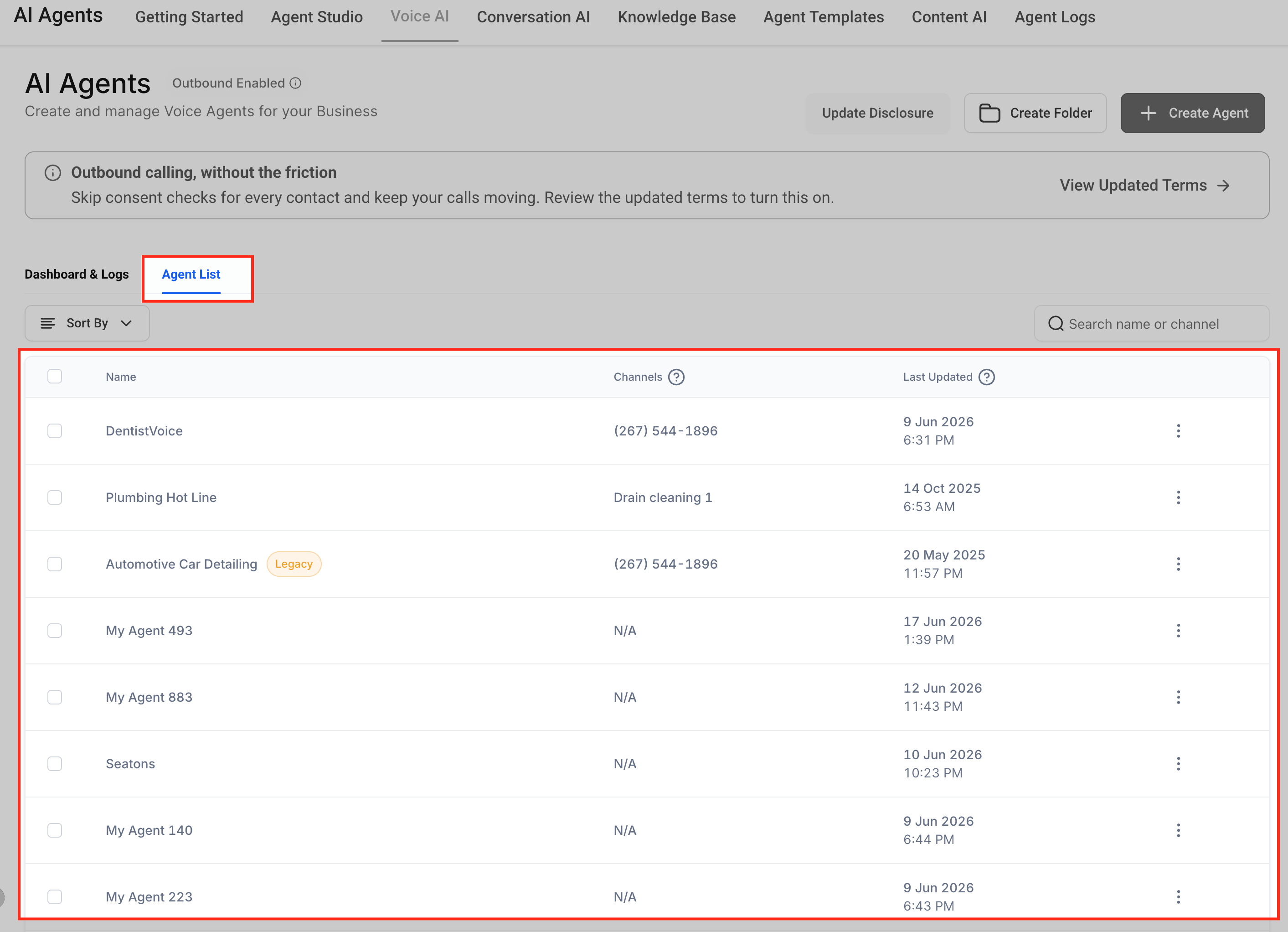
Open Agents
Select Agents to view the Voice AI agents available in the sub-account. The agent list helps you choose which agent should be connected to the Twilio number or number pool.
Choose the agent that should receive calls from the Twilio number or number pool. Number assignment is configured per agent, so changes made here apply only to the selected agent.
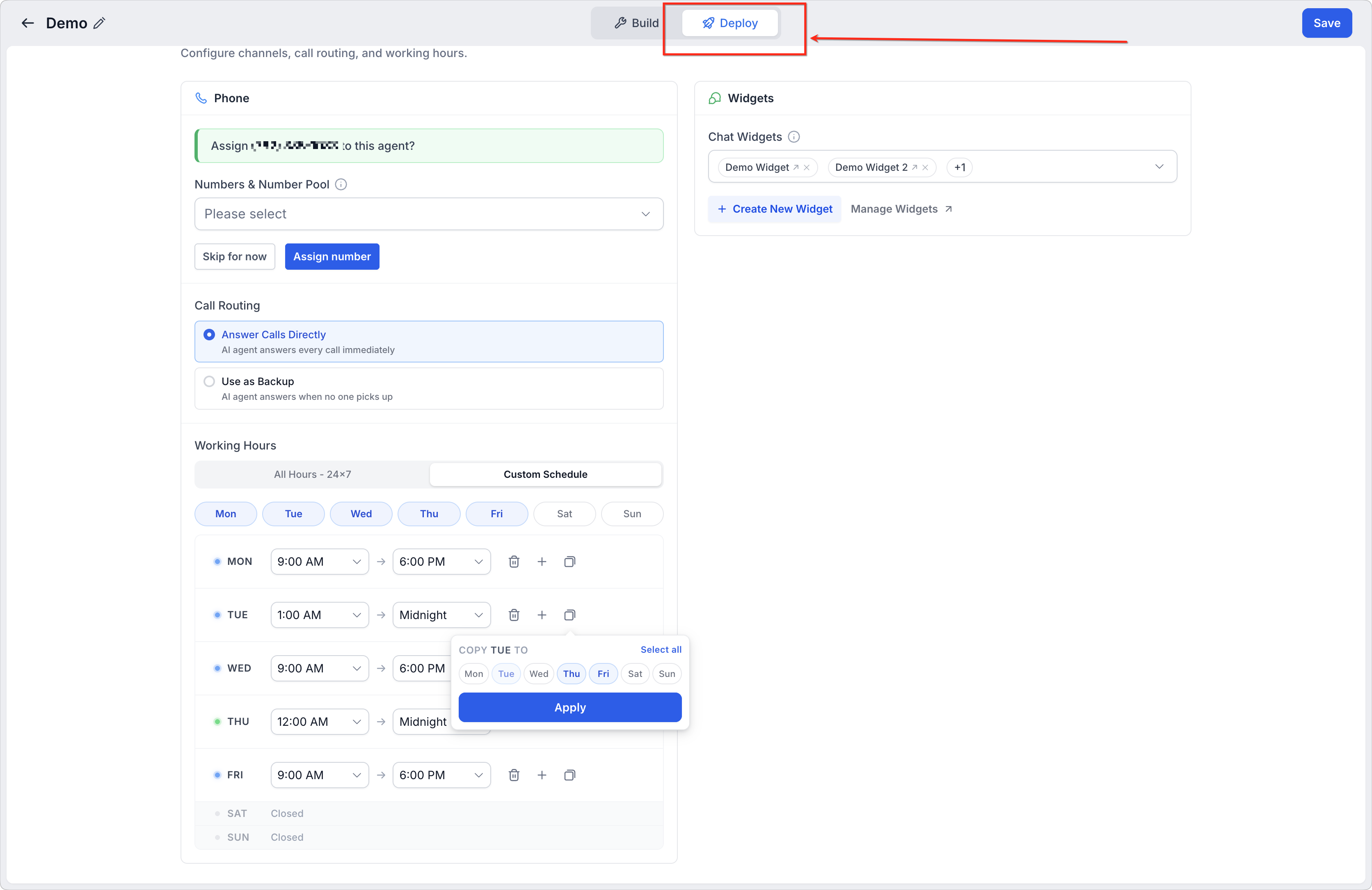
Open the Deploy tab
Select Deploy to access the agent’s deployment settings. This area controls how the selected Voice AI agent is made available for calls.
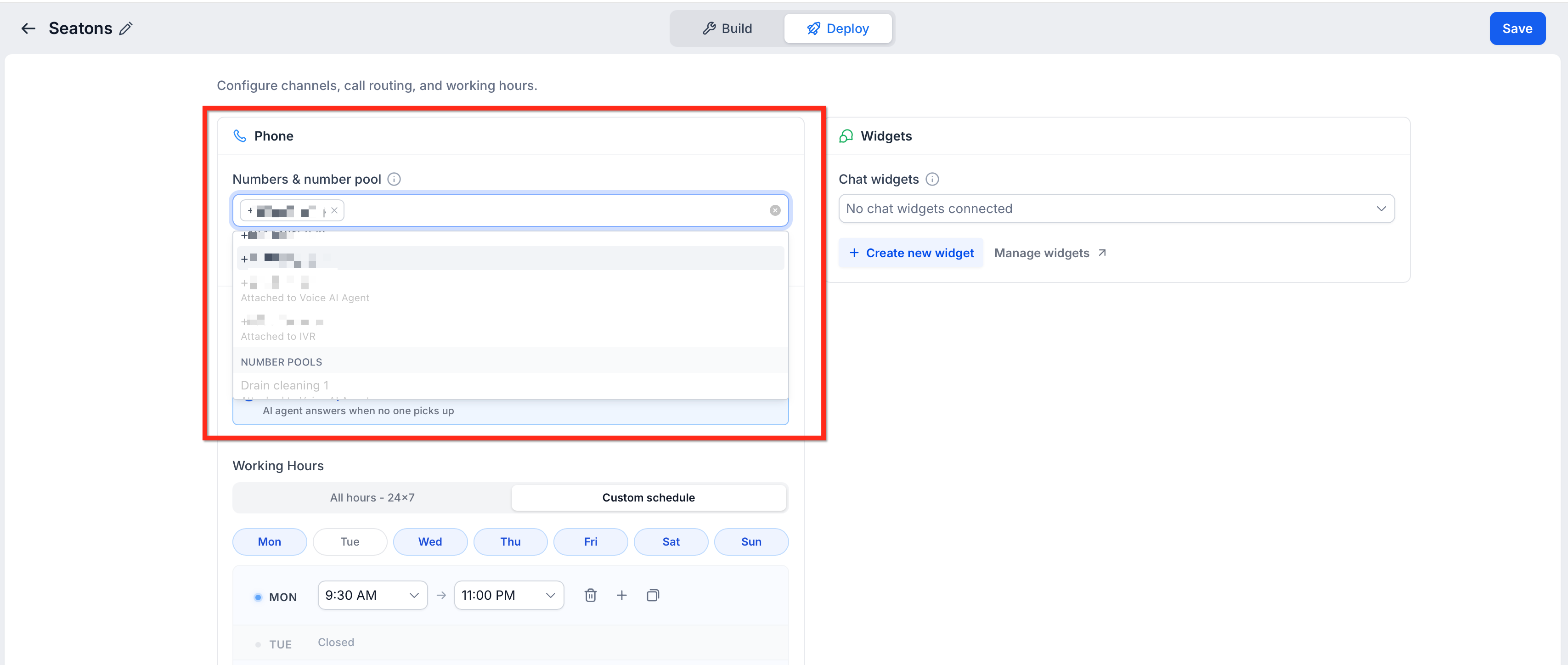
Select a Twilio number or number pool
Choose the Twilio number or available number pool that should route calls to the selected Voice AI agent. Confirm that you are selecting the correct number for the intended call flow.
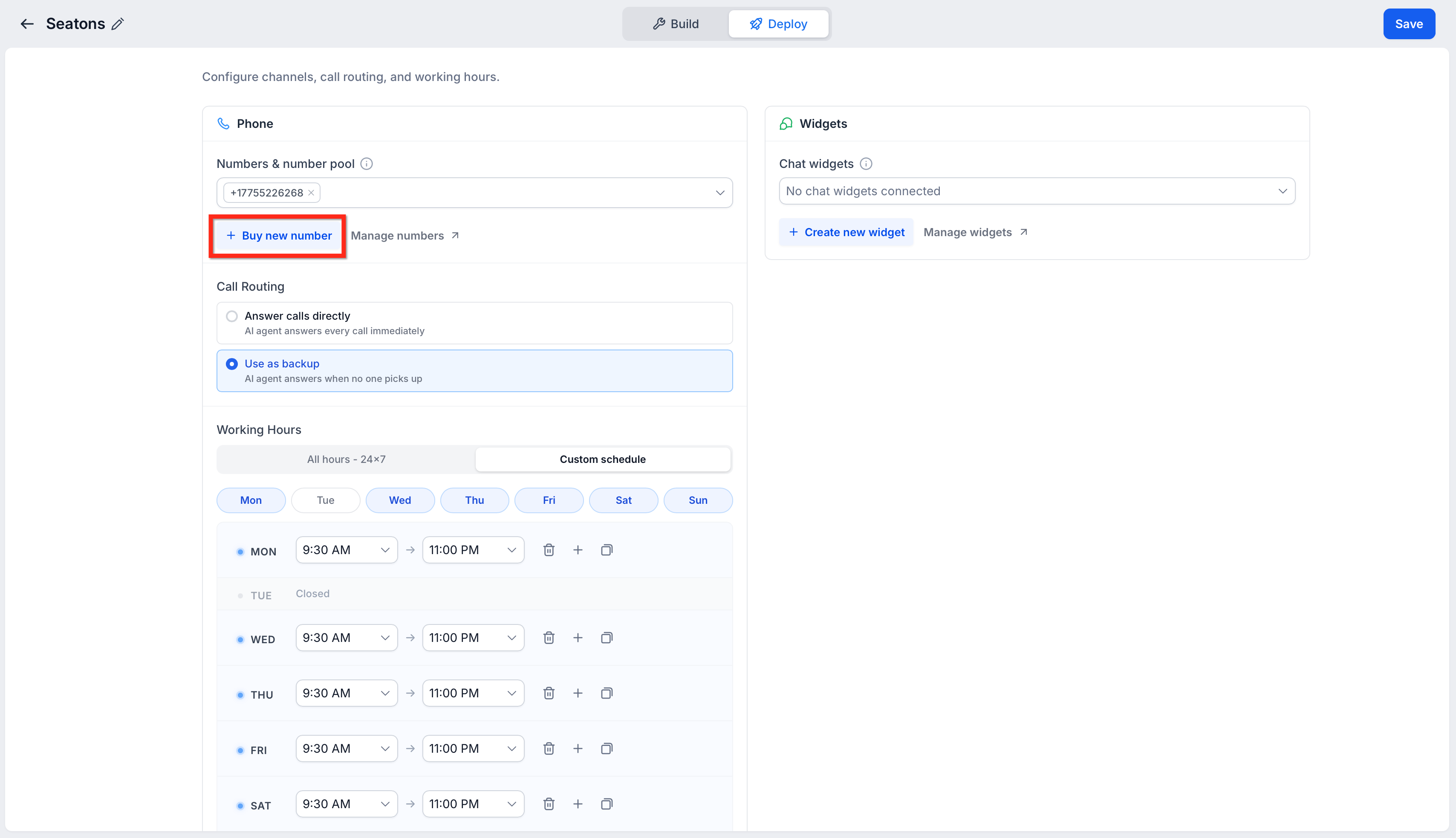
Buy a new phone number
If you need a new phone number, you can purchase one without leaving the agent's Deploy tab.
- In the Phone section, click Buy new number below Numbers & number pool.
- Complete the phone-number purchase.
- After the purchase is complete, choose whether to assign the new number to the Voice AI agent.
- Confirm the correct number appears under Numbers & number pool before continuing with Call Routing and Working Hours.
You can also click Manage numbers from the Phone section to manage existing phone numbers.
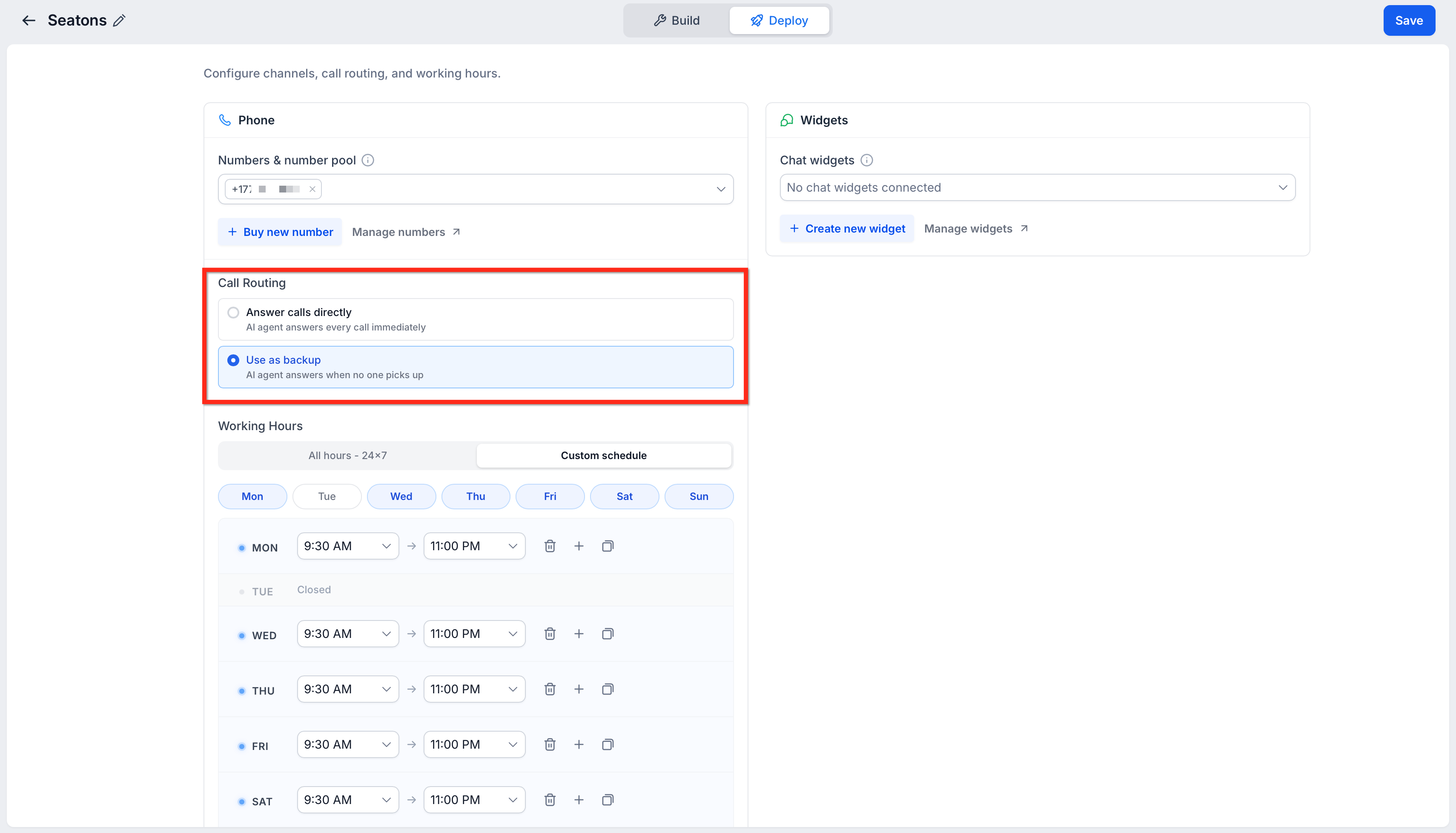
Review call routing and AI backup behavior
Choose how the Voice AI agent should handle incoming calls:
- Answer Calls Directly: Use this mode when the Voice AI agent should answer incoming calls directly.
- Use as Backup: Use this mode when the Voice AI agent should act as a backup for the primary call path.
Review the selected mode carefully so calls follow the intended routing behavior.
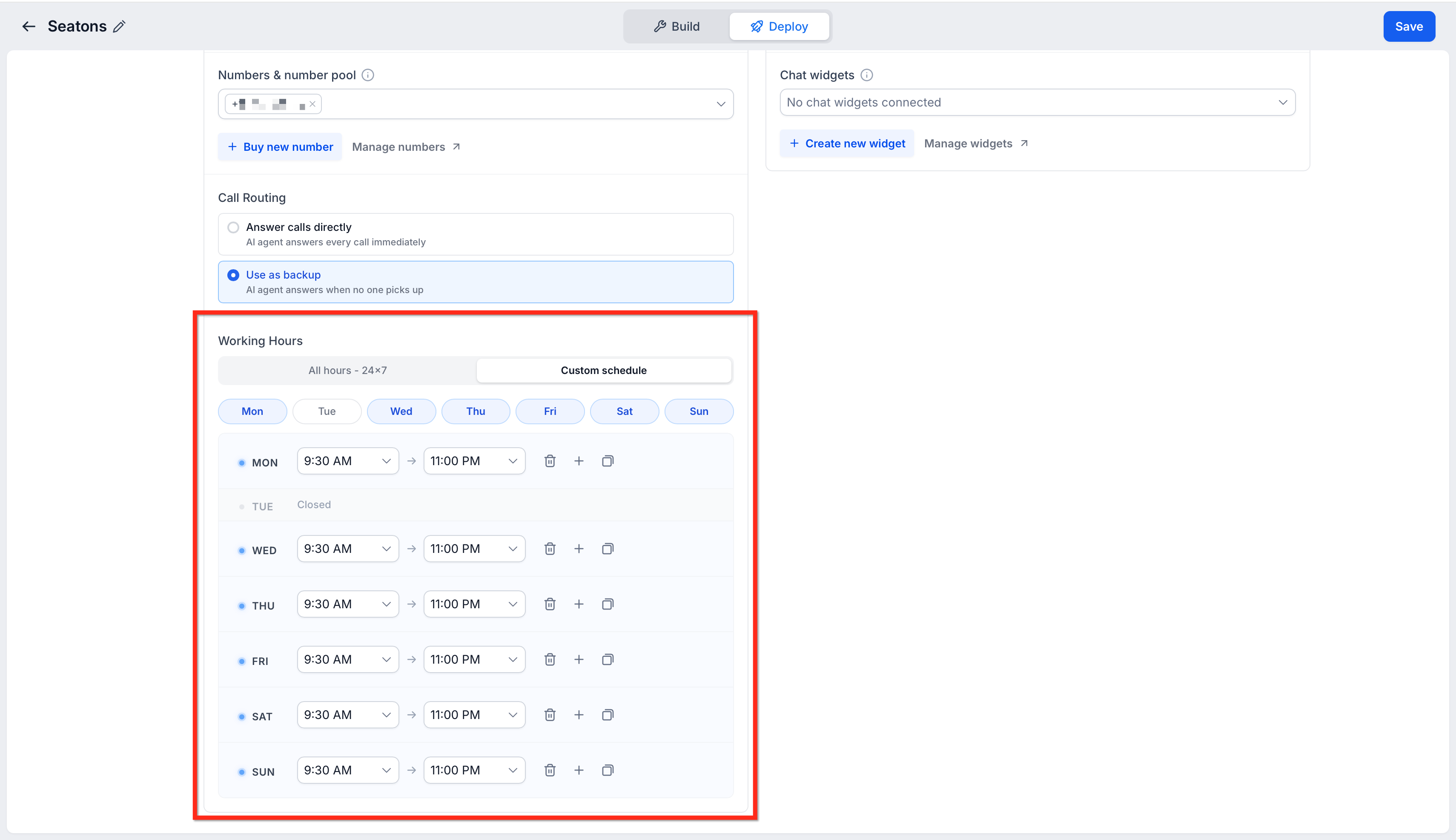
Configure working hours, if needed
Use Working Hours to control when the Voice AI agent is available.
Choose All Hours for unrestricted availability, or choose Custom Schedule to configure specific active days and time ranges.
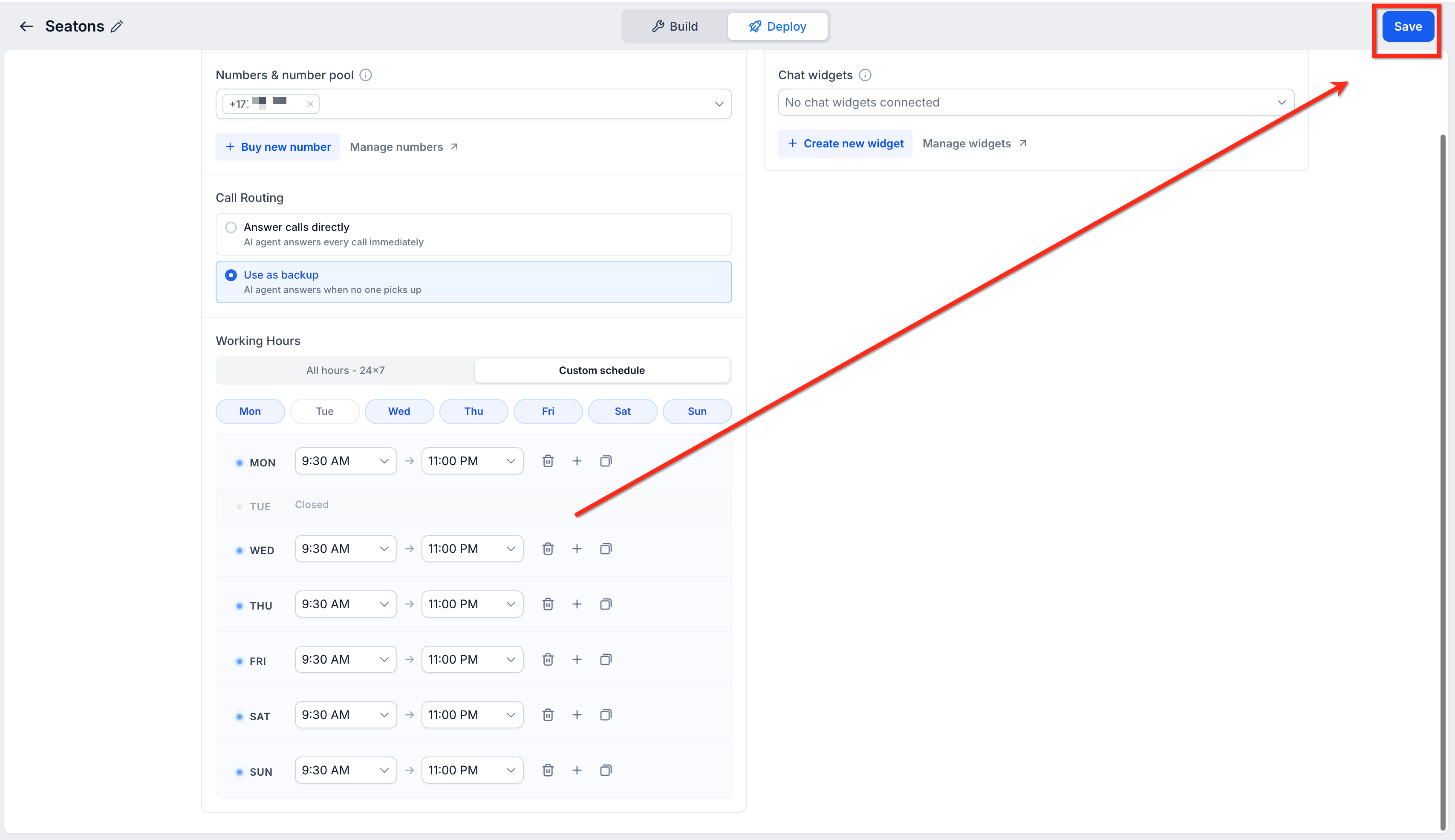
Save your changes
Click Save to apply the number assignment, routing, and availability changes to the selected agent. Unsaved changes may not apply to live calls.
Test the assigned number
Call the selected Twilio number to confirm the Voice AI agent answers as expected. Test during working hours and, if configured, outside working hours to confirm routing and availability behavior.
Call Routing Modes
Call Routing controls how the Voice AI agent handles incoming calls through the assigned number or number pool.
Choose the mode that matches the intended call flow:
Answer Calls Directly: The Voice AI agent answers incoming calls directly.
Use as Backup: The Voice AI agent acts as a backup when the primary call path does not answer.
Assigning a number alone does not guarantee that every call reaches Voice AI. Call Routing, Working Hours, and the phone number's broader call-flow configuration can affect how incoming calls are handled.
Working Hours
Working Hours define when the selected Voice AI agent should be available to handle calls. This helps prevent the agent from answering outside the intended schedule or allows different agents to support different availability windows.
Use Working Hours when:
- The agent should only answer during business hours.
- Different agents support different schedules.
- Calls outside working hours should follow another route.
- You want to test how availability affects call handling.
When configuring working hours, review each day and time block carefully. If the agent does not answer when expected, working hours should be one of the first settings to check.
Inbound vs. Outbound Voice AI Setup
Assigning a number from the agent's Deploy tab controls how the selected agent is available for calls through that number or number pool. This is especially important for inbound call handling.
Outbound Voice AI calls configured through workflows may use separate outbound call settings. If you are configuring outbound Voice AI, review the outbound-specific setup resources instead of relying only on the agent's Deploy settings.
Testing Twilio Number Assignment
Testing confirms that the selected Twilio number or number pool reaches the intended Voice AI agent. Always test after changing number assignment, routing, backup behavior, or working hours.
Recommended testing checks:
- Call the selected Twilio number.
- Confirm the intended Voice AI agent answers.
- Test during configured working hours.
- Test outside working hours if availability rules are configured.
- Confirm the selected Call Routing mode behaves as expected.
- Confirm the wrong agent does not answer the call.
- Review call logs if the call does not reach the expected agent.
Frequently Asked Questions
Q: What does Twilio number support mean for Voice AI?
It means Twilio-connected numbers or number pools available in the sub-account can be assigned to Voice AI agents for call handling.
Q: Where do I assign a Twilio number to a Voice AI agent?
Go to AI Agents > Voice AI > Agents, select the agent, then open Deploy > Phone.
Q: Can I assign a number pool instead of a single number?
Yes. If a number pool is available in the sub-account, you can select it depending on your routing setup.
Q: Why does my Twilio number not appear?
Confirm the number is connected to the sub-account and available in phone number settings.
Q: Does assigning a number guarantee Voice AI will answer every call?
Not always. Call Routing, Working Hours, and the phone number's call-flow configuration can affect whether Voice AI receives the call.
Q: What does Use as Backup do?
Use as Backup configures the Voice AI agent to act as a backup when the primary call path does not answer.
Q: Do working hours affect whether the agent answers?
Yes. Working hours define when the selected Voice AI agent is available to handle calls.
Q: Can multiple agents use the same number?
Number assignment behavior may depend on the account’s routing and availability configuration. Review the selected number or number pool carefully before assigning it to multiple agents.
Q: How do I test the assigned number?
Call the selected Twilio number and confirm the intended Voice AI agent answers. Review logs if the call does not reach the expected agent.
Q: Is outbound Voice AI configured here?
Not fully. The Deploy tab manages deployment settings for assigned numbers or number pools. Outbound Voice AI calls configured through workflows may use separate outbound settings.
Related Articles
Was this article helpful?
That’s Great!
Thank you for your feedback
Sorry! We couldn't be helpful
Thank you for your feedback
Feedback sent
We appreciate your effort and will try to fix the article