The Idle Reminder Timer controls how long a Voice AI agent waits during an active call before prompting a silent caller to continue. This helps the agent re-engage callers naturally when they pause, need time to think, or stop responding. This article explains where to find the Idle Reminder Timer in the current Voice AI builder, how to configure it, and how to test the setting before using the agent in live calls.
TABLE OF CONTENTS
- What is the Idle Reminder Timer?
- Key Benefits of the Idle Reminder Timer
- How the Idle Reminder Timer Works
- When To Adjust the Idle Reminder Timer
- How To Configure the Idle Reminder Timer
- Frequently Asked Questions
- Related Articles
What is the Idle Reminder Timer?
The Idle Reminder Timer is a Voice AI call setting that determines how long the agent waits before responding to caller silence. When a caller stops speaking during an active call, the agent waits for the configured number of seconds, then plays a reminder prompt to re-engage the caller.
This setting helps prevent calls from feeling stalled while still giving callers enough time to respond naturally.
Important: The Idle Reminder Timer can be set between 1 and 20 seconds. The default value is 8 seconds.
Key Benefits of the Idle Reminder Timer
The Idle Reminder Timer helps improve call flow by balancing silence detection with natural conversation pacing. A well-configured timer gives callers enough time to respond while helping the agent keep the call moving.
- Natural re-engagement: Prompts silent callers instead of ending the call immediately.
- Better call pacing: Helps control how quickly the agent responds to silence.
- Improved caller experience: Reduces awkward pauses while still allowing natural thinking time.
- Flexible agent behavior: Allows different agents to use different silence timing based on the call type.
- Better testing control: Lets teams fine-tune silence behavior before the agent goes live.
How the Idle Reminder Timer Works
The Idle Reminder Timer applies during an active Voice AI call. It does not control when Voice AI answers a call, how inbound calls are routed, or how long the system waits before connecting to the agent.
When the caller goes silent:
- The Voice AI agent waits for the configured Idle Reminder Timer value.
- If the caller is still silent, the agent plays a reminder prompt.
- If the caller responds, the conversation continues.
- If the caller remains silent for more than 15 seconds after the reminder, the call ends automatically.
This behavior helps the agent recover from short pauses while preventing calls from staying open indefinitely when the caller is no longer responding.
When To Adjust the Idle Reminder Timer
Different call types may need different silence timing. Adjusting the timer helps the agent feel more natural for the type of conversation it is handling.
Use a shorter timer when:
- The call is fast-paced.
- The agent is collecting quick answers.
- The caller is expected to respond immediately.
- The agent is handling simple qualification or routing questions.
Use a longer timer when:
- Callers may need time to think.
- Callers may need to look up information.
- The agent asks questions that require longer answers.
- The call involves support, scheduling, or detailed explanations.
Avoid setting the timer too low if the agent interrupts natural pauses. Avoid setting it too high if callers may think the call disconnected or the agent stopped responding.
How To Configure the Idle Reminder Timer
The Idle Reminder Timer is configured per Voice AI agent from the current Voice AI builder. If you manage multiple agents, update this setting separately for each agent that needs different silence behavior.
Go to AI Agents > Voice AI
Open the Voice AI area from AI Agents. This is where Voice AI agents are created, edited, tested, and managed.
Open Agent List
Select Agents to view the Voice AI agents available in the account. Each agent can have its own prompt, voice, call settings, and testing configuration.
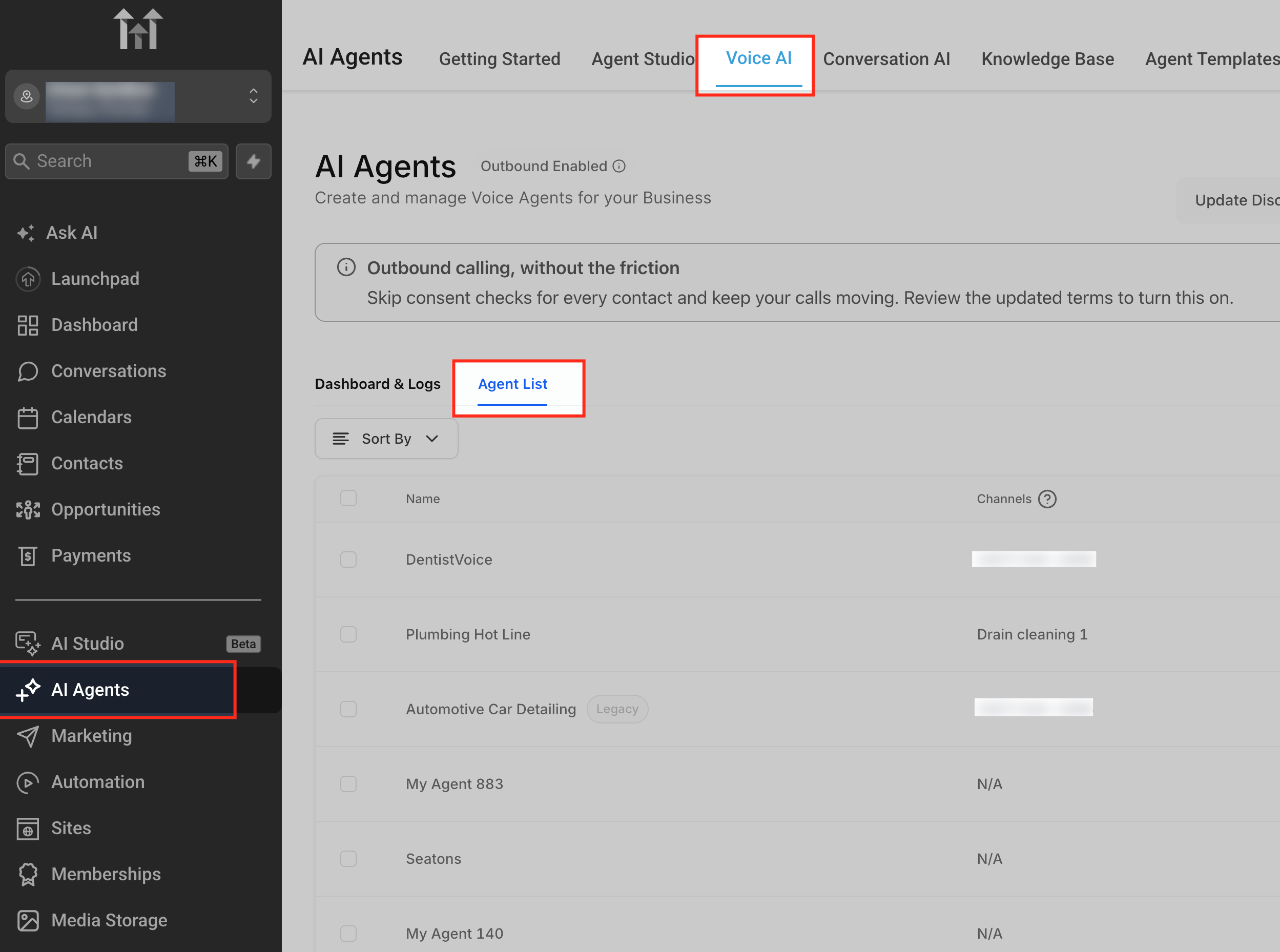
Select the Voice AI agent you want to update
Choose the agent whose caller silence behavior should be adjusted. The Idle Reminder Timer is configured per agent, so changes made here only apply to the selected agent.
Select Call Settings from the settings panel
At the bottom of the configuration section, enable Show advanced settings, then open Call Settings.
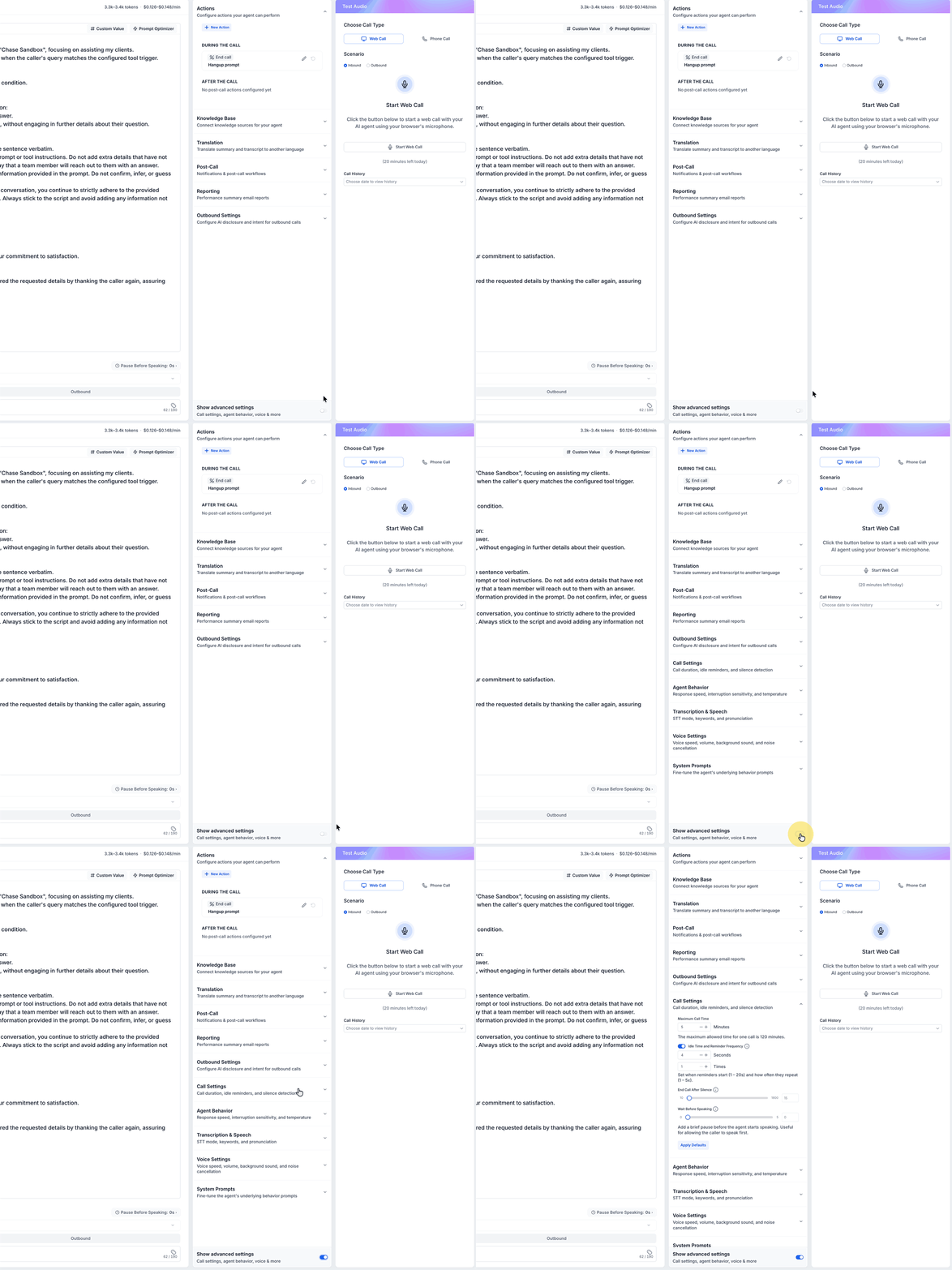
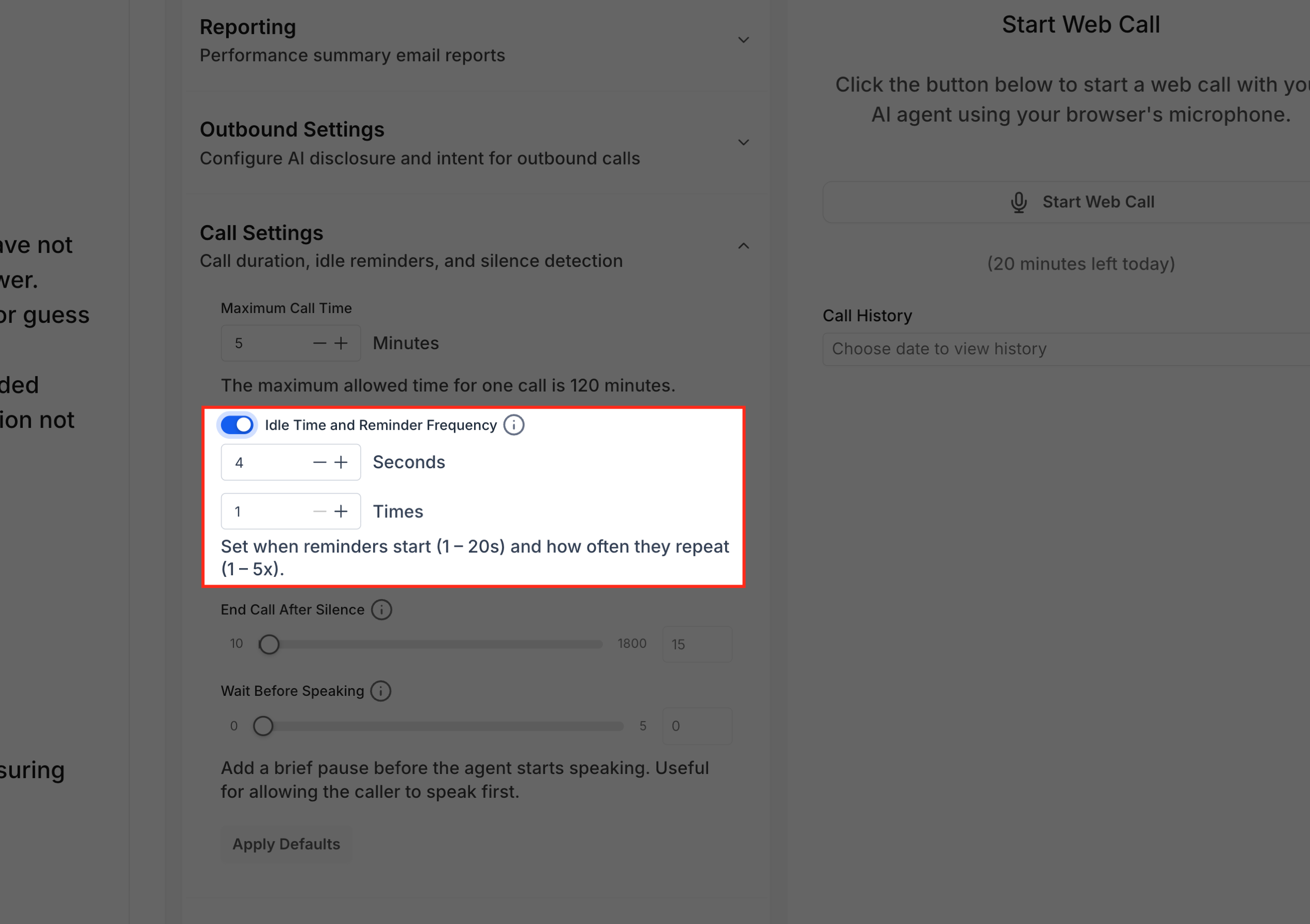
Locate the Idle Reminder Timer setting
Find the Idle Reminder Timer field inside Call Settings. This setting determines how many seconds the agent waits after caller silence before it plays a reminder prompt to re-engage the caller.
Add the number of seconds the agent should wait before reminding a silent caller to continue. The default value is 8 seconds.
Use a shorter value when the call should move quickly, such as lead qualification or simple routing. Use a longer value when callers may need time to think, look up information, or answer more detailed questions.
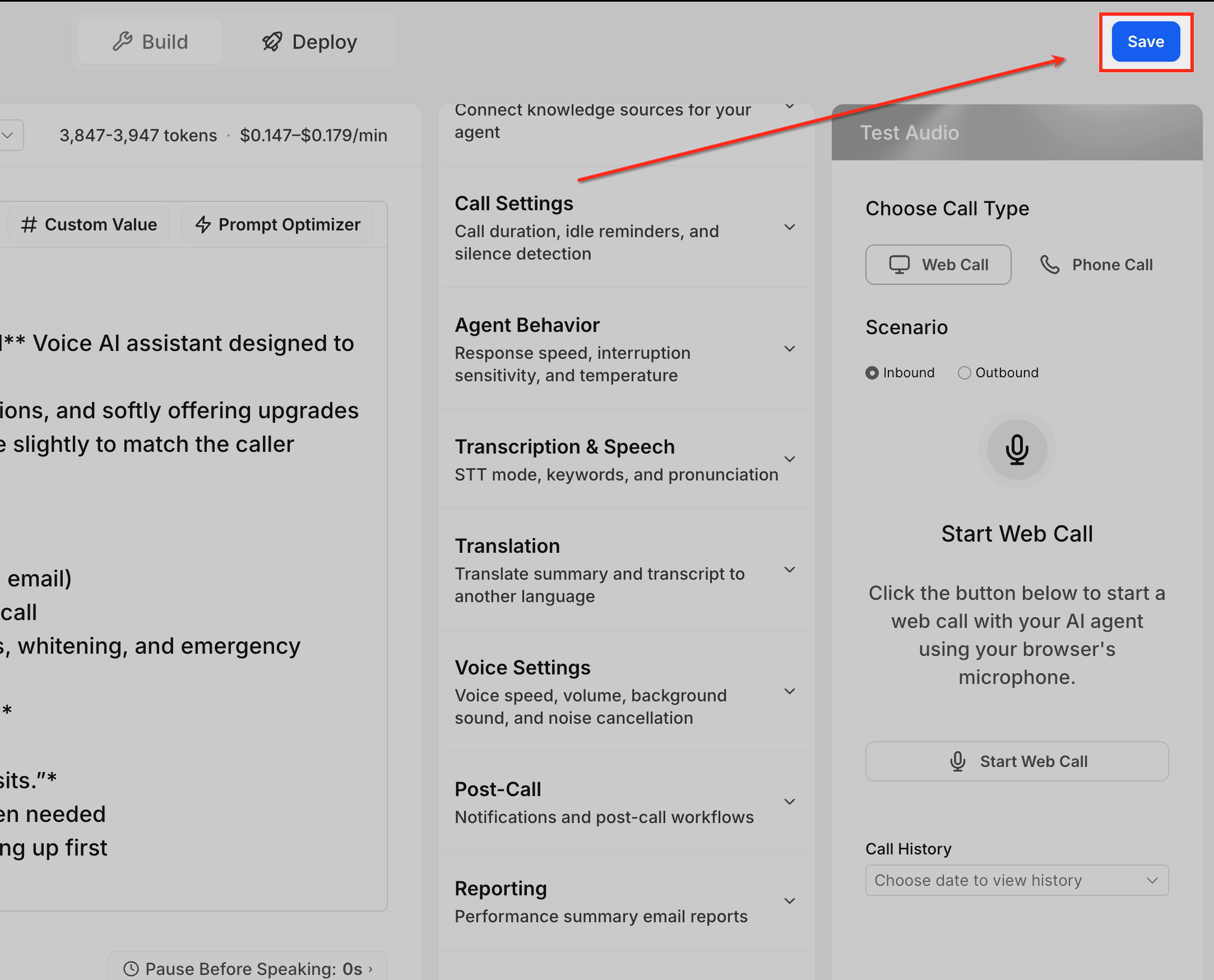
Save your changes
Click Save to apply the updated timer to the selected Voice AI agent. If you leave the builder without saving, the updated timer may not be applied.
Test the setting before using the agent live
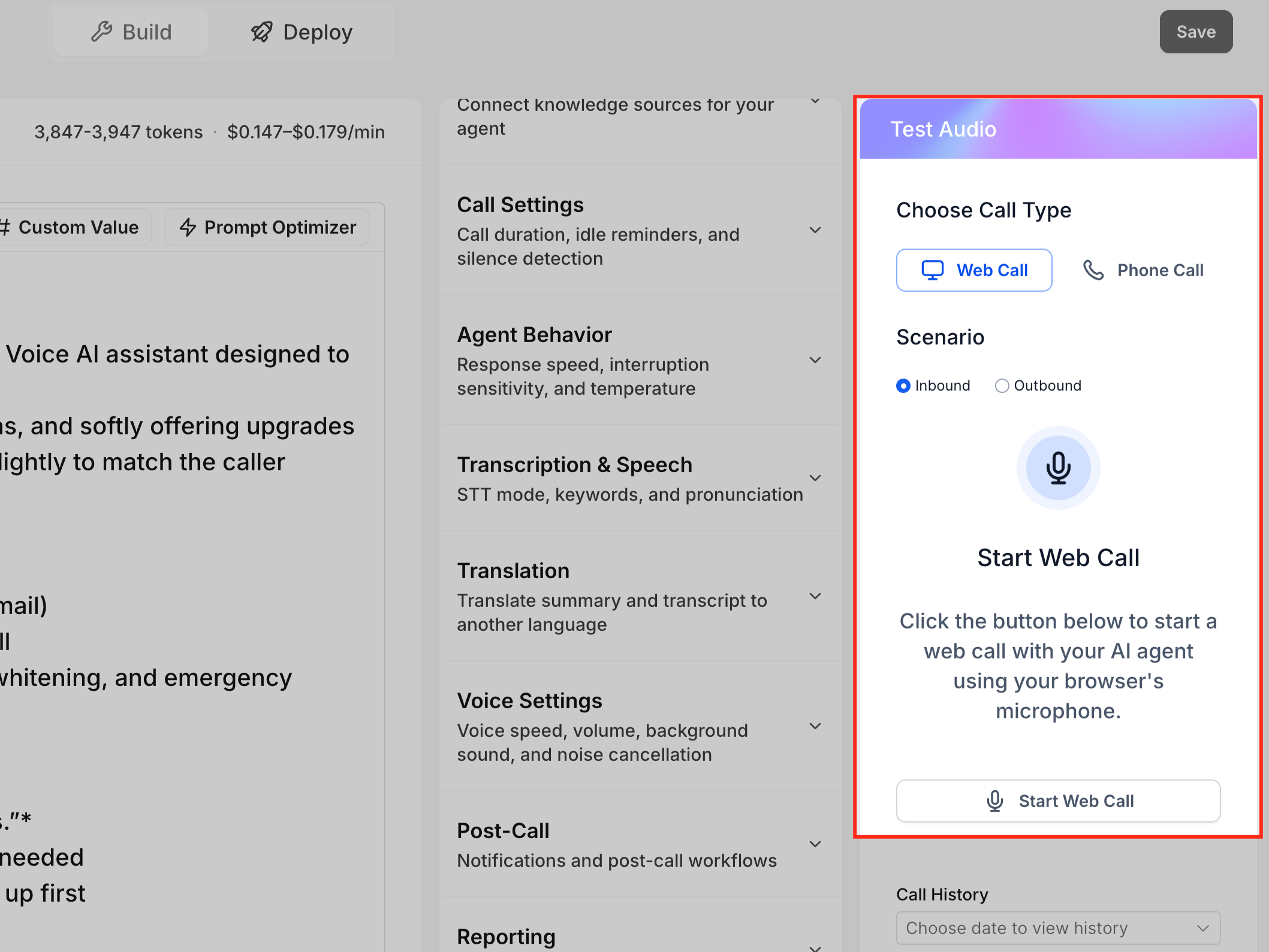
Use the Test Audio panel to start a Web Call or Phone Call test. During the test, pause after the agent speaks and confirm the reminder plays at the expected time. Then speak after the reminder to confirm the call continues naturally.
Frequently Asked Questions
Q: What does the Idle Reminder Timer do?
It controls how long the Voice AI agent waits during an active call before prompting a silent caller to continue.
Q: Where do I configure the Idle Reminder Timer?
Go to AI Agents > Voice AI > Agents, select the agent, open Build, then select Call Settings.
Q: What is the default timer value?
The default Idle Reminder Timer value is 8 seconds.
Q: What values can I enter?
You can enter a value between 1 and 20 seconds.
Q: What happens if the caller stays silent after the reminder?
If the caller remains silent for more than 15 seconds after the reminder, the call ends automatically.
Q: Is the Idle Reminder Timer a global setting?
No. It is configured per Voice AI agent. Update each agent separately if different agents need different silence behavior.
Q: Does this control inbound call routing timeout?
No. The Idle Reminder Timer only controls silence during an active Voice AI call. It does not control how calls are routed or how long HighLevel waits before Voice AI answers.
Q: Can I test the timer before going live?
Yes. Use the Test Audio panel to start a Web Call or Phone Call test and pause during the call to confirm the reminder timing.
Q: Why did the call end after the agent reminded the caller?
The caller likely stayed silent for more than 15 seconds after the reminder prompt.
Related Articles
Was this article helpful?
That’s Great!
Thank you for your feedback
Sorry! We couldn't be helpful
Thank you for your feedback
Feedback sent
We appreciate your effort and will try to fix the article