Gain full control over how end times are calculated for your countdown timers across emails, funnels, and websites with Timezone Adaptation. This smart system ensures each contact or visitor sees the timer end exactly when intended in their local time, delivering a more personalized and accurate experience.
TABLE OF CONTENTS
What is Timezone Adaptation in Countdown Timers?
Timezone Adaptation allows your countdown timer’s end time to automatically adjust based on the viewer’s timezone. Whether your user is in India, US or Australia, they will see the timer end at the correct local moment. This helps businesses run global campaigns where each recipient sees a countdown that matches their location instead of a single fixed timezone.
Timezone Adaptation gives you more control over how countdown timers behave across emails, funnels, and websites. Email timers use the contact’s timezone when available, while funnels and websites use the visitor’s IP-detected timezone. If timezone data is unavailable, it uses the timezone selected during timer setup as the fallback timezone.
Example: If you set a Christmas countdown to end on 25th December, a user in India will see it end at 25th December IST, while a user in New York sees it end at 25th December EST.
Key Benefits of Timezone Adaptation in Countdown Timers
Accurate Countdowns: Contacts and visitors see timer values that reflect their local timezone when timezone data is available.
Personalized Experiences: Campaigns feel more relevant because deadlines can display according to each recipient or visitor’s location.
Reliable Global Promotions: Businesses running campaigns across multiple regions can reduce confusion around offer end times.
Fallback Protection: The selected timer timezone is still used when contact timezone or IP-detected timezone data is unavailable.
How To Enable Timezone Adaptation in Countdown Timers
For more information on how to create a countdown timer, see: Getting started with Countdown Timer
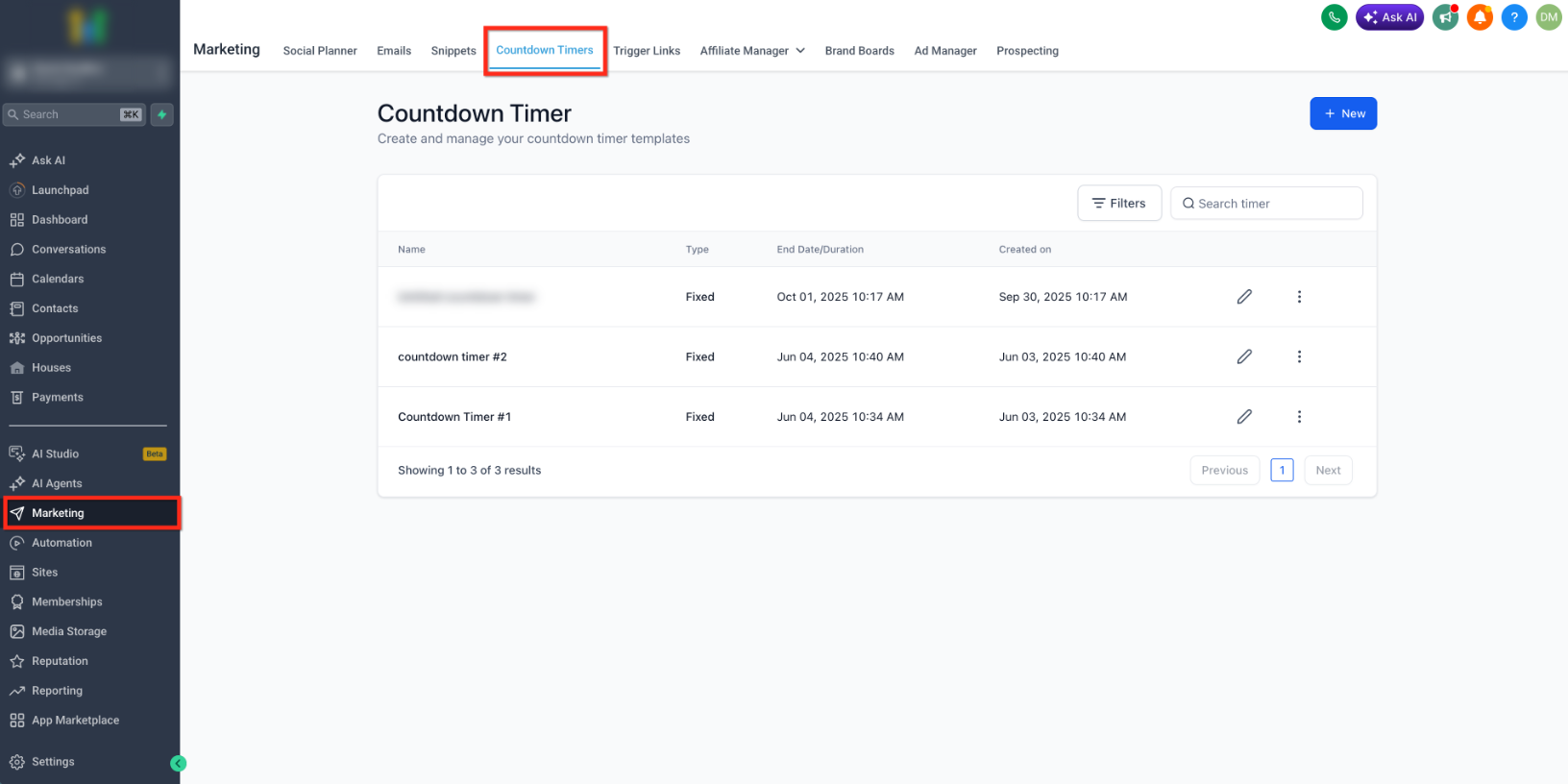
- Go to Marketing > Countdown Timer and open the countdown timer you want to update (or create a new one).

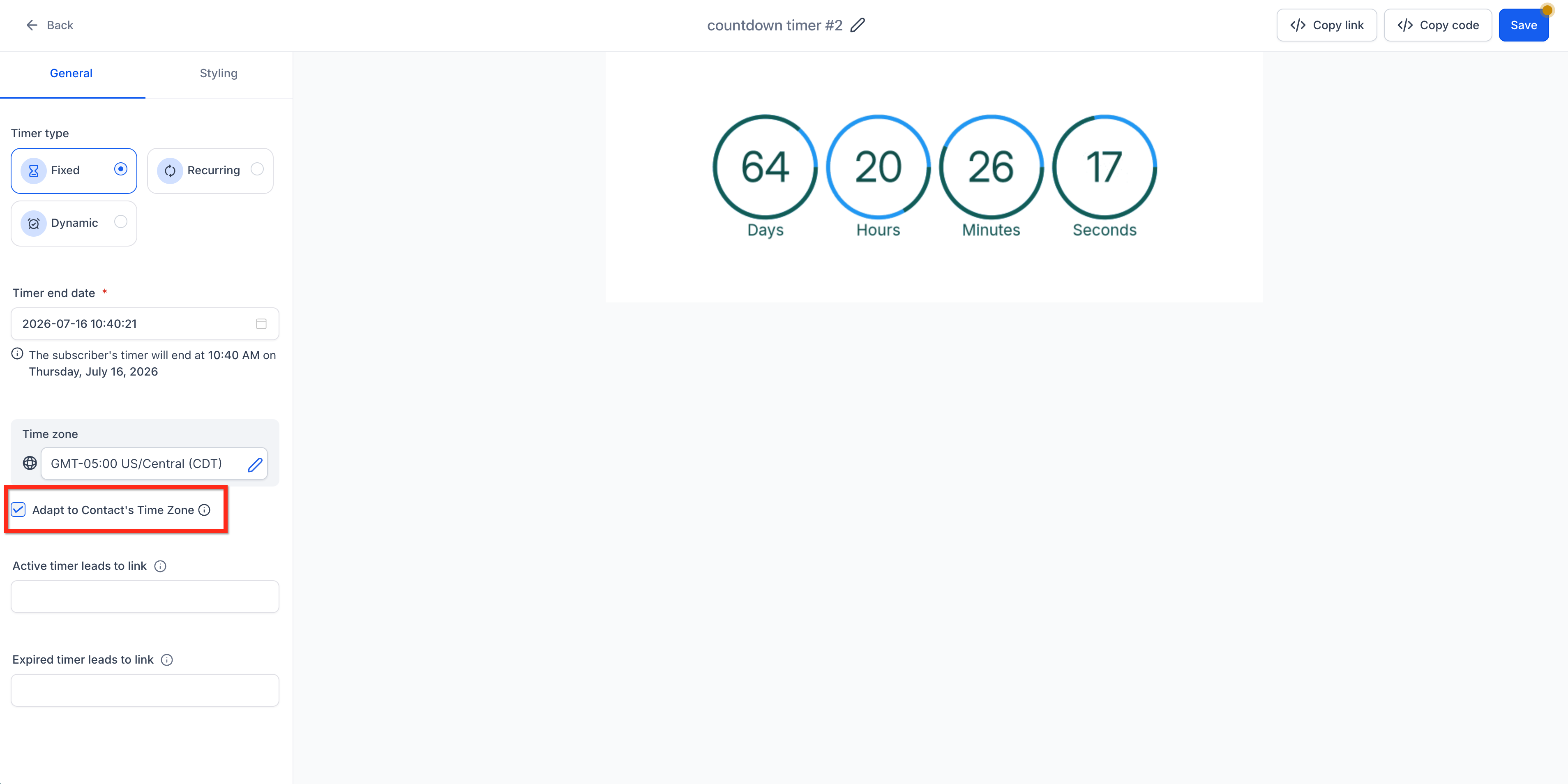
- In the timer settings, select the Time zone that should be used as the fallback timezone.
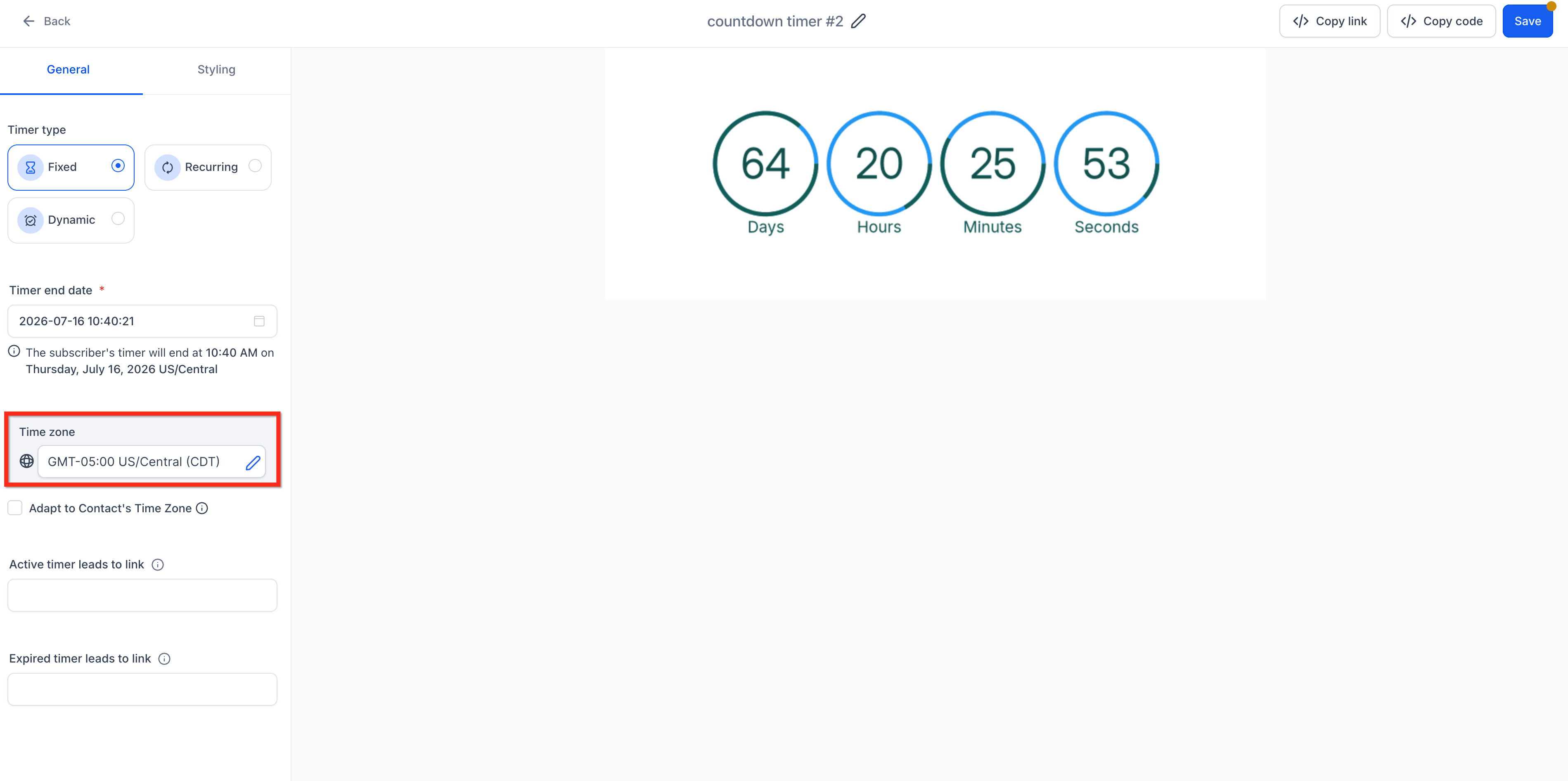
- Check the Adapt to Contact Time Zone box.

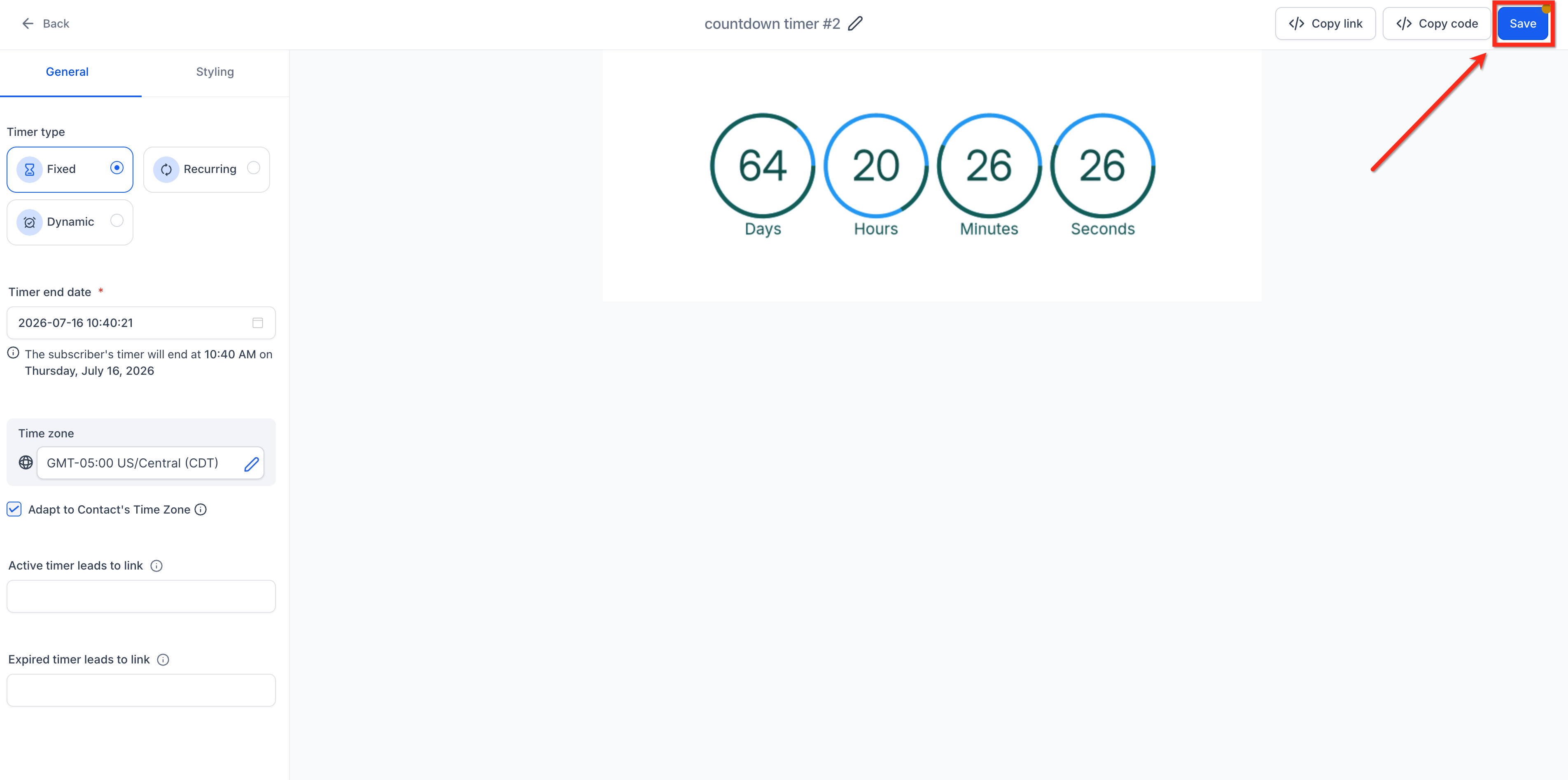
- Save the countdown timer. This timer can now be added to your websites, funnels or emails. Timezone logic will automatically apply!
For more information, see How to Use Countdown Timer in Emails and How to Use Countdown Timers in Funnels.
How Timezone Adaptation Works for Email Timers
Email countdown timers rely on contact-level timezone data first. When a countdown timer is used in an email, the system checks whether the contact has a timezone available. If the contact timezone exists, the timer adapts to that timezone. If the contact timezone is missing, the timer uses the fallback timezone selected when the countdown timer was created.
| Scenario | What Happens |
|---|---|
| Contact's timezone is set | End time converts to the contact’s timezone. |
| Contact's timezone is NOT set | We retain the original timezone selected when creating the timer (fallback). |
Example: If a countdown timer is created in IST and Adapt to Contact Time Zone is enabled, a contact in New York with an EDT timezone may see a different remaining time than a contact in India with an IST timezone.
How Timezone Adaptation Works for Funnels and Websites
Funnels and websites rely on the IP-detected timezone. This allows countdown timers on public pages to adapt based on the visitor’s detected location. If the visitor's timezone cannot be detected, the timezone selected during countdown timer setup is used as the fallback.
| Scenario | What Happens |
|---|---|
| Visitor timezone is detected from IP | The countdown adapts to the visitor’s detected local timezone. |
| Visitor timezone cannot be detected | The countdown uses the timezone chosen during timer setup as the fallback. |
Frequently Asked Questions
Q: What happens if a contact has no timezone?
The timer uses the timezone chosen in the creation settings (fallback).
Q: How do recurring timers work with timezone adaptation?
The start time adapts to each viewer’s timezone, and the end time is auto-calculated based on the recurring rules.
Q: Does the selected timezone still matter after I enable Adapt to Contact Time Zone?
Yes. The selected timezone is still important because it is used as the fallback timezone when contact or visitor timezone data is unavailable.
Q: How do funnels and websites determine the visitor timezone?
Funnels and websites use IP-detected timezone logic. If the timezone cannot be detected from the visitor’s IP, the selected timer timezone is used as the fallback.
Related Articles
Was this article helpful?
That’s Great!
Thank you for your feedback
Sorry! We couldn't be helpful
Thank you for your feedback
Feedback sent
We appreciate your effort and will try to fix the article