A Race Condition is when two (or more) updates happen at the same time (in the same second). The two changes "race" and they might execute in a different order than they should, or one might signal that it executed but it really didn't.
TABLE OF CONTENTS
- Open the exact execution via the message deep link
- Example Race Condition: Add Tag Executed But Not Added
- How To Prevent a Race Condition
Open the exact execution via the message deep link
Opening the execution directly from the impacted message ensures you’re reviewing the correct run, contact, and timestamp before diagnosing timing issues.
Steps:
Go to Conversations and open the conversation with the impacted message.
Open message details for the message.
Click Workflow (deep link) to open Execution Details with context loaded.
Review the timestamps and action order to confirm whether multiple actions fired in the same second.
Fallback:
If the Workflow link is not available in message details, open the execution from logs:
Workflows → open workflow → Logs, then filter/search by contact and the time window around the message.
Example Race Condition: Add Tag Executed But Not Added
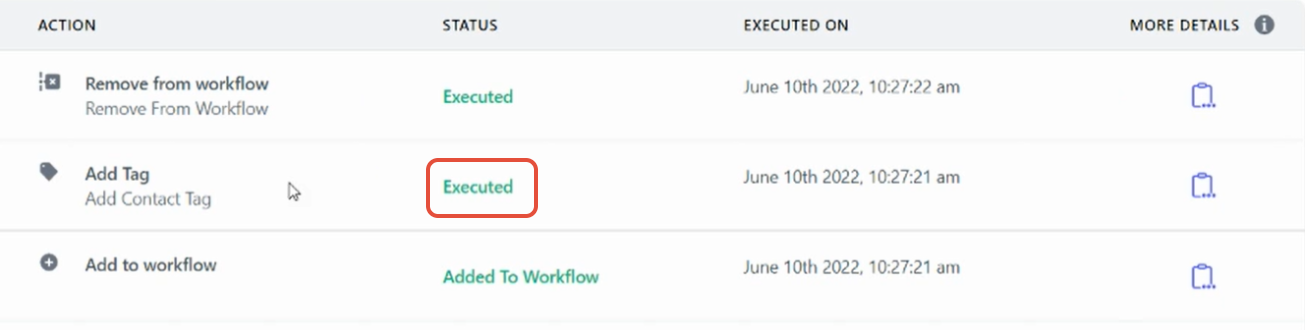
In this example, we can see that the tag was added successfully to this contact in the workflow execution logs.
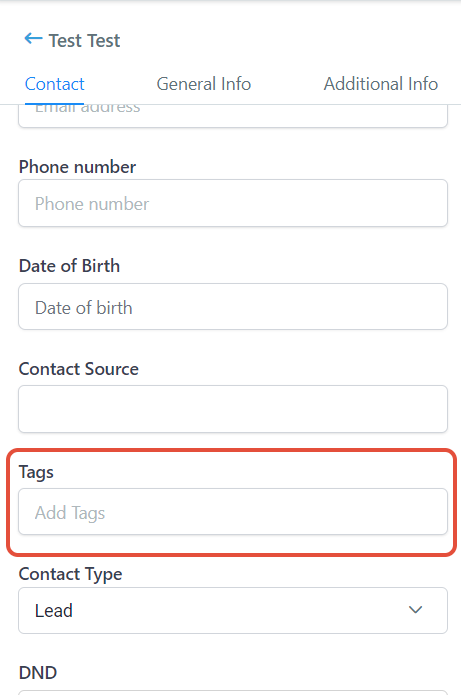
However, when we check the contact record, there is no sign of the tag.
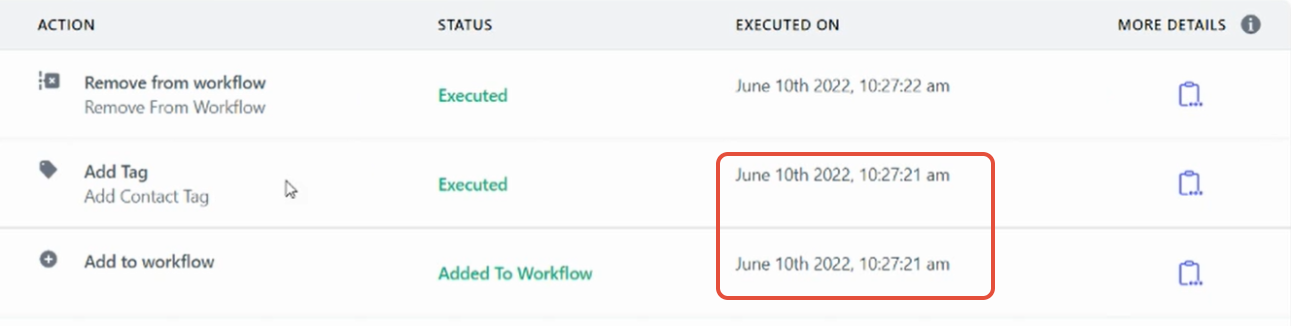
Lets go back to the execution log and pay attention to the time. The "Add to workflow" and "Add Tag" action fired at the same time within the exact same second, which is a race condition.
How To Prevent a Race Condition
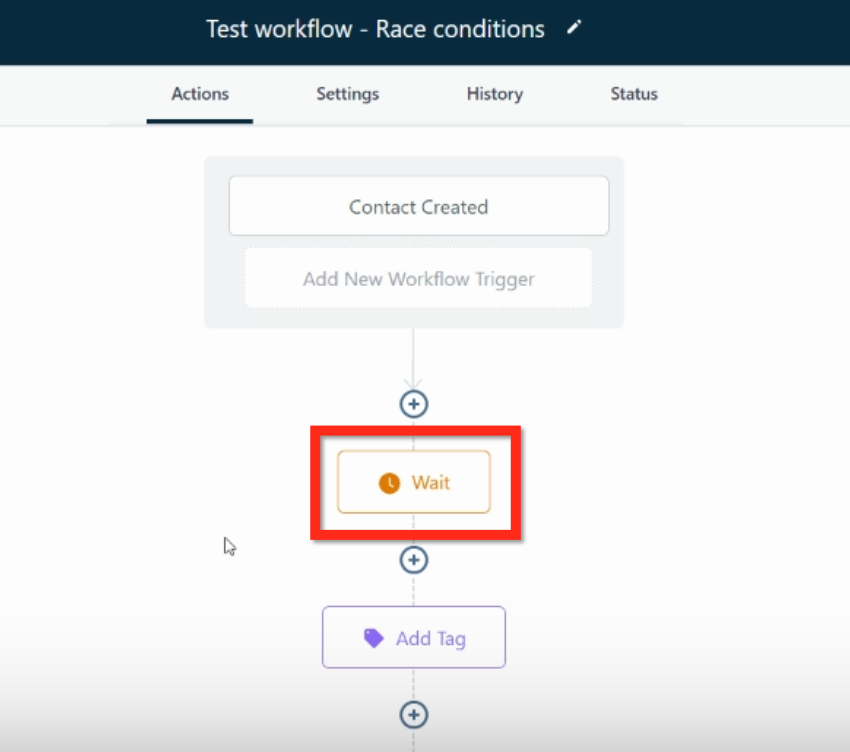
To fix the race condition, just add a Wait action of 1 minute.
https://www.loom.com/share/f4adf9e14dab429da0cc2fedbb7e5e36
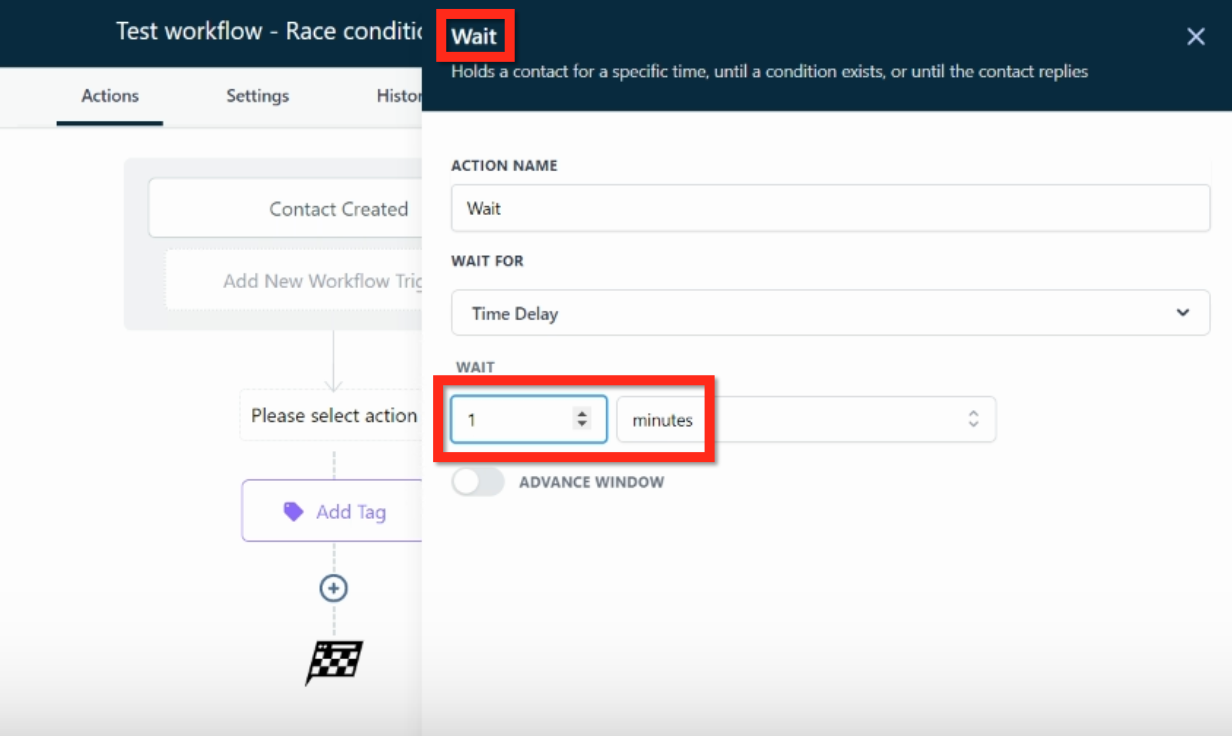
With a Wait 1 minute action, there is no chance of the race condition occurring.
Was this article helpful?
That’s Great!
Thank you for your feedback
Sorry! We couldn't be helpful
Thank you for your feedback
Feedback sent
We appreciate your effort and will try to fix the article