Email providers and anti-spam networks monitor bounce rates for every email you send and use that information to suspend sending for accounts with high bounce rates. High bounce rates directly hurt your email deliverability.
This article covers what bounces are, what causes an account suspension, how to fix a hard bounce and reactivate the account, the best practices that prevent it happening again, and the latest changes to the Bounce AUP Lock system.
What Are Bounces?
A bounce occurs when an email is not delivered, or is rejected, by the recipient's email provider. There are two types:
The recipient address does not exist, or the domain is invalid. Hard bounces are permanent — do not retry these addresses.
A temporary failure — the recipient server is down, the mailbox is full, or the message was too large. Soft bounces can resolve on their own, but repeated soft bounces become a problem.
What Causes an Account Suspension
Bounce rate thresholds are monitored continuously. If your bounce rate exceeds the industry threshold (below 5%), we temporarily suspend email sending for the account.
A high bounce rate signals that the account is sending emails to invalid addresses, or that external spam filters are refusing delivery due to past sending behavior. A healthy bounce rate is typically in the range of 0–3%.
During an email-sending suspension, only outbound sending is disabled. All other features in the account continue to work normally.
The Bounce Block System
Blocks escalate in three stages. The first two are 12-hour temporary blocks; the third is permanent and requires Support to lift.
| Bounce Rate | Action | Duration | Block Level |
|---|---|---|---|
| 3% | Warning email sent | Immediate notification | Pre-block warning |
| 5% | Email sending suspended | 12 hours | 1st block |
| 3% (after 1st block) | Critical warning email sent | Immediate notification | Pre-2nd block warning |
| 5% (after 1st block) | Email sending suspended | 12 hours | 2nd block |
| 3% (after 2nd block) | Final warning email sent | Immediate notification | Pre-3rd block final warning |
| 5% (after 2nd block) | PERMANENT SUSPENSION | Permanent | 3rd block — FINAL |
If a permanent bounce block is applied, you'll see the following error:
"Email sending is blocked due to a high bounce rate. Unblock email sending by enabling the Email Verification Service."
Enable the Email Verification Service to reduce bounce rates and lift the block. If the issue persists, you must contact Support for further assistance.
Requesting a Permanent Email Unblock
Permanent unblocking cannot be automated. It requires a manual review by the Support team.
Open a ticket with the Support team to start a review request.
In your request, clearly include:
- Subaccount ID
- Screenshot or confirmation of the error message — for example, "Email sending is blocked due to a high number of spam blocks from email providers."
Submit and wait for the Support team to review.
The Support team will review your sub-account, including:
- Email sending history
- Bounce rate and spam complaint rate
- List acquisition methods and sending practices
Approval is not guaranteed and depends entirely on compliance with email best practices.
What Should You Do Now?
When a sub-account is suspended, the sub-account email address receives an alert. From that point, take the steps below:
Run your contacts through the Email Verification Service to eliminate addresses that are unverifiable or non-existent and would ultimately bounce.
If the sub-account belongs to a client, discuss the situation with them and advise that they not send bulk communication or cold email campaigns until the issue is resolved.
Not following the recommended remediation measures may result in restrictions on email capabilities for the location. If Complaint, Unsubscribe, or Hard Bounce rates continue to deteriorate, the sub-account may be blocked.
How to Prevent Future Suspensions
The location should be able to send emails 24 hours after you receive the non-compliant email notification.
There isn't currently a way to easily locate the remaining recipients who didn't get the email before sending was blocked. The workaround: export the email statistics, reupload to tag the contacts who did receive it, then use a Smart List to filter for contacts without that tag and re-send.
Learn more about Email Statistics.
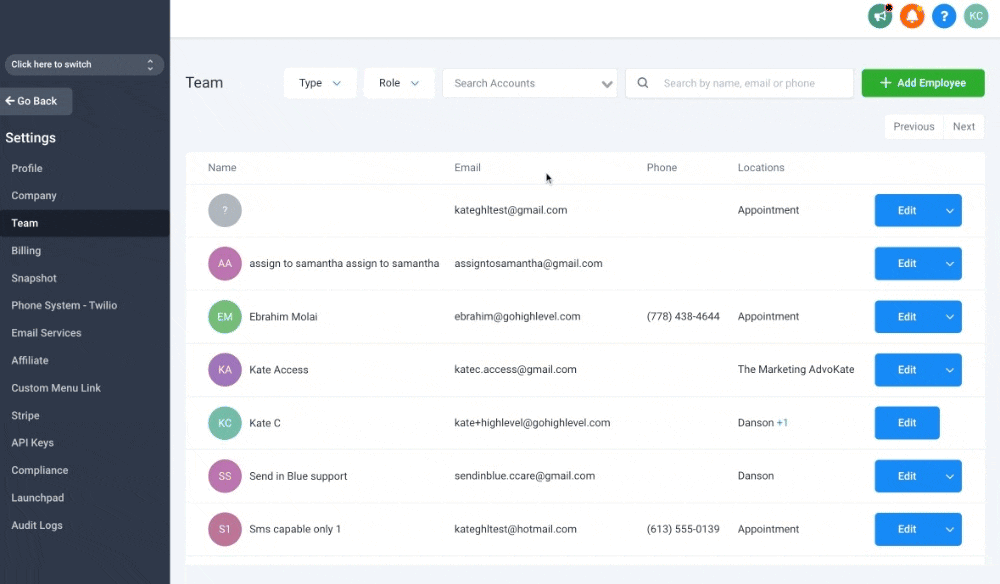
If you don't want to receive these notification emails, change your user role from agency admin to user.
Email Best Practices
If your contacts were imported earlier, verify all existing contacts before sending. Bounced emails will be marked as invalid and DND won't be picked up by campaigns, bulk sends, or workflows.
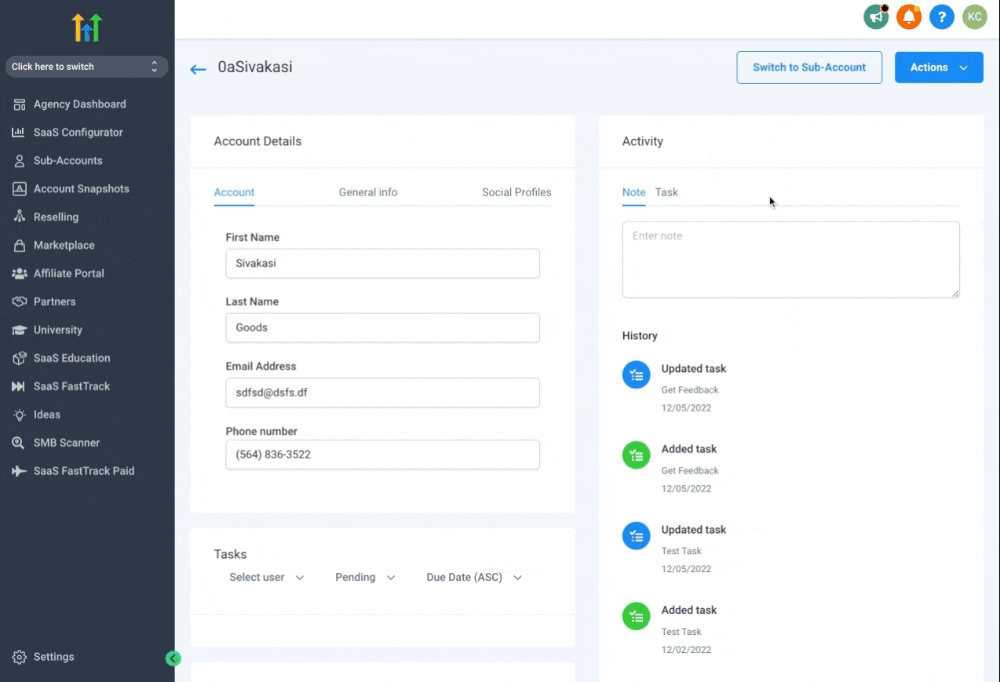
From the agency view: Sub-accounts → click the sub-account name → scroll to Enable Re-verification for 90 days.
Read How to Set Up a Dedicated Sending Domain (LC Email) to move off shared sending infrastructure.
If you set up replies.yourcompany.com, you can send from sender_name@yourcompany.com. Authentication aligns across the sending and reply domains.
References: Masking Sender Emails — From Name & Address · Email Authentication — DMARC
Avoid bursts of large-volume sends — they spike bounce rates and trigger spam filters. See Bulk Actions for Contacts & Smart Lists.
Include a consent checkbox on your sign-up forms. Example wording:
By providing your name and contact information, you are expressly consenting to receive communications from COMPANY_NAME or one of their licensed agents, which may include phone calls (including to any wireless number that you provide, including via automatic telephone dialing systems or artificial/pre-recorded messages), text messages, and/or emails for marketing insurance products and services including health, Medicare, and life insurance plans. By providing your information, you understand that your consent is not a condition of the purchase of any product or services, and carrier messaging and data rates may apply. You may revoke this consent at any time by calling us at 1-800-000-000 or emailing us at EMAIL_HERE to be placed on our do-not-call list.
A clear, working unsubscribe link reduces spam complaints (which feed into the same suspension thresholds). See How to Set Up Unsubscribe Links for LC Email.
Bounce AUP Lock: What's Changing (Effective Aug 13, 2026)
Starting August 13, 2026, the Bounce AUP Lock — the automated system behind the bounce block escalation in Section 3 — now requires a larger, more statistically reliable sample before it can lock an account. The goal is the same (catch genuinely bad lists), but low-volume senders are far less likely to be caught by noise.
Two changes take effect together under 1. Bounce Lock:
Before: The system would evaluate bounce rate after just 50 emails sent — far too small a sample.
After: The minimum send count before a lock can fire is now tiered based on the bounce rate. Higher rates still trigger earlier; borderline rates require more sends to confirm.
Before: Just 15 bounced emails could contribute to a lock.
After: At least 25 bounces must occur before the system considers locking. This aligns with the new send floor — at 500 sends and a 5% rate, exactly 25 bounces occur.
Out of every 10 bounce locks that fired, 7 were on senders who hadn't sent enough emails to make a reliable decision. A sub-account sending 60 emails with 3 bounces (5%) would get locked — even though 3 bounces tells us nothing about their actual list quality.
The system now waits for a statistically meaningful sample before locking. Senders with genuinely bad lists are still locked. Senders caught on noise are no longer disrupted.
Frequently Asked Questions
Was this article helpful?
That’s Great!
Thank you for your feedback
Sorry! We couldn't be helpful
Thank you for your feedback
Feedback sent
We appreciate your effort and will try to fix the article