When you make changes to a client sub-account (like new workflows, forms, or funnels), your existing snapshot does not update automatically. To capture these new changes and make them available for future imports or updates, you need to manually refresh the snapshot.
TABLE OF CONTENTS
- How to Refresh a Snapshot
- Handling Failed Assets during Refresh
- Workflow Contact Cleanup After Snapshot Refresh
- What Happens When You Click “Push Updates”?
- Quick Tips
How to Refresh a Snapshot
- Go to your Agency View and click the Account Snapshots tab from the left-hand menu
- Find the snapshot you want to update and click the Refresh icon next to that snapshot
- Select which new or modified assets you want to include
- Click Refresh to finalize the update.
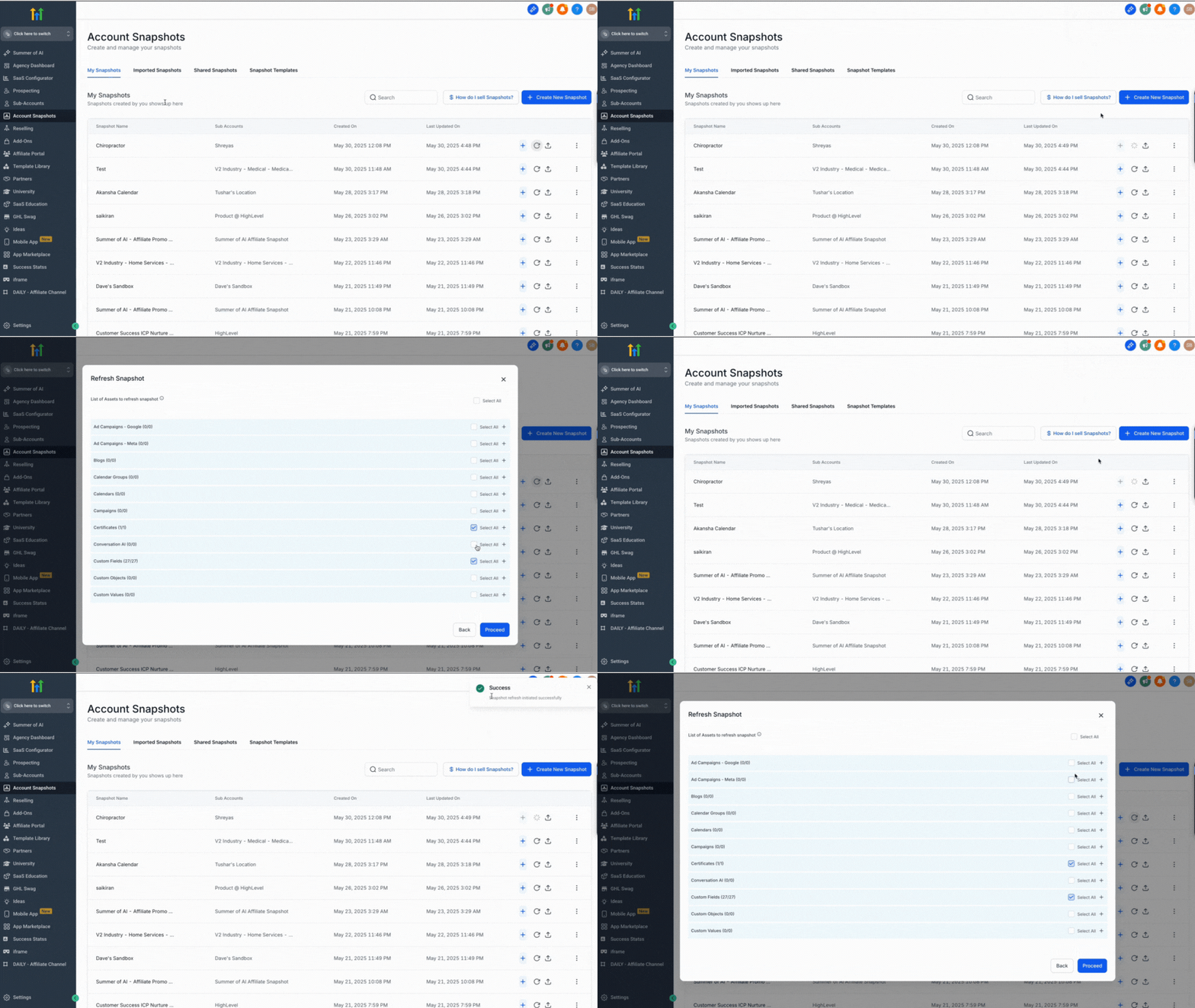
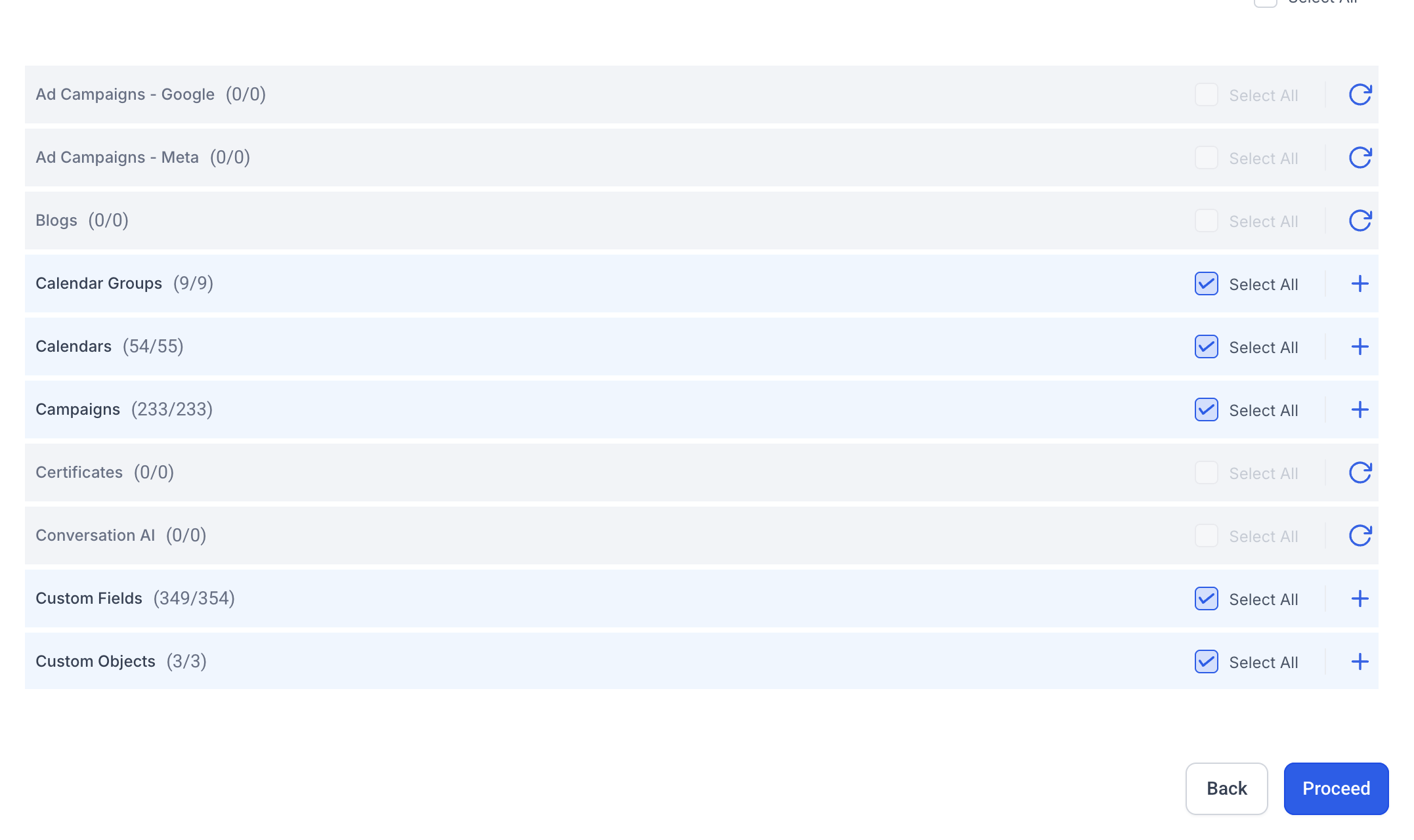
Note: After you click Refresh, HighLevel loads the selected assets from the source sub-account. You’ll see a progress indicator showing how many assets have been loaded. If some assets fail to load, the refresh will still continue for the others instead of stopping the entire process.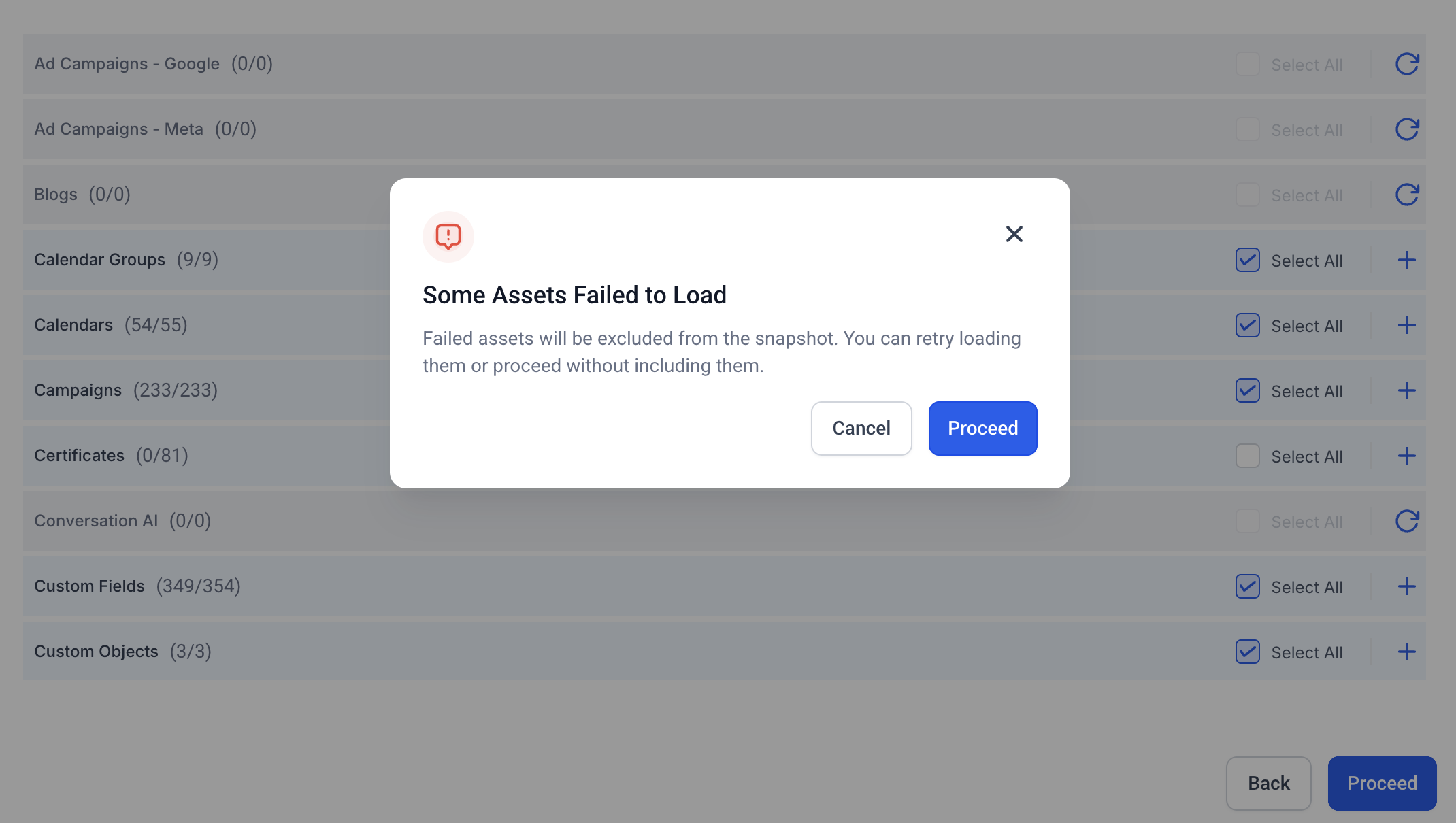
Handling Failed Assets during Refresh
If one or more assets fail to load during a refresh, they will be marked as failed while the rest of the selected assets continue processing.
You can retry loading only the failed assets instead of restarting the entire refresh. This helps you fix temporary issues (like intermittent timeouts) without blocking the overall snapshot update.
Workflow Contact Cleanup After Snapshot Refresh
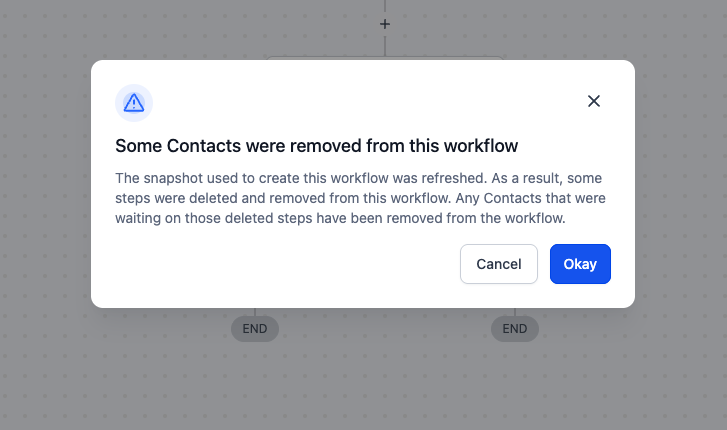
If a snapshot refresh removes steps inside workflows that were created from the snapshot (for example, deleting a wait step), HighLevel automatically removes any contacts that were waiting on the deleted step so they don’t get stuck.
What you’ll see:
- A one-time heads-up appears the next time you open an affected workflow (shown only when it applies).
- In Execution Logs, the workflow records an entry labeled “Removed by - Snapshot Refresh” with more details in the side panel.
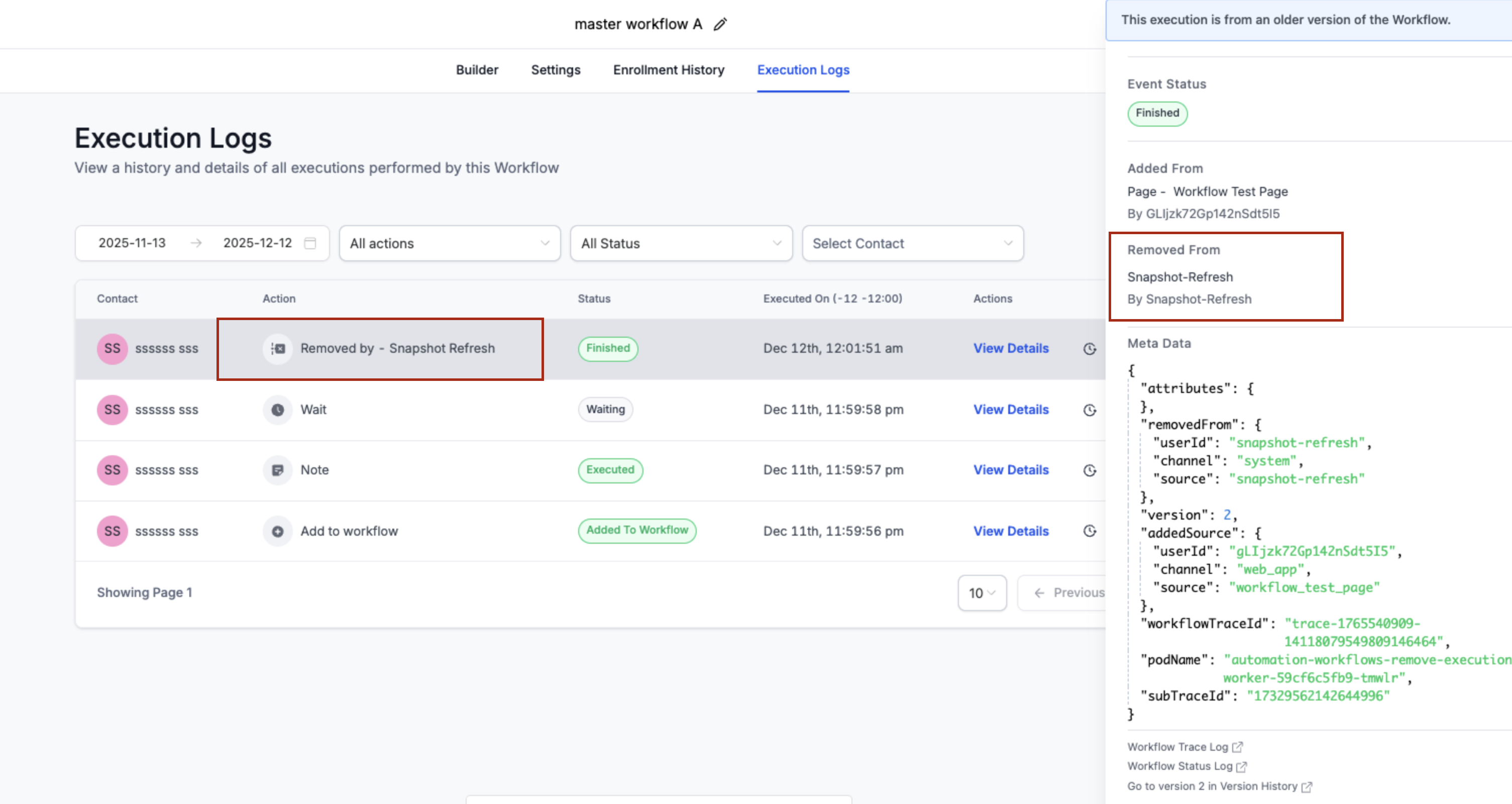
Note: This applies only to workflows created from snapshots when a refresh deletes steps. Directly deleting a step in a workflow already removes waiting contacts.
What Happens When You Click “Push Updates”?
After refreshing a snapshot, you’ll see the “Push Update” button available for that snapshot. Clicking it lets you:
- Select which sub-accounts (that previously imported this snapshot) should receive the update
- Choose the assets to push (e.g., only workflows, or specific forms)
- Manually sync updates into those sub-accounts without reloading the entire snapshot
Note: Updates only push to sub-accounts inside your own agency. External agencies must re-import using a new link.Quick Tips
- Always refresh your snapshot before sharing or pushing updates
- Use the Push Update feature to sync selected changes to client accounts
- Pushed updates are selective, not destructive - existing data stays safe
Was this article helpful?
That’s Great!
Thank you for your feedback
Sorry! We couldn't be helpful
Thank you for your feedback
Feedback sent
We appreciate your effort and will try to fix the article