SMS AI: Generate SMS Messages with AI in Workflows

Modified on: Wed, 9 Sep, 2026 at 8:30 AM

Workflow Automation

SMS AI: Generate SMS Messages with AI in Workflows

Create professional, high-converting SMS messages instantly using AI-powered prompts directly in your workflow SMS actions.
What You'll Learn

This article explains how to use SMS AI to generate professional SMS messages in your workflows without manual copywriting. Simply describe your use case, select a tone, and let AI create the perfect message for your audience.

You'll learn what SMS AI is, how it works, and the complete step-by-step process to generate and implement AI-powered SMS messages in your workflows.

1

What is SMS AI?

SMS AI is a built-in AI-powered assistant in HighLevel workflows that helps you generate professional, high-converting SMS messages instantly. Instead of manually writing SMS copy, you simply describe your use case in plain language, and the AI creates context-aware messages tailored to your needs.

This feature is integrated directly into workflow SMS actions, making it easy to create compelling messages without copywriting expertise. You can customize the tone, regenerate variations, and implement the AI-generated content with a single click.
2

Key Benefits

SMS AI transforms how you create workflow messages by combining speed, quality, and ease of use. Here are the primary benefits:

No Copywriting Needed — Generate professional SMS messages without writing expertise. Simply describe your goal and let AI handle the content creation.
Instant Generation — Create high-converting messages in seconds instead of spending time crafting copy manually.
Context-Aware Content — AI generates messages that match your specific use case, whether promotional, transactional, or informational.
Tone Customization — Select the tone that matches your brand voice, from professional to casual, or keep the default neutral tone.
Easy Regeneration — Use the built-in regenerate button to create variations or request improvements without starting over.
Seamless Workflow Integration — Generate and implement SMS content directly within your workflow SMS actions without leaving the builder.
3

How to Generate SMS Messages with AI

Follow these steps to create AI-generated SMS messages in your workflows:

Step 1
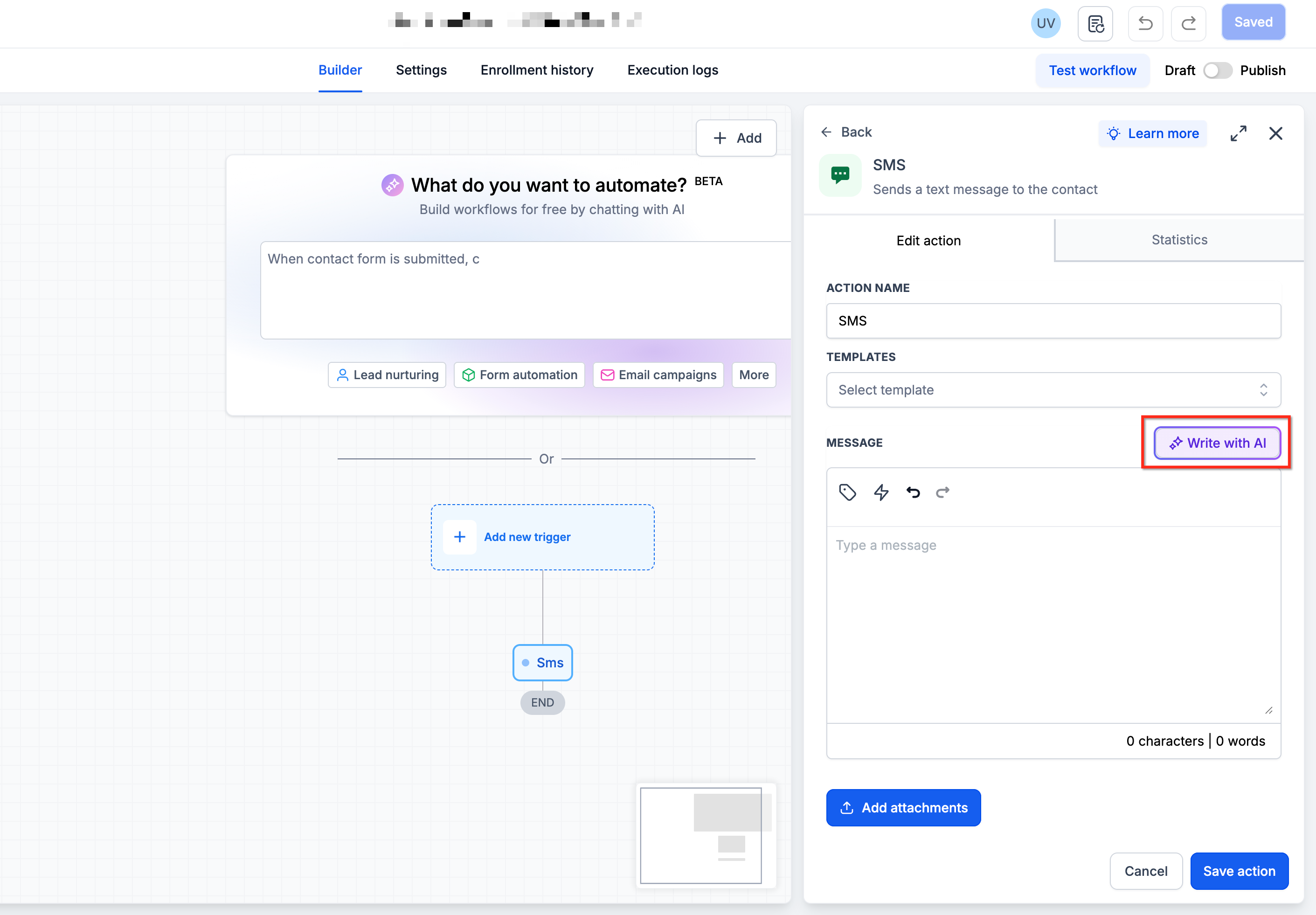
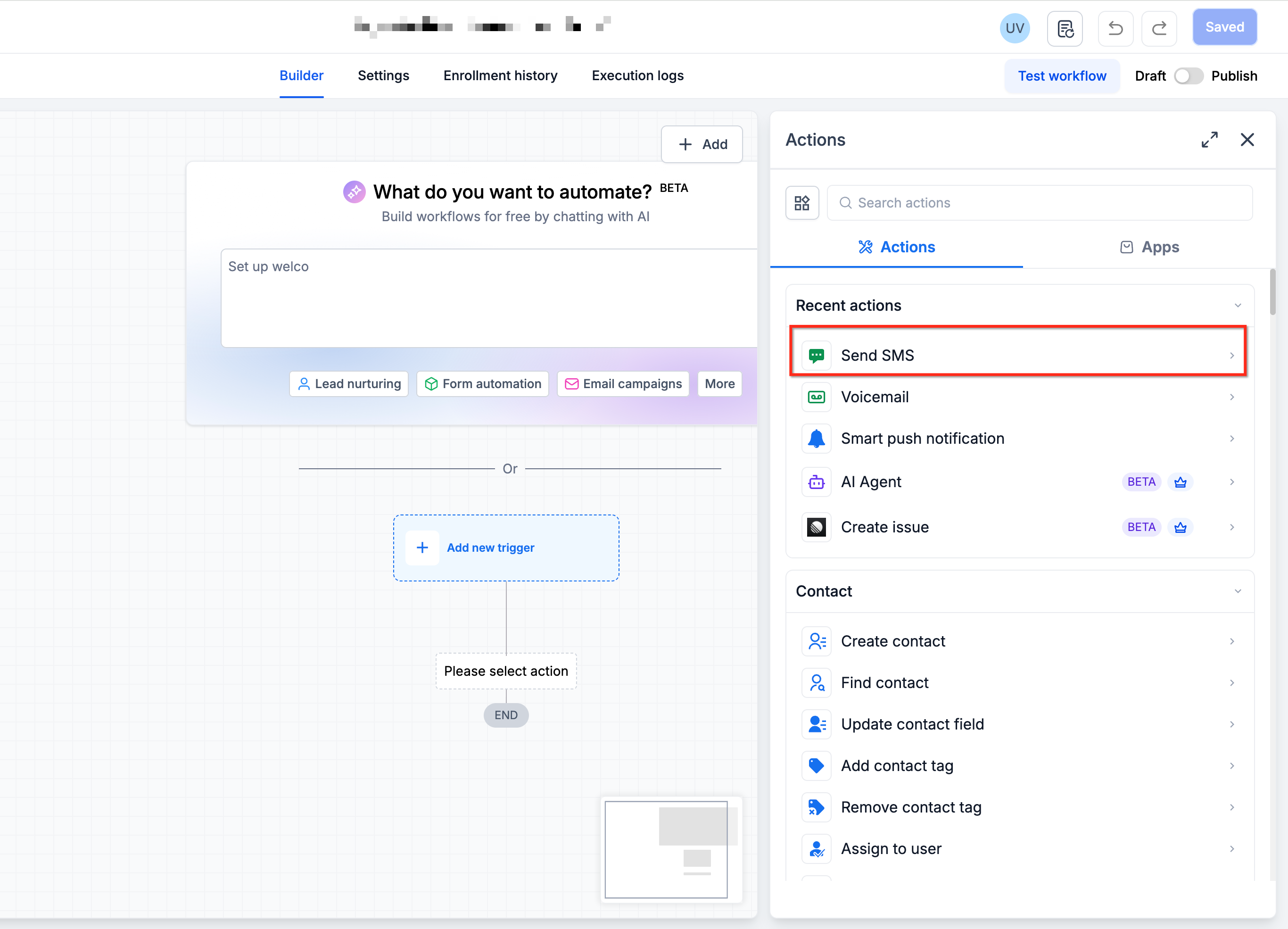
Select the SMS Action

Open your workflow in the workflow builder and add or select an existing SMS action where you want to generate the message content.

Step 2
Activate AI Assistant

Click the Write with AI button in the SMS action configuration panel. This opens the AI assistant interface.
Step 3
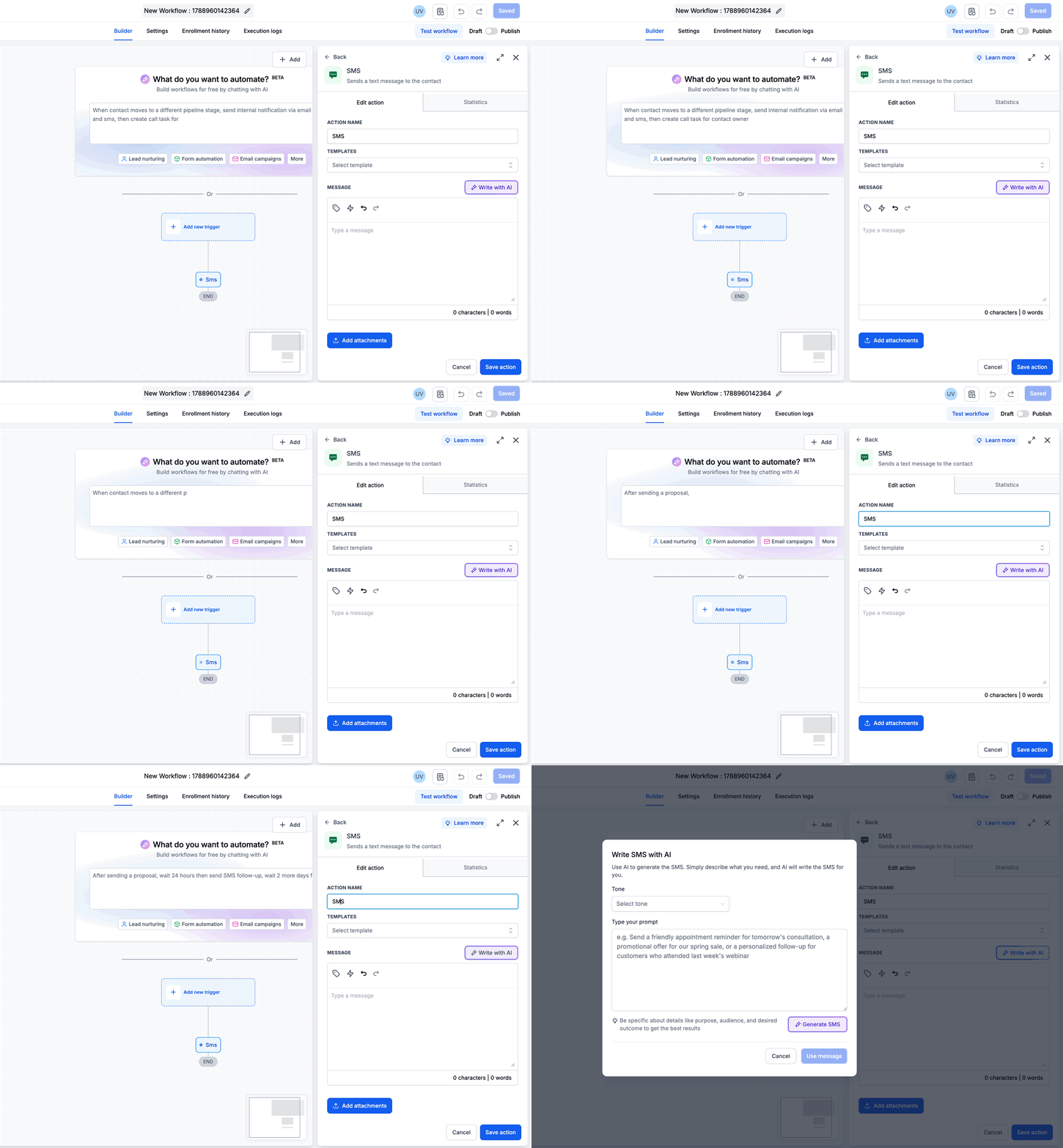
Describe Your Use Case

In the AI assistant input field, describe what you want the SMS to accomplish. Be specific about your goal and audience.

Example: "Write a promotional SMS asking users to take advantage of holiday season discounts and purchase Christmas themed merchandise."
Step 4
Select Tone (Optional)

Choose the tone that matches your brand voice. Options include professional, casual, friendly, urgent, and more. If you skip this step, AI uses a neutral tone by default.

Step 5
Generate the SMS

Click the Generate button. AI will create an SMS message based on your description and selected tone. The generated message appears in the preview area.

Step 6
Review and Implement

Review the AI-generated SMS content. If you're satisfied, click Use Message to insert it into your SMS action. The message is now part of your workflow.

Step 7
Regenerate if Needed

If the first output doesn't meet your needs, use the built-in Regenerate button to request variations or improvements from AI. You can regenerate as many times as needed without re-entering your description.

Pro Tip

The more specific your description, the better the AI-generated output. Include details about your audience, offer, urgency, and desired call-to-action for optimal results.

Coming Soon
Email AI is on the Way
Soon you'll be able to generate rich, personalized, and on-brand email content using AI prompts. Stay tuned for smarter email automation.
5

Frequently Asked Questions

Q: Do I need to write any SMS copy myself?
No. SMS AI generates complete messages based on your description. You only need to describe what you want the SMS to accomplish, and AI handles all the copywriting.
Q: Can I customize the tone of AI-generated messages?
Yes. When generating a message, you can select a tone that matches your brand voice. Options range from professional to casual. If no tone is selected, AI uses a neutral tone by default.
Q: What if the first AI-generated message isn't quite right?
Use the built-in Regenerate button to create variations or request improvements. You can regenerate as many times as needed without re-entering your original description.
Q: Can I edit the AI-generated SMS before implementing it?
Yes. After generating the message, you can review it and make any manual edits before clicking Use Message to insert it into your workflow SMS action.
Q: Where can I access SMS AI?
SMS AI is available directly within workflow SMS actions. When configuring an SMS action in the workflow builder, click the Write with AI button to access the AI assistant.
Q: What types of SMS messages can AI generate?
SMS AI can generate any type of message you describe, including promotional offers, appointment reminders, transactional notifications, follow-ups, seasonal campaigns, and more. The AI creates content that matches your specific use case.
Q: Is Email AI available yet?
Not yet. Email AI is coming soon and will allow you to generate rich, personalized email content using the same AI-powered approach as SMS AI. Stay tuned for announcements about Email AI availability.
Q: How specific should my AI description be?
The more specific, the better. Include details about your audience, the offer or message goal, urgency level, and desired call-to-action. Detailed descriptions help AI generate more targeted and effective messages.

Was this article helpful?

That’s Great!

Thank you for your feedback

Sorry! We couldn't be helpful

Thank you for your feedback

Let us know how can we improve this article!

Select at least one of the reasons
CAPTCHA verification is required.

Feedback sent

We appreciate your effort and will try to fix the article