Protected assets can now be reused and redistributed freely within your own agency through snapshots. Previously, once a snapshot with protected assets was imported, those assets were locked from any further use—even for purely internal builds. That restriction has been lifted at the only boundary that matters: leaving your agency.
TABLE OF CONTENTS
- Overview
- What's New
- Why It Matters
- How It Works
- 1. Building or refreshing a snapshot with protected assets
- 2. Sharing a snapshot that contains protected assets
- 3. Identifying protected (non-redistributable) snapshots
- Frequently Asked Questions
- Related Articles
Overview
If you've ever imported a snapshot containing protected assets (previously called “IP Protected”), you know the old limitation: you could load it into a sub-account, but you couldn't reuse those assets anywhere else in your agency.
We've lifted that restriction. Protected assets can now be reused and distributed within your agency through snapshots. The protection now applies only when assets attempt to leave your agency—sharing or reselling to another agency remains blocked, so the original creator's rights are always respected.
What's New
- Use asset-protected snapshots within your agency without restriction. Reuse protected assets across your own sub-accounts and snapshots freely.
- The restriction still applies at the agency boundary. Sharing or reselling protected assets to another agency remains blocked.
- Mixed snapshots can now be shared. If a snapshot mixes protected and non-protected assets, only the protected assets are held back when you share—everything else goes through normally.
- See what's restricted before you share. Check exactly which assets in a snapshot are marked as protected, so there are no surprises.
- Protection follows the assets correctly wherever they travel within your agency—import them, build from them, or pass them to another sub-account, and the system always knows what's protected and what isn't.
Why It Matters
Before, importing protected assets into your agency didn't give you full use of them. Any snapshot you built afterward—even for purely internal use—was blocked. It didn't matter that the assets never left your agency; the restriction treated internal reuse the same as reselling.
The fix: the restriction now applies only at the boundary that matters—leaving your agency. Inside your agency, protected assets are fully yours to build with.
- Reuse protected assets freely across your agency — build new sub-accounts and snapshots from assets you've imported, without hitting restrictions.
- No more dead ends — a snapshot with protected assets in it is no longer locked from further use just because of that.
- Creators stay protected — sharing or reselling protected assets to another agency is still blocked.
- Total clarity — know exactly which assets are protected and where the boundary applies before you share anything.
How It Works
1. Building or refreshing a snapshot with protected assets
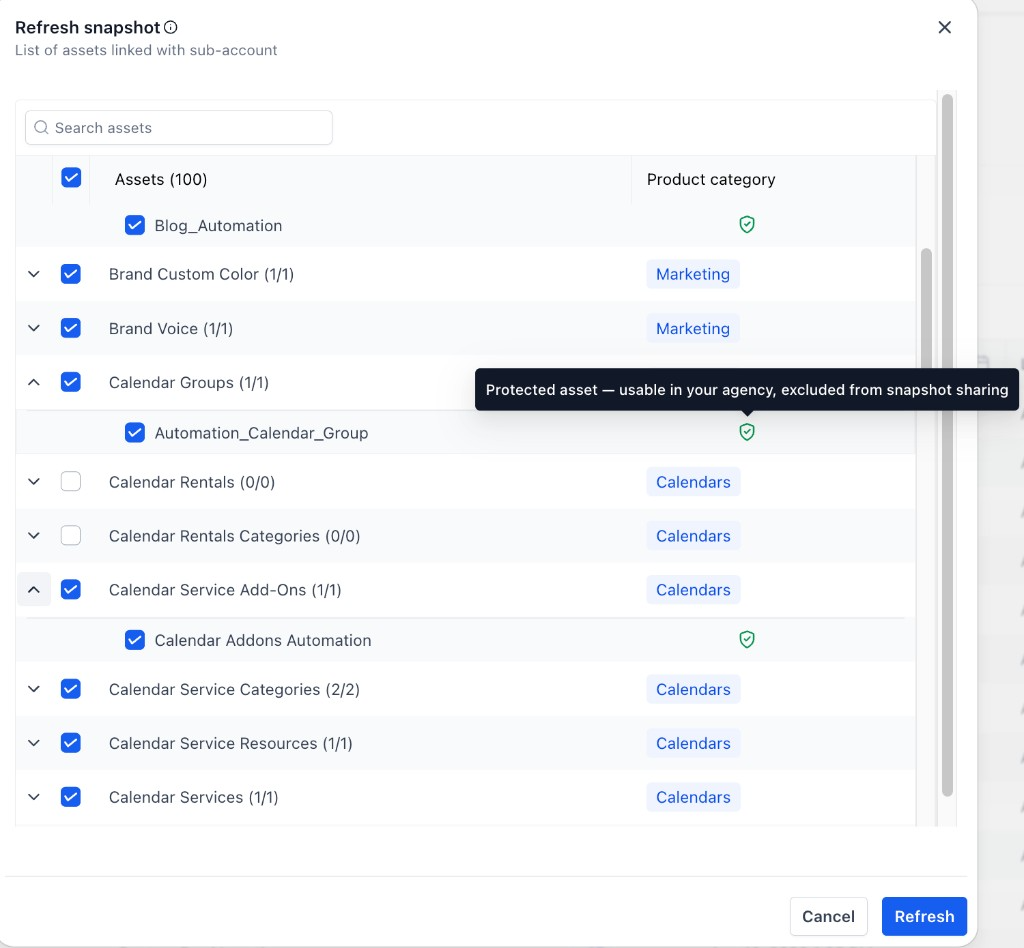
When you Create or Refresh a snapshot, protected assets now appear in the asset list and can be selected and included for use within your agency. A green shield icon marks each protected asset. Hovering over the shield shows:
“Protected asset — usable in your agency, excluded from snapshot sharing.”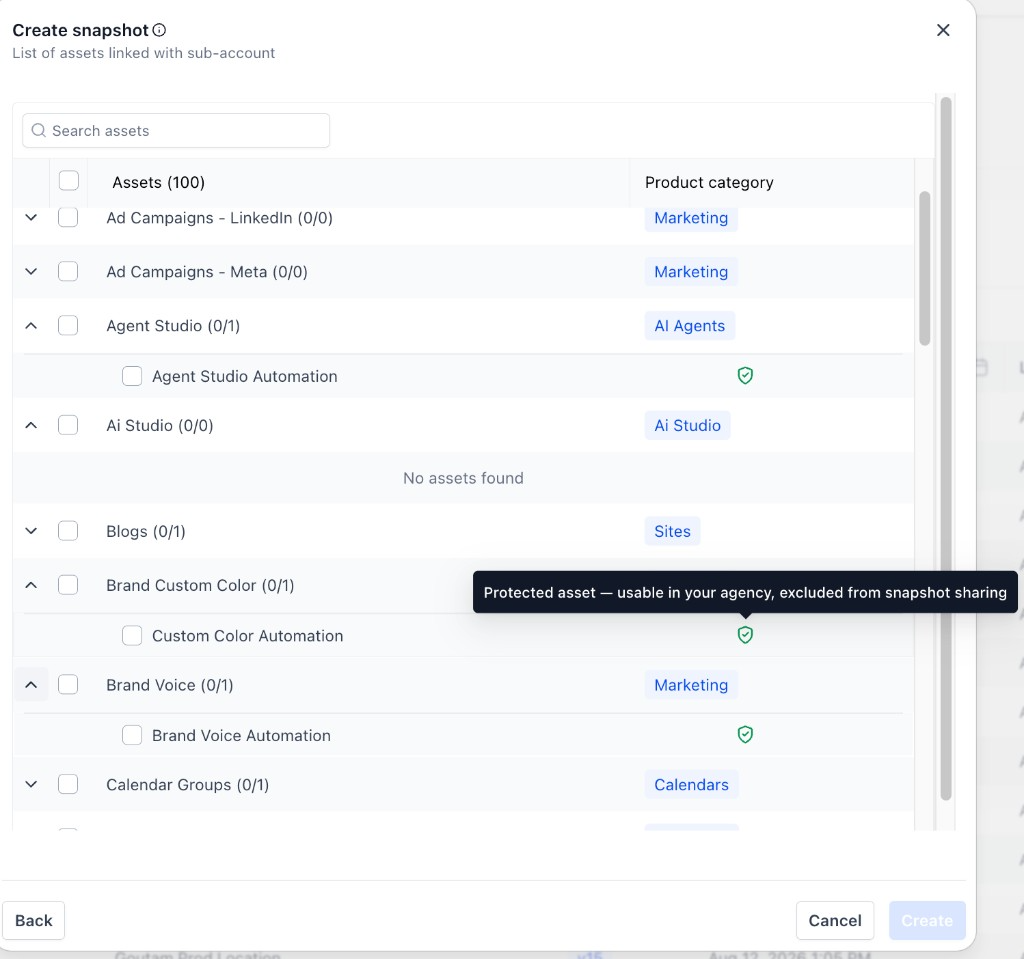
2. Sharing a snapshot that contains protected assets
When you share a snapshot that mixes protected and non-protected assets, HighLevel shows a “Some assets can't be shared” review screen. It clearly states how many assets are protected and excluded, and how many shareable assets will actually be included in the share.
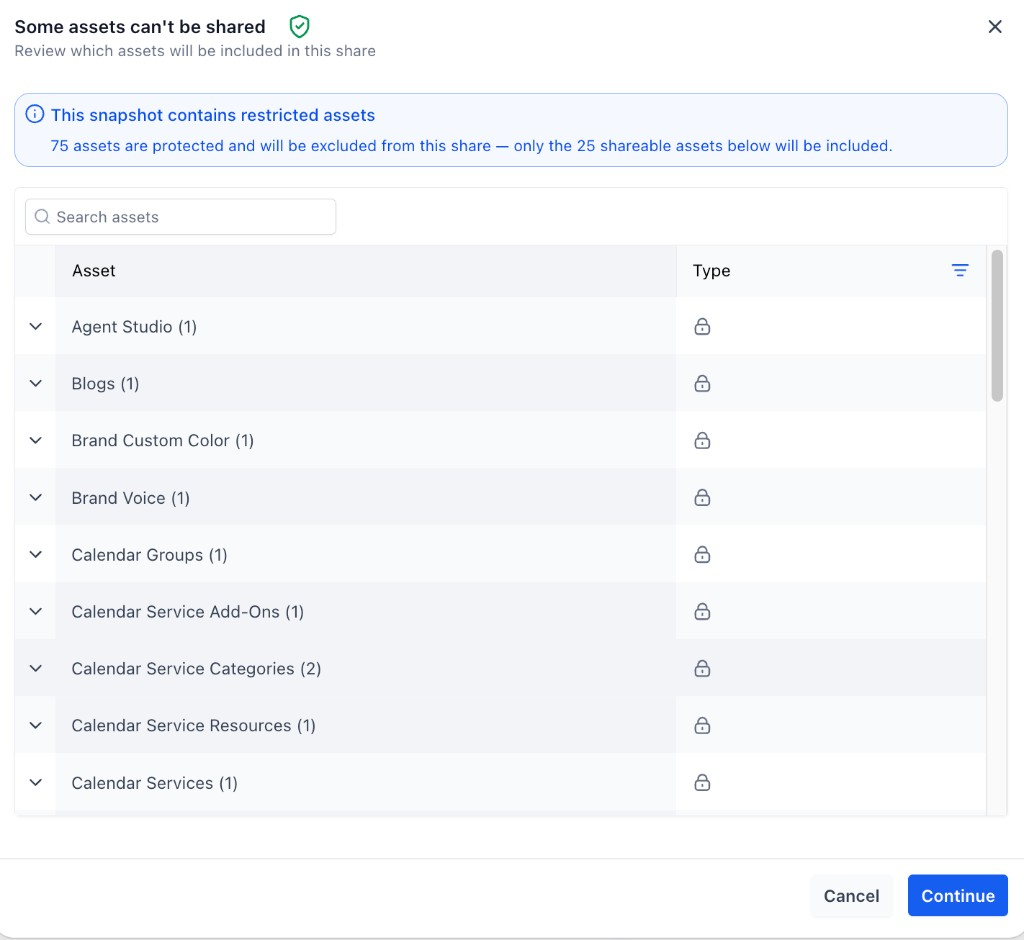
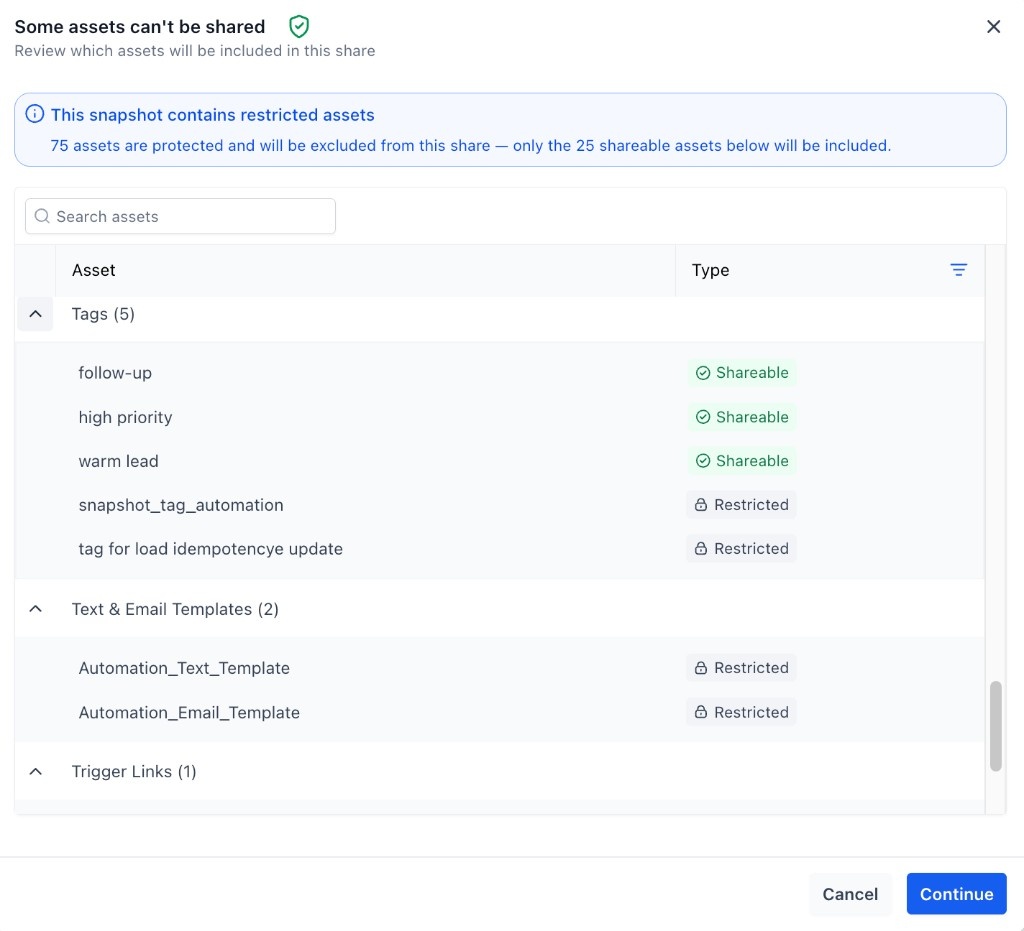
Expand any group to see each asset labeled as either Shareable or Restricted, so you know exactly what will leave your agency before you continue.
3. Identifying protected (non-redistributable) snapshots
In your Snapshots list, snapshots that contain protected assets display a shield indicator. Hovering shows: “This snapshot's assets cannot be redistributed.” This helps you tell at a glance which snapshots carry protection that will apply at the agency boundary.

Frequently Asked Questions
Q: Can I now reuse protected assets I imported in other sub-accounts within my agency?
Yes. Protected assets you've imported can be reused across your own sub-accounts and snapshots without restriction, as long as they stay within your agency.
Q: Can I share or resell protected assets to another agency?
No. Sharing or reselling protected assets to another agency remains blocked. Protection is enforced at the point where assets leave your agency.
Q: What happens if my snapshot contains both protected and non-protected assets?
You can still share it. Only the protected assets are excluded from the share—all shareable assets go through normally. You'll see a review screen listing exactly what's included and what's held back.
Q: How do I know which assets in a snapshot are protected before sharing?
The share review screen (“Some assets can't be shared”) lists every asset grouped by type and labels each as Shareable or Restricted, along with a count of protected vs. shareable assets.
Q: Does the protection carry over correctly when I build new snapshots or move assets between sub-accounts?
Yes. Protection follows the assets wherever they travel within your agency—whether you import them, build from them, or pass them to another sub-account—so the system always knows what's protected and what isn't.
Related Articles
Was this article helpful?
That’s Great!
Thank you for your feedback
Sorry! We couldn't be helpful
Thank you for your feedback
Feedback sent
We appreciate your effort and will try to fix the article