WhatsApp Usernames: Contact Capture Without Phone Numbers
Automatically capture new contacts when WhatsApp username adopters message your business for the first time.
What You'll Learn
WhatsApp is introducing usernames that let people message businesses without sharing their phone number. CRM supports this by automatically creating contacts from username-based messages.
This article explains how username-based contact capture works, what stays unchanged in your existing workflows, and where the feature currently has limits.
TABLE OF CONTENTS
| What Are WhatsApp Usernames? |
| Key Benefits |
| How Username-Based Contact Capture Works |
| What Remains Unchanged |
| Messaging and Reply Behavior |
| Regional Availability |
| Frequently Asked Questions |
What Are WhatsApp Usernames?
WhatsApp usernames are a privacy feature that let people message businesses without revealing their phone number. When a customer chooses a username instead of sharing their number, WhatsApp assigns a unique business-scoped user identifier (BSUID) to that relationship instead.
A BSUID is generated per user-per-business, is stable for the life of that relationship, and appears in the message payload wherever a phone number normally would. It's tied to your business specifically — the same customer messaging a different business gets a different BSUID, and a BSUID from one business cannot be used to message that customer on behalf of another.
This feature is part of WhatsApp's broader privacy initiative, giving users more control over their personal information while still enabling business communication.
Key Benefits
Username-based contact capture means you don't lose leads to customer privacy preferences:
No Gap in Lead Capture — Contacts are created automatically when username adopters message your business, so no conversation goes untracked.
Seamless Integration — Works automatically, with no setup changes needed to your existing WhatsApp configuration.
Customer Privacy Respected — Supports customer choice in how they share contact information, without losing your ability to engage and follow up.
Future-Ready — Positions your business for WhatsApp's evolving privacy features as username adoption grows.
How Username-Based Contact Capture Works
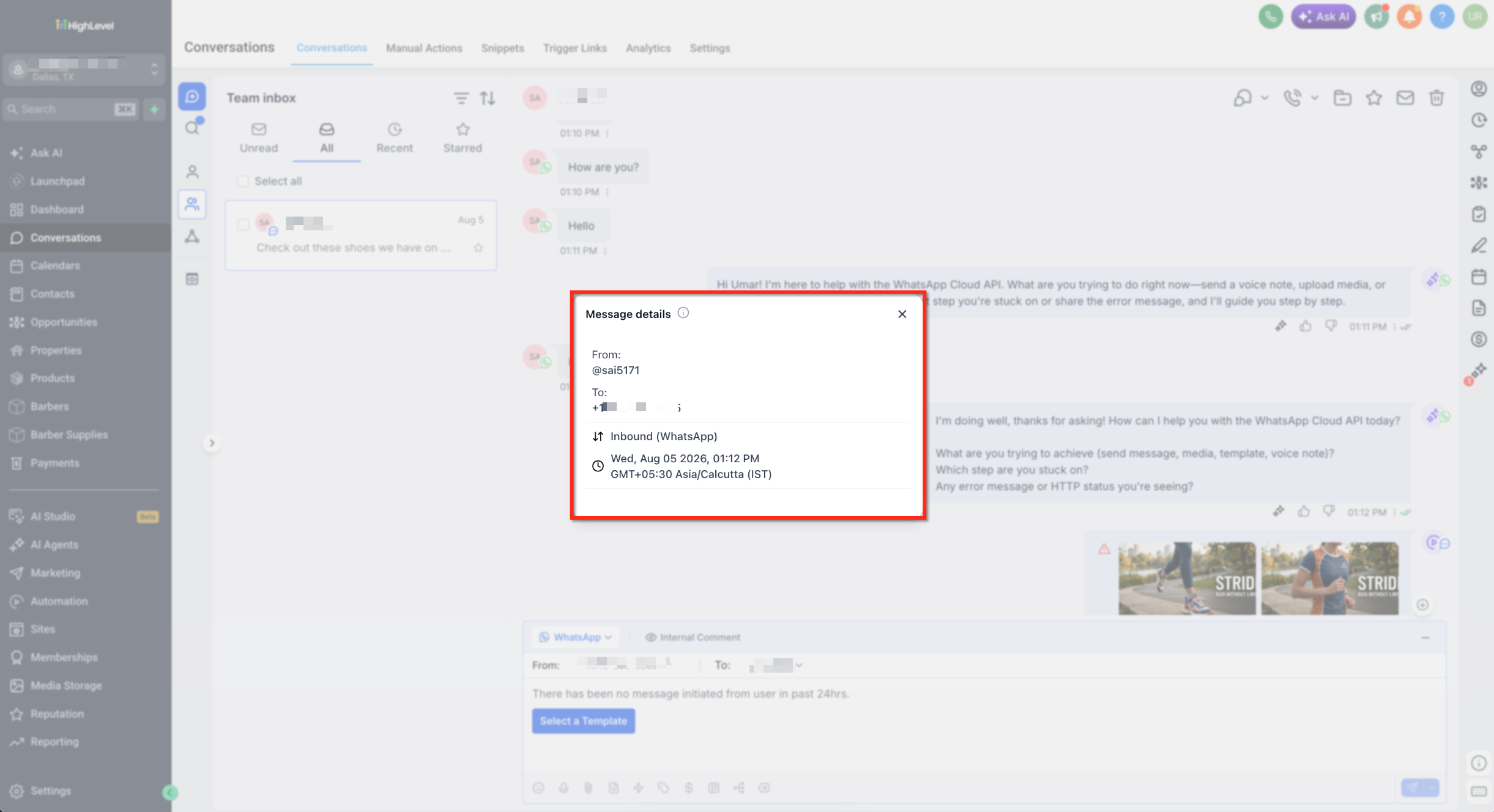
When a customer using a WhatsApp username messages your business for the first time, CRM automatically creates a contact record:
1 | Customer Initiates Contact A new customer messages your business through WhatsApp using their username instead of sharing their phone number. |
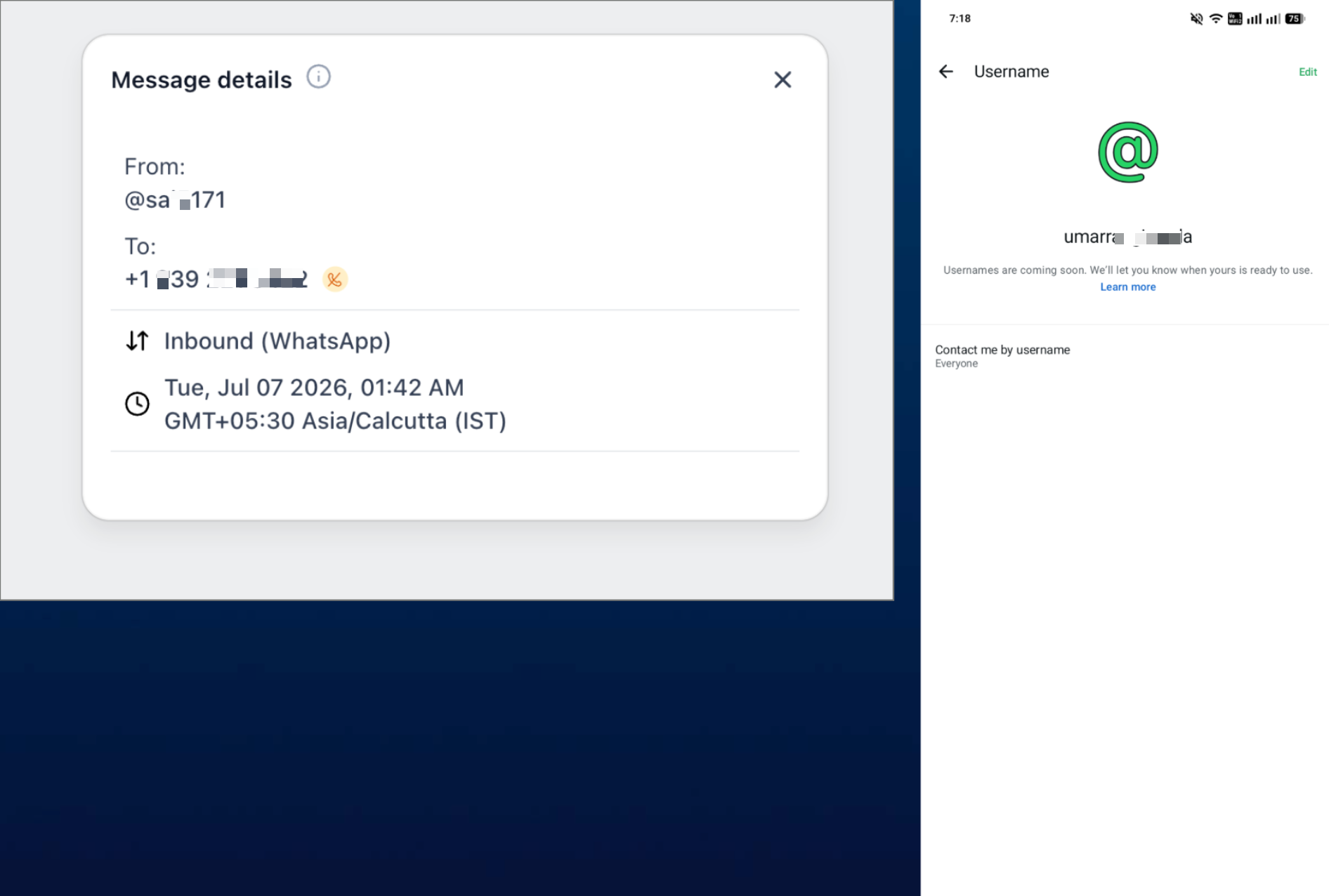
2 | WhatsApp Provides Username and BSUID WhatsApp sends the message along with the customer's username and a business-scoped user identifier (BSUID) instead of their phone number. |
3 | Contact Record Created CRM automatically creates a new contact using the username and BSUID. The conversation appears in your Conversations inbox just like any other WhatsApp message. |
4 | Engage and Follow Up Once the customer messages you first, their BSUID becomes available and you can reply following the standard WhatsApp session-window and template rules. |
What Remains Unchanged
Username support is additive. Your existing WhatsApp workflows continue exactly as before:
Phone Number Messaging
All phone-number-based WhatsApp messaging works exactly as it always has — send and receive with no difference in behavior.
Contact Import
Importing contacts by phone number continues to work exactly as it does today.
Existing Contacts
Your existing records, conversation history, and running automations are completely unaffected. The only change is that a first-time message from a username adopter now creates a contact using their username and BSUID instead of a phone number.
Important Context
Phone numbers are still shared for existing customers or those who have recently interacted with your business (within a 30-day window or already present in your Meta contact book). The number is withheld mainly for brand-new contacts whose first message to you uses a username.
Needs validation from Meta documentation: The specific "30-day window" figure above isn't independently confirmed against Meta's current public developer documentation. Treat it as directionally correct, but verify against the latest Meta rollout notes before quoting a specific day count to clients — Meta has been actively adjusting username and BSUID behavior throughout 2026.
Messaging and Reply Behavior
Understanding how to communicate with username-based contacts is essential for effective engagement:
Important Limitation
You cannot start a conversation with a username-only contact. WhatsApp provides no username lookup and routes messages only by phone number or BSUID, so there is no way to send cold outbound to a username-only lead.
You Can Reply
Once a username-based contact messages you first, their BSUID becomes available in your system. You can then reply following the standard WhatsApp session-window rules and template message requirements — including the 24-hour free-form messaging window and the requirement to use an approved template outside that window.
Worth checking with your product team: Meta has introduced a "Request Contact Info" prompt that lets a business ask a customer to share their phone number from inside an active chat, as a way to partially work around the no-cold-outbound limitation above. Confirm whether this is available in your CRM account before relying on it in a workflow.
Regional Availability
WhatsApp username functionality is currently in beta with Meta and rolling out gradually by region. CRM's support for username-based contact capture is available in every region where Meta has enabled the feature.
| Current Markets | Status |
|---|---|
| Algeria, Azerbaijan, Ghana, Libya, Nepal | Currently enabled |
| Colombia, Dominican Republic, Singapore, Malaysia, Peru | Currently enabled |
| Additional Markets | Rolling out as Meta expands availability |
Automatic Support
No action is required on your part. As Meta enables username support in additional regions, CRM's contact capture functionality automatically works in those new markets.
Frequently Asked Questions
Q: Will I lose any leads if customers use WhatsApp usernames?
No. CRM automatically captures username-based contacts when they message your business for the first time, creating the contact from their username and BSUID.
Q: Can I message a customer first if they're using a username?
No. WhatsApp does not provide username lookup, so you cannot initiate cold outbound to username-only contacts. Once they message you first, you can reply following standard session-window and template rules.
Q: Do I need to change any settings to support WhatsApp usernames?
No setup is required. Username-based contact capture works automatically for all CRM accounts in regions where Meta has enabled the feature.
Q: Can I export or store the WhatsApp username in a custom field?
Not currently. Usernames are not yet stored in a dedicated contact field or available for export. This is a known limitation being tracked separately.
Q: What happens to my existing WhatsApp contacts and phone number messaging?
Nothing changes. All existing contacts, phone number messaging, conversation history, and automations remain unchanged. Username support is purely additive, so no leads are lost when a customer chooses to use a username.
Q: When do phone numbers still appear for customers?
Phone numbers are still shared for existing customers or those who have recently interacted with your business (within a 30-day window or already in your Meta contact book). Numbers are withheld only for brand-new username-only contacts messaging you for the first time.
Q: Is WhatsApp username support available in my region?
Username functionality is currently in beta and rolling out gradually by region. It's currently enabled in Algeria, Azerbaijan, Ghana, Libya, Nepal, Colombia, Dominican Republic, Singapore, Malaysia, and Peru, with more markets to follow as Meta expands availability.
Q: What is a BSUID?
A business-scoped user identifier (BSUID) is a unique identifier WhatsApp creates for each username-based customer relationship with your business. It lets you reply to messages and maintain the conversation while respecting the customer's choice not to share their phone number.
Was this article helpful?
That’s Great!
Thank you for your feedback
Sorry! We couldn't be helpful
Thank you for your feedback
Feedback sent
We appreciate your effort and will try to fix the article