Prospect AI Activity Center & CRM Pipeline Integration
The Prospect AI experience provides complete visibility into AI agent activity, including execution history, performance metrics, and prospect discovery patterns. This article explains how to use the redesigned agent interface, activity center, and native CRM pipeline integration available at the sub-account level.
You'll learn how to monitor agent performance, diagnose discovery issues, review execution logs, and automatically route new prospects into your sub-account sales pipeline.
What is the Prospect AI Activity Center?
The Prospect AI Activity Center provides comprehensive visibility into AI agent performance and execution history. This centralized interface displays when agents run, how many prospects they discover, which business categories they find, and why they might not be finding results.
The Activity Center transforms Prospect AI from a simple discovery tool into a complete AI SDR platform by offering actionable insights and recommendations when agents underperform. Instead of guessing why an agent isn't finding prospects, you receive specific suggestions to improve discovery results.
Combined with native CRM pipeline integration at the sub-account level, the Activity Center enables you to monitor, diagnose, and optimize your entire AI-powered prospecting operation from a single dashboard.
Key Features
The redesigned Prospect AI experience delivers visibility and control across your AI prospecting team.
Redesigned AI Agent Cards
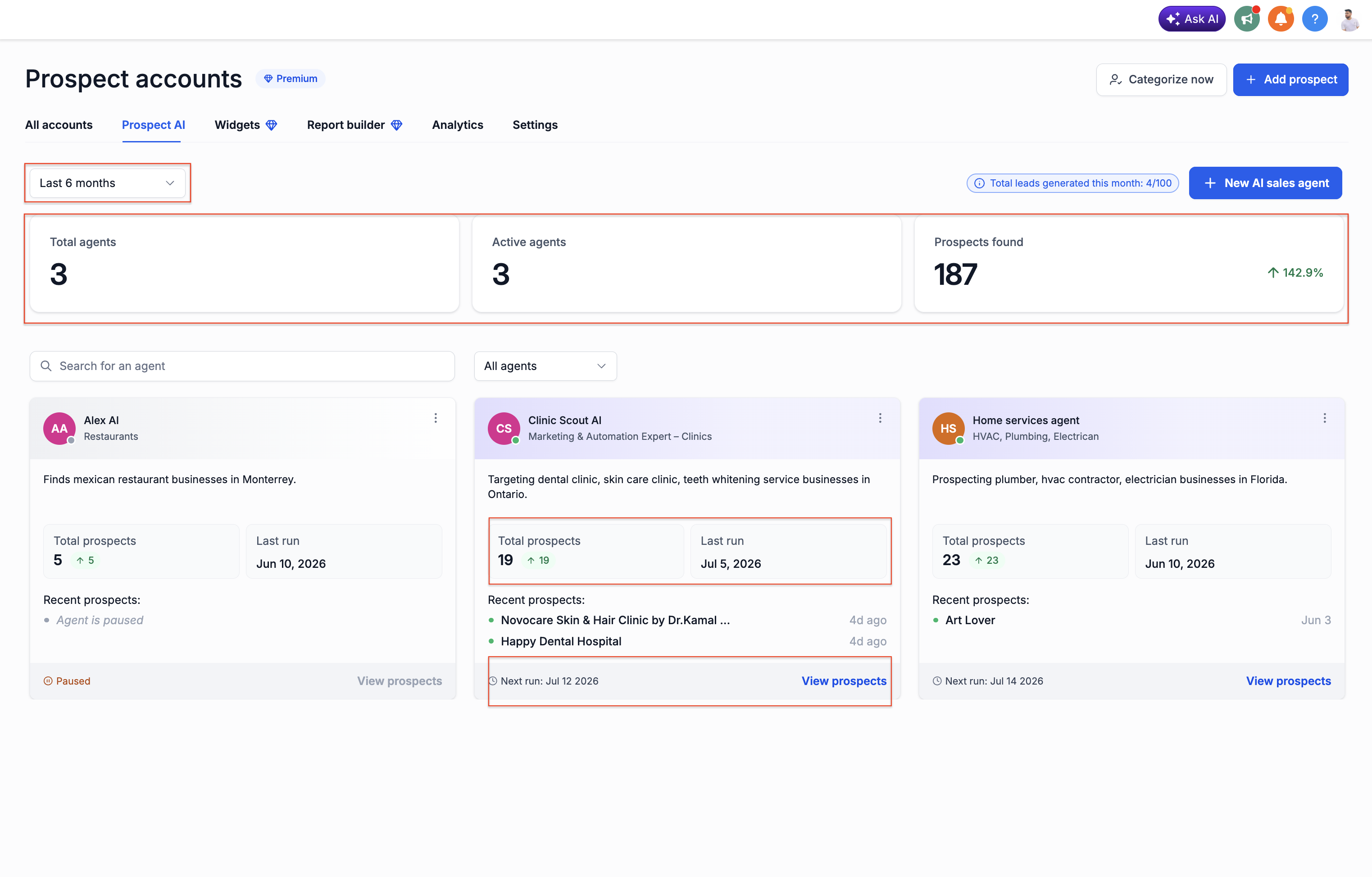
AI agent cards display critical performance information directly on the dashboard, eliminating the need to open each agent to understand its status.
Each agent card displays:
The cumulative number of prospects this agent has found across all execution runs.
The most recent date and time the agent completed an execution cycle.
The upcoming execution time based on the agent's schedule configuration.
The agent's purpose and targeting criteria at a glance.
Direct link to view all prospects found by the agent without entering edit mode.
Agent Workspace Views
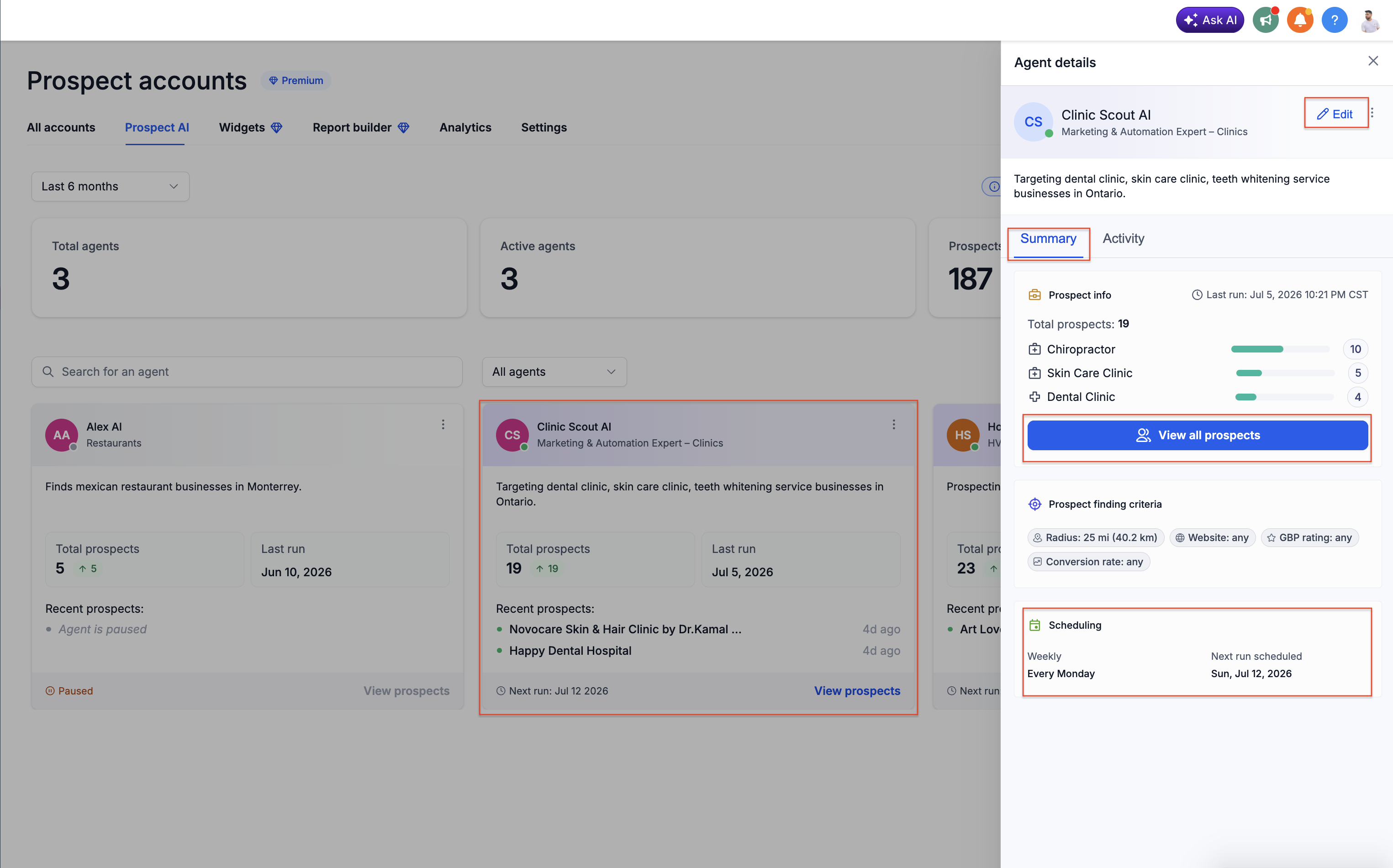
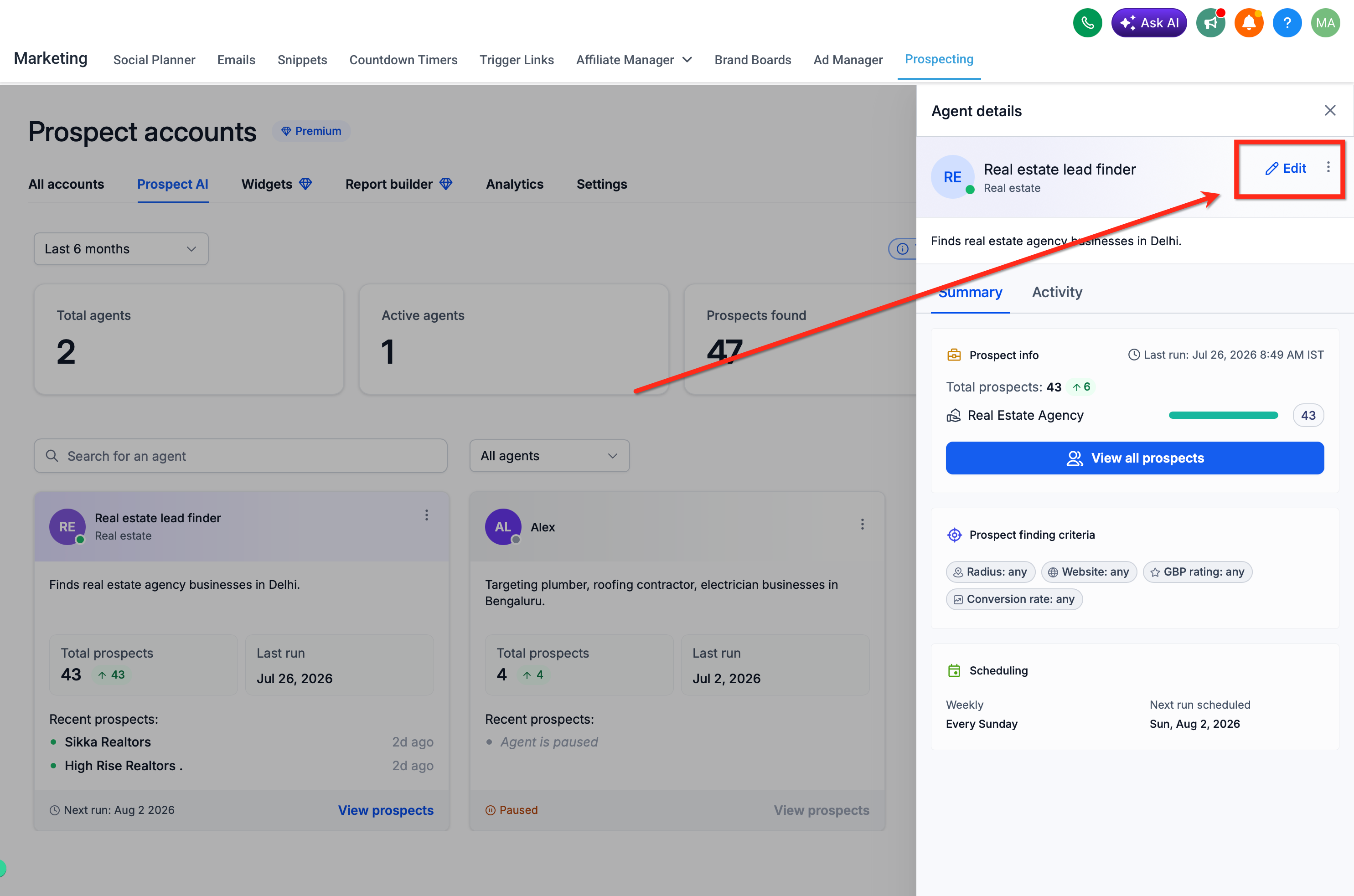
Clicking an AI agent opens its dedicated workspace instead of edit mode. This workspace contains two tabs that provide comprehensive visibility before you make configuration changes.
Summary Tab
The Summary tab consolidates agent configuration, performance statistics, and discovery criteria in one view.
Current targeting parameters, search radius, conversion score filters, and GBP rating requirements.
Total prospects discovered, prospects added in recent runs, and discovery rate trends.
Business categories, location parameters, and qualification filters applied by the agent.
Upcoming execution time and frequency setting.
Direct link to view and manage all prospects discovered by this agent.
Activity Tab
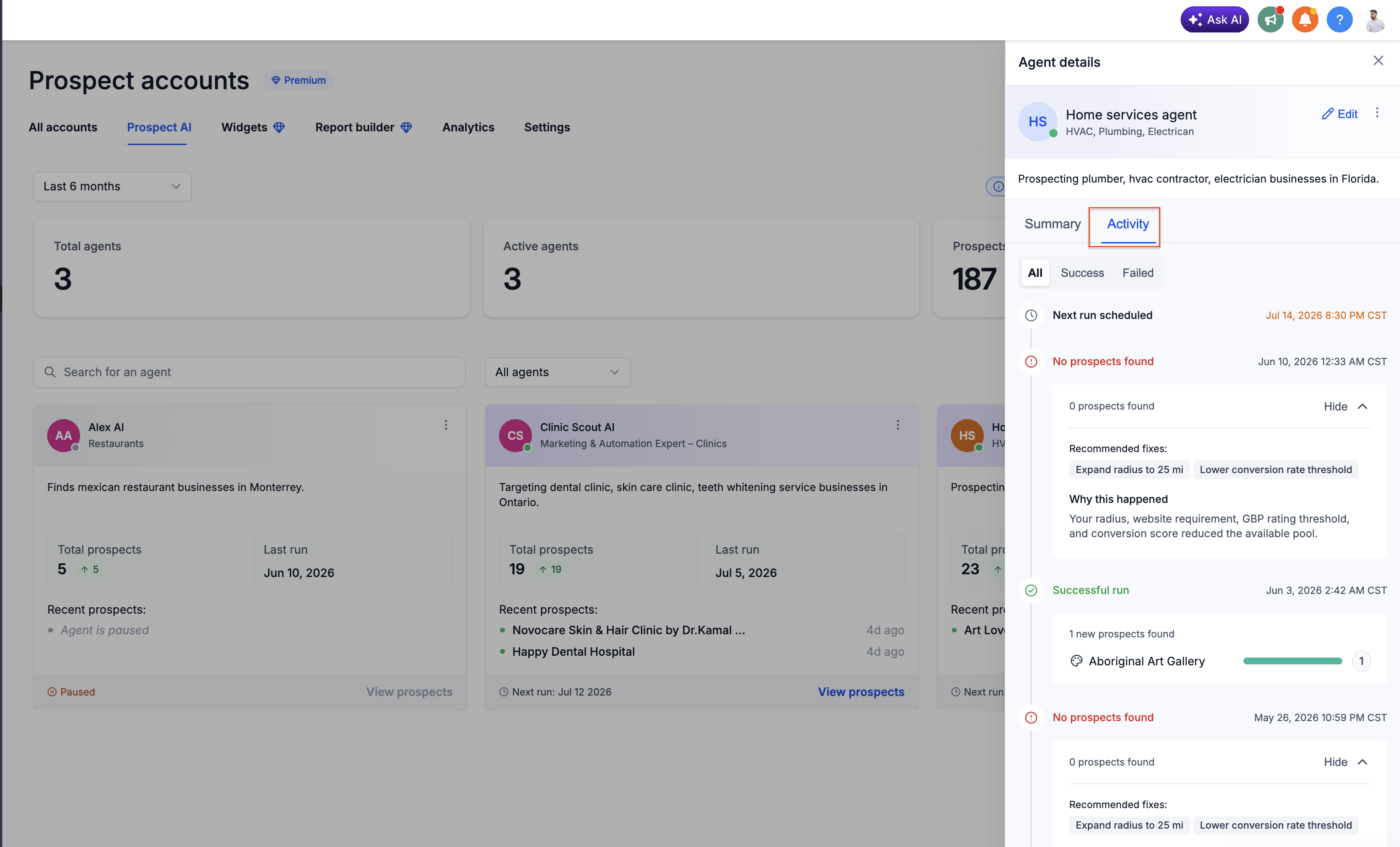
The Activity tab provides complete execution history and scheduling information.
Chronological log of all agent runs with timestamps and results.
Detailed results from past executions including prospects found and business categories discovered.
Planned execution times based on current schedule configuration.
Diagnostic information for completed runs and any errors encountered during execution.
Activity Center & Execution History
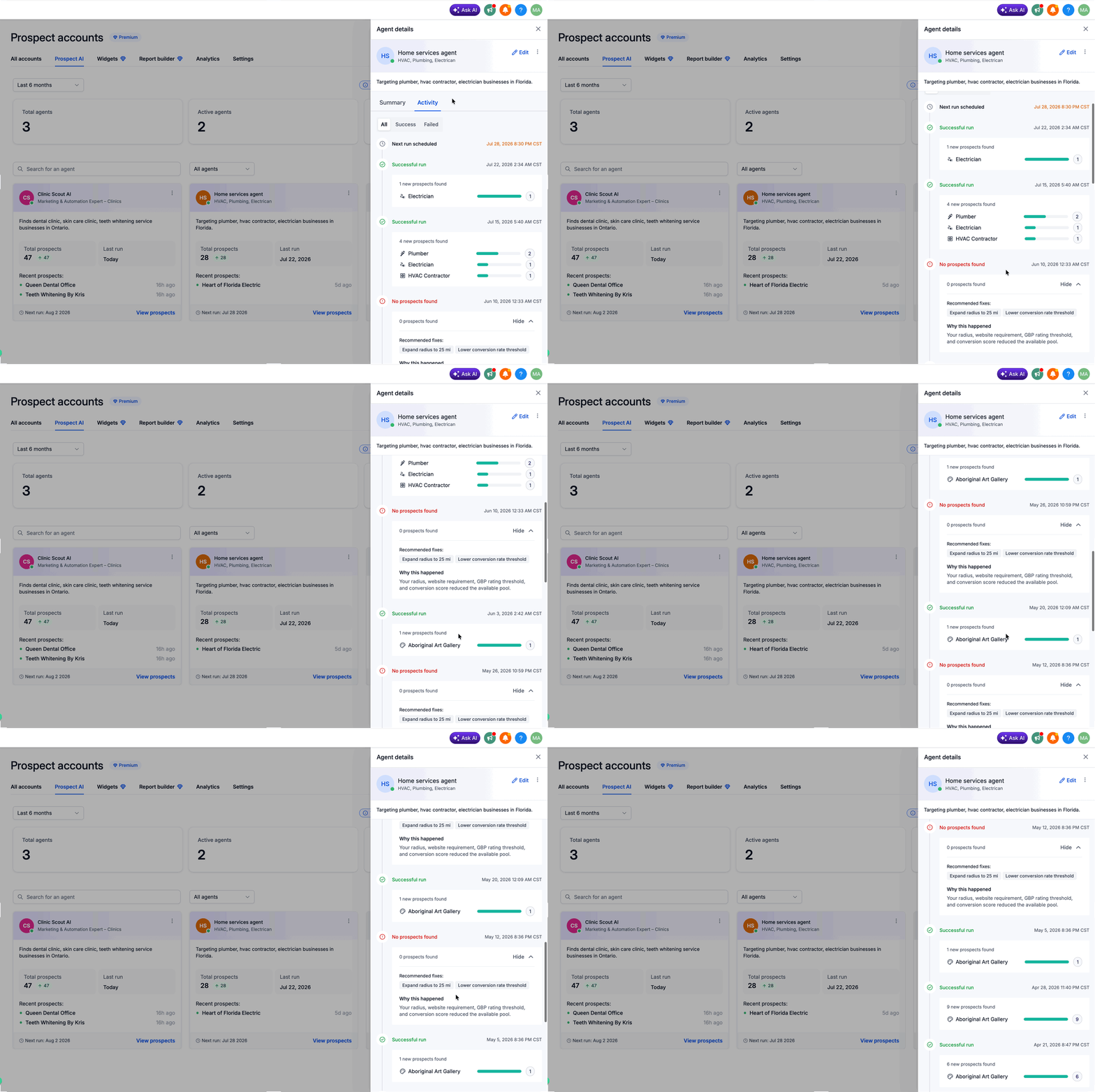
The Activity Center explains what your AI agents have been doing and provides actionable insights when performance needs improvement.
You can review the following information for each agent:
Actionable Recommendations
When an agent doesn't find prospects, the Activity Center provides specific suggestions to improve discovery performance rather than leaving you to diagnose the issue manually.
Common recommendations include:
Expand the geographic area to discover more qualifying businesses.
Lower the minimum conversion score threshold to include more potential prospects.
Adjust Google Business Profile rating filters to capture a broader prospect pool.
Increase the account's monthly lead limit or redistribute credits across agents to allow more discovery runs.
Dashboard Metrics & Search
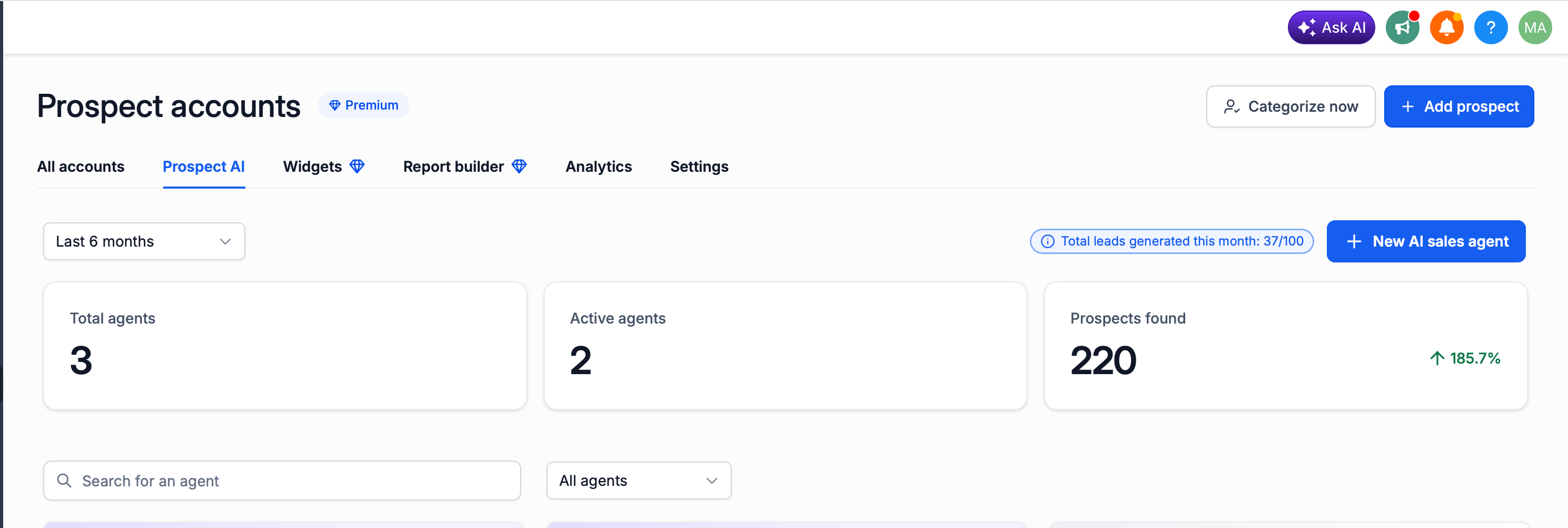
The Prospect AI dashboard displays high-level metrics across all agents, providing quick visibility into overall prospecting performance.
Dashboard metrics include:
Search Functionality
The dashboard includes a search bar to quickly locate specific agents by name, or by Active/Paused status. This feature becomes essential as your AI prospecting team scales and you manage multiple specialized agents.
CRM Pipeline Integration & Setup
Prospect AI integrates directly with HighLevel CRM pipelines at the sub-account level, enabling automatic prospect routing from discovery to sales workflow. This native integration eliminates manual transfer of prospects between Prospecting and CRM modules.
When configuring an agent within a sub-account, you can select which pipeline and stage newly discovered prospects should enter. Every qualifying prospect is automatically added to your chosen pipeline, making it immediately available for review, automation rules, and outreach campaigns.
CRM pipeline integration is only available when configuring agents at the sub-account level. Agency-level agents do not support automatic pipeline routing.
Integration Options
Choose which pipeline prospects should enter when discovered by the agent.
Select which pipeline stage prospects should be placed in upon discovery.
Pipeline integration enables you to apply automation rules, assign tasks, and trigger workflows immediately upon prospect discovery—without manual data transfer.
How to Set Up CRM Pipeline Integration
Follow these steps to configure automatic prospect routing from Prospect AI to your CRM pipeline within a sub-account.
Navigate to the sub-account where you want to configure pipeline integration. CRM pipeline integration is not available at the agency level.
Access the Prospect AI module from the HighLevel main menu within the sub-account.
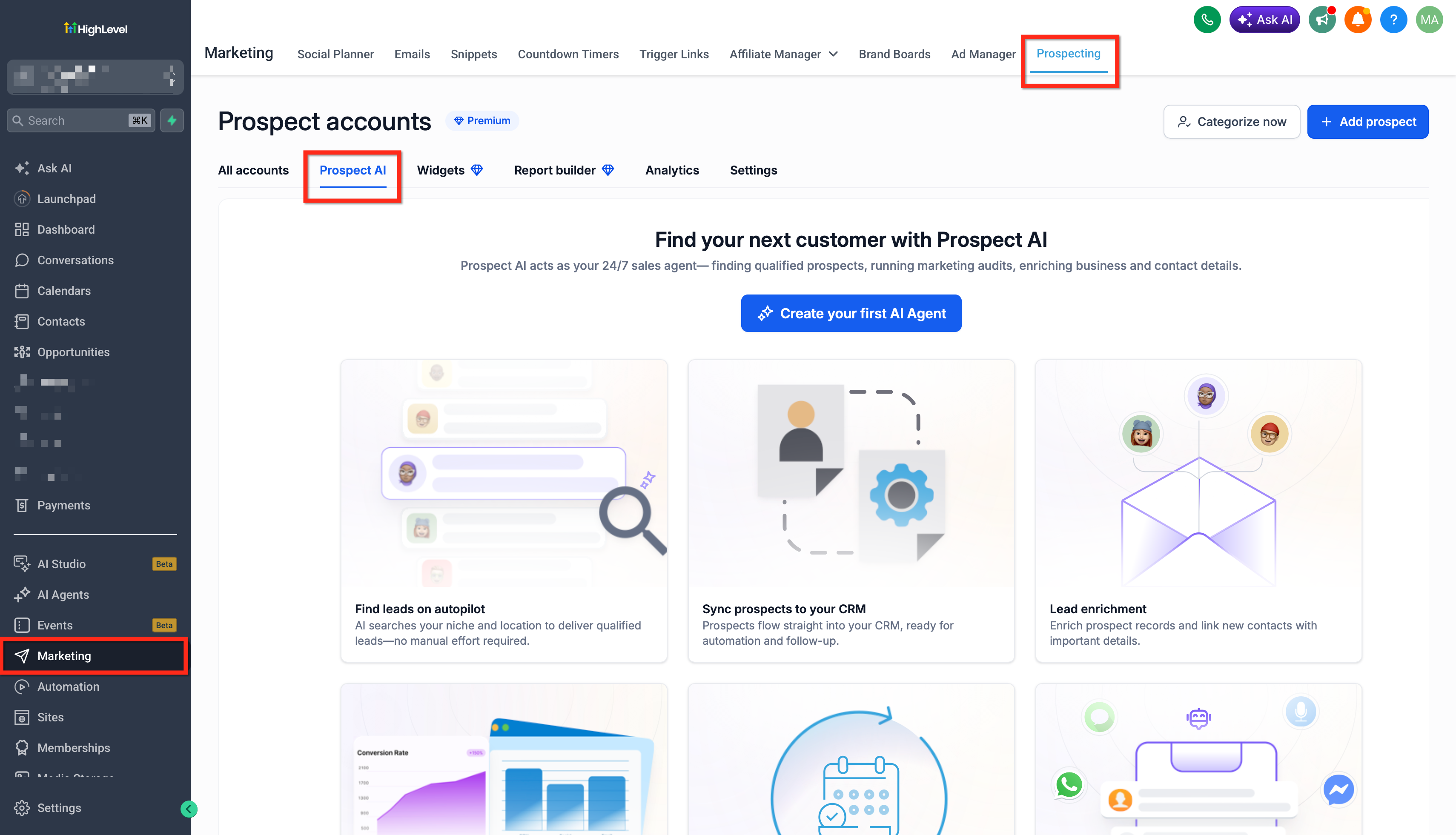
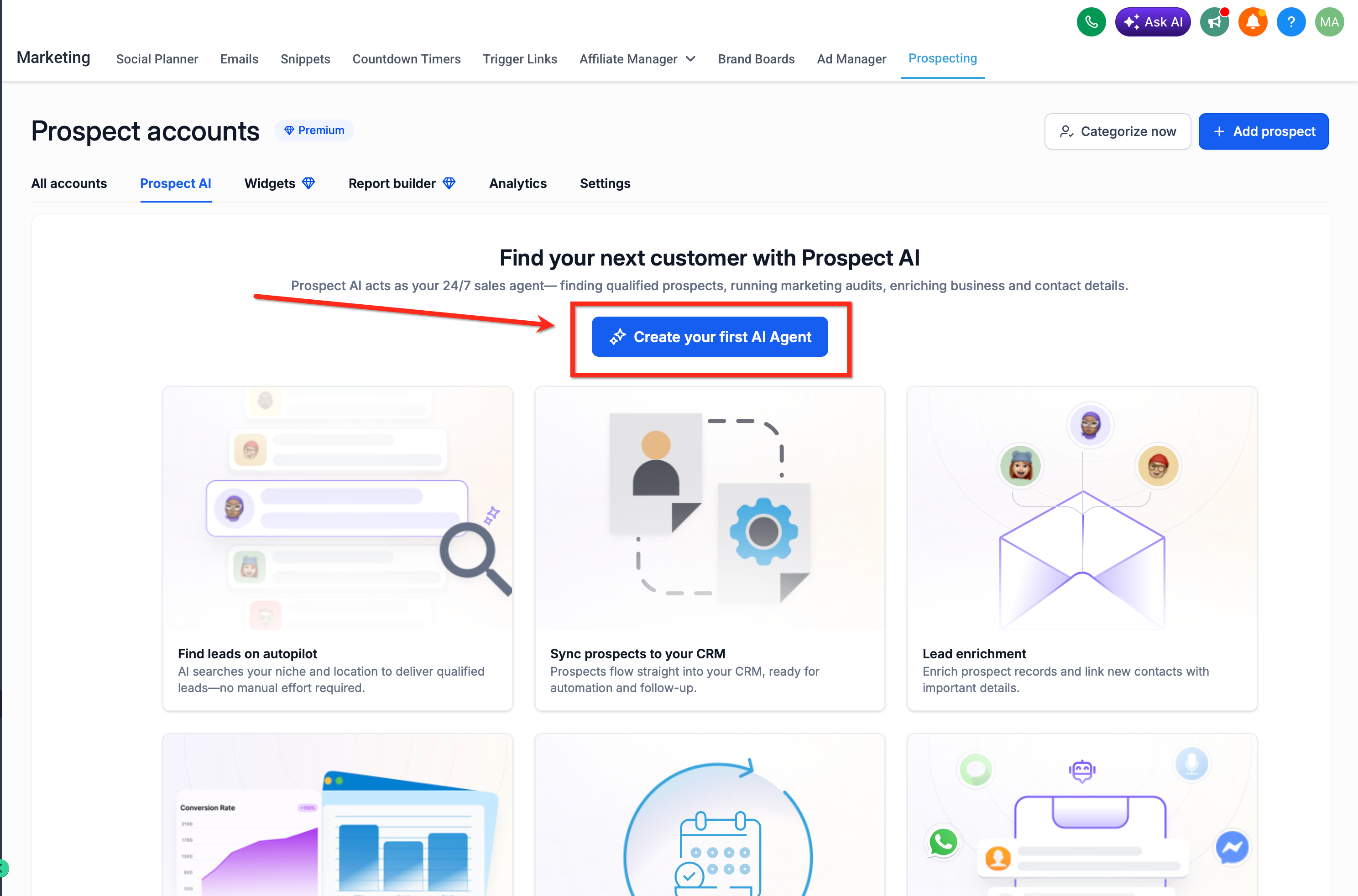
Click on an existing AI agent or create a new agent to configure.
From the agent workspace, click the Edit button to modify agent configuration.
Scroll to the Lead Encrichment stage within the agent configuration screen. Toggle the Save new prospects to Contacts and check on Also add to a pipeline stage button.
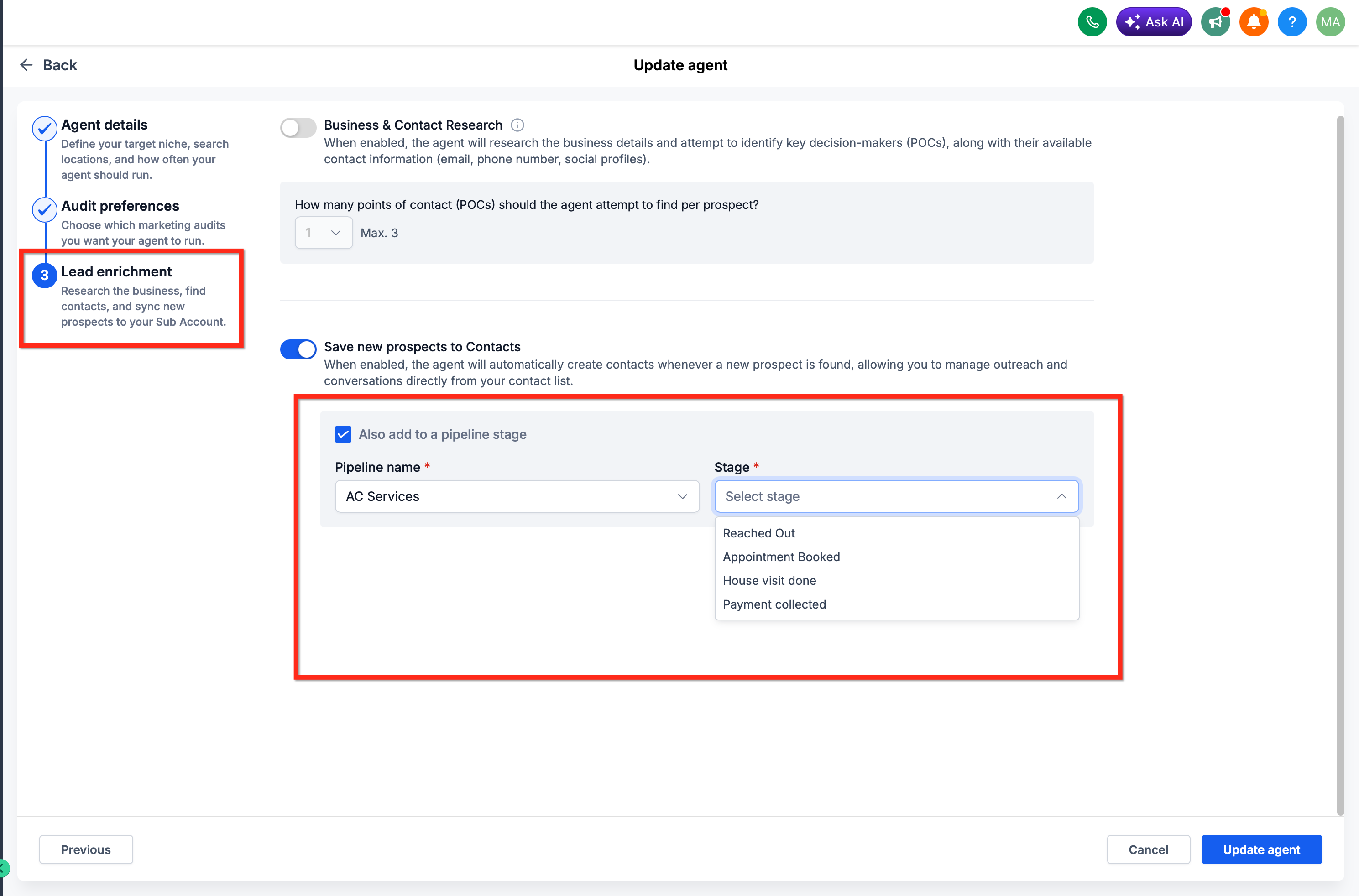
Choose which pipeline newly discovered prospects should be added to from the dropdown menu. Choose which stage within the selected pipeline prospects should enter upon discovery.
Click Save to apply pipeline integration settings to the agent.
All future prospects discovered by this agent will automatically be added to the selected pipeline and stage. Existing prospects are not retroactively moved.
Frequently Asked Questions
Was this article helpful?
That’s Great!
Thank you for your feedback
Sorry! We couldn't be helpful
Thank you for your feedback
Feedback sent
We appreciate your effort and will try to fix the article