This article explains how Prospecting creates CRM contacts, enriches business information, organizes phone numbers and email addresses, and manages points of contact (POCs). It also covers the settings that control contact creation and enrichment.
When a prospect is saved, HighLevel can create a business contact in the sub-account CRM using available information from Google Business Profile, business websites, forms, widgets, and manually entered details. Premium Contact Enrichment can find additional phone numbers, email addresses, and named POCs, while contact settings determine how this information is stored in the CRM.
TABLE OF CONTENTS
- Key Benefits of Prospecting Contact Creation and Enrichment
- How Prospecting Handles Contact Information
- Frequently Asked Questions
- Related Articles
Key Benefits of Prospecting Contact Creation and Enrichment
Prospecting helps keep discovered business information organized and ready to use. Contact creation and enrichment settings let you manage how that information becomes CRM contact records, including whether named people have separate contact entries.
- Automatic contact creation: Save a prospect in a sub-account and create a business contact in the CRM when Contact creation is enabled.
- Less manual data entry: Populate available phone numbers, email addresses, website information, and location details in CRM contact fields.
- Additional contact discovery: Use Premium contact enrichment to look for extra phone numbers, email addresses, and named points of contact.
- Flexible POC organization: Keep named points of contact as separate CRM contacts or add their details to the business contact.
- Organized prospect records: Keep unnamed phone numbers and email addresses with the business contact and use prospect-related tags to help filter and segment contacts.
How Prospecting Handles Contact Information
Prospecting has three related functions: contact creation, contact enrichment, and organization of contact details. Contact creation controls whether saving a prospect creates a CRM business contact. Contact enrichment finds additional phone numbers, email addresses, and named points of contact (POCs). Contact organization settings determine how these details are stored in the CRM.
Feature/action 1 - Contact creation
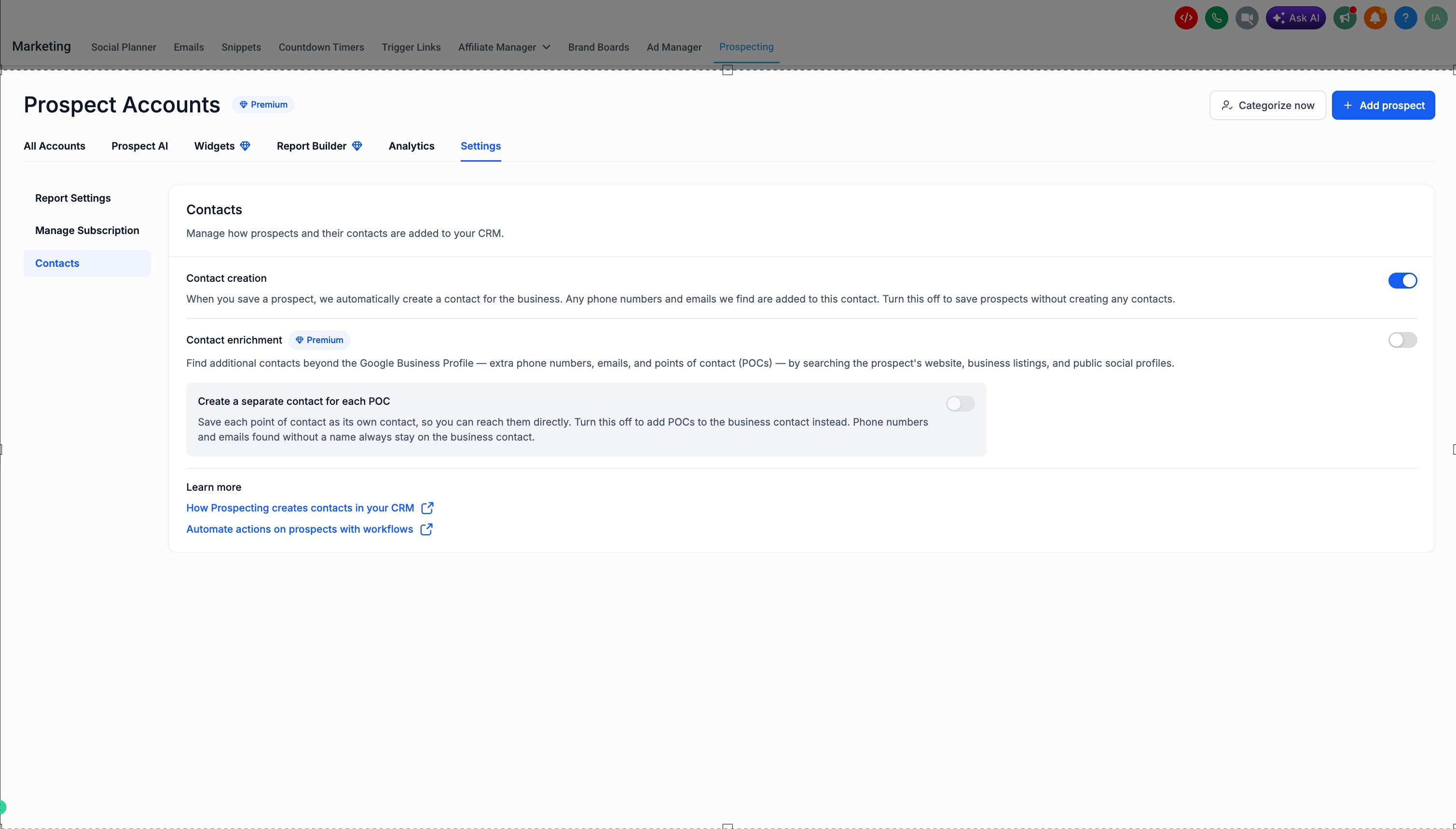
Contact creation can be managed under Marketing › Prospecting › Settings › Contacts. It's on by default.
When it's on, saving a prospect automatically creates one business contact in your CRM, built from the details available at that moment:
- The Google Business Profile number
- Details you add through forms
- Details captured by widgets
- Anything you enter manually
Prospecting also uses information available on the business's website to populate additional business details in the CRM.
Depending on the information available, these details can include the business website, address, city, state, postal code, and other business information. This helps create more complete business contact records without manually entering the available details.
Any additional phone numbers and emails we find are added to this same business contact, so you start with one clean record per business. Turn this off to save prospects without creating any contacts.
Note: When done in agency level, contact can't be created rather a prospect is simply saved in the Prospect dashboard(Agency>Prospecting)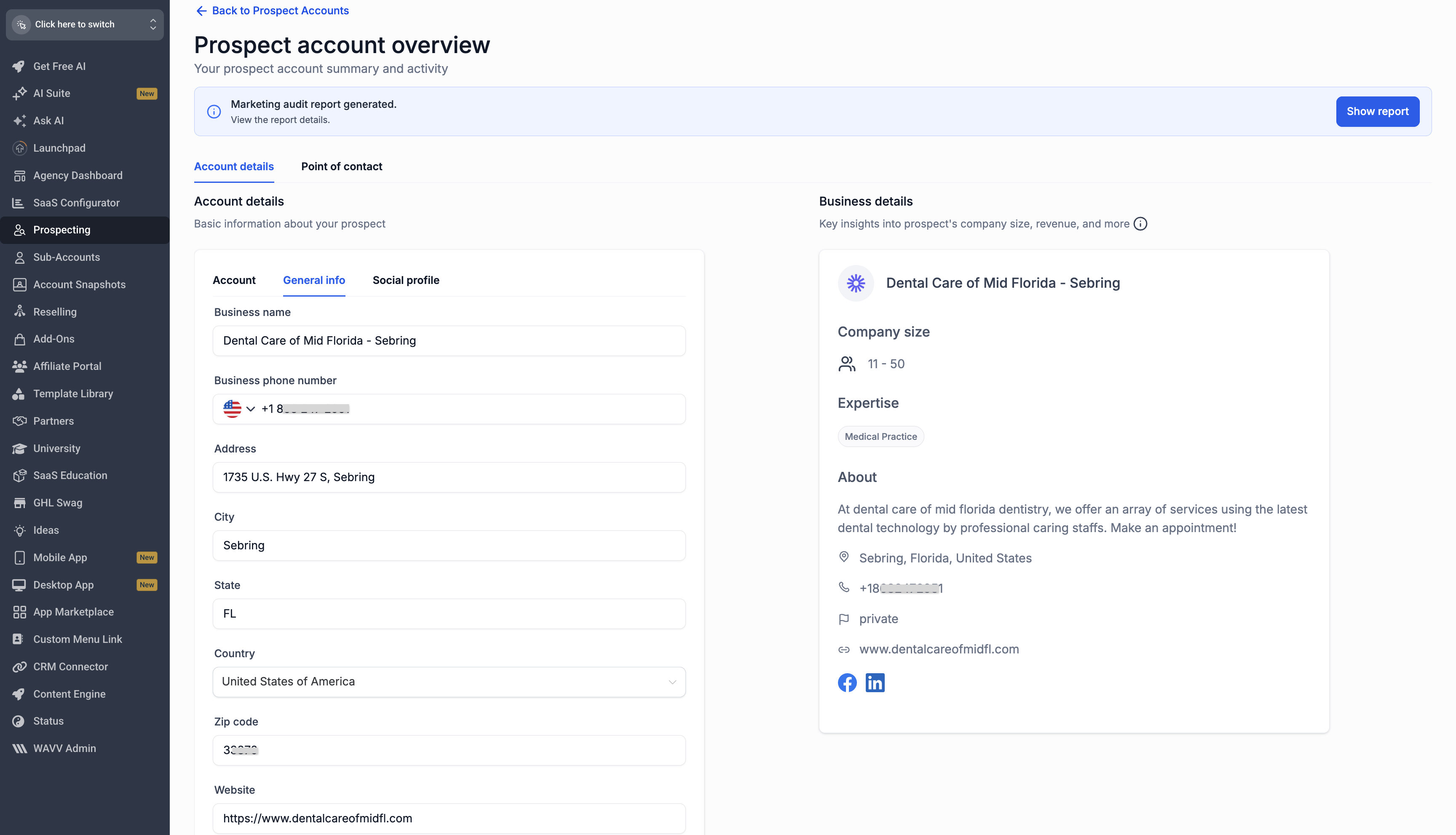
Feature/action 2 - Contact enrichment
Contact enrichment is a Premium feature and is off by default. Turn it on to find additional contacts beyond the Google Business Profile.
Enrichment looks for:
- Extra phone numbers
- Extra emails
- Points of contact (POCs) — named people like owners and managers
These are found by searching the prospect's website, business listings, and public social profiles. Enrichment is where POCs come from, so the organizing options in the next section only apply when it's on.
Note: When done in agency level, contact for POCs can't be created rather POCs are saved saved inside a prospect in the prospecting dashboard (Agency>Prospecting)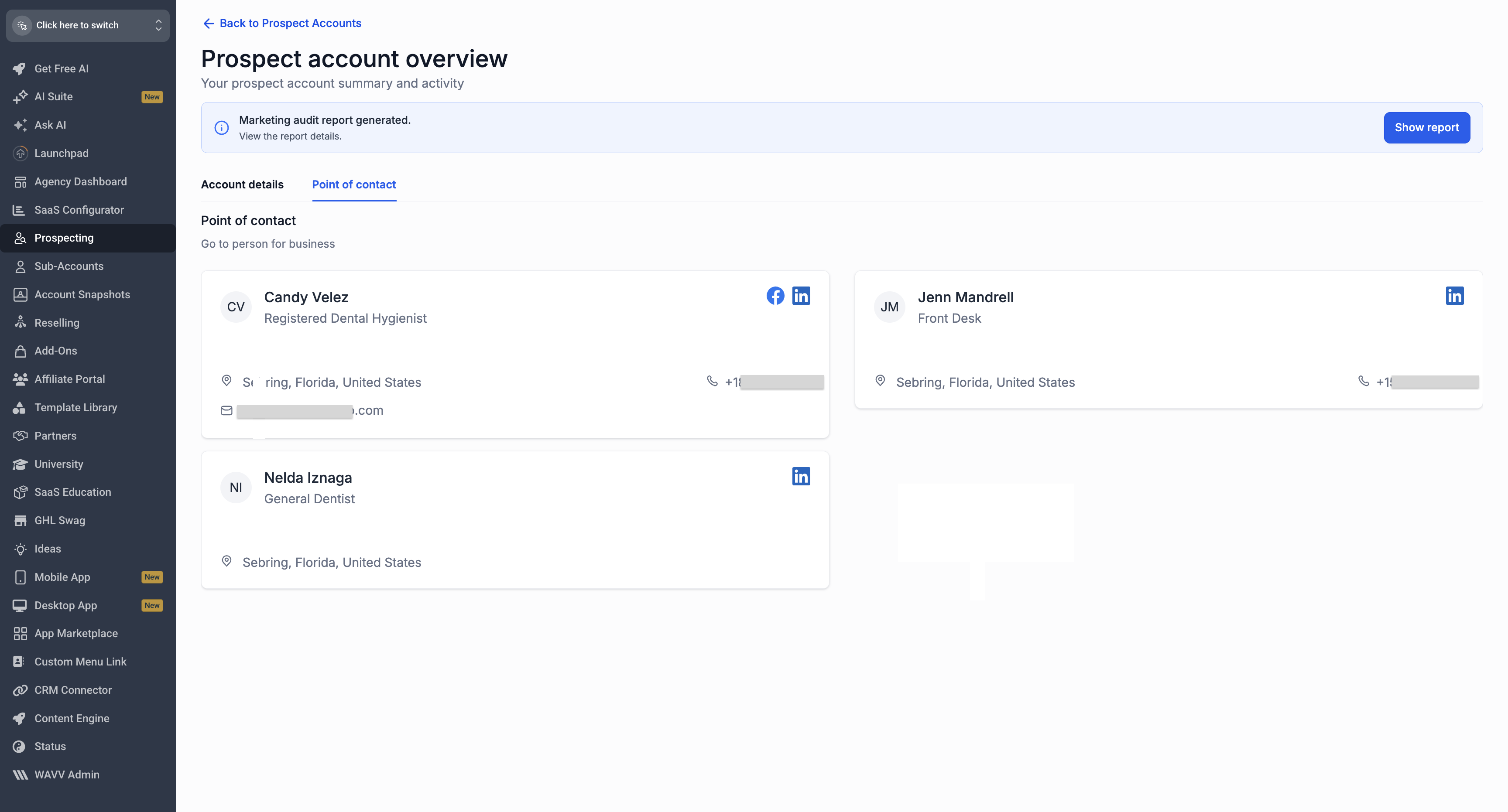
Feature/action 3 - How found details are organized
Prospecting handles two kinds of details differently:
- Named contacts (POCs): saved as their own contact so you can reach them directly. Controlled by the "Create a separate contact for each POC" toggle (on by default). Turn it off to add POCs to the business contact instead.
- Unnamed details: phone numbers and emails found without a name always stay on the business contact. This keeps your CRM clean and isn't something you need to manage.
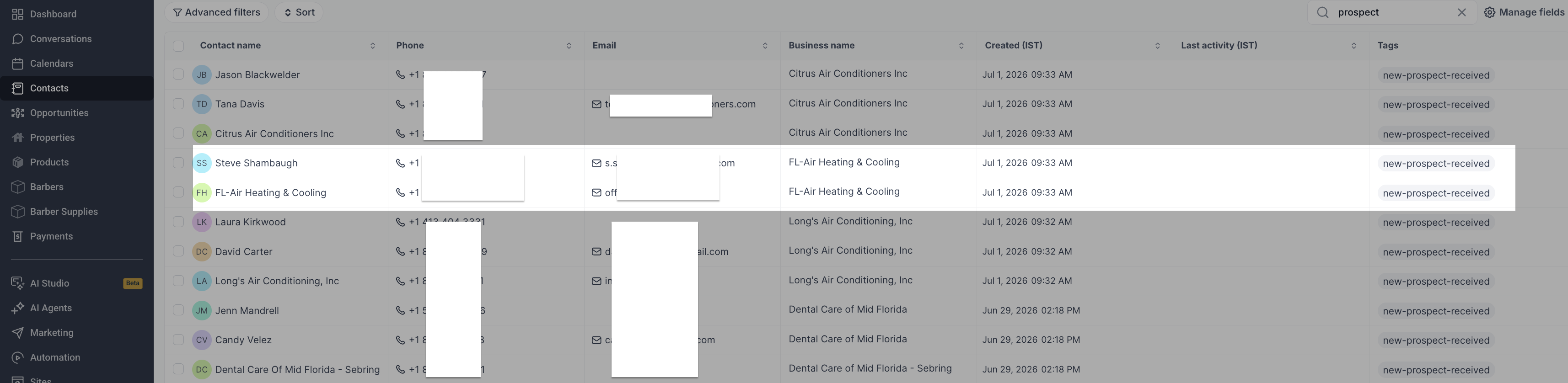
For example, a prospect with enrichment on and POCs set to separate might create 1 business contact plus 2 POC contacts, with any unnamed details kept on the business contact.
Contact Fields Mapping
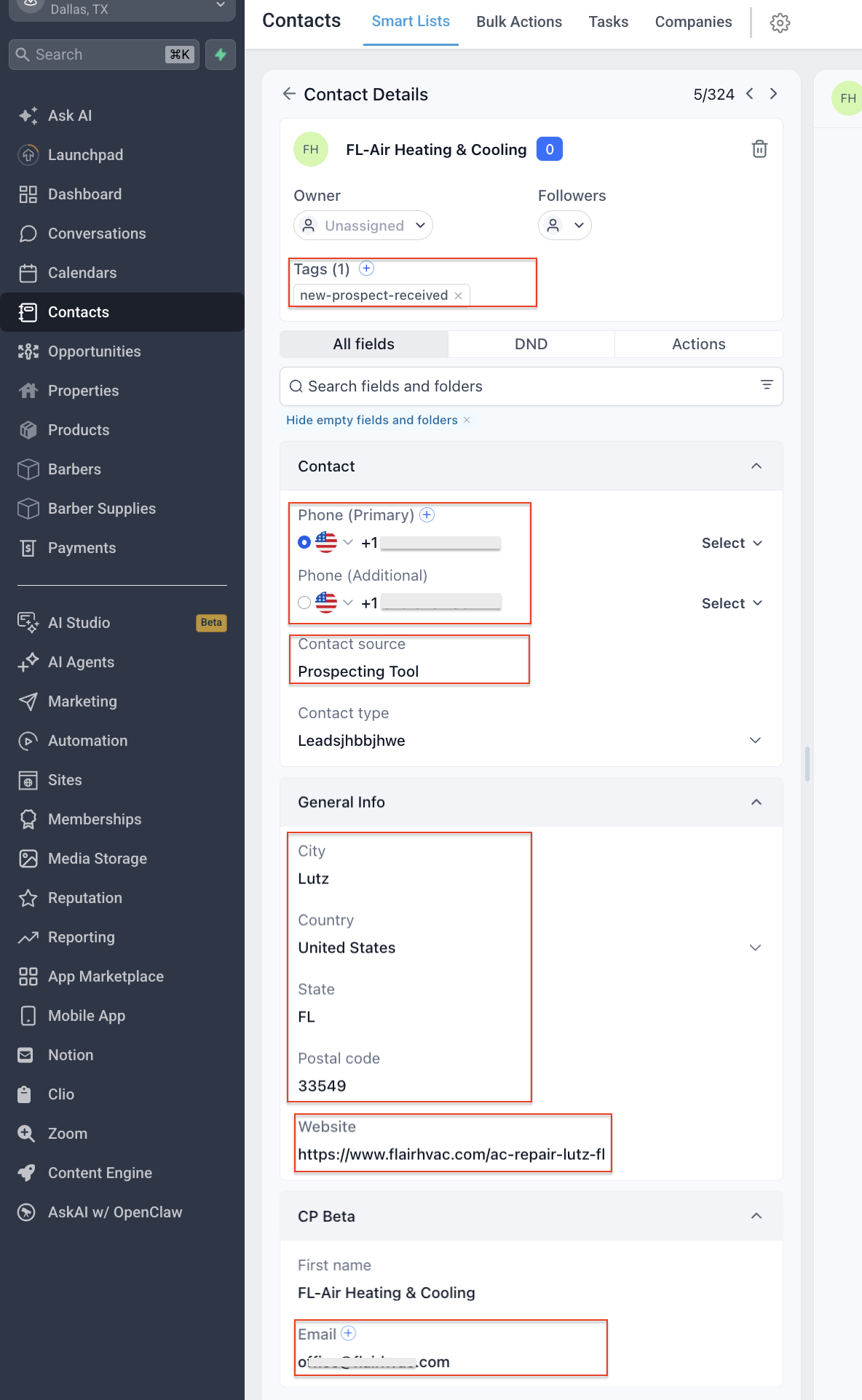
When Contact creation is enabled, Prospecting automatically maps available prospect information to CRM contact fields.
The following details can be populated:
| CRM Field | Information Added |
|---|---|
| Phone (Primary) | The primary business phone number. |
| Phone (Additional) | Additional business phone numbers found during prospecting. |
| Email | Available business email addresses. |
| Contact source | Prospecting Tool. |
| Website | The business website URL. |
| Address | Available business address information. |
| City | The business's city. |
| State | The business's state. |
| Country | The business's country. |
| Postal code | The business's postal code. |
Prospecting can collect this information from Google Business Profile, business websites, business listings, and details supplied during prospect creation.
Prospect Tags
Prospecting also adds prospect-related tags to CRM contacts, helping users identify and organize their prospecting leads. These tags can be used to filter contacts, segment prospect lists, and support workflow automation.
Additional phone numbers and email addresses without an associated person remain on the primary business contact. Named POCs can be stored as separate CRM contacts based on the configured enrichment settings.
Frequently Asked Questions
Q: Why isn't a CRM contact created when I save a prospect?
CRM contacts are created only when saving prospects at the sub-account level with Contact Creation enabled. If the setting is disabled, the prospect is saved without creating a CRM contact. Prospects saved at the agency level remain in the agency Prospecting dashboard.
Q: Do I need Premium Prospecting to automatically create CRM contacts?
No. Automatic business contact creation does not require Premium Contact Enrichment. However, discovering additional phone numbers, email addresses, and named points of contact (POCs) through enrichment requires the Premium feature.
Q: Can I prevent Prospecting from creating separate CRM contacts for each point of contact (POC)?
Yes. Turn off the Create a separate contact for each POC setting under Prospecting contact settings. When Contact Enrichment is enabled, discovered POCs will be added to the business contact instead of being created as separate CRM contacts.
Q: What happens if Prospecting finds multiple phone numbers or email addresses without associated names?
Additional phone numbers and email addresses that are not associated with a named person are added to the primary business contact. Prospecting does not create separate CRM contacts for these unnamed details, helping keep related contact information together.
Related Articles
Was this article helpful?
That’s Great!
Thank you for your feedback
Sorry! We couldn't be helpful
Thank you for your feedback
Feedback sent
We appreciate your effort and will try to fix the article