Prospecting now supports a clearer lead lifecycle. You can mark prospects as Open, Closed Won, or Closed Lost, filter them by status, and move won prospects into onboarding faster. In Agency Prospecting, marking a prospect as Closed Won unlocks Create Sub-Account. This helps agencies track outcomes without relying on spreadsheets or external tools.
TABLE OF CONTENTS
- What is Prospect Status Management in Prospecting?
- Key Benefits of Prospect Status Management in Prospecting
- How to Prospect Status Management in Prospecting
- Frequently Asked Questions
- Relevant Article
What is Prospect Status Management in Prospecting?
Prospect status management is a Prospecting feature that helps users track what happens after a lead is generated. Instead of keeping all prospects in one undifferentiated list, users can now update each prospect’s outcome and filter prospects by lifecycle stage.
This feature includes:
- Prospect Statuses: Open, Closed Won, Closed Lost
- Status-based filters
- Create Sub-Account for won prospects in Agency Prospecting
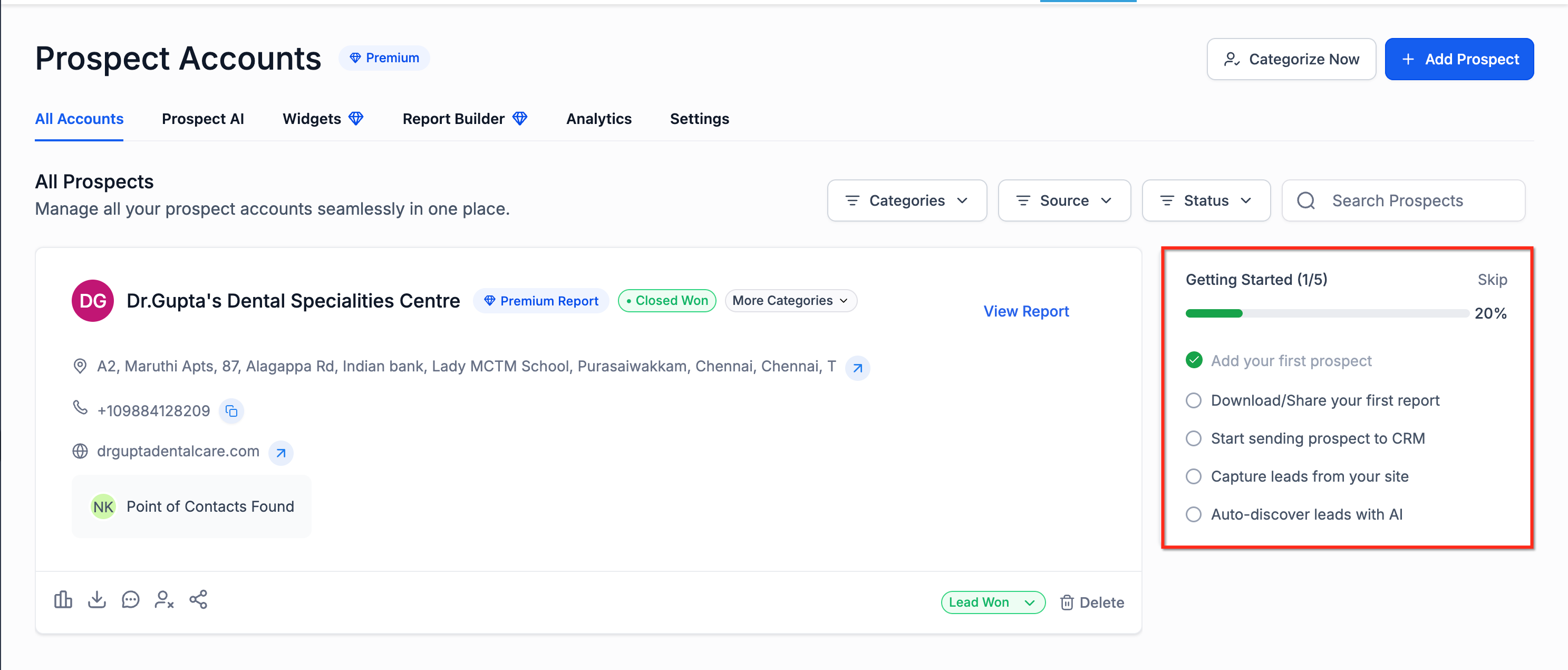
- A Getting Started onboarding card for new Prospecting users
This fills a gap in existing Prospecting coverage, which focuses more on lead generation than post-outreach tracking.
Key Benefits of Prospect Status Management in Prospecting
- Track prospect outcomes directly inside Prospecting
- Separate active leads from closed leads
- Identify wins that still need onboarding
- Reduce manual tracking in spreadsheets
- Help new users get started faster with guided onboarding
- Connect prospecting activity to sub-account creation in Agency view
How to Prospect Status Management in Prospecting
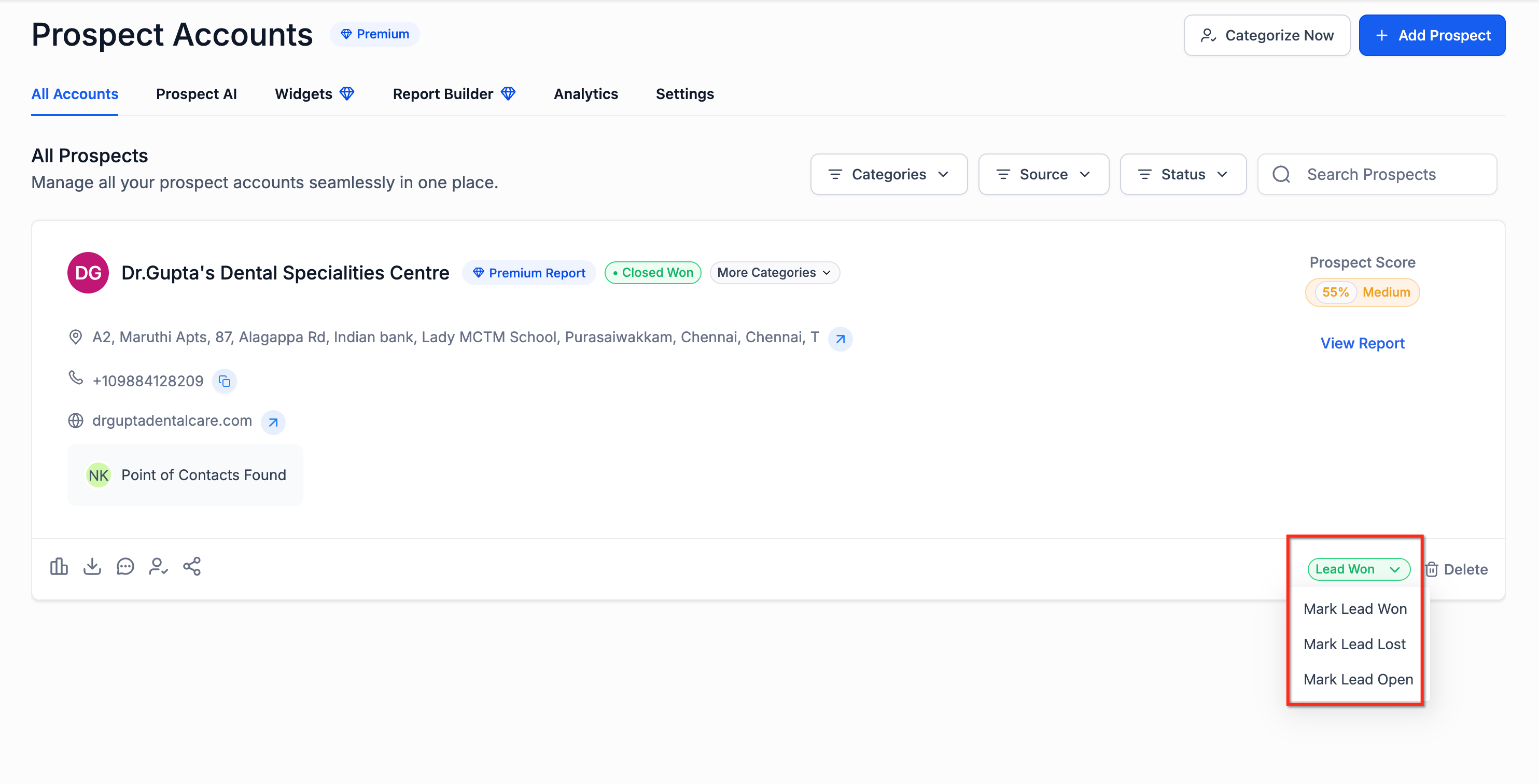
Update a Prospect’s Status
- Open Prospecting.
- Open the Prospect Card for the record you want to update.
- Change the status to Open, Closed Won, or Closed Lost.
Filter Prospects by Status
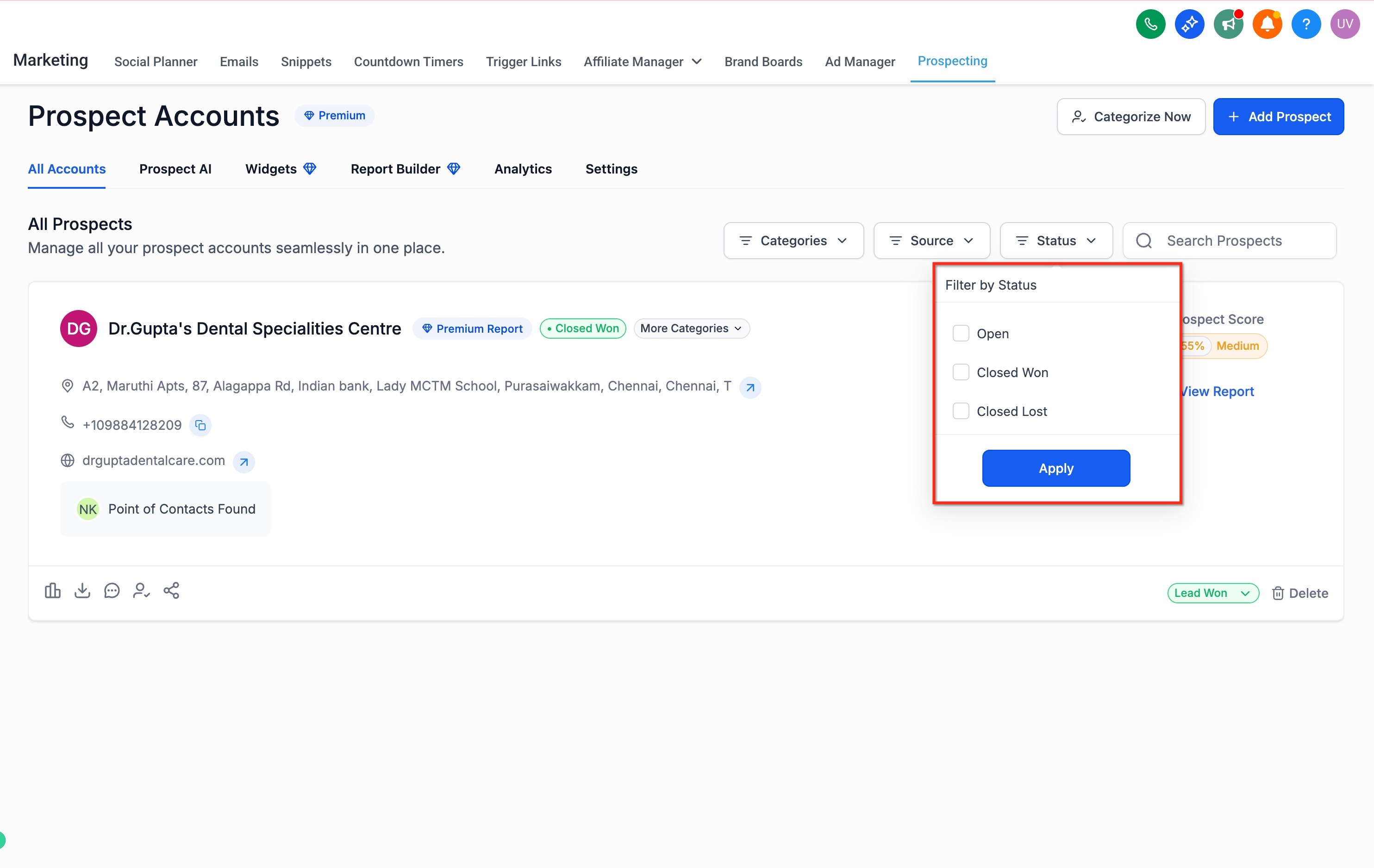
- Go to your saved prospects list in Prospecting.
- Open the Status filter.
- Select one or more of these options:
- Open
- Closed Won
- Closed Lost
- Open
- Open Prospecting as a new user.
- Review the Getting Started card.
- Complete key actions such as:
- Creating your first prospect
- Generating and sharing reports
- Sending prospects to CRM
- Capturing leads
- Enabling AI discovery
- Creating your first prospect
Frequently Asked Questions
Q. What statuses can I assign to a prospect?
You can mark a prospect as Open, Closed Won, or Closed Lost.
Q. Can I filter prospects by status?
Yes. You can filter by Open, Closed Won, Closed Lost, Sub-Account Created, and Sub-Account Not Created.
What happens when I mark a prospect as Closed Won?
Q. In Agency Prospecting, marking a prospect as Closed Won makes Create Sub-Account available. Does this replace categories?
No. Categories and status serve different purposes. Categories organize prospects, while status tracks prospect outcome. The categorization article is separate and would need a short cross-reference for this distinction.
Q. Who sees the Getting Started card?
It is intended for users who are new to Prospecting. It hides automatically once users become active or dismiss it enough
times, based on the release details you provided.
Relevant Article
Was this article helpful?
That’s Great!
Thank you for your feedback
Sorry! We couldn't be helpful
Thank you for your feedback
Feedback sent
We appreciate your effort and will try to fix the article