- New political toll-free verifications require a valid Campaign Verify Auth Token.
- Existing approved toll-free numbers used for political election messaging must also comply.
- Messaging that does not meet the requirement may be rejected or restricted.
What Is a Campaign Verify Auth Token?
A Campaign Verify Auth Token is a verification credential required for Political Election Campaign messaging using toll-free numbers. Campaign Verify issues the token after completing its political organization verification process. HighLevel does not issue Campaign Verify tokens.
Who Must Use a Campaign Verify Auth Token?
The Campaign Verify requirement applies to:
- Political organizations using toll-free numbers for Political Election Campaign messaging
- New political toll-free verification submissions
- Existing approved toll-free numbers used for political election messaging
- Agencies managing Toll-Free Verification on behalf of a political end business
Important: Use the identity of the actual end business or sender in the verification. Do not submit the agency, reseller, or software platform as the legal entity unless it is the actual sender.
Non-political toll-free messaging does not require a Campaign Verify Auth Token.
How to Obtain a Campaign Verify Auth Token
Campaign Verify issues the token after verifying the political organization. Obtain the token before completing the Political Election Campaign portion of Toll-Free Verification.
- Go to CampaignVerify.org.
- Complete Campaign Verify's verification process.
- Obtain your Campaign Verify Auth Token.
- Copy the token for use during Toll-Free Verification in HighLevel.
Important: HighLevel does not issue Campaign Verify Auth Tokens.
How to Add the Token During Toll-Free Verification
Enter the Campaign Verify Auth Token as part of the political Toll-Free Verification submission. The remaining verification information should accurately describe the end business, messaging use case, consent process, and sample messages.
- Open the sub-account that owns the toll-free number.
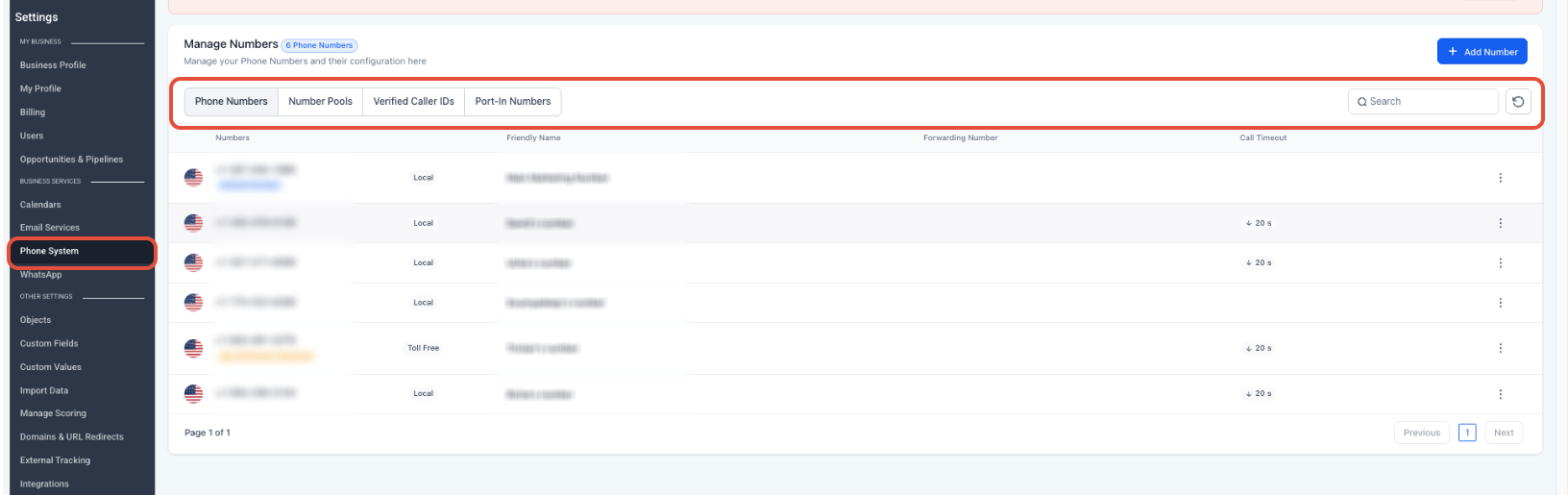
- Go to Settings → Phone System → Manage Numbers.
- Locate the toll-free number and click Verification Required
- Complete the required business, contact, location, messaging, consent, and sample-message information.
- Select Political Election Campaign as the applicable use-case category.
- Enter the valid Campaign Verify Auth Token
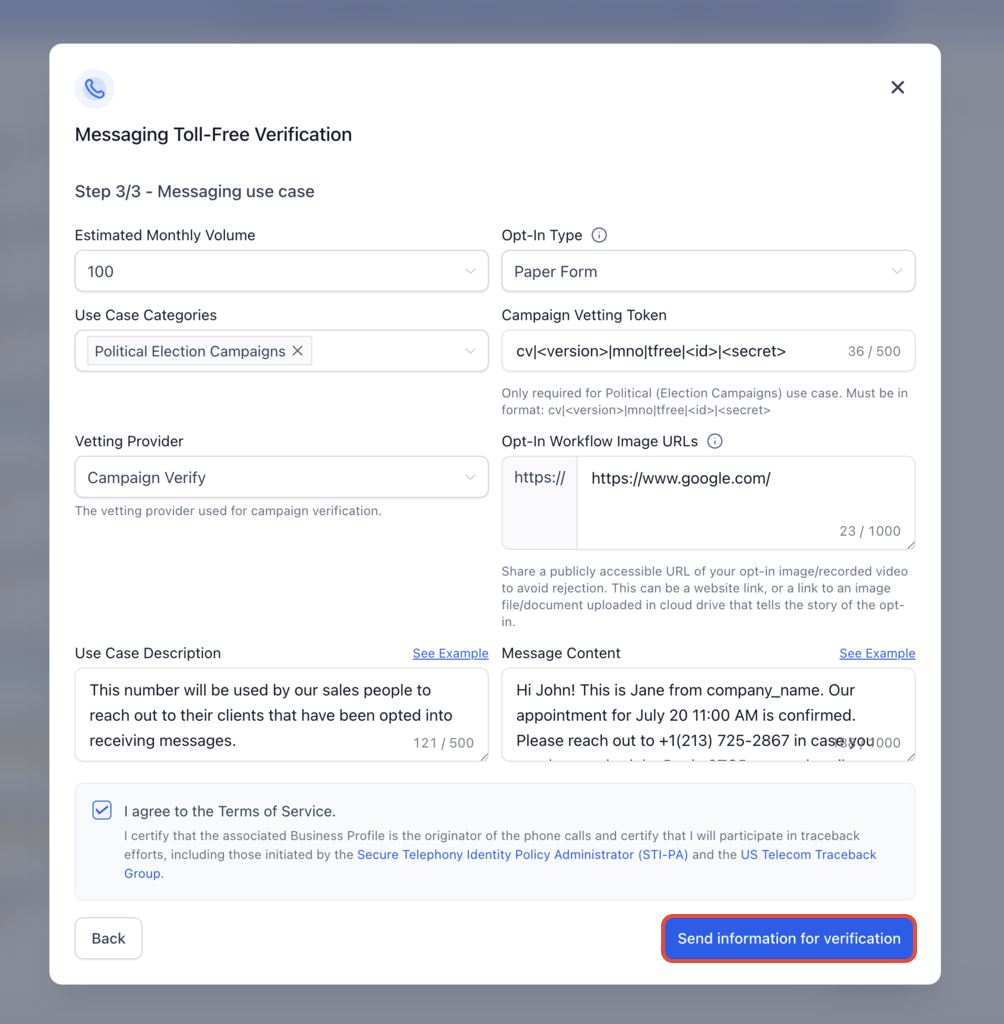
7. Review and submit the Toll-Free Verification request.
Frequently Asked Questions
Was this article helpful?
That’s Great!
Thank you for your feedback
Sorry! We couldn't be helpful
Thank you for your feedback
Feedback sent
We appreciate your effort and will try to fix the article