Available for new agencies created on or after 27 April 2026 on GHL Shared or Agency Shared domains. Existing agencies are unaffected.
Until now, sub-accounts on a shared domain had a daily sending limit but no real visibility into it — no usage counter, no context for why the limit was set the way it was, and no way to see how it would change over time. That has changed. The Email Services page now shows live limit data, the current sending stage, plain-language alerts when something needs attention, and a timeline of every stage change.
This article is a tour of what's new on the screen.
The New Sending Limit Panel
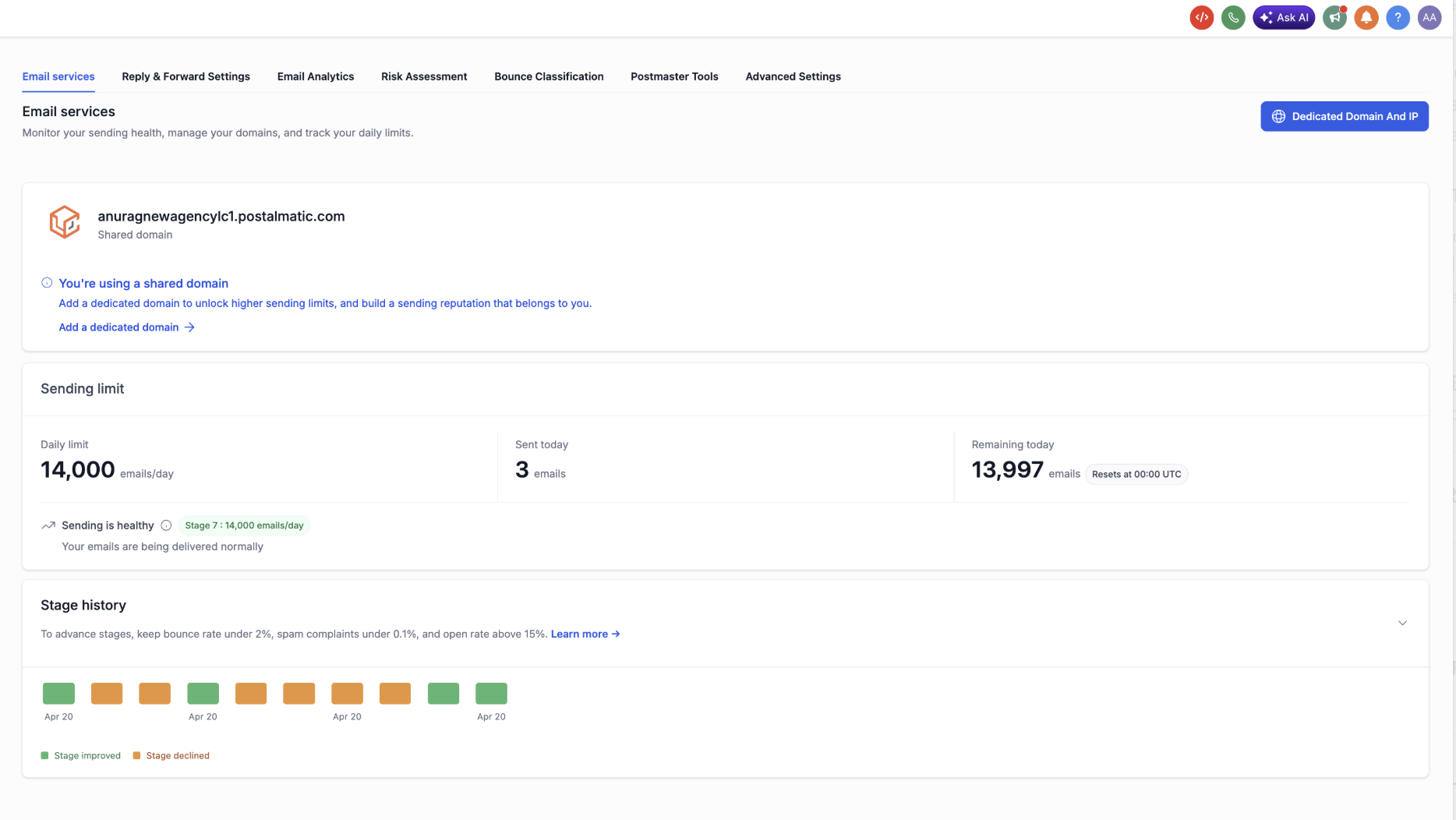
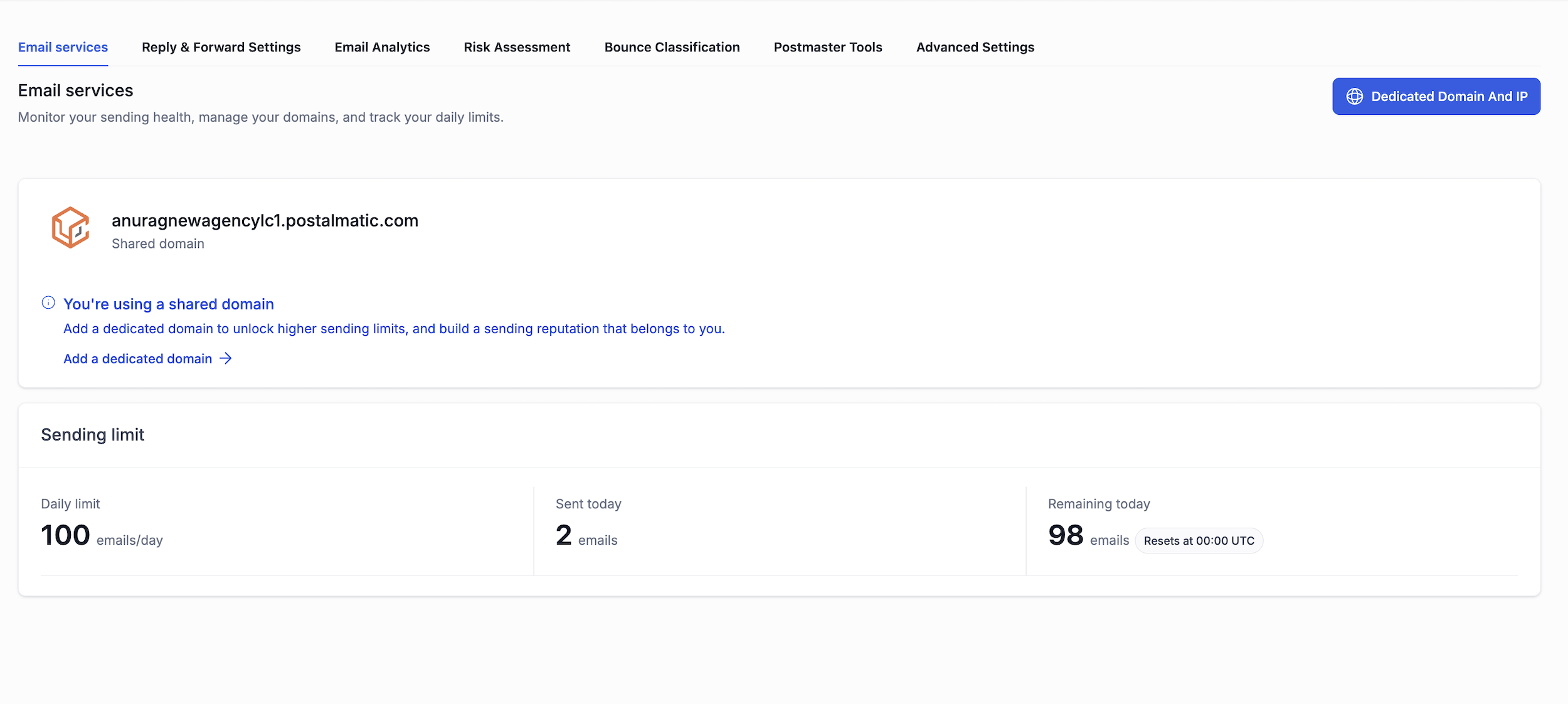
On any sub-account using a GHL Shared or Agency Shared domain, the Email Services page now shows a dedicated Sending Limit panel at the top. It surfaces three numbers side by side, with no extra clicks required.
- Daily Limit — the maximum emails this sub-account can send today, based on its current stage.
- Sent Today — a live counter of campaign and bulk emails sent so far.
- Remaining — the difference between the two, updated in real time.
When the daily ceiling is hit, the panel switches to a red Daily limit reached state with a clear "Resets at midnight UTC" note, and the top of the page surfaces a blocking banner so it cannot be missed.
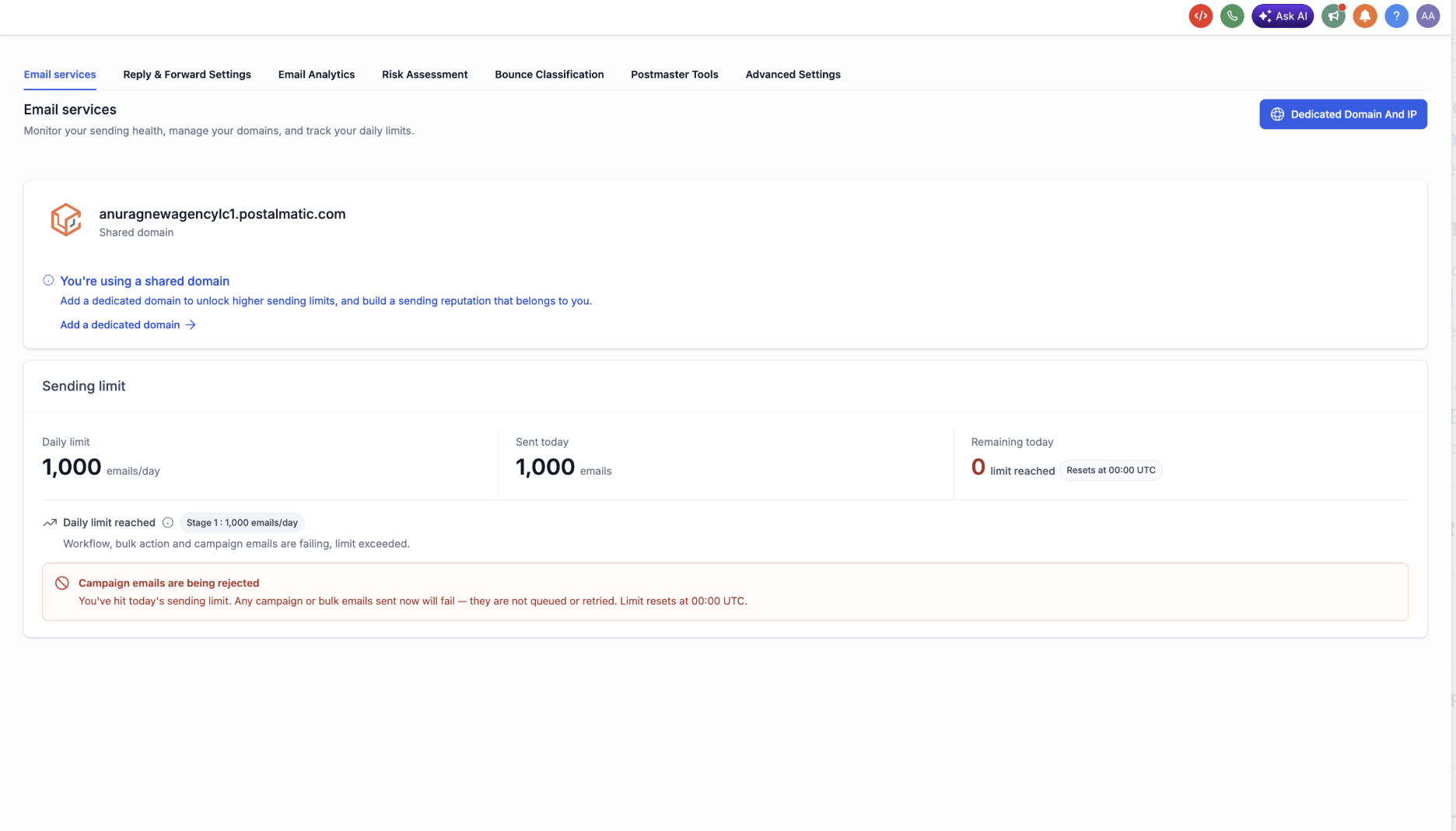
1-to-1 emails, payment confirmations, calendar invites, and system notifications are not counted against the daily limit and continue to deliver normally even when the limit is reached.
Stage and Status Badge
Every shared-domain sub-account is on a stage from 1 (starting) to 8 (maximum). The panel shows the current stage as a badge alongside the daily limit, so users always know which tier they're on. A small "Why do we use stages?" tooltip next to the badge explains, in plain language, how the system protects shared-domain reputation.
The eight stages and their daily limits are:
| Stage | Daily limit |
|---|---|
| 1 — Starting | 1,000 |
| 2 | 2,500 |
| 3 | 5,000 |
| 4 | 6,500 |
| 5 | 8,000 |
| 6 | 10,000 |
| 7 | 14,000 |
| 8 | 15,000 |
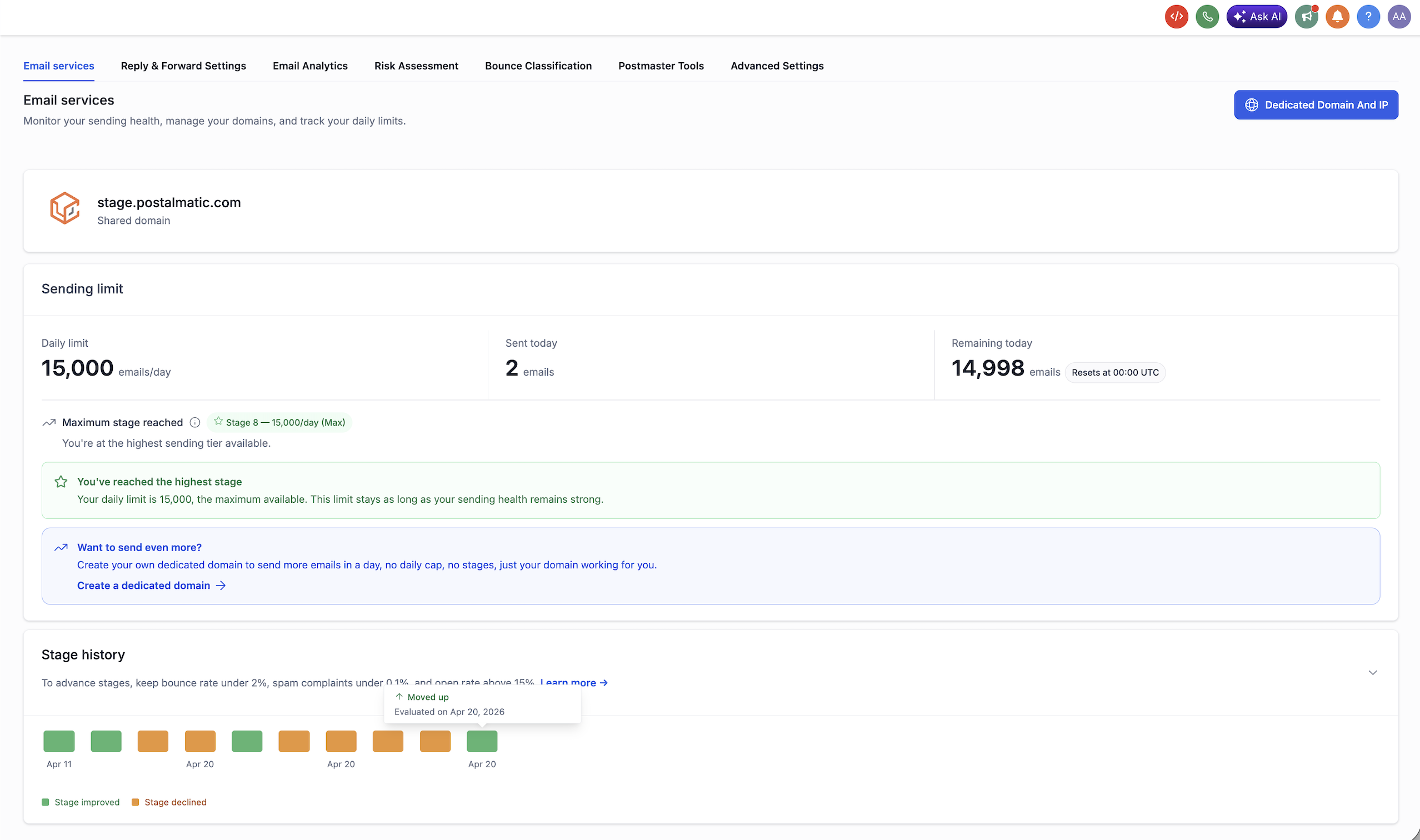
| 9 - Maximum | 25,000 |
Note: New Stage 9 at 25,000/day (shared domain and agency owned)
Before: The shared domain ramp topped out at 15,000/day with no next step. Senders who outgrew this had only one option — upgrade to a dedicated domain.
After: A new Stage 9 at 25,000/day gives high-volume senders room to grow before needing a dedicated domain.
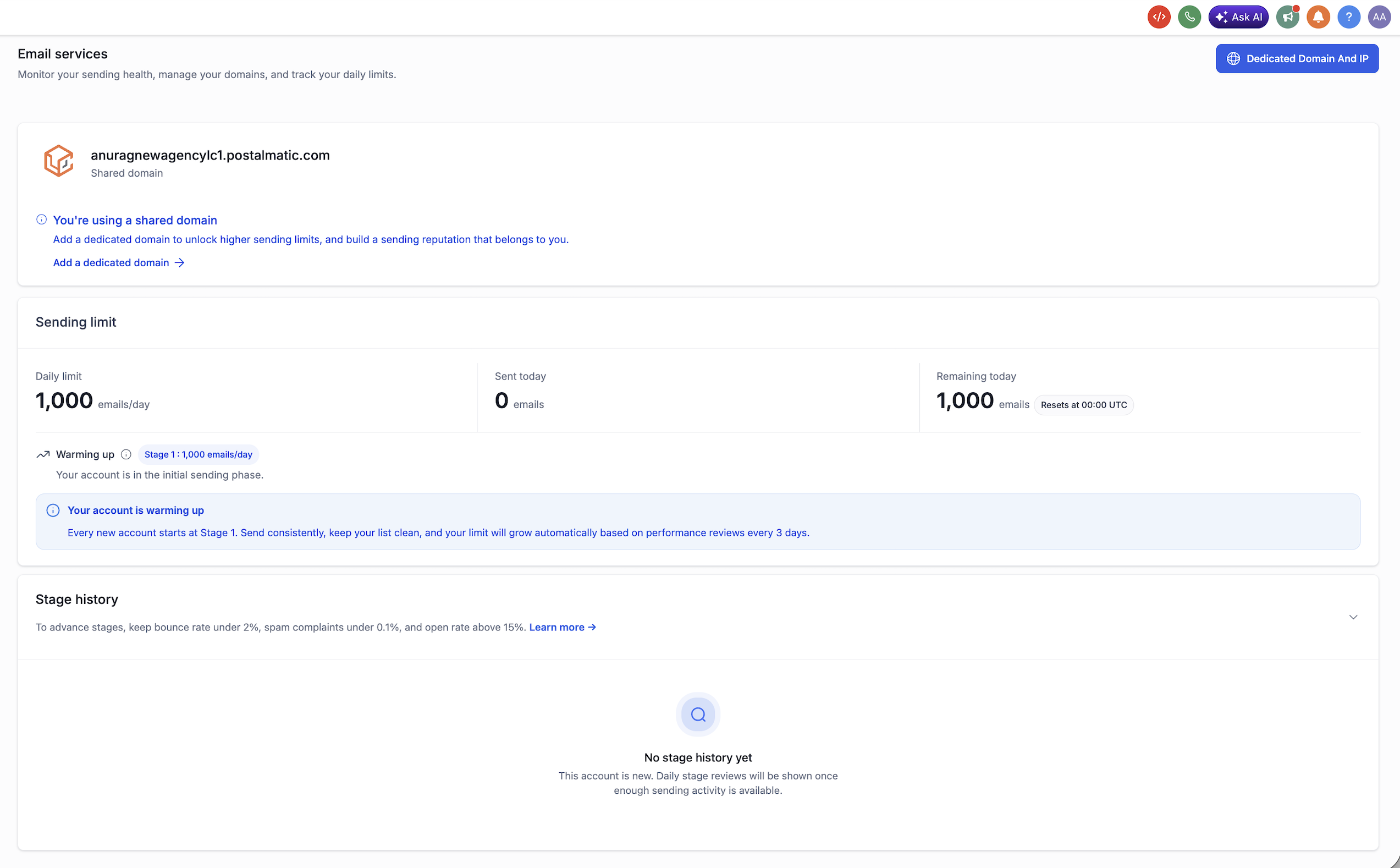
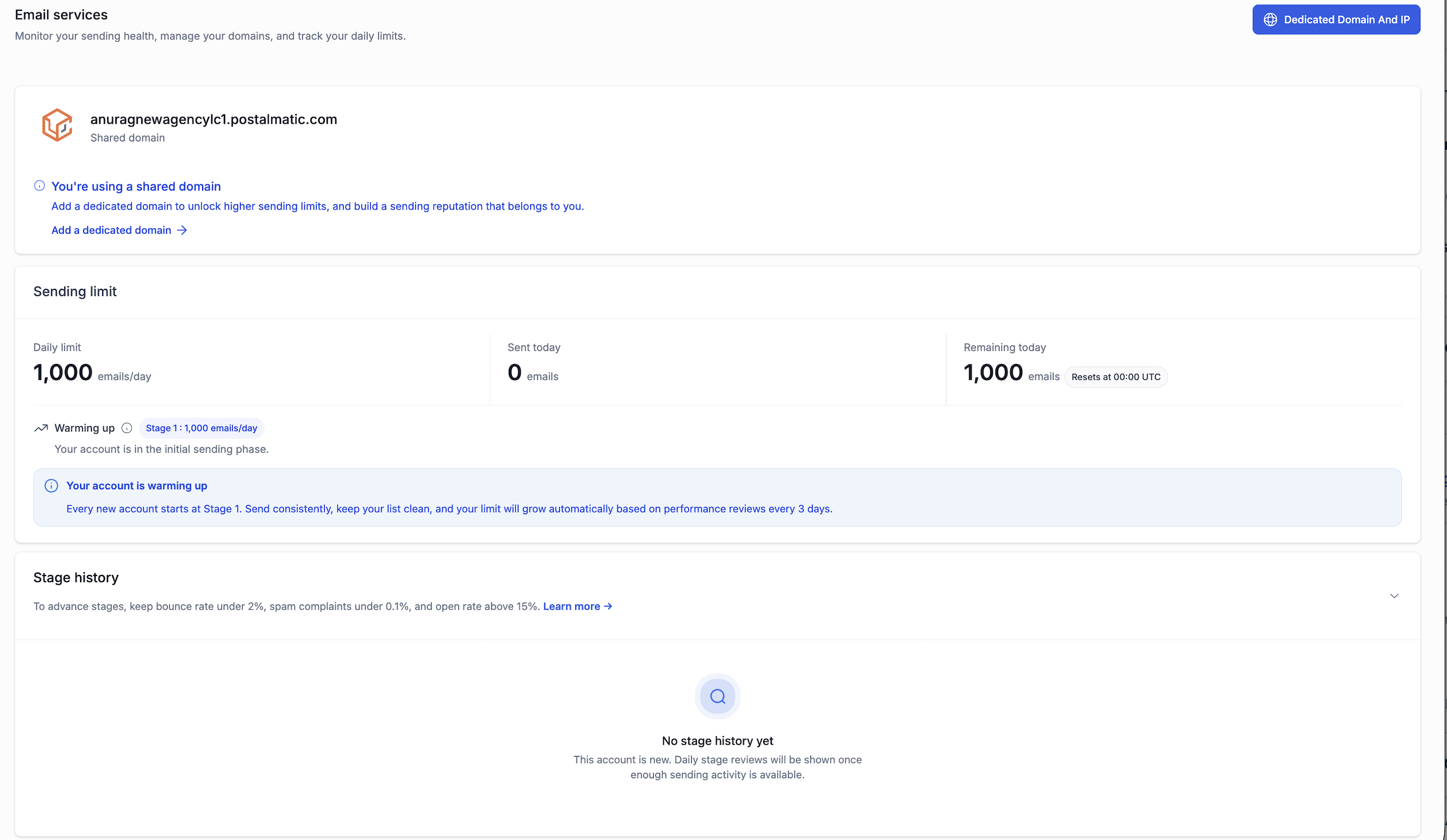
Brand-new sub-accounts open at Stage 1 with the Warming up status. As sending performance stays healthy, the badge automatically rolls forward through the stages
Contextual Alerts and Recommendations
The page now adapts to the sub-account's actual sending health. Instead of one generic screen, it renders a different banner and recommendation block for each state. Every alert is paired with concrete, step-by-step actions the user can take to recover.
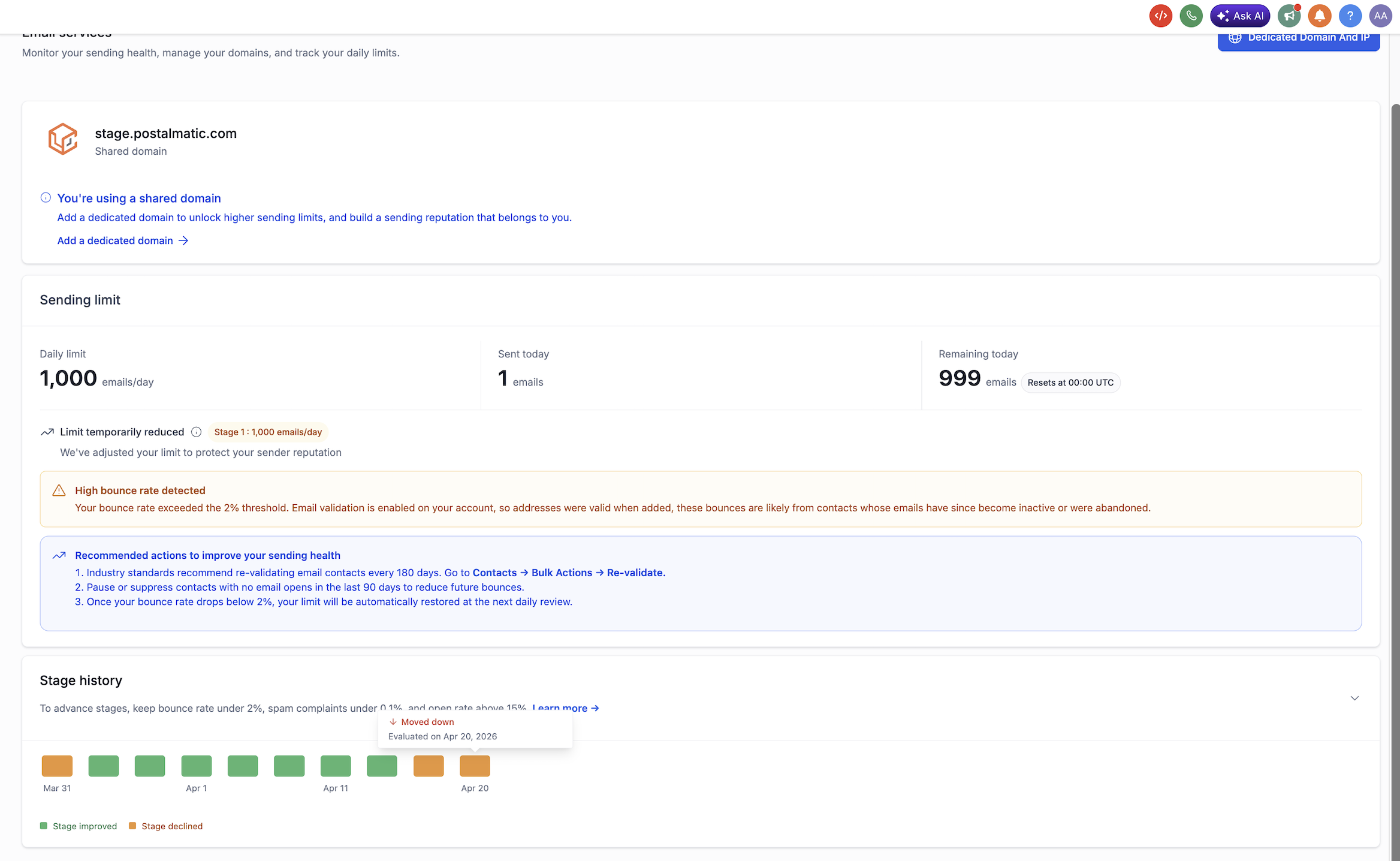
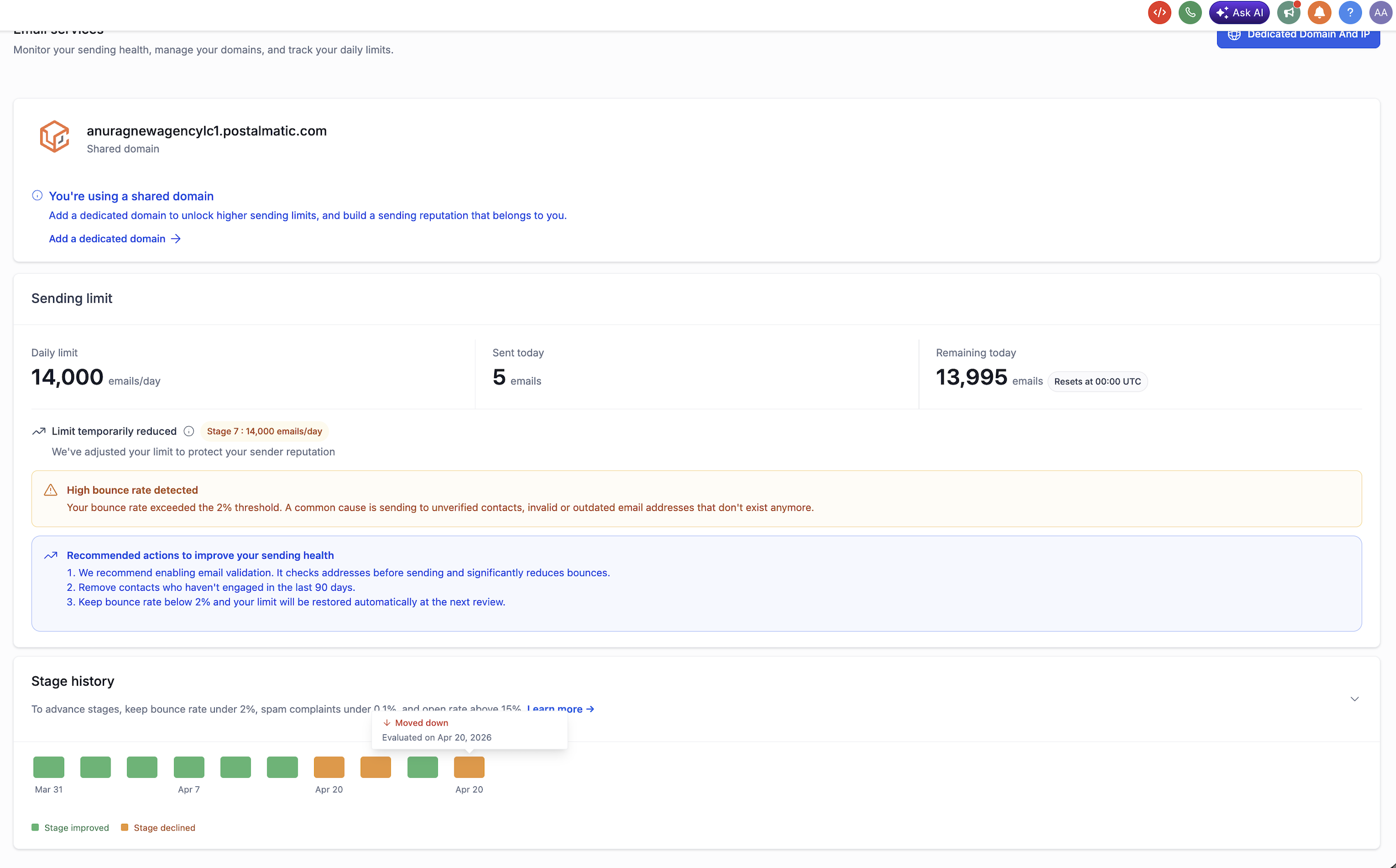
A red High bounce rate detected banner appears when the sub-account's hard bounce rate goes above the threshold. The recommendations differ depending on whether email validation is already enabled, so the guidance is always relevant.
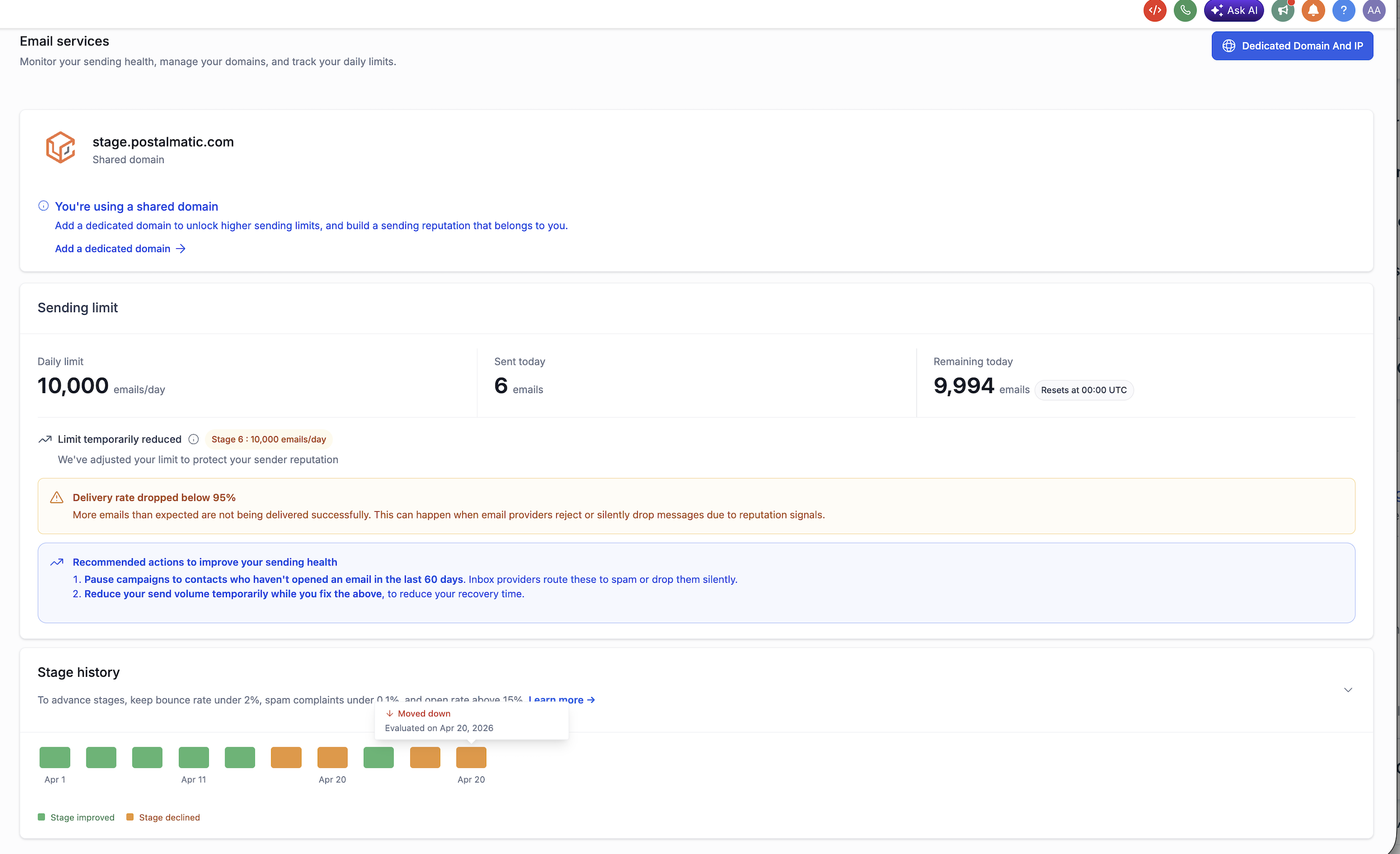
A "Delivery rate dropped below 95%" banner appears with recommendations to pause campaigns to unengaged contacts and tighten audience targeting.
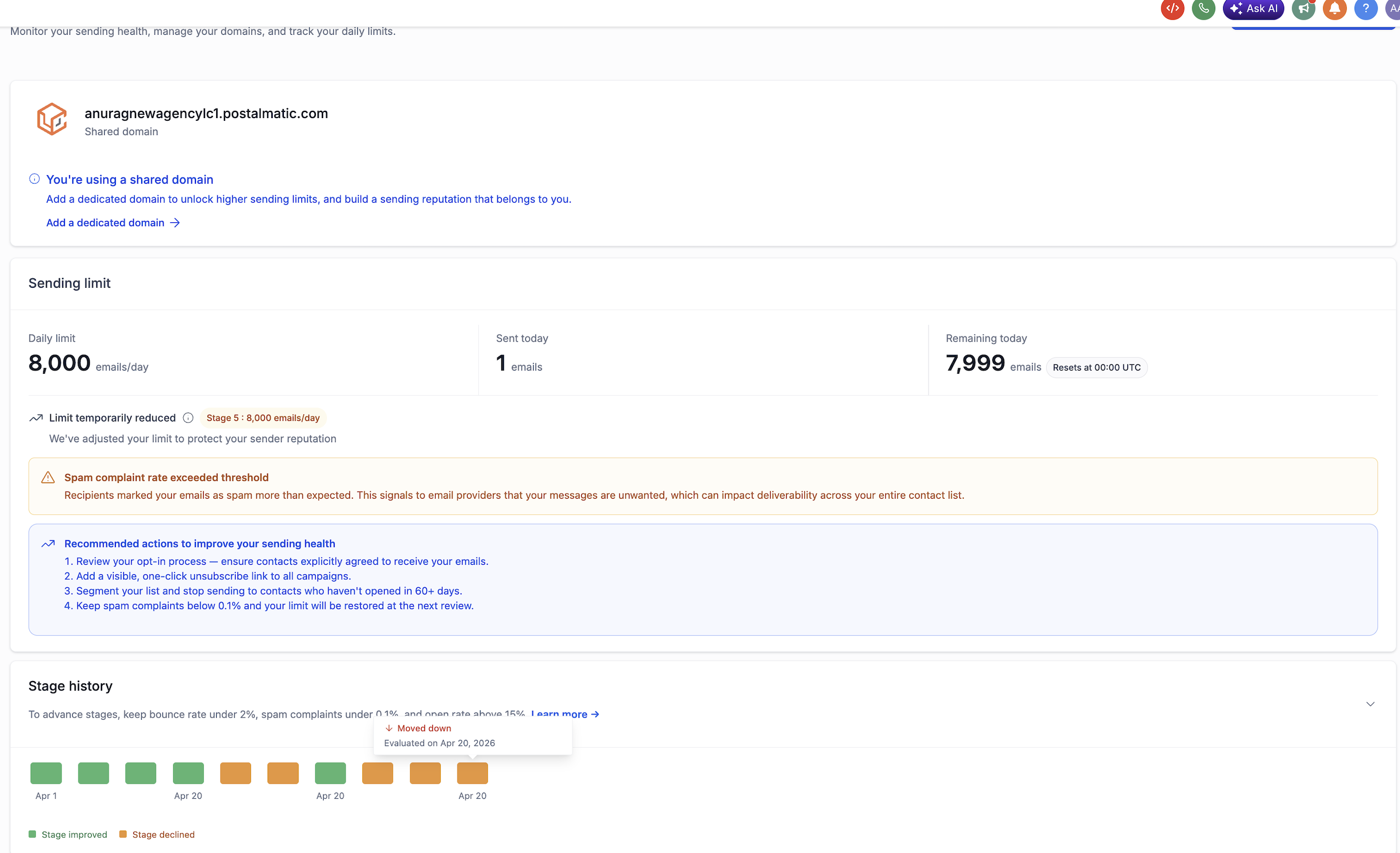
When spam complaints exceed the threshold, recommendations focus on opt-in quality, list hygiene, and unsubscribe visibility.
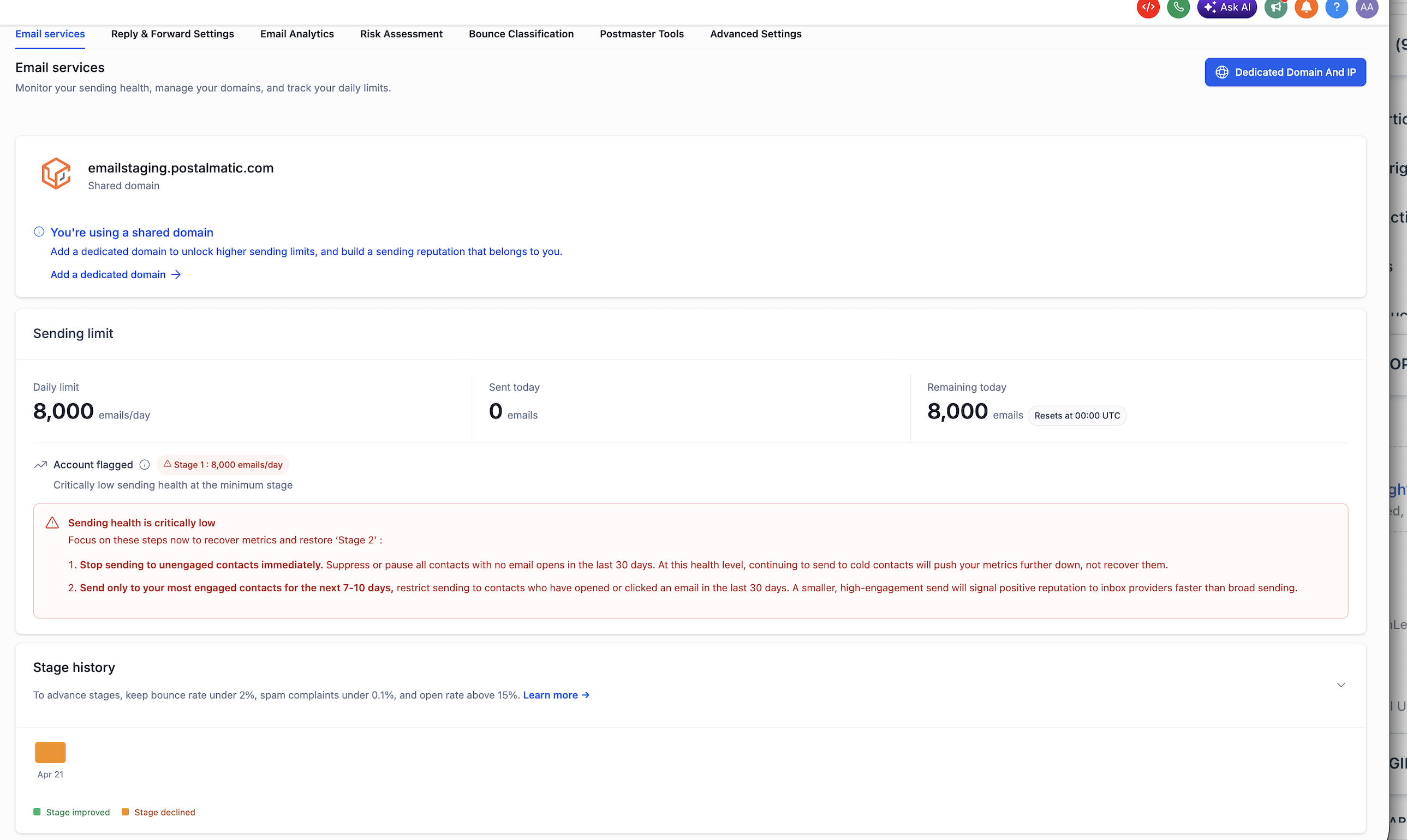
If a sub-account at Stage 1 also has critical health issues, the page elevates to an Account flagged state. The warning explains exactly which contacts to suppress and reassures the user that transactional and 1-to-1 emails will continue to deliver.
Usage tiles read "unavailable" and the page makes it clear sending is fully halted pending review.
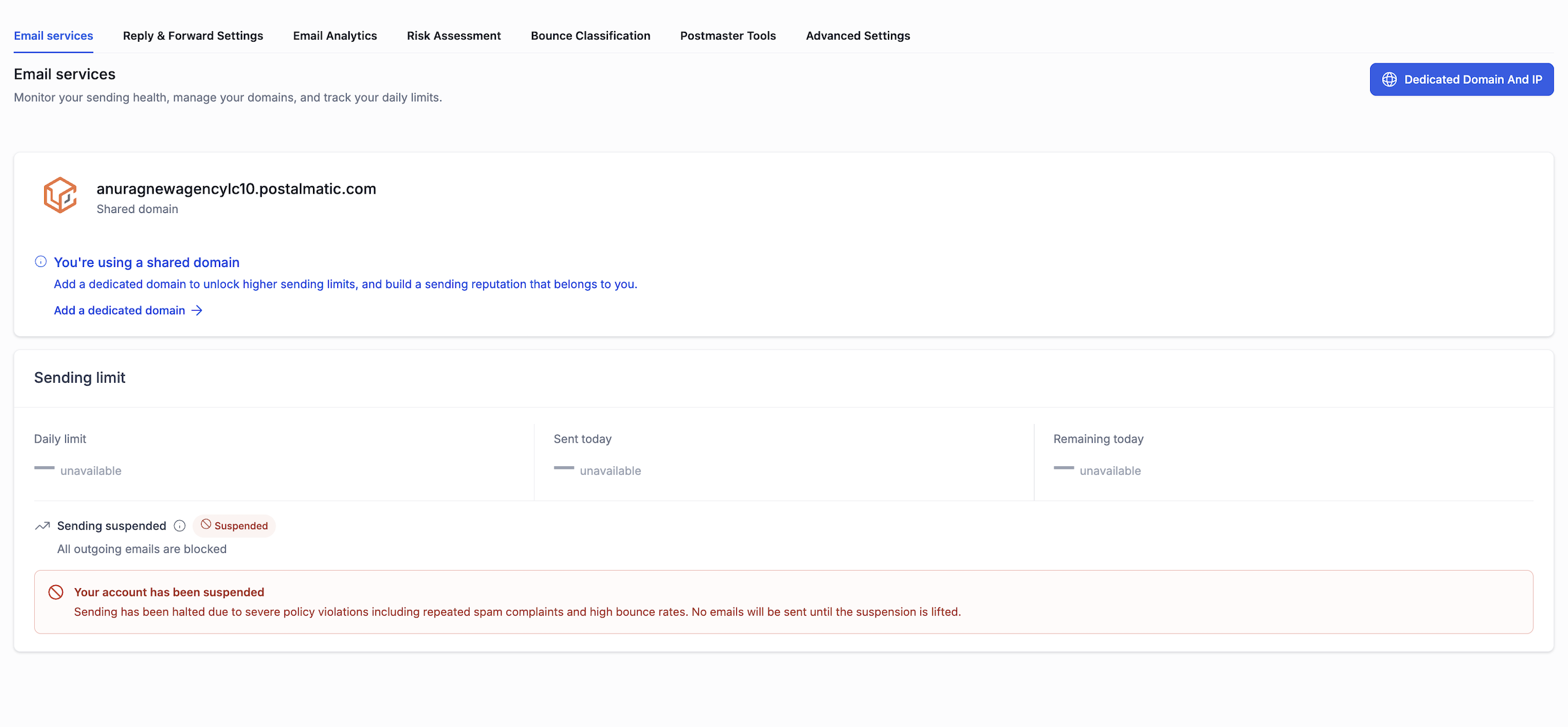
AUP enforcement emails now use clearer, state-specific subject lines so it's immediately obvious whether an account is on a first-strike 12-hour block, a second-strike 24-hour block, or a permanent lock awaiting manual review.
Stage History Timeline
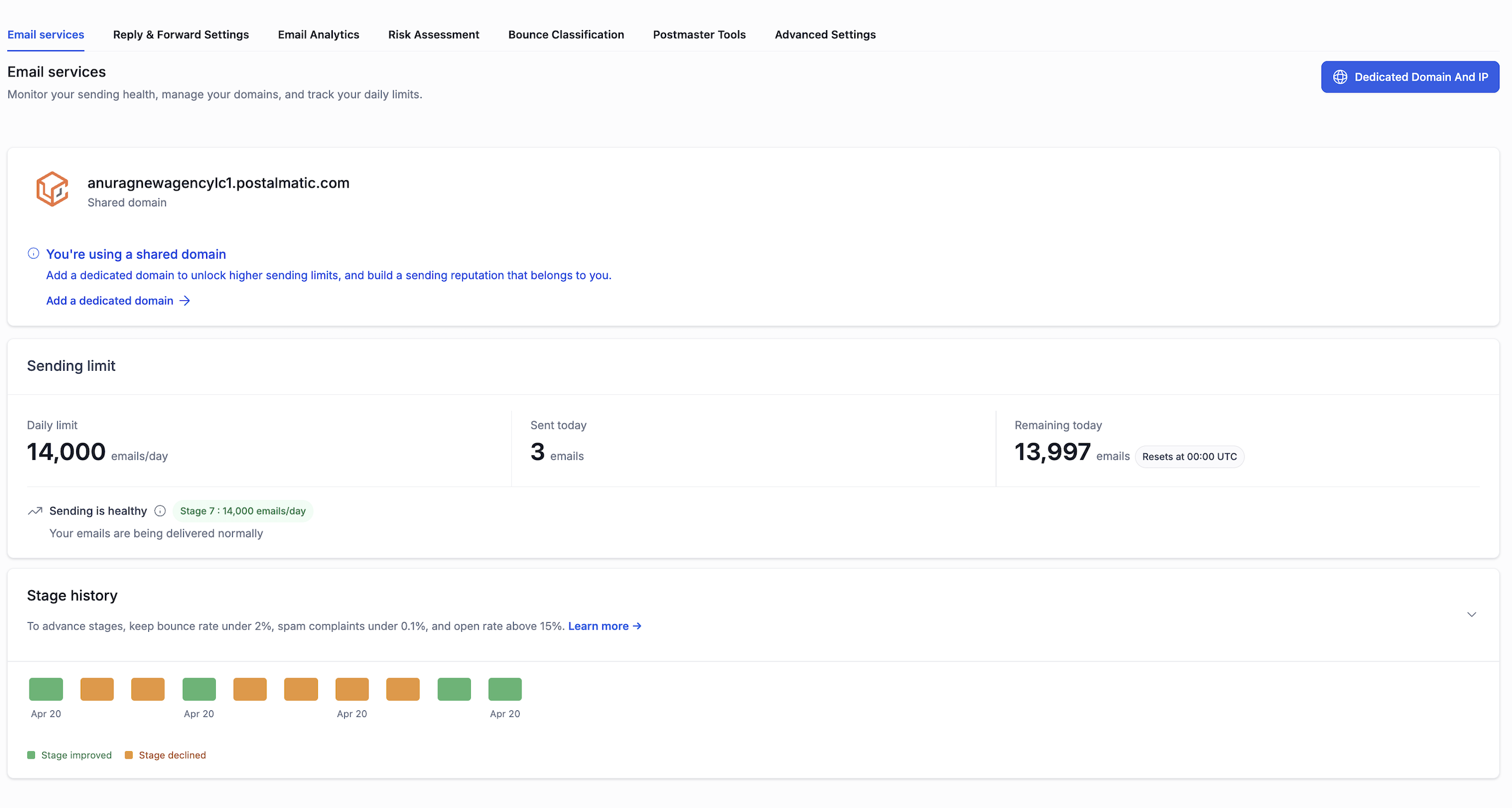
The Email Services page now includes an expandable Stage History section that lists every upgrade and downgrade with the date and the reason. This is the first time both end users and agencies have an in-product audit trail of how a sub-account's sending capacity has evolved.
- Upgrade entries are tagged "Stage improved" and include the new daily limit.
- Downgrade entries are tagged "Stage declined" and surface the trigger — bounce spike, sustained delivery issue, or spam spike.
- Brand-new accounts see a friendly empty state until enough sending activity is recorded.
Dedicated Domain Nudge
A persistent, dismissible banner now sits on the Email Services page for every shared-domain sub-account, encouraging an upgrade to a dedicated domain for higher throughput and a sender reputation tied to the user's own domain. The banner automatically disappears once the account reaches Stage 8 — at which point a similar nudge appears in the Maximum Stage card instead.
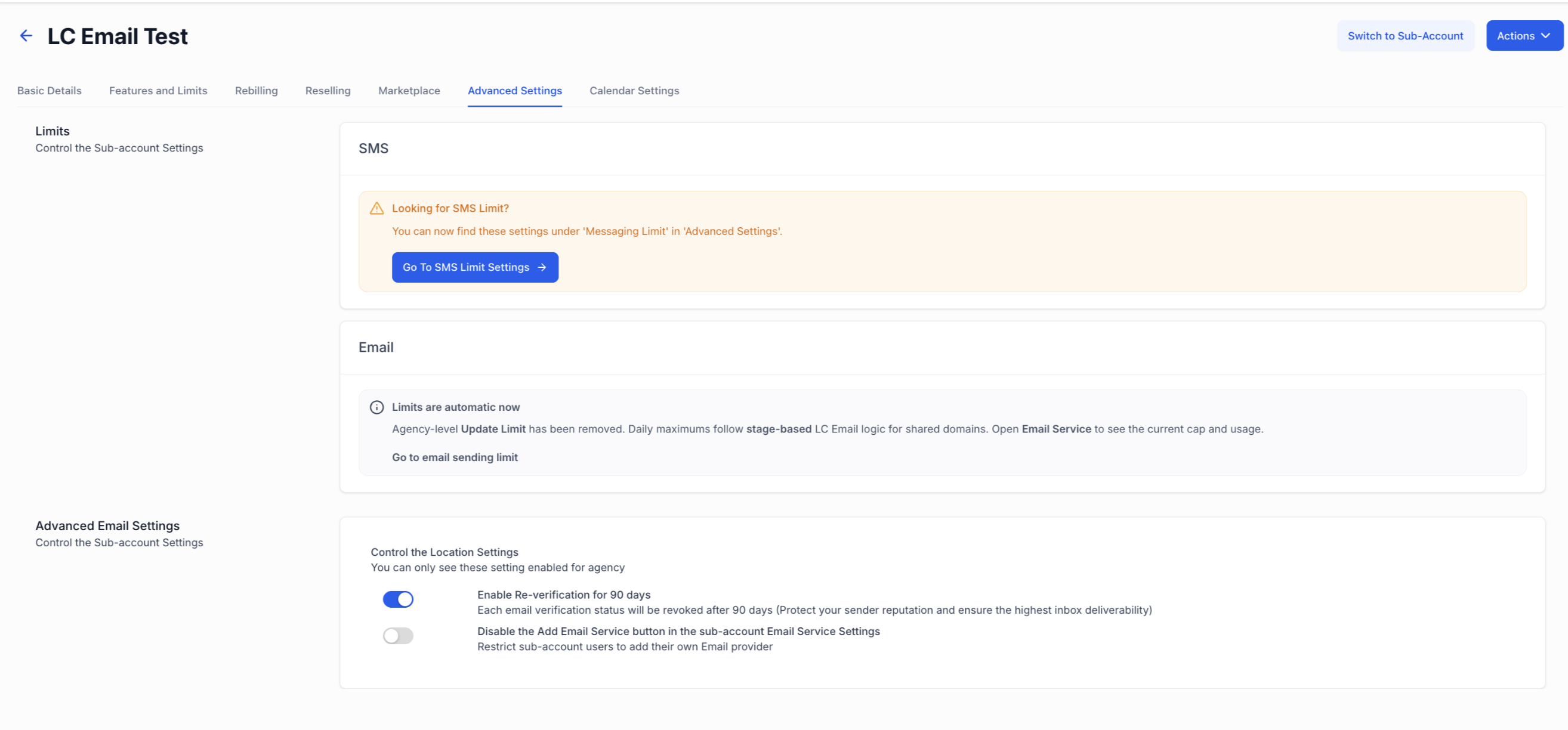
For agencies: The Update Limit control is now automatic
For new agencies (created on or after 27 April 2026), the manual Update Limit control on the agency Advanced Settings screen has been replaced with an informational banner that reads "Limits are automatic now" and links directly through to the sub-account's Email Services page.
- The Update Limit panel and footer button are hidden entirely from Agency Advanced Settings.
- Existing agencies are completely unaffected and keep the manual control.
Shared-domain reputation is shared across every sub-account on it. Manual overrides on a single account could pull the reputation down for everyone else. Stage-based progression replaces overrides with an automatic, transparent path to higher limits — earned through clean sending behavior.
Trial Agency View: A flat 500/day cap
Trial agency sub-accounts can send email campaigns, subject to the applicable 500 emails/day trial limit.
Sub-accounts under a trial agency don't enter the rampup system at all. They run on a dedicated trial view with a 500 emails/day cap, no Update Limit control, and a streamlined panel that shows only the domain card and the trial limit.
Trial agency sub-accounts can send email campaigns, subject to the applicable 500 emails/day trial limit.
The moment the parent agency converts to a paid plan, the trial UI is replaced with the full Sending Limit panel and Stage History, and the rampup engine activates automatically from Stage 1.
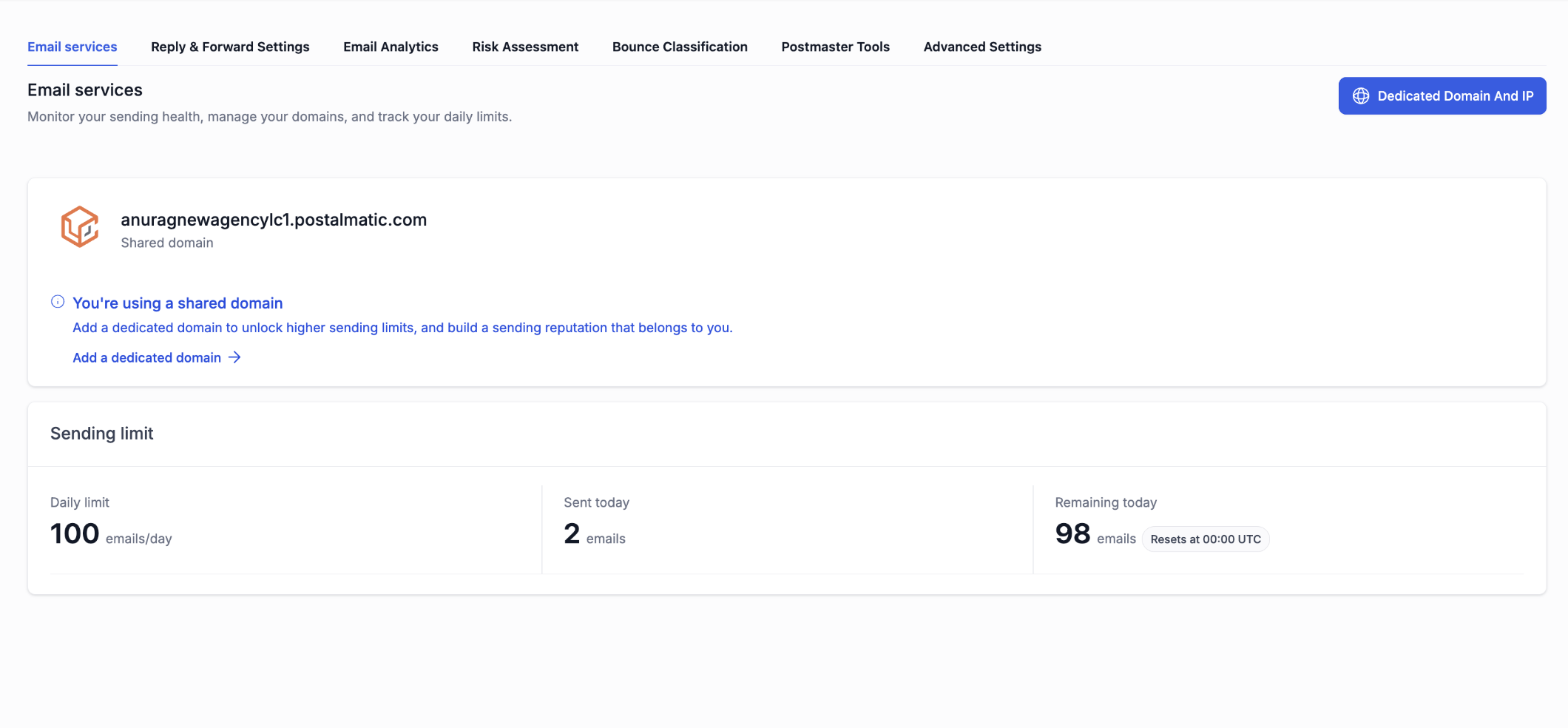
Note: Trial sub-account cap: 100 → 500/day
Before: Every sub-account under a trial agency was silently capped at 100 emails/day — an emergency measure set in April to stop a spam attack. The actual fix (location creation cap) was already live, but the 100/day cap stayed on. Sub-accounts had no idea why they were hitting limits.
After: Trial sub-accounts can now send up to 500/day. 99% of legitimate trial users never exceed this naturally.
Quick FAQ
Was this article helpful?
That’s Great!
Thank you for your feedback
Sorry! We couldn't be helpful
Thank you for your feedback
Feedback sent
We appreciate your effort and will try to fix the article