We've introduced a new agency-level setting that gives you centralized control over Email Services across all your sub-accounts. This update improves governance, simplifies management, and makes email configuration easier to find and oversee from one place.
What's New
A new toggle has been added under:
Agency View → Settings → Email Services → Advanced Settings
This toggle controls whether the "Add Email Service" button is visible and available within sub-accounts. Agencies can now enable or disable access to Email Services for sub-accounts directly from this centralized setting — no need to manage it account by account.
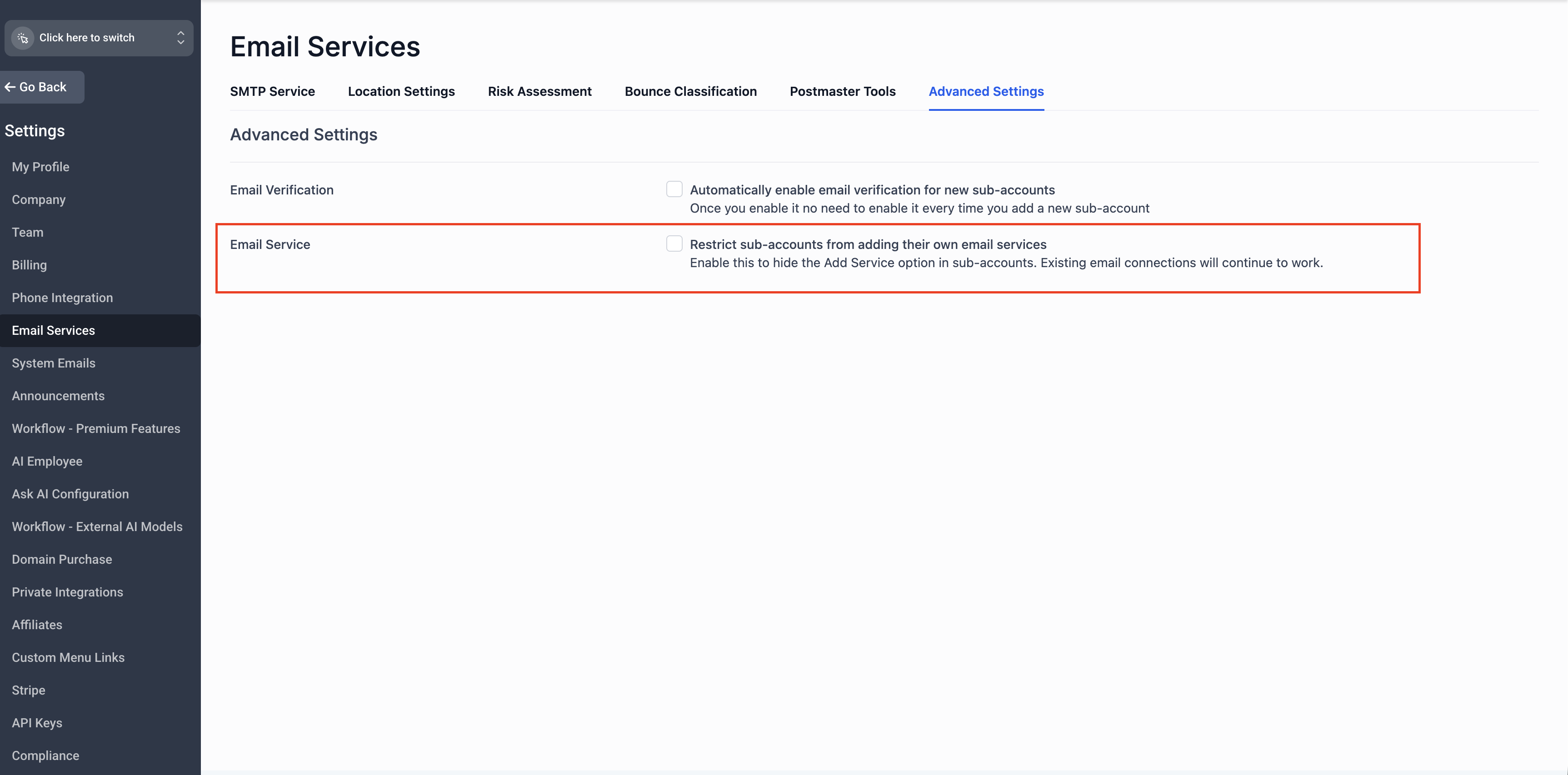
How It Works
- The Email Services control toggle is enabled by default
- The "Add Services" button will be hidden in sub-accounts
- Sub-account access to Email Services is governed entirely by the agency-level setting
- The Email Services control toggle is disabled by default
- The "Add Services" button remains visible in sub-accounts, preserving your current workflow
- No disruption to any sub-accounts already using Email Services
No action is required for existing sub-accounts that are already set up with Email Services. Their configurations will continue to work as expected.
Managing Email Services for a Specific Sub-Account
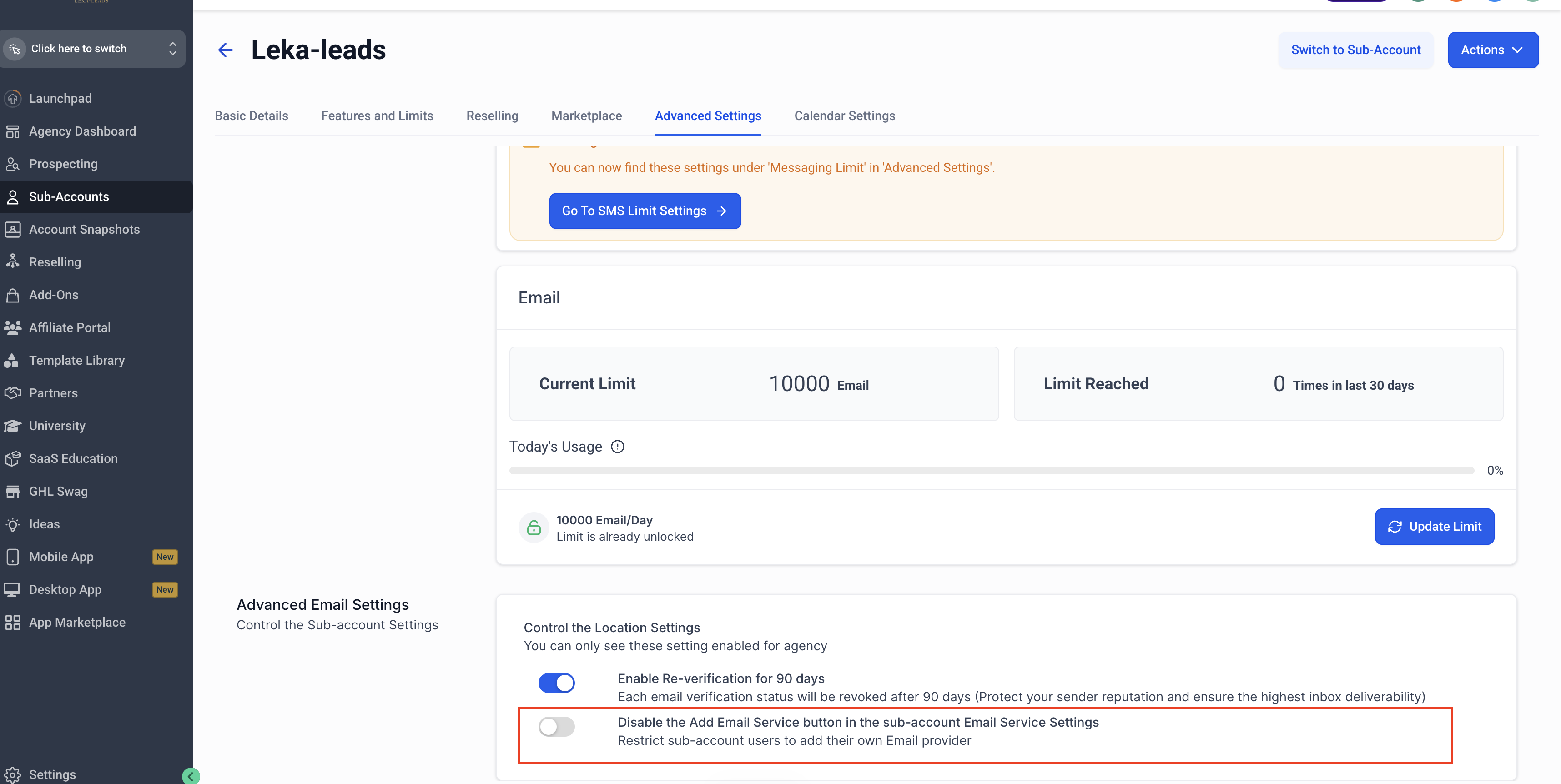
If you want to enable or disable the "Add Email Service" button for an individual sub-account rather than applying the setting globally, you can do so at the sub-account level:
Go to Agency View → Sub-Accounts.
Select the sub-account you want to configure.
Navigate to Advanced Settings and find the option to disable the "Add Email Service" button in the sub-account's Email Service settings.
Toggle the setting on or off based on your preference for that sub-account.
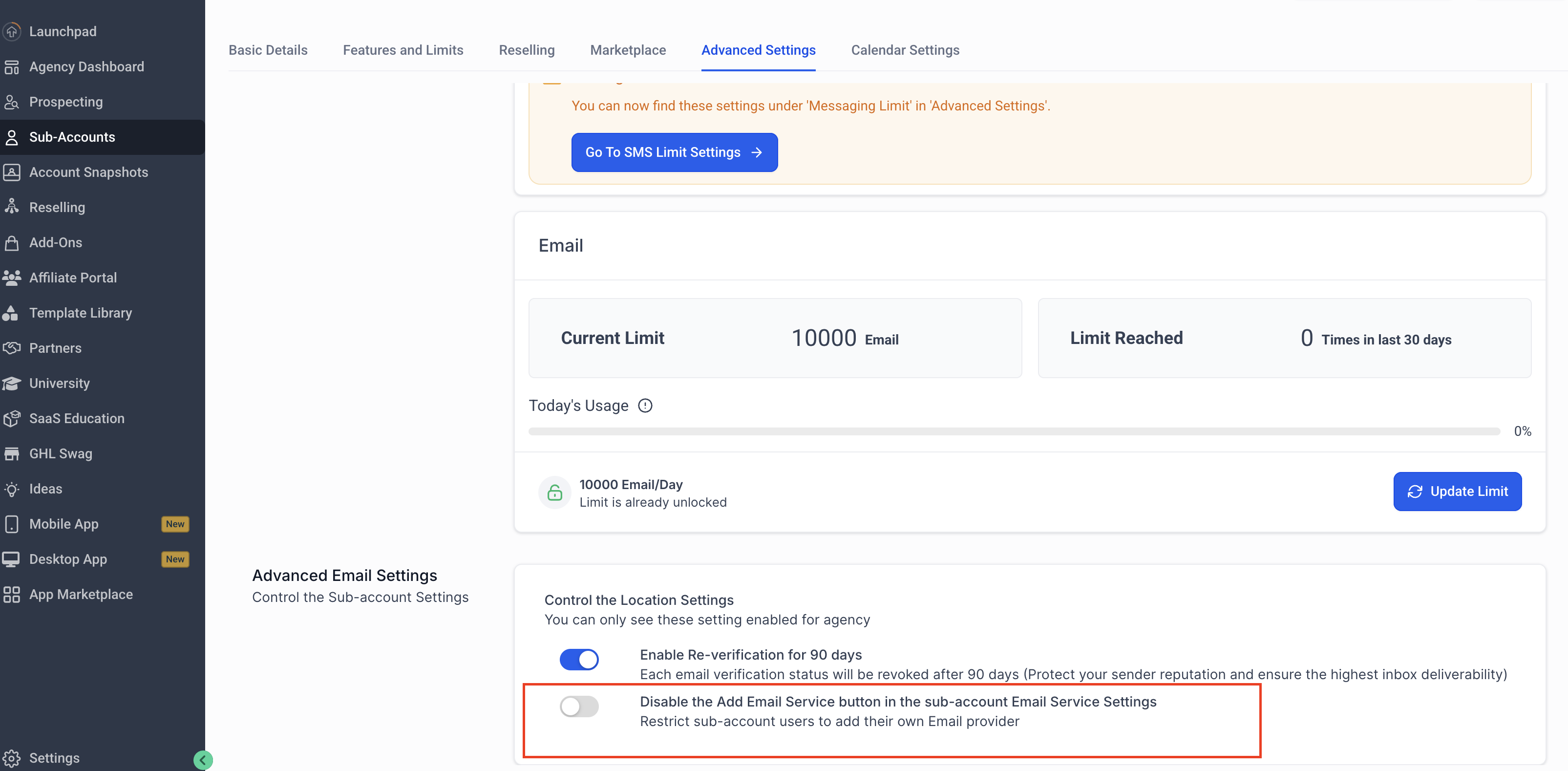
This allows you to fine-tune access for specific sub-accounts, overriding the global agency-level setting where needed.
Key Benefits
Frequently Asked Questions
Was this article helpful?
That’s Great!
Thank you for your feedback
Sorry! We couldn't be helpful
Thank you for your feedback
Feedback sent
We appreciate your effort and will try to fix the article