Overview
The Quick Setup (Pre-Built A2P Campaign) registration flow is a structured campaign submission experience designed to:
Improve compliance accuracy
Reduce carrier rejections
Eliminate manual compliance writing
Prevent classification errors
Streamline the A2P registration process
This flow enforces a Chat Widget–based opt-in method and automatically applies carrier-aligned compliance standards.
By locking required compliance elements and auto-generating mandatory disclosures, the system significantly reduces submission errors and approval delays.
Note: This campaign registration flow is not available for:
Mixed use-case campaigns
Sole Proprietor (Sole-prop) campaigns
Compliance review checks whether the widget is live
The compliance review now checks whether the Lead Connector chat widget is live on your website before you submit. This helps catch missing-widget issues earlier, so you can fix them before submission and avoid preventable rejections.
If the widget is not detected on your site, the compliance review will fail and show a guided fix path inside the modal.
What to do if the compliance review fails
If Chat Widget Compliance shows Failed, follow these steps:
1. Copy your widget script from the Chat Widget page.
2. Paste the script into your website.
3. Add the script inside the `<head>` or `<body>` of the pages where the widget should appear.
4. Return to the compliance review and select Review Again.
You can continue only after all compliance checks pass.
Remove Additional SMS Opt-In Methods
For the widget-first registration flow, the LeadConnector Chat Widget must be the only SMS opt-in method on the website. This helps keep consent collection clear and improves the quality of A2P submissions.
The system now checks the business website for additional SMS opt-in methods. If other opt-in paths are found, such as forms, pop-ups, or other lead capture flows, you will be prompted to remove them before continuing.
Use this flow only when SMS consent is collected through the LeadConnector Chat Widget alone.
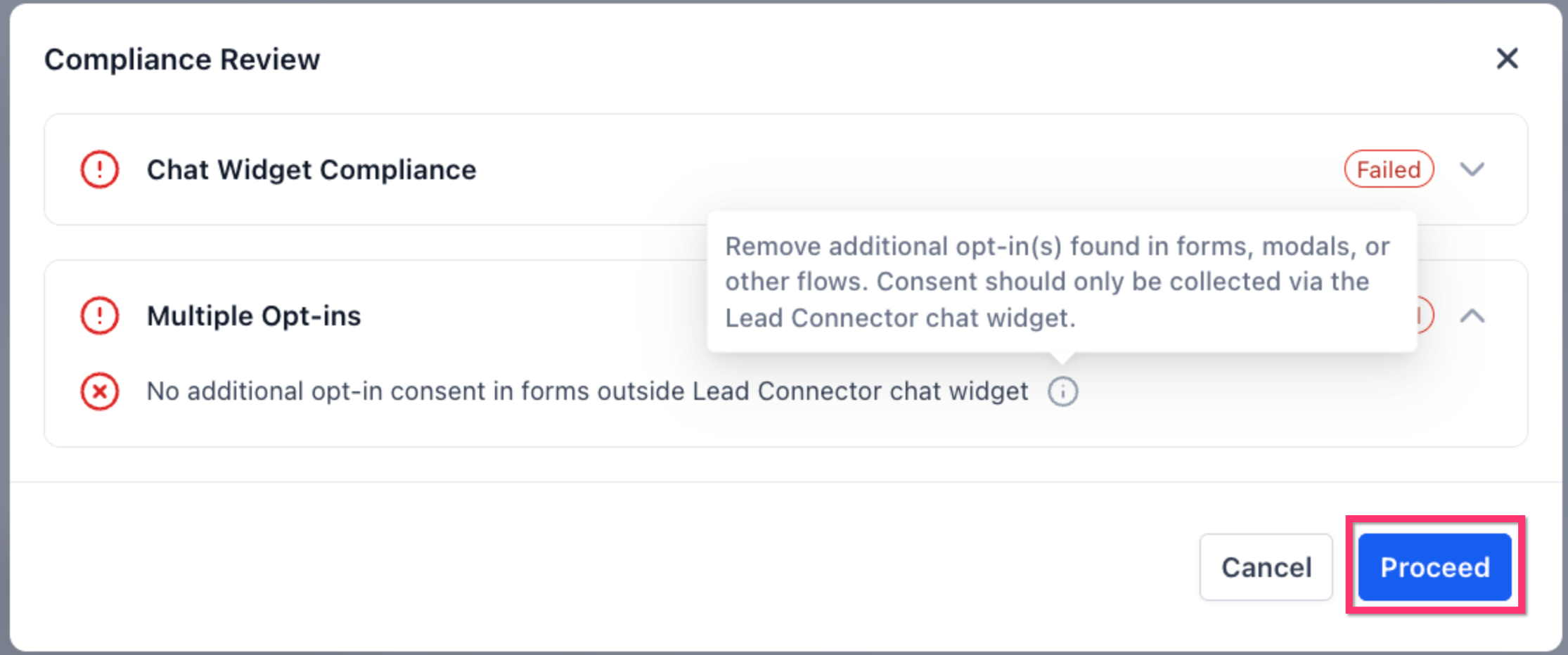
Choose the Correct Use Case
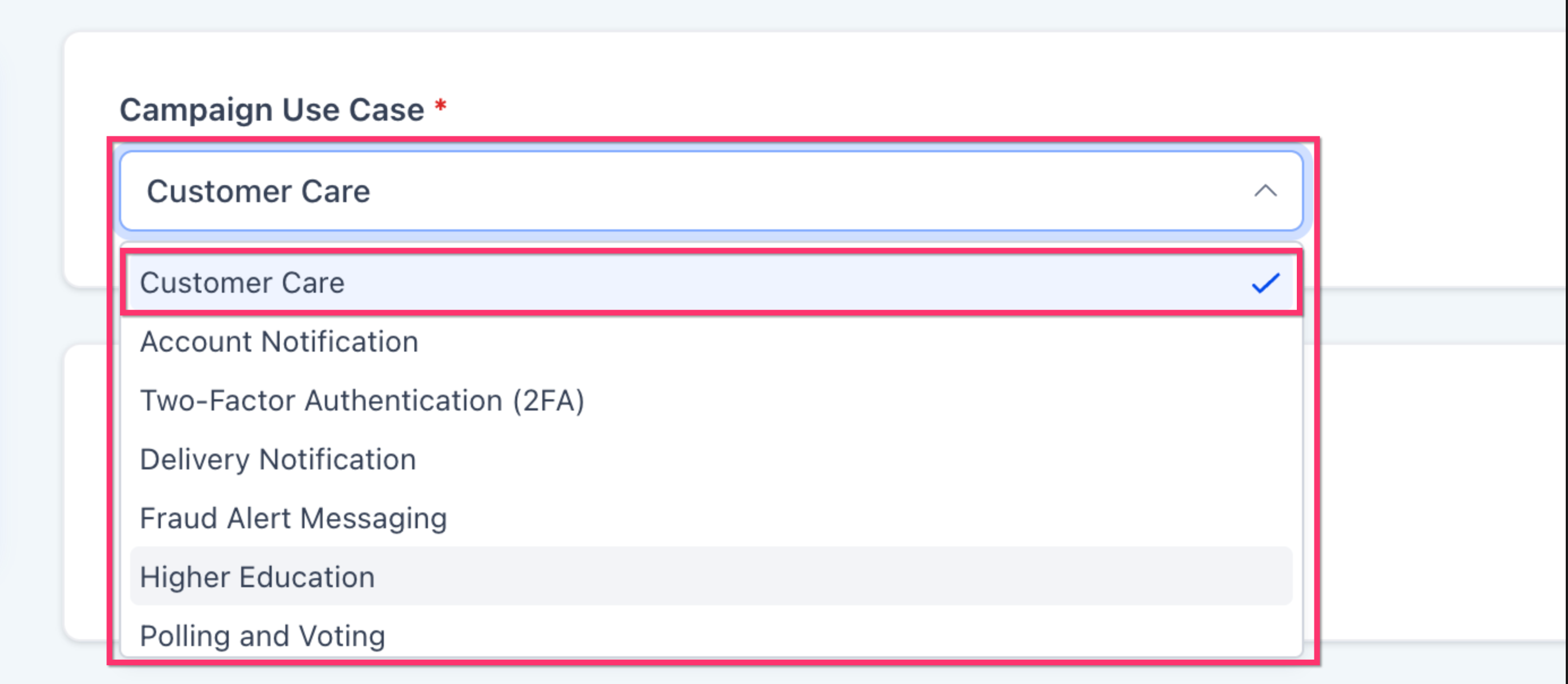
Selecting the right use case helps reduce avoidable rejections during campaign review. The widget-first flow now uses an updated default order to guide users toward better-fitting options.
Default use-case order in this flow:
- Customer Care
- Account Notification
This change is designed to reduce incorrect selections, especially choices that do not match the actual messaging behavior of the campaign.
Users can now select “Quick Setup” when starting Campaign Registration in the Standard A2P flow.
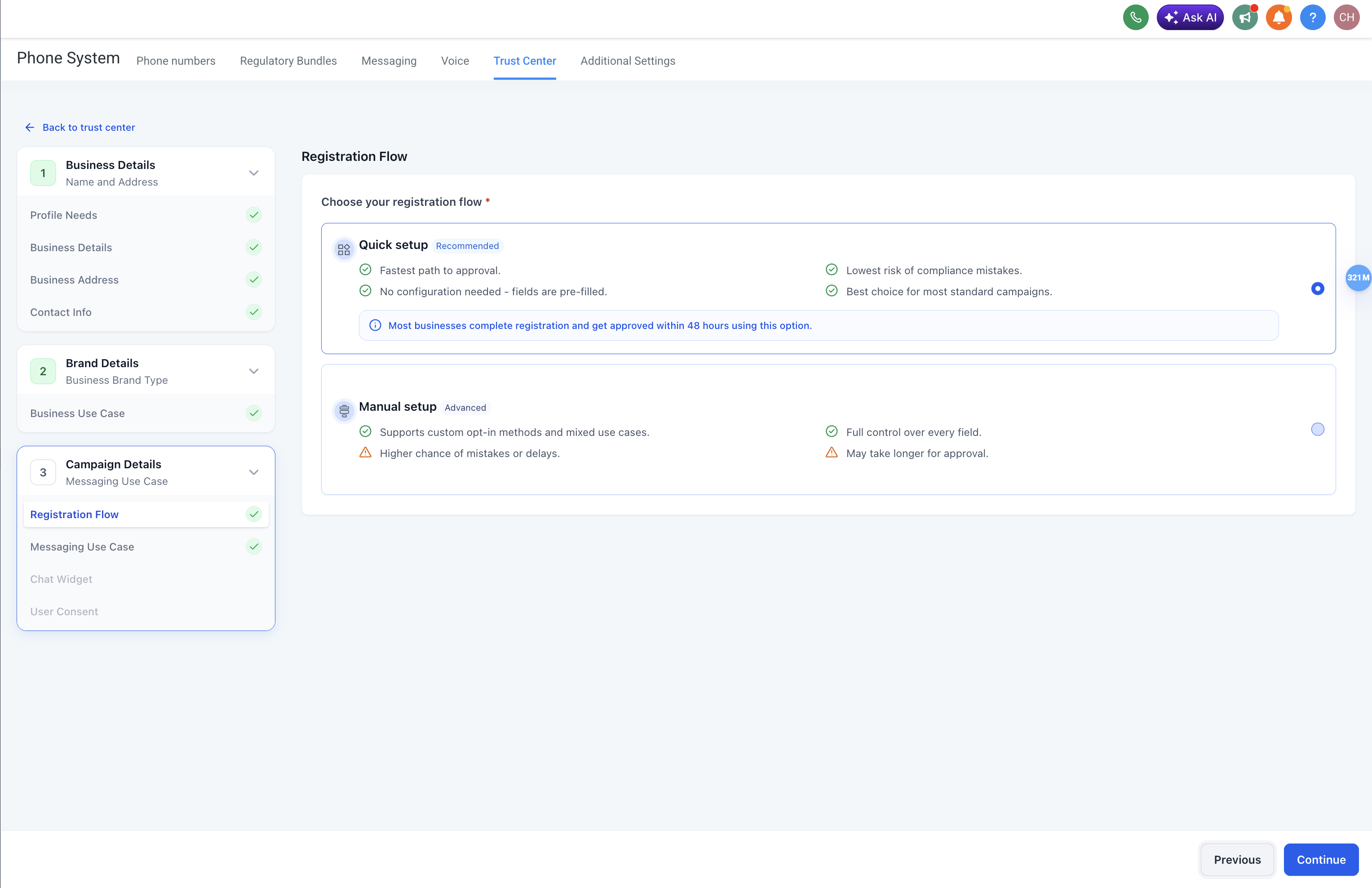
This guided experience:
Enforces Chat Widget as the only opt-in method
Automatically generates compliant consent language
Locks required compliance elements
Prevents financial and marketing misclassification
Reduces rejection risk
Automatically attaches the compliant widget to the campaign
IMPORTANT NOTE- READ BEFORE SELECTING "CHAT WIDGET"

If you are selecting Chat Widget for your A2P campaign
You MUST remove consent checkboxes from all other forms on your website.
Having consent checkboxes on other forms while using Chat Widget as your opt-in method may result in Campaign rejection.

Before Proceeding:

1. Remove consent checkboxes from all website forms
2. Ensure Chat Widget is the only opt-in method being used
Messaging Use Case Selection
Messaging Use Case Selection defines the type of messages your campaign will send and determines how the campaign is categorized during registration.
The flow includes a structured two-step selection process.
Step 1: Message Type
| Option | Description |
|---|---|
| Marketing / Promotional | Advertising, offers, sales, promotions |
| Transactional / Non-Marketing | Informational or service-related messages |
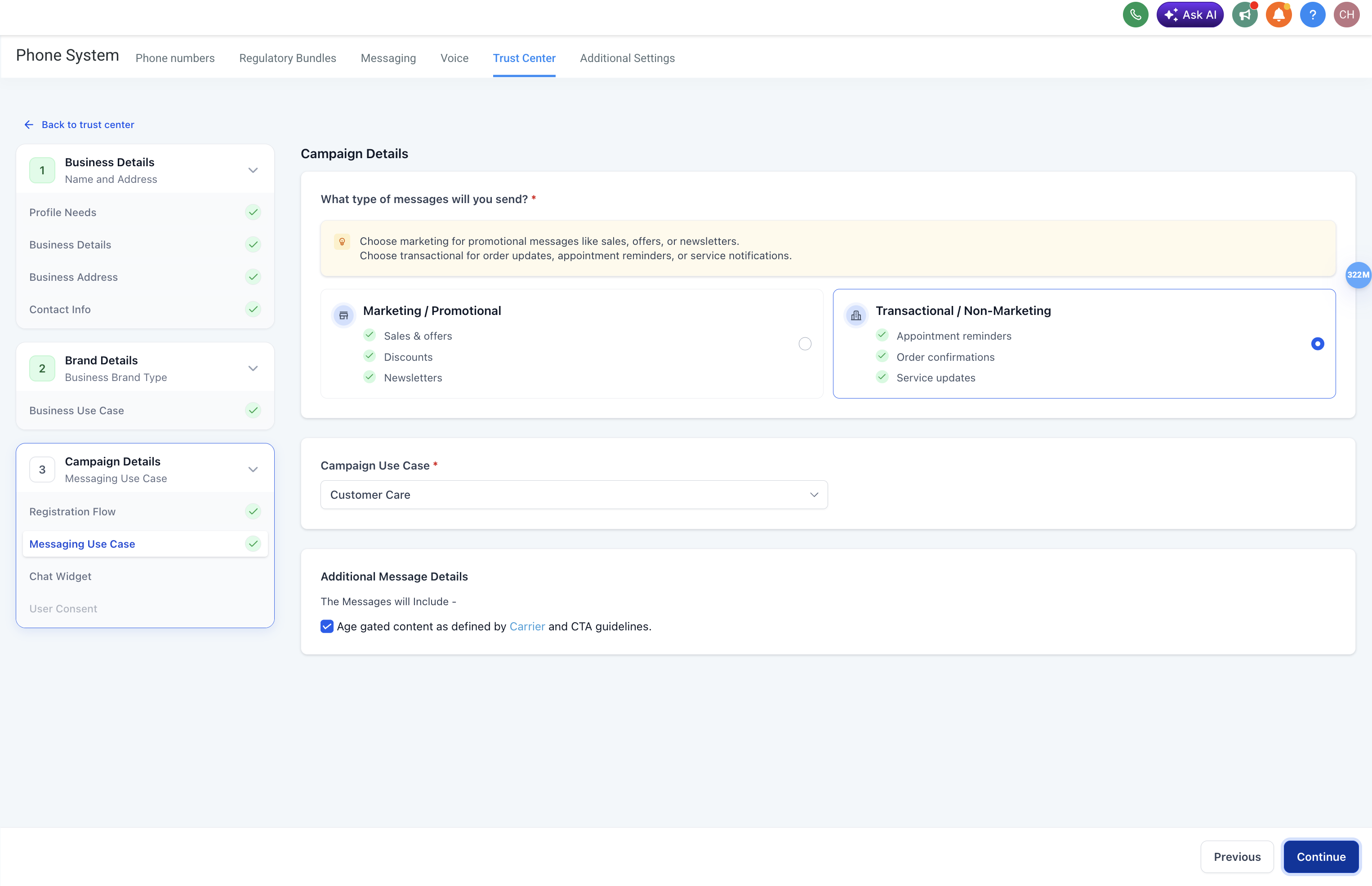
Step 2: Use Case Selection
The available use cases depend on the selected message type.
If Marketing / Promotional is selected
Only Marketing is available.
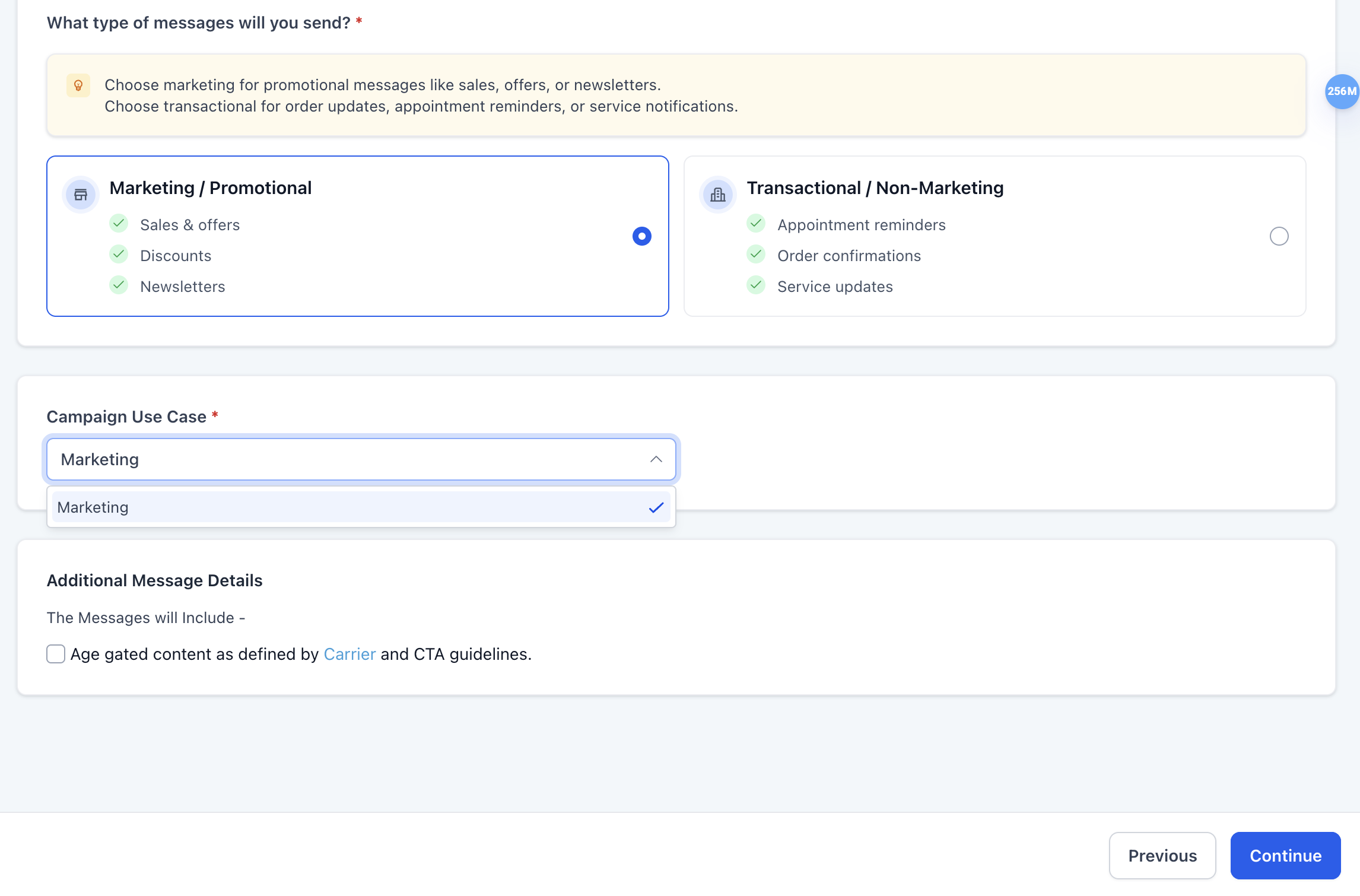
If Transactional/Non Marketing is selected:
the system automatically assigns Customer Care.
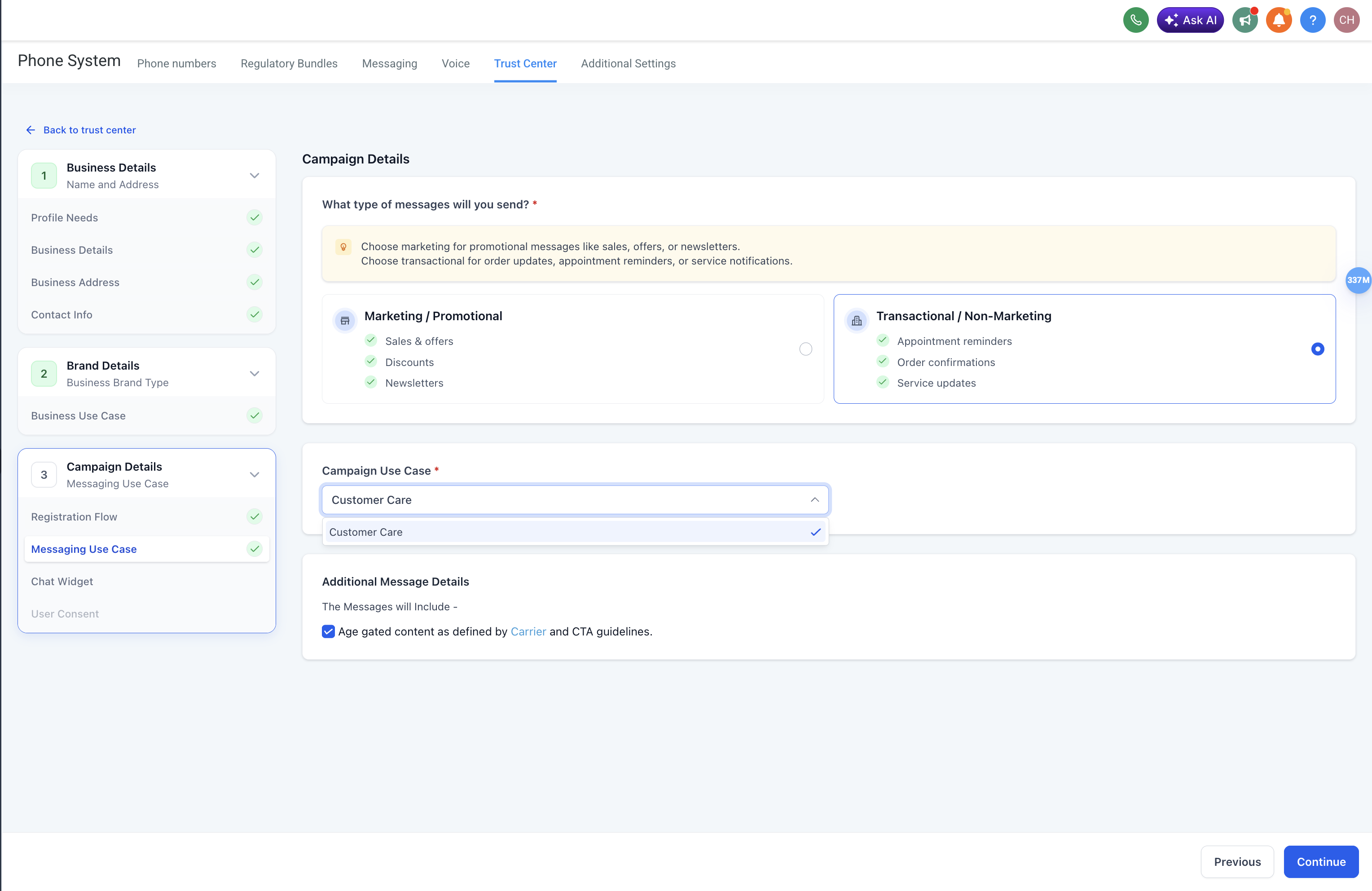
For transactional Chat Widget campaigns, use case selection is not shown as a user choice.
Why This Structure Matters
This controlled selection process:
Prevents incompatible combinations
Reduces classification errors
Aligns campaigns with carrier requirements
Decreases rejection rates
Automatic Age Gating (Carrier-Compliant)
Age gating is automatically enforced when:
Age-gated content is selected

When Triggered:
| Action | System Behavior |
|---|---|
| Age-gated checkbox selected | Date of Birth (DOB) field appears |
| DOB field | Mandatory and non-removable |
| Submission | Blocked until DOB is completed |
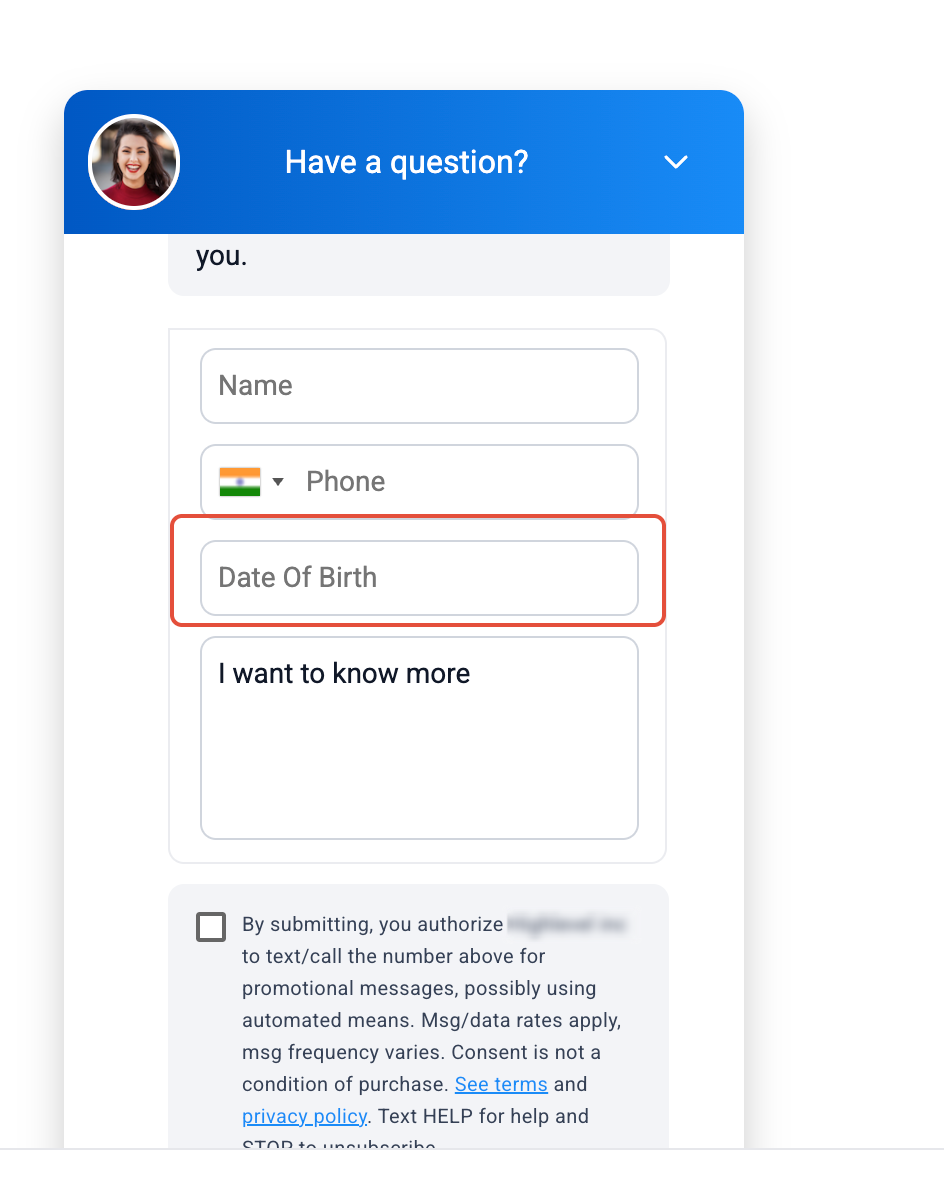
Note- 1. If age-gated content is not selected, the DOB field does not appear.
2. This ensures automatic compliance for regulated industries.
Auto-Generated Compliance Widget
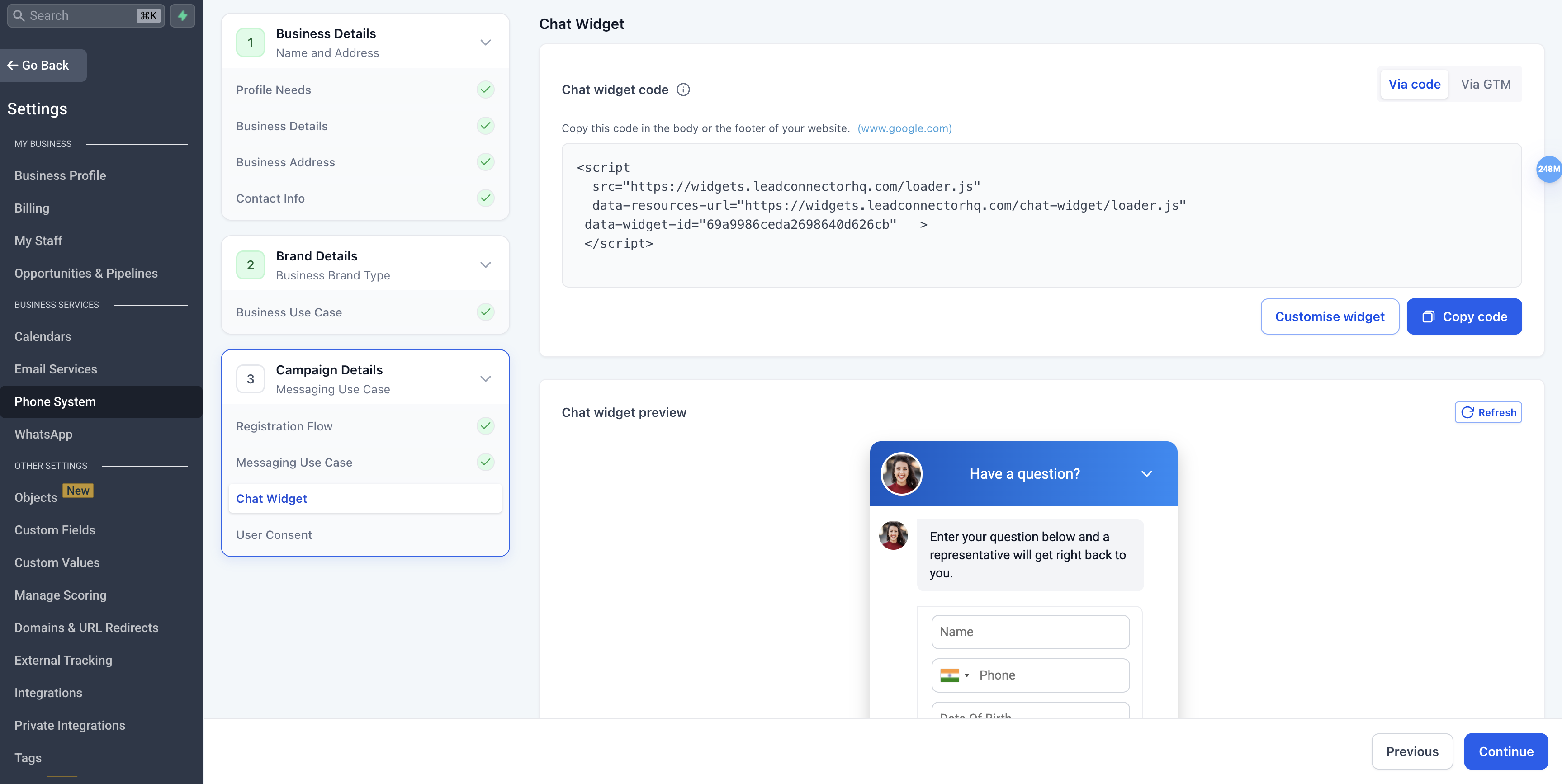
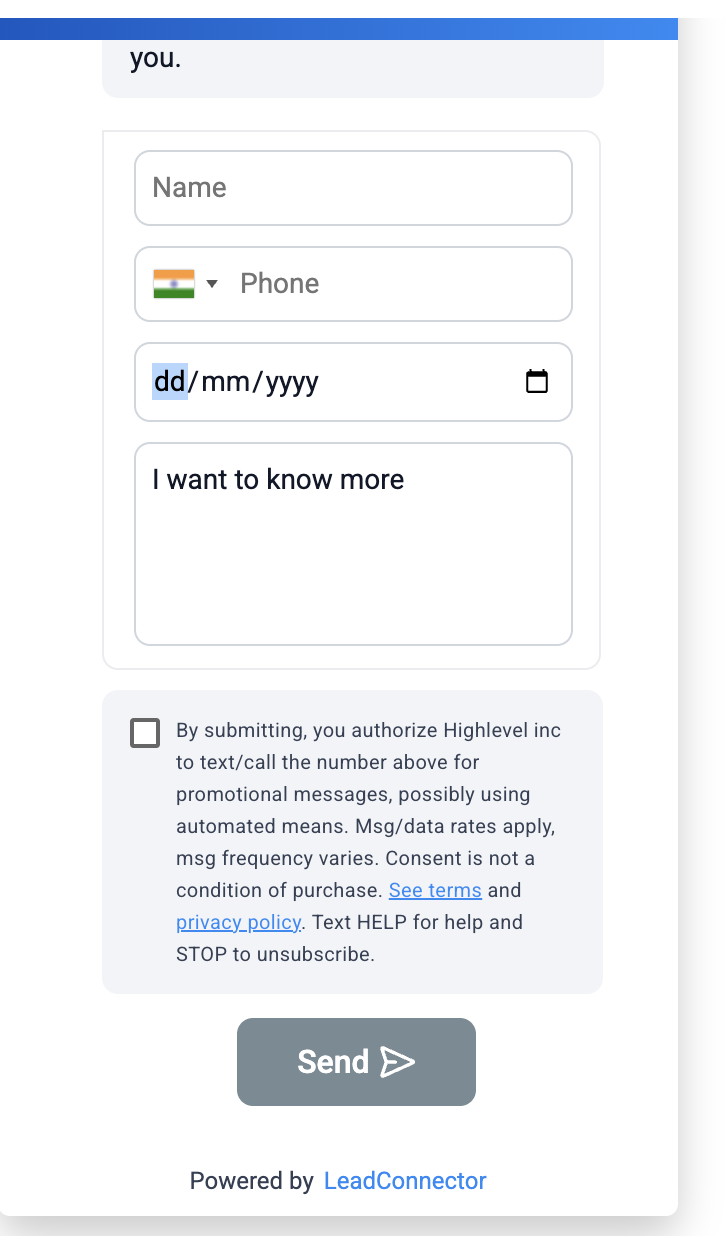
The system automatically generates a compliant Chat Widget that includes:
Business name injected into disclosure language
Required disclosure text
STOP/HELP instructions
Data rate disclosure
Message frequency disclosure
Campaign attachment
Embed code generation
Locked Compliance Controls
Users cannot:
Edit disclosure text
Remove required fields
Add custom compliance fields
Modify compliance language
Select alternative opt-in methods
This ensures consistent compliance and reduces manual errors.
Widget Structure
Required (Locked Fields)
| Field | Status |
|---|---|
| Phone Number | Mandatory |
| Disclosure Block | Locked |
| STOP/HELP Language | Locked |
| Data Rate Disclosure | Locked |
| Message Frequency Disclosure | Locked |
Conditional
| Field | Condition |
|---|---|
| Date of Birth | Mandatory if age-gating is triggered |
Optional
| Field | Editable? |
|---|---|
| Name | Yes |
| Message Field | Yes |
| UI Styling (colors/header only) | Yes |
Removed
| Removed Item | Reason |
|---|---|
| Email Field | Not required for SMS compliance |
| Custom Compliance Fields | Prevents deviation from carrier-approved language |
| Editable Disclosure Text | Prevents compliance violations |
| Opt-in Method Selector | Widget-only enforcement |
Marketing Consent Checkbox
For Marketing / Promotional campaigns:
A dedicated Marketing Consent checkbox is now included.
The checkbox is mandatory before submission.
Users cannot proceed without explicitly confirming marketing consent.
This adds an additional compliance safeguard for promotional messaging.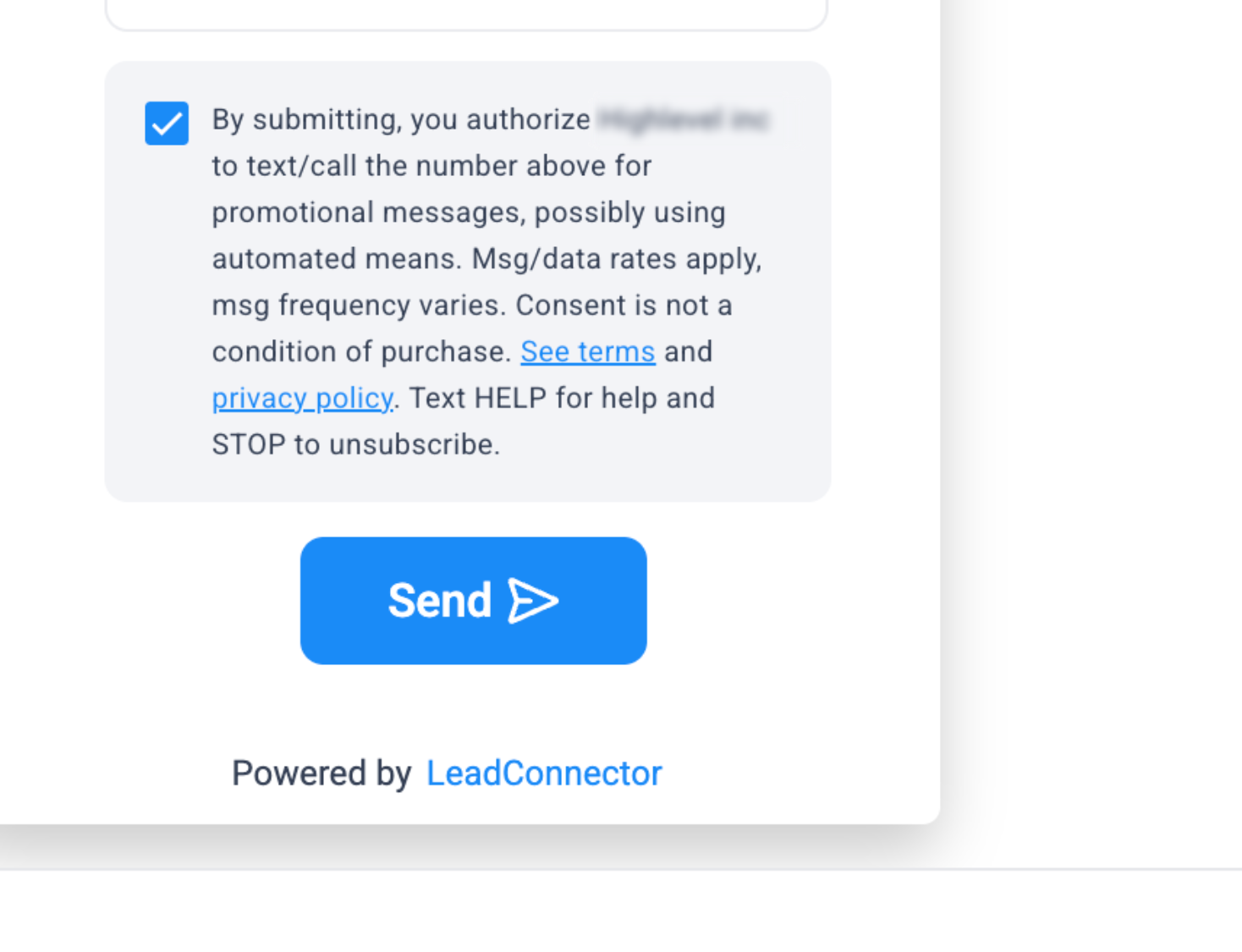
Read-Only Widget Preview
Users can preview:
The full widget
Disclosure placement
DOB field (if triggered)
The preview is non-editable to maintain compliance integrity.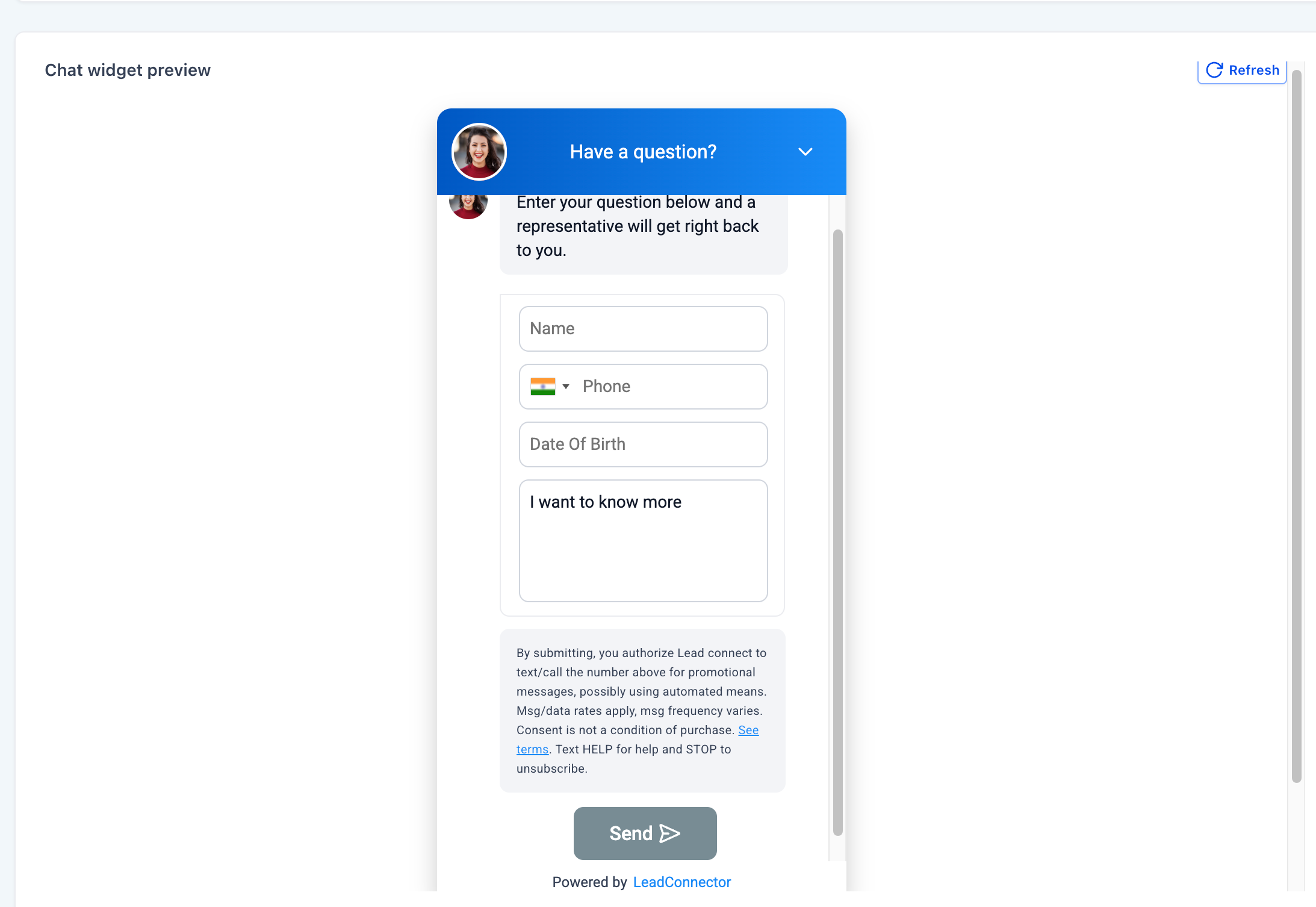
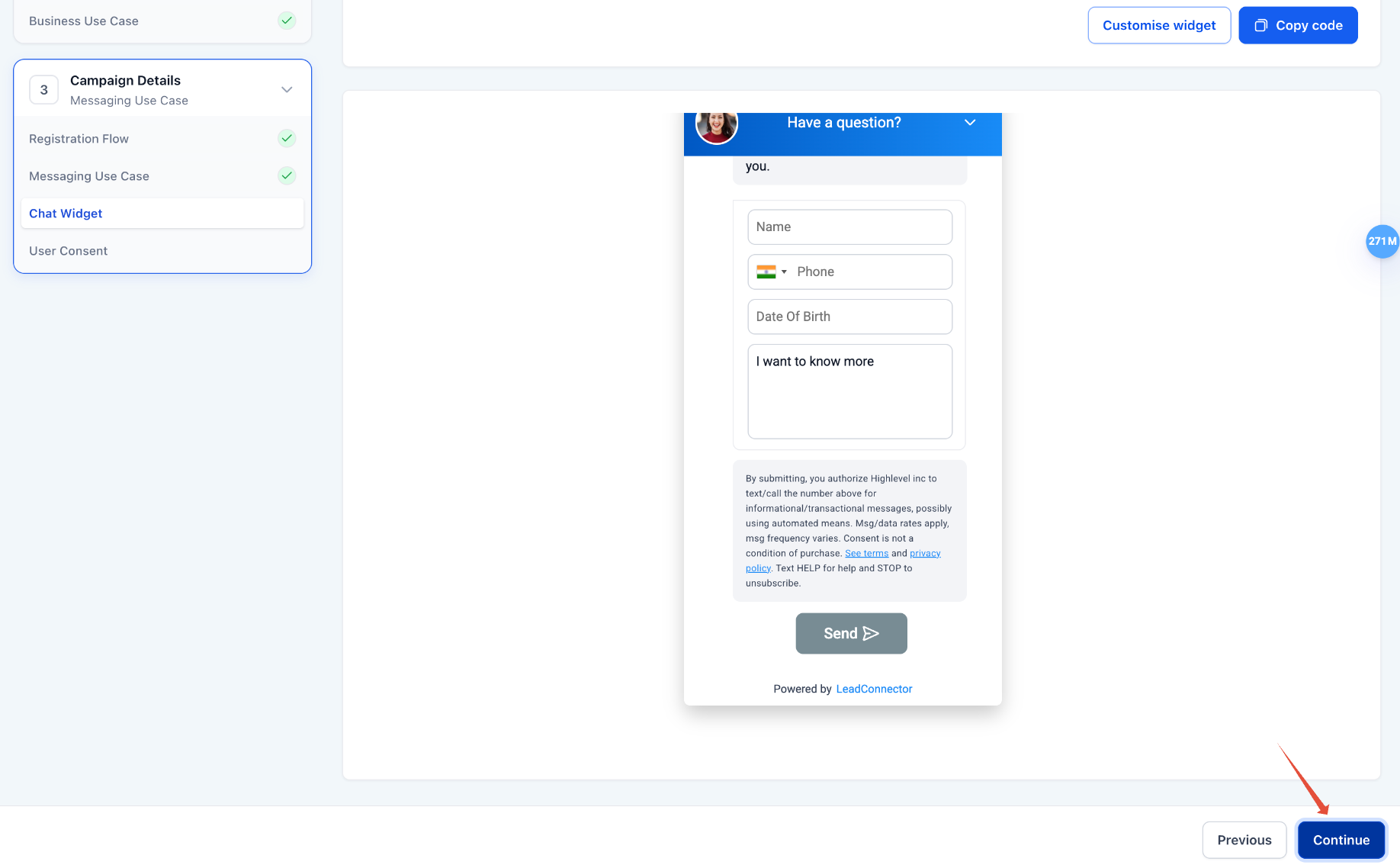
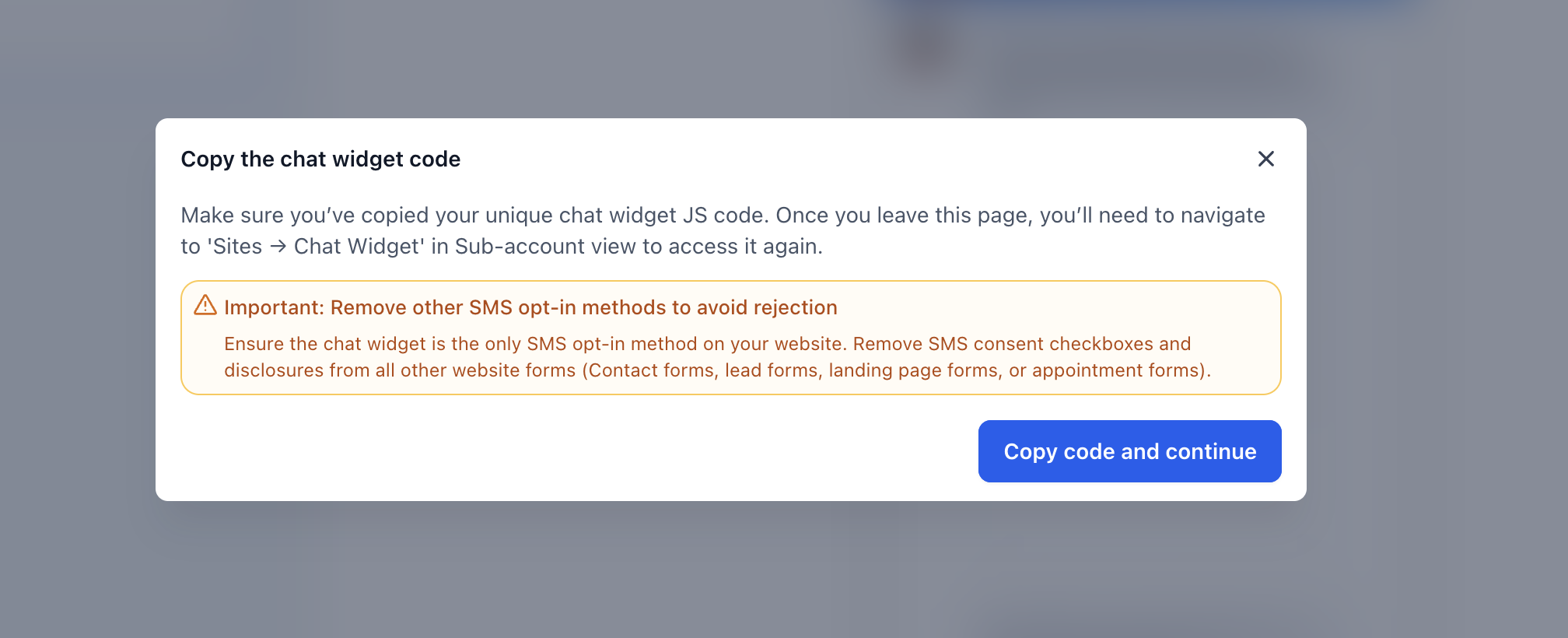
Compliance Reminder When Copying Widget Code
When you click Continue, you are presented with a compliance reminder that highlights an important requirement:
The Chat Widget must be the only SMS opt-in method on the website.
Users must remove SMS consent checkboxes or disclosures from all other website forms such as contact forms, lead forms, landing page forms, or appointment forms.
This reminder helps ensure businesses configure their websites correctly before proceeding with the campaign setup and helps prevent A2P campaign rejections due to multiple SMS opt-in methods.
Final Consent Review
Prior to submission:
Required fields are auto-filled
Compliance sections are locked
Sample messages are generated
Opt-in method is defined
Website compliance checklist confirmation is required
This final review ensures that all compliance elements are correctly configured before submission.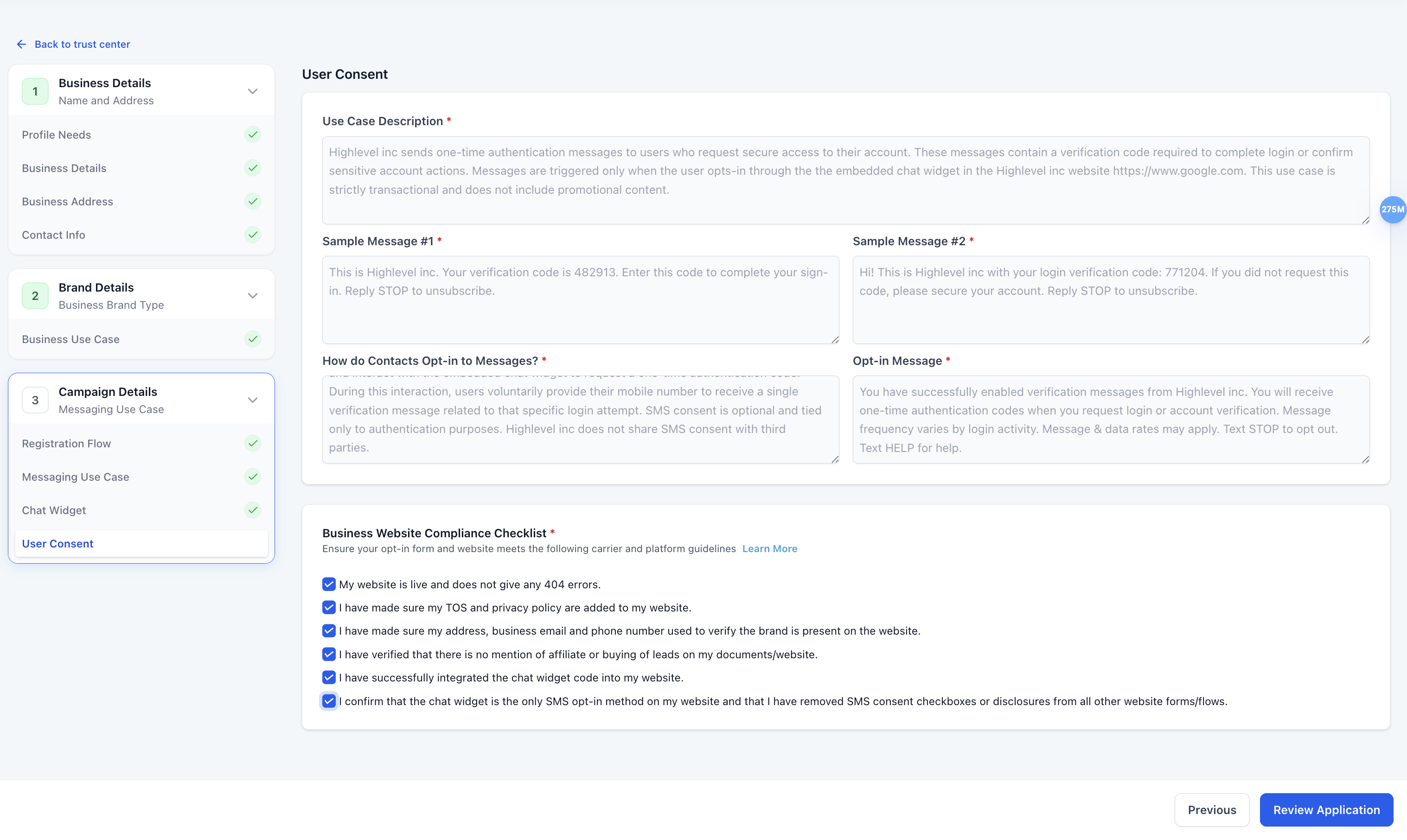
At this stage, users cannot:
Edit disclosure text
Remove required fields
Add consent checkboxes
Edit any compliance fields
Select alternative opt-in methods
All compliance elements remain non-editable to ensure consistency and prevent submission errors.
Note- The Business Website Compliance Checklist now includes an additional confirmation item requiring users to verify that:
The Chat Widget is the only SMS opt-in method on the website, and
SMS consent checkboxes or disclosures have been removed from all other website forms or flows.
This ensures customers review and acknowledge this requirement earlier in the campaign setup process.

AI Validation for Chat Widget Installation
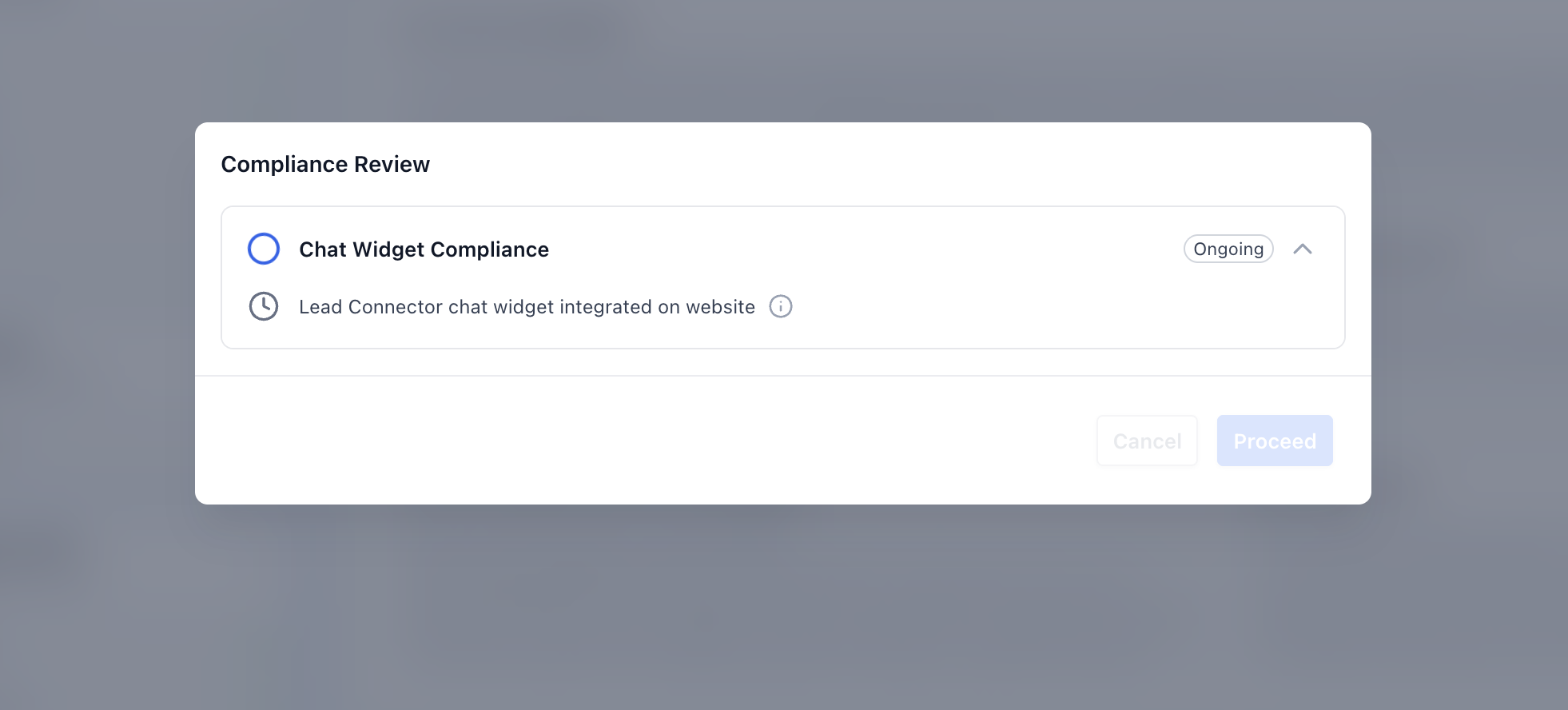
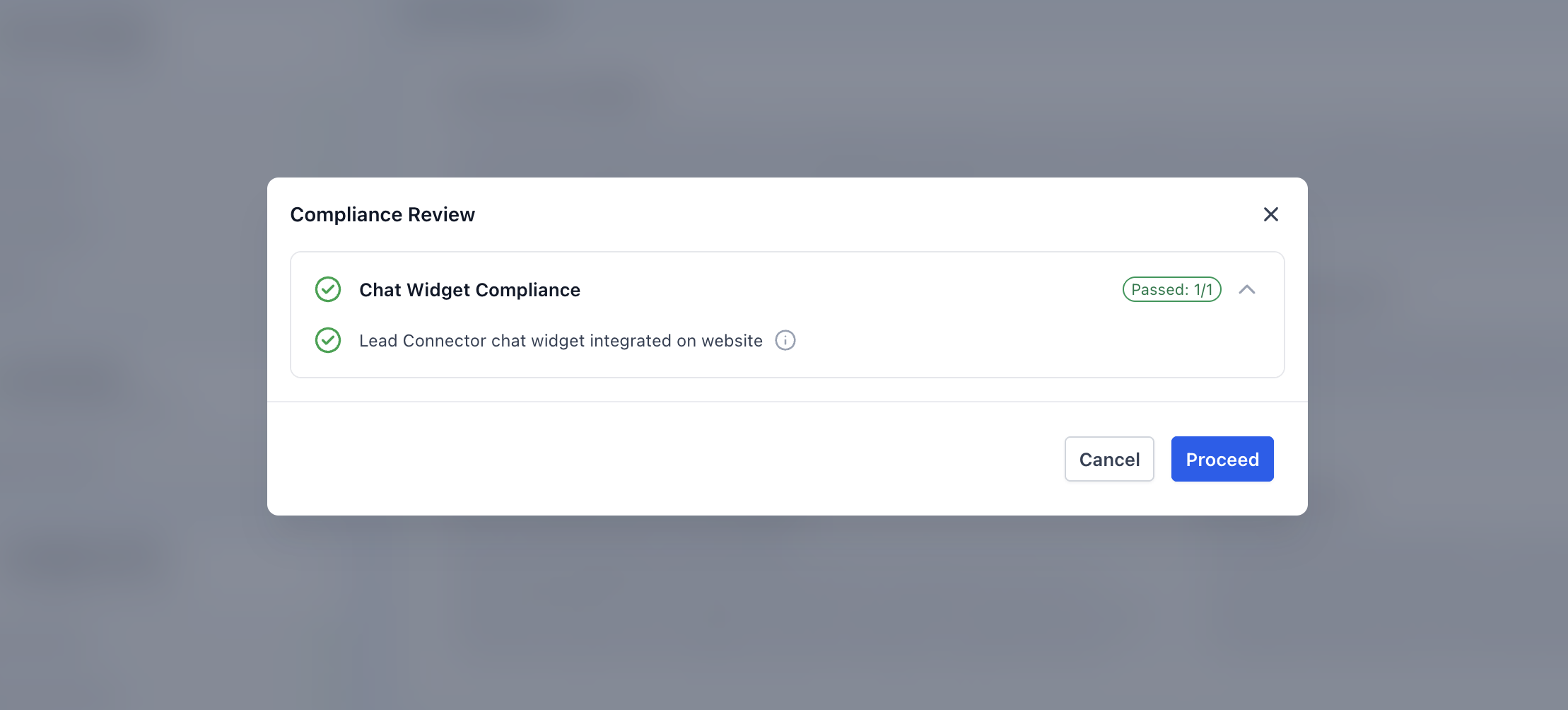
We now automatically validate that the LeadConnector Chat Widget is present on the business website URL submitted during Brand setup.
This AI-based validation scans the website to confirm that the chat widget has been correctly installed. The validation occurs when users click on “Review Application”, triggering a Compliance Review that checks whether the LeadConnector chat widget is integrated on the website.
This helps prevent campaign submissions where the chat widget has not yet been integrated, reducing the likelihood of campaign rejections due to missing or incorrect SMS opt-in implementation.
Additional compliance checks for Chat Widget campaigns
The Pre-Built A2P Campaign (Widget-First) flow includes additional compliance checks to help reduce carrier rejections for Chat Widget campaigns.
Chat Widget installation validation
Before submission, HighLevel validates that the LeadConnector Chat Widget is present on the business website used in the registration flow.
Compliance reminder when copying widget code
When you copy the Chat Widget installation code, HighLevel reminds you that the chat widget must be the only SMS opt-in method on the website. Remove SMS consent checkboxes or disclosures from other website forms or flows before you continue.
Website compliance checklist update
The Business Website Compliance Checklist includes a confirmation that the chat widget is the only SMS opt-in method on the website and that other website forms or flows do not contain SMS consent checkboxes or disclosures.
Required confirmation before submission
Before you submit the campaign, you must confirm that:
the chat widget is the only SMS opt-in method on the website, and
other website forms or flows do not include SMS consent checkboxes or disclosures.
Required Confirmation Before Campaign Submission
After the compliance validation is completed and users click Submit Application, a Submission Review Confirmation dialog appears.
Before the campaign can be submitted, users must confirm compliance by selecting the required checkboxes acknowledging that.
Once these confirmations are checked, users can proceed with the submission.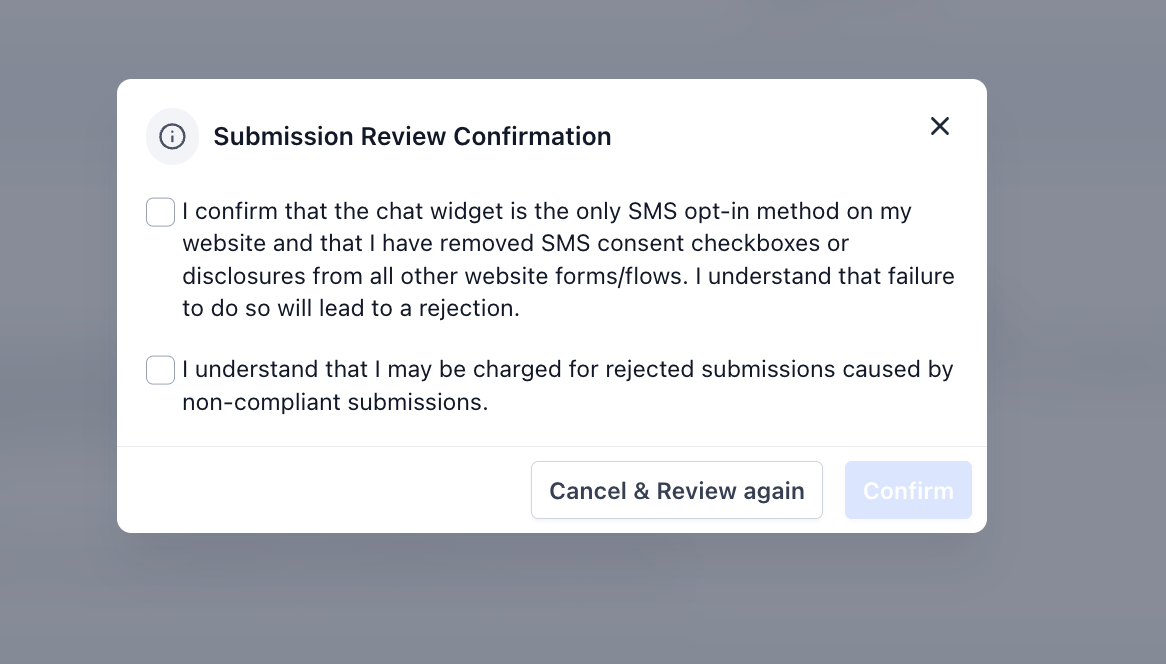
Privacy Policy & Terms of Service Requirements
In addition to configuring the Chat Widget correctly, customers must ensure that their website’s Privacy Policy and Terms of Service (TOS) are compliant and clearly available on their website.
Even though LeadConnector’s Terms of Service are used for the Chat Widget, the customer’s own website policies must still meet carrier compliance requirements.
Specifically, the customer’s Privacy Policy must include a non-sharing clause stating that mobile information will not be shared with third parties for marketing purposes.
The Privacy Policy must include language similar to the following:
No mobile information will be shared with third parties/affiliates for marketing/promotional purposes. Information sharing to subcontractors in support services, such as customer service, is permitted. All other use case categories exclude text messaging originator opt-in data and consent; this information will not be shared with any third parties.
Ensuring that the Privacy Policy and Terms of Service are present and compliant helps meet carrier guidelines and reduces the risk of A2P campaign rejection.
Who Can Use This Flow
The Pre-Built A2P Campaign (Widget-First) registration flow is available to:
Agencies submitting new A2P campaigns
Sub-accounts registering new campaigns
Marketing-only campaigns
Transactional-only campaigns
Campaigns that include age-gated content
Not available for:
Mixed use-case campaigns
Sole Proprietor (Sole-prop) campaigns
Key Benefits
Reduced rejection rates
Automatic age-gating compliance
Prevention of financial and marketing misclassification
Faster submission process
Elimination of manual compliance writing
The Pre-Built A2P Campaign (Widget-First) flow provides a structured, compliance-focused registration experience designed to improve approval outcomes and simplify campaign setup.
Frequently Asked Questions
Q1. What if my Mixed Use Case or Sole Proprietor campaign was rejected?
If a Mixed Use Case or Sole Proprietor campaign is rejected, it cannot be resubmitted using the new registration flow. You will need to delete the previously rejected campaign and submit a brand-new campaign instead.
Was this article helpful?
That’s Great!
Thank you for your feedback
Sorry! We couldn't be helpful
Thank you for your feedback
Feedback sent
We appreciate your effort and will try to fix the article