Track the progress and performance of your email sends using campaign statuses in Email Marketing.
Each campaign type Email Campaigns, Workflow Campaigns, and Bulk Action Campaigns includes specific status indicators to help you quickly identify whether a campaign is a draft, active, sent, or completed.
TABLE OF CONTENTS
- What are Email Campaign Statuses
- Email Campaign Statuses
- Workflow Campaign Statuses
- Bulk Action Campaign Statuses
- Frequently Asked Questions
What are Email Campaign Statuses
Email Campaign Statuses are indicators that show the current stage of an email campaign or sending process. HighLevel provides different statuses for Email Campaigns, Workflow Campaigns, and Bulk Action Campaigns.
Understanding these statuses helps you distinguish between campaigns that are being prepared, actively processed, completed, or stopped.
Email Campaign Statuses in HighLevel help you track the progress of your email marketing activities. Whether you're sending a regular email campaign, running automated workflow emails, or using Bulk Actions, these statuses help you understand what is happening with your emails and when action may be needed.
Email Campaign Statuses
Email Campaigns are emails created and managed through Marketing → Emails → Campaigns. Their statuses indicate where a campaign is in the preparation, scheduling, or sending process.
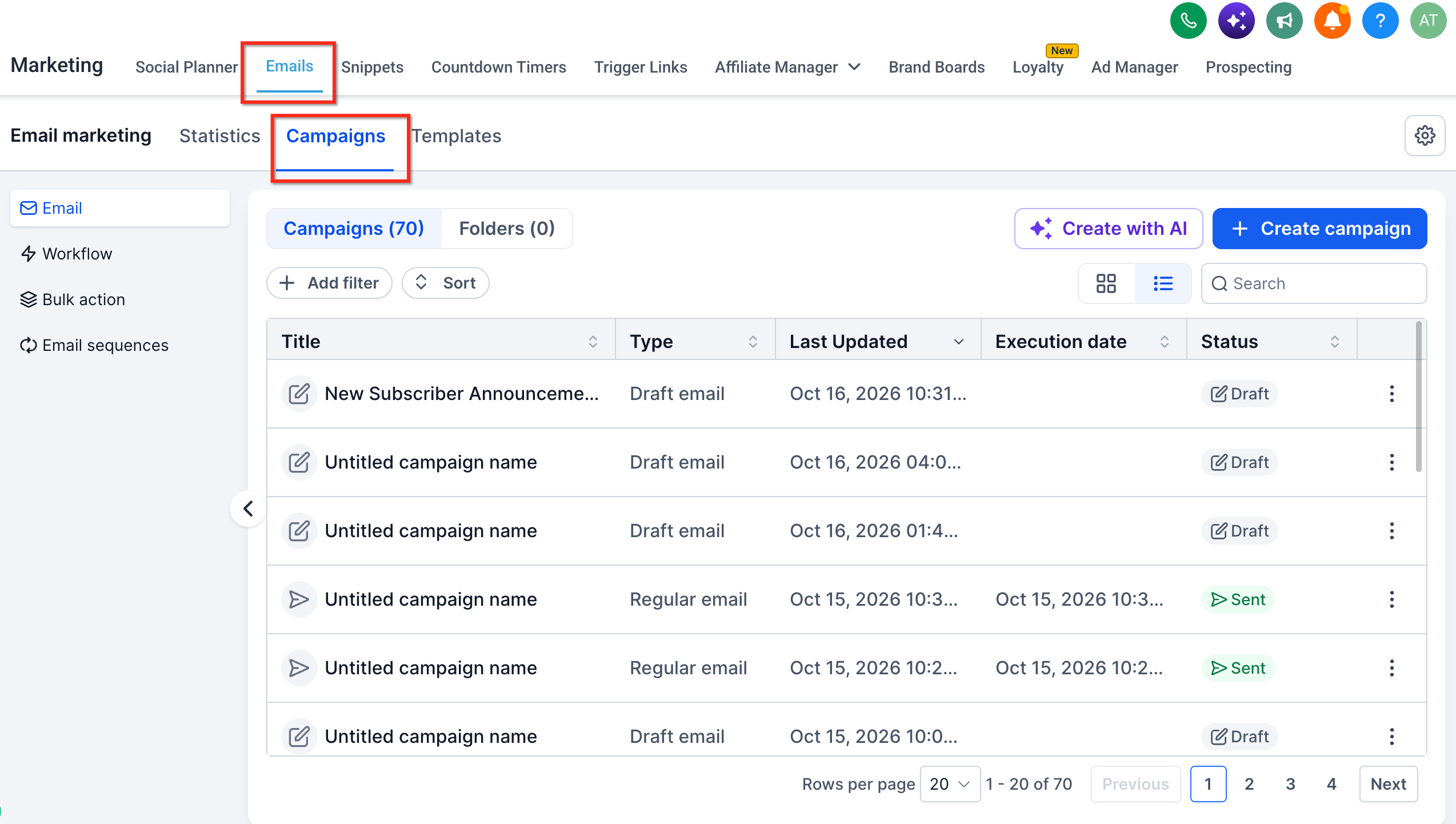
| Status | Description |
|---|---|
| Draft | The campaign has been created but has not been scheduled or sent. |
| Scheduled | The campaign is configured to send at a future date or time. |
| Paused | A scheduled campaign has been temporarily stopped and can be resumed. |
| Canceled | The scheduled campaign has been stopped and cannot be resumed. |
| Sent | The campaign's sending process has finished. This does not guarantee delivery to every recipient. |
| Failed | The campaign could not be sent due to an error or configuration issue. |
| Archived | The campaign has been archived and removed from the active view without being deleted. |
Note: The All filter displays campaigns across statuses. It is not a separate campaign status. Available statuses and actions may vary by campaign type and sending method.
To manage a scheduled campaign, see How to Pause, Resume, or Cancel a Scheduled Email Campaign.
Workflow Campaign Statuses
Workflow Campaigns are automated emails sent through workflow actions. Their publication statuses indicate whether the associated automation is in draft or published, rather than whether each email has been delivered.
| Status | Description |
|---|---|
| Draft | The workflow has not been published and is not active. |
| Published | The workflow is published and can execute according to its configured triggers and conditions. |
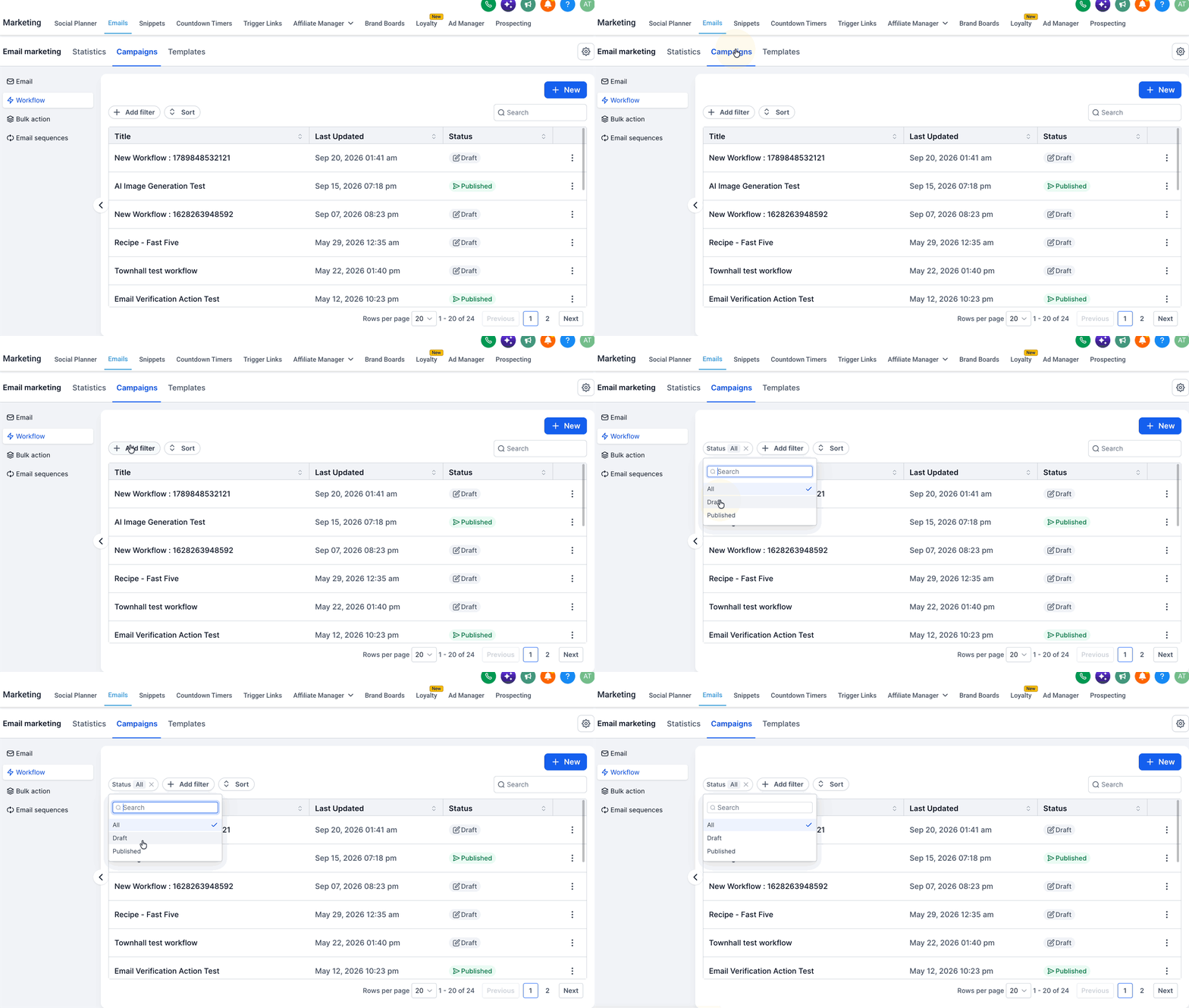
Note: Published does not mean that all workflow emails have been sent or delivered. Individual email performance can be reviewed through workflow email statistics.
Bulk Action Campaign Statuses
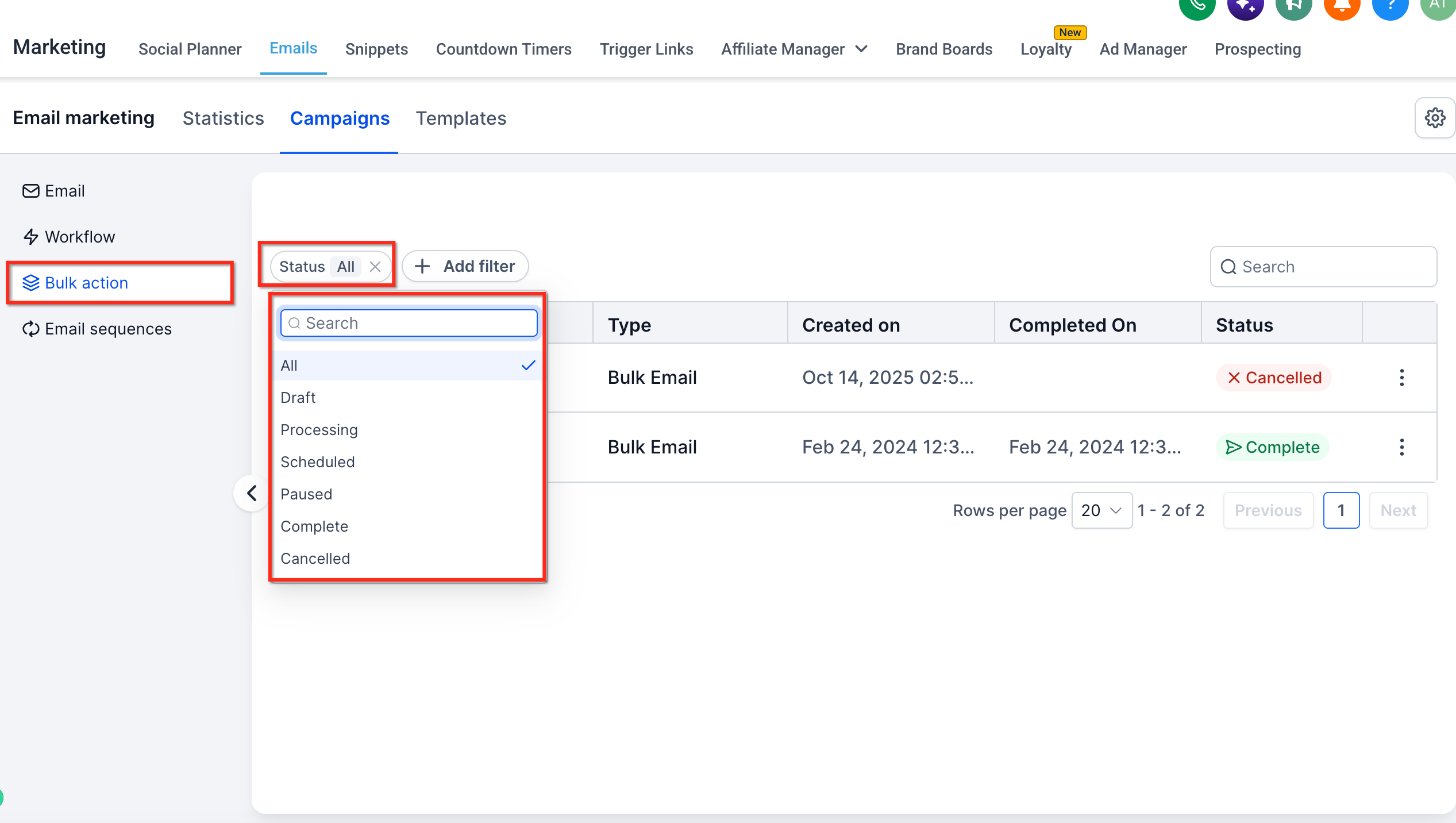
Bulk Action Campaigns are emails sent to selected contacts through Contacts → Bulk Actions. Their statuses help you monitor the progress of bulk email jobs, including queued, active, interrupted, and completed sends.
| Status | Description |
|---|---|
| Draft | The bulk campaign has not been submitted for sending. |
| Queued | The job is waiting to be processed. |
| Processing | The bulk action is currently processing emails. |
| Paused | The job has been temporarily stopped. Resuming depends on available job controls. |
| Complete | The bulk action has finished processing. Individual emails may still have delivery failures. |
| Cancelled | The job was stopped before completion. Emails already processed cannot be recalled. |
Note: Available actions depend on the bulk job's type and current status. Check the job's available controls before attempting to pause, resume, or cancel it.
Frequently Asked Questions
Q: Does a Sent or Complete status mean every recipient received the email?
No. These statuses indicate that sending or processing has finished. Review delivery, bounce, and failure metrics in Email Statistics to understand actual delivery outcomes.
Q: Can I resume a canceled email campaign?
No. Canceled scheduled campaigns cannot be resumed. Paused scheduled campaigns can be resumed.
Q: Why is my workflow Published but no emails have been sent?
A published workflow only sends emails when contacts meet its configured triggers and conditions. Check the workflow's enrollment activity and email actions.
Q: Can I edit a campaign after it has been scheduled?
Editing options depend on the campaign's current state. Review the available campaign actions before making changes.
Q: Where can I investigate failed bulk email sends?
Go to Contacts → Bulk Actions, locate the job, and select Show Stats. Review available error details and processing results.
Was this article helpful?
That’s Great!
Thank you for your feedback
Sorry! We couldn't be helpful
Thank you for your feedback
Feedback sent
We appreciate your effort and will try to fix the article