Connect your Meta Threads account to HighLevel Social Planner to create, schedule, and manage Threads posts alongside your other social channels. You can publish text, images, videos, and supported mixed-media posts from one dashboard.
This guide explains how to connect Threads, publish content, and follow platform requirements.
TABLE OF CONTENTS
What is Threads Integration in Social Planner?
Threads Integration allows you to connect your Meta Threads profile to HighLevel Social Planner. Once connected, you can publish or schedule Threads content, manage supported comments, and review available engagement metrics without switching between platforms.
Key Benefits of Threads Integration
- One-stop publishing: Manage Threads alongside Facebook, Instagram, LinkedIn, and more from a single Social Planner calendar, no app switching.
- Automation that saves hours: Use Review Flow, RSS Auto-Posting, and Category Queues to auto-fill your calendar and keep Threads active without manual posting.
- Scale content in minutes: Bulk-create and schedule hundreds of posts via Advanced CSV Upload, map hashtags, categories, first comment, and more.
- Fewer publishing surprises: Compose within API-aligned limits (500 characters, up to 20 images or one 5-minute video) to prevent failed posts and rework.
- Consistent brand presence: Schedule ahead and recycle evergreen content so your Threads channel stays on-cadence, even when your team is busy.
Threads Publishing Specifications
Threads posts must follow the media and character limits supported by HighLevel and the Threads API. Preparing compatible content helps prevent publishing errors.
| Requirement | Supported Limit |
|---|---|
| Account | Public Threads profile linked to Instagram |
| Text | Up to 500 characters |
| Image Formats | JPEG, PNG |
| Image File Size | Maximum 8 MB per image |
| Video Formats | MP4, MOV |
| Video File Size | Maximum 1 GB per video |
| Video Duration | Up to 5 minutes |
| Media Attachments | Up to 20 supported images or videos in a post |
| Video Resolution | Width up to 1920 pixels |
| Custom Video Thumbnails | Not supported |
Note: Threads supports mixed-media posts containing both images and videos, subject to the supported attachment limits.
For additional specifications, see Social Planner Content Guidelines – Image, Video, and Text.
How to Connect Threads with Social Planner
Note: Your Threads account should be linked to your Instagram account, as Threads access is managed through your Instagram credentials.Follow these exact steps to connect Threads:
- Click on Marketing from your sub-account.
- Click on the SocialPlanner tab.
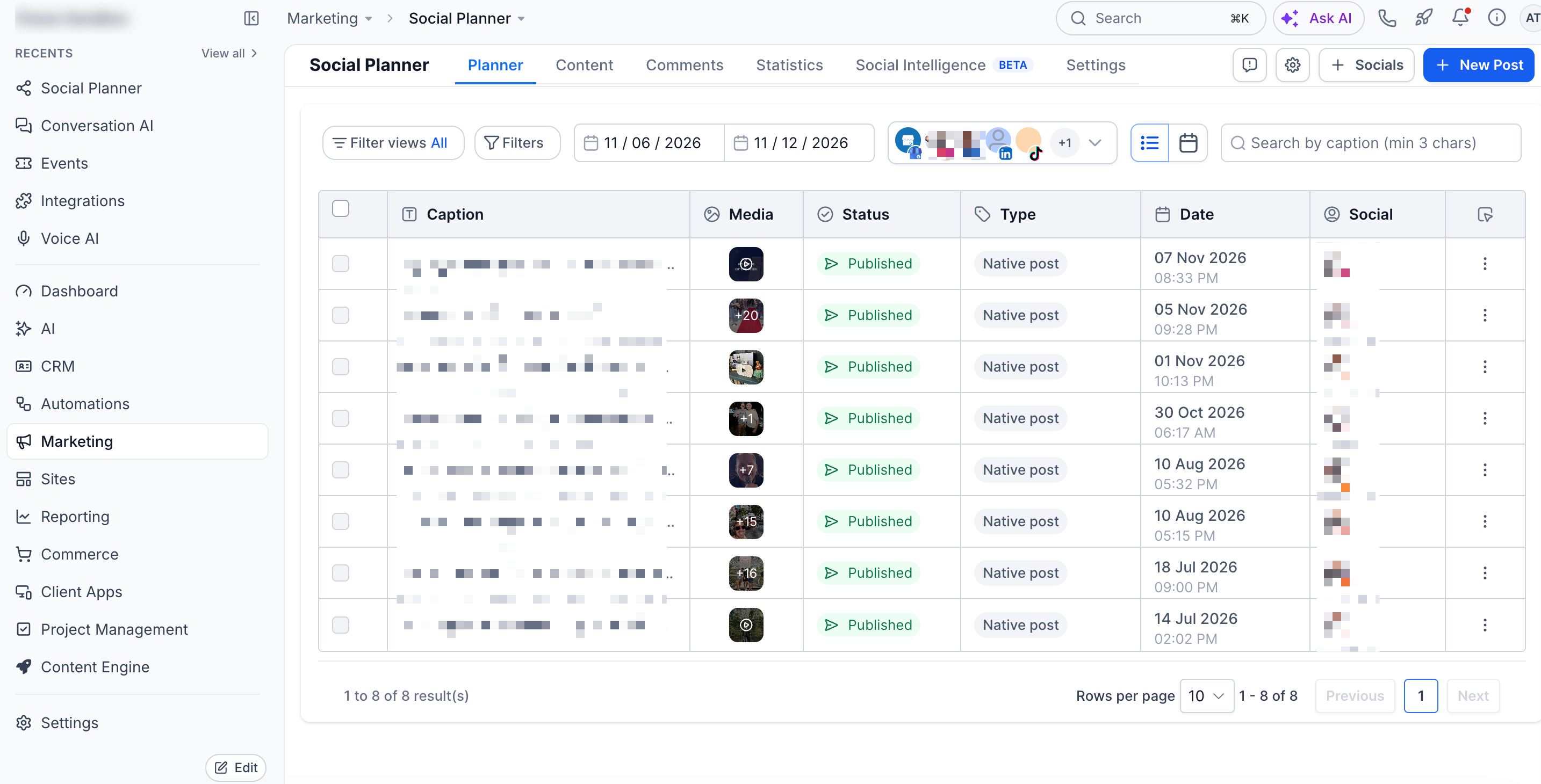
- Click on the + Socials button. Click on the ConnectThreads option.
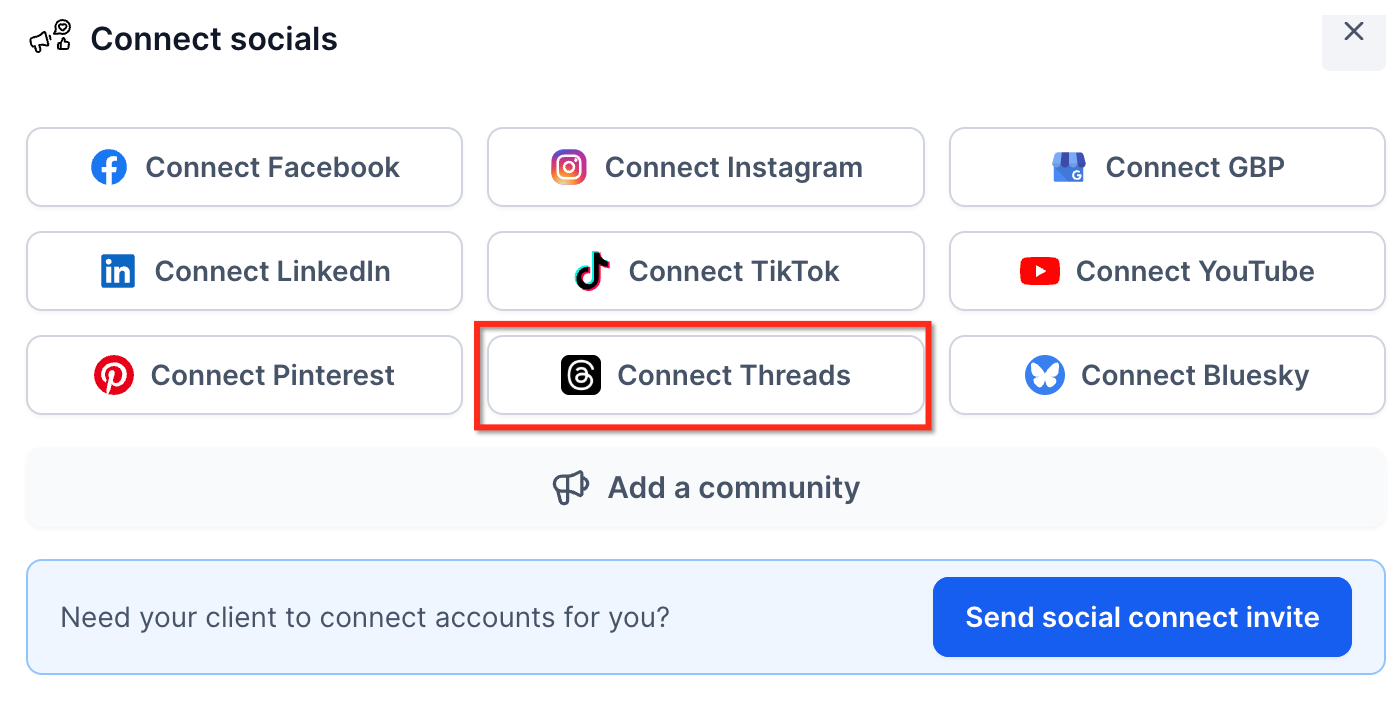
- Log in with your Instagramcredentials and authorizeaccess.
- Click on the Add button beside the profile you want to connect.
- Once connected, your Threads account will appear under All Accounts drop-down in Social Planner.
Note: Now you can manage Threads Comments in Social Planner
For supported capabilities, limitations, and detailed instructions, see Manage Comments in Social Planner
Frequently Asked Questions
Q: Do I need a separate Threads login to connect my account?
No. HighLevel uses Instagram-linked authentication to authorize access to your Threads profile.
Q: Can I connect multiple Threads accounts?
Yes. You can connect multiple eligible public Threads accounts and select them when scheduling posts.
Q: Can I publish images and videos together in one Threads post?
Yes. HighLevel documents support for mixed-media Threads posts with up to 20 supported attachments.
Q: What happens if I exceed the 500-character limit?
Text beyond the supported limit is not automatically continued as another reply. Use the Follow-Up Comment field when additional text is required.
Q: Can I review Threads comments in Social Planner?
Yes, for eligible Threads accounts and posts published through Social Planner. Existing connections may require reauthorization for the necessary comment permissions.
Related Articles
Was this article helpful?
That’s Great!
Thank you for your feedback
Sorry! We couldn't be helpful
Thank you for your feedback
Feedback sent
We appreciate your effort and will try to fix the article