Learn how recipient Segments work, how to build a Segment in an email campaign, how AND/OR filtering works, how to target the same audience in future campaigns, and how Segments differ from Smart Lists.
What Is a Recipient Segment?
A recipient Segment is a dynamic group of contacts built from filter conditions such as tags, contact fields, email activity, or engagement. Contacts automatically enter or leave the Segment as their data changes.
Segments are built per campaign. A Segment you build in one campaign can't currently be saved and selected in a different campaign. To reach the same audience again, rebuild the filters in the new campaign, or create a Smart List with the same criteria and select it as the recipients.
How to Build a Recipient Segment
Build a recipient Segment while preparing an email campaign to target contacts that match the filter conditions you define.
- Go to Marketing → Email → Campaigns.
- Create a new campaign or open an existing campaign.
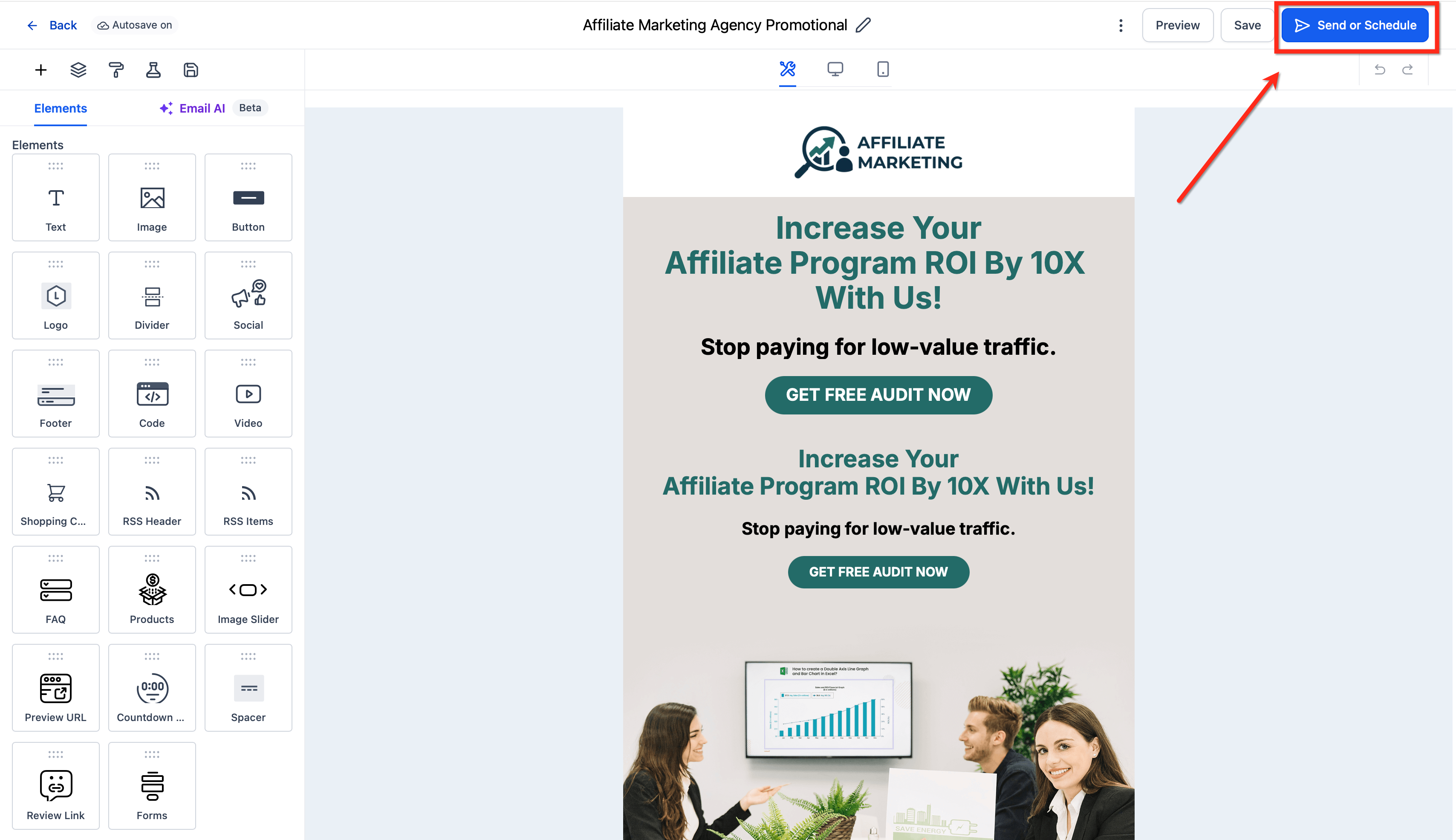
- In the Email Builder, click Send or Schedule.
- In the Recipient (To) area, select Build Segments.
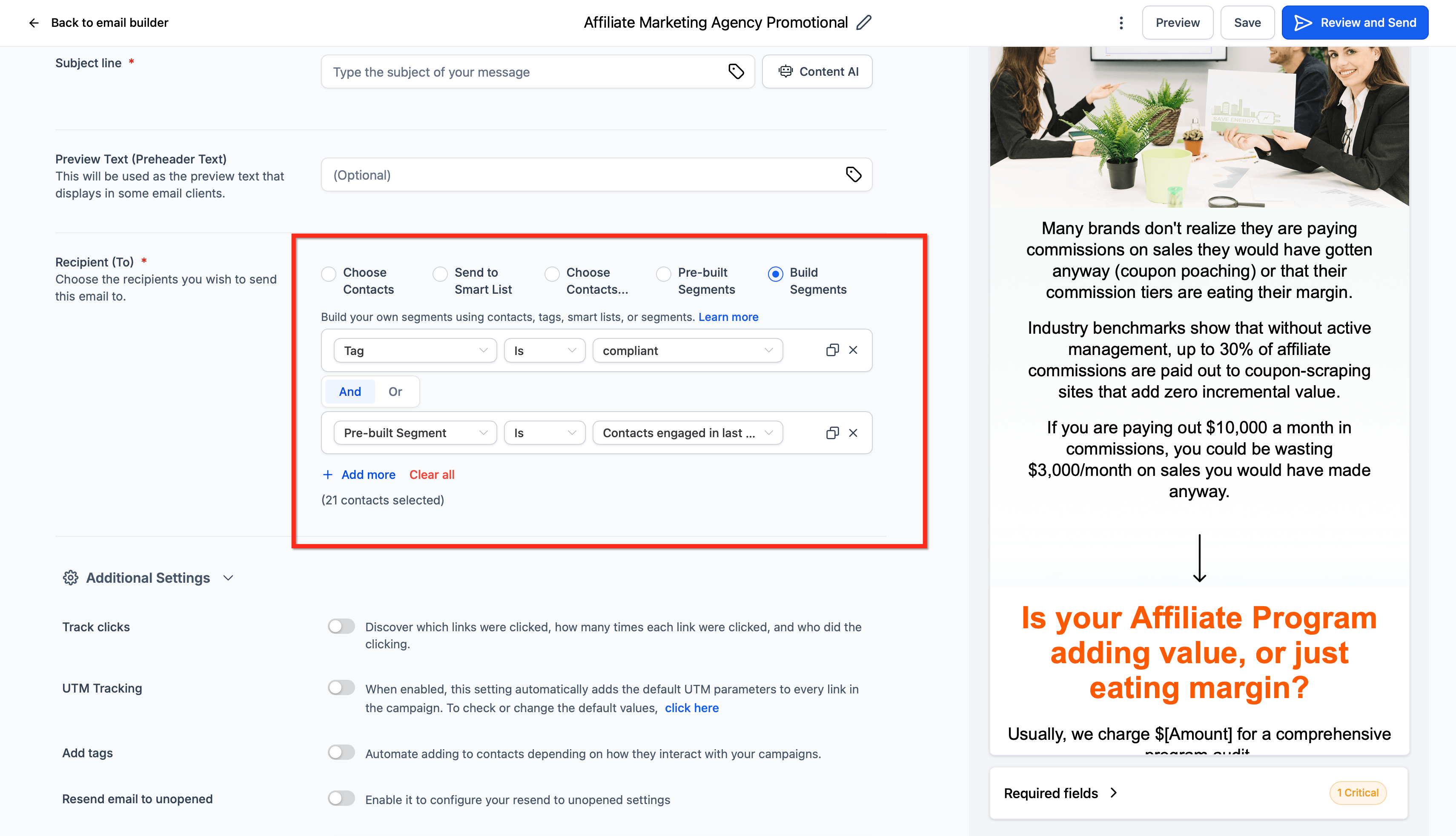
- Choose the filters for the Segment. For example:
- Tag is Compliant
- AND Pre-Built Segment is Contacts Engaged in Last 7 Days
- Use Add Filter to add additional conditions or Add OR Filterto create alternate condition groups.
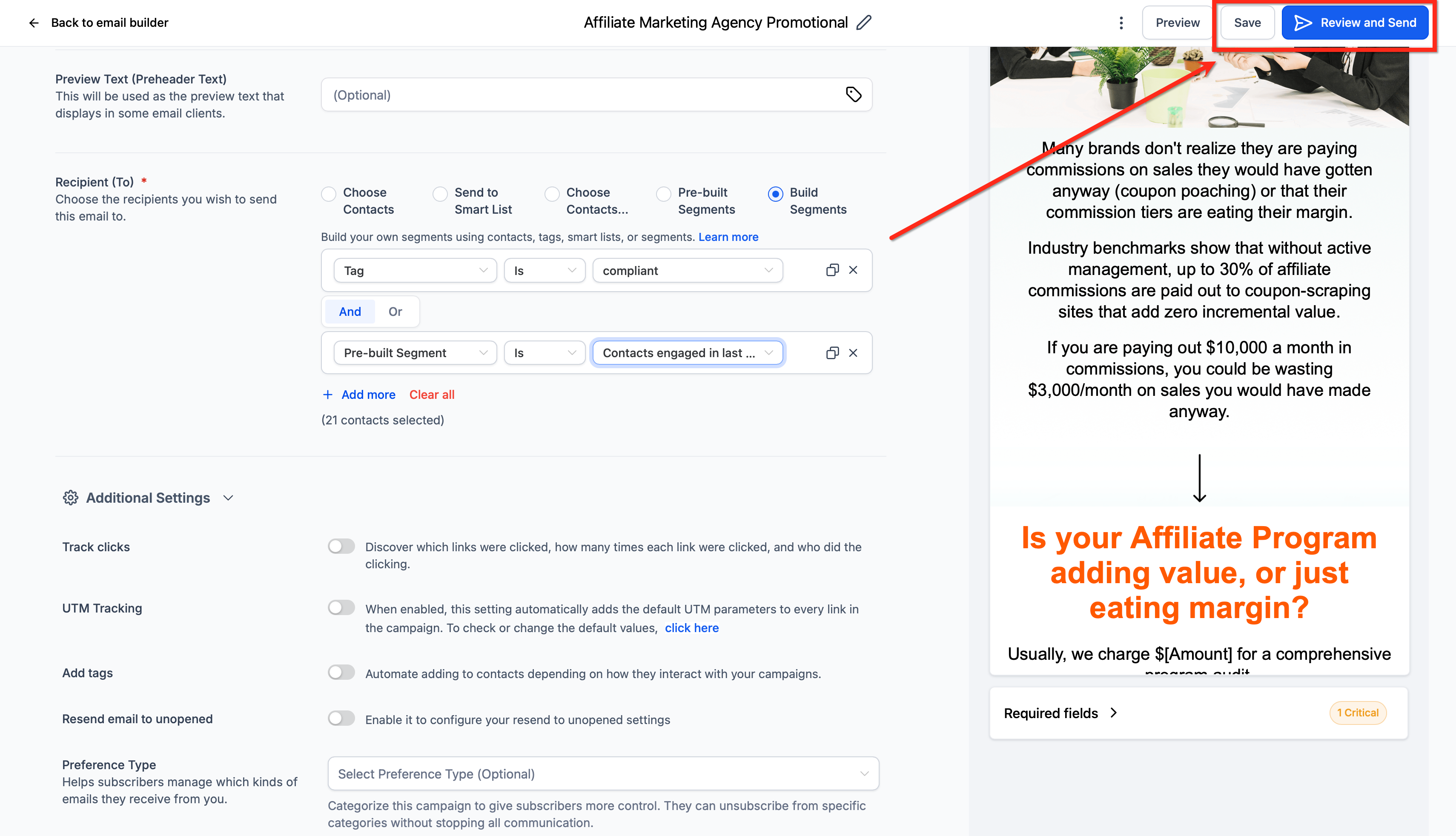
- Click Save to apply the Segment to this campaign's recipients, then continue to Review and Send. The Segment is saved with this campaign only and won't be available to select in other campaigns.
If you send to the same audience regularly, create a Smart List in Contacts with the same filters. You can then select that Smart List as the recipients in any campaign instead of rebuilding the Segment each time.
Smart Lists vs. Recipient Segments
Smart Lists and recipient Segments are both dynamic, filter-based groups, but they serve different purposes. Smart Lists are saved in the CRM and can be reused, while recipient Segments are built inside a single email campaign to select its audience.
| Feature | Smart Lists | Recipient Segments |
|---|---|---|
| Primary location | Contacts | Email Campaign Builder |
| Primary purpose | Dynamic CRM contact views | Recipient targeting for a single email campaign |
| Updates automatically | Yes | Yes |
| Uses filter criteria | Yes | Yes |
| Reusable across campaigns | Yes | No; built and used within one campaign |
| Manual contact inclusion | No; contacts qualify through filters | No; contacts qualify through filters |
Frequently Asked Questions
Was this article helpful?
That’s Great!
Thank you for your feedback
Sorry! We couldn't be helpful
Thank you for your feedback
Feedback sent
We appreciate your effort and will try to fix the article