Assigning Dedicated Sending Domains to Different Email Types

Modified on: Tue, 30 Jun, 2026 at 5:31 AM

\

Email Deliverability
Domain Configuration: Frequency Settings & Default Sending Domains
Assign different sending sub-domains to specific email types, control how volume is distributed across domains, and designate a default domain for unassigned sends.
Overview

If you want to use different sending sub-domains for Workflows, Email Campaigns, Bulk Action Emails, and Manual 1-to-1 emails, you can configure that under Domain Configuration. This same section lets you set frequency splits across domains and designate a default sending domain for any sends not explicitly assigned.

1

Where to Find Domain Configuration

All domain configuration options — including per-email-type domain assignments, frequency splits, and the default sending domain — are found in one place.

Navigation
Sub-Account Settings → Email Service → SMTP Service → Dedicated Domain and IP → Domain Configuration
Domain Configuration screen inside Dedicated Domain and IP settings
The Domain Configuration panel — assign domains per email type, set frequency splits, and choose a default.
2

Frequency Settings

Recommended for High-Volume Senders
What Frequency Settings Do

Frequency settings let you allocate a percentage of your scheduled emails to each domain you've added. Rather than sending everything through a single domain, volume is distributed according to the percentages you define.

By assigning different frequencies, you can prioritize domains with stronger deliverability rates or dynamically adjust sending volume based on each domain's performance — helping ensure emails consistently reach recipients' inboxes.

Frequency Settings panel showing percentage allocation across multiple domains
Assign percentage-based sending frequency to each domain. Total allocation must add up to 100%.
3

Default Dedicated Sending Domain

The default dedicated sending domain is the domain used for all email sending actions that are not specifically assigned to a different domain. Think of it as the catch-all — any send that doesn't have a domain explicitly configured will route through this domain.

Good to Know

Setting a default domain ensures no emails are sent without a validated dedicated domain — even if a specific assignment was missed during setup. Always designate a default before launching campaigns.
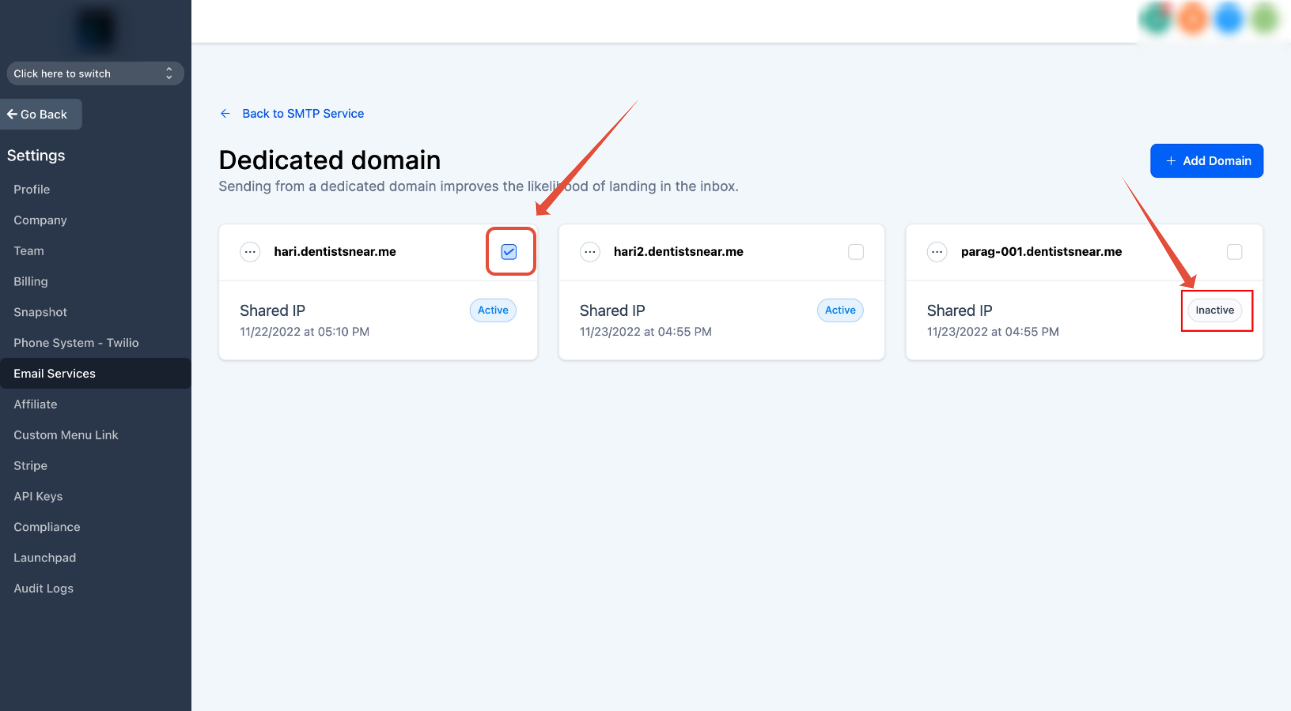
Default Dedicated Sending Domain selector in Domain Configuration
Select which validated domain acts as the default for all unassigned email sends.
4

Frequently Asked Questions

Q: Can I assign a different domain to each email type (Workflows, Campaigns, Bulk, 1-to-1)?
Yes. The Domain Configuration panel lets you assign a specific validated sending domain for each email category — Workflows, Email Campaigns, Bulk Action Emails, and Manual 1-to-1 emails — independently. Domains not explicitly assigned will fall back to the default.
Q: Does frequency allocation need to add up to 100%?
Yes. The percentages you assign across all domains in Frequency Settings should total 100%. For example, if you have two domains, you might set one to 70% and the other to 30%. The platform distributes outbound volume proportionally based on these values.
Q: What happens if I don't set a default domain?
Without a default domain, any email send that doesn't have an explicit domain assignment may not route through your dedicated domain. This could fall back to a shared sending infrastructure. Always configure a default domain to ensure all sends use your validated dedicated domain.
Q: I only have one dedicated domain. Do I still need to configure Domain Configuration?
With a single domain, the most important step is setting it as the default. The Frequency Settings feature is most useful when managing multiple domains — if you only have one, it will naturally handle 100% of your sends by default once designated.
Q: Can I change the default domain or frequency allocations at any time?
Yes. You can update the default domain or frequency split at any time through the Domain Configuration panel. Changes apply to new sends going forward — emails already queued or in-progress will use the domain they were assigned at the time they were triggered.
Q: How does frequency splitting affect deliverability?
Frequency splitting allows you to send more volume through domains with stronger reputations while limiting exposure for newer or lower-performing domains. This helps protect high-reputation domains from over-use and gives you a lever to pull if one domain's performance drops — you can reduce its allocation without stopping sends entirely.
Q: Is Domain Configuration the same as setting default headers?
No — these are two separate features. Domain Configuration controls which domain is used for different email types and how volume is distributed. Default headers control the From Name and From Email fallback that applies when DMARC alignment fails on a given domain. Both can be configured independently.

Was this article helpful?

That’s Great!

Thank you for your feedback

Sorry! We couldn't be helpful

Thank you for your feedback

Let us know how can we improve this article!

Select at least one of the reasons
CAPTCHA verification is required.

Feedback sent

We appreciate your effort and will try to fix the article