Conversation AI instructions help shape how your agent responds during customer conversations. Use instructions to guide tone, behavior, escalation rules, question style, and scenario-specific response expectations.
This article explains how to customize AI agent responses with clear instructions, when to use related settings like Bot Training or Bot Goals instead, and how to test your changes before using them in live conversations.
More Tutorials from the Community
TABLE OF CONTENTS
- What are Prompts & Bot Instructions in Conversation AI ?
- Key Benefits of Customizing Bot Instructions
- How To Customize Bot Responses
- Configure the Prompt
- Model selector
- Model accuracy
- Frequently Asked Questions
- Related Articles
What are Prompts & Bot Instructions in Conversation AI ?
Conversation AI instructions are behavior guidelines that tell your agent how to respond in specific situations. They help the agent follow your preferred communication style, ask questions in the right way, avoid unsupported claims, and hand off conversations when human review is needed.
Instructions are best used for response behavior, tone, rules, and conversation handling. They should not replace Bot Training, Bot Goals, or Response Style settings.
Key Benefits of Customizing Bot Instructions
Clear instructions help your agent respond more consistently and follow the expectations of your business. They make the AI experience easier to control without requiring users to rewrite every possible response manually.
- Consistent response behavior: Guide how the agent should respond across common customer scenarios.
- Better tone control: Help the agent sound friendly, professional, concise, or aligned with your brand expectations.
- Clear escalation rules: Tell the agent when to stop answering and involve a human team member.
- Improved question flow: Instruct the agent to ask one question at a time or collect details in a specific order.
- Reduced unsupported answers: Tell the agent what to do when it does not have enough information.
- More reliable testing: Make it easier to validate expected behavior before launching the agent.
How To Customize Bot Responses
Updating instructions helps your agent follow your preferred response behavior during conversations. After saving changes, test the agent with realistic customer messages to confirm it follows the new guidance.
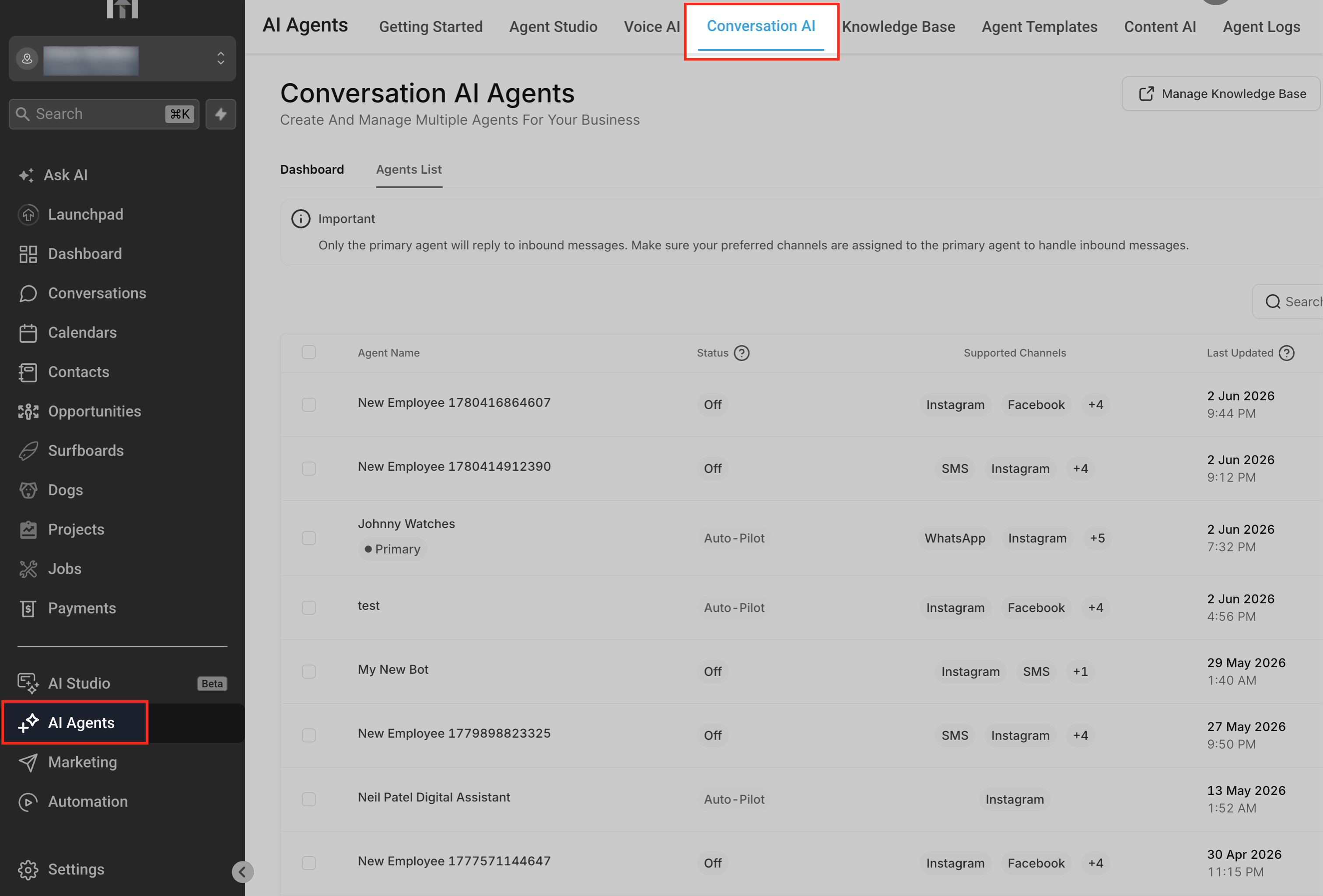
Go to AI Agents > Conversation AI.
This is where Conversation AI agents are managed. Each agent can have its own instructions, goals, training, and behavior settings.
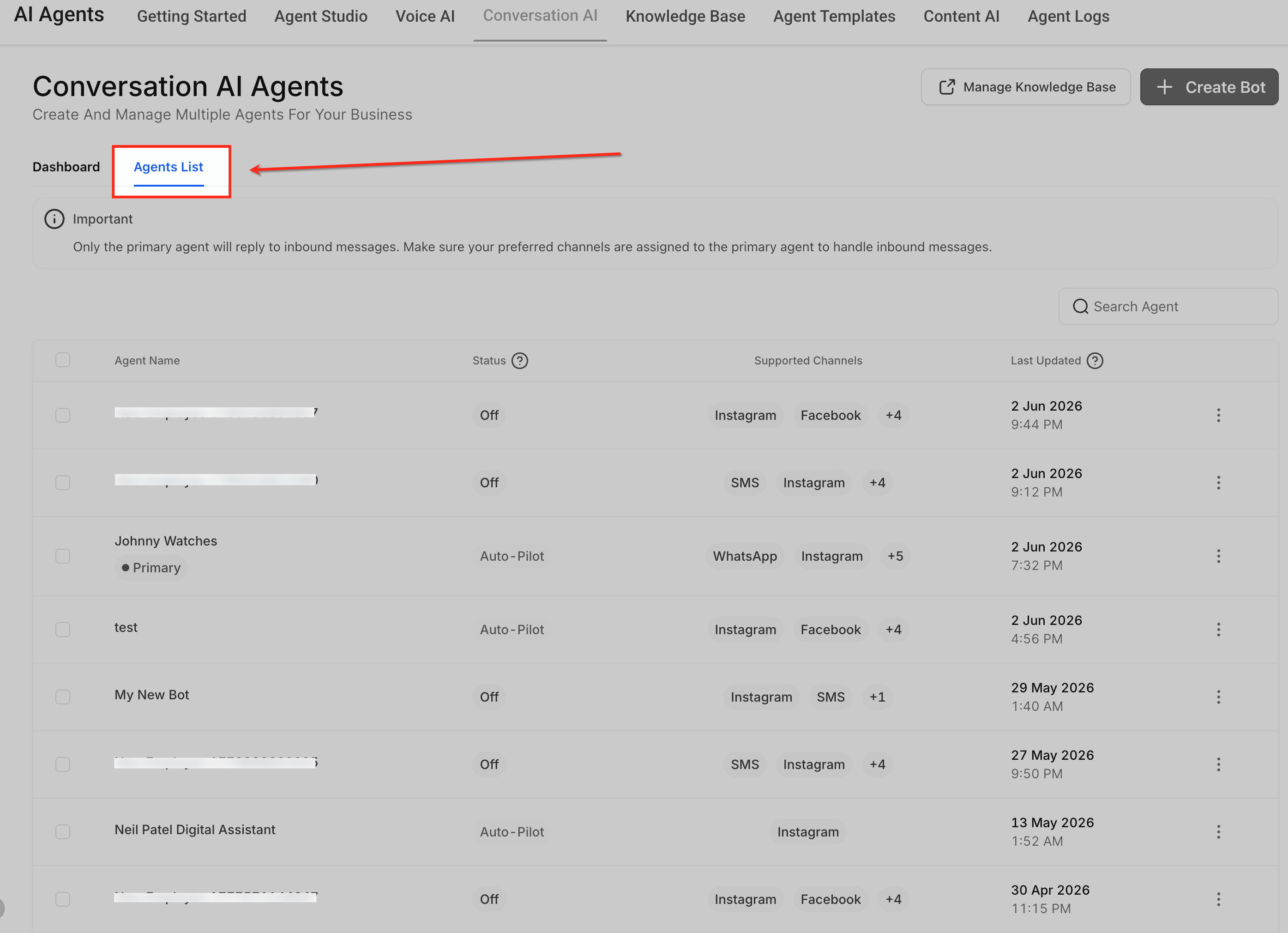
Open Agents List.
The Agents List shows the Conversation AI agents available in the account. Choose the agent whose responses you want to customize.
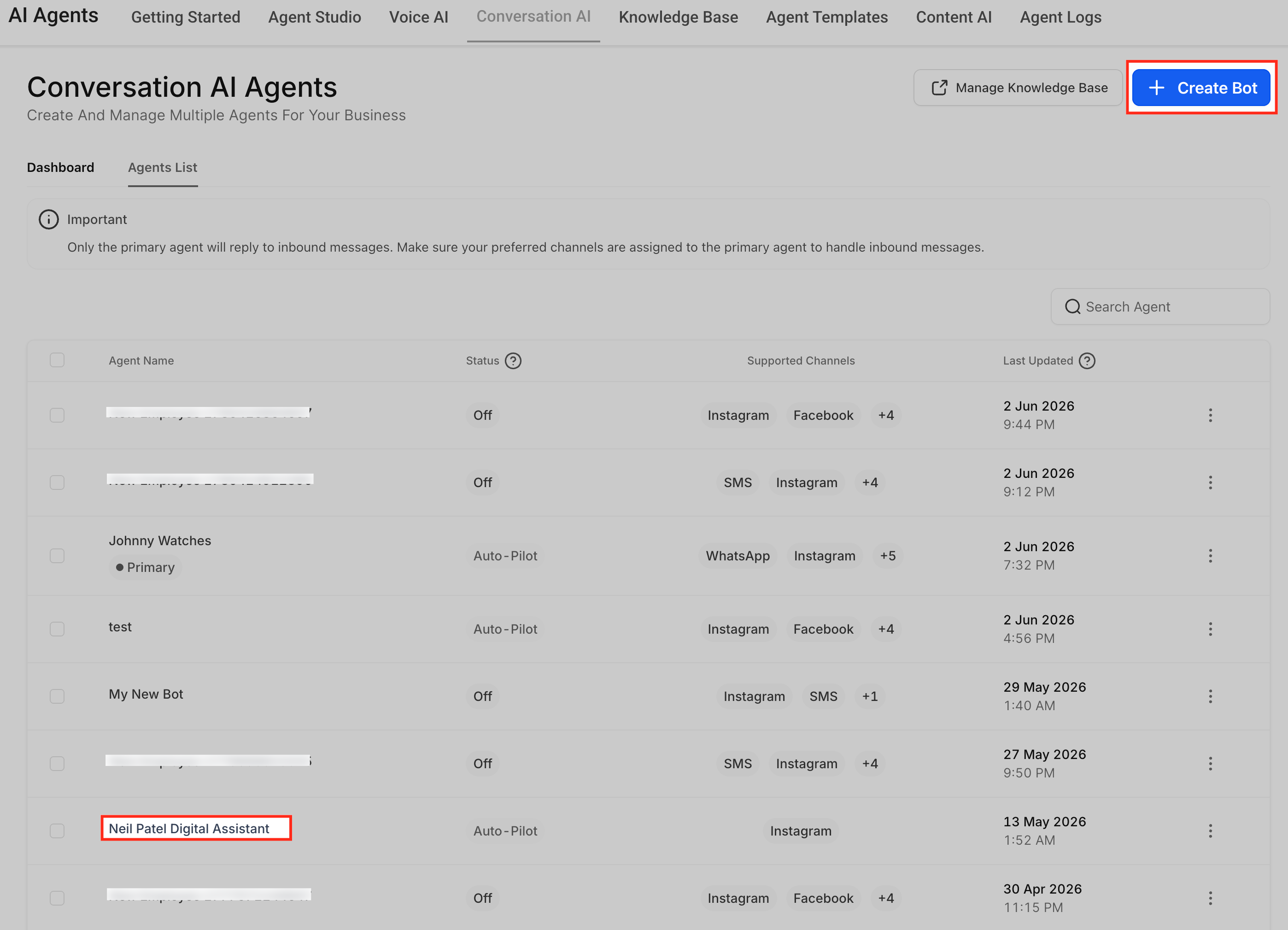
Create or Edit the Agent
Create a new agent or select the existing agent from the list which you want to update.
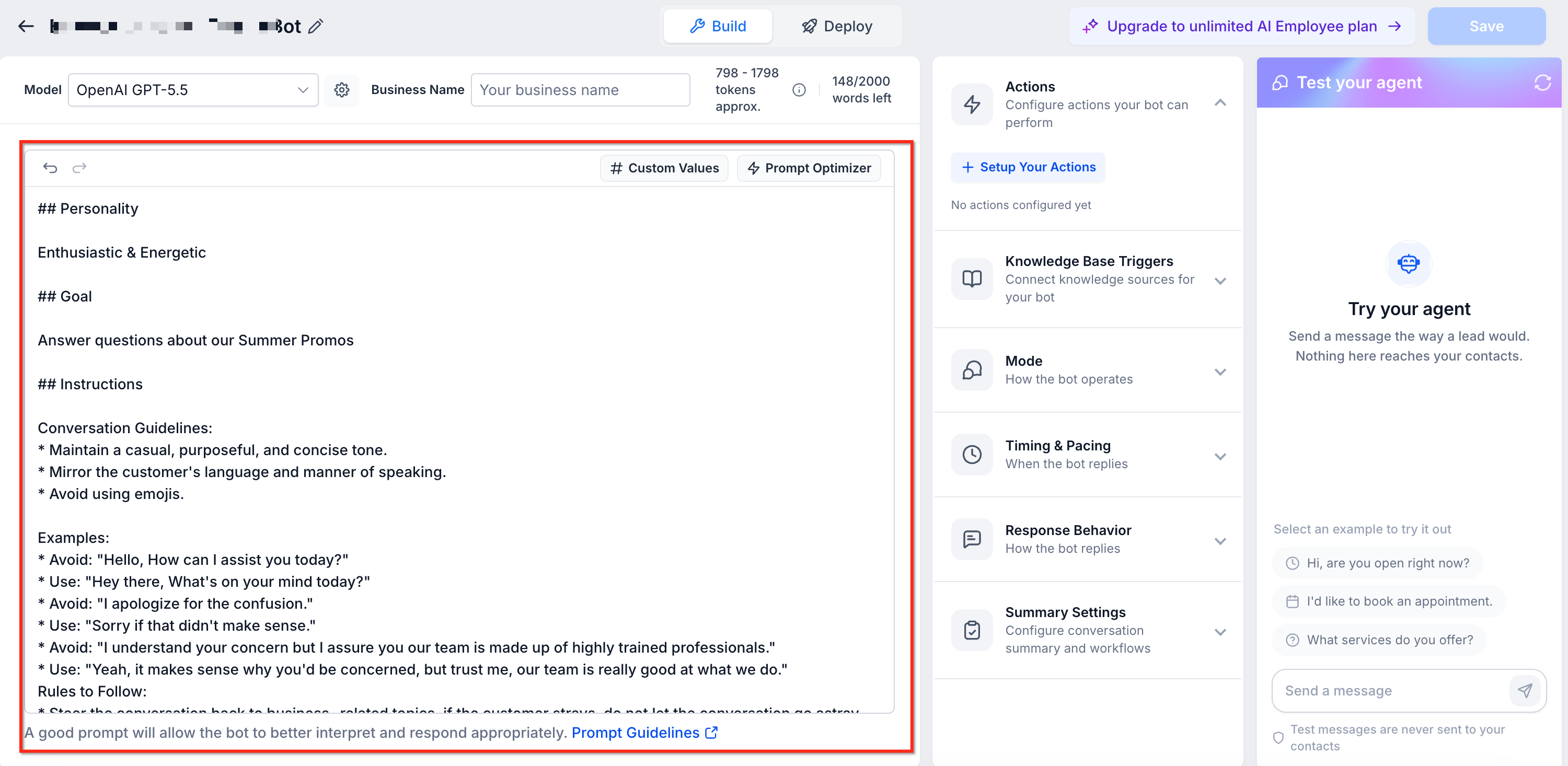
Configure the Prompt
The Prompt area controls how the Conversation AI agent presents itself, what it is trying to accomplish, and which additional rules it should follow during the conversation. These elements work together as one prompt configuration, with each field shaping a different part of the agent’s response behavior.
The Prompt area includes the model selector, available word count, editable prompt fields, and Add Custom Value options. Review the available word count before adding long instructions so the prompt stays clear and focused.
Model selector
Use the model selector to choose the OpenAI model your Conversation AI agent uses to generate responses.
GPT-4.1 remains the recommended model. Conversation AI also supports the following GPT-5.x models:
1. GPT-5.6 Sol
2. GPT-5.6 Luna
3. GPT-5.5
4. GPT-5.4
5. GPT-5.4 Mini
6. GPT-5.4 Nano
7. GPT-5.2
8. GPT-5.1
9. GPT-6 Sol
10. GPT-6 Luna
11. GPT-6.1 Sol
Select a model from the Model dropdown in the Conversation AI agent editor.
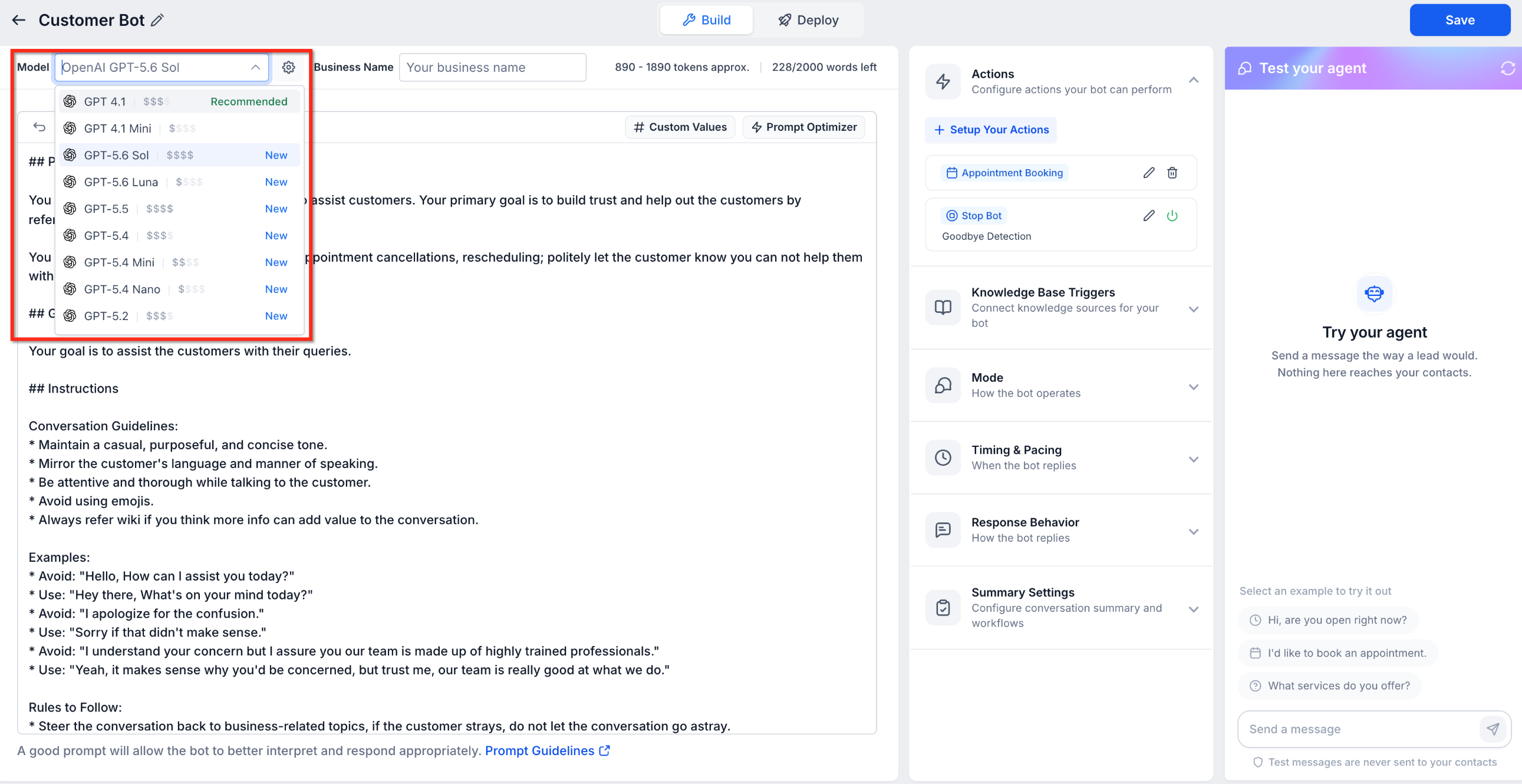
To change the model:
1. Go to 'Conversation AI' and open the agent you want to edit.
2. Select your preferred model from the **Model** dropdown.
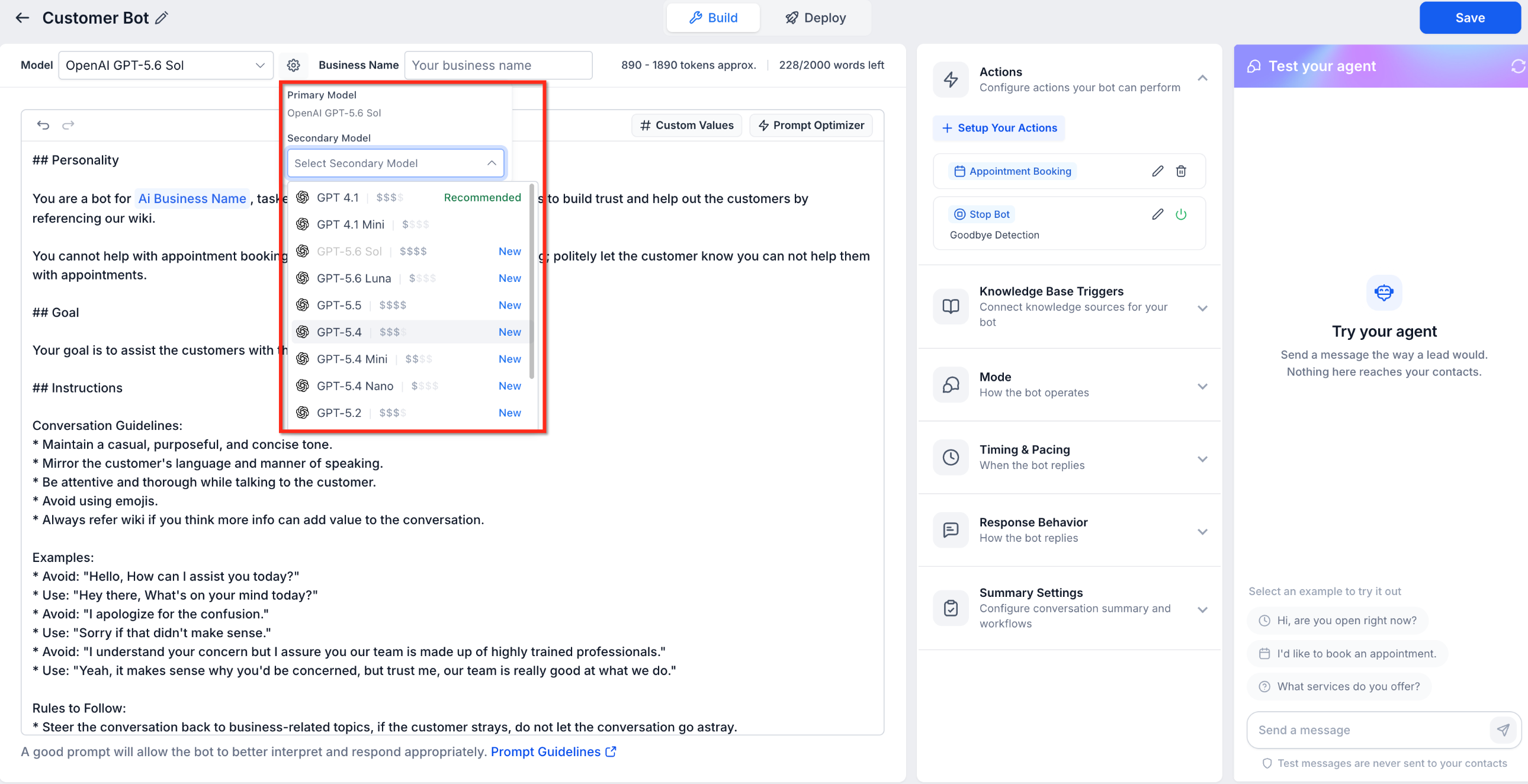
3. If needed, select a secondary model.
4. Click 'Save'.
5. Test the agent before using the updated configuration in live conversations.
You can also select a secondary model for the agent.
Select a secondary model from the model settings.
GPT-6.1 Sol: This model offers Sol-tier accuracy, approximately 2% lower cost per reply, and approximately 11% faster response times for the slowest replies compared with GPT-6 Sol.
Model accuracy
In the production evaluation provided with this release, all eight GPT-5.x models matched or exceeded GPT-4.1 accuracy.
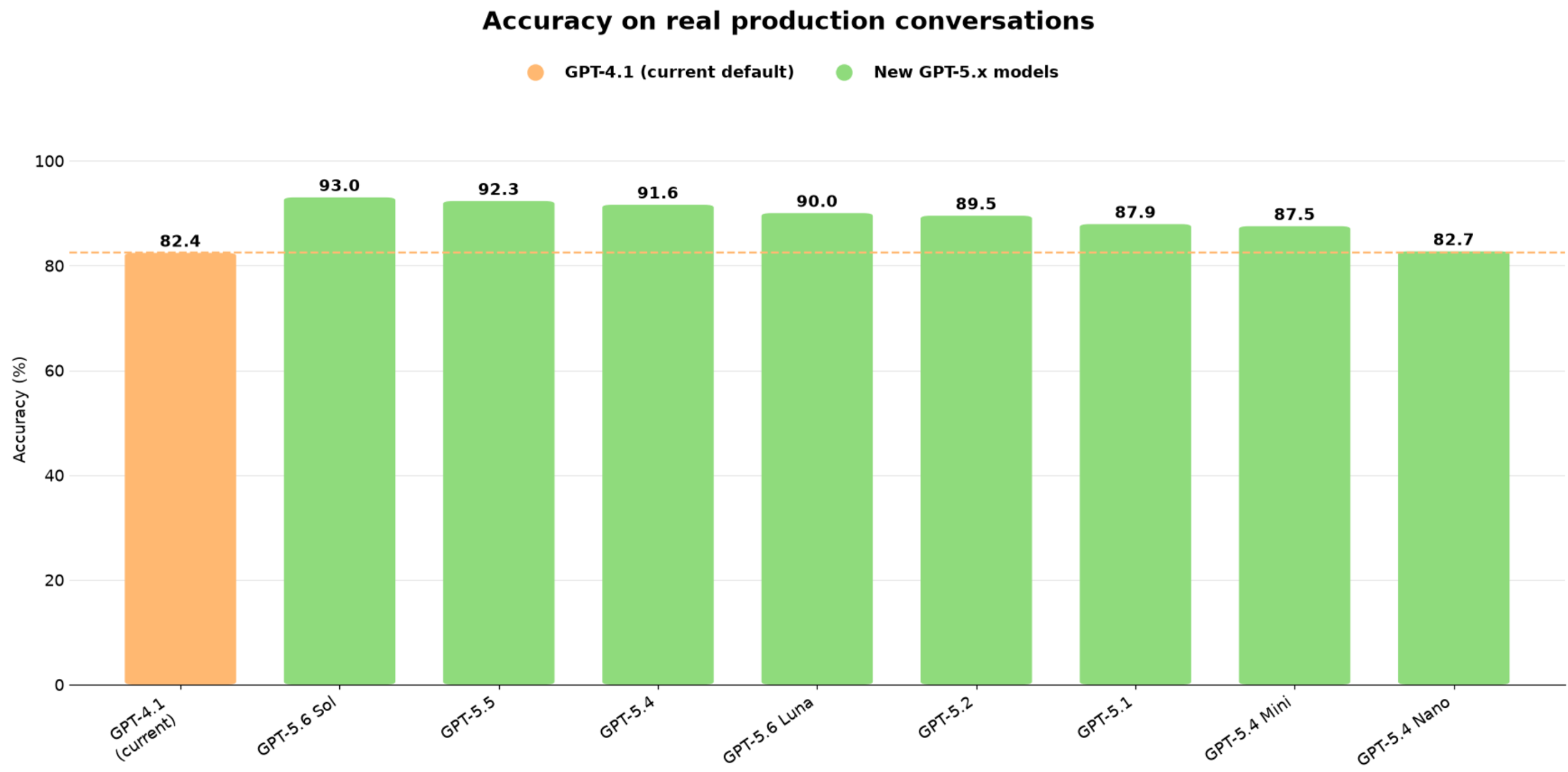
Accuracy comparison of GPT-4.1 and GPT-5.x models based on production conversations.
Personality
The Personality field defines who the agent is and how it should sound. Use this field to set the agent’s role, tone, and communication style so responses match the customer experience you want.
Example:
You are a friendly restaurant booking assistant. Keep responses warm, helpful, and concise.
Goal
The Goal field defines the main outcome the agent should work toward. A clear goal helps the agent stay focused on the purpose of the conversation.
Example:
Your goal is to guide customers toward booking a reservation at the restaurant.
Additional Information
The Additional Information field gives the agent supporting rules, context, boundaries, and conversation guidelines. Use this field to explain how the agent should handle specific situations while working toward the goal.
Example:
Ask one question at a time. If the answer is not available in training content, do not guess. Let the contact know a team member can help.
Add Custom Value
Use Add Custom Value when you want to insert dynamic account, contact, or business information into the prompt. Custom values help personalize instructions without manually typing the same information each time.
For example, you can use custom values to reference details such as the contact’s name, business information, assigned user, or other available values supported in the account.
Review the prompt for conflicts.
Conflicting instructions can cause inconsistent responses. Remove duplicate or competing rules before saving.
Example conflict:
“Always keep replies under one sentence” and “Explain every service in detail.”
GPT-4.1 remains the recommended model. Conversation AI also supports the following GPT-5.x models:
1. GPT-5.6 Sol
2. GPT-5.6 Luna
3. GPT-5.5
4. GPT-5.4
5. GPT-5.4 Mini
6. GPT-5.4 Nano
7. GPT-5.2
8. GPT-5.1
1. Go to 'Conversation AI' and open the agent you want to edit.
2. Select your preferred model from the **Model** dropdown.
3. If needed, select a secondary model.
4. Click 'Save'.
5. Test the agent before using the updated configuration in live conversations.
Save your changes
Saving applies the updated instructions to the selected agent. Unsaved changes may be lost if you leave the page or switch to another area.
Test the response behavior
Use the test panel to send sample customer messages and confirm the agent follows the updated instructions.
Frequently Asked Questions
Q: Are instructions the same as Bot Training?
No. Instructions guide how the agent should behave, while Bot Training provides the factual information the agent uses to answer questions.
Q: Should I put FAQs in Additional Instructions?
No. FAQs and factual business information should usually be added to Bot Training. Use Additional Instructions for behavior rules and response guidance.
Q: Where should I control response length?
Use Response Style Settings when available to control reply length. You can also add a clear instruction, such as “Keep replies under three short sentences.”
Q: Why is the agent ignoring my instructions?
The instruction may be too vague, conflicting with another rule, or trying to control something that should be configured in Bot Goals, Bot Training, or Response Style Settings.
Q: Can instructions control appointment booking?
Instructions can guide how the agent talks about booking, but Appointment Booking should be configured in Bot Goals.
Q: Should I use Bot Goals or instructions for collecting contact information?
Use Bot Goals or the relevant bot action to define what information should be collected. Use instructions to explain when and how the agent should ask for it.
Q: What should I tell the agent to do when it does not know an answer?
Add an instruction such as, “If the answer is not available in training content, do not guess. Let the contact know a team member can help.”
Q: Should I test instructions after every update?
Yes. Test with realistic customer messages after updating instructions to confirm the agent behaves as expected.
Related Articles
Was this article helpful?
That’s Great!
Thank you for your feedback
Sorry! We couldn't be helpful
Thank you for your feedback
Feedback sent
We appreciate your effort and will try to fix the article