Publish and schedule TikTok videos directly from HighLevel’s Social Planner, no push notifications needed. Create, customize, and schedule your content at your convenience for maximum engagement.
TABLE OF CONTENTS
- What is TikTok Posting in Social Planner?
- Key Benefits of TikTok Posting
- How to Post on TikTok from the Social Planner
- Frequently Asked Questions
- Related Articles
What is TikTok Posting in Social Planner?
TikTok posting in Social Planner lets you upload a video, add a caption, choose visibility, and publish or schedule to connected TikTok profiles from one place. Centralizing TikTok alongside other social media simplifies planning, approvals, and reporting so teams can work more efficiently.
Key Benefits of TikTok Posting
- Efficiency: Say goodbye to manual push notifications and save time in content distribution.
- Consistent Scheduling: Plan ahead and ensure a well-timed presence on TikTok without daily manual intervention.
- Enhanced Planning: Strategize your content effectively, considering optimal posting times and frequency for better audience engagement.
- Better Analytics: Track post performance and optimize your content strategy over time.
- Multi-Platform Integration: Streamline content distribution across multiple social media accounts effortlessly.
How to Post on TikTok from the Social Planner
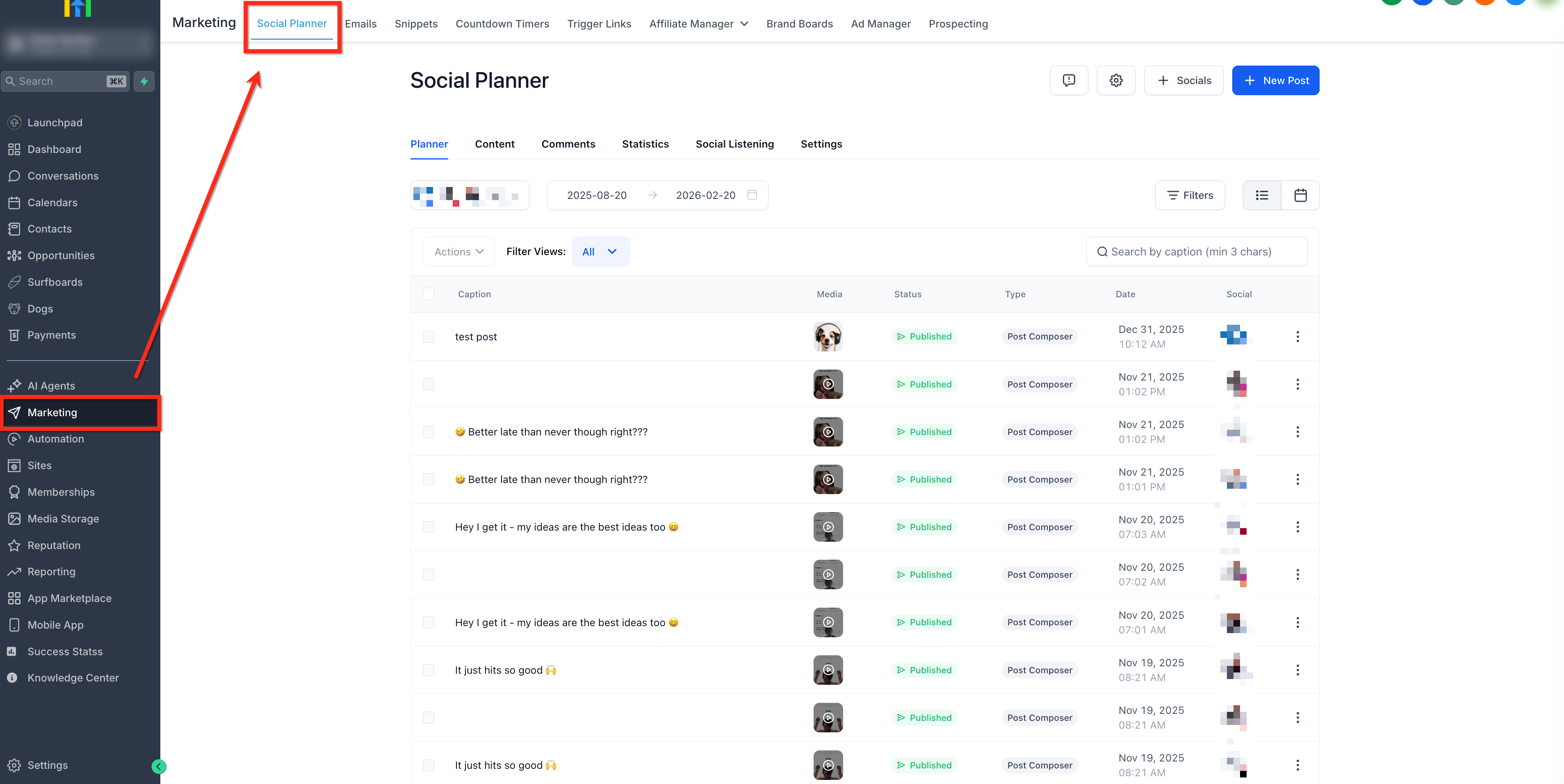
- Go to Marketing > Social Planner.
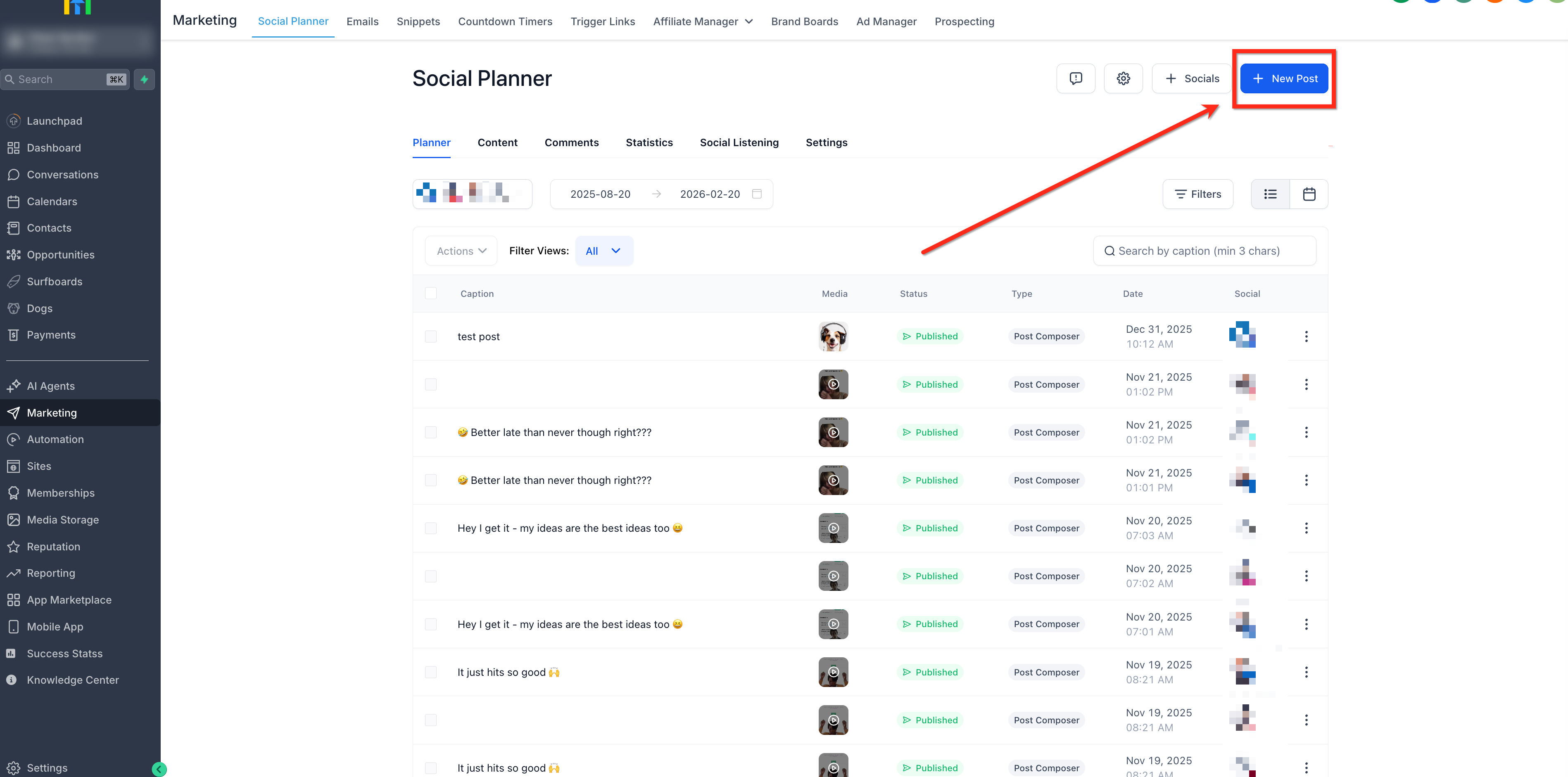
- Create new post by selecting + New Post.
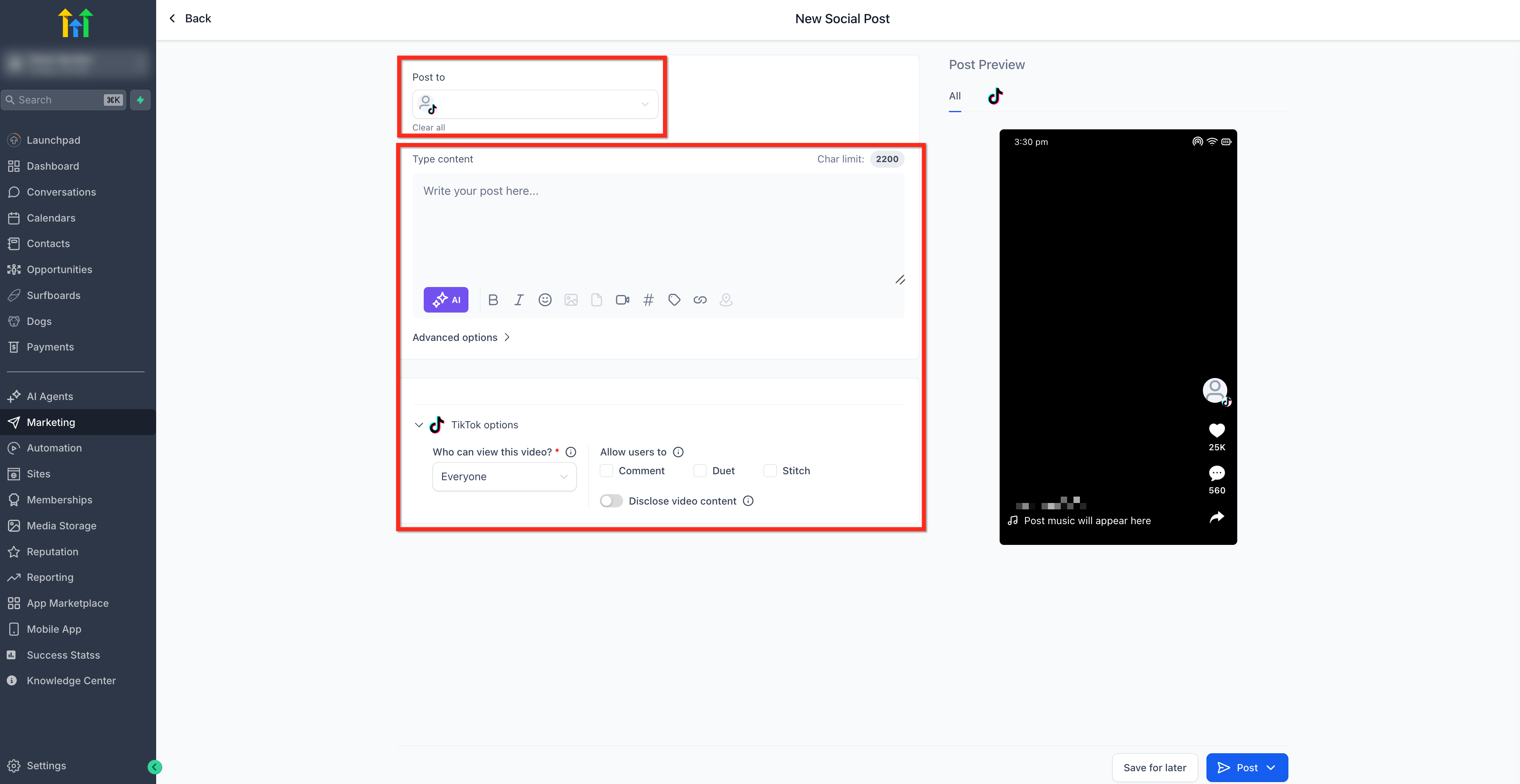
- From the Post To dropdown, select the TikTok account. Add the posts content and configure the settings options.
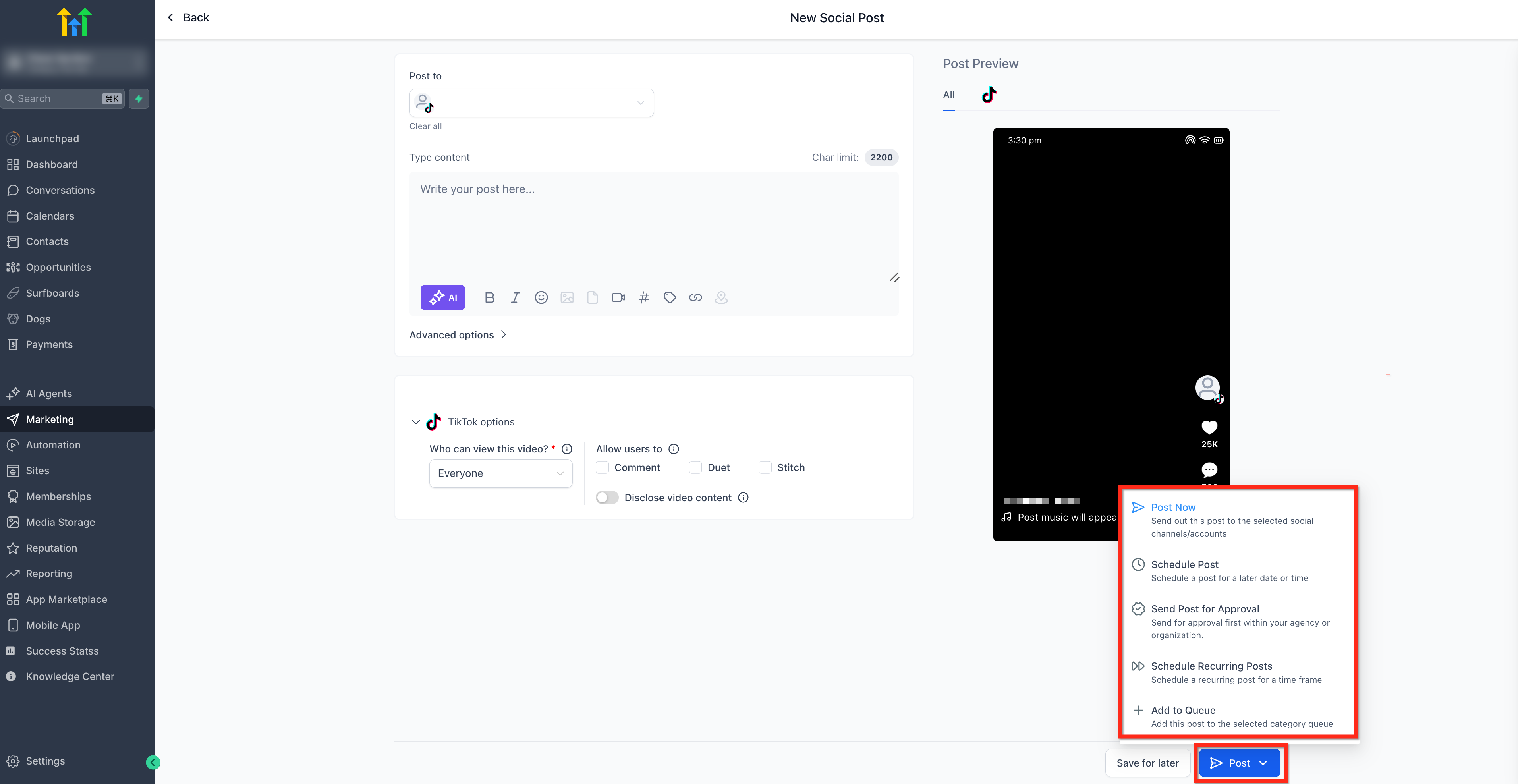
- Click Post. From here you are able to Post Now, Schedule Post, Send Post for Approval, Schedule Recurring Posts or Add to Queue.
Frequently Asked Questions
Q: Can I edit a scheduled TikTok post?
You can reschedule time and update certain fields. If the media or requirements change, create a new post to avoid processing errors.
Q: Can I manage TikTok comments inside Social Planner?
Not at this time in Social Planner. Handle comments directly on TikTok or via HighLevel conversation/automation features (where available). You can setup TikTok comment automations. Click here for more info on TikTok DMs & Comment Automations.
Q: Why did my scheduled post fail?
The most common causes are a disconnected TikTok profile, expired permissions, or video specs not being met. Reconnect or re-export the file and reschedule.
Related Articles
Was this article helpful?
That’s Great!
Thank you for your feedback
Sorry! We couldn't be helpful
Thank you for your feedback
Feedback sent
We appreciate your effort and will try to fix the article