The In-App Calendar View in HighLevel provides a centralized way to view and manage scheduled appointments and calendar events.
You can switch between daily and monthly views, compare schedules across multiple users, calendars, or groups, and identify events using colors and icons. These options make it easier to monitor appointments and navigate your schedule.
TABLE OF CONTENTS
- What is In-App Calendar View?
- Key Benefits of In-App Calendar View
- Quick Day View
- Quick Month View
- Multi-Calendar View
- Multi-Group View
- Persistent Multi-Select
- Additional Info on Hover
- Frequently Asked Questions
- Related Articles
What is In-App Calendar View?
The In-App Calendar View is a scheduling interface within HighLevel that displays appointments and supported synced calendar events. It allows you to view schedules by user, calendar, or group, making it easier to manage appointments without switching between individual calendars.
Key Benefits of In-App Calendar View
The In-App Calendar View provides flexible viewing options and visual indicators to help you organize appointments and compare schedules efficiently.
Flexible Calendar Views: Switch between Day and Month views to review appointments across different time periods.
Multiple Schedule Selection: View appointments for multiple users, calendars, or groups together.
Color-Coded Appointments: Distinguish appointments using staff and calendar colors.
Event Identification: Use icons and the annotation key to identify event types.
Saved Selections: Retain selected users and calendars when returning to the calendar.
Quick Appointment Details: Hover over appointments to view essential information without opening them.
Quick Day View
Now view users, calendars, and groups in a convenient side-by-side format. Simply select the Day view to reveal a horizontal list showcasing all selected entities.
For example, in the user's Day view, a horizontal list of users will be presented, each with their individual day calendar below their respective names. This empowers users to efficiently identify available time slots and seamlessly compare daily schedules.
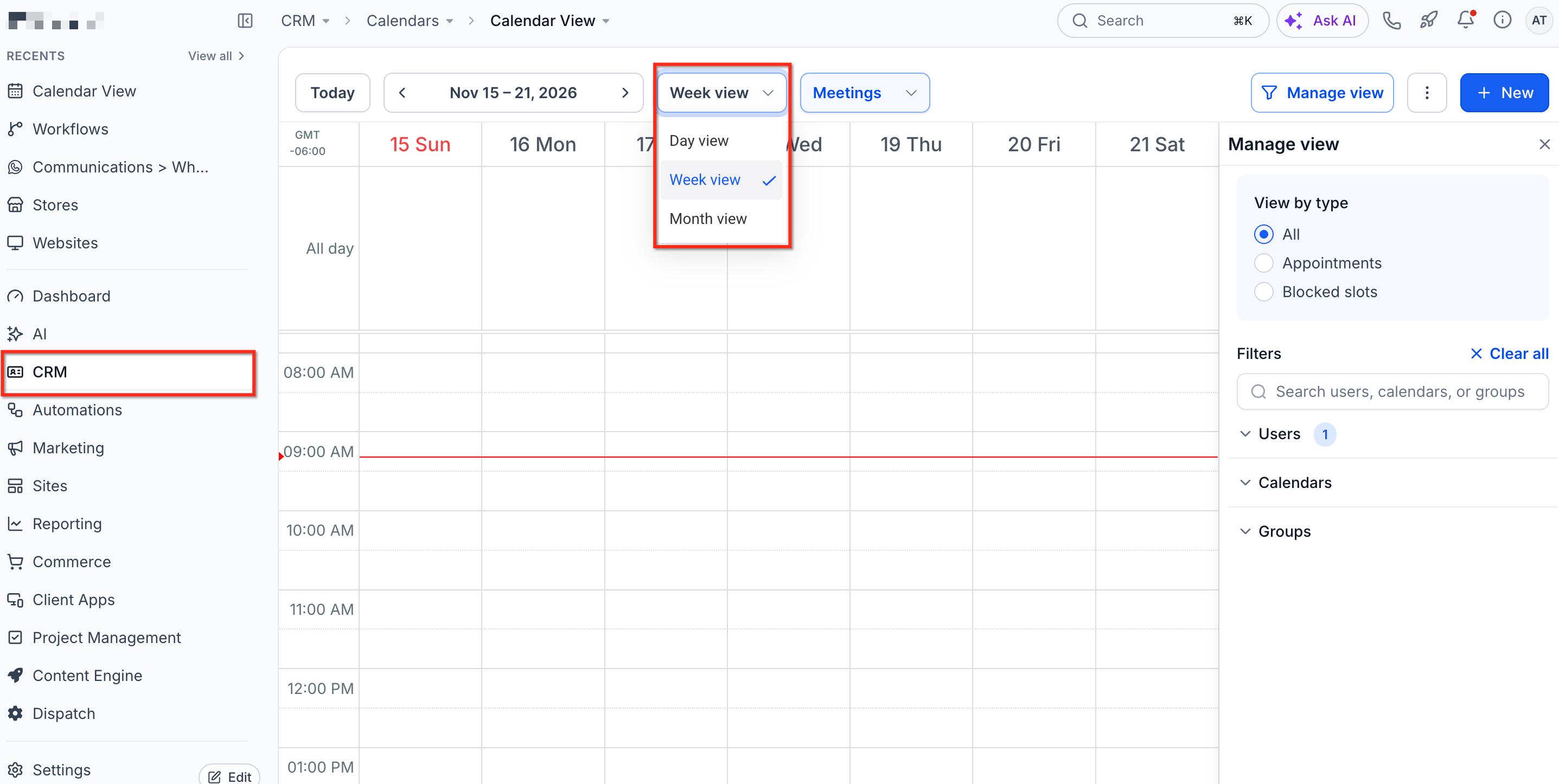
Quick Month View
Navigate seamlessly through future dates with our intuitive month view, ensuring you never miss an important appointment.
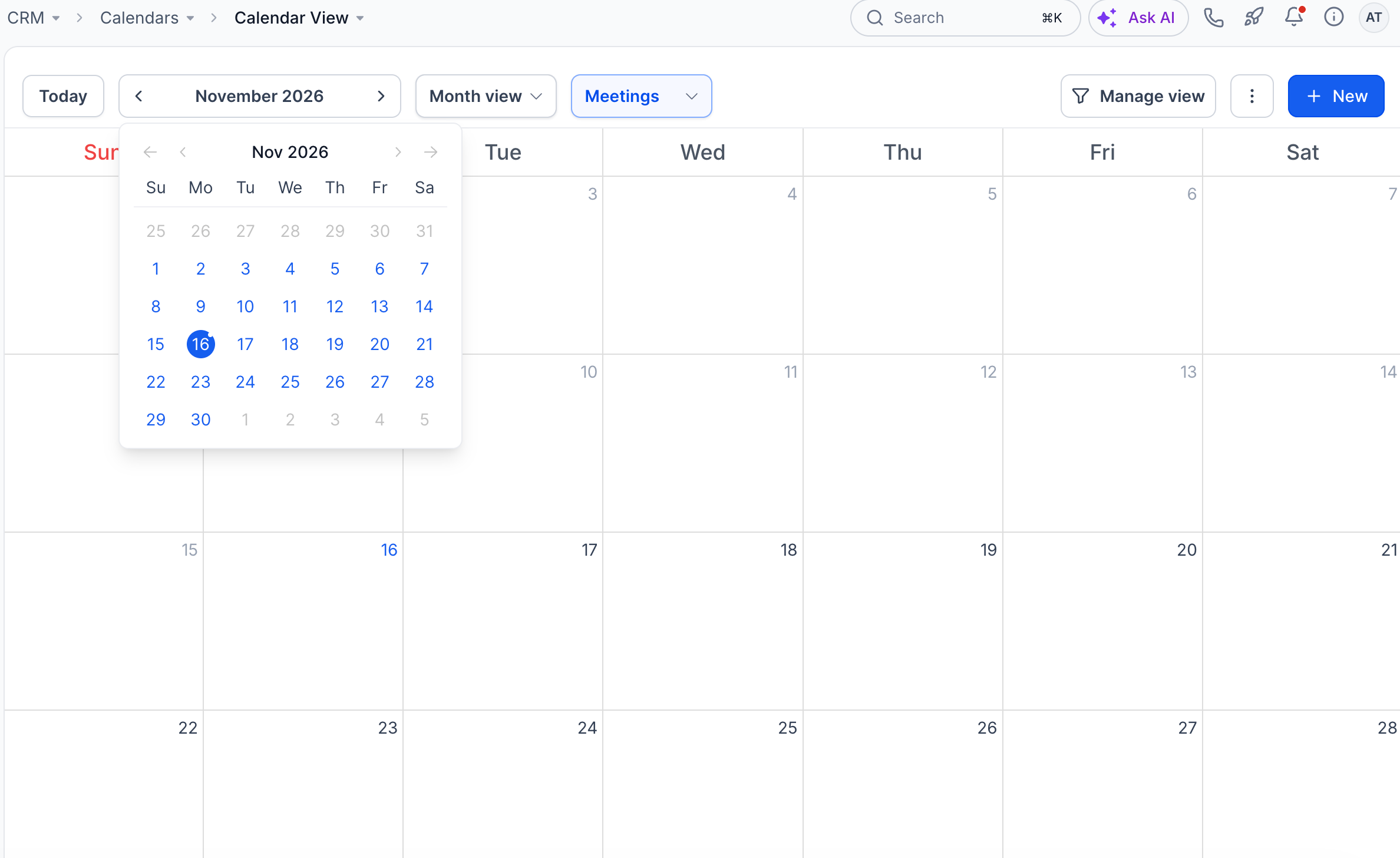
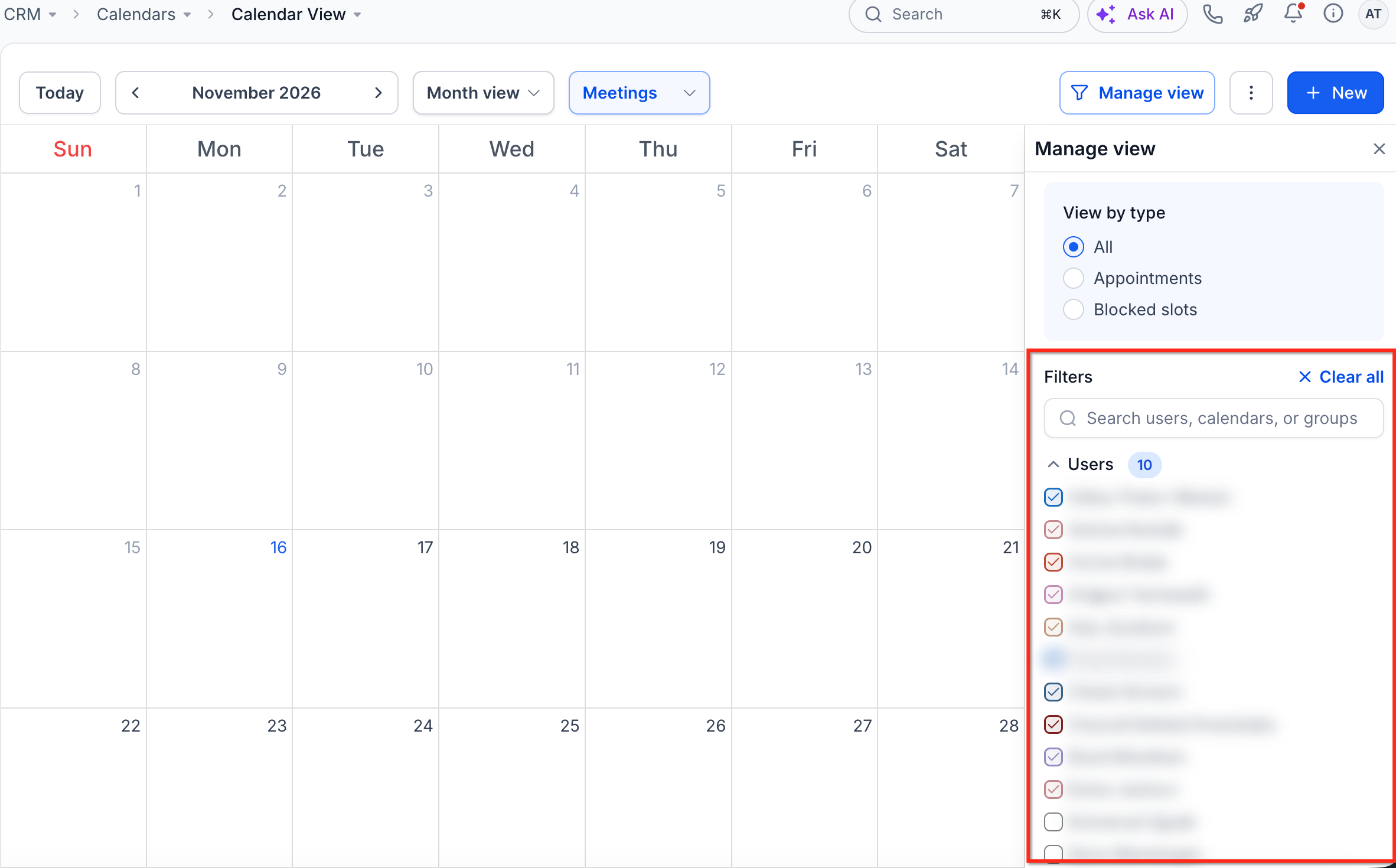
Multi-User Selection
Say goodbye to the hassle of managing users one by one. Now, select multiple users at once and view their appointments in a single glance.
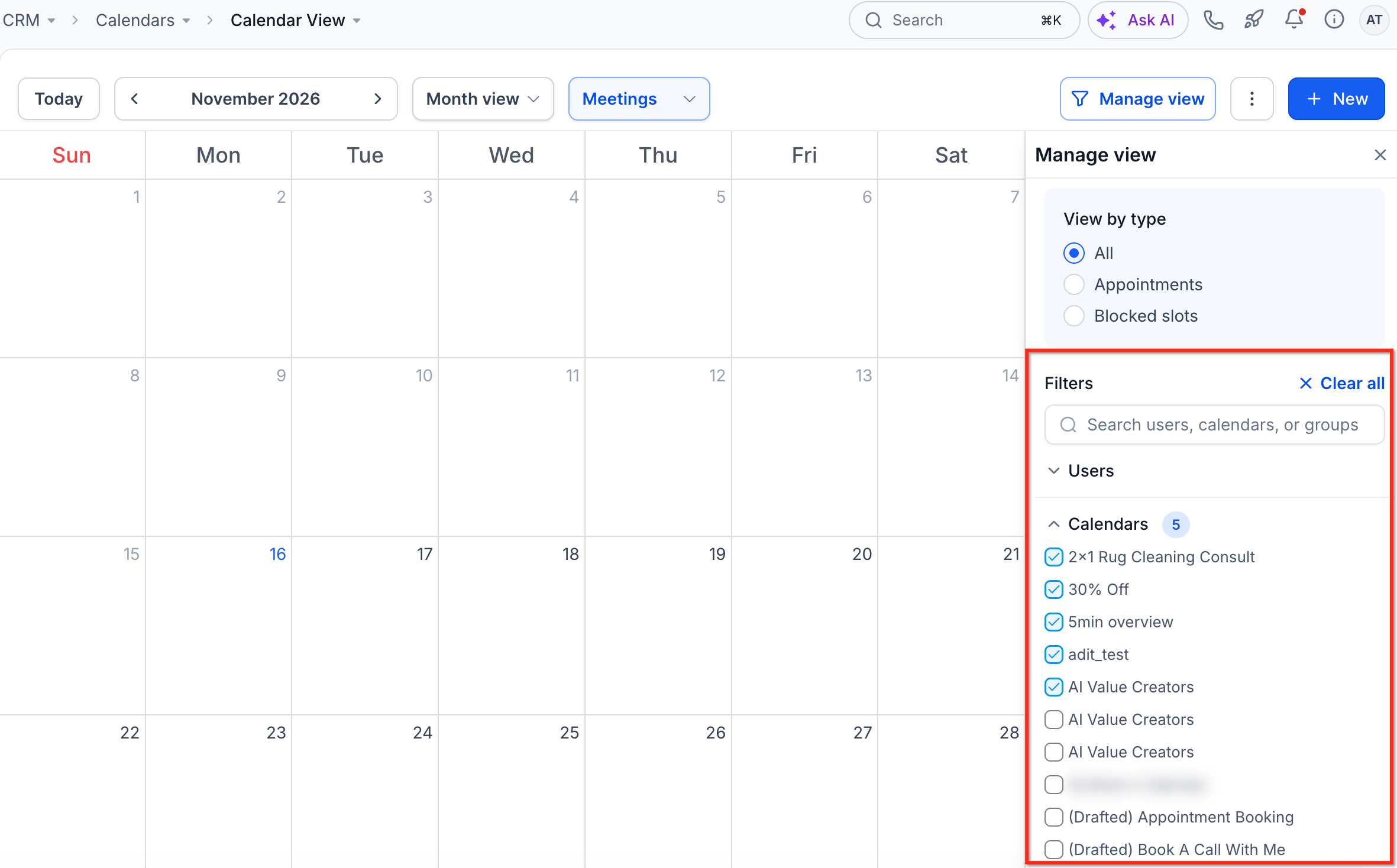
Multi-Calendar View
Simplify your schedule by choosing different calendars and consolidating all their appointments into one unified display. No more switching between calendars—everything you need is in one place.
Multi-Group View
Select multiple groups effortlessly. All the appointments within these groups will overlay on your calendar, providing a comprehensive overview of your day.
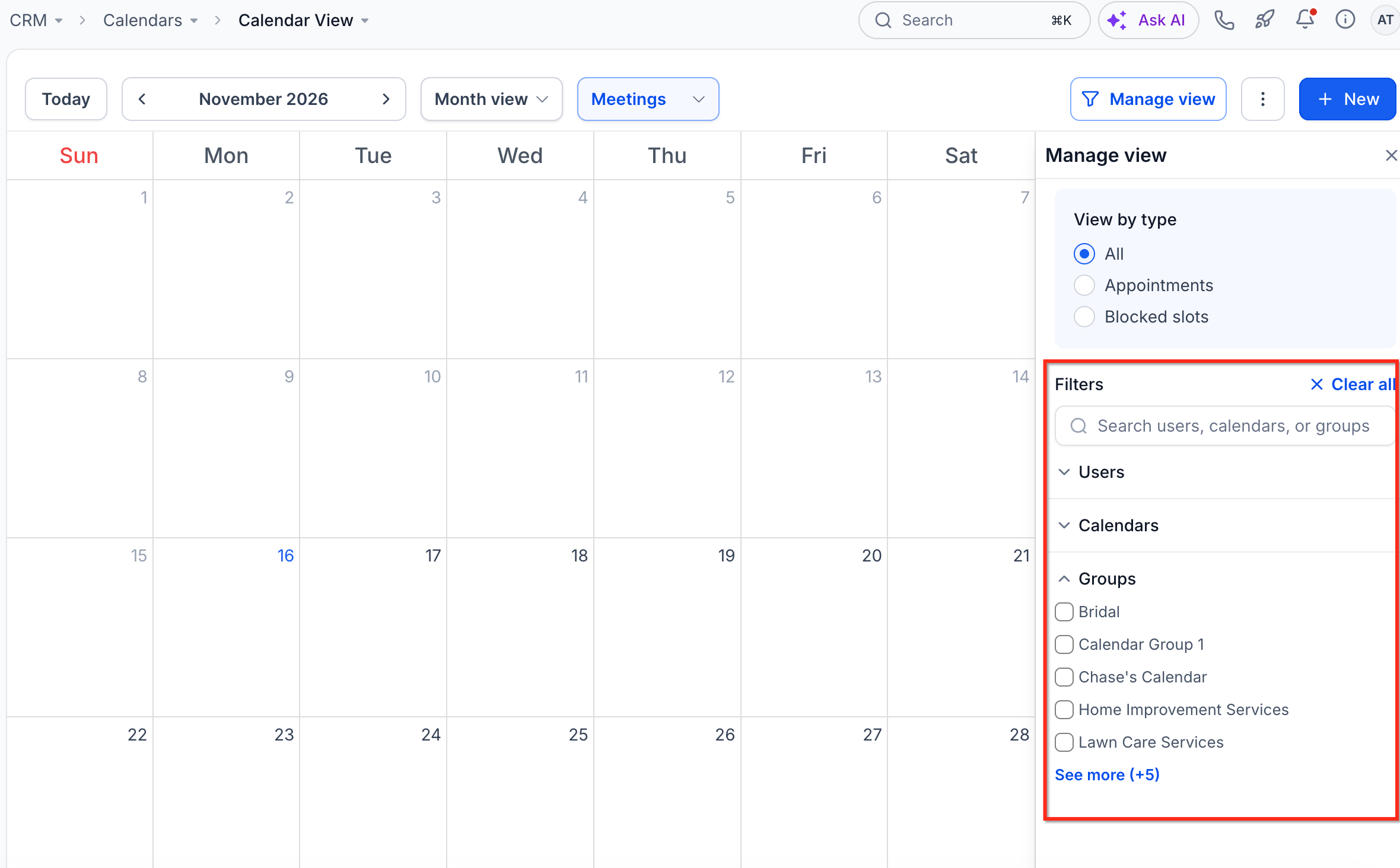
Persistent Multi-Select
Your selected calendars and users are remembered, so when you return, your preferred view is just a click away.
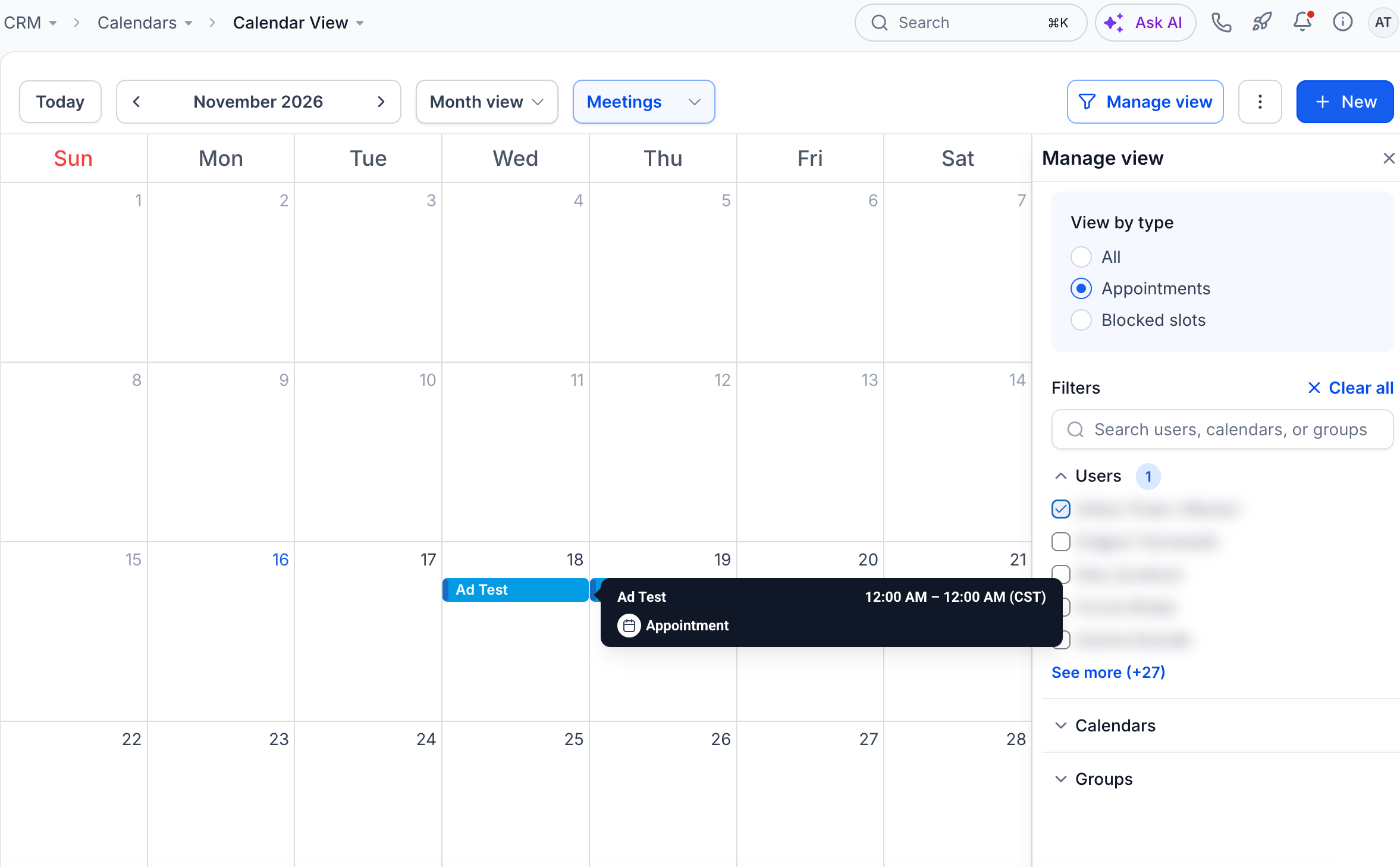
Additional Info on Hover
Hover over any appointment for a detailed snapshot, including event type, title, start, and end times. No need to click—stay informed with a simple hover.
Frequently Asked Questions
Q: Why can't I see the Meetings scheduling type dropdown?
The dropdown appears only when multiple scheduling types are enabled. If only one scheduling type is active, HighLevel displays it automatically.
Q: Can I hide the calendar filters to create more viewing space?
Yes. Click Manage View to collapse or expand the filter panel.
Q: Can I change the colors displayed on calendar appointments?
Yes. Calendar View Settings provides event color display options. Admins can also configure staff colors.
Q: Do calendar display preferences change appointment availability?
No. Calendar display settings only affect how appointments appear. They do not change scheduling rules or booking availability.
Related Articles
Was this article helpful?
That’s Great!
Thank you for your feedback
Sorry! We couldn't be helpful
Thank you for your feedback
Feedback sent
We appreciate your effort and will try to fix the article