The Kollab Mobile App delivers a native experience for accessing Communities, Courses, Events, and Chats on iOS and Android. This guide covers the Beta v2 redesign and subsequent app improvements, including update reminders, Live Sessions in Courses, notification permissions, and stability fixes.Learn about the redesigned mobile experience, the improvements introduced in the later app update, and how to get started and manage notifications.
TABLE OF CONTENTS
- What Is the Kollab Mobile App (Beta v2)?
- Key Benefits
- Navigation and Media
- What's New in App Version 26.04.140+2604140
- How to Get Started
- Frequently Asked Questions
What Is the Kollab Mobile App (Beta v2)?
The Kollab Mobile App (Beta v2) provides a native iOS and Android experience for accessing Communities, Courses, Events, and Chats. The redesigned app improves navigation, media loading, notification reliability, and overall performance. Subsequent updates introduce app update reminders, Live Sessions in Courses, notification permission reminders, and stability improvements.
Key Benefits
The native redesign and subsequent app improvements help members access learning and community content more smoothly while keeping notifications and app performance more reliable.
- Faster app access: Improved launch times and smoother navigation.
- More reliable notifications: Better delivery and navigation from supported alerts.
- Community and learning access: Move between Courses, Communities, Events, and Chats.
- Improved media: Faster image and video delivery using Media Core.
- Stability improvements: Beta testing and bug fixes improve the overall experience.
Navigation and Media
The native mobile experience makes it easier to move between learning content, communities, events, and conversations. The original release also introduced improved image and video delivery through Media Core.
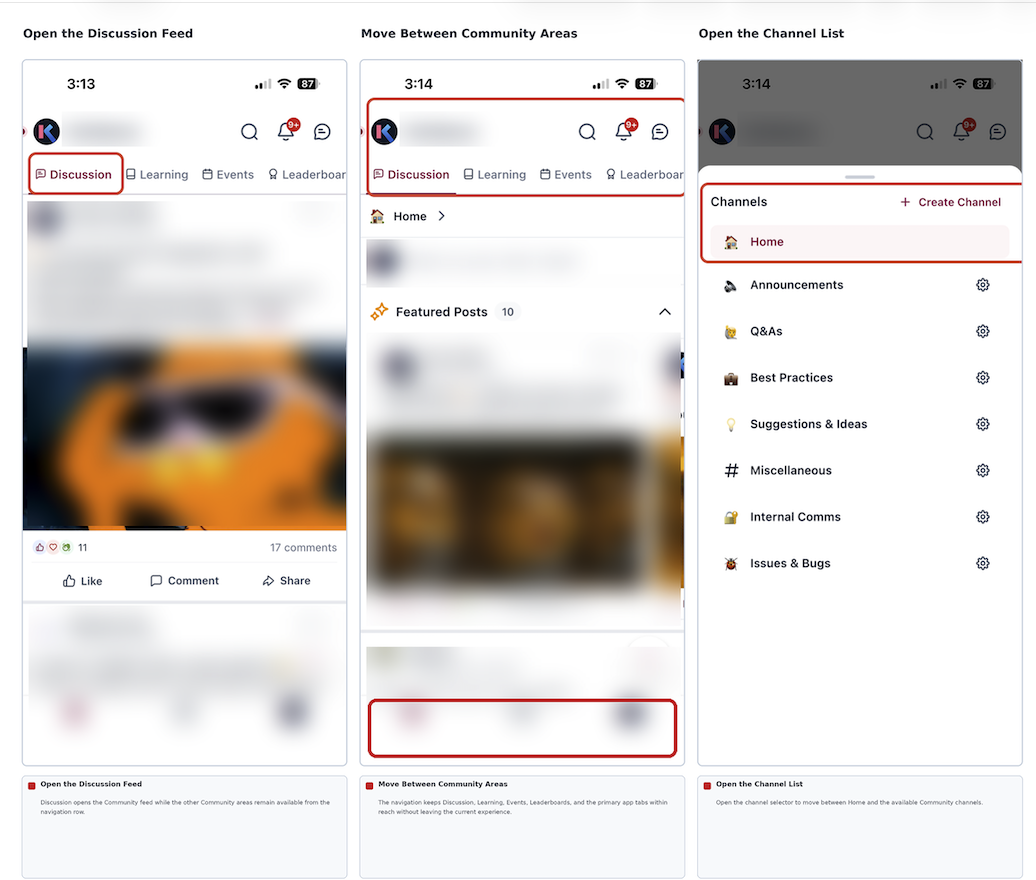
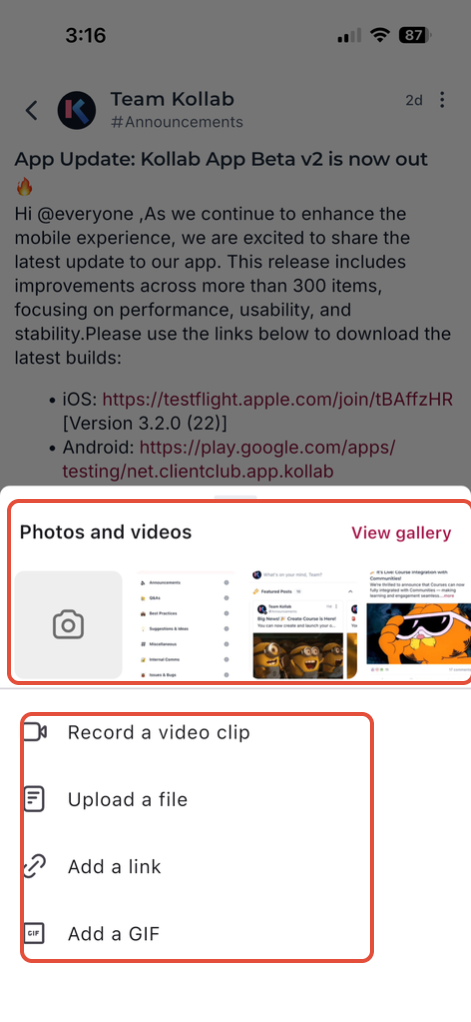
Media Rendering
Media Core supports improved image and video rendering in the mobile experience.
What's New in App Version 26.04.140+2604140
A later GoKollab mobile app release added the following improvements. These are separate from the original Beta v2 launch features.
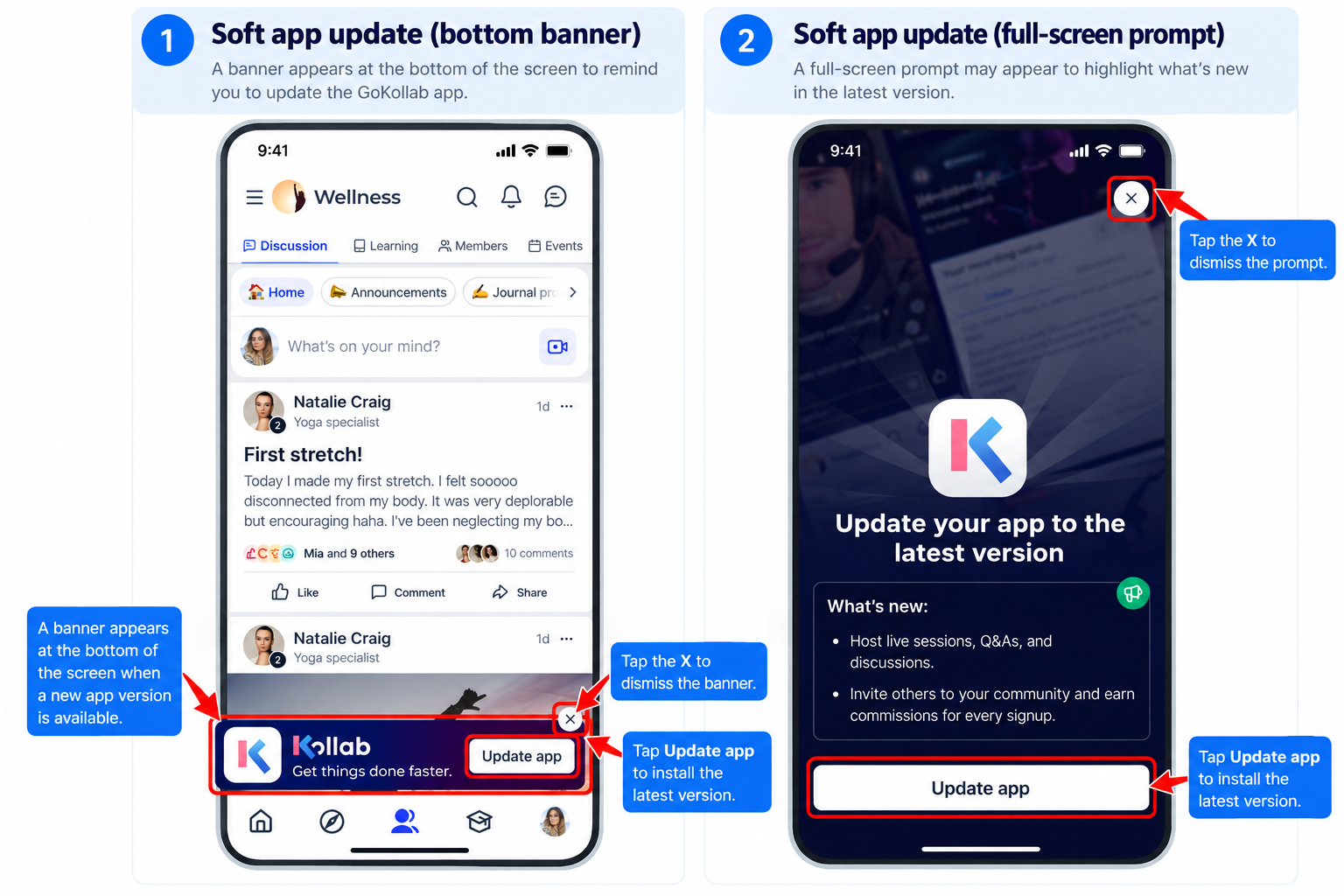
App Update Nudges
Hard and soft update reminders prompt users to install newer app versions when available. Follow the instructions shown in the app to update.
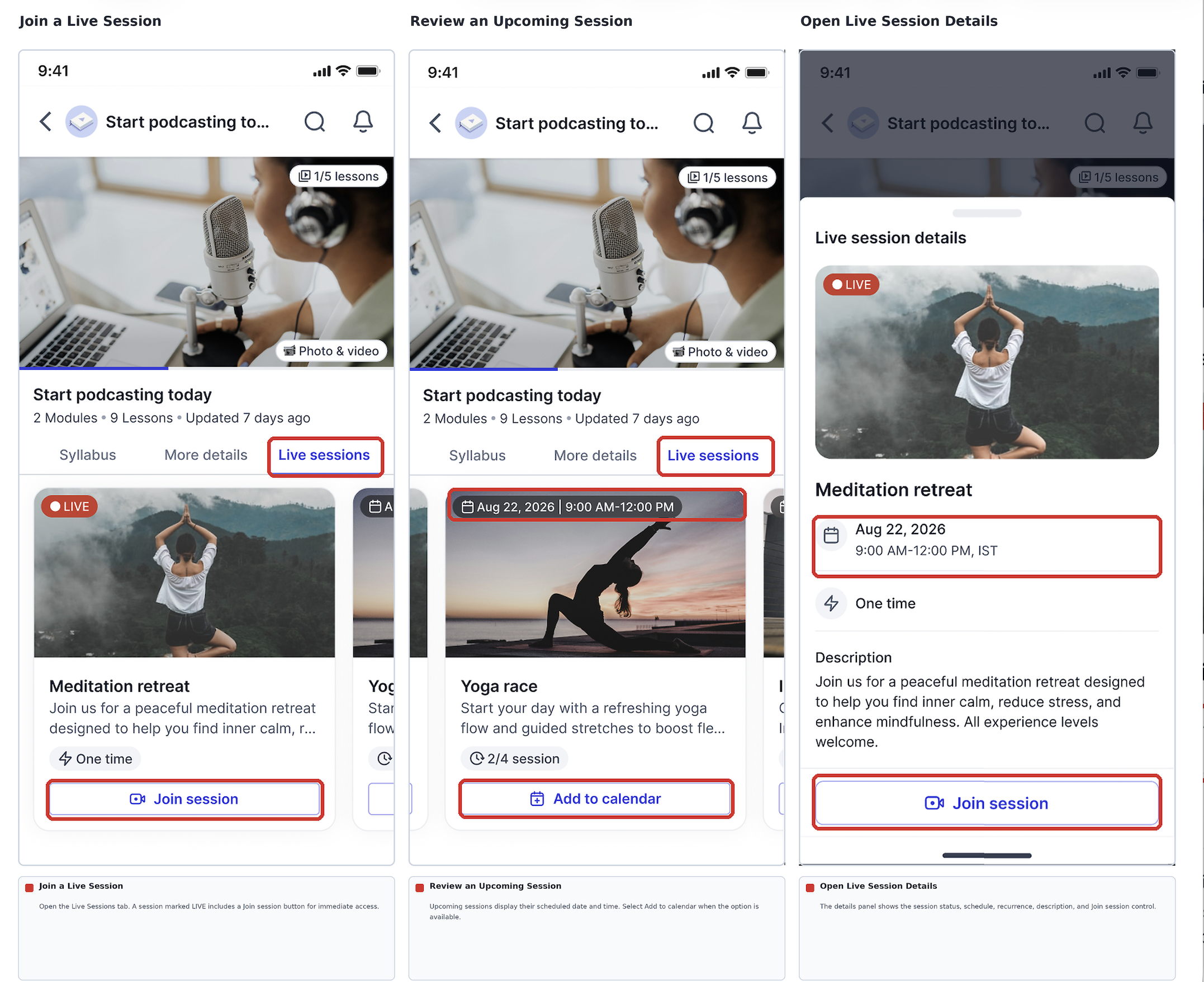
Live Sessions in Courses
Creators can host Live Sessions in Courses through LevelUp, supporting real-time teaching, interaction, and engagement. Availability and controls depend on the course and app experience. Refer to the relevant course controls for creating or joining a session.
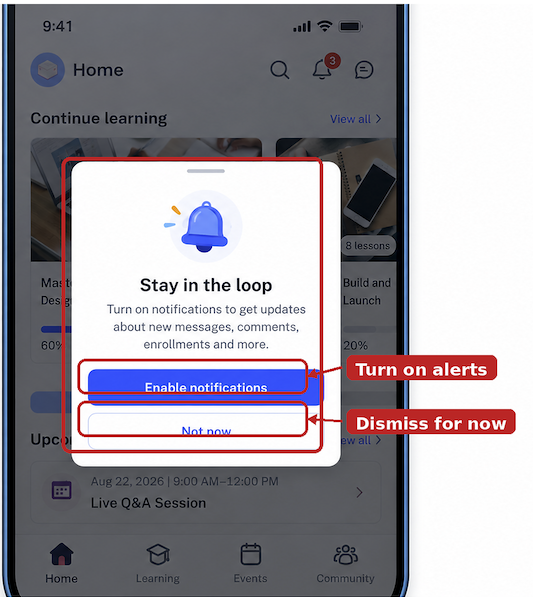
Notification Permission Reminders
A notification reminder encourages users to enable device notification permissions so they can receive supported course and community alerts. Notification permissions remain under the user's control in their device settings.
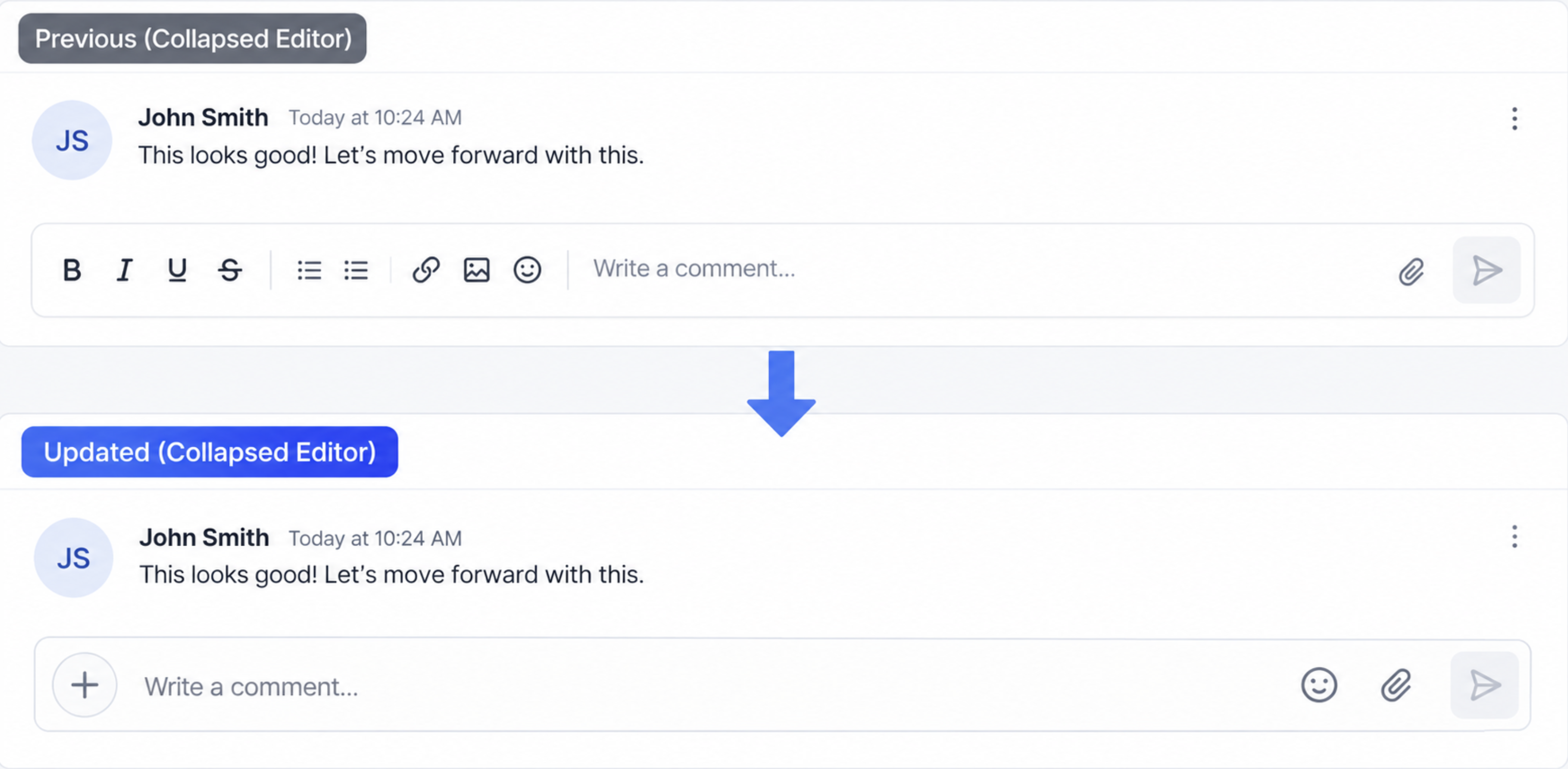
Comments and Chat Editor Improvements
The collapsed rich-text editor in comments and chat has been improved for a cleaner composing experience.
Notification and Stability Fixes
The update fixes an issue where tapping an FCM push notification could open a blank screen. It also includes additional bug and crash fixes intended to improve reliability.
How to Get Started
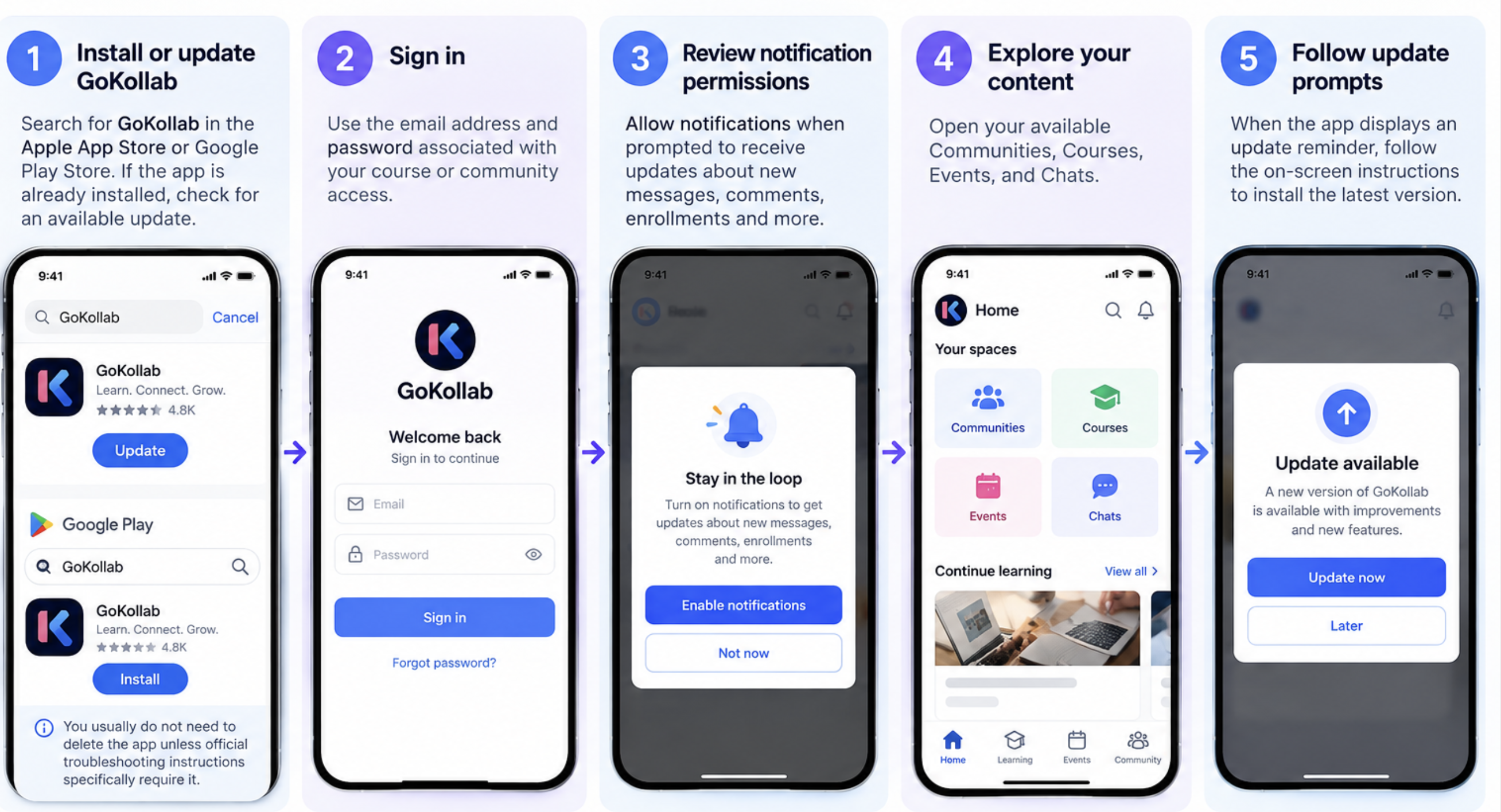
Installing the current app version, signing in with your course or community credentials, and reviewing notification permissions help you access available content and supported alerts.
- Install or update the app. Find Kollab by LeadConnector in the Apple App Store or Google Play Store. If already installed, check for an available update; you do not need to delete the app unless official update instructions specifically require it.
- Sign in. Use the credentials associated with your course or community access.
- Enable notifications if desired. Allow notifications when prompted, or review the app's permissions in your device settings.
- Explore your content. Open your available Communities, Courses, Events, and Chats.
- Follow update reminders. When the app displays an update prompt, follow the on-screen instructions.
Frequently Asked Questions
Q: Do I need to reinstall the app for Beta v2?
Check the App Store or Google Play Store for the latest available version. Reinstall only if official update instructions require it.
Q: What changed in the original Beta v2 release?
The original release focused on native performance, notification reliability, improved navigation, media delivery, and stability.
Q: What was added in version 26.04.140+2604140?
App update nudges, Live Sessions in Courses, notification permission reminders, improvements to the comments/chat editor, and bug and crash fixes.
Q: Can I control notifications?
Yes. You can allow or restrict notifications through your device's notification settings. Available in-app notification options may vary.
Q: What are Live Sessions in Courses?
Live Sessions allow creators to teach and interact with learners in real time within LevelUp.
Q: Does the app work offline?
Offline access is not confirmed for this release. Use an internet connection when accessing current course and community content.
Q: Which improvements are planned for future releases?
The original Beta v2 announcement listed a unified feed, marketplace improvements, mobile live streaming, deep linking, richer post editing, and branded app experiences as planned. Availability may have changed since that announcement.
Related Articles
Was this article helpful?
That’s Great!
Thank you for your feedback
Sorry! We couldn't be helpful
Thank you for your feedback
Feedback sent
We appreciate your effort and will try to fix the article