HighLevel Webinars let you create and manage Live, On-Demand, and Recurring webinar experiences from the Sites area. You can collect registrations, build webinar funnel pages, connect webinar content or live links, and use Workflows for confirmations, reminders, and follow-ups.
TABLE OF CONTENTS
- Key Features & Benefits
- Getting Started
- Live Webinars
- On Demand Webinars
- Automations & Reminders
- Best Practices
- Troubleshooting
- Conclusion
Key Features & Benefits
HighLevel’s webinar funnels are built to streamline setup while giving you powerful engagement tools.
On-Demand Webinars → Pre-recorded content that can be accessed anytime, perfect for evergreen lead generation.
Live Webinars → Host real-time sessions with scheduled dates/times and live interaction.
Template Selection → Pre-built registration, confirmation, and broadcast pages to launch faster.
Automated Workflows & Reminders → Pre-configured automation recipes for email and SMS reminders and follow-ups, reducing manual work.
Recurring Webinars → Repeat webinar sessions on a Daily, Weekly, Monthly, or No Fixed Time schedule.
Webinar Cloning → Reuse an existing webinar setup and update details such as the webinar date and time.
Webinar Analytics → Review registration, attendance, viewing, and engagement data for Live, On-Demand, and Recurring Webinars.
Getting Started
Accessing Webinar Creation
Login to your HighLevel account:
app.gohighlevel.comNavigate to Sites in the left sidebar
Click Webinars
Select New Webinar Funnel
Initial Setup
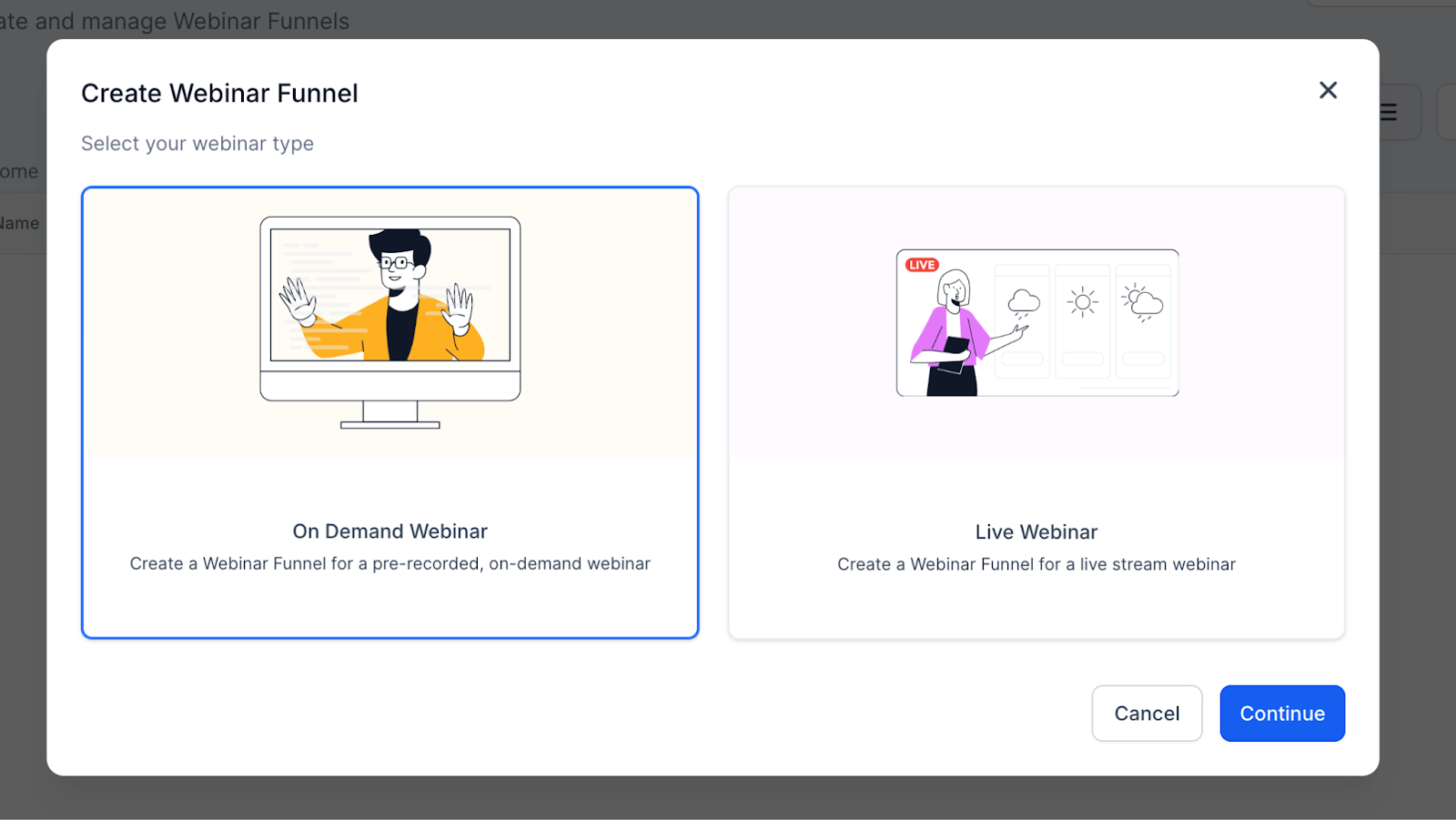
Choose the webinar type that matches your use case:
- Live Webinar — scheduled for a specific date and time.
- On-Demand Webinar — uses pre-recorded content that attendees can access after registering.
- Recurring Webinar — repeats according to a configured schedule.
Live Webinars
Overview
Live webinars are real-time presentations where attendees join at a specific date and time.
4-Step Creation Process
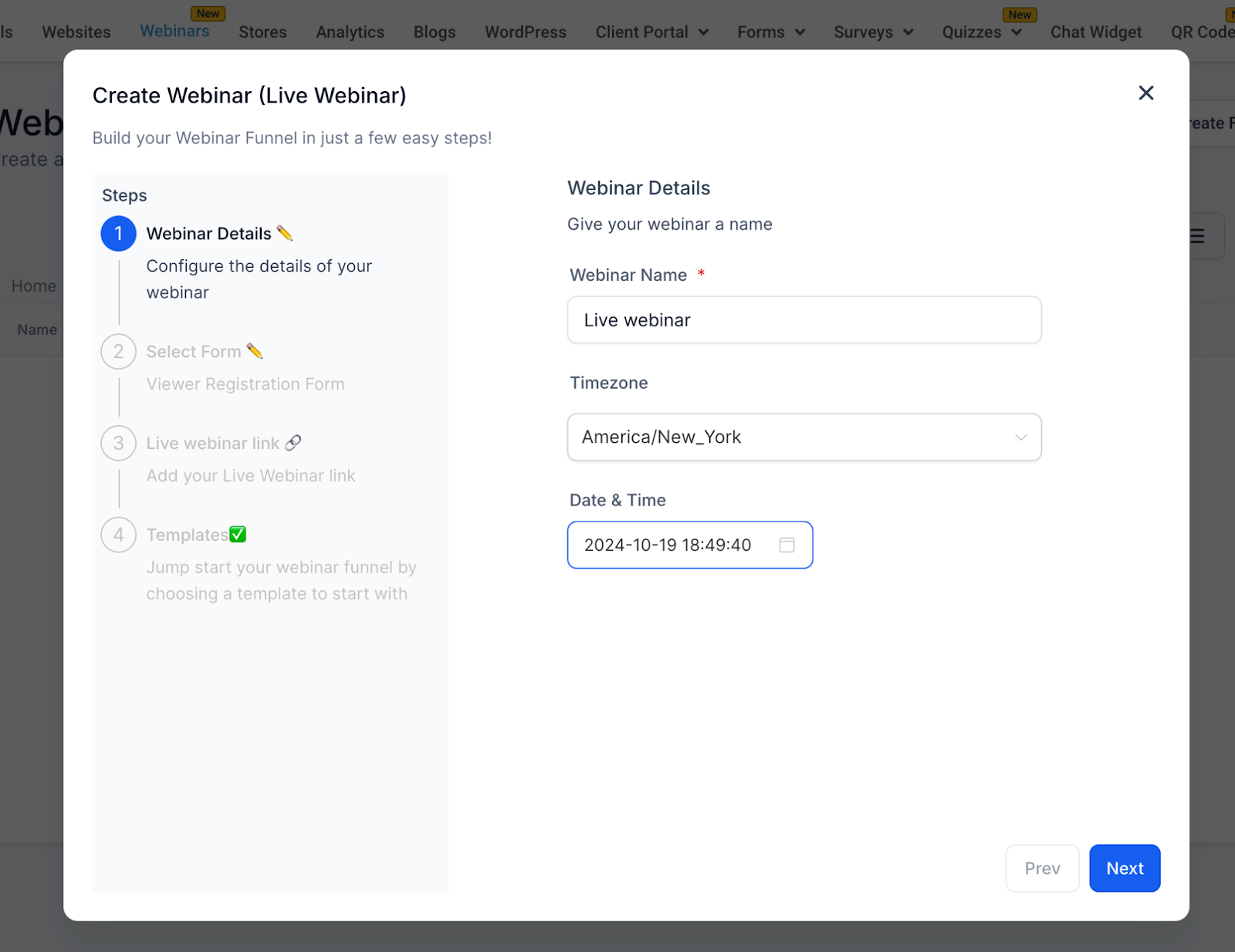
Step 1: Webinar Details
Webinar Name (Required) — Example: Digital Marketing Mastery Webinar
Timezone (Required) — Default: America/New_York (changeable)
Date (Required) — Pick a future date
Time (Required) — Example: 2:00 PM
Step 2: Select Form
Attendees register via forms created in Sites > Forms.
Dropdown Options → Displays all available forms
Custom Forms → Create your own with fields like name, email, phone, etc.
Lead Capture → Forms sync with your CRM for tracking and automations
Automation Trigger → Form submissions also trigger reminder and follow-up workflows (see Automations & Reminders)
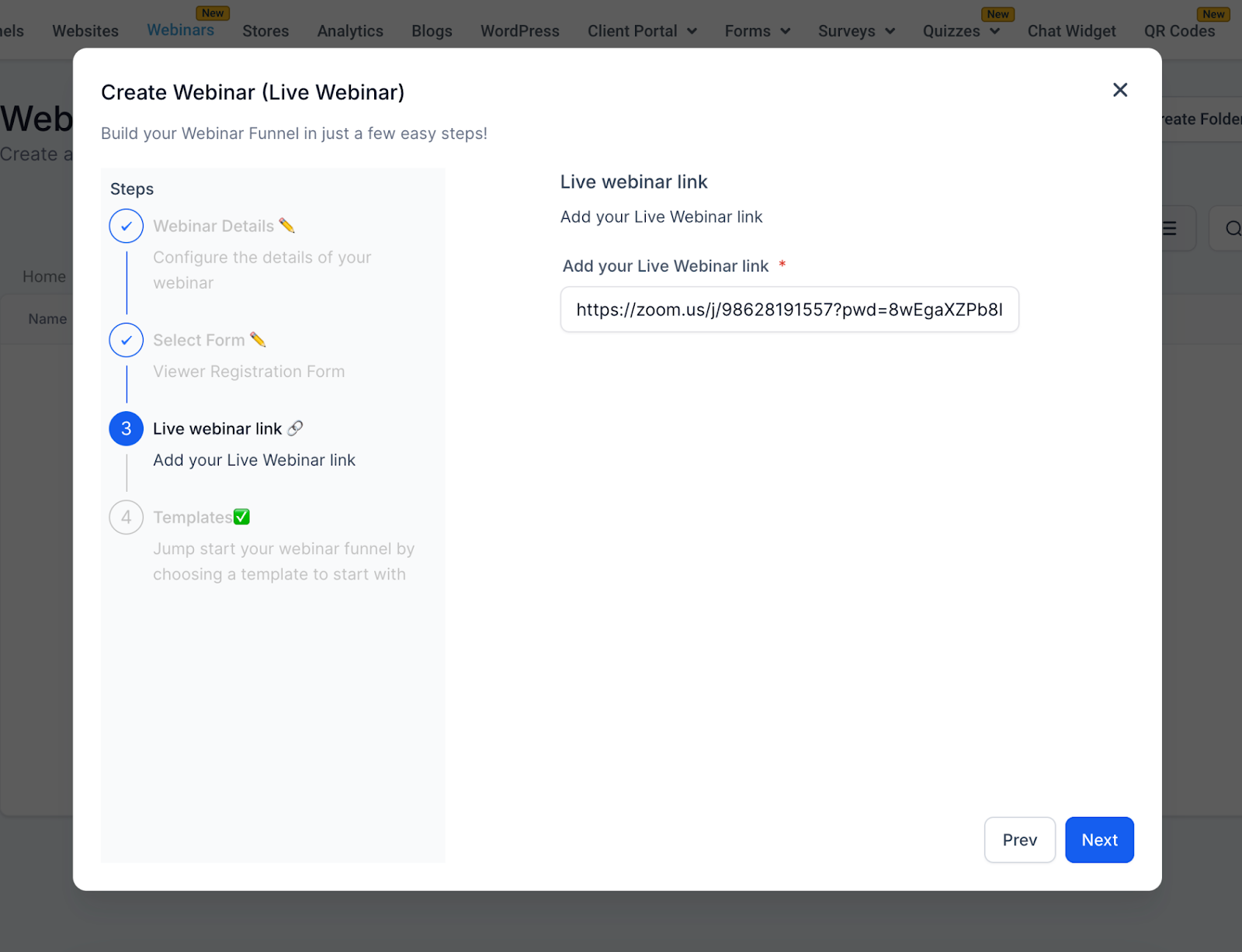
Step 3: Live Webinar Link
Enter your streaming link:
Zoom →
https://zoom.us/j/123456789YouTube Live →
https://youtube.com/watch?v=ABC123Other supported webinar or custom links
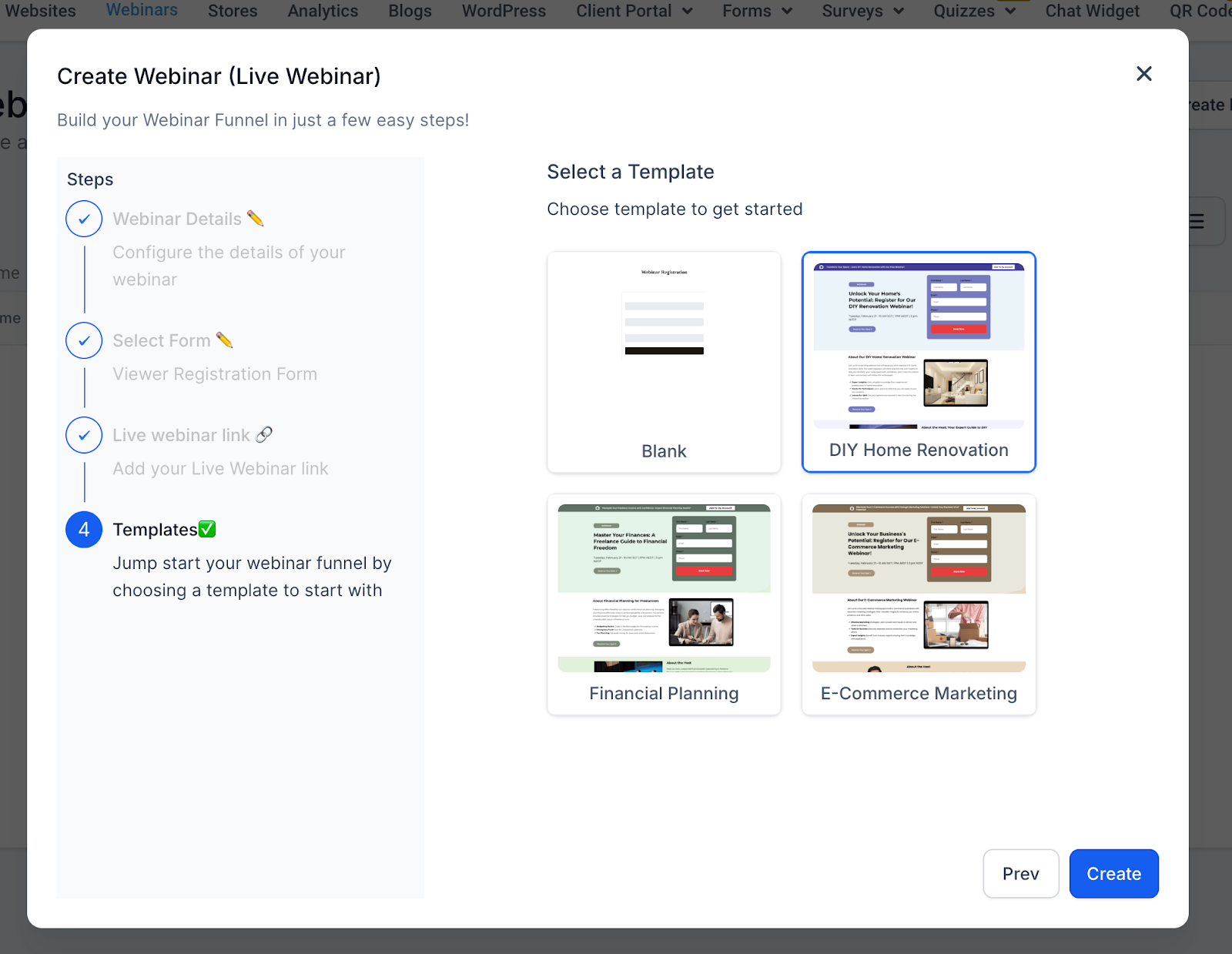
Step 4: Templates
Choose from pre-designed funnel templates, such as:
Blank Live
E-Commerce Marketing Live
Financial Planning Live
DIY Home Remodel Live
On Demand Webinars
Overview
On-Demand webinars are pre-recorded sessions that attendees can access anytime after registering.
4-Step Creation Process
Step 1: Webinar Details
Webinar Name (Required) — Example: Content Marketing Mastery - On Demand
Note → No timezone, date, or time needed.
Step 2: Select Form
Same as Live Webinars:
Choose a form from Sites > Forms
Default Example: Marketing Form - Claim Offer
Customizable fields to capture the data you need
Step 3: Select Video
Upload or select a pre-recorded video:
Supported video formats include:
- MP4
- MOV
- AVI
Upload from your computer or select from the media library
Required to proceed
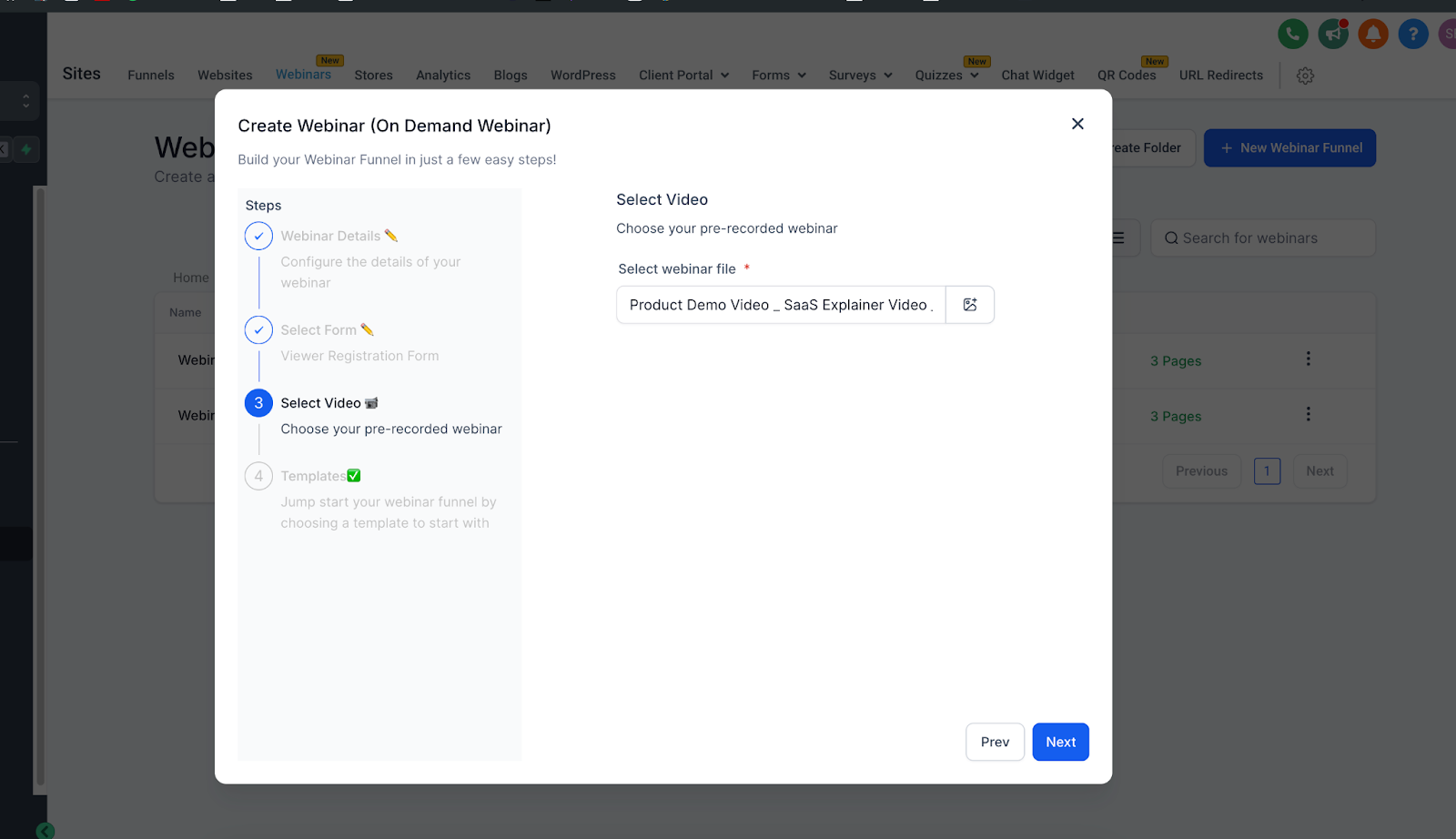
Step 4: Templates
Same template library as Live Webinars, optimized for on-demand viewing.
Automations & Reminders
One of the most powerful features of webinar funnels is automation.
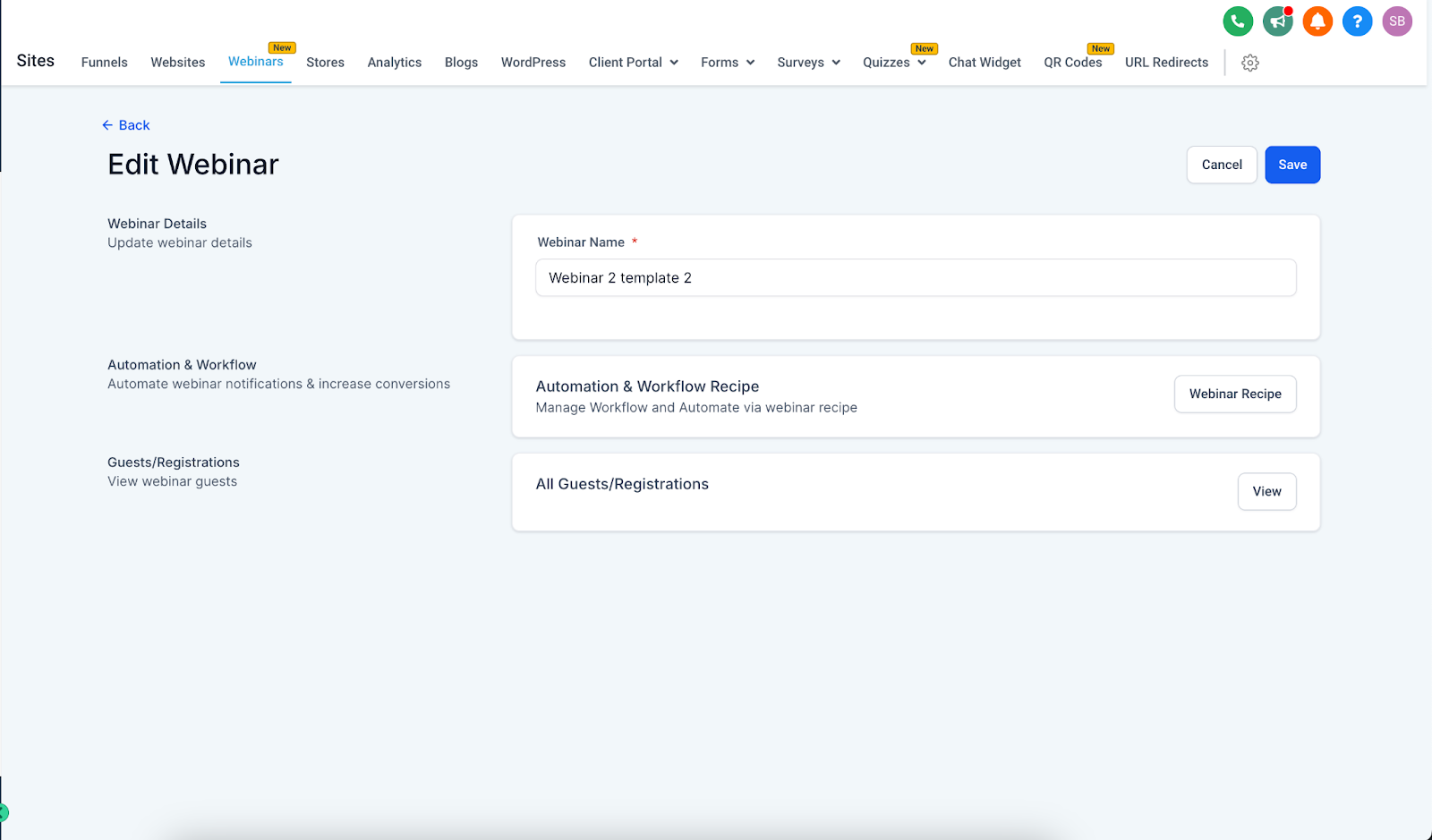
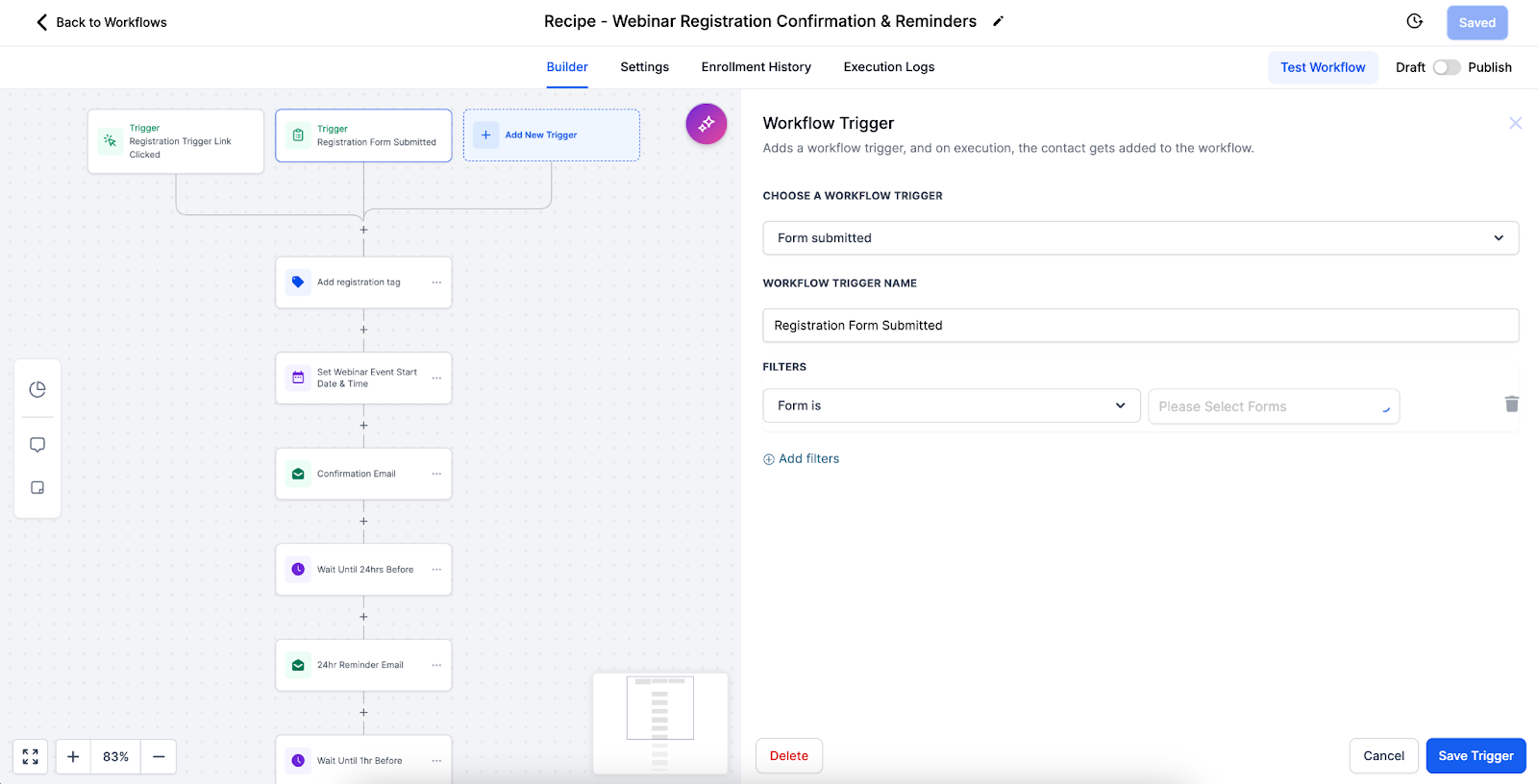
Pre-Built Workflow Recipe → Each webinar funnel comes with an automation recipe for reminders and follow-ups.
Triggers → Registrations (form submissions) automatically start the workflow.
Reminders → Email/SMS reminders can be scheduled for Live Webinars (for example, 24 hours before, 1 hour before, 10 minutes before).
Follow-Ups → Post-webinar workflows send thank-you emails, replay links, and nurture campaigns.
Customization → You can edit workflows via the three-dot menu on your webinar funnel to adjust timing, personalize messages, or add extra steps.
Pro Tip: Align reminder timings with your audience’s habits (for example, B2B audiences respond better to morning reminders, while B2C may need evening prompts).
Best Practices
Live Webinars
Test setup before the event
Schedule with audience timezones in mind
Promote early and often
Have a backup plan for technical issues
Encourage interaction (chat, polls, Q&A)
On Demand Webinars
Use high-quality recordings
Keep videos concise (30–60 minutes)
Structure content for self-paced learning
Keep your media library organized
Refresh content periodically
Troubleshooting
Live Webinars
Link not working → Verify format & test before event
Timezone confusion → Clearly display timezone on registration and confirmation pages
On Demand Webinars
Upload fails → Check format, file size, and internet connection
Poor video quality → Upload high-resolution versions
Available frequency options include:
- Daily
- Weekly
- Monthly
- No Fixed Time
You can also end the series after a specified number of sessions or on a selected date.
General
Form not capturing leads → Test form integration with CRM
Template not loading → Refresh or check connection
Recurring Webinars
Recurring Webinar settings let you repeat webinar sessions without manually creating every occurrence.
To configure a recurring webinar:
- Go to Sites → Webinars.
- Create a new webinar or open an eligible existing webinar.
- Complete the Webinar Details.
- Turn on Enable recurring webinar.
- Select the recurrence frequency.
- Configure the recurrence pattern.
- Choose when the webinar series should end.
Conclusion
Use the webinar type that matches your delivery model, then test the registration form, webinar content, funnel pages, and automation before promoting the webinar.
Live → Real-time engagement and interaction
On Demand → Evergreen, scalable, and flexible access
With built-in templates and automation workflows, you can launch webinars quickly while ensuring attendees receive timely reminders, seamless confirmations, and personalized follow-ups — helping you maximize engagement and conversions with minimal effort.
Frequently Asked Questions
Can I clone an existing webinar?
Yes. HighLevel supports cloning webinars so you can reuse an existing setup and update details such as the date and time.
Can I create a recurring webinar?
Yes. Recurring Webinars can repeat on Daily, Weekly, Monthly, or No Fixed Time schedules.
Where can I view webinar analytics?
Go to Sites → Analytics → Webinars.
Does an On-Demand Webinar require a scheduled date and time?
No. On-Demand Webinars require webinar content but do not require a fixed webinar date, time, or timezone.
Related Articles
Was this article helpful?
That’s Great!
Thank you for your feedback
Sorry! We couldn't be helpful
Thank you for your feedback
Feedback sent
We appreciate your effort and will try to fix the article