The Managed Agents API allows you to create, update, publish, and manage AI agents directly through HighLevel APIs. Build agents using natural-language instructions, automate deployments, and manage the complete agent lifecycle without opening Agent Studio. This makes it easier to integrate AI agent capabilities into your applications and workflows.
For endpoint specifications and request details, refer to the Managed Agents API Documentation.
What is the Managed Agents API?
The Managed Agents API enables developers to build and manage AI agents programmatically. Simply describe what you want an agent to do, and the AI-powered builder creates it, including subagents when needed. You can refine agents, publish or unpublish them, and execute published agents through API requests.
Key Benefits of the Managed Agents API
The API simplifies agent creation and deployment, allowing developers and agencies to automate agent management without manually configuring each agent in Agent Studio.
Natural-Language Agent Creation: Build and update agents using simple descriptions.
Complete Lifecycle Management: Create, refine, publish, execute, and unpublish agents through APIs.
Automated Deployment: Deploy agents across client sub-accounts and streamline onboarding.
Flexible Integrations: Bring agent-building capabilities into your applications, scripts, and AI tools.
Secure Access: Control building and publishing through dedicated API permissions.
Managed Agents API Capabilities
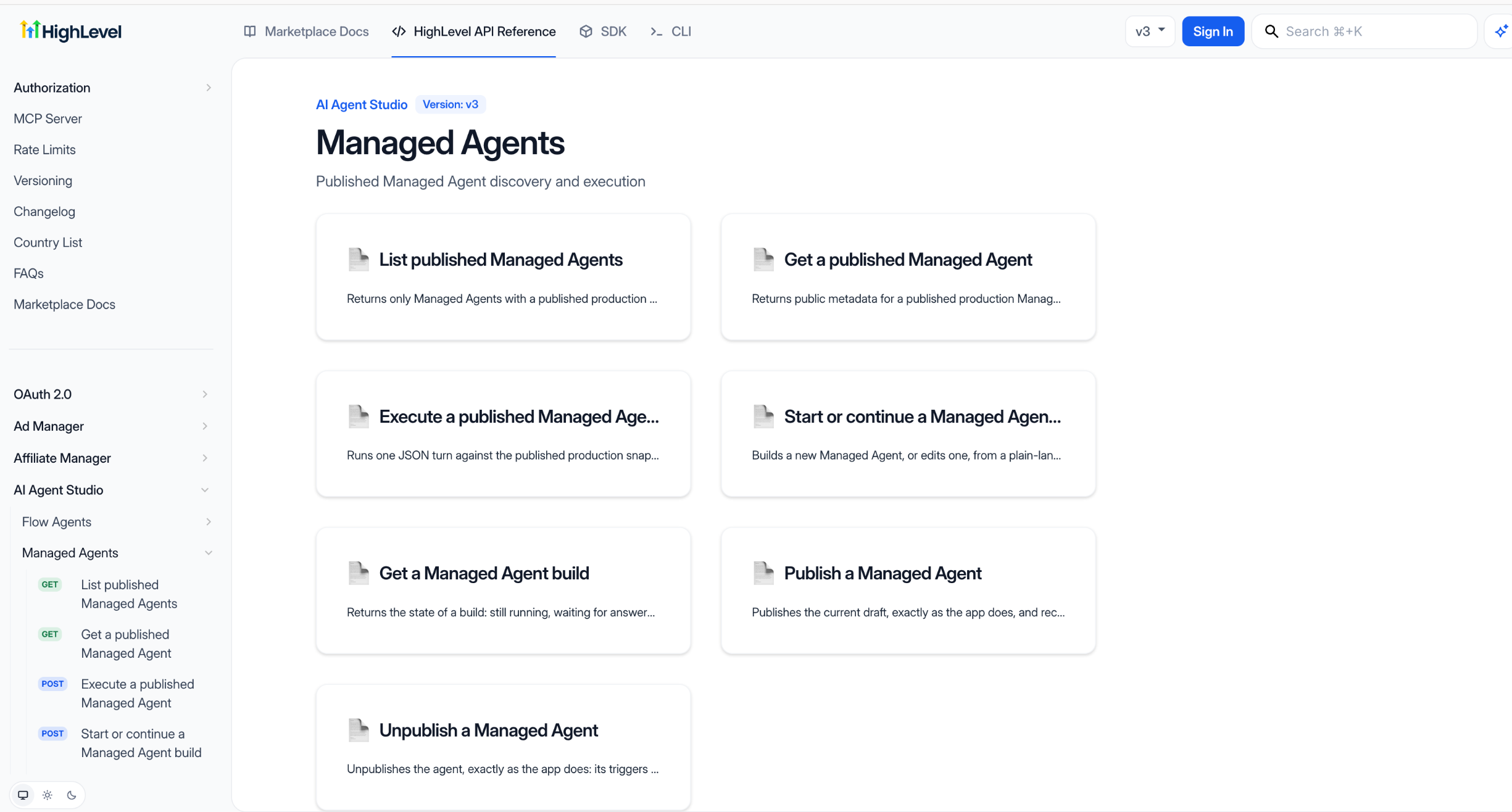
The API supports the following operations for managing agents throughout their lifecycle.
| API Operation | Description |
|---|---|
| List Published Managed Agents | Retrieve available published agents. |
| Get a Published Managed Agent | Retrieve a published agent's metadata. |
| Execute a Published Managed Agent | Run a published agent using a JSON request. |
| Start or Continue a Managed Agent Build | Create or refine agents using natural-language instructions. |
| Get a Managed Agent Build | Retrieve the current build status. |
| Publish a Managed Agent | Activate an agent and its configured triggers after validation. |
| Unpublish a Managed Agent | Deactivate an agent while retaining its configuration. |
Creating and Updating Managed Agents
Describe the task you want an agent to perform, and the builder automatically creates the required configuration, including subagents when necessary. Existing agents can also be refined using natural-language instructions.
Guided Questions and Build Validation
When additional information is required, such as selecting a booking calendar, the builder asks follow-up questions that your application can answer. Before publishing, built-in validation checks whether the agent is ready and identifies missing configurations.
Publishing, Unpublishing, and Executing Agents
Publish agents to activate them and their configured triggers. Unpublish agents when they are no longer needed while preserving their configuration for future use. Published agents can be executed through the existing API.
API Permissions, Pricing, and Availability
Managed Agents API access is available to all HighLevel sub-accounts through Private Integrations.
Permissions: A dedicated Managed Agents build and publish scope, separate from viewing and execution permissions.
Pricing: Creating, publishing, and unpublishing agents is free. Executing published agents counts toward Managed Agents usage.
Availability: Available to all sub-accounts through Private Integrations.
For endpoint specifications and request details, refer to the Managed Agents API Documentation.
Common Use Cases
The Managed Agents API supports scalable agent deployment across different business scenarios.
White-Label AI Builders: Let customers create and publish agents directly from your branded application.
Automated Onboarding: Deploy agents automatically when setting up new client sub-accounts.
Agency Agent Libraries: Maintain reusable agents and deploy them to client accounts as needed.
Campaign Automation: Publish or unpublish agents based on seasonal campaigns or business requirements.
AI-Powered Agent Creation: Enable AI assistants to turn user instructions into functional, published agents.
Frequently Asked Questions
Q: Can an agent be created without opening Agent Studio?
Yes. Agents can be created and managed directly through API requests using natural-language instructions.
Q: What happens if the builder needs additional information?
The builder returns guided questions, allowing your application to provide the missing details and continue the build.
Q: What happens if an agent fails publishing validation?
The validation identifies missing requirements that must be addressed before the agent can be published.
Q: Does unpublishing an agent delete its configuration?
No. Unpublishing deactivates the agent while preserving its configuration for future use.
Q: Are building and executing agents controlled by the same permission?
No. Building and publishing use a dedicated permission scope, separate from viewing and executing agents.
Related Articles
Was this article helpful?
That’s Great!
Thank you for your feedback
Sorry! We couldn't be helpful
Thank you for your feedback
Feedback sent
We appreciate your effort and will try to fix the article