Place notes on the map, connect them to workflows, assets, or folders, and control their visibility.
TABLE OF CONTENTS
- What sticky notes are for
- Steps for adding a sticky note
- Connect a note to an item
- Hide or show notes
- Frequently Asked Questions
What sticky notes are for
Sticky notes explain why part of the map is arranged or configured in a particular way. Use them to leave context for teammates or clients.
For example, a note beside a follow-up workflow can explain which lead source it serves or which connected workflow should be reviewed before making changes.
Steps for adding a sticky note
- Open Automation → Workflows → Workflow Maps.
- Use the Add sticky note control in the bottom toolbar and choose a color.
- Place the note beside the part of the map it explains.
- Enter a short explanation that helps the next person understand that part of the account.
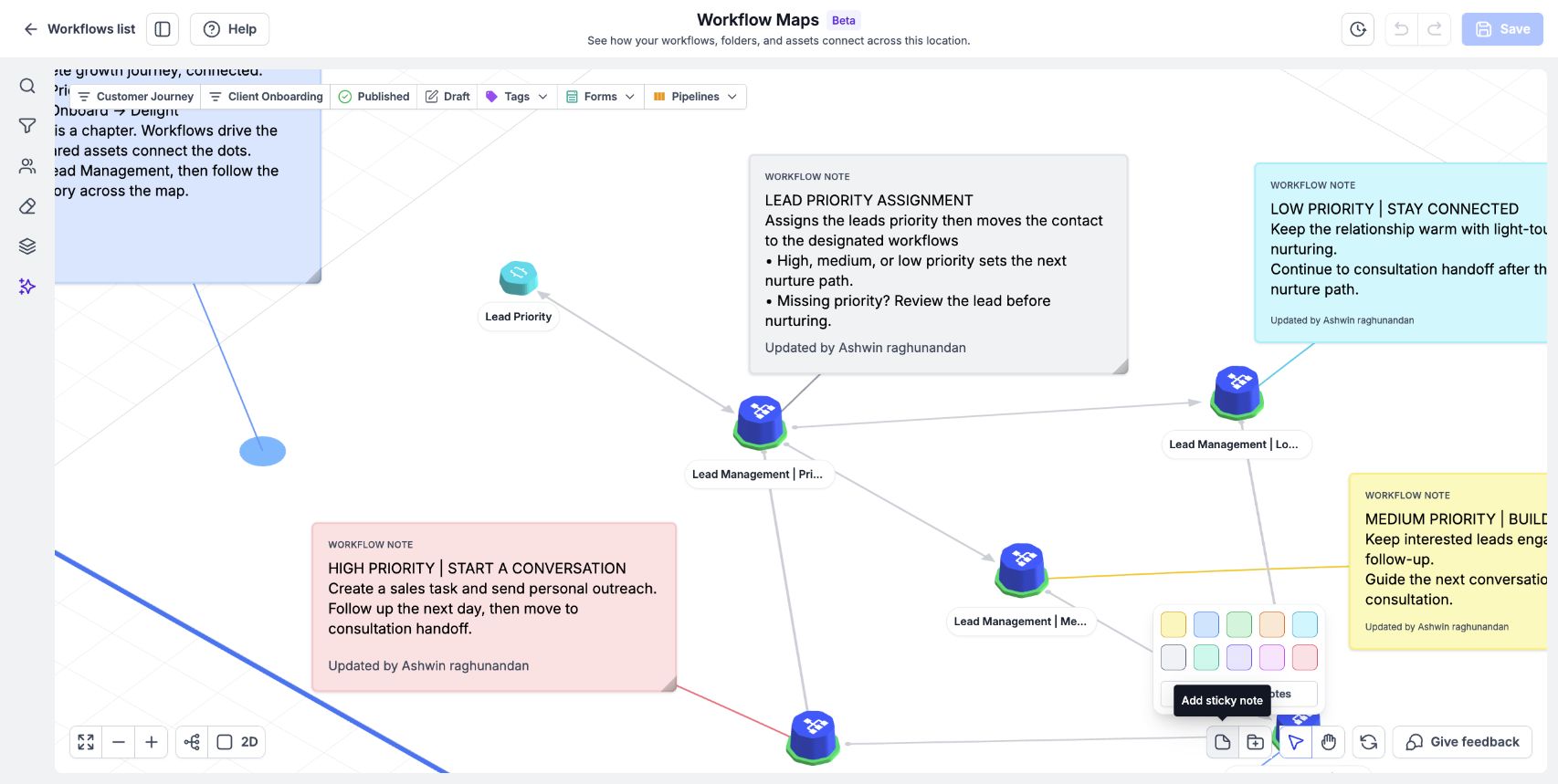
Open Add sticky note in the bottom toolbar to choose a note color or hide existing notes.
Connect a note to an item
Connect the note to a workflow, asset, or folder so that it stays with the item.
Attach notes to the item they explain. For example, connect a handover note to the workflow it describes rather than leaving its purpose dependent on its position alone.
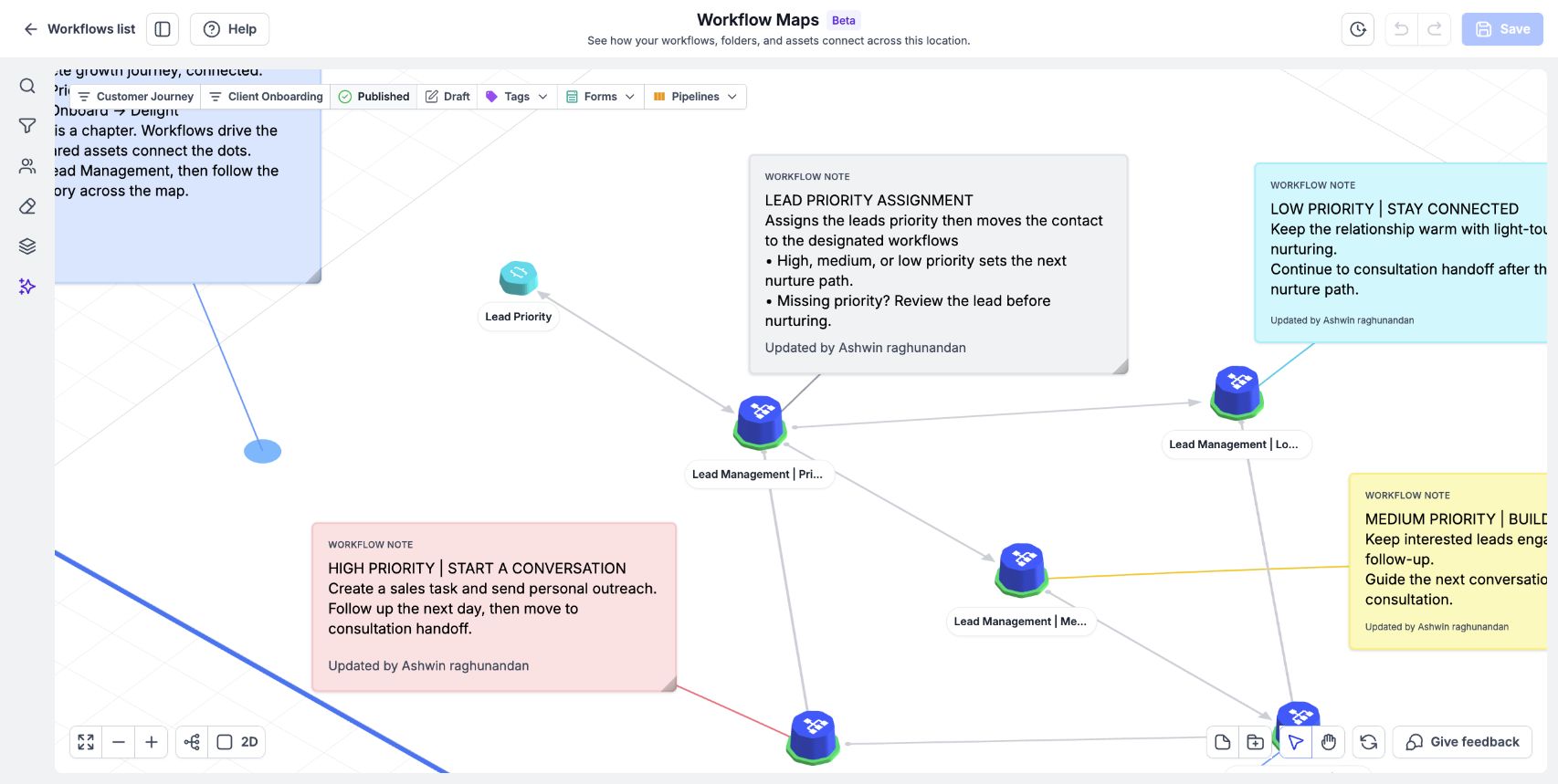
Notes explain the automation and can be connected to the workflow they describe.
Hide or show notes
Use Hide all sticky notes / Show all sticky notes to hide or display all sticky notes.
Hiding notes can make a crowded map easier to inspect. Show them again when you need the explanations.
Frequently Asked Questions
Q: What can a note connect to?
A workflow, asset, or folder.
Q: Can I hide all notes at once?
Yes. Use Hide all sticky notes / Show all sticky notes.
Q: Does a sticky note change the automation?
A note provides context on the map. Edit workflow steps in the builder.
Related article
Was this article helpful?
That’s Great!
Thank you for your feedback
Sorry! We couldn't be helpful
Thank you for your feedback
Feedback sent
We appreciate your effort and will try to fix the article