Your product cards are one of the first things shoppers see when browsing your store. HighLevel gives you more control over how these cards look. This article explains how to configure your product cards and what options are available.
TABLE OF CONTENTS
Customizing Product Cards in an Ecommerce Store
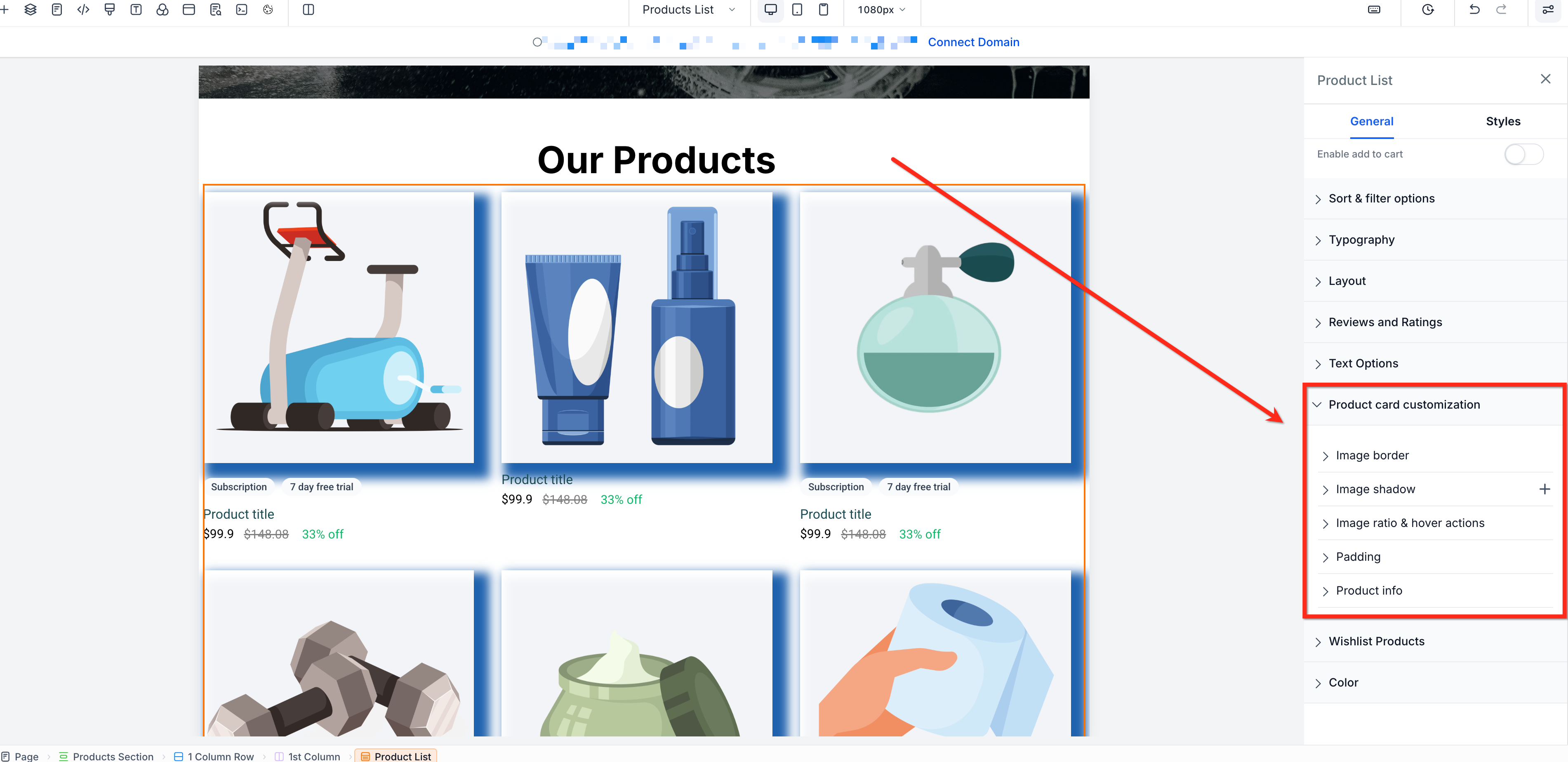
Use Product Card Customization to style product cards in the Product List, Featured Products, and Collection components.
To access these settings, open the Store Builder, select a supported component, then open Product Card Customization in the component settings. Existing product card layouts keep their current or default styling unless you update these settings.
Available Customization Options
Borders
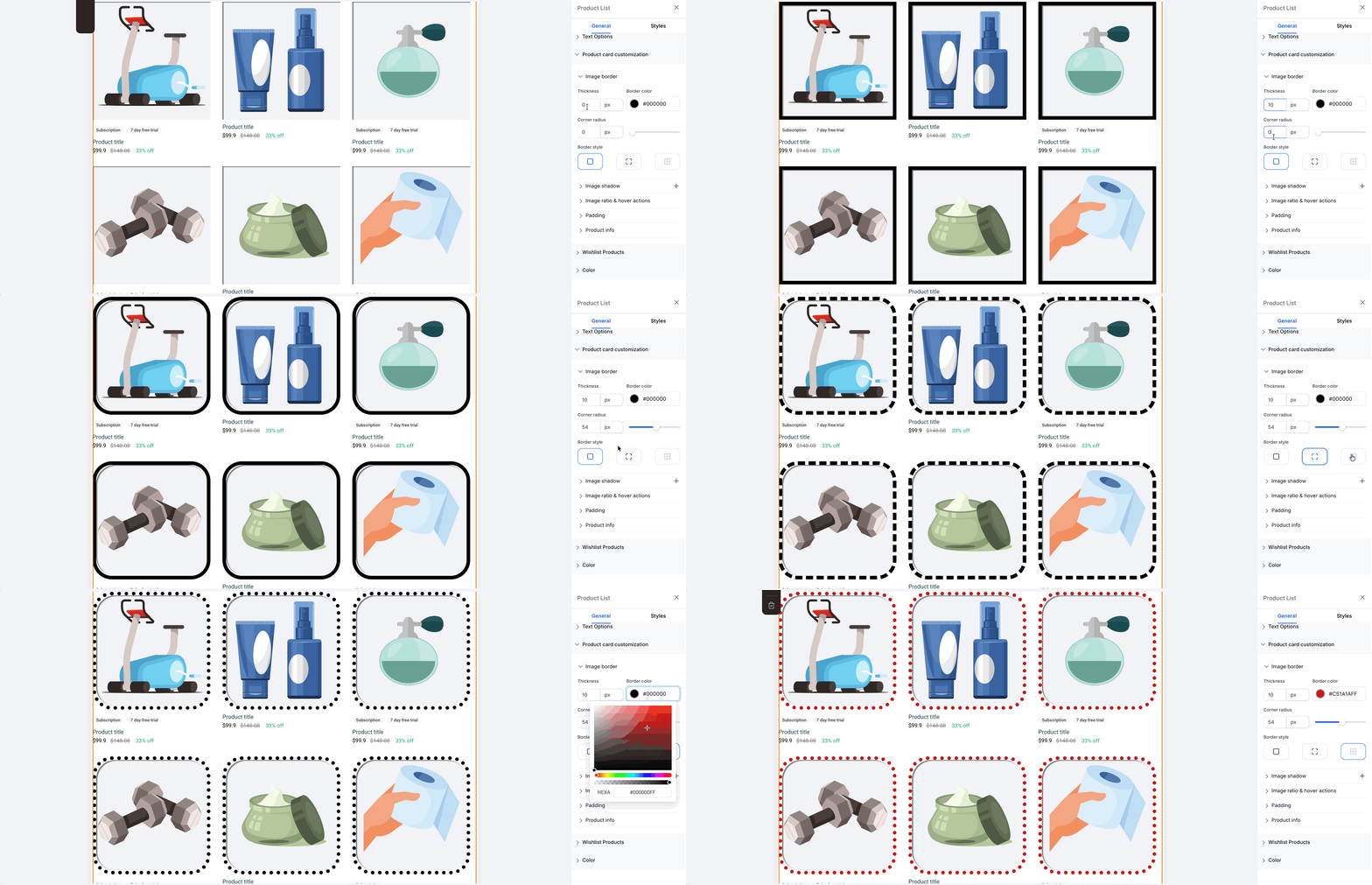
Customize the border around product images by adjusting the thickness, radius, color, and style.
Available for: Product List, Featured Products, and Collection
Shadows
Add an inner or outer shadow to product images and adjust the offset, blur, spread, and color. You can stack up to 5 shadows using the + icon.
Available for: Product List, Featured Products, and Collection.
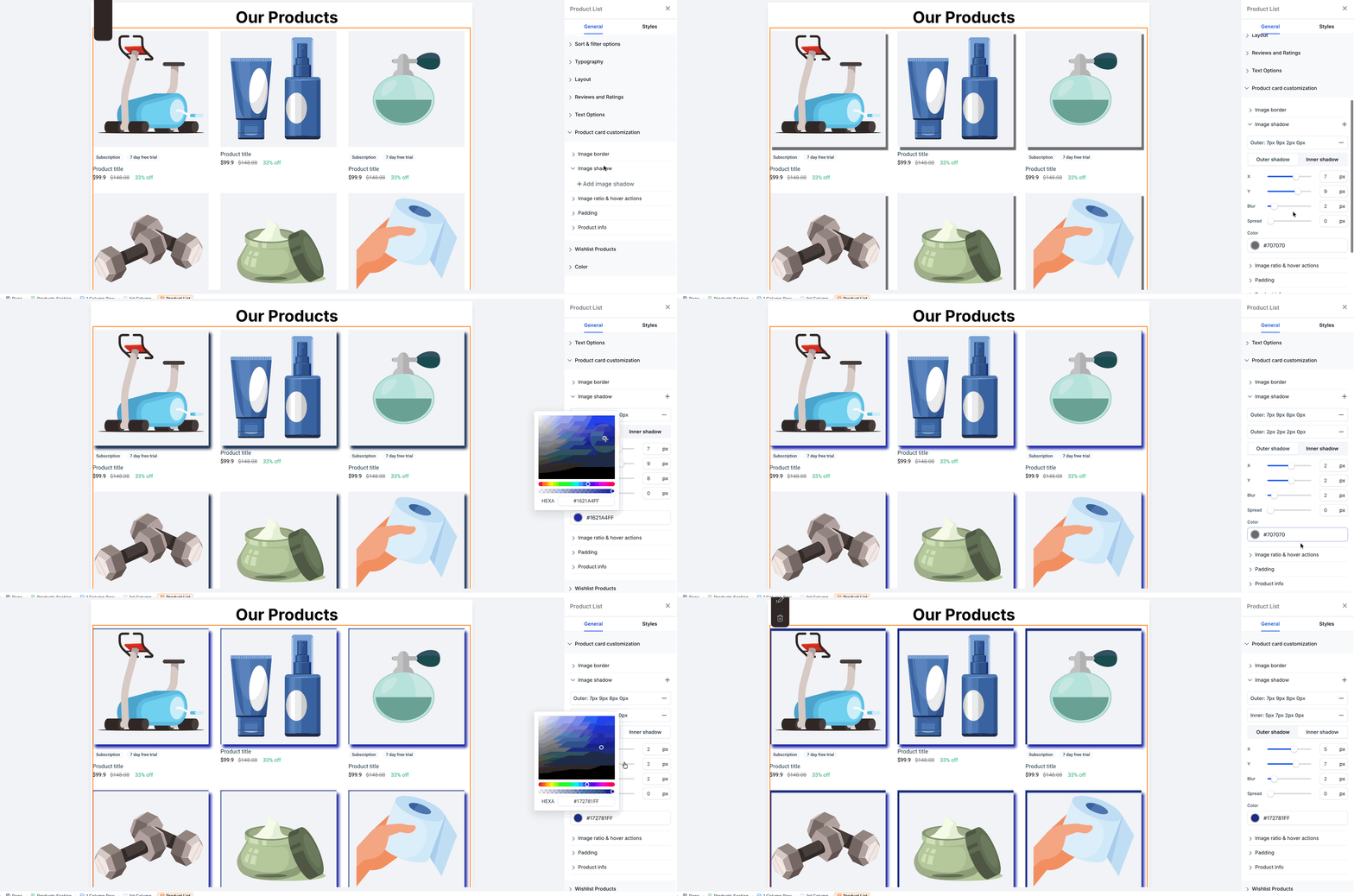
Image Ratio and Hover Effects.
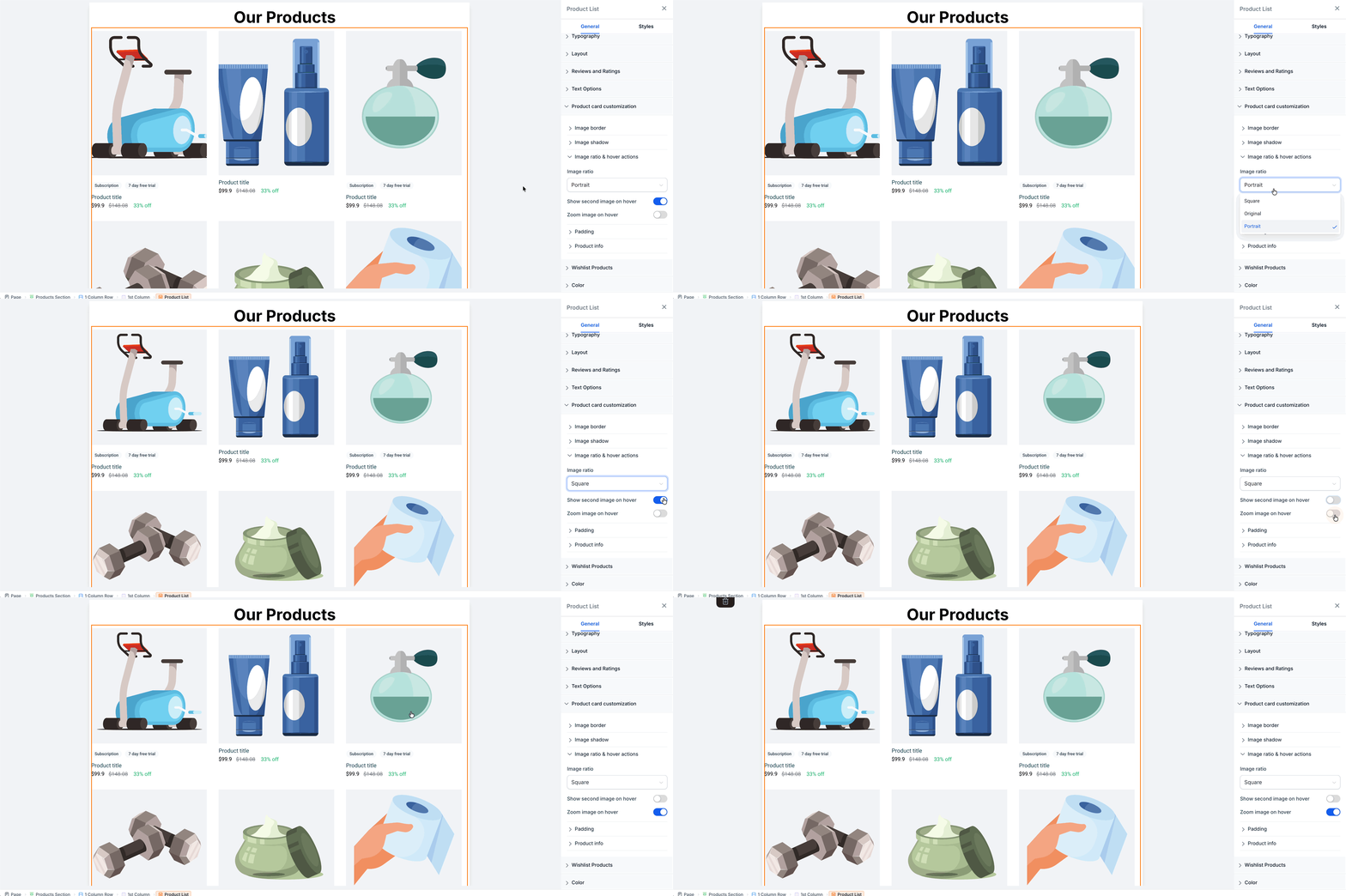
Choose how product images fit within the card using Square, Portrait, or Original. Use Show second image on hover to swap to the product’s second image, or enable Zoom image on hover to enlarge the image.
Image ratio available for: Product List, Featured Products, and Collection.
Hover effects available for: Product List and Featured Products on Desktop only.
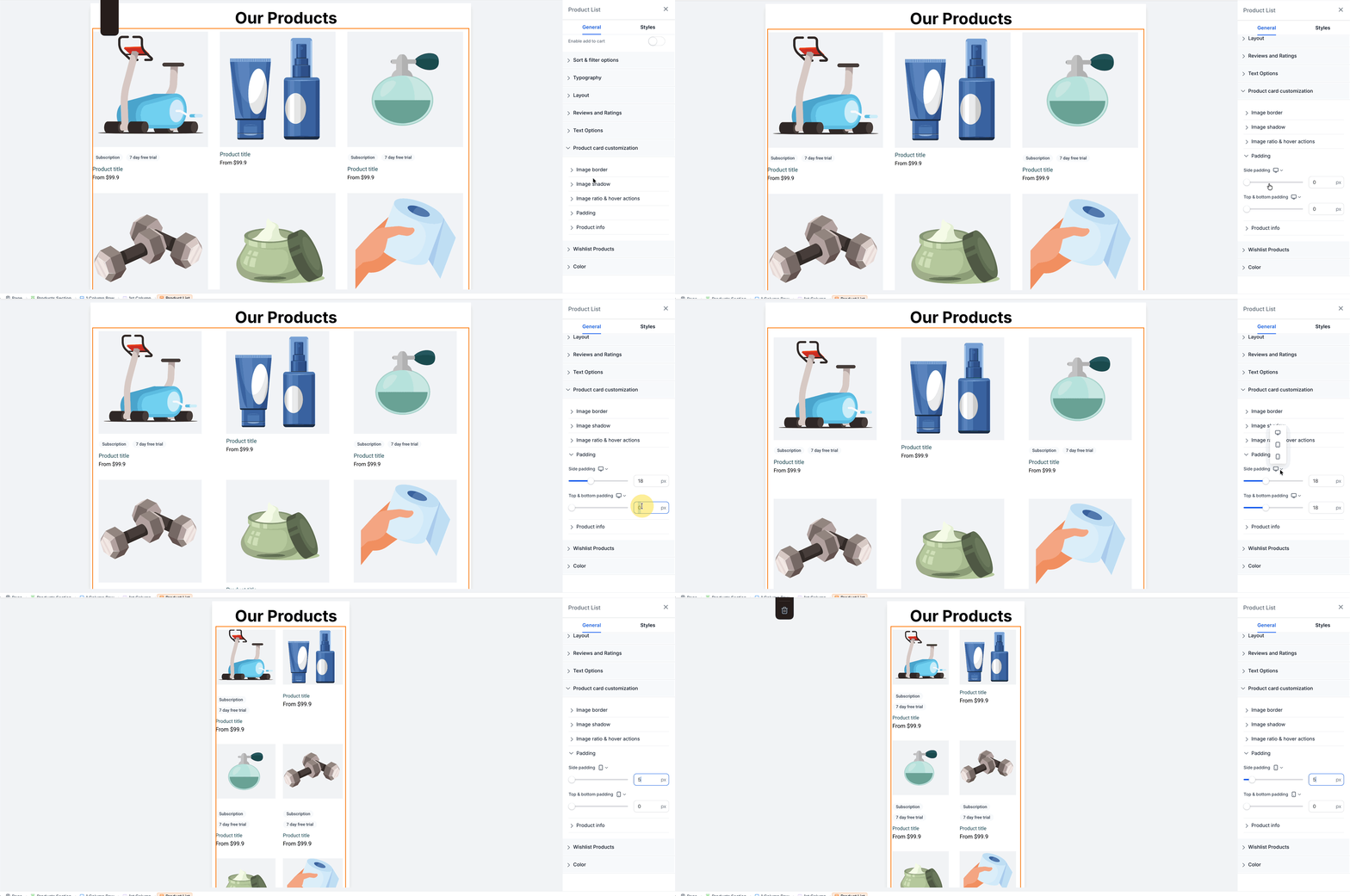
Product Card Padding
Control the space inside each product card and configure padding separately for Desktop, Tablet, and Mobile.
Available for: Product List only.
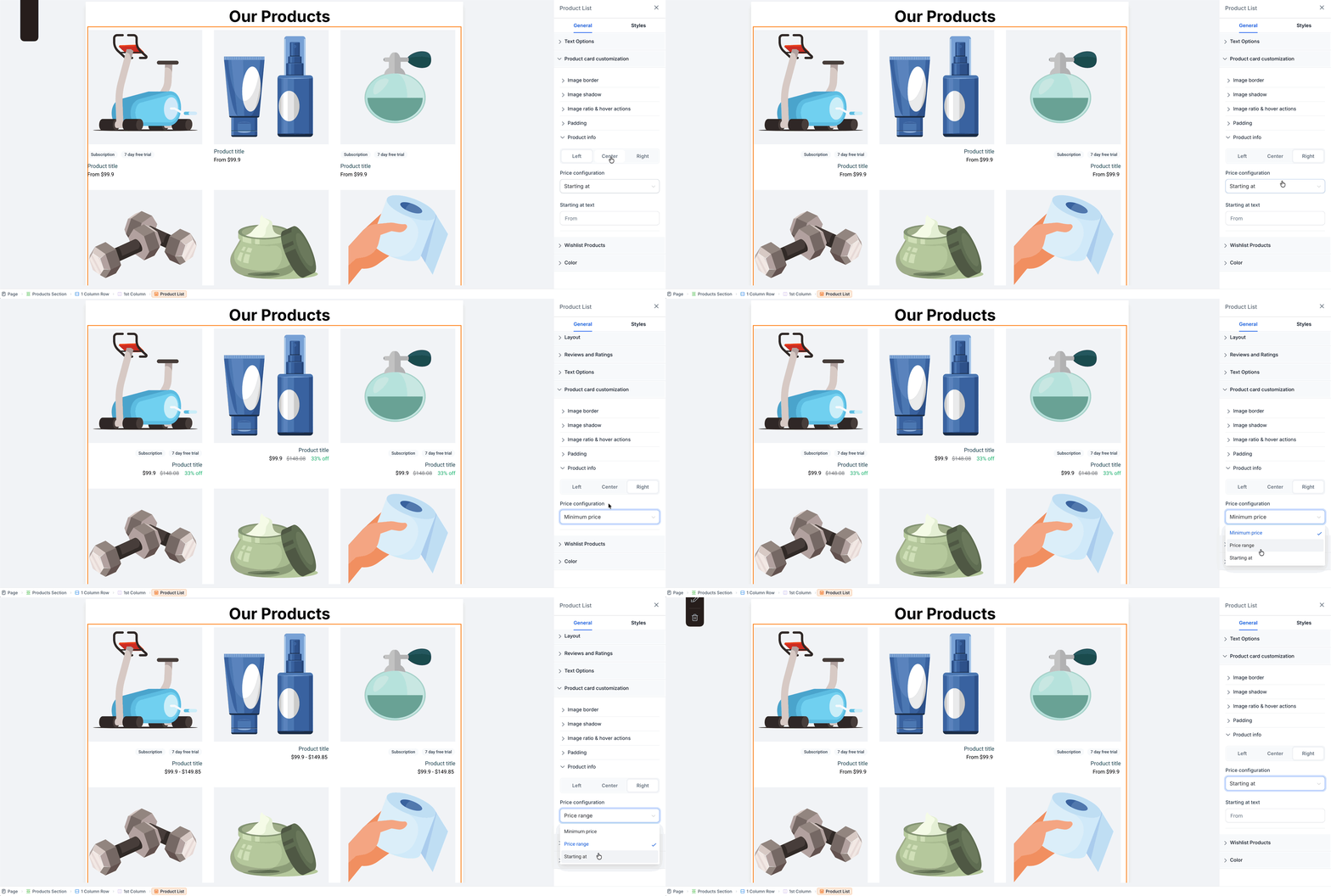
Product Info and Price Configuration
Align the product name, price, and other card information to the left, center, or right. Configure the available price display settings to control how pricing appears on the card.
Available for: Product List, Featured Products, and Collection.
Was this article helpful?
That’s Great!
Thank you for your feedback
Sorry! We couldn't be helpful
Thank you for your feedback
Feedback sent
We appreciate your effort and will try to fix the article